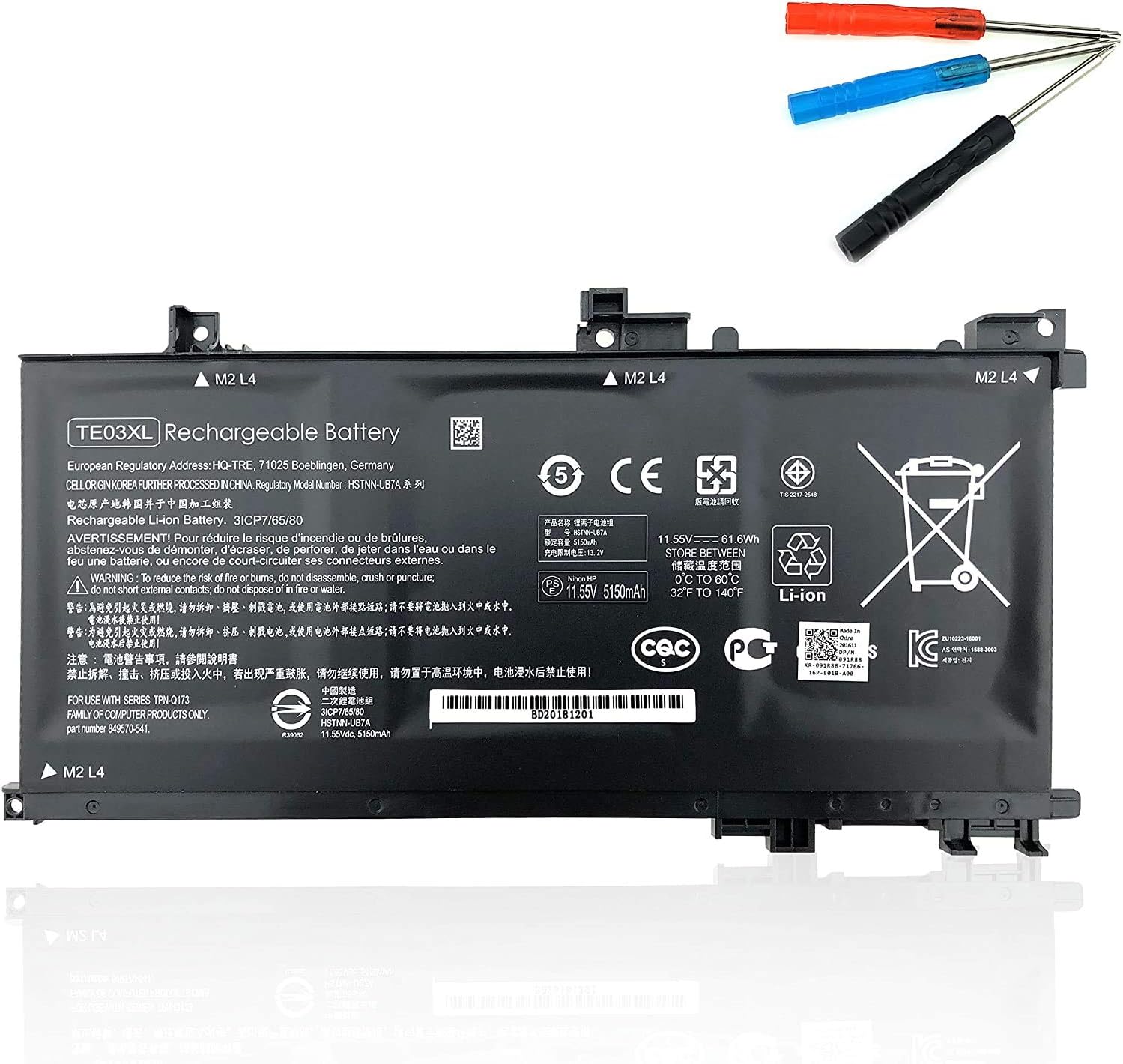

SS03XL 933321-855 Laptop Battery Replace for Hp EliteBook 840 G5 G6 Notebook 730 735 740 745 830 846 G5 840 G6 735 745 830 G6 ZBook 14U G5 G6 Series HSN-I13C-4 HSTNN-LB8G 932823-421 933321-852 50Wh About this item 【Basic Details】Item Model: SS03XL; Battery Type: Li-ion; Voltage: 11.55V; Capacity: 50Wh/4330mAh; Battery Color: Black. 【Compatible P/N 】SS03XL SS03 933321-855 / 932823-171 / 933321-852 932823-1C1 / 932823-271 / 932823-2C1 / 932823-421 / HSN-112C / HSN-113C-4 / HSN-I13C-4 / HSN-I12C / HSTNN-IB8C / HSTNN-LB8G / HSTNN-DB8J / SS03050XL 【Compatible Laptop Models】HP Elitebook 840 G5/ 730 G5/ 735 G5/ 740 G5/ 745 G5/ 836 G5/ 846 G5 Series; HP Elitebook 840 G6/ 735 G6/ 745 G6/ 830 G6 Series; HP ZBook 14U G5 Series; HP ZBook 14U G6 Series; HP MT44 Mobile Thin Client

The Samsung Smart Monitor M7 LS43DM702UMXUE features a 43-inch VA panel with 4K UHD resolution (3840 × 2160). It combines a monitor and smart TV platform in a single display, making it suitable for productivity, entertainment, and streaming without requiring a connected PC. The display supports a maximum refresh rate of 60Hz and provides sharp image quality for office work, media consumption, and general computing tasks. In addition, the 4K resolution offers four times the detail of Full HD content. Samsung equips this model with Tizen OS. Therefore, users can access streaming applications, web services, and smart features directly from the monitor. It also supports Samsung TV Plus and cloud-based productivity applications. Connectivity includes HDMI ports, USB ports, Wi-Fi 5, Bluetooth 5.2, and USB-C. The USB-C connection supports display input, data transfer, and up to 65W power delivery for compatible devices. The monitor includes built-in speakers and supports wireless screen mirroring from compatible smartphones, tablets, and laptops. As a result, users can share content without additional cables. This model focuses on productivity, entertainment, and smart connectivity while providing a large 43-inch 4K display. Specifications: 43-inch VA panel with 3840 × 2160 4K UHD resolution 60Hz refresh rate Tizen OS with built-in streaming applications USB-C with up to 65W Power Delivery Wi-Fi 5, Bluetooth 5.2, HDMI, and USB connectivity

POUT E3 Angle - Adjustable Angled Ergonomic Laptop Stand Riser - Notebook Computer Holder Compatible w/MacBook Air Pro Dell HP & More 11"-17" Laptops - Foldable & Portable w/ 5 Angles (Silver) POUT E3 Angle – Adjustable Angled Ergonomic Laptop Stand Riser – Notebook Computer Holder Compatible w/MacBook Air Pro Dell HP & More 11″-17″ Laptops – Foldable & Portable w/ 5 Angles (Silver)

GSAN GS-3021 POS All in One Touch 15.6" - Intel i5 - 8GB - 128GB SSD with Customer Display Main Board: POS motherboard CPU: I5-3RD GEN Memory: DDR3 8GB Hard Disk: 128GB Power: External power supply Input: 110V-240V 50/63Hz 2A Output: 12V DC 8A 96W MAX Interface: 6 USB port 1 LAN port

Lenovo ThinkVision T32h-20 61F1GAT2EU The Lenovo ThinkVision T32h-20 .Do more than just optimize your productivity . with the ThinkVision T32h-20 monitor. An enhanced view of and easy navigation. through documents, spreadsheets, or designs on this sleek display that complements your modern workspace. Its vast 31.5-inch screen with QHD resolution delivers more screen real estate with higher clarity than FHD, making data-intensive work, number crunching, and content editing a breeze. The one-cable solution USB Type-C, HDMI, and DP ports provide multiple interface options. Integrated with Smart Power, the USB Type-C also doubles up. as a charger for dynamic consumption and intelligent power management. Top Features 31.5″QHD (2560 x 1440) 3-side Near-edgeless display USB Type-C one cable solution HDMI, DP ports with USB hub Ergonomic and space-saving design & UE Specifications Brightness 350 cd/m2 Contrast ratio 1000:1 Connection type 1 x USB Type-C Gen1 (DP1.2 Alt Mode)4 x USB 3.1 Gen1 ports (Downstream, incl. 1 x BC) Panel type In-Plane Switching Display stand Lift, Tilt, Pivot, Swivel EU energy class E Power requirement AC 100 to 240 V (50-60 Hz) Brand ThinkVision Anti-reflex Yes Color calibration accuracy Yes Color coverage 99% sRGB Color depth 10-bit Color support 1.07 Billion Measure without packaging 235.0 x 469.4 x 714.6 mm, 9.25 x 18.48 x 28.13 inches Gentle on the eyes Yes Screen dimensions (without foot) 714.6 x 426.0 x 51.0 mm, 28.13 x 16.77 x 2.01 inches Height adjustable Yes Kensington lock Yes Almost borderless Yes Sound bar support (optional) Yes Power consumption 28 W Typ. 138 W Max. TCO Edge 2.0 Display weight (without foot) 6.78 kg, 14.95 lbs. Weight with packaging 12.96 kg, 28.57 lbs. Weight without packaging 9.85 kg, 21.72 lbs. Description The Lenovo ThinkVision T32h-20’s large display can be used to open and work on several documents at once Its near bezel-less design fits into any modern workplace. Integrated USB Type-C dock with charging function up to 75 W (1 x USB 3.1 Type-C upstream. 4 x USB 3.1 Type-A downstream) – Smart Power for energy – TÜV Rheinland Eye Comfort Specifications: Specifications Product name Lenovo ThinkVision T32h-20 Monitor Product type Desktop monitor Display Display size 81.3 cm (32.0″) Physical resolution 2.560 x 1.440 WQHD Aspect ratio 16:9 Contrast 1000:1 Brightness 350 cd/m² Panel technology IPS Viewing angle (horizontal / vertical) 178° / 178° Response time 6 ms Display surface Matt Backlight White LED 1 year warranty

The Samsung Odyssey G9 LS49DG952SMXUE features a 49-inch OLED panel with Dual QHD resolution (5120 × 1440) and a 32:9 aspect ratio. The ultrawide format provides the screen space of two 27-inch QHD monitors in a single display, making it suitable for gaming, multitasking, and content creation. The monitor supports a refresh rate of up to 240Hz and a response time of 0.03ms GTG. As a result, fast-moving content appears smoother and more responsive during competitive gaming. In addition, AMD FreeSync Premium Pro support helps reduce screen tearing and stuttering. Samsung uses OLED panel technology to provide per-pixel lighting control. Therefore, the display delivers deep blacks, high contrast, and accurate color reproduction without a traditional backlight. The monitor includes Samsung Smart TV functionality powered by Tizen OS. Users can access streaming applications and smart features directly from the monitor without connecting a PC. Connectivity includes HDMI, DisplayPort, USB ports, Wi-Fi, Bluetooth, and Ethernet support. In addition, the monitor supports Picture-by-Picture and Picture-in-Picture modes for multitasking across multiple input sources. This model focuses on high-refresh-rate gaming, OLED image quality, and integrated smart features within a 49-inch curved ultrawide display. Specifications: 49-inch OLED panel with 5120 × 1440 Dual QHD resolution 240Hz refresh rate and 0.03ms GTG response time 32:9 ultrawide aspect ratio AMD FreeSync Premium Pro support Tizen OS with HDMI, DisplayPort, USB, Wi-Fi, and Bluetooth connectivity

The HP ENVY 27 4K Monitor delivers stunning visuals for work, entertainment, and creative tasks.It features a 27-inch 4K UHD screen that shows sharp details and vivid color.Moreover, the slim profile and modern design look great on any desk. This monitor uses an advanced panel for wide viewing angles and accurate colors.Additionally, 4K resolution makes photos, videos, and text look crisp and lifelike.Anti-glare coating helps reduce reflections in bright lighting. The HP ENVY 27 4K also includes multiple ports like HDMI and DisplayPort for flexible connections.Furthermore, USB-C connectivity supports video, data, and power delivery with one cable.Tilt and height adjustment allow comfortable viewing during long sessions. This display works well for professionals, creators, and home users alike.Therefore, it supports productivity, media editing, and streaming.Finally, it combines high picture quality, versatile connections, and ergonomic features for daily use. Specifications: 27″ 4K UHD (3840 × 2160) display HDMI + DisplayPort + USB-C connectivity Anti-glare panel for clearer viewing Tilt and height adjustable stand Accurate color and wide viewing angles

Genuine-spec touchpad flex cable for MacBook Pro 13″ (Model A2289, 2020, Intel)—restores full Force Touch functionality, haptic feedback, and preci multi-touch gesture control. OEM-quality replacement for damaged or faulty original cables. Compatible With: MacBook Pro 13-inch (2020, Four Thunderbolt Ports, Model A2289, Model Identifier MacBookPro16,2) with Intel Core i5/i7 processors. Part Type: Touchpad flex cable only — does not include the trackpad housing, Taptic Engine, or mounting hardware. This is the OEM-style ribbon cable that connects the trackpad to the logic board. Function: Transmits: Touch input coordinates Force Touch pressure data Haptic feedback signals to the Taptic Engine Enables full macOS gesture support: Force Click, three-finger lookup, swipe navigation, pinch-to-zoom, and smooth cursor tracking. Touch input coordinates Force Touch pressure data Haptic feedback signals to the Taptic Engine Enables full macOS gesture support: Force Click, three-finger lookup, swipe navigation, pinch-to-zoom, and smooth cursor tracking. OEM-Quality Build: Matches Apple’s original specifications in: Cable length and routing path Connector pitch and ZIF latch design EMI shielding and flex durability Cable length and routing path Connector pitch and ZIF latch design EMI shielding and flex durability Common Use Cases: Replacing a torn, creased, or liquid-damaged original flex cable Completing a trackpad replacement when the original cable is unusable Fixing: Intermittent or erratic trackpad behavior Loss of Force Touch or haptic feedback Complete trackpad unresponsiveness Replacing a torn, creased, or liquid-damaged original flex cable Completing a trackpad replacement when the original cable is unusable Fixing: Intermittent or erratic trackpad behavior Loss of Force Touch or haptic feedback Complete trackpad unresponsiveness Intermittent or erratic trackpad behavior Loss of Force Touch or haptic feedback Complete trackpad unresponsiveness Installation Note: Requires full bottom case removal and battery disconnection. Cable routes under internal components (speaker, logic board)—must follow original path. Connects via ZIF (Zero Insertion Force) socket—align carefully, never force. Recommended for experienced or certified technicians only. Requires full bottom case removal and battery disconnection. Cable routes under internal components (speaker, logic board)—must follow original path. Connects via ZIF (Zero Insertion Force) socket—align carefully, never force. Recommended for experienced or certified technicians only. Important Compatibility Notes: ✅ Only for A2289 (13″, 4 Thunderbolt ports, 2020, Intel) ❌ Not compatible with: A2251 (2 Thunderbolt ports, 2020) A2338 (M1 MacBook Pro, 2020) Any MacBook Air or 14″/16″ MacBook Pro ✅ Only for A2289 (13″, 4 Thunderbolt ports, 2020, Intel) ❌ Not compatible with: A2251 (2 Thunderbolt ports, 2020) A2338 (M1 MacBook Pro, 2020) Any MacBook Air or 14″/16″ MacBook Pro A2251 (2 Thunderbolt ports, 2020) A2338 (M1 MacBook Pro, 2020) Any MacBook Air or 14″/16″ MacBook Pro

The Lenovo ThinkVision T24‑40 24‑inch monitor offers clear and sharp Full HD visuals that improve everyday work and multimedia tasks. As a result, text, spreadsheets, and videos appear crisp and easy to view. In addition, the IPS panel provides wide viewing angles, so colors remain consistent even when you shift your position. Furthermore, this monitor includes features that help reduce eye strain during long sessions, making it suitable for office work, study, or creative tasks. It also offers flexible connectivity options that allow you to connect laptops and desktops without extra adapters. Therefore, it fits well into both professional and home environments. Overall, the Lenovo ThinkVision T24‑40 delivers dependable display quality and practical features, making it a great choice for users seeking a reliable 24‑inch monitor. Specifications: 24″ Full HD IPS display for crisp visuals Wide viewing angles for consistent colors Eye comfort features for long sessions Flexible connectivity for multiple devices Reliable performance for work and home use

WiWU S500 Foldable Lightweight Plastic Laptop Stand Description WiWU S500 Foldable Lightweight Plastic Laptop Stand Brand: wiwu Material: ABS+Aluminum alloy Foldable Height Adjustment. Laptop stand with foldable technology, light weight, easy to carry Adjustable from 20 to 40 degrees and height adjustable from 3.15 to 5.12 inches. There are 6 corners Compatible with laptops (11 inch-15 inch) Macbook, iMac, ipad, Microsoft Surface PR, Thinkpad, Lenovo, Dell, HP and more. With anti-slip rubber pad

HP P24q G4 QHD Height Adjust Monitor Are you seeking a monitor that can elevate your workstation’s comfort and productivity? Meet the HP P24q G4 QHD Height Adjust Monitor, a versatile solution designed to meet your needs. One of the key features of the HP P24q G4 is its Quad High Definition (QHD) display. With four times the resolution of standard HD, you’ll experience stunning clarity and detail in your work and entertainment. The 24-inch screen size strikes a perfect balance, providing enough space for multitasking without taking up excessive desk space. It’s a comfortable and functional addition to any workspace. Adjusting the monitor to your preferred height is effortless, thanks to its height-adjustable stand. This allows you to tailor your viewing angle for maximum comfort, reducing strain during extended work hours. Setting up the P24q G4 is a straightforward process. Connect it to your PC or laptop through standard ports, and you’re ready to enhance your workspace. Say goodbye to complicated installation procedures. The monitor’s modern design not only complements your workspace but also adds a touch of sophistication. It blends seamlessly with your existing setup, enhancing the overall aesthetics. Whether you’re a professional or a casual user, the HP P24q G4 offers fantastic value for your investment. Its affordable price point ensures that you can enjoy top-notch features without breaking the bank. Specifications: 60.45 cm (23.8″) QHD (2560 x 1440) Asset control; Language selection; On-screen controls; Pivot rotation; Plug and Play; User controls; Anti-glare Response time: 5ms GtG (with overdrive) HDMI; VGA


The Anyuse Portable Monitor 15.6″ FHD USB-C offers clear visuals in a slim and lightweight design. It provides sharp Full HD quality for work and entertainment. The screen shows bright colors and strong detail. This makes movies, games, and documents look smooth and clear. Moreover, the Anyuse Portable Monitor FHD USB-C connects easily through a single USB-C cable. This cable carries both power and video. It removes the need for extra chargers or adapters. This makes setup fast and simple for all users. In addition, the monitor works with laptops, tablets, phones, and gaming consoles. This wide compatibility helps you use the screen anywhere. You can work on the go, or play games during travel. It gives you more freedom and flexibility. Furthermore, the Anyuse Portable Monitor 15.6″ FHD USB-C features a slim frame with a modern look. It fits easily inside backpacks and travel bags. The lightweight build makes it comfortable to carry daily. This makes it ideal for students and professionals. Also, the monitor includes built-in speakers for better convenience. They provide clear sound for videos and calls. The screen also offers eye-care features that reduce strain. This helps you use the monitor for long hours with comfort. The stand cover of the Anyuse Portable Monitor FHD USB-C protects the screen during travel. It also works as a foldable stand. You can place the monitor at comfortable angles for work or play. This improves your overall experience. Overall, the Anyuse Portable Monitor 15.6″ FHD USB-C delivers portability, quality, and comfort in one device. It helps you stay productive anywhere. It also makes entertainment more enjoyable. This monitor is perfect for travel, work, study, and gaming. Specifications: Display : 15.6″ Resolution : FHD 1920×1080 Refresh Rate : 60Hz Response Time : 5ms

The MSI PRO MP275Q 27″ 100Hz Business Monitor is built for productivity, comfort, and performance in both work and study environments. With a 27-inch QHD display, it delivers sharper images and more screen space compared to standard Full HD monitors. Moreover, the thin bezels create a modern look and allow for seamless multi-monitor setups. Because eye health is important, this monitor includes TÜV-certified low blue light and flicker-free technology. As a result, it reduces strain during long working hours. In addition, the ergonomic tilt adjustment ensures a comfortable viewing position throughout the day. The MSI PRO MP275Q 27″ 100Hz Business Monitor provides smooth visuals with its 100Hz refresh rate. Furthermore, AMD FreeSync support minimizes screen tearing, making video playback and light gaming more fluid. Therefore, it suits professionals who want a monitor that balances work efficiency with entertainment. Connectivity is flexible with HDMI and DisplayPort options, allowing easy connection to PCs, laptops, and other devices. Besides that, its built-in speakers deliver clear audio, reducing the need for external accessories. Not only does it excel in performance, but it is also VESA mount compatible, giving you more setup flexibility. In short, the MSI PRO MP275Q 27″ 100Hz Business Monitor combines visual clarity, smooth performance, and practical features, making it an excellent choice for offices and home setups alike. Specifications: Display : 27″ IPS Screen : FHD (2560×1440) Refresh Rate : 100Hz Response Rate : 1ms (MPRT) / 4ms (GtG)

The MSI MPG 341CQPX QD-OLED Gaming Monitor features a 34-inch ultrawide screen with 3440 x 1440 resolution for immersive visuals. Its 1800R curve pulls you into the action and enhances your overall gaming experience. With a 240Hz refresh rate and 0.03ms response time, gameplay stays smooth, fast, and lag-free. Quantum Dot OLED technology brings vivid colors and rich contrast to every frame. This monitor covers 99.3% of the DCI-P3 color space for ultra-accurate color display. It supports HDR with a peak brightness of up to 1000 nits for brighter highlights and deeper blacks. The MSI MPG 341CQPX Gaming Monitor also includes advanced OLED care features to prevent screen burn-in. An anti-reflective coating reduces glare for clearer visuals in bright or dark environments. The fanless cooling system ensures quiet performance thanks to graphene film and a custom heatsink. You get two HDMI 2.1 ports, one DisplayPort 1.4a, and a USB-C port with 98W power delivery. Multiple USB-A and USB-B ports offer great flexibility for all your connected devices. A built-in KVM switch allows you to control multiple systems with one keyboard and mouse. Adjust the monitor’s height, tilt, and swivel to match your ideal viewing angle easily. Its modern and sleek design fits perfectly into any gaming or work setup. The MSI MPG 341CQPX QD-OLED Gaming Monitor delivers a premium, responsive, and immersive experience. It’s an ideal choice for gamers who want high performance and stunning visuals in one display. Specifications: Display : 34.18“ Resolution : 3440 x 1440 (UWQHD) Refresh Rate : 240Hz Response Rate : 0.03ms (GTG) Curvature : 1800R

A1932 A2179 A1965 Battery for MacBook Air 13″ Retina (2018 2019, Early 2020) EMC 3184 3302 MRE82 MRE92 MVFH2 MWTJ2 MVH22 MVFM2 MVFK2 MREE2 MREC2 MREA2 MREF2 MUQT2 MUQU2 MacBookAir8,1 8,2 9,1 📄【Specification】Voltage: 11.4V. Capacity: 49.9Wh 4379mAh. Battery Type: Li-Polymer. Condition: Brand new, from high quality materials, top circuit boards and smart chip. 🔋【Replace Part Number】A1965 A1932(EMC 3184) A2179(EMC 3302) 3ICP4/63/119 MacBookAir8,1 MacBookAir8,2 MacBookAir9,1. 💻【Compatible Models】Only fit for MacBook Air 13″ (Model A1932 & Model A2179) Release 2018 2019 2020, fit for MRE82LL/A, MVFH2LL/A, MVFM2LL/A, MVFK2LL/A, MVFJ2LL/A, MVFN2LL/A, MVFL2LL/A, MREE2LL/A, MREC2LL/A, MREA2LL/A, MREF2LL/A, MRE92LL/A, MWTJ2LL/A, MVH22LL/A, MVH52LL/A, MVH42LL/A, MWTL2LL/A, MWTK2LL/A. Please kindly check the model number at the bottom of your laptop (A****). NOT FIT FOR MODEL A2337. 💻【ANTIEE Promise】Each products has undergone rigorous testing to ensure the correct voltage, circuit protection, stable current, low self-discharge and CE / FCC / RoHS Certified for safety. About 500 recharge cycles over the life.

A compact and powerful pre-owned HP ProBook x360 435 G8 with 13.3" non-touch display, AMD Ryzen 7 5800U, 16GB RAM, and 512GB SSD—offering strong performance and 360° versatility without touch, ideal for professionals and students on the go.

Genuine-spec touchpad flex cable for MacBook Air 13″ (Model A1932, 2018–2019)—essential for restoring full Force Touch functionality, haptic feedback, and precise multi-touch gesture control during trackpad repair or replacement. Compatible With: MacBook Air 13-inch (2018 & 2019, Model A1932, Model Identifier MacBookAir8,1) with Intel Core i5/i7 processors. Part Type: Touchpad flex cable only—does not include the trackpad housing, Taptic Engine, or mounting hardware. This is the OEM-style ribbon cable that connects the trackpad to the logic board. Function: Transmits touch input, Force Touch pressure data, and haptic feedback signals—critical for macOS gestures like Force Click, three-finger lookup, pinch-to-zoom, and smooth cursor tracking. OEM-Quality Build: Matches Apple’s original in length, connector pitch, EMI shielding, and flexibility—ensures reliable signal integrity and long-term durability. Common Use Cases: Replacing a torn, creased, or liquid-damaged original flex cable Completing a trackpad replacement when the original cable is unusable Fixing intermittent trackpad behavior, loss of Force Touch, or complete unresponsiveness Replacing a torn, creased, or liquid-damaged original flex cable Completing a trackpad replacement when the original cable is unusable Fixing intermittent trackpad behavior, loss of Force Touch, or complete unresponsiveness Installation Note: Requires full bottom case removal and careful routing beneath the battery. The cable connects via a ZIF (Zero Insertion Force) socket on the logic board—must be properly aligned and latched without force. Recommended for experienced or certified technicians. Important: This is flex cable only—not a complete trackpad assembly. Must be used with the original or compatible A1932 trackpad and Taptic Engine. Not compatible with MacBook Air M1 (A2337/A2338), M2 (A2681/A2941), or any MacBook Pro model. This is flex cable only—not a complete trackpad assembly. Must be used with the original or compatible A1932 trackpad and Taptic Engine. Not compatible with MacBook Air M1 (A2337/A2338), M2 (A2681/A2941), or any MacBook Pro model.

Logic Board 2.2GHz i7 Integrated Graphics, 16GB Replacement for Apple MacBook Pro 15" Retina A1398 (Mid 2015) Logic Board 2.2GHz i7 Integrated Graphics, 16GB Replacement for Apple MacBook Pro 15″ Retina A1398 (Mid 2015)

Apple 60W MagSafe Power Adapter (for MacBook and 13-inch MacBook Pro) The 60 Watt MagSafe Power Adapter features a magnetic DC connector that ensures your power cable will disconnect if it experiences undue strain and helps prevent fraying or weakening of the cables over time. In addition, the magnetic DC helps guide the plug into the system for a quick and secure connection. When the connection is secure, an LED located at the head of the DC connector will light up; an amber light lets you know that your portable is charging, while a green light tells you that you have a full charge. An AC lead is provided with the adapter for maximum lead length, while the AC wall adapter (also provided) gives users an even easier and more compact way to travel. Designed to be the perfect travelling companion, the adapter has a clever design that allows the DC cable to be wound neatly around itself for easy cable storage. This power adapter recharges the lithium polymer battery while the system is off, on, or in sleep mode. It also powers the system if you choose to operate without a battery. Compatible with MacBook and 13-inch MacBook Pro. See this article for more details about choosing the right one. Knowing which specific Mac model you have is important. If you are running OS X Lion (10.7) or later, go to the “” menu at the top left of your screen, choose “About this Mac” then click the “More Info…” button. Your Mac model and generation will be displayed. If you are running an earlier version of OS X, you can enter your serial number here to find out which model you have.
