
✅ Full Specifications: Model: A4Tech Bloody GR370 Interface / Connection: Triple-Connection Mode: 2.4GHz Wireless (via USB-A Nano Receiver for ultra-low latency) Bluetooth v5.0 (For mobile devices and tablets) 3.5mm Wired Mode (Includes 4-pin 3.5mm audio cable for zero-power use) Audio Technology: 50mm M.O.C.I. Hybrid Diaphragm Drivers (Reduces high-frequency distortion and delivers clear, punchy bass) Performance / Speed: 2.4GHz “Sync-to-Life” low-latency technology (comparable to wired performance) Frequency Response: 20Hz – 20kHz Microphone: Detachable Unidirectional Noise-Canceling Microphone with LED mute indicator Material & Build: Lightweight headband design with soft, protein leather ear pads for extended gaming sessions Design & Form Factor: Over-ear, ergonomic closed-back design with integrated volume and mute controls on the earcup Battery Life: Built-in 1050mAh lithium battery providing up to 45 hours of playback time (depending on volume levels) Compatibility: PC, Mac, PlayStation (PS4/PS5), Nintendo Switch, Android, and iOS Dimensions: Approx. 195 x 100 x 205 mm Weight: Approx. 290 grams

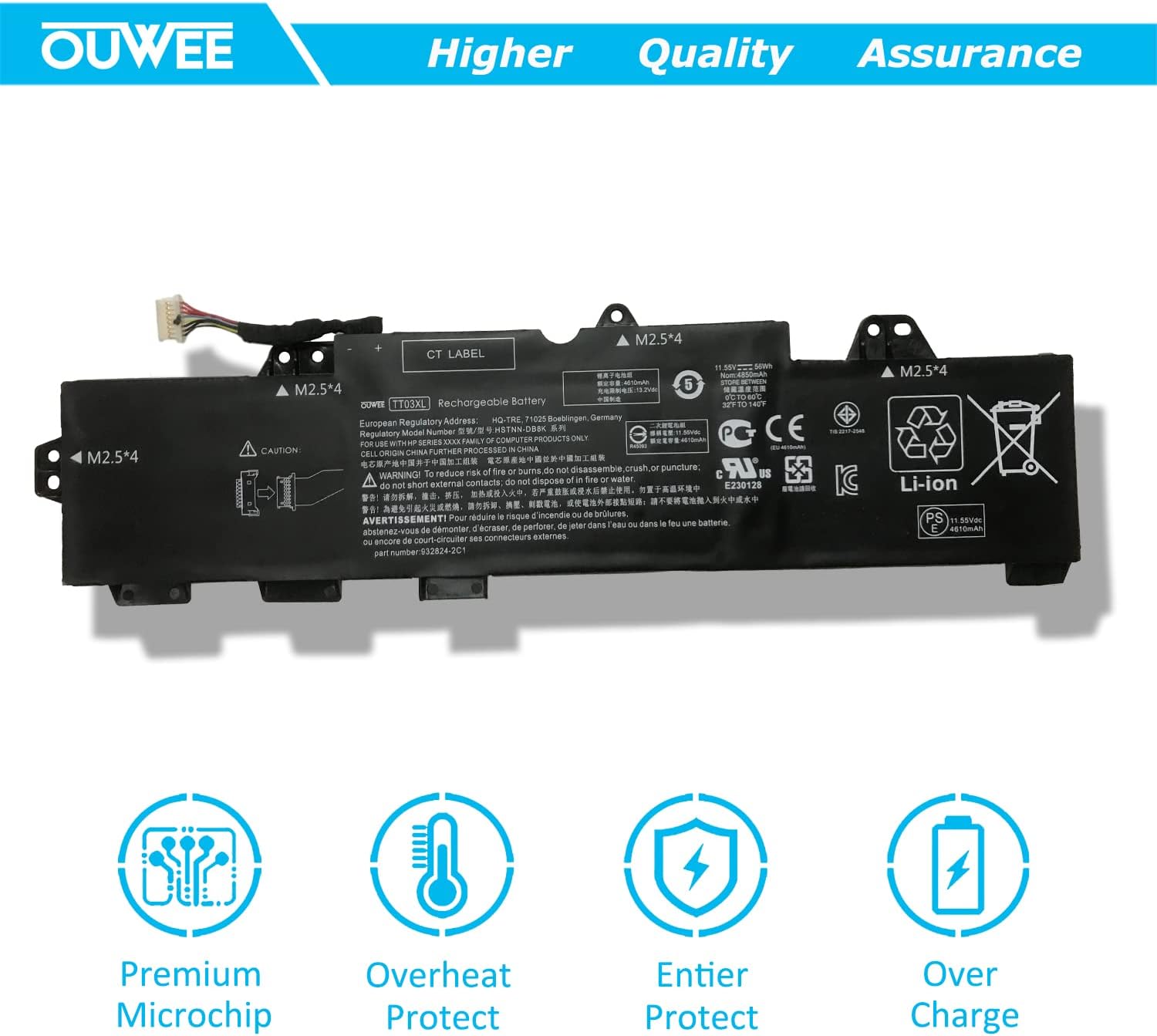
New CM03XL CM03 Laptop Battery for HP Elitebook 740 G2, 745 G2, 750 G2, 755 G2, 840 G1, 840 G2, 845 G2, 850 G1, 850 G2, 855 G2, Zbook 14 G2 About this item 6-cell, Li-ion battery, rated at 4000mAh / 44Wh and 11.1v Replacement HP 717376-001, CM03050XL-PL, E7U24UT, E7U24AA, CM03XL, CM03, 716724-421 Fits HP Elitebook 740 G2, 745 G2, 750 G2, 755 G2, 850 G2, 755 G2. HP EliteBook Folio 9480m. HP Zbook 14. HP Elitebook 850 G1, 1040 G1 Note: As this replacement battery can fit many models and part numbers, the factory can not mark all the compatible part numbers on it, please understand. If you have any problems, please contact us by message, and we will help you deal with them promptly.

OEM-quality trackpad replacement (without flex cable) for MacBook Pro 14″ (Model A2442, 2021, M1 Pro/Max) in Silver finish—designed for precise Force Touch performance, seamless gesture control, and perfect visual integration with the original chassis. Compatible With: MacBook Pro 14-inch (2021, Model A2442) with Apple M1 Pro or M1 Max chip. Part Type: Trackpad only—does not include the flex cable, Taptic Engine, or mounting hardware. Intended for professional technicians who will reuse the original internal components. Finish: Silver—matches the Silver and Space Gray top/bottom case (Apple uses the same trackpad finish across both color variants for this model). Force Touch Capable: Fully supports pressure-sensitive input and haptic feedback when paired with the original Taptic Engine and logic board—ensuring full macOS gesture and functionality support. OEM Precision: Features the same glass surface, curvature, and micro-click mechanism as Apple’s original—delivering consistent tracking accuracy and tactile response. Installation Requirements: Requires complete bottom case removal and careful transfer of the original flex cable and Taptic Engine. Adhesive must be applied precisely to maintain structural integrity and sensor alignment. Recommended for certified or experienced repair professionals only.

Product Name WiWU Dual USB Quick Wall Charger 20W Fast Charging For Smart PhoneColorWhiteFeature& Photos

Original 12-inch Retina LCD display (Space Gray) for MacBook model A1534, pulled from a working unit. Drop-in replacement for cracked or faulty screens—genuine Apple part, ready to restore visuals. Overview:This is an original Apple Retina display assembly for the 12-inch MacBook (model A1534). It was removed (“pulled”) from a working unit, inspected, and is in usable condition. It’s ideal to replace damaged or failing screens without resorting to aftermarket copies. Key Features & Functionality: Retina resolution with sharp visuals and accurate colors Space Gray color matching original casing Integrated front glass, LCD panel, and display cable assembly Factory-quality optical layers and backlighting Compatible with MacBook A1534 (2015, 2016, 2017) variants Tested for functionality: display, backlight, no dead pixels (unless noted) Requires proper installation (cable alignment, hinge alignment) Detailed Specifications Important Notes & Considerations: Must match A1534 model exactly — other MacBook models won’t be compatible. Compare hinge mounting, cable routing, and connector orientation. Because it’s from a used unit, minor blemishes or microscopic dust may exist; always test before final assembly. Handle with care: the display glass is delicate. Professional installation is recommended unless you’re experienced with MacBook repairs.

79A High Yield Toner Cartridge CF279A Compatible Replacement for HP 79A Toner Pro MFP M26nw M26a M12w M12a Printer 2-Pack Black

MacBook Pro 13″ Retina A1989 / A2159 (2018-2019) Display Assembly (Silver) MacBook Pro 13″ Touch Bar 2019z A1989 (EMC 3214 MacBookPro15,2) 2.3 GHz A1989 (EMC 3214 MacBookPro15,2) 2.7 GHz MacBook Pro 13″ Touch Bar 2019 A1989 (EMC 3358 MacBookPro15,2) 2.4 GHz A1989 (EMC 3358 MacBookPro15,2) 2.8 Ghz MacBook Pro 13″ Two Thunderbolt Ports 2019 A2159 (EMC 3301 MacBookPro15,4) 1.4 GHz A2159 (EMC 3301 MacBookPro15,4) 1.7 GHz

Genuine-spec Touch Bar assembly with integrated flex cable for 2020 MacBook Pro 13″ models (A2251, A2289, A2338)—restores full Touch ID and Touch Bar functionality with OEM-level fit and performance. Compatible With: MacBook Pro 13″ (2020): A2251 (Intel Core i5/i7, two Thunderbolt ports) A2289 (Intel Core i5/i7, four Thunderbolt ports) A2338 (Apple M1 chip, two Thunderbolt ports) MacBook Pro 13″ (2020): A2251 (Intel Core i5/i7, two Thunderbolt ports) A2289 (Intel Core i5/i7, four Thunderbolt ports) A2338 (Apple M1 chip, two Thunderbolt ports) A2251 (Intel Core i5/i7, two Thunderbolt ports) A2289 (Intel Core i5/i7, four Thunderbolt ports) A2338 (Apple M1 chip, two Thunderbolt ports) Includes: Complete Touch Bar module with integrated flex cable, Touch ID sensor, and ambient light sensor—ready for direct connection to the logic board. Functionality: Fully restores dynamic Touch Bar controls, system functions, app shortcuts, and Touch ID (fingerprint authentication and power button). OEM-Quality Build: Matches Apple’s original design in responsiveness, finish, and sensor alignment—ensures seamless integration with macOS. Color Options: Available in Space Gray and Silver to match your MacBook’s top case (confirm your model’s color before ordering). Installation Note: Requires full top case disassembly and careful handling of adhesive and connectors. The flex cable routes under the speakers and connects near the logic board—precision is essential. Recommended for experienced technicians.

The Apple Magic Mouse (USB-C version) is a sleek, minimalist multi-touch wireless mouse built for Mac users. It offers smooth gesture support, Bluetooth connectivity and a built-in rechargeable battery — a great choice if you prefer a clean desk setup and full compatibility with macOS and iPadOS. General Name: Magic Mouse (USB-C) — part of Apple’s pointing-device lineup. Wireless connectivity: Bluetooth. Rechargeable battery: built-in, no disposable AA cells. Charging / port: USB-C port (bottom of mouse) for pairing and charging. Compatibility: Requires a Mac with macOS 15.1 or later, or an iPad with iPadOS 18.1 or later. Size & Weight Height: ~0.85 inch (2.16 cm) Width: ~2.25 inch (5.71 cm) Depth: ~4.47 inch (11.35 cm) Weight: ~0.22 pound (0.099 kg) (varies slightly by manufacturing) Features Multi-Touch surface: supports gestures such as swiping between pages, scrolling through documents, zooming. Glide / foot design: optimized for smooth movement across desktop surfaces. Rechargeable battery life: about a month or more between charges (typical use) per Apple spec. Used Condition ConsiderationsSince you’re specifying a used unit: Check for wear on the bottom feet / skates — these degrade and affect glide. Verify battery capacity / health (rechargeable batteries age). Confirm the port is functioning (USB-C) and Bluetooth connectivity is stable. Look for signs of excessive surface scratches on the multi-touch top — may impair gestures. Ensure the firmware / Mac recognizes it fully (gestures working). Upgradability / Limitations Not user-upgradable: You cannot replace the internal battery or change internals easily. Design limitation: The USB-C port remains on the bottom of the mouse, meaning you cannot use it while charging unless you flip it. This design is still criticized. Ergonomics: The flat, low-profile design is stylish but may not suit extended-use comfort for some users.

WiWU Waterproof Large Capacity Minimalist Backpack Business Laptop Backpack Bags with Multi-Pockets For digital gadgets Minimalist Style Water-resistant material,Polyester Large Capacity Have Stock Size:15.6 inch

Genuine-spec battery flex cable for MacBook Pro models A2159 (16", 2019), A1708 (13", 2016–2017), and A2338 (13", 2020 M1)—restores critical communication between the battery and logic board for proper power-on, charging, and macOS battery status. Genuine-spec battery flex cable for MacBook Pro models A2159 (16″, 2019), A1708 (13″, 2016–2017), and A2338 (13″, 2020 M1)—restores critical communication between the battery and logic board for proper power-on, charging, and macOS battery status. Carries SMBus (System Management Bus) signals from the battery to the logic board Enables: Accurate battery percentage and health reporting in macOS Proper charging control (start/stop, thermal throttling) Power-on capability (MacBooks will not boot without this connection) Prevention of “Battery Not Charging” or “Service Battery” errors Accurate battery percentage and health reporting in macOS Proper charging control (start/stop, thermal throttling) Power-on capability (MacBooks will not boot without this connection) Prevention of “Battery Not Charging” or “Service Battery” errors MacBook won’t turn on (even with a good battery) Battery shows “–%”, 0%, or “Not Charging” Random shutdowns under load macOS displays “No Battery Available” Logic board powers fans or lights but no display output Battery flex cable only (with OEM-style connector and strain relief) ❌ Does not include: battery, logic board, or trackpad Requires full bottom case removal and battery disconnection Connects via a ZIF or press-fit socket on the logic board Must be routed precisely to avoid tension or micro-tears Highly recommended for experienced or certified technicians—improper installation can cause permanent power or battery communication failure

Genuine-spec Touch Bar assembly with integrated flex cable for MacBook Pro 15″ (Models A1706 – 2017 and A1989 – 2018)—fully restores dynamic Touch ID, system controls, and app-specific functions with OEM-level fit and reliability. Compatible With: MacBook Pro 15″ (2017) – Model A1706 (Intel Core i7/i9, 4 Thunderbolt 3 ports) MacBook Pro 15″ (2018) – Model A1989 (Intel Core i7/i9, 4 Thunderbolt 3 ports) MacBook Pro 15″ (2017) – Model A1706 (Intel Core i7/i9, 4 Thunderbolt 3 ports) MacBook Pro 15″ (2018) – Model A1989 (Intel Core i7/i9, 4 Thunderbolt 3 ports) Includes: Complete Touch Bar module with pre-attached flex cable, integrated Touch ID sensor (doubles as power button), and ambient light sensor—ready for direct connection to the logic board. Full Functionality: Restores all Touch Bar features including dynamic app controls, system brightness/volume sliders, Siri, and fingerprint authentication via Touch ID. Color Match: Available in Space Gray and Silver—select the finish that matches your MacBook’s top case. OEM-Quality Build: Matches Apple’s original dimensions, sensor alignment, and surface texture—ensures seamless integration with macOS and consistent responsiveness. Installation Note: Requires full top case disassembly. The flex cable routes under the left speaker and connects near the logic board—precision is critical to avoid damage. Recommended for experienced technicians.

Apple 60W MagSafe Power Adapter (for MacBook and 13-inch MacBook Pro) The 60 Watt MagSafe Power Adapter features a magnetic DC connector that ensures your power cable will disconnect if it experiences undue strain and helps prevent fraying or weakening of the cables over time. In addition, the magnetic DC helps guide the plug into the system for a quick and secure connection. When the connection is secure, an LED located at the head of the DC connector will light up; an amber light lets you know that your portable is charging, while a green light tells you that you have a full charge. An AC lead is provided with the adapter for maximum lead length, while the AC wall adapter (also provided) gives users an even easier and more compact way to travel. Designed to be the perfect travelling companion, the adapter has a clever design that allows the DC cable to be wound neatly around itself for easy cable storage. This power adapter recharges the lithium polymer battery while the system is off, on, or in sleep mode. It also powers the system if you choose to operate without a battery. Compatible with MacBook and 13-inch MacBook Pro. See this article for more details about choosing the right one. Knowing which specific Mac model you have is important. If you are running OS X Lion (10.7) or later, go to the “” menu at the top left of your screen, choose “About this Mac” then click the “More Info…” button. Your Mac model and generation will be displayed. If you are running an earlier version of OS X, you can enter your serial number here to find out which model you have.

Experience premium mobility and intuitive control with the pre-owned ThinkPad T490s. Featuring a powerful Intel Core i5 8th Gen processor, 16GB RAM, and a 256GB NVMe SSD, this ultra-slim professional laptop stands out with its responsive FHD Touchscreen for a more interactive and efficient workflow.

0G74G Laptop Battery Replacement for Dell Latitude 5300 2-in-1 5310 7300 7400 Series Notebook OG74G 02PFPW 2PFPW 3KF82 8JYHH 11.4V 42Wh 3-Cell About this item Specification: Battery type: Li-ion. Color: Black. Voltage: 11.4V. Capacity: 42Wh/3Cell. New from Manufacturer Replace Part Number: For MXV9V 0G74G 00G74G 2PFPW 3KF82 8JYHH Compatible Models: Replacement for Dell Latitude 5300 E5300 / 5300 2-in-1 / 5310 E5310 / 5310 2-in-1 / 7300 E7300 / 7400 E7400 Series (Important Note: NOT fit for latitude 7400 2-in-1 Series) Note: The Dell laptop models on this product page are compatible with 2 battery models: 0G74G (42Wh 3-Cell 11.4V) , MXV9V(60Wh 4-Cell 7.6V). Please open the back cover of your laptop to check the original battery size and capacity before placing an order. Make sure that the battery model you need is 0G74G (42Wh 3-Cell 11.4V). Note: If the new battery is not recognized during the initial installation, please reinstall and check if the interface is fully connected. Discharge the new battery to 10-20% (not 0%), then charge and cycle 3-4 times to wake up the new battery

Professional Lavalier Microphone Candc DC-C6 Professional Lavalier Microphone Candc DC-C6 Candc DC-C6 Lavalier Microphone for Smartphones, DSLR, Camcorders, Audio recorders, PC etc. Clip microphone to help you get music or sound.One-directional microphone with anti-noise function. type jack can be connected to PC / laptop / wireless microphone transmitter with 3.5mm line-in / mic in. Built-in clip can be easily attached to collar, tie or other clothes-no installation required. Features: Type: microphone Cable length: about 116 cm Sensitivity: -46 ± 2db : one way Operating voltage: DC1.0V-10 VAcurrent consumption

WiWU 20W fast Charger for Mobile Phone with USB C Quick Power Adapter in white Wall charger

Genuine-spec US layout keyboard replacement for MacBook Pro (Model A1398, Late 2011–Mid 2012)—featuring durable scissor-switch keys, backlighting, and OEM-fit design for reliable typing and straightforward installation. Compatible With: MacBook Pro 13″: Late 2011 (Model A1278, but labeled A1398 in some regions) – Model Identifier MacBookPro8,1 MacBook Pro 15″: Early 2011, Late 2011, and Mid 2012 – Model Identifiers MacBookPro8,2 (15″ early/late 2011) and MacBookPro9,1 (15″ mid 2012) *(Note: “A1398” is primarily associated with the 15″ unibody MacBook Pro with Retina display (Mid 2012), which was the first Retina MacBook Pro.)* This keyboard fits the non-Retina 15″ A1398 (Mid 2012) and compatible Late 2011 models. MacBook Pro 13″: Late 2011 (Model A1278, but labeled A1398 in some regions) – Model Identifier MacBookPro8,1 MacBook Pro 15″: Early 2011, Late 2011, and Mid 2012 – Model Identifiers MacBookPro8,2 (15″ early/late 2011) and MacBookPro9,1 (15″ mid 2012) *(Note: “A1398” is primarily associated with the 15″ unibody MacBook Pro with Retina display (Mid 2012), which was the first Retina MacBook Pro.)* This keyboard fits the non-Retina 15″ A1398 (Mid 2012) and compatible Late 2011 models. Layout: Standard US English (QWERTY) with full-size keys, inverted-T arrow keys, and dedicated function row (F1–F12). Keyboard Type: Traditional scissor-switch mechanism—robust, tactile, and serviceable (pre-Butterfly era). Integrated Features: Backlit keys (adjustable brightness via F5/F6) OEM ribbon cable with ZIF connector Matches original key spacing and actuation force Backlit keys (adjustable brightness via F5/F6) OEM ribbon cable with ZIF connector Matches original key spacing and actuation force Build & Fit: Precision-molded plastic frame with exact screw mounts and alignment pegs—ensures secure, rattle-free installation in the top case. Installation Note: Keyboard is secured with screws and minimal adhesive. Requires full top case access and battery disconnect. Recommended for intermediate to advanced users or technicians.

Genuine-spec touchpad flex cable for MacBook Air 13.6″ (Model A2681, 2022, M2)—essential for restoring full Force Touch functionality, haptic feedback, and multi-touch gesture support when replacing or repairing the trackpad assembly. Compatible With: MacBook Air 13.6-inch (2022, Model A2681) with Apple M2 chip (all colors: Silver, Space Gray, Starlight, Midnight). Part Type: Touchpad flex cable only—does not include the trackpad, Taptic Engine, or mounting hardware. This is the ribbon cable assembly that connects the trackpad to the logic board. Function: Transmits touch input, Force Touch pressure data, and haptic feedback signals between the trackpad and logic board—critical for macOS gesture recognition and Taptic Engine operation. OEM-Quality Construction: Matches Apple’s original flex circuit in length, connector type, shielding, and bend radius—ensures reliable signal integrity and long-term durability. Common Use Cases: Replacing a torn, frayed, or damaged original flex cable Completing a trackpad replacement when the original cable was compromised Repairing unresponsive or erratic trackpad behavior caused by cable failure Replacing a torn, frayed, or damaged original flex cable Completing a trackpad replacement when the original cable was compromised Repairing unresponsive or erratic trackpad behavior caused by cable failure Installation Note: Requires full bottom case disassembly and careful routing under the battery and logic board. Connectors use ZIF (Zero Insertion Force) sockets—do not force. Recommended for experienced or certified technicians only.

New A1989 A1990 Keyboard US Standard Replacement for MacBook Pro 13'' 15''A1990 A1989 Keyboard 2018/2019 Year New A1989 A1990 Keyboard US Standard Replacement for MacBook Pro 13” 15”A1990 A1989 Keyboard 2018/2019 Year New A1989 A1990 Keyboard US Standard Replacement for MacBook Pro 13” 15”A1990 A1989 Keyboard 2018/2019 Year We have Perfect after-sales services We share the latest information on laptop spare parts For all our customers. This is NOT an easy job for someone who has no technical skills with Disassembling or Assembling a laptop, So only purchase this item if you know how to install it. Each Keyboard is tested before shipping and working.
