
Genuine-spec touchpad flex cable for MacBook Pro 13″ (Model A2289, 2020, Intel)—restores full Force Touch functionality, haptic feedback, and preci multi-touch gesture control. OEM-quality replacement for damaged or faulty original cables. Compatible With: MacBook Pro 13-inch (2020, Four Thunderbolt Ports, Model A2289, Model Identifier MacBookPro16,2) with Intel Core i5/i7 processors. Part Type: Touchpad flex cable only — does not include the trackpad housing, Taptic Engine, or mounting hardware. This is the OEM-style ribbon cable that connects the trackpad to the logic board. Function: Transmits: Touch input coordinates Force Touch pressure data Haptic feedback signals to the Taptic Engine Enables full macOS gesture support: Force Click, three-finger lookup, swipe navigation, pinch-to-zoom, and smooth cursor tracking. Touch input coordinates Force Touch pressure data Haptic feedback signals to the Taptic Engine Enables full macOS gesture support: Force Click, three-finger lookup, swipe navigation, pinch-to-zoom, and smooth cursor tracking. OEM-Quality Build: Matches Apple’s original specifications in: Cable length and routing path Connector pitch and ZIF latch design EMI shielding and flex durability Cable length and routing path Connector pitch and ZIF latch design EMI shielding and flex durability Common Use Cases: Replacing a torn, creased, or liquid-damaged original flex cable Completing a trackpad replacement when the original cable is unusable Fixing: Intermittent or erratic trackpad behavior Loss of Force Touch or haptic feedback Complete trackpad unresponsiveness Replacing a torn, creased, or liquid-damaged original flex cable Completing a trackpad replacement when the original cable is unusable Fixing: Intermittent or erratic trackpad behavior Loss of Force Touch or haptic feedback Complete trackpad unresponsiveness Intermittent or erratic trackpad behavior Loss of Force Touch or haptic feedback Complete trackpad unresponsiveness Installation Note: Requires full bottom case removal and battery disconnection. Cable routes under internal components (speaker, logic board)—must follow original path. Connects via ZIF (Zero Insertion Force) socket—align carefully, never force. Recommended for experienced or certified technicians only. Requires full bottom case removal and battery disconnection. Cable routes under internal components (speaker, logic board)—must follow original path. Connects via ZIF (Zero Insertion Force) socket—align carefully, never force. Recommended for experienced or certified technicians only. Important Compatibility Notes: ✅ Only for A2289 (13″, 4 Thunderbolt ports, 2020, Intel) ❌ Not compatible with: A2251 (2 Thunderbolt ports, 2020) A2338 (M1 MacBook Pro, 2020) Any MacBook Air or 14″/16″ MacBook Pro ✅ Only for A2289 (13″, 4 Thunderbolt ports, 2020, Intel) ❌ Not compatible with: A2251 (2 Thunderbolt ports, 2020) A2338 (M1 MacBook Pro, 2020) Any MacBook Air or 14″/16″ MacBook Pro A2251 (2 Thunderbolt ports, 2020) A2338 (M1 MacBook Pro, 2020) Any MacBook Air or 14″/16″ MacBook Pro

A1990 Logic Board i7-16GB-512GB-4GB Intel 2.6 GHz Six Core i7 (I7-9750H) 16 GB RAM 512 GB SSD AMD Radeon Pro 555X 4GB Intel UHD Graphics 630 Intel 2.6 GHz Six Core i7 (I7-9750H) 16 GB RAM 512 GB SSD AMD Radeon Pro 555X 4GB Intel UHD Graphics 630

RK ROYAL KLUDGE RK918 Wired Mechanical Keyboard, RGB Backlit Gaming Keyboard with Large LED Surrounding Side Lamp, Full Size 108 Keys Mechanical 100% Anti-Ghosting Computer Keyboard, Red Switch White About this item 【Full Size 108 Keys & Anti Ghosting Mechanical Keyboard】: 100% percent layout 108 key Mechanical keyboard. All keys do not conflict, ensure that every click is registered, and greatly improve the gaming and typing experience. Press FN and F1~F12 keys could quickly activate the multi-function keys, running for what you demand immediately. It is a great choice as a Christmas gift 【RGB Backlit & LED Surrounding Side Lamp】: The RGB backlight keyboard has more than 20 backlight modes, including interactive backlight, breathing backlight modes, dynamic RGB mode, etc. Besides, there are large LED surrounding side lamps. These all will give you more enjoyable when you gaming or typing at night 【Mechanical Red Switches & Double Shot Keycaps】: Offering linear and quiet typing feedback, smooth top-to-bottom actuation travel distance with shallow sound. If you prefer a quiet environment and a small operating force, red switches are the right choice. Double shot keycap type is produced when two layers of plastic are molded into each other. No printing is necessary. The result is a key legend that will never fade or chip off 【Wide Compatibility & Software Support】: Compatible with Windows, Mac, Linus, etc. The wired connection enables stable transmission without worrying about the impact of the signal. Through RK software, you can customize RGB mode and color, redefine key function, customize macros, and set gaming mode 【Professional and Reliable Service】: RK ROYAL KLUDGE has a professional service team. Over the years, we have kept bringing high-quality products and services to customers, so that we have gained the love and trust of many customers. If you have any questions, you can contact us anytime. RK ROYAL KLUDGE will spare no effort to provide every customer with the best service within 24 hours.

PCE 900 M8 900VA 480W Output Power: 700VA (M8 700), 900VA (M8 900) Voltage Input Range: 220-240 VAC with 102 wires (M8 700), 140-300 VAC (M8 900) Output Protection: Overload, discharge, and overcharge protection (M8 700), Fault protection (M8 900) Waveform: Simulated Sine Wave LED Indicators: Green lighting (M8 700), Green flashing (M8 900) Frequency: 50 or 60 Hz +/- 10% (auto sensing) (M8 700), 50 or 60 Hz +/- 1% (M8 900) Voltage (backup mode): 12V/9AH x 1 (M8 700), 12V/7AH x 1 (M8 900) Frequency (backup mode): 50 or 60 Hz +/- 1% (M8 700 and M8 900) Transfer time (M8 700): Typical 2 to 6 ms Backup time (M8 900): 10-20min depending on load level Net Weight: 4.3 kg (9.46 lbs) (M8 700), 4.8 kg (10.56 lbs) (M8 900) Output Receptacles: Universal sockets x 2 or German x 2 (M8 700), Universal sockets x 4 (M8 900) Audible Noise: Sounding every 10 seconds (M8 700), Sounding every second (M8 900) Dimensions: 100x278x140 (3.9″x10.8″x5.5″) (M8 700), 130x320x182 (5.07″x12.48″x7.1″) (M8 900) Compatibility: Windows 2000/XP/2003/2008/Vista/7, NOVELL, LINUX, UNIX (M8 700), Optional Interface with power management software (M8 900) Certifications: EN 50091-1-1/EN 69050 (RD), IEC 60950, TUV GC-Mark, EN 50091-2, EN 50022/B, IEC 62040-2, IEC 61000-3-2, IEC 61000-3-3, ISO 9001, ISO 14001 (M8 700 and M8 900)

A reliable, budget-friendly Genius KM-100SE wired keyboard and mouse combo featuring a spill-resistant keyboard, ergonomic design, and plug-and-play USB connectivity—ideal for home, office, or classroom use. Spill-resistant design with drainage holes to protect against accidental liquid damage Quiet, low-profile keys with standard layout (including numeric keypad) for comfortable typing Durable construction with a lifespan of up to 10 million keystrokes Integrated wrist rest for improved ergonomics during long sessions Ambidextrous 3-button design with scroll wheel 1000 DPI optical sensor for smooth, precise tracking on most surfaces Ergonomic shape for comfortable right- or left-handed use Plug-and-play USB connection—no drivers required Compatible with Windows, macOS, Linux, and ChromeOS 1.5-meter braided cable for tangle resistance and durability

PCE M8-700 UPS (line-interactive) — 700 VA / 360 W backup unit for 220–240 V input. Protects PCs, routers, small electronics from outages and voltage swings. The PCE M8-700 is a line-interactive UPS designed for home or small office use. It provides backup power, voltage regulation (AVR), surge protection, and supports automatic switching during outages. Ideal for desktop PCs, network gear, monitors, or point-of-sale systems. Features & Capabilities Line-interactive topology: regulates input voltage without switching to battery when voltage fluctuates mildly. Automatic Voltage Regulation (AVR) to correct undervolt/overvolt conditions. Simulated (stepped) sine wave output in battery mode. Surge, overload, short circuit, discharge protections built in. Cold start capability (ability to power on from battery with no mains) LED + audible alarms for status (battery mode, overload, fault) USB / RS232 interface in some variants for power management (shutdown, monitoring) Technical Specifications What “Input 220–240 VAC, 50/60 Hz, 3.7 A” Means (and Caveats) If the specification you’re giving is “3.7 A” at input, that corresponds to a maximum input current draw when the UPS is handling a heavy load or during charging cycles. At 230 V × 3.7 A ≈ 850 W of input capacity. The unit’s 360 W output means there’s overhead for losses, inverter inefficiency, battery charging, etc. The UPS must operate within the stated voltage and frequency ranges — if input is too low or too high, it may switch to battery or go into protection mode.

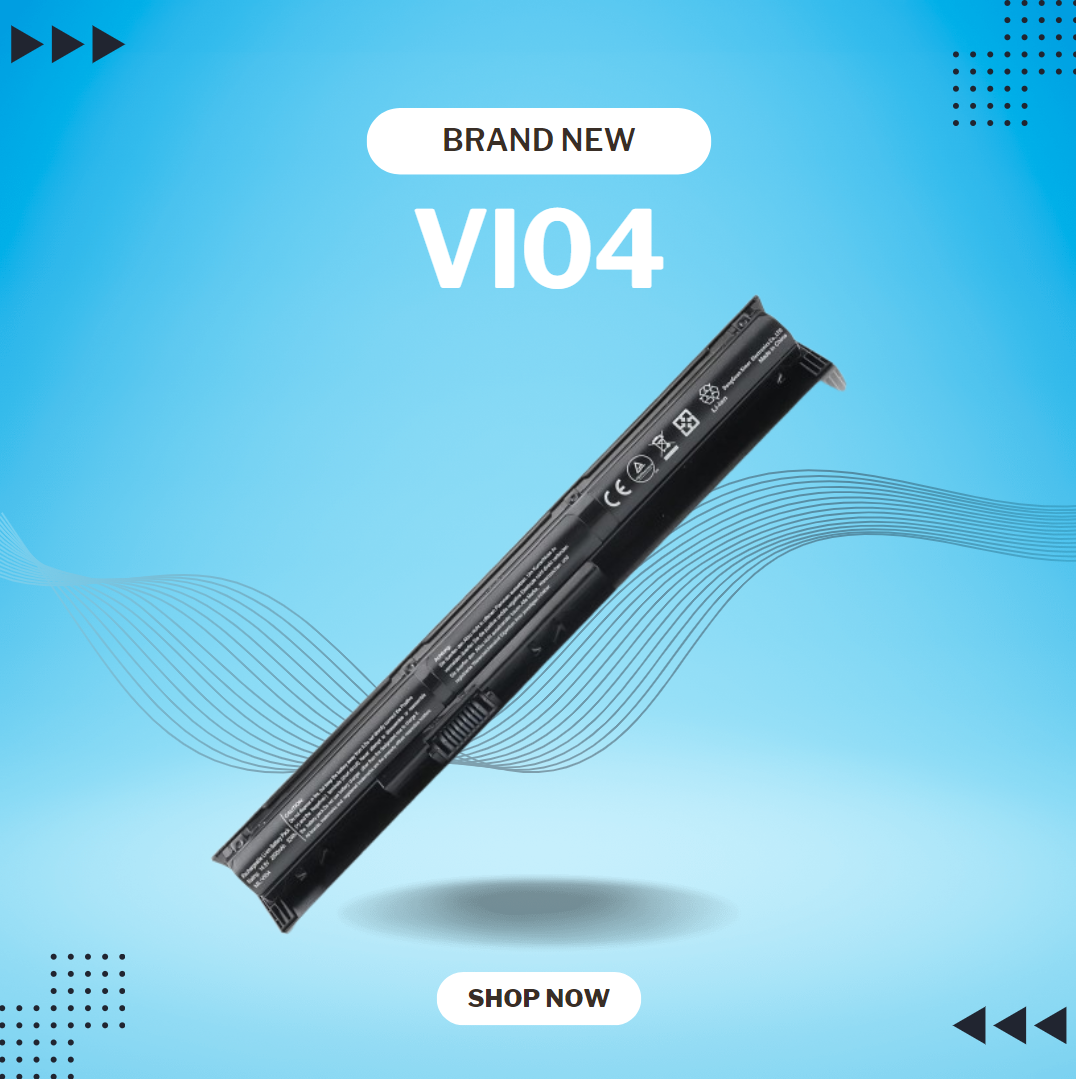
New RI04 RI06XL Notebook Battery for HP ProBook 450 455 470 G3 Envy 15-Q001TX Laptop Series Fit P/N Spare 805294-001 811063-421 805047-851 P3G15AA HSTNN-DB7B HSTNN-PB6Q About this item Battery Type: Li-ion Capacity: 2600Mah ; Cells: 4-cell; Voltage: 14.8V Compatible: HP ProBook 450 455 470 G3 Envy 15-q000 Notebook PC series Fits: HP R104 R106XL P3G16AA HSTNN-DB7B HSTNN-PB6Q HSTNN-LB6Z HSTNN-Q94C HSTNN-Q95C HSTNN-Q97C RIO4 RIO6XL Spare 805047-851 805294001 805047-851 811063-421 Notebook Laptop Battery 100% New from Manufacturer. Up to 500 recharge cycles over the life of the battery. CE-/FCC-Certified for safety

Replacement Keyboard for MacBook Pro 13" inch A1706 & MacBook Pro 15" inch A1707 Touch Bar (for Late 2016 mid 2017 Year) Replacement Keyboard for MacBook Pro 13″ inch A1706 & MacBook Pro 15″ inch A1707 Touch Bar (for Late 2016 mid 2017 Year) 【Compatibility】This replacement keyboard is Compatible with original MacBook Pro 13″ inch A1706 & MacBook Pro 15″ inch A1707 Touch Bar (for Late 2016 mid 2017 Year) Laptop. 【Compatible Part Numbers】661-06377 【Compatible MBP Numbers】A1706 series :MacBook Pro 13 inch 2017 MacBookPro14,2 & MacBook Pro 13 2016 MacBookPro13,2 MNQF2LL/A MNQG2LL/A MLH12LL/A MLVP2LL/A etc A1707 series:MacBook Pro 15 inch 2016 MacBookPro13,3 & MacBook Pro 15 inch 2017 MacBookPro14,3 Release June 2017 MPTR2LL/A MPTU2LL/A MPTT2LL/A MPTV2LL/A Release October 2016 MLH32LL/A MLW72LL/A MLH42LL/A MLW82LL/A

The LB-LINK AX900 USB WiFi adapter delivers fast and stable wireless connectivity with WiFi 6 technology and speeds up to 900Mbps. Featuring dual-band support (2.4GHz + 5GHz), it’s ideal for upgrading PCs and laptops for smoother streaming, gaming, and online work. The LB-LINK AX900 USB WiFi Adapter is a modern wireless solution designed to upgrade your computer to the latest WiFi 6 (802.11ax) standard. It offers improved speed, better network efficiency, and stronger stability compared to older WiFi adapters. With dual-band support, you can connect to either the 2.4GHz band for long-range stability or the 5GHz band for higher speed and lower latency. Its compact USB design makes it perfect for desktops and laptops needing fast internet without installing internal cards. WiFi 6 (802.11ax) Technology for faster performance and better efficiency AX900 Speed (Up to 900Mbps) for smooth streaming and downloads Dual Band Support: 2.4GHz + 5GHz for flexibility and stability USB Plug & Play easy installation (driver may be required) Low Latency Connection ideal for gaming and video calls Compact Portable Design perfect for laptops and desktops Improves WiFi Performance for weak built-in adapters Ideal for PCs and laptops that need faster WiFi speeds and stronger connectivity. Perfect for online gaming, HD streaming, Zoom/Teams meetings, and stable browsing.

The XPrinter XP-C260M is a fast and reliable thermal POS receipt printer designed for retail stores, restaurants, and supermarkets. With USB and LAN connectivity and support for 80mm paper, it delivers clear printing, high speed, and smooth operation for daily business use.

The Crucial DDR4 32GB laptop memory runs at 3200MHz to deliver faster performance and smoother multitasking. Designed for reliability and compatibility, it’s an ideal upgrade for laptops that need improved speed, responsiveness, and efficiency. The Crucial DDR4 32GB 3200MHz laptop RAM is built for users who want to significantly boost their system’s performance. Whether you’re multitasking, working with heavy applications, or simply looking for a smoother everyday experience, this memory upgrade helps your laptop run faster and more efficiently. 32GB DDR4 Capacity: Provides ample memory for demanding tasks, multitasking, and professional workloads. 3200MHz Speed: Enhances system responsiveness and reduces load times. Laptop Form Factor: Designed specifically for notebooks using DDR4 SODIMM slots. Low Power Consumption: Improves efficiency and helps extend battery life. Wide Compatibility: Tested to work with a wide range of laptop brands and models. Manufactured by Crucial, a trusted Micron brand, this DDR4 memory is built using high-quality components and tested to meet strict reliability standards for long-term performance. With easy installation and a noticeable performance boost, the Crucial DDR4 32GB 3200MHz laptop RAM is a smart and cost-effective upgrade that extends the life and capabilities of your laptop.

Original MacBook Pro 13″ (A2338) Display Assembly in Silver, including LCD, Retina panel, backlight, camera, Wi-Fi antennas, hinges, and aluminum lid. Compatible with M1 MacBook Pro 13″ (2020). Ideal for replacing cracked, damaged, or faulty screens. ✔️ Complete Display Assembly: Includes LCD, digitizer, housing, hinges, webcam, and antenna modules. ✔️ Retina Resolution: 2560 × 1600 native resolution with True Tone support. ✔️ Genuine Fit for A2338: Designed specifically for the MacBook Pro 13″ (A2338) – M1 2020 model. ✔️ Accurate Color & Brightness: 500 nits brightness, P3 wide color gamut, and high contrast. ✔️ Silver Aluminum Finish: OEM-grade aluminum lid matching the original color and texture. ✔️ Plug-and-Play Replacement: No programming required — direct connector compatibility. ✔️ Ideal for Repair: Suitable for replacing damaged, flickering, bleeding, or cracked screens.

OEM-quality left and right loudspeaker replacement pair for MacBook Pro 14″ (Model A2442, 2021, M1 Pro/Max)—restores Apple’s high-fidelity six-speaker audio system with precise sound staging, rich bass, and clear highs. Compatible With: MacBook Pro 14-inch (2021, Model A2442) with Apple M1 Pro or M1 Max chip (Model Identifier: MacBookPro18,3 or MacBookPro18,4). Includes: Complete left and right speaker assemblies, each containing: Dual-driver units (force-cancelling woofers + tweeters) Pre-attached flex cables with OEM connectors Mounting brackets and acoustic seals Dual-driver units (force-cancelling woofers + tweeters) Pre-attached flex cables with OEM connectors Mounting brackets and acoustic seals Audio Performance: Matches Apple’s advanced six-speaker sound system with: Wide stereo separation High dynamic range Spatial audio and Dolby Atmos support (when paired with original logic board and firmware) Wide stereo separation High dynamic range Spatial audio and Dolby Atmos support (when paired with original logic board and firmware) OEM Build Quality: Precision-engineered housings with exact acoustic chambers, grille alignment, and cable routing—ensures zero rattling and full macOS audio calibration compatibility. Common Use Cases: Replaces speakers damaged by liquid ingress, physical impact, or internal failure (e.g., no sound, distorted audio, or imbalance between channels). Installation Note: Requires full bottom case and logic board disassembly. Speakers are secured with screws and acoustic adhesive. Highly recommended for certified Apple technicians or experienced professionals only due to complex internal layout and sensitivity of audio components. Important: This speaker pair is exclusive to A2442 (14″, 2021, M1 Pro/Max). Not compatible with 16″ MacBook Pro (A2485), 13″ models, or Intel-based MacBooks. This speaker pair is exclusive to A2442 (14″, 2021, M1 Pro/Max). Not compatible with 16″ MacBook Pro (A2485), 13″ models, or Intel-based MacBooks. Model Verification: Confirm your device via > About This Mac > Model Identifier (must be MacBookPro18,3 or MacBookPro18,4).

Genuine-spec touchpad flex cable for MacBook Pro 16″ (Model A2141, 2019, Intel)—essential for restoring full Force Touch functionality, haptic feedback, and precise multi-touch gesture control during trackpad repair or replacement. Compatible With: MacBook Pro 16-inch (2019, Model A2141) with Intel Core i7/i9 processors (Model Identifier: MacBookPro16,1) (Note: A2141 is the non-base configuration of the 2019 16″ MacBook Pro—typically higher-end Intel models.) Part Type: Touchpad flex cable only—does not include the trackpad housing, Taptic Engine, or mounting hardware. This is the OEM-style ribbon cable that connects the trackpad to the logic board. Function: Transmits touch coordinates, Force Touch pressure data, and haptic feedback signals—critical for macOS gestures (e.g., Force Click, three-finger lookup, pinch-to-zoom) and Taptic Engine responsiveness. OEM-Quality Construction: Replicated to Apple’s exact specifications—including cable length, connector pitch, EMI shielding, and bend radius—ensuring reliable signal integrity and long-term durability. Common Use Cases: Replacing a torn, creased, or liquid-damaged original flex cable Completing a trackpad replacement when the original cable is compromised Fixing intermittent trackpad behavior, loss of Force Touch, or complete unresponsiveness Replacing a torn, creased, or liquid-damaged original flex cable Completing a trackpad replacement when the original cable is compromised Fixing intermittent trackpad behavior, loss of Force Touch, or complete unresponsiveness Installation Note: Requires full disassembly of the bottom case, speaker removal, and careful routing beneath the battery and logic board. Connectors use ZIF (Zero Insertion Force) sockets—must be aligned and latched gently. Recommended for certified or professional repair technicians only. Important: This is flex cable only—not a complete trackpad assembly. Must be used with the original or compatible A2141 trackpad and Taptic Engine. Not compatible with M1 MacBook Pro 16″ (A2485), 14″ models (A2442), or any MacBook Air. This is flex cable only—not a complete trackpad assembly. Must be used with the original or compatible A2141 trackpad and Taptic Engine. Not compatible with M1 MacBook Pro 16″ (A2485), 14″ models (A2442), or any MacBook Air. Model Verification: Confirm your device is MacBook Pro A2141 (16″, 2019, Intel) via > About This Mac > Model Identifier (should read MacBookPro16,1).

BATTERY TOSHIBA PA5185U-1BRS Laptop Battery for Toshiba Satellite C50 C55 C55D C55T L55 L55D L55T Series fit C55-B5200 C55-B5270 C55D-B5310 PA5184U-1BRS PA5186U-1BRS PA5195U-1BRS Battery Type: Li-ion Capacity: 2800Mah Voltage: 14.4V Cells: 4-cell Fit Model: Toshiba Satellite PA5185-1BRS PA5184U-1BRS PA5184-1BRS PA5186-1BRS PA5195-1BRS PA5185U1BRS PA5185U PA5185 PA5195U PA5184 Battery Compatible: Toshiba Satellite C55-B5302 C55-B5299 C55-B5287 C55-B5272 C55-B5270 C55-B5200 C55-B5101 C55-B5100 C55D-B5319 C55D-B5310 C55D-B5241 C55D-B5219 C55D-B5214 C55D-B5212 C55D-B5206 C55D-B5203 C55T-B5349 C55T-B5110 C55T-B5230 C55T-B5109 L55-B5294 L55-B5284 L55-B5276 Battery 100% New from Manufacturer. Up to 500 recharge cycles over the life of the battery. CE-/FCC-Certified for safety If you have any questions, please feel free to contact us, our professional service team will provide you with the most guaranteed support

MacBook Pro 13″ Retina A1989 / A2159 (2018-2019) Display Assembly (Silver) MacBook Pro 13″ Touch Bar 2019z A1989 (EMC 3214 MacBookPro15,2) 2.3 GHz A1989 (EMC 3214 MacBookPro15,2) 2.7 GHz MacBook Pro 13″ Touch Bar 2019 A1989 (EMC 3358 MacBookPro15,2) 2.4 GHz A1989 (EMC 3358 MacBookPro15,2) 2.8 Ghz MacBook Pro 13″ Two Thunderbolt Ports 2019 A2159 (EMC 3301 MacBookPro15,4) 1.4 GHz A2159 (EMC 3301 MacBookPro15,4) 1.7 GHz

Apple 96W USB Type-C Power Adapter | MX0J2

slim, lightweight, and powerful—the Lenovo ThinkPad T490s combines 8th Gen Intel Core i5 performance, 8GB ,16GB RAM, and a fast 256GB SSD in a premium, portable chassis built for mobile professionals.

MacBook Pro 15″ Top case A1990 2018 2019 MacBook Pro 15″ A1990 MacBookPro15,1 Mid 2018: MR932LL/A or MR962LL/A (2.2 GHz Core i7) MacBookPro15,1 Mid 2018: MR942LL/A or MR972LL/A (2.6 GHz Core i7) MacBookPro15,3 Mid 2018: BTO/CTO (2.6 GHz Core i7) MacBookPro15,3 Mid 2018: BTO/CTO (2.9 GHz Core i9)

Genuine-spec touchpad flex cable for MacBook Pro 13″ (Model A1502, Mid 2014)—restores full trackpad functionality, including precise cursor control and physical click response. Essential for repairing unresponsive or erratic trackpad behavior. Compatible With: MacBook Pro 13-inch (Mid 2014, Model A1502, Model Identifier MacBookPro11,1) with Intel Core i5/i7 processors and Retina display. Part Type: Touchpad flex cable only — does not include the trackpad housing, button mechanism, or mounting hardware. This is the ribbon cable that connects the trackpad to the logic board. Function: Transmits cursor movement and click signals (left/right physical clicks) Supports standard multi-touch gestures (two-finger scroll, tap-to-click, pinch-to-zoom) ⚠️ Note: This model uses a physical click mechanism—not Force Touch (no haptic feedback or pressure sensitivity). Transmits cursor movement and click signals (left/right physical clicks) Supports standard multi-touch gestures (two-finger scroll, tap-to-click, pinch-to-zoom) ⚠️ Note: This model uses a physical click mechanism—not Force Touch (no haptic feedback or pressure sensitivity). OEM-Quality Build: Matches Apple’s original in: Cable length and routing path Connector type and pin alignment Insulation and flexibility for long-term reliability Cable length and routing path Connector type and pin alignment Insulation and flexibility for long-term reliability Common Use Cases: Replacing a torn, frayed, or corroded original flex cable Fixing: Unresponsive or intermittent trackpad Cursor jumping or drifting Click function failure (left or right) Complete trackpad disconnect Replacing a torn, frayed, or corroded original flex cable Fixing: Unresponsive or intermittent trackpad Cursor jumping or drifting Click function failure (left or right) Complete trackpad disconnect Unresponsive or intermittent trackpad Cursor jumping or drifting Click function failure (left or right) Complete trackpad disconnect Installation Note: Requires bottom case removal and battery disconnect. Connects via a ZIF (Zero Insertion Force) socket on the logic board—do not force. Cable routes under the battery; handle with care to avoid strain. Suitable for intermediate to advanced DIYers or technicians. Requires bottom case removal and battery disconnect. Connects via a ZIF (Zero Insertion Force) socket on the logic board—do not force. Cable routes under the battery; handle with care to avoid strain. Suitable for intermediate to advanced DIYers or technicians.
