
LB-LINK BL-WN510BT – Compact USB Bluetooth 5.1 adapter with up to 20m range and support for multiple device types.Ideal for connecting headsets, gamepads, and more to PCs with strong, stable wireless performance. Model: LB-LINK BL-WN510BT Bluetooth Version: Bluetooth 5.1 (backward compatible with 5.0/4.2/4.0/3.0/2.0) Interface: USB 2.0 (Plug-and-Play) Operating Range: Up to 20 meters (unobstructed) Data Transfer Rate: Up to 3 Mbps Supported Profiles: A2DP, HSP, HFP, AVRCP, HID, PAN, FTP, SPP, etc. OS Compatibility: Windows 7 / 8 / 8.1 / 10 / 11 (Driver may be required for Win 7) Not natively compatible with macOS or Linux OS Compatibility: Windows 7 / 8 / 8.1 / 10 / 11 (Driver may be required for Win 7) Not natively compatible with macOS or Linux Functions: Enables PC or laptop Bluetooth connection with headsets, keyboards, mice, speakers, gamepads, printers, etc. Supports dual-mode Bluetooth (BR/EDR and LE) Functions: Enables PC or laptop Bluetooth connection with headsets, keyboards, mice, speakers, gamepads, printers, etc. Supports dual-mode Bluetooth (BR/EDR and LE) Power Consumption: Low Energy (LE) support for improved efficiency Security: Enhanced encryption and pairing features for secure connections Size: Ultra-compact nano design Weight: Less than 5g Plug & Play: Driver-free on Windows 10 and 11

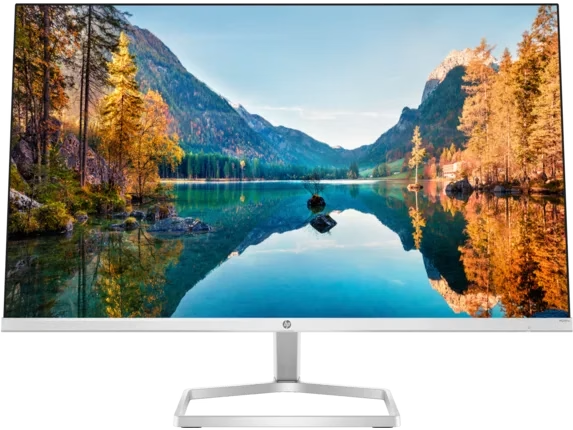
Display Panel Size (inch) : 27 Aspect Ratio : 16:9 Display Viewing Area (H x V) : 597.888 x 336.312 mm Display Surface : Non-Glare Backlight Type : LED Panel Type : IPS Viewing Angle (CR≧10, H/V) : 178°/ 178° Pixel Pitch : 0.311mm Resolution : 1920×1080 Color Space (sRGB) : 100% Brightness (Typ.) : 250cd/㎡ Contrast Ratio (Typ.) : 1000:1 ASUS Smart Contrast Ratio (ASCR) : 100000000:1 Display Colors : 16.7M Response Time : 1ms MPRT Refresh Rate (Max) : 144Hz Flicker-free : Yes Video Feature Trace Free Technology : Yes GameVisual : Yes Color Temp. Selection : Yes(4 modes) GamePlus : Yes HDCP : Yes VRR Technology : FreeSync™ Premium GameFast Input technology : Yes Shadow Boost : Yes Low Blue Light : Yes Audio Feature Speaker : Yes(2Wx2) I/O Ports DisplayPort 1.2 x 1 HDMI(v1.4) x 2 Earphone Jack : Yes Signal Frequency Digital Signal Frequency : HDMI: 30~160 KHz (H) / 48~ 144 Hz (V) DisplayPort: 30~160 KHz (H) / 48~144 Hz (V) Power Consumption Power Consumption : <18W* Power Saving Mode : <0.5W Power Off Mode : <0.3W Voltage : 100-240V, 50/60Hz Mechanical Design Tilt : Yes (+22° ~ -5°) VESA Wall Mounting : 75x75mm Kensington Lock : Yes Dimensions (Esti.) Phys. Dimension with Stand (W x H x D) : 612.6x431x213 mm Phys. Dimension without Stand (W x H x D) : 612.6 x 362.5 x 37.7 mm Box Dimension (W x H x D) : 692 x 499 x 183 mm Weight (Esti.) Net Weight with Stand : 3.9 Kg Net Weight without Stand : 3.5 Kg Gross Weight : 6.1 Kg Accessories (vary by regions) DisplayPort cable HDMI cable Power adapter Power cord Quick start guide Warranty Card 90LM05S1-B01E70 manufacturer link

The ASUS ProArt PA329CRV 32″ 4K Professional Monitor delivers amazing clarity for creative work. It offers a large 32-inch screen with sharp 4K detail. Every image looks clean and accurate. This makes it ideal for editing and design projects. Moreover, the ASUS ProArt PA329CRV 32″ 4K Professional Monitor includes factory-calibrated color accuracy. It shows precise colors for photos, videos, and artwork. The wide color gamut helps you view rich and natural tones. This ensures professional results in every task. In addition, the monitor features HDR support. It improves brightness, contrast, and depth in your visuals. Your projects look more realistic and detailed. This boosts your productivity and viewing experience. Furthermore, the ASUS ProArt PA329CRV 32″ 4K Professional Monitor includes a USB-C port. It provides display output, data transfer, and power delivery. This makes your workspace cleaner and more organized. It is perfect for creators using laptops. Also, the monitor offers an ergonomic stand. You can tilt, turn, pivot, or adjust the height easily. This helps you work comfortably for long hours. The design supports healthy posture and better workflow. The slim and modern look of the ASUS ProArt PA329CRV 32″ 4K Professional Monitor fits any studio. The thin bezels make multi-monitor setups cleaner. The build quality feels strong and long lasting. This makes it a reliable tool for professionals. Overall, the ASUS ProArt PA329CRV 32″ 4K Professional Monitor delivers accuracy, clarity, and productivity in one display. It supports creative work with true-to-life colors and advanced features. It is a great choice for editors, designers, and photographers who need perfect visuals. Specifications: Display : 32″ IPS Resolution : 4K Refresh Rate : 60Hz Response Time : 5ms Fully Adjustable

The Apple Magic Mouse (USB-C version) is a sleek, minimalist multi-touch wireless mouse built for Mac users. It offers smooth gesture support, Bluetooth connectivity and a built-in rechargeable battery — a great choice if you prefer a clean desk setup and full compatibility with macOS and iPadOS. General Name: Magic Mouse (USB-C) — part of Apple’s pointing-device lineup. Wireless connectivity: Bluetooth. Rechargeable battery: built-in, no disposable AA cells. Charging / port: USB-C port (bottom of mouse) for pairing and charging. Compatibility: Requires a Mac with macOS 15.1 or later, or an iPad with iPadOS 18.1 or later. Size & Weight Height: ~0.85 inch (2.16 cm) Width: ~2.25 inch (5.71 cm) Depth: ~4.47 inch (11.35 cm) Weight: ~0.22 pound (0.099 kg) (varies slightly by manufacturing) Features Multi-Touch surface: supports gestures such as swiping between pages, scrolling through documents, zooming. Glide / foot design: optimized for smooth movement across desktop surfaces. Rechargeable battery life: about a month or more between charges (typical use) per Apple spec. Used Condition ConsiderationsSince you’re specifying a used unit: Check for wear on the bottom feet / skates — these degrade and affect glide. Verify battery capacity / health (rechargeable batteries age). Confirm the port is functioning (USB-C) and Bluetooth connectivity is stable. Look for signs of excessive surface scratches on the multi-touch top — may impair gestures. Ensure the firmware / Mac recognizes it fully (gestures working). Upgradability / Limitations Not user-upgradable: You cannot replace the internal battery or change internals easily. Design limitation: The USB-C port remains on the bottom of the mouse, meaning you cannot use it while charging unless you flip it. This design is still criticized. Ergonomics: The flat, low-profile design is stylish but may not suit extended-use comfort for some users.

The Alienware AW3225QF 32″ 240Hz QD-OLED 4K Gaming Monitor is built for gamers who want top performance. It features a 32-inch curved QD-OLED screen that delivers vibrant colors, deep blacks, and wide viewing angles. With a 4K resolution of 3840 x 2160 and a blazing fast 240Hz refresh rate, gameplay feels smooth and detailed. Its ultra-low 0.03ms response time ensures every movement is crisp and fast with minimal blur. The screen has a gentle curve that wraps around your field of view, making gaming more immersive and natural. This design helps reduce eye strain and keeps you comfortable during long gaming sessions. NVIDIA G-SYNC and AdaptiveSync support keep gameplay fluid and responsive without screen tearing or stutter. It’s perfect for competitive gaming and fast-paced action where timing matters most. The monitor supports HDR with a peak brightness of up to 1000 nits, giving you deep contrast and lifelike images. Colors appear bright and accurate, enhancing your experience in both games and videos. It includes HDMI 2.1 and DisplayPort 1.4 for modern consoles and PCs, plus USB Type-C and USB 3.2 ports. These options make it easy to connect your devices, charge accessories, and stay organized. The stand adjusts for height, tilt, and swivel so you can find the perfect viewing angle. It’s also VESA mount compatible, giving you even more flexibility in your setup. The Alienware AW3225QF 32″ 240Hz QD-OLED 4K Gaming Monitor delivers elite visuals and features for serious gamers. Specifications: Display : 32″ QD-OLED Resolution : 4K UHD 3840 x 2160 Refresh Rate : 240Hz Response Time : 0.03ms

Reliability meets value in this pre-owned ThinkPad E14 Gen 2. Equipped with the AMD Ryzen 5 4500U 6-core processor, 8GB RAM, and a 512GB NVMe SSD, this laptop is built for students and professionals who need a durable, high-performance machine for everyday multitasking.

Keyboard for Macbook Pro A1502 ,A1582,A1493 13" Inch Retina Year 2013,2014,2015 Part no ME864 ME864LL/A ME866LL/A APN: 661-8154, 661-02361, 818-4278 Black US Layout Keyboard for Macbook Pro A1502 ,A1582,A1493 13″ Inch Retina Year 2013,2014,2015 Part no ME864 ME864LL/A ME866LL/A APN: 661-8154, 661-02361, 818-4278 Black US Layout Compatibility: FOR MB Pro Retina 13″ A1502 Late 2013: ME864LL/A (2.4 Core i5) Late 2013: ME866LL/A (2.6 Core i5) Late 2013: ME866LL/A (2.8 Core i7) Mid 2014: MGX72LL/A (2.6 Core i5) Mid 2014: MGX92LL/A (2.8 Core i5) Mid 2014: MGX92LL/A (3.0 Core i7) Early 2015: MF839LL/A (2.7 GHz Core i5) Early 2015: MF841LL/A (2.9 GHz Core i5) Early 2015: MF843LL/A (3.1 GHz Core i7) Identifying Numbers APN: 661-8154, 661-02361, 818-4278 Compatible part numbers: ME864 ME865 ME866 MF839 MF841 MF843 MGX72 MGX92 (Layout US) Related Part #: 661-8154, 661-02361, 818-4278 High Quality Laptop Keyboard. 100% Compatible with your brand.

Looking for a reliable monitor that combines performance and affordability? The BenQ GW2780 monitor might be your perfect choice, offering an array of features to enhance your visual experience. To begin with, the GW2780 boasts a sleek design that seamlessly blends with any workspace. Its slim bezels create a borderless display, providing an immersive viewing experience for work or entertainment. Equipped with a 27-inch Full HD display, the monitor delivers crisp and clear visuals. Whether you’re working on spreadsheets, watching videos, or gaming, the GW2780 ensures sharp images and vibrant colors. The In-Plane Switching (IPS) technology ensures wide viewing angles, allowing you to enjoy consistent colors and brightness from any angle. Say goodbye to distorted colors and limited viewing positions. Eye strain is a thing of the past with the BenQ GW2780. The Low Blue Light technology reduces harmful blue light emissions, and the flicker-free feature eliminates screen flickering, providing a comfortable viewing experience for extended periods. Connectivity is a breeze with the multiple ports, including HDMI and VGA. Easily link your monitor to various devices such as laptops, desktops, and gaming consoles. The user-friendly design ensures a hassle-free setup. The BenQ GW2780 monitor not only prioritizes performance but also energy efficiency. Energy Star certification reflects its commitment to reducing environmental impact, making it an eco-friendly choice. In summary, the BenQ GW2780 monitor offers a winning combination of affordability and top-notch features. Elevate your viewing experience with this reliable display solution that caters to your entertainment and productivity needs effortlessly. Specifications: Display : 27″ IPS Resolution : 1920×1080 IPS Response Time : 5ms Refresh Rate : 60hz

The ASUS VG34VQL3A Curved Gaming Monitor, 34″ WQHD delivers immersive gaming and smooth visuals for modern PC players. It is designed for gamers, creators, and anyone who wants a wider view and fast performance. First, this monitor features a 34-inch Ultra-Wide QHD (3440 × 1440) curved display with a 1500R curvature that wraps around your vision and feels more natural. As a result, games, movies, and multitasking feel more engaging. In addition, the ASUS VG34VQL3A supports a high refresh rate up to 180 Hz (OC) and a 1 ms response time (GTG) for smooth motion and minimal blur. This helps you react faster in fast-paced games. This model also uses AMD FreeSync Premium Pro for adaptive sync technology that reduces screen tearing and stuttering in supported games. Therefore, visuals stay smooth and clear with compatible GPUs. The screen covers 125% of the sRGB color gamut and supports DisplayHDR™ 400 with HDR10, giving bright highlights and rich contrast for vivid colors in HDR content. Thus, games and movies look more dynamic. Because the panel uses VA technology, it delivers deep contrast and solid black levels that make details pop in dark scenes. Also, the anti-glare coating helps reduce reflections in bright rooms. The ASUS VG34VQL3A includes built-in features like Picture-in-Picture (PiP), Picture-by-Picture (PbP), ASUS GamePlus, and low blue light modes for added convenience and comfort. This makes it versatile for work and play. Connectivity options include DisplayPort 1.4, HDMI 2.0, and USB 3.2 Gen 2 hub ports to link to PCs, laptops, and peripherals easily. As a result, setup stays flexible for many systems. The ergonomic stand offers height, tilt, and swivel adjustments plus VESA mount support, so you can position the monitor comfortably. This helps reduce neck and eye strain during long sessions. In conclusion, the ASUS VG34VQL3A Curved Gaming Monitor, 34″ WQHD combines speed, clarity, and wide ultrawide visuals. Overall, it is a strong choice for immersive gaming and productivity. Specifications: Display :34″ VA Panel, 1500R Curved, Anti-Glare. Resolution :Ultrawide QHD (3440 x 1440). Refresh Rate : Up to 180Hz (OC) for smooth motion. Response Time : 1ms (GTG) for reduced ghosting. HDR: Display HDR 400 with HDR10 support for enhanced contrast.

Samsung Lebanon 32″ LS32C390EAMXUE The Samsung Lebanon 32″ Introducing the boldest curve ever This , born from years of and the future of monitor technology. Easy on the eyes In tol monitors that have less curve, 1000R fits the human field of view for less eye strain. A clinical study at Seoul National University Hospital shows that the closer to 1000R, the more it limits eye fatigue. Visionary Minimalism Next-generation design. The striking aesthetic is by a backside and premium-quality slim metal stand. The result is a monitor that won’t just catch eyes. but complements any interior, too. What Gamers Want Welcome to your new playground. AMD FreeSync delivers seamless gaming, while 75Hz makes scenes smooth. This flawless imagery comes together with Game Mode and the renowned 1000R curve for Focused Comfort Protect your eyes and do more. The T55’s advanced eye comfort technology reduces eye strain for more comfortable Flicker Free technology continuously removes tiring and irritating screen flicker, while Eye Saver Mode minimizes emitted blue light. Your eyes stay fresh longer. Ready to Entertain Connect to all your favorite devices with a convenient HDMI, DP, and D-Sub triple interface. The built-in 5 Watt speakers make it even easier lost in your favorite movies or TV shows, without plugging in a speaker. Easy on the eyes with 1000R curved screen Minimalist design with the borderless display, fabric-textured backside and slim metal stand Realistic immersion with the renowned 1000R curve and game-related features Running a monitor self-test is a simple and effective way to check the health and functionality of your computer monitor. The purpose of this test is to diagnose any potential issues with the monitor, such as dead pixels, color accuracy, contrast, or brightness problems. Power off both your computer and the monitor. 2Disconnect the signal cable from the back of the computer. 3Power on the monitor. Specifications: Specifications Screen Curvature1000R Active Display Size (HxV) (mm)698.4×392.85 Flat / CurvedCurved Screen Size (Class)32 3 year warranty Manufacturer Link

The Samsung 85″ The Frame QLED 4K Smart TV QA85LS03FAUXTW uses an 85-inch 4K UHD LCD panel with 3840 × 2160 resolution. It is designed for both standard TV viewing and wall-mounted display use. The display uses a QLED layer with Quantum Dot technology to improve color reproduction. As a result, it produces wider color output and more consistent brightness across different content types. In addition, it supports 4K upscaling for lower-resolution video. The TV supports HDR formats for compatible content. This increases contrast between bright and dark areas and improves detail visibility. Also, motion processing reduces blur during fast-moving scenes such as sports and action content. Samsung runs this model on Tizen OS. Therefore, users access streaming apps, SmartThings integration, and smart features through a unified interface. It also supports Wi-Fi and Bluetooth for wireless device connections. Connectivity includes HDMI ports, USB ports, Ethernet LAN, and optical audio output. It supports external devices such as gaming consoles and sound systems. This model uses The Frame design concept, which allows the TV to function as both a display and a digital art screen when not in use. Specifications: 85-inch 4K UHD LCD panel (3840 × 2160 resolution) Quantum Dot (QLED layer) color enhancement 4K upscaling for lower-resolution content HDR support for compatible content Tizen OS with HDMI, USB, Wi-Fi, Bluetooth, Ethernet connectivity

Genuine Apple MagSafe 3 charging cable (2-meter length), originally shipped with MacBook Pro 14"/16" (2021, M1 Pro/Max) and MacBook Pro 16" (2023, M2/M3 Max). Used but fully functional, tested for safe power delivery and data handshake with Apple laptops. Compatibility: MacBook Pro 14″ (2021–2023, M1 Pro/Max, M2 Pro/Max, M3 Pro/Max) MacBook Pro 16″ (2021–2023, M1 Max, M2 Max, M3 Max) Works with Apple 67W, 96W, and 140W USB-C Power Adapters (sold separately) MacBook Pro 14″ (2021–2023, M1 Pro/Max, M2 Pro/Max, M3 Pro/Max) MacBook Pro 16″ (2021–2023, M1 Max, M2 Max, M3 Max) Works with Apple 67W, 96W, and 140W USB-C Power Adapters (sold separately) Connector Type: MagSafe 3 (magnetic, tri-oval tip) on laptop end USB-C on power adapter end MagSafe 3 (magnetic, tri-oval tip) on laptop end USB-C on power adapter end Cable Length: 2 meters (≈6.6 feet) – longer than the standard 1.8m cable, ideal for flexible desk or bedside setups. Condition: Original Apple cable, previously used but fully tested: No fraying, kinks, or exposed wires MagSafe 3 connector intact with strong magnetic hold Charges MacBook at full rated speed (supports up to 140W with compatible adapter) Passes Apple’s authentication handshake (no “Not Supported” warnings) No fraying, kinks, or exposed wires MagSafe 3 connector intact with strong magnetic hold Charges MacBook at full rated speed (supports up to 140W with compatible adapter) Passes Apple’s authentication handshake (no “Not Supported” warnings) What’s Included: MagSafe 3 to USB-C cable only Power adapter NOT included MagSafe 3 to USB-C cable only Power adapter NOT included Why Choose This: Cost-effective alternative to buying new 100% genuine Apple—no third-party risks (overheating, slow charging, compatibility errors) Ideal for backup, travel, or replacing a damaged original cable Cost-effective alternative to buying new 100% genuine Apple—no third-party risks (overheating, slow charging, compatibility errors) Ideal for backup, travel, or replacing a damaged original cable

A1932 A2179 A1965 Battery for MacBook Air 13″ Retina (2018 2019, Early 2020) EMC 3184 3302 MRE82 MRE92 MVFH2 MWTJ2 MVH22 MVFM2 MVFK2 MREE2 MREC2 MREA2 MREF2 MUQT2 MUQU2 MacBookAir8,1 8,2 9,1 📄【Specification】Voltage: 11.4V. Capacity: 49.9Wh 4379mAh. Battery Type: Li-Polymer. Condition: Brand new, from high quality materials, top circuit boards and smart chip. 🔋【Replace Part Number】A1965 A1932(EMC 3184) A2179(EMC 3302) 3ICP4/63/119 MacBookAir8,1 MacBookAir8,2 MacBookAir9,1. 💻【Compatible Models】Only fit for MacBook Air 13″ (Model A1932 & Model A2179) Release 2018 2019 2020, fit for MRE82LL/A, MVFH2LL/A, MVFM2LL/A, MVFK2LL/A, MVFJ2LL/A, MVFN2LL/A, MVFL2LL/A, MREE2LL/A, MREC2LL/A, MREA2LL/A, MREF2LL/A, MRE92LL/A, MWTJ2LL/A, MVH22LL/A, MVH52LL/A, MVH42LL/A, MWTL2LL/A, MWTK2LL/A. Please kindly check the model number at the bottom of your laptop (A****). NOT FIT FOR MODEL A2337. 💻【ANTIEE Promise】Each products has undergone rigorous testing to ensure the correct voltage, circuit protection, stable current, low self-discharge and CE / FCC / RoHS Certified for safety. About 500 recharge cycles over the life.

Arabic Silicone Keyboard Skin Cover for MacBook Pro 13" A1708 Without Touch bar and MacBook 12" A1534 with Retina Display US Layout (Black) Arabic Silicone Keyboard Skin Cover for MacBook Pro 13″ A1708 Without Touch bar and MacBook 12″ A1534 with Retina Display US Layout (Black) About this item Arabic language silicone keyboard skin, US version, perfect fit for your MacBook 12″ A1534, which was released in 2015 & new MacBook Pro 13-Inch 13″ Model A1708 without/no Touch Bar, which was released in 2016; Do not fit for Europe Version MacBook Handmade Skin – XSKN is the original Manufacturer of these “Keyboard Art Skin” silicone covers. They are durable, thin and soft with a cashmere feel. The keys fit snug over the keyboard, smooth surface treatment, suit for regular laptop user who types a lot and quickly Each XSKN silicone skin is heat molded to ensure, each color is paints taking hand screened using silicone paint which is heat fuses into the silicone keyboard skin to become one, making it Soft, ultra-thin, durable and easy to washable High quality silicone raw material assure no extension with longtime using. Every detail clearly prinited, imported ink keep it looking good, rubber coating help to remain in good condition Aside from being beautiful they protect your keyboard from spills, crumbs, animal hair and dust. Washable, can be cleaned easily

The LG UltraGear 45″ 240Hz OLED Curved Gaming Monitor is designed for gamers who demand top-tier performance and stunning visuals. Its massive 45-inch curved OLED display provides an immersive gaming experience with deep blacks and vibrant colors. Firstly with a 240Hz refresh rate, this monitor delivers ultra-smooth gameplay. Combined with a 0.03ms response time, it ensures minimal motion blur and fast reactions in competitive games. Every frame is rendered with precision, giving you a serious edge in fast-paced action. The 21:9 aspect ratio and 3440 x 1440 resolution offer a wide field of view, making it perfect for immersive gaming and multitasking. Whether exploring vast open worlds or battling in intense FPS games, you get an expansive and detailed view. Equipped with HDR10 and OLED self-lit pixels, this gaming monitor delivers incredible contrast and true-to-life colors. Dark scenes appear richer, and bright scenes pop with stunning clarity. Every detail stands out, enhancing the overall gaming experience. For seamless gameplay, the LG UltraGear 45″ 240Hz OLED Curved Gaming Monitor supports AMD FreeSync Premium and NVIDIA G-SYNC. These technologies eliminate screen tearing and stuttering, ensuring smooth and fluid visuals. With multiple connectivity options, including HDMI 2.1, DisplayPort 1.4, and USB ports, this monitor is built for modern gaming rigs. It supports the latest consoles and high-end PCs, ensuring top performance across devices. In conclusion, the LG UltraGear 45″ 240Hz OLED Curved Gaming Monitor is a must-have for serious gamers. Its high refresh rate, fast response time, and stunning OLED visuals make it a top-tier choice for competitive and immersive gaming. Specifications: Display : 44.5″ OLED Resolution : 3440×1440 Ultra-WQHD Refresh Rate : 240Hz Response Rate : 0.03ms GTG Curvature : 800R

Brand Microsoft Connectivity Technology USB Connector Type USB Compatible Devices Laptops Compatible Phone Models Microsoft Special Feature Travel Mounting Type Wall Mount Total USB Ports 1 Wattage 65 watts Microsoft Surface Power Supply 65W and Power Adapter Non Retail Packaging

Replacement Keyboard for MacBook Pro 13" inch A1706 & MacBook Pro 15" inch A1707 Touch Bar (for Late 2016 mid 2017 Year) Replacement Keyboard for MacBook Pro 13″ inch A1706 & MacBook Pro 15″ inch A1707 Touch Bar (for Late 2016 mid 2017 Year) 【Compatibility】This replacement keyboard is Compatible with original MacBook Pro 13″ inch A1706 & MacBook Pro 15″ inch A1707 Touch Bar (for Late 2016 mid 2017 Year) Laptop. 【Compatible Part Numbers】661-06377 【Compatible MBP Numbers】A1706 series :MacBook Pro 13 inch 2017 MacBookPro14,2 & MacBook Pro 13 2016 MacBookPro13,2 MNQF2LL/A MNQG2LL/A MLH12LL/A MLVP2LL/A etc A1707 series:MacBook Pro 15 inch 2016 MacBookPro13,3 & MacBook Pro 15 inch 2017 MacBookPro14,3 Release June 2017 MPTR2LL/A MPTU2LL/A MPTT2LL/A MPTV2LL/A Release October 2016 MLH32LL/A MLW72LL/A MLH42LL/A MLW82LL/A

Genuine-spec touchpad flex cable for MacBook Pro 15″ (Model A2941, 2023, Apple M2)—restores full Force Touch functionality, haptic feedback, and precise multi-touch gesture control during trackpad repair or replacement. Compatible With: MacBook Pro 15-inch (2023, Model A2941) with Apple M2 chip (Model Identifier: MacBookPro19,1) Part Type: Touchpad flex cable only — does not include the trackpad housing, Taptic Engine, or mounting hardware. This is the OEM-style ribbon cable that connects the trackpad to the logic board. Function: Transmits: Touch input coordinates Force Touch pressure data Haptic feedback signals to the Taptic Engine Enables full macOS gesture support: Force Click, three-finger lookup, swipe navigation, pinch-to-zoom, and smooth cursor tracking. Touch input coordinates Force Touch pressure data Haptic feedback signals to the Taptic Engine Enables full macOS gesture support: Force Click, three-finger lookup, swipe navigation, pinch-to-zoom, and smooth cursor tracking. OEM-Quality Build: Matches Apple’s original specifications in: Cable length and routing path Connector pitch and ZIF latch design EMI shielding and flex durability Cable length and routing path Connector pitch and ZIF latch design EMI shielding and flex durability Common Use Cases: Replacing a torn, creased, or liquid-damaged original flex cable Completing a trackpad replacement when the original cable is compromised Fixing intermittent trackpad behavior, loss of Force Touch, or complete unresponsiveness Replacing a torn, creased, or liquid-damaged original flex cable Completing a trackpad replacement when the original cable is compromised Fixing intermittent trackpad behavior, loss of Force Touch, or complete unresponsiveness Installation Note: Requires full bottom case removal and battery disconnection. Cable routes under internal components near the right speaker and logic board. Connects via a ZIF (Zero Insertion Force) socket—must be aligned carefully and latched gently. Recommended for experienced or certified technicians only. Requires full bottom case removal and battery disconnection. Cable routes under internal components near the right speaker and logic board. Connects via a ZIF (Zero Insertion Force) socket—must be aligned carefully and latched gently. Recommended for experienced or certified technicians only.

A reliable, budget-friendly Genius KM-100SE wired keyboard and mouse combo featuring a spill-resistant keyboard, ergonomic design, and plug-and-play USB connectivity—ideal for home, office, or classroom use. Spill-resistant design with drainage holes to protect against accidental liquid damage Quiet, low-profile keys with standard layout (including numeric keypad) for comfortable typing Durable construction with a lifespan of up to 10 million keystrokes Integrated wrist rest for improved ergonomics during long sessions Ambidextrous 3-button design with scroll wheel 1000 DPI optical sensor for smooth, precise tracking on most surfaces Ergonomic shape for comfortable right- or left-handed use Plug-and-play USB connection—no drivers required Compatible with Windows, macOS, Linux, and ChromeOS 1.5-meter braided cable for tangle resistance and durability

