
LENOVO 20V/3.25A USB PIN Laptop Charger for Lenovo Thinkpad Compatible Part NO.: 45N0236, 45N0237, 45N0238, 45N0239 0B46994, 0B46995, 0B46996, 0B46997, 0B46997, 0B46998, 0B469990B47000, 0B47001, 0B47002, 0B47003, 0B47004, 0B47005, 0B47006

WiWU Minimalist Laptop Handbag – Lightweight, water-resistant bag with soft interior padding, shock protection, and dual compartments.Available in 14″ and 15.6″ sizes, perfect for secure and stylish daily laptop carry. Model: WiWU Minimalist Laptop Handbag Material: Water-resistant polyester exterior with a soft faux-fur padded interior Available Sizes: 14″ and 15.6″ versions to accommodate most laptops Protection: Built-in anti-collision padding and 360° all-around corner protection Compartments: Main laptop compartment (soft-lined) Front organizer section with inner pockets for cables, chargers, phone, and accessories Compartments: Main laptop compartment (soft-lined) Front organizer section with inner pockets for cables, chargers, phone, and accessories Carrying Options: Top handles for hand carry Detachable shoulder strap Luggage strap for trolley attachment Carrying Options: Top handles for hand carry Detachable shoulder strap Luggage strap for trolley attachment Design Features: Durable YKK zippers, reinforced corners, slim profile Weight: Approx. 703 g (14″), 884 g (15.6″) Use Case: Ideal for work, study, travel, and everyday protection of devices

Logic Board 1.6GHz Core i5 (i5-5250U), 8GB RAM Replacement for (Early 2015-2017)

Boost your daily productivity with the Lenovo ThinkPad E14 Gen 2, featuring a powerful 11th Gen Intel Core i5 processor. With flexible configurations of up to 16GB RAM and a fast 512GB NVMe SSD, this 14-inch business laptop offers the perfect blend of performance, security, and legendary ThinkPad durability

Genuine-spec touchpad flex cable for MacBook Pro 13″ (Model A2289, 2020, Intel)—restores full Force Touch functionality, haptic feedback, and preci multi-touch gesture control. OEM-quality replacement for damaged or faulty original cables. Compatible With: MacBook Pro 13-inch (2020, Four Thunderbolt Ports, Model A2289, Model Identifier MacBookPro16,2) with Intel Core i5/i7 processors. Part Type: Touchpad flex cable only — does not include the trackpad housing, Taptic Engine, or mounting hardware. This is the OEM-style ribbon cable that connects the trackpad to the logic board. Function: Transmits: Touch input coordinates Force Touch pressure data Haptic feedback signals to the Taptic Engine Enables full macOS gesture support: Force Click, three-finger lookup, swipe navigation, pinch-to-zoom, and smooth cursor tracking. Touch input coordinates Force Touch pressure data Haptic feedback signals to the Taptic Engine Enables full macOS gesture support: Force Click, three-finger lookup, swipe navigation, pinch-to-zoom, and smooth cursor tracking. OEM-Quality Build: Matches Apple’s original specifications in: Cable length and routing path Connector pitch and ZIF latch design EMI shielding and flex durability Cable length and routing path Connector pitch and ZIF latch design EMI shielding and flex durability Common Use Cases: Replacing a torn, creased, or liquid-damaged original flex cable Completing a trackpad replacement when the original cable is unusable Fixing: Intermittent or erratic trackpad behavior Loss of Force Touch or haptic feedback Complete trackpad unresponsiveness Replacing a torn, creased, or liquid-damaged original flex cable Completing a trackpad replacement when the original cable is unusable Fixing: Intermittent or erratic trackpad behavior Loss of Force Touch or haptic feedback Complete trackpad unresponsiveness Intermittent or erratic trackpad behavior Loss of Force Touch or haptic feedback Complete trackpad unresponsiveness Installation Note: Requires full bottom case removal and battery disconnection. Cable routes under internal components (speaker, logic board)—must follow original path. Connects via ZIF (Zero Insertion Force) socket—align carefully, never force. Recommended for experienced or certified technicians only. Requires full bottom case removal and battery disconnection. Cable routes under internal components (speaker, logic board)—must follow original path. Connects via ZIF (Zero Insertion Force) socket—align carefully, never force. Recommended for experienced or certified technicians only. Important Compatibility Notes: ✅ Only for A2289 (13″, 4 Thunderbolt ports, 2020, Intel) ❌ Not compatible with: A2251 (2 Thunderbolt ports, 2020) A2338 (M1 MacBook Pro, 2020) Any MacBook Air or 14″/16″ MacBook Pro ✅ Only for A2289 (13″, 4 Thunderbolt ports, 2020, Intel) ❌ Not compatible with: A2251 (2 Thunderbolt ports, 2020) A2338 (M1 MacBook Pro, 2020) Any MacBook Air or 14″/16″ MacBook Pro A2251 (2 Thunderbolt ports, 2020) A2338 (M1 MacBook Pro, 2020) Any MacBook Air or 14″/16″ MacBook Pro

Genuine-spec US layout keyboard replacement for MacBook Pro 13″ (Model A1466, Late 2015–Early 2016)—featuring traditional scissor-switch mechanism, backlighting, and full OEM compatibility for reliable, comfortable typing. Compatible With: MacBook Pro 13-inch non-Touch Bar models: Late 2015 (Intel Core i5/i7, Retina, A1466, Model Identifier MacBookPro12,1) Early 2016 (Intel Core i5/i7, Retina, A1466, MacBookPro13,1) Late 2015 (Intel Core i5/i7, Retina, A1466, Model Identifier MacBookPro12,1) Early 2016 (Intel Core i5/i7, Retina, A1466, MacBookPro13,1) Layout: Standard US English (QWERTY) with full-size keys, inverted-T arrow keys, and dedicated function row (F1–F12). Keyboard Type: Traditional scissor-switch mechanism—not Butterfly or Magic Keyboard—known for durability, deeper key travel, and tactile feedback. Integrated Features: Backlit keys for low-light use, ambient light sensor support, and OEM-style ribbon cable for direct logic board connection. Build & Fit: Precision-engineered to match Apple’s original dimensions and mounting points—ensures flush alignment within the top case and consistent key height. Installation Note: Keyboard is secured with screws and minimal adhesive (unlike later glued models), making replacement more accessible. Still requires full top case disassembly and battery disconnect. Suitable for intermediate to advanced technicians.

Genuine-spec touchpad flex cable for MacBook Pro 13″ (Model A1502, Mid 2014)—restores full trackpad functionality, including precise cursor control and physical click response. Essential for repairing unresponsive or erratic trackpad behavior. Compatible With: MacBook Pro 13-inch (Mid 2014, Model A1502, Model Identifier MacBookPro11,1) with Intel Core i5/i7 processors and Retina display. Part Type: Touchpad flex cable only — does not include the trackpad housing, button mechanism, or mounting hardware. This is the ribbon cable that connects the trackpad to the logic board. Function: Transmits cursor movement and click signals (left/right physical clicks) Supports standard multi-touch gestures (two-finger scroll, tap-to-click, pinch-to-zoom) ⚠️ Note: This model uses a physical click mechanism—not Force Touch (no haptic feedback or pressure sensitivity). Transmits cursor movement and click signals (left/right physical clicks) Supports standard multi-touch gestures (two-finger scroll, tap-to-click, pinch-to-zoom) ⚠️ Note: This model uses a physical click mechanism—not Force Touch (no haptic feedback or pressure sensitivity). OEM-Quality Build: Matches Apple’s original in: Cable length and routing path Connector type and pin alignment Insulation and flexibility for long-term reliability Cable length and routing path Connector type and pin alignment Insulation and flexibility for long-term reliability Common Use Cases: Replacing a torn, frayed, or corroded original flex cable Fixing: Unresponsive or intermittent trackpad Cursor jumping or drifting Click function failure (left or right) Complete trackpad disconnect Replacing a torn, frayed, or corroded original flex cable Fixing: Unresponsive or intermittent trackpad Cursor jumping or drifting Click function failure (left or right) Complete trackpad disconnect Unresponsive or intermittent trackpad Cursor jumping or drifting Click function failure (left or right) Complete trackpad disconnect Installation Note: Requires bottom case removal and battery disconnect. Connects via a ZIF (Zero Insertion Force) socket on the logic board—do not force. Cable routes under the battery; handle with care to avoid strain. Suitable for intermediate to advanced DIYers or technicians. Requires bottom case removal and battery disconnect. Connects via a ZIF (Zero Insertion Force) socket on the logic board—do not force. Cable routes under the battery; handle with care to avoid strain. Suitable for intermediate to advanced DIYers or technicians.

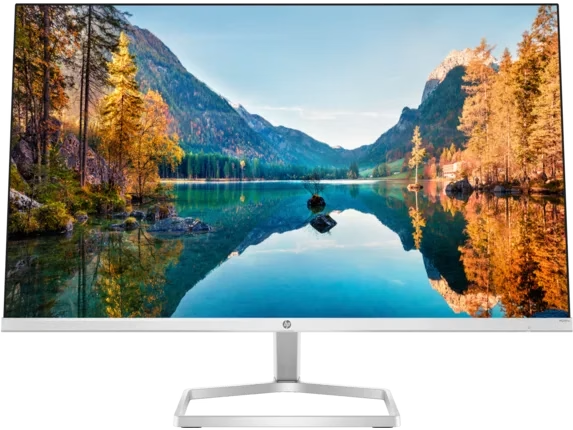
HP 32f Display Firstly, if you seek a larger and more immersive visual experience without breaking the bank, the HP 32f Display is here to meet your needs. This spacious monitor offers impressive features that cater to a wide range of users. Secondly, the HP 32f Display boasts a generous 32-inch screen size, providing ample space for all your computing and entertainment needs. This larger canvas enhances your multitasking capabilities and immerses you in content. This monitor ensures that you’ll enjoy crisp and clear visuals, whether you’re working on documents or indulging in multimedia content, as it comes equipped with a Full High Definition (FHD) display. Setting up the HP 32f is a breeze. Moreover, it’s designed for user-friendliness, allowing you to quickly connect it to your PC or laptop through standard ports. Therefore, you don’t need to go through complex installation procedures. The monitor’s design is modern and sleek, making it a stylish addition to any workspace. Its compact footprint efficiently fits into your setup, enhancing the overall aesthetics. Whether you’re a professional, gamer, or content consumer, the HP 32f Display offers an affordable solution for a larger and better visual experience. It’s a cost-effective choice that doesn’t compromise on quality. Specifications: Display size (diagonal) : 31.5″ Aspect ratio : 16:9 Resolution (native) : FHD (1920 x 1080) Brightness (typical) : 300 cd/m²

Premium-grade trackpad replacement for MacBook Air 13″ M1 (Model A2338, 2020)—available in Silver and Space Gray—engineered to OEM specifications for flawless Force Touch response, smooth gesture control, and seamless aesthetic integration. Compatible With: MacBook Air 13-inch (2020, Model A2338) with Apple M1 chip. Part Type: Trackpad only—does not include the flex cable, Taptic Engine, or mounting brackets. Designed for professional technicians who will reuse original internal components. Finish Options: Silver: Matches Silver and Starlight MacBook Air finishes. Space Gray: Matches Space Gray and Midnight models for perfect color continuity. Silver: Matches Silver and Starlight MacBook Air finishes. Space Gray: Matches Space Gray and Midnight models for perfect color continuity. Force Touch Capable: Fully supports pressure-sensitive input and haptic feedback when paired with the original Taptic Engine and logic board—no loss of functionality. Precision Craftsmanship: Mirror-polished glass surface with exact curvature, texture, and click mechanism matching Apple’s original design for consistent performance and feel. Installation Requirements: Requires full bottom case disassembly and careful transfer of the original flex cable and Taptic Engine. Adhesive must be applied precisely to maintain structural integrity and sensor alignment. For professional use only.

The LG UltraGear OLED Curved 45GR95QE-B is a premium gaming monitor built for players who want stunning visuals and ultra-smooth performance. With a large 45-inch curved OLED display, it surrounds you in lifelike color and deep contrast. Consequently, every frame feels more immersive and realistic. Moreover, the monitor delivers an incredibly fast refresh rate and quick response time. Because of this, motion appears sharp and fluid during intense gaming moments. Therefore, competitive gamers can enjoy a smoother and more responsive experience. In addition, the LG UltraGear OLED Curved 45GR95QE-B supports HDR10 for brighter highlights and richer shadows. Thanks to OLED technology, every pixel lights up individually, providing perfect blacks and vivid colors. Furthermore, its ultra-wide aspect ratio expands your field of view for a true cinematic feel. Connectivity is simple and versatile. With HDMI 2.1 and DisplayPort options, it easily connects to PCs and gaming consoles. As a result, you can switch between platforms without hassle. Comfort is also a focus. The ergonomic stand allows height, tilt, and swivel adjustments for an ideal viewing position. Thus, the LG UltraGear OLED Curved 45GR95QE-B ensures comfort during long gaming or creative sessions. Overall, this monitor combines speed, design, and visual excellence. Whether you’re gaming, editing, or streaming, it offers next-level immersion and performance in every scene. Specifications: Display : 44.5″ WQHD (3440×1440) 21:9 OLED Resolution : 3440×1440 Response Time : 0.03ms Refresh Rate : 240Hz Curvature : 800R

The LG 27GS65F-B 27″ 1ms 180Hz Gaming Monitor delivers smooth and responsive performance for gamers and entertainment enthusiasts. Its large 27-inch screen provides an immersive experience with sharp and vibrant visuals, making games, movies, and work more engaging. Moreover, the fast 180Hz refresh rate ensures fluid motion during intense gaming sessions, giving you a competitive advantage. This monitor features a 1ms response time that reduces motion blur and ghosting, allowing for faster reaction times in fast-paced games. Additionally, the display offers accurate colors and wide viewing angles, making it ideal for gaming, creative work, and streaming. Its sleek and modern design complements any gaming setup or home office. The LG 27GS65F-B includes multiple connectivity options, allowing easy connection to PCs, consoles, and other devices. Furthermore, ergonomic tilt adjustments provide comfort during long gaming sessions. Therefore, it is perfect for competitive and casual gamers alike. Finally, it combines fast performance, vivid visuals, and user-friendly design for an excellent gaming experience. Specifications: Display : 27″ VA Resolution : QHD (2560 x 1440) Refresh Rate : 180Hz Response Rate : 1ms GTG Curvature : 1000R

Material: Plastic + Mesh fabric Bluetooth version/chipset: 5.4/ATS2853 Transmission Distance: 12M Working voltage: 18.5V Impedance: 4Ω Speaker power: Tweeter: 50W * 2 Subwoofer: 200W Battery (mAh):30000mAH/18.5V*6000;18650/2000mA*15; 3 in series and 5 in parallel Charging time: about 3 hours Calling: 20 hours Music playback: 12 hours Standby time: 6 months 1.5.4 wireless, fast, stable, and efficient connection, excellent sound quality 2 . Sound Card/Karaoke/wireless speaker, all in one, built-in DSP, multiple EQ settings, support internal monitoring/recording/live streaming function, 433/360° omnidirectional remote control (can work through walls) 3. Efficient speakers and power amplifier for loud sound and high-fidelity music playback 4,30000mAh power bank (18.5V*6000mAh; 18650/2000mA*15; 3 in series and 5 in parallel), colorful lights available in various modes, controllable flashing lights CTN GW: 18.5kg ± 0.2kg Carton size: 50.5 * 44.2 * 39cm

MacBook Pro Keyboard Replacement /Compatible for Apple MacBook - A1990 15" , A1989 13" MacBook Pro Keyboard Replacement /Compatible for Apple MacBook – A1990 15″ , A1989 13″ New A1989 A1990 Keyboard US Standard Replacement for MacBook Pro 13” 15”A1990 A1989 Keyboard 2018 Year

Specifications : Dell Alienware 25 Monitor – AW2521HFL – 63.5cm(25″) Device Type LED edgelight system Panel Type Fast In-Plane Switching Type Native Resolution 1920 x 1080 @ 240 Hz Contrast Ratio 1000 to 1 (typical) Features USB 3.0 Hub Aspect Ratio 16:09 Brightness 400 cd/m² (typical) Response Time 1ms (gray to gray) – Extreme Mode Input Connectors 2 x HDMI (ver 2.0) 1 x DP 1.2 1 x USB 3.0 upstream port (Rear) 2 x USB 3.0 Downstream port (Rear) 2 x USB 3.0 Downstream port [Front Bottom, one with BC1.2 charging capability at 2A(max)] 1 x Headphone-out jack (Front Bottom) 1 x Audio Line-out jack( Rear) manufacturer link

Apple Magic Keyboard - A1644 Wireless Bluetooth - UK English Layout Apple Magic Keyboard – A1644 Wireless Bluetooth – UK English Layout

ACER KA220HQbid 21.5″ FHD, HDMI,AMD Freesync VESA 100x100mm Maximum Resolution 1920 x 1080 Colour Supported 16.7 Million Colours Brightness Aspect Ratio 16:9 Response Time 5 ms Backlight Technology LED Horizontal Viewing Angle 90° Vertical Viewing Angle 65° Tilt Angle -5° to 15° Features Flicker-free Features Low Dimming Features Blue Light Speakers No VGA Yes DVI Yes HDMI Yes Operating Power Consumption (Energy Star) 19.50 W Environmental Certification MPR II Package Contents KA220HQ Widescreen LCD Monitor Power Cord 1 x VGA Cable Specifications: ACER KA220HQbid 21.5″ FHD, HDMI,AMD Freesync VESA 100x100mm Maximum Resolution 1920 x 1080 Colour Supported 16.7 Million Colours Brightness 200 cd/m² Technical Information Aspect Ratio 16:9 Response Time 5 ms Backlight Technology LED Horizontal Viewing Angle 90° 1 Year Warranty

WiWU T22 Earbuds – Stylish TWS earbuds with TFT display case, Bluetooth 6.0, ANC (-23 dB), 4 hrs playback, and in-ear detection.Sleek, feature-rich, and comfortable — ideal for mobile users who want touch control and immersive sound. Model: WiWU T22 Display & Controls: Charging case includes vibrant TFT/LCD screen with touch controls for playback, ANC toggle, and battery levels Bluetooth: JL 7003D8 chipset, Bluetooth 6.0 (alias V6 or 5.4) for stable, low-latency connection up to 10 m Noise Reduction: Active Noise Cancellation at –23 dB Battery: Earbuds: 30 mAh each; Charging case: 300 mAh; ~4 hrs music, ~3 hrs talk (at ~80% volume); ~50 hrs standby Charging: USB‑C, ~1 hr to full charge Other Features: In-ear detection (auto play/pause), Hi-Fi audio, ergonomic fit, compact design

BATTERY DELL 6MT4T CYDZ 62W 7.6V Laptop Battery Compatible with Dell Latitude 5470 E5470 155570 E5570 3510 M3510 7V69Y, TXF9M, 79VRK, 07V69Y, 0HK6DV, 079VRK, 0TXF9M About this item 6MT4T Voltage: 7.6V, Capacity: 62Wh Compatible Part Number: 7V69Y, TXF9M, 79VRK, 07V69Y, 0HK6DV, 079VRK, 0TXF9M Compatible for Dell Latitude 14 Series 5470 E5470 155570 E5570 Series Compatible for Dell Latitude 15 Series Precision 15 3510 M3510.

The MSI MAG E18 32-inch curved gaming monitor delivers smooth performance and immersive visuals for modern gaming setups. It features a wide display that enhances focus and creates a more engaging experience. Therefore, users can enjoy both casual and competitive gameplay with better visual coverage. Moreover, the WQHD resolution provides clear and detailed images for games and multimedia. The curved design improves viewing comfort and keeps content within your natural field of view. In addition, the 180Hz refresh rate ensures fluid motion during fast-paced scenes. The fast 0.5ms response time reduces motion blur and improves clarity in action sequences. As a result, players gain better control and precision. Furthermore, the panel maintains consistent colors and wide viewing angles, which enhances overall visual quality. In addition, adaptive sync support helps eliminate screen tearing and stuttering. This creates a more stable and enjoyable gaming experience. The monitor also includes multiple connectivity options, allowing easy integration with gaming systems and PCs. MSI MAG E18 32 monitor offers a strong balance of speed, clarity, and immersion. MSI MAG E18 32 monitor is a reliable choice for gamers who want smooth performance and consistent visuals. Specifications: 32-inch WQHD (2560 × 1440) curved display 180Hz refresh rate for smooth gameplay 0.5ms response time for reduced motion blur Curved panel for immersive viewing experience Multiple connectivity ports for flexible setup

The ASUS VA249HG 24″ FHD Eye Care Monitor offers clear and sharp Full HD visuals. It provides bright colors and strong contrast. This makes movies, work, and daily tasks look clean and detailed. The 24-inch screen size is perfect for desks and small spaces. Moreover, the ASUS VA249HG 24″ FHD Eye Care Monitor includes a fast 75Hz refresh rate. This improves motion and reduces blur. It gives smoother movement during games and videos. This helps you enjoy a better viewing experience. In addition, the monitor features Adaptive Sync support. This reduces tearing and stuttering during fast action. Your screen stays smooth and steady. This makes it ideal for gamers and casual users. Furthermore, the ASUS VA249HG 24″ FHD Eye Care Monitor includes ASUS Eye Care technology. It reduces blue light and screen flicker. This helps protect your eyes during long hours of use. You can work, watch, or study more comfortably. Also, the monitor uses a VA panel for deep colors. It shows richer blacks and strong contrast levels. This improves the quality of movies and photos. It also works well for everyday design tasks. The clean and modern design of the ASUS VA249HG 24″ FHD Eye Care Monitor fits any workspace. The stand is stable and simple to adjust. You can tilt the screen for better comfort. This helps you find your ideal viewing angle. Overall, the ASUS VA249HG 24″ FHD Eye Care Monitor offers smooth performance, eye protection, and strong image quality. It is a great choice for home, office, and gaming use. It provides comfort, clarity, and value in one dependable display. Specifications: Display : 24″ IPS Resolution : FHD Refresh Rate : 120Hz Response Time : 1ms Model : 90LM02W0-B01171
