
WiWU Waterproof Large Capacity Minimalist Backpack Business Laptop Backpack Bags with Multi-Pockets For digital gadgets Minimalist Style Water-resistant material,Polyester Large Capacity Have Stock Size:15.6 inch

The Samsung 34″ Odyssey G55T Curved Gaming Monitor LC34G55TWWMXZN features a 34-inch VA panel with Ultra WQHD resolution (3440 × 1440) and a 21:9 aspect ratio. The ultrawide format provides additional screen space for gaming, multitasking, and content creation. The monitor uses a 1000R curved display designed to match the natural field of view. As a result, the screen wraps more closely around the user compared to traditional flat monitors. In addition, the VA panel delivers a typical 2500:1 contrast ratio for deeper blacks and improved shadow detail. The display supports a maximum refresh rate of 165Hz and a 1ms MPRT response time. Therefore, motion appears smoother during fast-paced gaming. AMD FreeSync Premium support also helps reduce screen tearing and stuttering when paired with compatible graphics hardware. HDR10 support allows compatible content to display a wider brightness range. Also, gaming features such as Black Equalizer, Low Input Lag Mode, and Refresh Rate Optimizer provide additional control over image settings. Connectivity includes one DisplayPort 1.4, one HDMI 2.0 port, and a headphone output. The monitor also supports Picture-by-Picture mode, Eye Saver Mode, and Flicker Free technology. This model focuses on ultrawide gaming performance with a high refresh rate, aggressive 1000R curvature, and Ultra WQHD resolution. Community feedback often highlights the immersive curve and gaming experience, while some users note that the curvature is more aggressive than typical curved monitors. manufacturer link Specifications: 34-inch VA panel with Ultra WQHD (3440 × 1440) resolution 165Hz refresh rate and 1ms MPRT response time 1000R curved display with 21:9 aspect ratio AMD FreeSync Premium support DisplayPort 1.4 and HDMI 2.0 connectivity options

The Darkflash G24E 24″ 75Hz FHD Monitor offers an immersive viewing experience with its stunning 24-inch display. Whether you’re gaming, working, or watching movies, this monitor delivers vibrant and clear visuals. With its Full HD resolution, the Darkflash G24E ensures sharp and detailed images, bringing your content to life. The 75Hz refresh rate provides smoother motion and reduces screen tearing, enhancing your overall viewing experience. Setting up the Darkflash G24E 24″ Monitor is simple and hassle-free. It comes with multiple connectivity options, including HDMI and VGA ports, allowing you to connect to various devices effortlessly. Experience fast response times with the Darkflash G24E, which reduces lag and ghosting during fast-paced games or action-packed movies. This monitor is perfect for gamers who demand quick and precise visuals. The sleek and modern design of the Darkflash G24E 24″ 75Hz FHD Monitor complements any workspace or gaming setup. Its slim bezels provide a more immersive experience and allow for seamless multi-monitor setups. Eye strain is minimized with the Darkflash G24E’s flicker-free technology and blue light filter, making it comfortable for extended use. Enjoy your screen time without worrying about eye fatigue. In conclusion, the Darkflash G24E 24″ 75Hz FHD Monitor combines impressive visuals, fast response times, and ergonomic design. Upgrade your monitor today for an enhanced and comfortable viewing experience. Enjoy smooth gameplay, vivid colors, and reduced eye strain with the Darkflash G24E. Specifications: Display : 23.8″ FHD LED Refresh Rate : 75Hz

The LG 32GN600-B 32″ Monitor delivers clear and smooth visuals for gaming and everyday use.It features a 32-inch QHD display with sharp details and vibrant colors. Moreover, its high refresh rate ensures fluid motion in fast-paced games and videos. This monitor uses a VA panel for strong contrast and wide viewing angles. Additionally, the fast response time reduces blur and ghosting during competitive gaming. The anti-glare screen helps minimize reflections in bright environments. HDMI and DisplayPort inputs allow easy connection to PCs, laptops, and gaming consoles. Furthermore, tilt adjustment helps you find a comfortable viewing angle for long sessions. Low blue light and flicker-free technologies reduce eye strain during extended use. This display is ideal for gamers, streamers, and home users alike. Therefore, it supports competitive gaming, media streaming, and productivity tasks. Finally, it combines sharp visuals, fast performance, and comfort features for daily use. Specifications: Screen Size: 32″ QHD VA panel Resolution: 2560 × 1440 Refresh Rate: High for smooth motion Ports: HDMI + DisplayPort Features: Anti-glare, low blue light, flicker-free eye care

BenQ RE03A 86 inch Board Essential RE8603A is designed for classrooms, training rooms, and interactive presentations. It features an 86-inch 4K UHD IPS display with precision IR touch technology for smooth writing and collaboration. Additionally, it supports up to 40 touch points. Therefore, it helps teachers and teams work together more efficiently. The BenQ RE8603A delivers 3840 × 2160 resolution with 450 nits brightness and anti-glare coating for clear viewing in bright rooms. Moreover, it uses 9H tempered glass for better durability and safer daily use. It also includes low blue light and flicker-free technology to reduce eye strain. In addition, it runs on Android 11 with 4GB memory and 32GB storage for smooth system performance. Furthermore, it provides 3 HDMI 2.0 ports, DisplayPort, USB-A, USB-C, and USB-B for flexible connectivity. As a result, users can connect laptops, cameras, and classroom devices easily. It also includes front-facing 2 × 20W speakers and built-in management tools for daily educational use. Specifications: 86-inch 4K UHD (3840 × 2160) IPS display Precision IR touch with up to 40 touch points Android 11 with 4GB RAM and 32GB storage 450 nits brightness with anti-glare 9H tempered glass 3 HDMI 2.0, DisplayPort, USB-C, and dual 20W speakers

The 45W MagSafe 2 Power Adapter features a magnetic DC connector so if someone should trip over it, the cord disconnects harmlessly and your MacBook Air stays put safely. It also helps prevent fraying or weakening of the cables over time. In addition, the magnetic DC helps guide the plug into the system for a quick and secure connection. The 45W MagSafe 2 Power Adapter features a magnetic DC connector so if someone should trip over it, the cord disconnects harmlessly and your MacBook Air stays put safely. It also helps prevent fraying or weakening of the cables over time. In addition, the magnetic DC helps guide the plug into the system for a quick and secure connection. When the connection is secure, an LED located at the head of the DC connector lights up; an amber light lets you know that your notebook is charging, while a green light tells you that you have a full charge. An AC cord is provided with the adapter for maximum cord length, while the AC wall adapter (also provided) gives you an even easier and more compact way to travel. Designed to be the perfect traveling companion, the adapter has a clever design which allows the DC cable to be wound neatly around itself for easy cable storage. This power adapter recharges the lithium polymer battery while the system is off, on, or in sleep mode. It also powers the system if you choose to operate without a battery. Compatible only with MacBook Air featuring MagSafe 2 power port. Knowing which specific Mac model you have is important. If you are running OS X Lion (10.7) or later go to the “” menu at the top left of your screen, choose “About this Mac” then click the “More Info…” button. Your Mac model and generation will be displayed. If you are running an earlier version of OS X, you can enter your serial number here to find out which model you have. Mac Models MacBook Air (13-inch, Early 2015 – 2017) MacBook Air (11-inch, Early 2015)

The LG 27U511SA-W 27″ FHD IPS Smart Monitor with Speakers is built for comfortable viewing, entertainment, and everyday productivity. Its 27-inch Full HD IPS display delivers clear visuals and consistent colors, making it suitable for work, streaming, and browsing. Moreover, the IPS panel ensures wide viewing angles so images remain accurate from different positions. This smart monitor allows direct access to streaming apps without requiring a connected PC. Additionally, the built-in speakers provide convenient audio for movies, meetings, and casual gaming without external devices. The slim and modern design fits easily into home or office environments while keeping your workspace clean and organized. Connectivity options allow easy connection to laptops, consoles, and media devices. Furthermore, ergonomic adjustments help users maintain comfortable viewing positions during long sessions. Therefore, the monitor suits home users, students, and professionals seeking versatility and convenience. Finally, it combines smart functionality, quality visuals, and built-in sound for daily entertainment and productivity needs. Specifications: 27-inch Full HD IPS smart monitor Built-in speakers for convenient audio Smart features for direct streaming access Wide viewing angles with accurate colors Modern design with versatile connectivity

The BenQ 27-inch 4K Monitor for MacBook BenQ 27-inch 4K Monitor for MacBook overview for creative professionals is a 27-inch UHD display designed for MacBook users who need sharp visuals, accurate colors, and a spacious workspace. It features a 3840 × 2160 resolution that delivers detailed images for photo editing, video production, graphic design, and everyday productivity. The MA270U features a matte display surface that helps reduce reflections and glare, while the MA270UP features a glossy display surface that enhances contrast and image clarity. Therefore, both models provide an optimized viewing experience for different working environments. The display performance and color accuracy deliver clear details and consistent image quality across professional workflows. Moreover, the IPS panel provides wide viewing angles and reliable color reproduction for creative tasks and multitasking. As a result, users can enjoy a precise and comfortable viewing experience. The connectivity and ergonomic design support efficient daily use. In addition, USB-C connectivity provides convenient connection with modern MacBook devices, while HDMI and USB ports improve compatibility with other equipment. Therefore, the monitor supports clean and flexible workstation setups. The workflow compatibility supports macOS and Windows systems for creative work, office applications, and entertainment. Furthermore, the 27-inch 4K display provides enough space for multitasking while maintaining excellent visual clarity. Specifications: Display size: 27-inch IPS panel Resolution: 3840 × 2160 (4K UHD) Models: MA270U Matte display and MA270UP Glossy display Connectivity: USB-C, HDMI, and USB ports Warranty: 3 Years MA270U , MA270UP

WiWU 14-inch & 15.6-inch Minimalist Laptop Sleeve for Macbook Air 2020 Protective Case Minimalist Laptop Sleeve Water resistant polyester+ Fax fur lining Ultra slim design with front pocket Including packing weight:14inch 280g/15.6inch 320g WiWU 14-inch & 15.6-inch Minimalist Laptop Sleeve for Macbook Air 2020 Protective Case

A reliable pre-owned Dell Latitude 5400 with 14" display, 8th Gen Core i5, 16GB RAM, and 512GB SSD—ideal for business users and students seeking solid performance, security, and durability in a compact form.

Genuine-spec touchpad flex cable for MacBook Pro 13″ with Touch Bar (Model A1708, 2016–2017)—restores full Force Touch functionality, haptic feedback, and precise multi-touch gesture control during trackpad repair or replacement. Compatible With: MacBook Pro 13″ (2016) – Model A1708 (Model Identifier: MacBookPro13,1) MacBook Pro 13″ (2017) – Model A1708 (Model Identifier: MacBookPro14,1) (Both years share the same internal trackpad assembly and flex cable.) MacBook Pro 13″ (2016) – Model A1708 (Model Identifier: MacBookPro13,1) MacBook Pro 13″ (2017) – Model A1708 (Model Identifier: MacBookPro14,1) (Both years share the same internal trackpad assembly and flex cable.) Part Type: Touchpad flex cable only — does not include the trackpad housing, Taptic Engine, or mounting hardware. This is the OEM-style ribbon cable that connects the trackpad to the logic board. Function: Transmits: Touch input coordinates Force Touch pressure data Haptic feedback signals to the Taptic Engine Enables full macOS gesture support: Force Click, three-finger lookup, swipe navigation, pinch-to-zoom, and smooth cursor tracking. Touch input coordinates Force Touch pressure data Haptic feedback signals to the Taptic Engine Enables full macOS gesture support: Force Click, three-finger lookup, swipe navigation, pinch-to-zoom, and smooth cursor tracking. OEM-Quality Build: Matches Apple’s original specifications in: Cable length and routing path Connector pitch and ZIF latch design EMI shielding and flex durability Cable length and routing path Connector pitch and ZIF latch design EMI shielding and flex durability Common Use Cases: Replacing a torn, creased, or liquid-damaged original flex cable Completing a trackpad replacement when the original cable is compromised Fixing intermittent trackpad behavior, loss of Force Touch, or complete unresponsiveness Replacing a torn, creased, or liquid-damaged original flex cable Completing a trackpad replacement when the original cable is compromised Fixing intermittent trackpad behavior, loss of Force Touch, or complete unresponsiveness Installation Note: Requires full bottom case removal and battery disconnection. Cable routes under internal components near the right speaker and logic board. Connects via a ZIF (Zero Insertion Force) socket—must be aligned carefully and latched gently. Recommended for experienced or certified technicians only. Requires full bottom case removal and battery disconnection. Cable routes under internal components near the right speaker and logic board. Connects via a ZIF (Zero Insertion Force) socket—must be aligned carefully and latched gently. Recommended for experienced or certified technicians only.

Are you in search of a high-performance gaming monitor? Look no further! The MSI MPG 274URF QD 27″ 160Hz gaming monitor is here to elevate your gaming experience. This monitor combines cutting-edge technology with sleek design to provide an unbeatable gaming setup. Firstly, let’s talk about the impressive display. The 27-inch screen size offers ample viewing space, making every detail pop. The Quantum Dot technology ensures vibrant and accurate colors, enhancing the overall visual experience. In addition, the 160Hz refresh rate is a game-changer. It ensures smooth and fluid motion, reducing blur and lag. This is essential for fast-paced games where every millisecond counts. With the MSI MPG 274URF QD, you can stay ahead of the competition. Moreover, the 1ms response time minimizes input lag. This allows for quick reactions and precise movements, crucial for competitive gaming. Every action you take will be instantaneously reflected on the screen, providing a seamless gaming experience. Furthermore, this gaming monitor supports HDR, delivering stunning contrast and brightness. You will enjoy deeper blacks and brighter whites, bringing your games to life. The detailed shadows and highlights will immerse you in the game world like never before. Comfort is also a key feature of the MSI MPG 274URF QD. The ergonomic design allows you to adjust the height, tilt, and swivel to find the perfect viewing angle. This ensures you can game comfortably for hours without straining your neck or eyes. Additionally, the monitor comes with multiple connectivity options. Easily connect your PC, console, or other devices with the available HDMI, DisplayPort, and USB ports. This versatility makes it a great addition to any gaming setup. In conclusion, the MSI MPG 274URF QD 27″ 160Hz gaming monitor offers superior performance and stunning visuals. Whether you’re a casual gamer or a professional, this monitor will enhance your gaming experience. Upgrade your setup today and enjoy the best in gaming technology! Specifications: Display : 27″ Rapid IPS Resolution : 3840×2160 (UHD) Refresh Rate : 160Hz Response Rate : 0.5ms

2016 Apple 15" MacBook Pro Touch-Bar Logic Board 2.7Ghz i7 16Gb A1707 512GB , With Dual Graphics Radeon Pro 2016 Apple 15″ MacBook Pro Touch-Bar Logic Board 2.7Ghz i7 16Gb A1707 512GB , With Dual Graphics Radeon Pro

Genuine-spec US layout keyboard replacement for MacBook Pro 15″ (Models A1706 and A1707, 2016–2017)—featuring Apple’s second-generation Butterfly mechanism, backlighting, and full OEM compatibility for professional-grade repairs. Compatible With: MacBook Pro 15″ (2016, Model A1707) MacBook Pro 15″ (2017, Model A1706) Both models include Touch Bar and are powered by Intel Core i7/i9 processors. MacBook Pro 15″ (2016, Model A1707) MacBook Pro 15″ (2017, Model A1706) Both models include Touch Bar and are powered by Intel Core i7/i9 processors. Layout: Standard US English (QWERTY) with full-size keys, inverted-T arrow keys, and dedicated function row (mapped to Touch Bar). Keyboard Type: Apple’s 2nd-generation Butterfly mechanism—thinner profile with reduced travel; known for sensitivity but requires careful handling. Integrated Features: Backlit keys, ambient light sensor support, and original ribbon cable connector matching Apple’s design for direct logic board attachment. Build & Fit: Precision-engineered to align flush with the top case—ensures consistent key height and tactile response when properly installed. Installation Note: The keyboard is glued into the top case and must be carefully removed and re-adhered. Requires full disassembly of display, battery, and internal components. Recommended for experienced technicians only.

The Samsung 24 inch 120Hz Essential Monitor S3 S32GF delivers smooth visuals with a Full HD display and fast refresh rate. Additionally, the 120Hz panel improves motion clarity, which makes it suitable for daily tasks and light gaming. The slim design also fits easily into modern workspaces. Moreover, the monitor uses a quality panel that provides consistent colors and clear details from different viewing angles. Therefore, it supports both productivity and entertainment use. Eye Saver Mode and flicker free technology also help reduce eye strain during long sessions. Furthermore, connectivity is simple and practical with HDMI and VGA inputs for flexible device support. In addition, the monitor is easy to set up and use for home or office environments. Overall, the Samsung 24 inch 120Hz Essential Monitor S3 S32GF is a reliable everyday display. Specifications: 24 inch Full HD display delivers clear and sharp visuals for daily use 120Hz refresh rate provides smoother motion for videos and light gaming Eye Saver Mode and flicker free technology help reduce eye strain Slim and modern design fits easily into home or office setups HDMI and VGA connectivity allow easy connection to multiple devices

The MSI PRO MP275W E2 27″ 120Hz Business Monitor is designed to enhance productivity with smooth visuals and eye-care features. It features a 27-inch Full HD IPS panel, delivering clear images and wide viewing angles for everyday work tasks. With a 120Hz refresh rate, the monitor provides smoother motion compared to standard displays. This makes it ideal not only for business use but also for light entertainment. The MSI PRO MP275W E2 27″ 120Hz Business Monitor ensures reduced motion blur and a more comfortable viewing experience. The monitor supports Anti-Flicker and Less Blue Light technologies, helping to reduce eye strain during long hours of use. These features are especially useful in office settings or remote work environments. Thanks to its built-in speakers, users can enjoy basic audio without needing external accessories. The MSI PRO MP275W E2 27″ 120Hz Business Monitor also includes HDMI and VGA ports, offering compatibility with modern and older devices. Its sleek, minimal design fits easily into any workspace, whether at home or in an office. The adjustable tilt function allows users to set the screen at the most comfortable viewing angle. This monitor is also VESA mount compatible, making it easy to attach to a monitor arm or wall mount. It supports a clutter-free setup that boosts workspace efficiency. In conclusion, the MSI PRO MP275W E2 27″ 120Hz Business Monitor offers smooth performance, comfort-focused features, and modern connectivity in a professional package. It’s ideal for business users who value quality and simplicity. Specifications: Display : 27″ IPS Resolution : 1920 x 1080 (FHD) Refresh Rate : 120Hz Response Time : 1ms (MPRT) / 4ms (GtG) Speaker : 2x 2W

Genuine-spec touchpad flex cable for MacBook Pro 15″ (Model A2941, 2023, Apple M2)—restores full Force Touch functionality, haptic feedback, and precise multi-touch gesture control during trackpad repair or replacement. Compatible With: MacBook Pro 15-inch (2023, Model A2941) with Apple M2 chip (Model Identifier: MacBookPro19,1) Part Type: Touchpad flex cable only — does not include the trackpad housing, Taptic Engine, or mounting hardware. This is the OEM-style ribbon cable that connects the trackpad to the logic board. Function: Transmits: Touch input coordinates Force Touch pressure data Haptic feedback signals to the Taptic Engine Enables full macOS gesture support: Force Click, three-finger lookup, swipe navigation, pinch-to-zoom, and smooth cursor tracking. Touch input coordinates Force Touch pressure data Haptic feedback signals to the Taptic Engine Enables full macOS gesture support: Force Click, three-finger lookup, swipe navigation, pinch-to-zoom, and smooth cursor tracking. OEM-Quality Build: Matches Apple’s original specifications in: Cable length and routing path Connector pitch and ZIF latch design EMI shielding and flex durability Cable length and routing path Connector pitch and ZIF latch design EMI shielding and flex durability Common Use Cases: Replacing a torn, creased, or liquid-damaged original flex cable Completing a trackpad replacement when the original cable is compromised Fixing intermittent trackpad behavior, loss of Force Touch, or complete unresponsiveness Replacing a torn, creased, or liquid-damaged original flex cable Completing a trackpad replacement when the original cable is compromised Fixing intermittent trackpad behavior, loss of Force Touch, or complete unresponsiveness Installation Note: Requires full bottom case removal and battery disconnection. Cable routes under internal components near the right speaker and logic board. Connects via a ZIF (Zero Insertion Force) socket—must be aligned carefully and latched gently. Recommended for experienced or certified technicians only. Requires full bottom case removal and battery disconnection. Cable routes under internal components near the right speaker and logic board. Connects via a ZIF (Zero Insertion Force) socket—must be aligned carefully and latched gently. Recommended for experienced or certified technicians only.

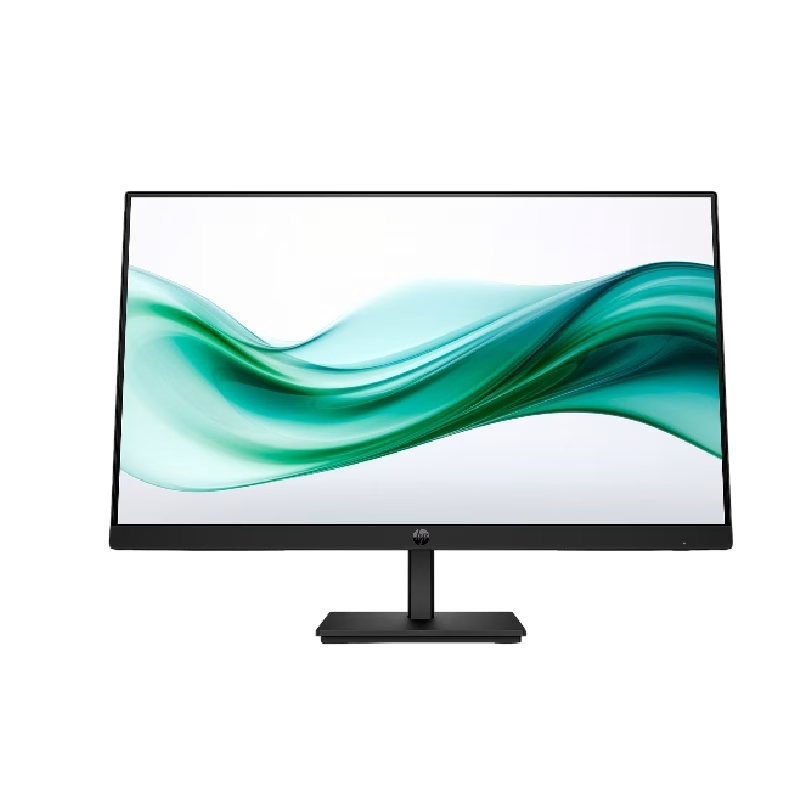
LED feature Specification Display size 60.5 cm (23.8 in) diagonal Display type IPS with LED backlight Panel active area 52.7 x 29.6 cm (20.7 x 11.7 in) Scan range Horizontal: 30 to 80 KHz Vertical: 50 to 60 Hz Brightness 250 nits Color support Up to 16.7 million colors with the use of FRC technology Color gamut 72% Pixel pitch 0.2745 (H) mm x 0.2745 (V) mm 93 PPI Inputs 1 VGA 1 HDMI Audio in/Audio out HDCP support Viewing angle Horizontal viewing angle (typical): 178 degrees Vertical viewing angle (typical): 178 degrees Recommended resolution (H x V) 1920 x 1080 @ 60 Hz (Full HD) Aspect ratio 16:9 Static contrast ratio 1000:1 Dynamic contrast ratio 10,000,000:1 Response time 6 ms GtG w/OD 14 ms GtG (typ) / 28 ms GtG (Max) Power supply External Power consumption 30 Watts max Tilt -5 to +25 degrees Dimensions W x D x H (unpacked): 54.1 x 18.3 x 40.9 cm (21.3 x 7.2 x 16.1 in) Weight Unpacked: 3.1 Kg (6.8 lbs) Specifications: HP Monitor 24ea 23.8-inch IPS Display Display size 60.5 cm (23.8 in) diagonal Display type IPS with LED backlight Panel active area 52.7 x 29.6 cm (20.7 x 11.7 in)

The NCTS HDMI 2.1 cable delivers ultra-high bandwidth 48Gbps with support for 8K@60Hz and 4K@120Hz, ensuring smooth, sharp, and lag-free performance. Available in 3 meters and 5 meters, it’s perfect for gaming consoles, TVs, monitors, and high-end home theater setups. The NCTS HDMI 2.1 Cable is built for next-generation video and gaming performance. With a high-speed 48Gbps bandwidth, it supports advanced resolutions like 8K at 60Hz and 4K at 120Hz, making it ideal for PlayStation 5, Xbox Series X, gaming PCs, 8K TVs, projectors, and home theater systems. Designed for stable signal transmission even at longer lengths (3M & 5M), it provides premium audio/video quality for professional and entertainment use. HDMI 2.1 Standard for next-gen video performance 48Gbps Ultra High Speed Bandwidth for smooth and stable output Supports 8K@60Hz & 4K@120Hz for ultra-clear and fluid visuals Ideal for PS5 / Xbox Series X / Gaming PC for high refresh rate gaming HDR Support for richer colors and better contrast (device dependent) eARC Support for high-quality audio transmission (device dependent) Durable Build Quality designed for long-term performance Available Lengths: 3M & 5M for flexible installation Perfect for next-gen consoles, gaming PCs, 8K TVs, 4K high refresh monitors, projectors, AV receivers, and soundbars. Ideal for users who want maximum performance for gaming, streaming, and home theater systems.

Genuine-spec US layout keyboard replacement for MacBook Pro 13″ (Model A1502, Mid 2014)—featuring durable scissor-switch keys, backlighting, and OEM-fit design for reliable performance and easy installation. Compatible With: MacBook Pro 13-inch (Mid 2014, Model A1502, Model Identifier MacBookPro11,1) with Retina display. Layout: Standard US English (QWERTY) with full-size keys, inverted-T arrow keys, and dedicated function row (F1–F12). Keyboard Type: Traditional scissor-switch mechanism—offers good key travel, tactile feedback, and proven long-term reliability (pre-Butterfly design). Integrated Features: Backlit keys for low-light environments, ambient light sensor compatibility, and original-style ribbon cable connector for direct logic board attachment. Build & Fit: Precision-molded to match Apple’s exact dimensions and mounting points—ensures flush integration into the top case with consistent key alignment. Installation Note: Keyboard is secured with screws and light adhesive—more serviceable than later glued models. Requires top case access and battery disconnection. Suitable for intermediate DIYers or professional technicians.
