
Genuine-spec touchpad flex cable for MacBook Air 13.6″ (Model A2681, 2022, M2)—essential for restoring full Force Touch functionality, haptic feedback, and multi-touch gesture support when replacing or repairing the trackpad assembly. Compatible With: MacBook Air 13.6-inch (2022, Model A2681) with Apple M2 chip (all colors: Silver, Space Gray, Starlight, Midnight). Part Type: Touchpad flex cable only—does not include the trackpad, Taptic Engine, or mounting hardware. This is the ribbon cable assembly that connects the trackpad to the logic board. Function: Transmits touch input, Force Touch pressure data, and haptic feedback signals between the trackpad and logic board—critical for macOS gesture recognition and Taptic Engine operation. OEM-Quality Construction: Matches Apple’s original flex circuit in length, connector type, shielding, and bend radius—ensures reliable signal integrity and long-term durability. Common Use Cases: Replacing a torn, frayed, or damaged original flex cable Completing a trackpad replacement when the original cable was compromised Repairing unresponsive or erratic trackpad behavior caused by cable failure Replacing a torn, frayed, or damaged original flex cable Completing a trackpad replacement when the original cable was compromised Repairing unresponsive or erratic trackpad behavior caused by cable failure Installation Note: Requires full bottom case disassembly and careful routing under the battery and logic board. Connectors use ZIF (Zero Insertion Force) sockets—do not force. Recommended for experienced or certified technicians only.

Genuine-spec touchpad flex cable for MacBook Air 13″ (Model A1534, Early 2015)—essential for restoring full trackpad functionality, including precise cursor control and physical click response, during repair or replacement. Compatible With: MacBook Air 13-inch (Early 2015, Model A1534, Model Identifier MacBookAir7,2). Part Type: Touchpad flex cable only—does not include the trackpad housing, button mechanism, or mounting brackets. This is the ribbon cable that connects the trackpad to the logic board. Function: Carries input signals from the trackpad to the logic board—critical for cursor movement, tap-to-click, and primary/secondary physical click functionality. (Note: This model uses a physical click mechanism, not Force Touch—so no haptic feedback or pressure-sensing.) OEM-Quality Construction: Matches Apple’s original cable in length, connector type, and shielding—ensures reliable signal transmission and long-term durability. Common Use Cases: Replacing a torn, frayed, or damaged original flex cable Completing a trackpad replacement when the original cable is compromised Fixing erratic cursor movement, unresponsive trackpad, or loss of click function Replacing a torn, frayed, or damaged original flex cable Completing a trackpad replacement when the original cable is compromised Fixing erratic cursor movement, unresponsive trackpad, or loss of click function Installation Note: Requires bottom case removal and careful disconnect/reconnect of the ZIF (Zero Insertion Force) connector on the logic board. The cable routes under the battery—handle with care. Suitable for intermediate to advanced DIYers or technicians.

The Samsung 22″ 75Hz Essential Monitor is designed to enhance your daily computing tasks with smooth performance and vibrant colors. Whether you’re working, watching videos, or browsing, this monitor delivers clear and crisp visuals. Featuring a 22-inch screen, this monitor provides ample display space for multitasking. With a 75Hz refresh rate, the Samsung 22″ Essential Monitor ensures fluid motion, reducing screen tearing and providing a smooth viewing experience. The Full HD resolution brings sharp details and vivid colors, making your videos and images look more lifelike. Whether for work or entertainment, you’ll enjoy a more immersive visual experience with the Samsung 22″ Essential Monitor. With its slim and sleek design, this monitor complements any workspace. It’s easy to set up, and the compact design saves valuable desk space. The monitor’s slim bezels also give it a modern, streamlined look. The Samsung Essential Monitor comes equipped with Eye Saver Mode and Flicker-Free technology, designed to reduce eye strain during long hours of use. This makes it ideal for both work and extended screen time. In addition, the monitor offers easy connectivity options, including HDMI and VGA ports, allowing you to connect a wide range of devices effortlessly. In conclusion, the Samsung 22″ 75Hz Essential Monitor is the perfect blend of performance, style, and convenience. Upgrade your viewing experience with smooth visuals and vivid colors for everyday use. Specifications: Display : 22″ VA Resolution : FHD (1920×1080) Refresh Rate : 75Hz Response Time : 5ms GTG

Boost your daily productivity with the Lenovo ThinkPad E14 Gen 2, featuring a powerful 11th Gen Intel Core i5 processor. With flexible configurations of up to 16GB RAM and a fast 512GB NVMe SSD, this 14-inch business laptop offers the perfect blend of performance, security, and legendary ThinkPad durability

The LG 32MA70HY 32″ Monitor delivers large, clear visuals for work, entertainment, and everyday use.It features a 32‑inch screen with Full HD resolution for sharp images and smooth video.Moreover, the slim design fits well on desks in homes and offices. This monitor uses an IPS panel for wide viewing angles and consistent color from many positions.Additionally, anti‑glare coating helps reduce reflections in bright lighting.Fast response time reduces blur during moving content like videos and casual gaming. The LG 32MA70HY also includes HDMI and VGA ports for flexible connectivity.Furthermore, tilt adjustment lets you find a comfortable viewing angle during long sessions.Low blue light and flicker‑safe features help reduce eye strain during extended use. This display suits students, professionals, and home users alike.Therefore, it supports productivity, media viewing, and everyday computing.Finally, it combines solid picture quality, reliable performance, and comfort features. Specifications: 32″ Full HD (1920 × 1080) IPS panel HDMI + VGA ports for PC and device connection Anti‑glare coating for comfortable viewing Tilt‑adjustable stand for ergonomic use Low blue light and flicker‑safe eye care

Genuine-spec touchpad flex cable for MacBook Pro 13″ (Model A2289, 2020, Intel)—restores full Force Touch functionality, haptic feedback, and preci multi-touch gesture control. OEM-quality replacement for damaged or faulty original cables. Compatible With: MacBook Pro 13-inch (2020, Four Thunderbolt Ports, Model A2289, Model Identifier MacBookPro16,2) with Intel Core i5/i7 processors. Part Type: Touchpad flex cable only — does not include the trackpad housing, Taptic Engine, or mounting hardware. This is the OEM-style ribbon cable that connects the trackpad to the logic board. Function: Transmits: Touch input coordinates Force Touch pressure data Haptic feedback signals to the Taptic Engine Enables full macOS gesture support: Force Click, three-finger lookup, swipe navigation, pinch-to-zoom, and smooth cursor tracking. Touch input coordinates Force Touch pressure data Haptic feedback signals to the Taptic Engine Enables full macOS gesture support: Force Click, three-finger lookup, swipe navigation, pinch-to-zoom, and smooth cursor tracking. OEM-Quality Build: Matches Apple’s original specifications in: Cable length and routing path Connector pitch and ZIF latch design EMI shielding and flex durability Cable length and routing path Connector pitch and ZIF latch design EMI shielding and flex durability Common Use Cases: Replacing a torn, creased, or liquid-damaged original flex cable Completing a trackpad replacement when the original cable is unusable Fixing: Intermittent or erratic trackpad behavior Loss of Force Touch or haptic feedback Complete trackpad unresponsiveness Replacing a torn, creased, or liquid-damaged original flex cable Completing a trackpad replacement when the original cable is unusable Fixing: Intermittent or erratic trackpad behavior Loss of Force Touch or haptic feedback Complete trackpad unresponsiveness Intermittent or erratic trackpad behavior Loss of Force Touch or haptic feedback Complete trackpad unresponsiveness Installation Note: Requires full bottom case removal and battery disconnection. Cable routes under internal components (speaker, logic board)—must follow original path. Connects via ZIF (Zero Insertion Force) socket—align carefully, never force. Recommended for experienced or certified technicians only. Requires full bottom case removal and battery disconnection. Cable routes under internal components (speaker, logic board)—must follow original path. Connects via ZIF (Zero Insertion Force) socket—align carefully, never force. Recommended for experienced or certified technicians only. Important Compatibility Notes: ✅ Only for A2289 (13″, 4 Thunderbolt ports, 2020, Intel) ❌ Not compatible with: A2251 (2 Thunderbolt ports, 2020) A2338 (M1 MacBook Pro, 2020) Any MacBook Air or 14″/16″ MacBook Pro ✅ Only for A2289 (13″, 4 Thunderbolt ports, 2020, Intel) ❌ Not compatible with: A2251 (2 Thunderbolt ports, 2020) A2338 (M1 MacBook Pro, 2020) Any MacBook Air or 14″/16″ MacBook Pro A2251 (2 Thunderbolt ports, 2020) A2338 (M1 MacBook Pro, 2020) Any MacBook Air or 14″/16″ MacBook Pro

The Lenovo ThinkVision S27-4e 27″ 100Hz FHD Business Monitor is designed for work, study, and daily tasks. It offers a clean display with smooth motion for a comfortable viewing experience. This monitor is ideal for offices, home setups, and professional environments. With its 27-inch FHD panel, the Lenovo ThinkVision S27-4e 27″ 100Hz FHD Business Monitor delivers sharp and vibrant visuals. Text appears clear, and colors look natural. Therefore, it helps reduce eye strain during long hours of work. The 100Hz refresh rate makes movement on the screen smoother than standard 60Hz monitors. This is especially helpful for scrolling, video playback, and light gaming. As a result, your workflow feels more fluid and responsive. The Lenovo ThinkVision S27-4e 27″ 100Hz FHD Business Monitor also features slim bezels for a modern and clean look. This design allows for a more immersive view and makes it perfect for dual-monitor setups. Its adjustable tilt stand helps you find the right angle for better comfort. Additionally, the monitor uses energy-efficient technology to reduce power usage. This makes it a smart choice for businesses and home offices. Connectivity options include HDMI and VGA for easy pairing with laptops and desktops. You can connect it quickly without any extra adapters. This adds convenience and flexibility to your workspace. In conclusion, the Lenovo ThinkVision S27-4e 27″ 100Hz FHD Business Monitor offers smooth performance, clear visuals, and a professional design. It is a reliable display for productivity and everyday use. Specifications: Display : 27″ IPS Resolution : FHD Refresh Rate : 100Hz Response Time : 4ms GtG

7.4V 51WH Laptop Battery G5M10 for DELL Latitude E5450 E5550 Notebook 15.6" G5M10 8V5GX R9XM9 WYJC2 1KY05-SIKER 7.4V 51WH Laptop Battery G5M10 for DELL Latitude E5450 E5550 Notebook 15.6″ G5M10 8V5GX R9XM9 WYJC2 1KY05-SIKER About this item Battery type: Li-ion Capacity:7.4V 51WH 100% New Manufacturer Features 100% Brand Replacement New battery

The LG UltraWide 34″ 60Hz Curved Monitor offers an expansive 21:9 aspect ratio, providing ample screen space for multitasking and immersive viewing. Its 3440 x 1440 resolution delivers sharp and detailed visuals, enhancing both productivity and entertainment experiences. Featuring a curved IPS display, this monitor ensures consistent color accuracy and wide viewing angles, making it ideal for creative professionals and gamers alike. The 60Hz refresh rate provides smooth motion, suitable for everyday tasks and casual gaming. Equipped with HDR10 support, the monitor enhances contrast and color range, bringing visuals to life with greater depth and realism. The sRGB 99% color gamut ensures vibrant and accurate colors, essential for photo and video editing. Connectivity options include USB Type-C, HDMI, and DisplayPort, allowing seamless integration with various devices. The USB Type-C port supports data transfer and power delivery, simplifying your workspace setup. The ergonomic stand offers height and tilt adjustments, enabling you to customize the monitor’s position for optimal comfort. Its sleek, virtually borderless design adds a modern touch to any workspace. In summary, the LG UltraWide 34″ 60Hz Curved Monitor combines high-resolution visuals, color accuracy, and ergonomic design, making it a versatile choice for professionals and enthusiasts. Specifications: Display : 34″ IPS Resolution : 3440 x 1440 QHD Refresh Rate : 60Hz Response Rate : 5ms GTG Curvature : 3800R

Genuine-spec touchpad flex cable for MacBook Pro 16″ (Model A2485, 2021, M1 Pro/Max)—critical for restoring full Force Touch functionality, haptic feedback, and precise multi-touch gesture control during trackpad repairs. Compatible With: MacBook Pro 16-inch (2021, Model A2485) with Apple M1 Pro or M1 Max chip (Model Identifiers: MacBookPro18,1 / MacBookPro18,2). Part Type: Touchpad flex cable only—does not include the trackpad, Taptic Engine, or mounting hardware. This is the OEM-style ribbon cable that connects the trackpad to the logic board. Function: Transmits touch coordinates, Force Touch pressure data, and haptic feedback signals—essential for macOS gestures (e.g., pinch-to-zoom, Force Click, three-finger lookup) and Taptic Engine operation. OEM-Quality Construction: Precisely replicated to Apple’s original specifications—including cable length, connector type, EMI shielding, and flex routing—ensuring signal integrity and long-term reliability. Common Use Cases: Replacing a torn, frayed, or liquid-damaged original flex cable Completing a trackpad replacement when the original cable is compromised Fixing intermittent trackpad behavior, lost Force Touch, or complete unresponsiveness Replacing a torn, frayed, or liquid-damaged original flex cable Completing a trackpad replacement when the original cable is compromised Fixing intermittent trackpad behavior, lost Force Touch, or complete unresponsiveness Installation Note: Requires full disassembly of the bottom case and careful routing around the battery and logic board. Connectors use ZIF (Zero Insertion Force) sockets—must be aligned and latched gently. Recommended for certified or professional repair technicians only.

HUAWEI IdeaHub S3 IHS3-86SA is an 86-inch collaboration device designed for modern meeting spaces. It delivers 4K UHD visuals and a dual-lens camera with five-times zoom, ensuring every participant sees clearly. Furthermore, it supports interactive meetings with smart annotation and AI-powered tools. The display features infrared multi-touch with up to 32 touch points and 16ms latency. Therefore, handwriting and annotations respond naturally and smoothly. In addition, the D-LED 86-inch panel runs at 60Hz, offering vibrant and stable visuals for presentations and content sharing. Audio performance comes from a 24-microphone array and a 70W speaker system with 15-meter pickup. Consequently, everyone hears clearly even in large rooms. HarmonyOS runs natively, and you can integrate Windows via OPS for flexible usage. Moreover, the device provides smart whiteboard tools, AI Vision Engine, Smart Control 2.0, and 9-pane projection. These features make comparing materials effortless. In addition, connectivity options include Wi-Fi 6, Bluetooth, NFC, HDMI, USB, and Type-C ports, which allow seamless collaboration. As a result, HUAWEI IdeaHub S3 IHS3-86SA boosts productivity and engagement in professional environments. Specifications: 86-inch 4K UHD display with dual-lens 4K camera and 5x zoom Supports up to 32 touch points with 16ms latency 24-mic array and 70W speaker system with 15-meter pickup Smart whiteboard, AI Vision Engine, Smart Control 2.0, and 9-pane projection 8-core CPU, 12GB RAM, 128GB storage, Wi-Fi 6, Bluetooth, and NFC

The MSI MAG 255XFV 25″ FHD 250Hz Gaming Monitor is built for fast-paced competitive gaming. It features a 24.5-inch Full HD (1920×1080) Rapid VA panel with a 250Hz overclocked refresh rate for ultra-smooth motion. Additionally, it delivers a 0.5ms (GtG) response time, reducing motion blur in fast scenes. The monitor also uses Adaptive-Sync technology to reduce screen tearing and stuttering during gameplay. Therefore, the MSI MAG 255XFV 25″ FHD 250Hz Gaming Monitor is designed for responsiveness, speed, and smooth visual performance in competitive titles. Moreover, it includes MSI gaming features such as AI Vision, Less Blue Light, and Anti-Flicker technology for improved viewing comfort. Specifications: 24.5-inch Full HD (1920×1080) Rapid VA panel 250Hz (OC) refresh rate for ultra-smooth gameplay 0.5ms (GtG) fast response time for reduced blur Adaptive-Sync technology for tear-free visuals MSI AI Vision, Anti-Flicker, and Less Blue Light support

MacBook Pro A1706 / A1708 Display Assembly (Space Gray) Compatibility : MacBook Pro 2017 13″ A1708 (EMC 3164 MacBookPro14,1) 2.3 GHz A1708 (EMC 3164 MacBookPro14,1) 2.5 GHz A1706 (EMC 3163 MacBookPro14,2) 3.1 GHz A1706 (EMC 3163 MacBookPro14,2) 3.3 GHz A1706 (EMC 3163 MacBookPro14,2) 3.5 GHz MacBook Pro 2016 13″ A1706 (EMC 3071 MacBookPro13,2) 2.9 GHz A1706 (EMC 3071 MacBookPro13,2) 3.1 GHz A1706 (EMC 3071 MacBookPro13,2) 3.3 GHz A1708 (EMC 2978 MacBookPro13,1) 2.0 GHz A1708 (EMC 2978 MacBookPro13,1) 2.4 GHz

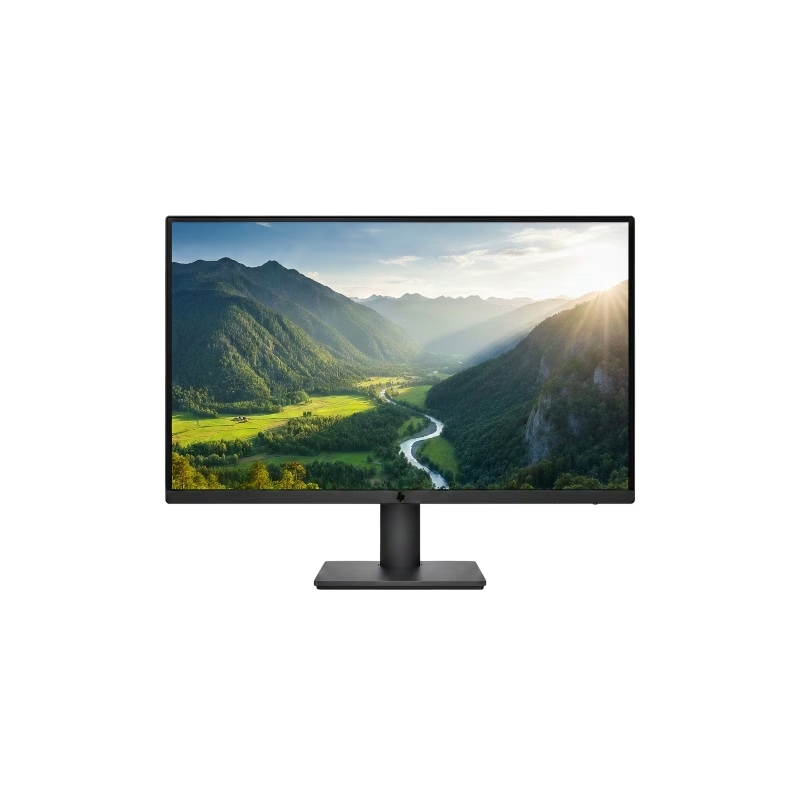
HP M24fwa Monitor Overview The HP M24fwa is a 24-inch Full HD monitor designed for modern workspaces. It combines a slim design with clear visuals. As a result, it suits offices, home use, and study setups. 24-Inch Full HD Display This monitor features a 24-inch Full HD resolution. Therefore, text appears sharp and easy to read. Moreover, images look clear and vibrant. Because of this, it supports long working and browsing sessions. In addition, wide viewing angles keep content visible from different positions. As a result, collaboration becomes easier. Smooth and Comfortable Viewing The HP M24fwa delivers smooth performance for daily tasks. As a result, scrolling and multitasking feel natural. Furthermore, the display maintains balanced brightness. This improves overall viewing comfort. Eye Comfort and Anti-Glare Protection This monitor includes eye comfort features. Therefore, it helps reduce eye strain during extended use. In addition, the anti-glare screen limits reflections. As a result, the display stays clear in bright rooms. Connectivity and Easy Setup The HP M24fwa includes HDMI connectivity. As a result, it connects easily to laptops and desktops. Moreover, setup remains quick and simple. Therefore, users can start working immediately. Slim Design and Mounting Support The monitor features a slim and modern design. In addition, it supports VESA mounting. As a result, users can save desk space and create flexible setups. Ideal for Daily Use This monitor focuses on clarity and reliability. Moreover, it suits office work, studying, and media viewing. In conclusion, it offers a practical and stylish display solution. Specifications: Display: 23.8-inch IPS panel with 178-degree ultra-wide viewing angles. Resolution: FHD (1920 X 1080) at 75Hz refresh rate. Visual Quality: 300 nits brightness, 1000:1 contrast ratio, and 99% sRGB color gamut for accurate, vibrant, and consistent colors. Gaming/Performance: AMD Free Sync technology reduces screen tearing and stuttering

Laptop Charger for HP 90W 19.5V 4.62A (Blue Tip) Pavilion 17 15-E 17-E 14-E 15-AK Series Touchsmart Sleekbook M6-K M7-J 17-J M6 M7 709986-004 709986-002 753560-001 710413-001 PPP012D-S AC Adapter

The MSI MPG 341CQPX QD-OLED Gaming Monitor features a 34-inch ultrawide screen with 3440 x 1440 resolution for immersive visuals. Its 1800R curve pulls you into the action and enhances your overall gaming experience. With a 240Hz refresh rate and 0.03ms response time, gameplay stays smooth, fast, and lag-free. Quantum Dot OLED technology brings vivid colors and rich contrast to every frame. This monitor covers 99.3% of the DCI-P3 color space for ultra-accurate color display. It supports HDR with a peak brightness of up to 1000 nits for brighter highlights and deeper blacks. The MSI MPG 341CQPX Gaming Monitor also includes advanced OLED care features to prevent screen burn-in. An anti-reflective coating reduces glare for clearer visuals in bright or dark environments. The fanless cooling system ensures quiet performance thanks to graphene film and a custom heatsink. You get two HDMI 2.1 ports, one DisplayPort 1.4a, and a USB-C port with 98W power delivery. Multiple USB-A and USB-B ports offer great flexibility for all your connected devices. A built-in KVM switch allows you to control multiple systems with one keyboard and mouse. Adjust the monitor’s height, tilt, and swivel to match your ideal viewing angle easily. Its modern and sleek design fits perfectly into any gaming or work setup. The MSI MPG 341CQPX QD-OLED Gaming Monitor delivers a premium, responsive, and immersive experience. It’s an ideal choice for gamers who want high performance and stunning visuals in one display. Specifications: Display : 34.18“ Resolution : 3440 x 1440 (UWQHD) Refresh Rate : 240Hz Response Rate : 0.03ms (GTG) Curvature : 1800R

Brand Microsoft Connectivity Technology USB Connector Type USB Compatible Devices Laptops Compatible Phone Models Microsoft Special Feature Travel Mounting Type Wall Mount Total USB Ports 1 Wattage 65 watts Microsoft Surface Power Supply 65W and Power Adapter Non Retail Packaging

Genuine-spec touchpad flex cable for MacBook Air 13″ (Model A1932, 2018–2019)—essential for restoring full Force Touch functionality, haptic feedback, and precise multi-touch gesture control during trackpad repair or replacement. Compatible With: MacBook Air 13-inch (2018 & 2019, Model A1932, Model Identifier MacBookAir8,1) with Intel Core i5/i7 processors. Part Type: Touchpad flex cable only—does not include the trackpad housing, Taptic Engine, or mounting hardware. This is the OEM-style ribbon cable that connects the trackpad to the logic board. Function: Transmits touch input, Force Touch pressure data, and haptic feedback signals—critical for macOS gestures like Force Click, three-finger lookup, pinch-to-zoom, and smooth cursor tracking. OEM-Quality Build: Matches Apple’s original in length, connector pitch, EMI shielding, and flexibility—ensures reliable signal integrity and long-term durability. Common Use Cases: Replacing a torn, creased, or liquid-damaged original flex cable Completing a trackpad replacement when the original cable is unusable Fixing intermittent trackpad behavior, loss of Force Touch, or complete unresponsiveness Replacing a torn, creased, or liquid-damaged original flex cable Completing a trackpad replacement when the original cable is unusable Fixing intermittent trackpad behavior, loss of Force Touch, or complete unresponsiveness Installation Note: Requires full bottom case removal and careful routing beneath the battery. The cable connects via a ZIF (Zero Insertion Force) socket on the logic board—must be properly aligned and latched without force. Recommended for experienced or certified technicians. Important: This is flex cable only—not a complete trackpad assembly. Must be used with the original or compatible A1932 trackpad and Taptic Engine. Not compatible with MacBook Air M1 (A2337/A2338), M2 (A2681/A2941), or any MacBook Pro model. This is flex cable only—not a complete trackpad assembly. Must be used with the original or compatible A1932 trackpad and Taptic Engine. Not compatible with MacBook Air M1 (A2337/A2338), M2 (A2681/A2941), or any MacBook Pro model.

The MSI PRO MP225V 22″ 100Hz Business Monitor is designed to improve productivity while maintaining eye comfort and reliable performance. With its 22-inch Full HD display, it provides sharp visuals and clear details for work and study. Moreover, the compact size makes it a perfect choice for small desks and home offices. Because comfort matters, this monitor includes TÜV-certified low blue light and flicker-free technology. As a result, you can work for longer hours without eye strain. In addition, the adjustable tilt feature helps you find the most natural viewing position for daily use. The MSI PRO MP225V 22″ 100Hz Business Monitor also ensures smooth visuals with its 100Hz refresh rate. Furthermore, it supports AMD FreeSync, reducing screen tearing and stuttering during presentations, videos, or even light gaming. Therefore, it offers a balance between work and entertainment. Connectivity options include HDMI and VGA, making it easy to link with various devices. Besides that, its slim design with narrow bezels provides a modern look while maximizing screen space. Not only is it efficient, but it is also compatible with VESA mounts, allowing flexible installation on a wall or monitor arm. In short, the MSI PRO MP225V 22″ 100Hz Business Monitor combines clarity, comfort, and versatility, making it a smart solution for professionals and students. Specifications: Display : 21.45″ IPS Screen : FHD (1920×1080) Refresh Rate : 100Hz Response Rate : 1ms (MPRT) / 4ms (GtG)

Are you looking to upgrade your monitor for a better viewing experience? The MSI Pro MP2422C 24″ 100Hz Curved Monitor might be just what you need. This monitor combines sleek design with advanced features, making it perfect for work and entertainment. Firstly, let’s talk about the stunning 24-inch curved display. The curved screen provides a more immersive viewing experience, wrapping around your field of vision. This design reduces eye strain and makes long hours in front of the screen more comfortable. The MSI Pro MP2422C boasts a 100Hz refresh rate. This high refresh rate ensures smooth and fluid visuals, whether you’re watching videos, playing games, or scrolling through web pages. Say goodbye to screen tearing and stuttering with this impressive feature. Moreover, the monitor offers Full HD resolution, delivering crisp and clear images. You can enjoy vibrant colors and sharp details, making everything from spreadsheets to movies look fantastic. The MSI Pro MP2422C truly brings your content to life. The MSI Pro MP2422C is also designed with eye care in mind. It includes blue light reduction and anti-flicker technology. These features help reduce eye fatigue and provide a more comfortable viewing experience, especially during long sessions. Connectivity is a breeze with multiple input options, including HDMI and DisplayPort. You can easily connect your PC, laptop, or other devices without any hassle. The versatile connectivity options make this monitor suitable for various setups. In conclusion, the MSI Pro MP2422C 24″ 100Hz Curved Monitor offers an immersive viewing experience, smooth performance, and eye care features. It’s an excellent choice for anyone looking to enhance their work or entertainment setup. Upgrade to the MSI Pro today and enjoy a superior visual experience! Specifications: Display : 23.6″ VA Resolution : 1920 x 1080 (FHD) Refresh Rate : 100Hz Response Rate : 4ms Curvature : 1500R
