
WiWU WI‑C052 Converter – Compact aluminum adapter enables OTG and fast PD-style charging (≈27 W) with USB‑C/Lightning on USB‑A ports.Supports high-speed 10 Gbps data transfer, is plug‑and‑play, and works across phones, tablets, and laptops. Functionality: OTG-capable USB-A to USB-C (A→C) Data Transfer: Supports USB 3.2 (up to 10 Gbps) and backward compatible with USB 3.0/2.0 Fast Charging: Supports PD profile fast charging (up to ~27W Apple PD equivalent) without triggering charge pop-ups Build: Durable aluminum-alloy shell with silicone lanyard design for portability and heat dissipation Compatibility: Works with smartphones, tablets, laptops—enabling USB-A peripherals, USB-C or Lightning cables Plug & Play: No drivers required; reversible connector design Portability: Lightweight, compact—easy to carry

TT03XL Laptop Battery Compatible with Hp EliteBook 850 G5 850 G6 ZBook 15U G5 15U G6 Series Notebook 932824-2C1 933322-855 932824-421 HSTNN-LB8H HSTNN-DB8K 11.55V 56Wh 4610mAh About this item 【Battery type】Li-ion. Voltage: 11.55V. Capacity: 56Wh 4610mAh. 【Replacement For Laptop】Hp EliteBook 850 G5 G6, ZBook 15U G5 G6 Series . 【Compatible Part Number】TT03XL 932824-2C1 933322-855 932824-421 HSTNN-LB8H HSTNN-DB8K TTO3XL. 【Connector】Before placing your order, Please refer to the picture and check it. Because the products produced by different factories will have differences in size, cable length, interface, etc. 【Use Skills】If the new battery is not recognized during the initial installation, please reinstall and check if the interface is fully connected. Discharge the new battery to 5% (not 0%), then charge and cycle 3-4 times to wake up the new battery.

Experience the future of gaming with the Samsung Odyssey G9 49″ 240Hz Curved Gaming Monitor. This ultra-wide display wraps around your vision for complete immersion. With a 49-inch screen, it feels like two monitors in one. The 1000R curvature matches the natural curve of the human eye. So, your games feel more real and more engaging. Thanks to the 240Hz refresh rate, every frame loads lightning fast. No more motion blur, just smooth and fluid gameplay. Moreover, the 1ms response time helps you stay ahead of the competition. React instantly to every move, shot, or surprise attack. The Samsung Odyssey G9 49″ 240Hz Curved Gaming Monitor also supports NVIDIA G-Sync and AMD FreeSync Premium Pro. Therefore, screen tearing and stuttering are things of the past. Colors look rich and vibrant with QLED technology. Every detail pops, even in the darkest shadows and brightest highlights. In addition, the futuristic design with customizable RGB lighting looks amazing in any gaming setup. It also features multiple ports, making connectivity easy and fast. Whether you’re gaming, streaming, or multitasking, it handles it all with ease. Split-screen tools let you view and work on several apps at once. As a result, productivity and entertainment meet in one screen. If you want the best gaming experience, this is the monitor for you. Choose the Samsung Odyssey G9 49″ 240Hz Curved Gaming Monitor and level up your game today. Specifications: Display : 49″ VA Curvature : 1000R Resolution : DQHD (5,120 x 1,440) Refresh Rate : 240Hz Response Rate : 1ms GTG

The BenQ GL2780 27″ 75Hz Monitor is a practical and affordable choice for everyday use and light gaming. It features a 27-inch Full HD screen that delivers sharp visuals and clear details for work or play. The monitor offers a 75Hz refresh rate and a fast 1ms response time for smooth motion and reduced blur. Its LED backlight provides good brightness, while the anti-glare screen helps reduce reflections in bright rooms. With BenQ Eye-Care technology, including Flicker-Free and Low Blue Light modes, your eyes stay comfortable longer. The Brightness Intelligence feature adjusts the screen brightness based on room lighting for better viewing. You can connect the monitor easily using HDMI, DisplayPort, VGA, or DVI-D inputs, giving flexibility with devices. It also includes built-in 2W speakers and a headphone jack for simple audio without needing extras. The stand allows tilt adjustment, so you can set the best viewing angle for your desk setup. It’s also VESA mount compatible, giving you the option to mount it on a wall or arm. The design is sleek and clean, fitting nicely in any home office, school, or entertainment space. With solid performance and user-friendly features, it’s a great option for students, professionals, and casual gamers. The BenQ GL2780 27″ 75Hz Monitor offers reliable performance, smooth visuals, and great eye comfort at a budget-friendly price. Specifications: Display : 27″ Resolution : FHD 1920 x 1080 Refresh Rate : 75Hz Response Time : 1ms Speaker : Integrated

The MSI MAG 275QPF X30 0.5ms 2K 300Hz Gaming Monitor delivers fast, smooth performance and sharp visuals for serious gamers. Its 27-inch screen with 2K resolution brings games, movies, and work to life with crisp detail and vibrant colors. Moreover, the ultra-fast 300Hz refresh rate helps reduce motion blur and deliver fluid action during intense gaming sessions. This monitor features a 0.5ms response time that allows you to react quickly in fast-paced games, keeping visuals clear even during rapid movement. Additionally, the display supports wide viewing angles and rich color performance, making your experience more engaging whether you play competitive games or watch movies. The sleek design blends well into gaming setups and home offices. The MSI MAG 275QPF X30 also includes multiple connectivity options, making it easy to connect PCs, laptops, and consoles. Furthermore, ergonomic tilt adjustment helps you find a comfortable viewing angle for long sessions. Therefore, it is ideal for competitive and casual gamers alike who value speed and clarity. Finally, it combines fast response, smooth motion, and sharp visuals for great everyday use. Specifications: 27″ 2K gaming monitor 300Hz refresh rate for smooth motion 0.5ms response time for fast action Vibrant visuals and wide viewing angles Multiple connectivity options

Experience professional-grade power with this pre-owned ThinkPad E14 Gen 2. Featuring a robust AMD Ryzen 7 4700U 8-core processor, 16GB RAM, and a 256GB NVMe SSD, this 14-inch laptop is built for high-speed productivity, secure data management, and long-lasting durability.

Are you in the market for a reliable and budget-friendly monitor? Let’s delve into the Lenovo 27″ IPS 75Hz LED Monitor, a promising display that caters to both work and entertainment needs. Beginning with its size, the generous 27-inch screen provides an immersive viewing experience without overwhelming your workspace. The IPS technology ensures vibrant colors and wide viewing angles for optimal visual enjoyment. With a refresh rate of 75Hz, this monitor strikes a balance between smooth performance and affordability. Whether you’re working on spreadsheets, watching videos, or gaming casually, the 75Hz refresh rate ensures fluid on-screen motion. The LED backlighting technology not only contributes to energy efficiency but also enhances contrast, delivering deep blacks and bright whites. This feature is particularly advantageous for photo and video editing tasks, providing a more accurate representation of colors. Connecting peripherals is a breeze with the monitor’s versatile ports, including HDMI and VGA. This compatibility ensures seamless integration with various devices, from laptops to gaming consoles, offering flexibility for different usage scenarios. Lenovo’s commitment to user comfort is evident in the adjustable stand. Tilt and swivel functions allow you to find the optimal viewing angle, reducing eye strain during extended use. In terms of affordability, the Lenovo 27″ IPS 75Hz LED Monitor stands out as a cost-effective option without compromising on performance. It strikes a commendable balance between essential features and budget-conscious pricing. In conclusion, if you’re in search of a dependable 27-inch monitor that delivers on performance and affordability, the Lenovo IPS 75Hz LED Monitor is a worthy contender. Elevate your viewing experience without breaking the bank. Specifications: Display : 27″ IPS Resolution : FHD (1920×1080) Response Rate : Up to 4ms Refresh Rate : 75Hz

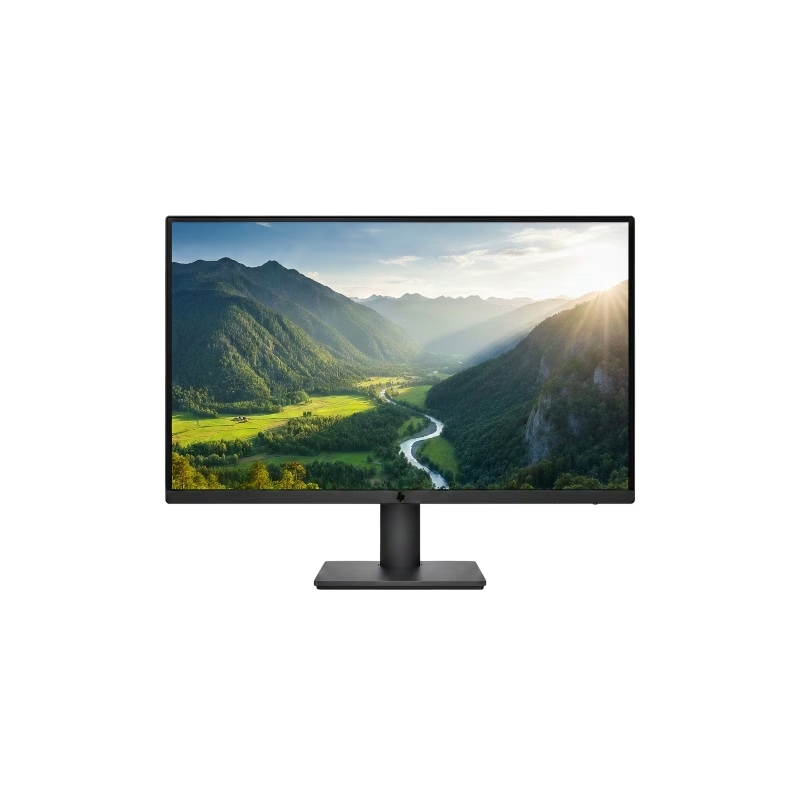
Panel Size (inch) : 23.8 Aspect Ratio : 16:9 Display Viewing Area (H x V) : 527.04 x 296.46 mm Display Surface : Non-Glare Backlight Type : LED Panel Type : IPS Viewing Angle (CR≧10, H/V) : 178°/ 178° Pixel Pitch : 0.2745mm Resolution : 1920×1080 Color Space (sRGB) : 99% Brightness (Typ.) : 250cd/㎡ Contrast Ratio (Typ.) : 1000:1 ASUS Smart Contrast Ratio (ASCR) : 100000000:1 Display Colors : 16.7M Response Time : 5ms(GTG) Refresh Rate (Max) : 75Hz Flicker-free : Yes Video Feature Trace Free Technology : Yes SPLENDID Technology : Yes Color Temp. Selection : Yes(4 modes) GamePlus : Yes QuickFit : Yes HDCP : Yes VRR Technology : FreeSync™ Low Blue Light : Yes I/O Ports HDMI(v1.4) x 1 DVI x 1 VGA x 1 Signal Frequency Digital Signal Frequency : 24~84 KHz (H) / 48~75 Hz (V) Analog Signal Frequency : 24~84 KHz (H) / 48~60 Hz (V) Power Consumption Power Consumption : 13.2W Power Saving Mode : <0.5W Power Off Mode : <0.5W Voltage : 100-240V, 50/60Hz Mechanical Design Tilt : Yes (+23° ~ -5°) VESA Wall Mounting : 100x100mm Kensington Lock : Yes Dimensions (Esti.) Phys. Dimension with Stand (W x H x D) : 540.45 x 403.67 x 203.94 mm Phys. Dimension without Stand (W x H x D) : 540.45 x 324.67 x 44.4 mm Box Dimension (W x H x D) : 559 x 415 x 127 mm Weight (Esti.) Net Weight with Stand : 3.57 Kg Net Weight without Stand : 3.18 Kg Gross Weight : 5.50 Kg 3 Years Warranty manufacturer link

Genuine-spec touchpad flex cable for MacBook Pro 13″ with Touch Bar (Model A1708, 2016–2017)—restores full Force Touch functionality, haptic feedback, and precise multi-touch gesture control during trackpad repair or replacement. Compatible With: MacBook Pro 13″ (2016) – Model A1708 (Model Identifier: MacBookPro13,1) MacBook Pro 13″ (2017) – Model A1708 (Model Identifier: MacBookPro14,1) (Both years share the same internal trackpad assembly and flex cable.) MacBook Pro 13″ (2016) – Model A1708 (Model Identifier: MacBookPro13,1) MacBook Pro 13″ (2017) – Model A1708 (Model Identifier: MacBookPro14,1) (Both years share the same internal trackpad assembly and flex cable.) Part Type: Touchpad flex cable only — does not include the trackpad housing, Taptic Engine, or mounting hardware. This is the OEM-style ribbon cable that connects the trackpad to the logic board. Function: Transmits: Touch input coordinates Force Touch pressure data Haptic feedback signals to the Taptic Engine Enables full macOS gesture support: Force Click, three-finger lookup, swipe navigation, pinch-to-zoom, and smooth cursor tracking. Touch input coordinates Force Touch pressure data Haptic feedback signals to the Taptic Engine Enables full macOS gesture support: Force Click, three-finger lookup, swipe navigation, pinch-to-zoom, and smooth cursor tracking. OEM-Quality Build: Matches Apple’s original specifications in: Cable length and routing path Connector pitch and ZIF latch design EMI shielding and flex durability Cable length and routing path Connector pitch and ZIF latch design EMI shielding and flex durability Common Use Cases: Replacing a torn, creased, or liquid-damaged original flex cable Completing a trackpad replacement when the original cable is compromised Fixing intermittent trackpad behavior, loss of Force Touch, or complete unresponsiveness Replacing a torn, creased, or liquid-damaged original flex cable Completing a trackpad replacement when the original cable is compromised Fixing intermittent trackpad behavior, loss of Force Touch, or complete unresponsiveness Installation Note: Requires full bottom case removal and battery disconnection. Cable routes under internal components near the right speaker and logic board. Connects via a ZIF (Zero Insertion Force) socket—must be aligned carefully and latched gently. Recommended for experienced or certified technicians only. Requires full bottom case removal and battery disconnection. Cable routes under internal components near the right speaker and logic board. Connects via a ZIF (Zero Insertion Force) socket—must be aligned carefully and latched gently. Recommended for experienced or certified technicians only.

The BenQ Zowie 24″ 144Hz Gaming Monitor is designed for competitive gamers seeking smooth and responsive gameplay. With a 144Hz refresh rate, it reduces motion blur and ensures fluid visuals, giving players a competitive edge. As a result, fast-paced games feel more precise and immersive. Equipped with an optimized response time, this monitor minimizes input lag, allowing accurate control for first-person shooters, MOBAs, and action games. In addition, its 24-inch panel delivers vivid colors and sharp details, enhancing both gaming and multimedia experiences. The ergonomic design includes height, tilt, and swivel adjustments, providing comfortable viewing during long sessions. Furthermore, the monitor features low blue light and flicker-free technology, reducing eye strain over extended playtime. Connectivity is versatile with DisplayPort and HDMI options, making it compatible with PCs and consoles alike. Moreover, the monitor’s minimalist design complements any gaming setup without distractions. Therefore, it suits both professional eSports players and casual gamers who demand performance and reliability. Overall, the BenQ Zowie 24″ 144Hz Gaming Monitor balances speed, visual clarity, and ergonomic comfort, making it a top choice for competitive and everyday gaming. Specifications: Display : 24″ Resolution : FHD Refresh Rate : 144Hz

BenQ ZOWIE XL2566X+ 24.1” Fast TN 400Hz DyAc 2 Gaming Monitor is a competitive esports display designed for FPS players who need maximum motion clarity, fast response, and stable performance in high-FPS games. It uses a 24.1-inch Full HD (1920 × 1080) Fast TN panel. Therefore, it delivers very low motion blur and fast pixel response, which helps track fast-moving targets more clearly in games like CS2 and Valorant. Moreover, it supports a 400Hz refresh rate. As a result, it provides extremely smooth motion when the system can deliver very high frame rates. In addition, DyAc 2 technology reduces motion blur during fast camera movement and recoil control, improving visual clarity in FPS gameplay. The monitor includes esports-focused tools such as Black eQualizer and Color Vibrance. Therefore, it improves visibility in dark scenes and helps highlight enemies more clearly. In addition, the XL Setting to Share feature allows quick preset switching for different games. Furthermore, it includes an ergonomic stand with height, tilt, and swivel adjustment. As a result, players can fine-tune positioning for long competitive sessions. In addition, it supports HDMI 2.0 and DisplayPort 1.4 for full performance compatibility. Finally, the BenQ ZOWIE XL2566X+ focuses on competitive precision, ultra-high refresh rate performance, and motion clarity for serious esports players. Specifications: Display: 24.1-inch Full HD (1920 × 1080) Fast TN panel Refresh Rate: 400Hz for ultra-smooth motion Motion Tech: DyAc 2 for reduced blur in fast FPS gameplay Esports Tools: Black eQualizer and Color Vibrance for better visibility Design: Ergonomic stand with height, tilt, and swivel adjustment

The Lenovo ThinkPad T480s features an Intel Core i5 8th Gen processor, 8GB RAM, 256GB NVMe SSD, and a 14-inch Full HD touchscreen. Lightweight, durable, and business-ready, it’s ideal for productivity, office work, and mobile use.

Genuine-spec touchpad flex cable for MacBook Air 13″ (Model A1932, 2018–2019)—essential for restoring full Force Touch functionality, haptic feedback, and precise multi-touch gesture control during trackpad repair or replacement. Compatible With: MacBook Air 13-inch (2018 & 2019, Model A1932, Model Identifier MacBookAir8,1) with Intel Core i5/i7 processors. Part Type: Touchpad flex cable only—does not include the trackpad housing, Taptic Engine, or mounting hardware. This is the OEM-style ribbon cable that connects the trackpad to the logic board. Function: Transmits touch input, Force Touch pressure data, and haptic feedback signals—critical for macOS gestures like Force Click, three-finger lookup, pinch-to-zoom, and smooth cursor tracking. OEM-Quality Build: Matches Apple’s original in length, connector pitch, EMI shielding, and flexibility—ensures reliable signal integrity and long-term durability. Common Use Cases: Replacing a torn, creased, or liquid-damaged original flex cable Completing a trackpad replacement when the original cable is unusable Fixing intermittent trackpad behavior, loss of Force Touch, or complete unresponsiveness Replacing a torn, creased, or liquid-damaged original flex cable Completing a trackpad replacement when the original cable is unusable Fixing intermittent trackpad behavior, loss of Force Touch, or complete unresponsiveness Installation Note: Requires full bottom case removal and careful routing beneath the battery. The cable connects via a ZIF (Zero Insertion Force) socket on the logic board—must be properly aligned and latched without force. Recommended for experienced or certified technicians. Important: This is flex cable only—not a complete trackpad assembly. Must be used with the original or compatible A1932 trackpad and Taptic Engine. Not compatible with MacBook Air M1 (A2337/A2338), M2 (A2681/A2941), or any MacBook Pro model. This is flex cable only—not a complete trackpad assembly. Must be used with the original or compatible A1932 trackpad and Taptic Engine. Not compatible with MacBook Air M1 (A2337/A2338), M2 (A2681/A2941), or any MacBook Pro model.

Looking for a budget-friendly monitor that doesn’t compromise on quality? The Lenovo D19-10 18.5″ Monitor might be your perfect fit. Starting with its sleek design, this monitor seamlessly blends into any workspace. The 18.5″ display provides a crisp viewing experience without overwhelming your desk space. Transitioning to performance, the D19-10 ensures vibrant visuals with its high-definition resolution. Whether you’re working on spreadsheets or enjoying multimedia content, the clarity is impressive for its size. Connectivity is a breeze with multiple ports, including VGA and HDMI, offering versatility for various devices. Switch effortlessly between work and entertainment without the hassle of cable swapping. The monitor’s energy-efficient design not only reduces power consumption but also contributes to a greener environment. Enjoy a visually stunning display while being mindful of energy usage. Say goodbye to eye strain with the D19-10’s anti-glare technology. Whether you’re working long hours or binge-watching your favorite shows, the reduced glare enhances your viewing comfort. For those on a tight budget, the Lenovo D19-10 is a cost-effective choice. Its combination of sleek aesthetics, high-definition display, and user-friendly features makes it a standout in the affordable monitor category. In summary, the Lenovo D19-10 18.5″ Monitor offers a winning combination of affordability and performance. Upgrade your visual experience without breaking the bank—experience the brilliance today! Specifications: Display : 18.5″ Resolution : 1366×768 Refresh Rate : 60hz Response Time : 5ms

Are you ready to take your gaming to the next level? Look no further than the Samsung Odyssey G5 32″ Curved Gaming Monitor. This cutting-edge monitor is designed to deliver an immersive gaming experience like no other. Featuring a stunning 32-inch curved display, the Samsung Odyssey G5 brings your games to life with vibrant colors and crystal-clear visuals. Whether you’re exploring virtual worlds or engaging in epic battles, every detail will be rendered with precision and clarity. With a lightning-fast 165Hz refresh rate, this monitor ensures buttery-smooth gameplay with no lag or stuttering. Say goodbye to screen tearing and motion blur, and hello to an ultra-responsive gaming experience. Equipped with AMD FreeSync technology, the Samsung Odyssey G5 syncs the monitor’s refresh rate with your graphics card, eliminating screen tearing and providing silky-smooth gameplay. Transitioning to its design, the Odyssey G5 features a sleek and stylish aesthetic that will complement any gaming setup. Its slim bezels and curved screen create an immersive viewing experience that pulls you into the action. Connectivity is key for gamers, and the Samsung Odyssey G5 doesn’t disappoint. With HDMI and DisplayPort inputs, you can easily connect your gaming PC, console, or other devices for maximum versatility. Furthermore, the Odyssey G5 comes with a range of gaming-centric features, including customizable gaming modes, black equalizer technology, and low input lag. Whether you’re playing fast-paced shooters or strategy games, you can tailor your gaming experience to suit your preferences. In summary, the Samsung Odyssey G5 32″ Curved Gaming Monitor is the ultimate choice for gamers who demand performance, immersion, and style. Upgrade your gaming setup today and experience gaming like never before. Specifications: Display : 32″ VA Curvature : 1000R Resolution : 2,560 x 1,440 Refresh Rate : 165Hz Response Rate : 1ms

OEM-quality trackpad replacement (without flex cable) for MacBook Pro 14″ (Model A2442, 2021, M1 Pro/Max) in Silver finish—designed for precise Force Touch performance, seamless gesture control, and perfect visual integration with the original chassis. Compatible With: MacBook Pro 14-inch (2021, Model A2442) with Apple M1 Pro or M1 Max chip. Part Type: Trackpad only—does not include the flex cable, Taptic Engine, or mounting hardware. Intended for professional technicians who will reuse the original internal components. Finish: Silver—matches the Silver and Space Gray top/bottom case (Apple uses the same trackpad finish across both color variants for this model). Force Touch Capable: Fully supports pressure-sensitive input and haptic feedback when paired with the original Taptic Engine and logic board—ensuring full macOS gesture and functionality support. OEM Precision: Features the same glass surface, curvature, and micro-click mechanism as Apple’s original—delivering consistent tracking accuracy and tactile response. Installation Requirements: Requires complete bottom case removal and careful transfer of the original flex cable and Taptic Engine. Adhesive must be applied precisely to maintain structural integrity and sensor alignment. Recommended for certified or experienced repair professionals only.

Genuine-spec touchpad flex cable for MacBook Pro 16″ (Model A2141, 2019, Intel)—essential for restoring full Force Touch functionality, haptic feedback, and precise multi-touch gesture control during trackpad repair or replacement. Compatible With: MacBook Pro 16-inch (2019, Model A2141) with Intel Core i7/i9 processors (Model Identifier: MacBookPro16,1) (Note: A2141 is the non-base configuration of the 2019 16″ MacBook Pro—typically higher-end Intel models.) Part Type: Touchpad flex cable only—does not include the trackpad housing, Taptic Engine, or mounting hardware. This is the OEM-style ribbon cable that connects the trackpad to the logic board. Function: Transmits touch coordinates, Force Touch pressure data, and haptic feedback signals—critical for macOS gestures (e.g., Force Click, three-finger lookup, pinch-to-zoom) and Taptic Engine responsiveness. OEM-Quality Construction: Replicated to Apple’s exact specifications—including cable length, connector pitch, EMI shielding, and bend radius—ensuring reliable signal integrity and long-term durability. Common Use Cases: Replacing a torn, creased, or liquid-damaged original flex cable Completing a trackpad replacement when the original cable is compromised Fixing intermittent trackpad behavior, loss of Force Touch, or complete unresponsiveness Replacing a torn, creased, or liquid-damaged original flex cable Completing a trackpad replacement when the original cable is compromised Fixing intermittent trackpad behavior, loss of Force Touch, or complete unresponsiveness Installation Note: Requires full disassembly of the bottom case, speaker removal, and careful routing beneath the battery and logic board. Connectors use ZIF (Zero Insertion Force) sockets—must be aligned and latched gently. Recommended for certified or professional repair technicians only. Important: This is flex cable only—not a complete trackpad assembly. Must be used with the original or compatible A2141 trackpad and Taptic Engine. Not compatible with M1 MacBook Pro 16″ (A2485), 14″ models (A2442), or any MacBook Air. This is flex cable only—not a complete trackpad assembly. Must be used with the original or compatible A2141 trackpad and Taptic Engine. Not compatible with M1 MacBook Pro 16″ (A2485), 14″ models (A2442), or any MacBook Air. Model Verification: Confirm your device is MacBook Pro A2141 (16″, 2019, Intel) via > About This Mac > Model Identifier (should read MacBookPro16,1).

Gaming-optimized in-ear headphones in bold red, featuring a built-in microphone, tangle-free flat cable, and signature HyperX comfort—designed for mobile gaming, console use, and on-the-go communication. Model: HyperX Cloud Earbuds (Red Edition) Color: Vibrant Red earbuds with matching red cable accents Type: In-ear headphones with integrated microphone Designed For: Mobile gaming (iOS/Android), Nintendo Switch, PC, and everyday use Key Features: Built-in Microphone: Clear voice pickup for in-game chat, calls, and voice commands Tangle-Free Flat Cable: Durable, lightweight, and resistant to knots Ergonomic Fit: Includes 3 sizes of silicone ear tips (S/M/L) for secure, comfortable wear Universal 3.5mm Jack: Compatible with any device with a standard headphone/mic combo port Works with Nintendo Switch, PC, smartphones, tablets, and more Gaming-Grade Audio: Tuned for immersive sound with enhanced bass and vocal clarity In-Line Controls: Convenient mic mute and call answer/end button Built-in Microphone: Clear voice pickup for in-game chat, calls, and voice commands Tangle-Free Flat Cable: Durable, lightweight, and resistant to knots Ergonomic Fit: Includes 3 sizes of silicone ear tips (S/M/L) for secure, comfortable wear Universal 3.5mm Jack: Compatible with any device with a standard headphone/mic combo port Works with Nintendo Switch, PC, smartphones, tablets, and more Works with Nintendo Switch, PC, smartphones, tablets, and more Gaming-Grade Audio: Tuned for immersive sound with enhanced bass and vocal clarity In-Line Controls: Convenient mic mute and call answer/end button Technical Specifications: Driver Size: 14.2 mm Frequency Response: 20 Hz – 20 kHz Impedance: 60 Ω Sensitivity: 100 dB Cable Length: 1.2 m (3.9 ft) Connector: 3.5mm 4-pole (CTIA standard) Driver Size: 14.2 mm Frequency Response: 20 Hz – 20 kHz Impedance: 60 Ω Sensitivity: 100 dB Cable Length: 1.2 m (3.9 ft) Connector: 3.5mm 4-pole (CTIA standard) What’s in the Box: HyperX Cloud Earbuds (Red) 3 pairs of silicone ear tips (S/M/L) Carrying pouch Quick start guide HyperX Cloud Earbuds (Red) 3 pairs of silicone ear tips (S/M/L) Carrying pouch Quick start guide Ideal For: Mobile gamers (PUBG Mobile, Call of Duty, Fortnite, etc.) Nintendo Switch players Commuters and students needing compact, durable audio Gamers seeking console-compatible audio with mic support Mobile gamers (PUBG Mobile, Call of Duty, Fortnite, etc.) Nintendo Switch players Commuters and students needing compact, durable audio Gamers seeking console-compatible audio with mic support

A dependable pre-owned Dell Latitude 5470 with 14" display, 6th Gen Core i5, 8GB RAM, and 256GB SSD—offering solid business performance, security, and durability at an affordable price.

WiWU WM108 Wimice Dual‑Mode Mouse – Bluetooth 5.0 and 2.4 GHz wireless mouse with 800/1200/1600 DPI, silent clicks, and ergonomic ABS housing.Long battery life (~6 months standby), USB dongle & silent design—ideal for travel, office, and quiet environments. Model: WiWU Wimice WM108 Connection Modes: Bluetooth 5.0 2.4 GHz wireless via USB dongle Connection Modes: Bluetooth 5.0 2.4 GHz wireless via USB dongle DPI Settings: 800 / 1,200 / 1,600 DPI (adjustable) Buttons: 3 standard buttons + clickable scroll wheel (4 keys total) Range: Up to 10 m wireless connectivity Material/Design: Lightweight (67–130 g, depending on source), ergonomic ABS plastic body, magnetic base or “super magnetic absorption” design Operating Range: ≈10 m Silent Clicks: Quiet operation—silent key action Dimensions: Approx. 108 × 64 × 36 mm Weight: 67 g cited by Star Tech and 130 g by others—likely lighter in official spec Compatibility: Windows, macOS, Linux, Android, etc. Plug-and-play, no driver needed
