
The Cougar Magus Gaming Chair | MAGUS is designed for ergonomic comfort and long gaming sessions. It uses a strong internal frame structure that improves stability and durability. Additionally, it features a wide seat base with high-density foam padding for balanced support during extended use. The chair includes adjustable armrests and a reclining backrest for flexible seating positions. Moreover, it uses breathable materials that improve airflow and reduce heat buildup during long sessions. The design supports both gaming and office environments with equal comfort. Therefore, the Cougar Magus Gaming Chair delivers ergonomic support, durable construction, and adjustable comfort for everyday use. Specifications: Upholstery : Imitation Linen Recline : Yes Swivel : 270° Free Swiveling Side Pocket for Storage Weight Support : 150Kg

Compact, affordable all-in-one inkjet printer for home and small office use—print, scan, and copy in color with easy wireless setup, mobile printing, and HP’s efficient ink system.

The Asus ZenScreen 15.6″ Portable USB Monitor is the perfect solution for productivity on the go. Its slim and lightweight design makes it easy to carry anywhere. Whether you’re working, studying, or gaming, this portable monitor enhances your experience. With a Full HD 1080p display, the Asus ZenScreen delivers crisp and vibrant visuals. The IPS panel ensures wide viewing angles and accurate colors. Enjoy clear images whether you’re indoors or outdoors. Setting up the Asus ZenScreen 15.6″ Portable USB Monitor is simple. It connects via USB-C or USB-A, making it compatible with laptops, tablets, and smartphones. No need for extra drivers or complicated installations. This monitor features an auto-rotating screen, allowing you to switch between portrait and landscape modes. It’s ideal for coding, reading documents, or multitasking efficiently. With TÜV Rheinland-certified Eye Care technology, the Asus ZenScreen reduces blue light and flicker. This helps minimize eye strain, making it perfect for long hours of use. Work or watch comfortably without discomfort. The Asus ZenScreen Portable USB Monitor comes with a foldable smart case that doubles as a stand. Adjust it to different angles for the best viewing experience. The built-in pen hole also lets you prop up the monitor with a pen. Designed for both professionals and casual users, this monitor is a must-have for portable productivity. Stay efficient and expand your screen space wherever you go. Upgrade your workflow today with the Asus ZenScreen 15.6″ Portable USB Monitor. Specifications: Display : 15.6″ IPS Resolution : FHD (1920×1080) Refresh Rate : 60Hz Response Rate : 5ms GTG Interface : USB-C

The ViewSonic VX2776-SH 27″ FHD 75Hz Monitor delivers clear visuals for work, entertainment, and daily use. Its Full HD resolution shows sharp details in videos, documents, and web browsing. The 27-inch screen gives wide space for multitasking and viewing comfort. This helps improve focus and productivity. Moreover, the ViewSonic VX2776-SH 27″ FHD 75Hz Monitor features a smooth 75 Hz refresh rate. This makes scrolling softer and motion more natural. Videos play smoothly with less blur. As a result, eye comfort improves during long viewing sessions. In addition, the monitor uses an IPS panel for wide viewing angles. Colors stay accurate even when viewed from the side. This helps during shared viewing and team work. The image remains bright and clear from different positions. Furthermore, the ViewSonic VX2776-SH 27″ FHD 75Hz Monitor includes eye comfort features for daily protection. The low blue light mode helps reduce eye strain. The flicker-free design supports longer use without discomfort. These features make it suitable for extended work and entertainment. Also, the monitor offers simple and flexible connectivity. It supports HDMI and VGA for easy device connection. You can connect laptops, desktops, and media players with ease. Switching sources becomes quick and smooth. In addition, the slim and modern design fits well in any space. The thin bezels give a clean and stylish look. The stand allows tilt adjustment for basic comfort. Wall mounting is also supported for flexible setups. Moreover, the large screen makes movies and shows more enjoyable. Text appears clear and easy to read. Daily tasks feel more comfortable and organized. The monitor blends well into both home and office spaces. Overall, the ViewSonic VX2776-SH 27″ FHD 75Hz Monitor delivers clarity, smooth motion, and daily comfort. It improves viewing quality for work, study, and entertainment. This monitor is a strong choice for users who want a large, smooth, and reliable display. Specifications: Display : 27″ IPS Resolution : FHD 1920 x 1080 Refresh Rate : 75Hz Response Time : 5ms

A dependable pre-owned Dell Latitude 5490 with 14" display, 8th Gen Core i5, 16GB RAM, and 512GB SSD—offering strong performance, enterprise security, and durability for business and professional use.

The Lenovo Legion 27Q-10 27″ 2K 240Hz Gaming Monitor delivers crisp visuals with great detail for gaming and work. Its 2K resolution offers sharp images that make games, videos, and work look clear. The 27-inch display gives you enough space to enjoy immersive scenes and multitask comfortably. Moreover, the Lenovo Legion 27Q-10 27″ 2K 240Hz Gaming Monitor features a fast 240Hz refresh rate. This high refresh rate makes motion smooth and fluid. Fast scenes, competitive matches, and rapid movements look clean and responsive. This helps you react quicker and play better. In addition, the monitor uses a panel that shows bright, accurate colors across wide viewing angles. Colors stay consistent whether you view from the center or an angle. This makes games, media, and creative work feel vivid and natural. It improves both gameplay and content display. Furthermore, the Lenovo Legion 27Q-10 27″ 2K 240Hz Gaming Monitor has low input lag for quick response. Controls feel sharp and precise. This enhances gameplay performance, especially in competitive games. It also helps with editing or design tasks that need accuracy. Also, the monitor includes eye-care features to reduce strain during long use sessions. Flicker-free technology reduces flicker, and a blue light filter gives extra comfort. This protects your eyes during long gaming or work periods. This makes the monitor ideal for long sessions. The design of the Lenovo Legion 27Q-10 27″ 2K 240Hz Gaming Monitor is sleek and modern. The thin bezels give it a clean, minimalist look. The stand is strong and stable. It fits well in gaming rooms, workspaces, or creative desks. Overall, the Lenovo Legion 27Q-10 27″ 2K 240Hz Gaming Monitor combines clarity, speed, and comfort for gaming and productivity. It improves performance, visuals, and long-term comfort. This monitor is perfect for gamers, creators, and professionals seeking quality and speed. Specifications: Display : 27″ IPS Resolution : 2560x1440p Refresh Rate : 240Hz Response Time : 0.5ms

A1990 Logic Board i7-16GB-512GB-4GB Intel 2.6 GHz Six Core i7 (I7-9750H) 16 GB RAM 512 GB SSD AMD Radeon Pro 555X 4GB Intel UHD Graphics 630 Intel 2.6 GHz Six Core i7 (I7-9750H) 16 GB RAM 512 GB SSD AMD Radeon Pro 555X 4GB Intel UHD Graphics 630

AOC 24B30HM2 23.8-inch 100Hz monitor delivers smooth everyday performance for work, study, and casual gaming. It focuses on stable motion, clear Full HD visuals, and comfortable long-term use. Additionally, it features a 23.8-inch VA panel with Full HD resolution (1920 × 1080). This panel provides strong contrast and sharp image quality, so it improves readability and viewing comfort. Moreover, it supports a 100Hz refresh rate. As a result, it offers smoother motion than standard 60Hz displays, especially during scrolling and light gaming. The monitor includes a 4ms response time. Therefore, it helps reduce motion blur and keeps fast-moving visuals clearer during use. In addition, it uses Adaptive Sync technology. This reduces screen tearing and stuttering, so visuals stay stable across different frame rates. Furthermore, it includes eye comfort features like Flicker-Free technology and Low Blue Light mode. So it helps reduce eye strain during long sessions. AOC 24B30HM2 23.8-inch 100Hz monitor delivers reliable performance, smooth visuals, and essential comfort features for daily use. Specifications: 23.8-inch VA panel with Full HD 1920 × 1080 resolution 100Hz refresh rate for smoother visuals 4ms response time for reduced motion blur Adaptive Sync for tear-free performance Flicker-Free and Low Blue Light eye comfort features

Brand-new UK-layout keyboard replacement (Z1 Black) for MacBook Air models with M2, M3, and M4 chips (13.6″ and 15″, 2023–2025). Compatible with A2681 and A2941—precision-engineered for seamless fit and reliable typing performance. This is a brand-new, high-quality keyboard replacement designed specifically for the latest MacBook Air models featuring Apple’s M2, M3, and M4 chips (released 2023–2025). It fits both the 13.6-inch (Model A2681) and 15-inch (Model A2941) MacBook Air variants and comes in the sleek Z1 Black (Space Black) finish with a UK English layout (including the £ symbol and correct key positioning). Engineered to match Apple’s original specifications, this keyboard ensures a responsive, quiet, and comfortable typing experience with consistent key travel and tactile feedback. It includes the full top case assembly with integrated backlighting, function keys, and Touch ID sensor cutout (sensor not included), making it ideal for professional repairs or replacements after liquid damage, wear, or key failure. Installation requires technical expertise and proper tools due to the integrated nature of the MacBook Air’s top case design. Recommended for certified technicians or experienced repair professionals. Important Notes: This is a keyboard + top case assembly, not just keycaps. Touch ID sensor is not included—you must transfer your original sensor to maintain functionality. Compatible only with MacBook Air M2 (2022–2023), M3 (2023–2024), and M4 (2024–2025) models in 13.6″ (A2681) and 15″ (A2941) sizes. Color: Z1 Black (Space Black) – matches official Apple Space Black finish. Layout: UK English (ISO) – features the correct “£” key and shifted Enter key.

A high-performance pre-owned MacBook Pro 15" (2015) with a stunning Retina display, upgraded 16GB RAM, 128GB SSD, and powerful 2GB dedicated graphics—ideal for developers, creatives, and power users seeking reliable Apple performance.

Genuine-spec touchpad flex cable for MacBook Pro 13″ with Touch Bar (Model A1708, 2016–2017)—restores full Force Touch functionality, haptic feedback, and precise multi-touch gesture control during trackpad repair or replacement. Compatible With: MacBook Pro 13″ (2016) – Model A1708 (Model Identifier: MacBookPro13,1) MacBook Pro 13″ (2017) – Model A1708 (Model Identifier: MacBookPro14,1) (Both years share the same internal trackpad assembly and flex cable.) MacBook Pro 13″ (2016) – Model A1708 (Model Identifier: MacBookPro13,1) MacBook Pro 13″ (2017) – Model A1708 (Model Identifier: MacBookPro14,1) (Both years share the same internal trackpad assembly and flex cable.) Part Type: Touchpad flex cable only — does not include the trackpad housing, Taptic Engine, or mounting hardware. This is the OEM-style ribbon cable that connects the trackpad to the logic board. Function: Transmits: Touch input coordinates Force Touch pressure data Haptic feedback signals to the Taptic Engine Enables full macOS gesture support: Force Click, three-finger lookup, swipe navigation, pinch-to-zoom, and smooth cursor tracking. Touch input coordinates Force Touch pressure data Haptic feedback signals to the Taptic Engine Enables full macOS gesture support: Force Click, three-finger lookup, swipe navigation, pinch-to-zoom, and smooth cursor tracking. OEM-Quality Build: Matches Apple’s original specifications in: Cable length and routing path Connector pitch and ZIF latch design EMI shielding and flex durability Cable length and routing path Connector pitch and ZIF latch design EMI shielding and flex durability Common Use Cases: Replacing a torn, creased, or liquid-damaged original flex cable Completing a trackpad replacement when the original cable is compromised Fixing intermittent trackpad behavior, loss of Force Touch, or complete unresponsiveness Replacing a torn, creased, or liquid-damaged original flex cable Completing a trackpad replacement when the original cable is compromised Fixing intermittent trackpad behavior, loss of Force Touch, or complete unresponsiveness Installation Note: Requires full bottom case removal and battery disconnection. Cable routes under internal components near the right speaker and logic board. Connects via a ZIF (Zero Insertion Force) socket—must be aligned carefully and latched gently. Recommended for experienced or certified technicians only. Requires full bottom case removal and battery disconnection. Cable routes under internal components near the right speaker and logic board. Connects via a ZIF (Zero Insertion Force) socket—must be aligned carefully and latched gently. Recommended for experienced or certified technicians only.

OEM-quality left and right loudspeaker replacement pair for MacBook Pro 15″ (Models A1707 – 2016/2017 and A1990 – 2018/2019)—restores rich, balanced stereo sound with precision acoustic tuning and seamless fit. Compatible With: MacBook Pro 15″ (2016) – Model A1707 (MacBookPro13,2) MacBook Pro 15″ (2017) – Model A1707 (MacBookPro14,2) MacBook Pro 15″ (2018) – Model A1990 (MacBookPro15,2) MacBook Pro 15″ (2019) – Model A1990 (MacBookPro15,2) (Note: Apple used the same speaker assembly across all four years of the 15″ Touch Bar MacBook Pro.) MacBook Pro 15″ (2016) – Model A1707 (MacBookPro13,2) MacBook Pro 15″ (2017) – Model A1707 (MacBookPro14,2) MacBook Pro 15″ (2018) – Model A1990 (MacBookPro15,2) MacBook Pro 15″ (2019) – Model A1990 (MacBookPro15,2) (Note: Apple used the same speaker assembly across all four years of the 15″ Touch Bar MacBook Pro.) Includes: Complete left and right speaker units with pre-attached flex cables and mounting brackets—ready for direct installation. Audio Performance: Engineered to match Apple’s original high-fidelity stereo system—delivers deep bass, clear mids, and crisp highs with wide soundstage and distortion-free playback. OEM Build Quality: Precision-molded housings, correct grille patterns, and exact cable routing ensure secure fit, no rattling, and full compatibility with macOS audio calibration. Common Use Cases: Replaces speakers damaged by liquid spills, physical impact, or wear (e.g., muffled sound, no audio from one side, crackling, or complete failure). Installation Note: Requires full display and logic board access. Speakers are secured with adhesive and screws in tight compartments. Recommended for certified or experienced technicians only. Important: This speaker pair is exclusive to 15″ Touch Bar MacBook Pro models (A1707/A1990). Not compatible with 13″ models (A1708/A1989), 16″ MacBook Pro (A2141), or non-Touch Bar MacBooks. This speaker pair is exclusive to 15″ Touch Bar MacBook Pro models (A1707/A1990). Not compatible with 13″ models (A1708/A1989), 16″ MacBook Pro (A2141), or non-Touch Bar MacBooks. Model Verification: Confirm your device via > About This Mac > Model Identifier (e.g., MacBookPro13,2 or MacBookPro15,2).

Genuine-spec touchpad flex cable compatible with both MacBook Air A2179 (Intel, 2020) and A2337 (M1, 2020)—restores full Force Touch functionality, haptic feedback, and precise multi-touch gesture control during trackpad repair or replacement. Compatible With: MacBook Air 13″ (2020, Intel) – Model A2179 (Model Identifier: MacBookAir9,1) MacBook Air 13″ (2020, Apple M1) – Model A2337 (Model Identifier: MacBookAir10,1) MacBook Air 13″ (2020, Intel) – Model A2179 (Model Identifier: MacBookAir9,1) MacBook Air 13″ (2020, Apple M1) – Model A2337 (Model Identifier: MacBookAir10,1) ✅ Important Note: Despite different processors (Intel vs. M1), Apple used the same trackpad assembly and flex cable in both A2179 and A2337. This makes the flex cable fully interchangeable between the two models. Part Type: Touchpad flex cable only — does not include the trackpad housing, Taptic Engine, or mounting hardware. This is the OEM-style ribbon cable that connects the trackpad to the logic board. Function: Transmits: Touch input coordinates Force Touch pressure data Haptic feedback signals to the Taptic Engine Enables full macOS gesture support: Force Click, three-finger lookup, swipe navigation, pinch-to-zoom, and smooth cursor tracking. Touch input coordinates Force Touch pressure data Haptic feedback signals to the Taptic Engine Enables full macOS gesture support: Force Click, three-finger lookup, swipe navigation, pinch-to-zoom, and smooth cursor tracking. OEM-Quality Build: Matches Apple’s original specifications in: Cable length and routing path Connector pitch and ZIF latch design EMI shielding and flex durability Cable length and routing path Connector pitch and ZIF latch design EMI shielding and flex durability Common Use Cases: Replacing a torn, creased, or liquid-damaged original flex cable Completing a trackpad replacement when the original cable is compromised Fixing intermittent trackpad behavior, loss of Force Touch, or complete unresponsiveness Replacing a torn, creased, or liquid-damaged original flex cable Completing a trackpad replacement when the original cable is compromised Fixing intermittent trackpad behavior, loss of Force Touch, or complete unresponsiveness Installation Note: Requires full bottom case removal and battery disconnection. Cable routes under the right side of the battery and logic board. Connects via a ZIF (Zero Insertion Force) socket—align carefully and latch gently. Recommended for experienced or certified technicians only. Requires full bottom case removal and battery disconnection. Cable routes under the right side of the battery and logic board. Connects via a ZIF (Zero Insertion Force) socket—align carefully and latch gently. Recommended for experienced or certified technicians only.

The HP 32S 32″ Monitor delivers large, clear visuals for work, media, and everyday use.It features a 32‑inch Full HD screen that shows sharp images and smooth video.Moreover, the slim and modern design fits well on home and office desks. This monitor uses an LED panel for bright color and solid picture quality.Additionally, wide viewing angles help keep visuals consistent from different positions.Anti‑glare coating helps reduce reflections in bright rooms. The HP 32S also includes HDMI and VGA ports for flexible connectivity.Furthermore, tilt adjustment lets you find a comfortable viewing angle.Low blue light and flicker‑free features help reduce eye strain during long use. This display works well for students, professionals, and home users alike.Therefore, it supports productivity, browsing, streaming, and casual gaming.Finally, it combines solid performance, easy setup, and comfort features for everyday use. Specifications: 32″ Full HD (1920 × 1080) LED panel HDMI + VGA ports for PC and device connection Anti‑glare coating for comfortable viewing Tilt‑adjustable stand for ergonomic use Low blue light and flicker‑free eye care

The ACER Nitro ED320QR 32″ Monitor delivers immersive and smooth visuals for gaming, work, and entertainment. It features a 32-inch Quad HD display that shows crisp details and vibrant colors. Moreover, its high refresh rate ensures fluid motion during fast-paced games and videos. This monitor uses a VA panel for strong contrast and wide viewing angles. Additionally, the fast response time reduces blur and ghosting during competitive gaming. The anti-glare screen minimizes reflections in bright rooms. HDMI and DisplayPort inputs allow easy connection to PCs, laptops, and consoles. Furthermore, tilt adjustment helps you find a comfortable viewing angle during long sessions. Low blue light and flicker-free technologies reduce eye strain during extended use. This display is suitable for gamers, professionals, and home users alike. Therefore, it supports gaming, multimedia, and productivity tasks. Finally, it combines sharp visuals, smooth performance, and comfort features for daily use. Specifications: Screen Size: 32″ Quad HD VA panel Resolution: 2560 × 1440 Refresh Rate: High for smooth motion Ports: HDMI + DisplayPort Features: Anti-glare, low blue light, flicker-free eye care

LG UHD 4K 27″ Standing screen display size 27 Inches Screen Resolution 3840 x 2160 Max Screen Resolution 3840 x 2160 Pixels Brand LG Series 27UL500-W Item model number 27UL500-W Item Weight 11.2 pounds Product Dimensions 8.2 x 24.5 x 18.1 inches Item Dimensions LxWxH 8.2 x 24.5 x 18.1 inches Color White Power Source AC Manufacturer LG Language English ASIN B07PGL2WVS Country of Origin China Date First Available March 1, 2019 MONITOR RESOLUTION: 3840×2160 SIZE: 27″ MONITOR REFRESH RATE: 60Hz SYNC: Free-Sync CONNECTOR TYPE: HDMI CONNECTOR TYPE: DisplayPort LG UHD 4K 27″ n-Plane Switching (IPS) Panel. HDMI | DisplayPort Inputs. 3840 x 2160 4K UHD Resolution. 1000:1 Static Contrast Ratio. 300 cd/m² Brightness. 178°/178° Viewing Angles. 5 ms Response Time (GtG) 1.07 Billion Colors. Brand LG Screen Size 27 inch Resolution 3840 x 2160 pixels Display Technology IPS Screen Surface Matte Refresh Rate 60 Hz Response Time 5 ms Viewing Angle 178° Brightness 300 cd/m2 Contrast Ratio 1000:1 Connectivity HDMIDisplay Port Device Dimensions (WxHxD) 24.5 x 18.1 x 8.2 inch Features FreesyncHeadphone OutVesa Mountable Weight 11.3 pounds This IPS computer monitor helps keep colors consistent at a wide viewing angle while reproducing 98 percent coverage of the sRGB color spectrum. Color Calibration helps maintain accurate color on the screen and prevents gradual changes. For More Information Click Here For More LG Monitors Click Here Specifications: LG UHD 4K 27″ Standing screen display size 27 Inches Screen Resolution 3840 x 2160 Max Screen Resolution 3840 x 2160 Pixels Brand LG Series 27UL500-W Item model number 27UL500-W 1 Year Warranty Manufacturer link

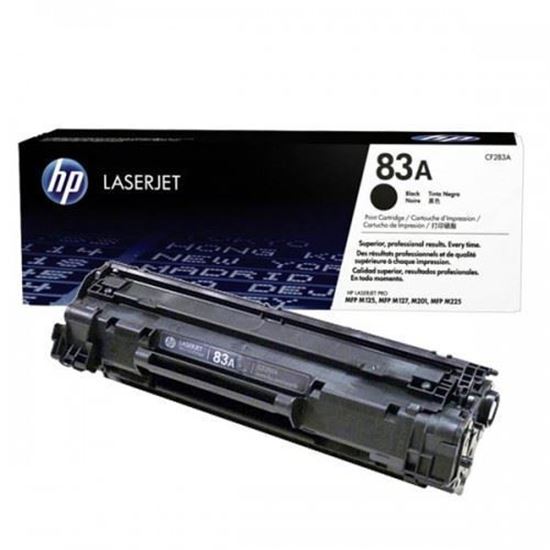
HP W2070A 117A Black Laser Toner | W2070A

Genuine-spec battery flex cable for MacBook Pro models A2159 (16", 2019), A1708 (13", 2016–2017), and A2338 (13", 2020 M1)—restores critical communication between the battery and logic board for proper power-on, charging, and macOS battery status. Genuine-spec battery flex cable for MacBook Pro models A2159 (16″, 2019), A1708 (13″, 2016–2017), and A2338 (13″, 2020 M1)—restores critical communication between the battery and logic board for proper power-on, charging, and macOS battery status. Carries SMBus (System Management Bus) signals from the battery to the logic board Enables: Accurate battery percentage and health reporting in macOS Proper charging control (start/stop, thermal throttling) Power-on capability (MacBooks will not boot without this connection) Prevention of “Battery Not Charging” or “Service Battery” errors Accurate battery percentage and health reporting in macOS Proper charging control (start/stop, thermal throttling) Power-on capability (MacBooks will not boot without this connection) Prevention of “Battery Not Charging” or “Service Battery” errors MacBook won’t turn on (even with a good battery) Battery shows “–%”, 0%, or “Not Charging” Random shutdowns under load macOS displays “No Battery Available” Logic board powers fans or lights but no display output Battery flex cable only (with OEM-style connector and strain relief) ❌ Does not include: battery, logic board, or trackpad Requires full bottom case removal and battery disconnection Connects via a ZIF or press-fit socket on the logic board Must be routed precisely to avoid tension or micro-tears Highly recommended for experienced or certified technicians—improper installation can cause permanent power or battery communication failure

A powerful pre-owned Dell Precision 7550 mobile workstation with 15.6" display, 10th Gen Core i7, 16GB RAM, 256GB SSD, and NVIDIA Quadro T2000 4GB—built for engineers, designers, and professionals who need certified performance and reliability.

Dell Latitude 5400 — business-class laptop built for reliability and productivity.• Intel Core i5 8th Gen • 8 GB RAM • 256 GB SSD • 14” FHD TouchscreenWindows | Durable Design | Backlit Keyboard
