
The MSI MPG 242R X60N 600Hz FHD Rapid TN Gaming Monitor delivers ultra‑fast performance and fluid visuals for competitive gamers. Its 24‑inch Full HD display combines high refresh rates with sharp clarity to make every frame feel smooth and responsive. Moreover, the blazing 600Hz refresh rate helps reduce motion blur so you can react faster in fast‑paced games and esports titles. This gaming monitor features a Rapid TN panel that offers extremely quick response times, minimizing ghosting and motion artifacts during intense action. Additionally, the crisp visuals and rich colors bring games and media to life, enhancing your overall experience. The sleek design and thin bezels provide a clean and immersive view that fits perfectly into any gaming setup. The MSI MPG 242R X60N includes multiple connectivity options, allowing easy connection to gaming PCs, consoles, and other devices. Furthermore, ergonomic adjustments help you find a comfortable viewing angle during long sessions. Therefore, it is ideal for esports players and competitive gamers who demand peak performance. Finally, it combines ultra‑fast refresh rates, responsive visuals, and versatile design for superior gaming experiences. Specifications: 24″ FHD gaming monitor 600Hz refresh rate for ultra‑smooth gameplay Rapid TN panel for quick response times Immersive visuals and sleek design Multiple connectivity options

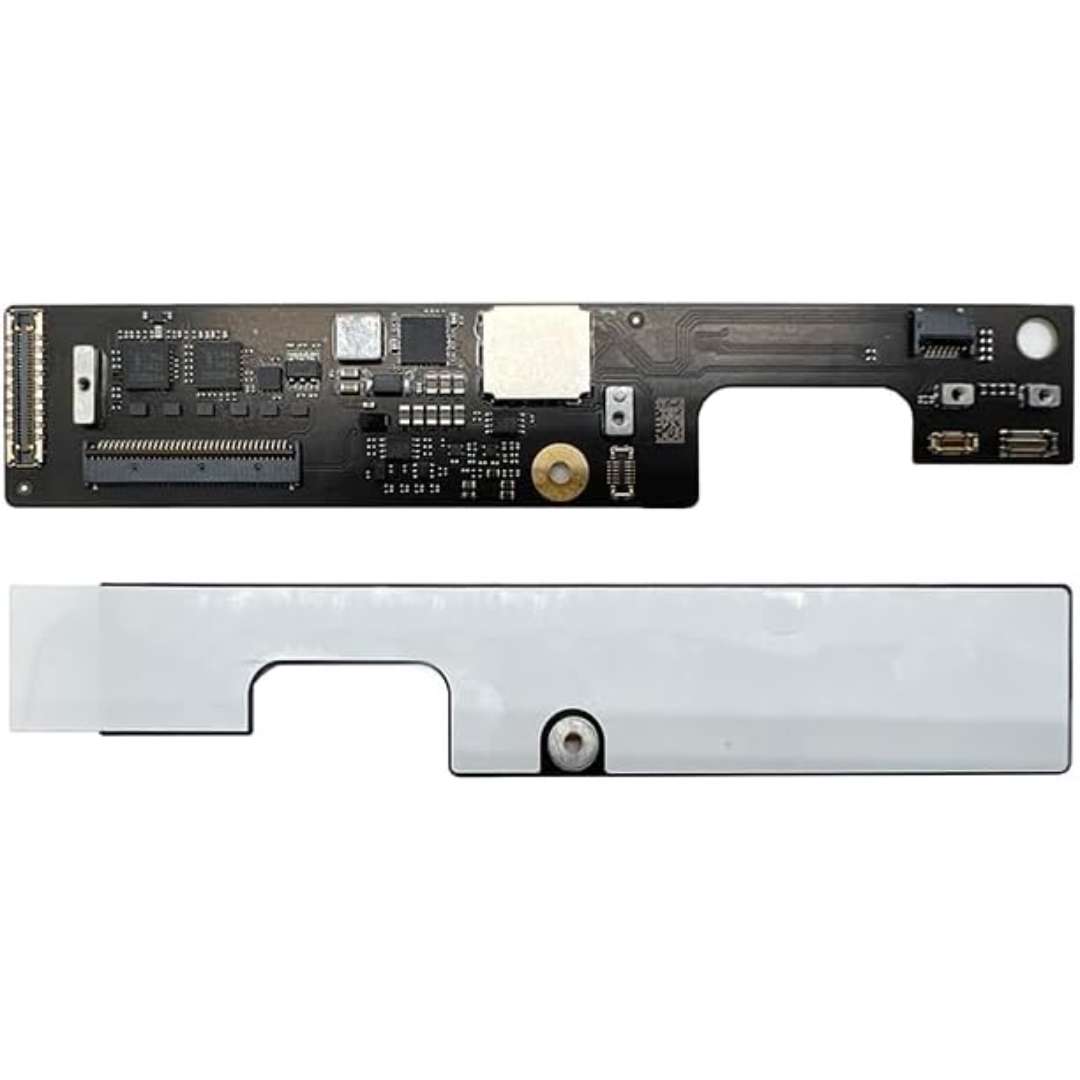
Genuine-spec touchpad flex cable for MacBook Pro 13″ (Model A2289, 2020, Intel)—restores full Force Touch functionality, haptic feedback, and preci multi-touch gesture control. OEM-quality replacement for damaged or faulty original cables. Compatible With: MacBook Pro 13-inch (2020, Four Thunderbolt Ports, Model A2289, Model Identifier MacBookPro16,2) with Intel Core i5/i7 processors. Part Type: Touchpad flex cable only — does not include the trackpad housing, Taptic Engine, or mounting hardware. This is the OEM-style ribbon cable that connects the trackpad to the logic board. Function: Transmits: Touch input coordinates Force Touch pressure data Haptic feedback signals to the Taptic Engine Enables full macOS gesture support: Force Click, three-finger lookup, swipe navigation, pinch-to-zoom, and smooth cursor tracking. Touch input coordinates Force Touch pressure data Haptic feedback signals to the Taptic Engine Enables full macOS gesture support: Force Click, three-finger lookup, swipe navigation, pinch-to-zoom, and smooth cursor tracking. OEM-Quality Build: Matches Apple’s original specifications in: Cable length and routing path Connector pitch and ZIF latch design EMI shielding and flex durability Cable length and routing path Connector pitch and ZIF latch design EMI shielding and flex durability Common Use Cases: Replacing a torn, creased, or liquid-damaged original flex cable Completing a trackpad replacement when the original cable is unusable Fixing: Intermittent or erratic trackpad behavior Loss of Force Touch or haptic feedback Complete trackpad unresponsiveness Replacing a torn, creased, or liquid-damaged original flex cable Completing a trackpad replacement when the original cable is unusable Fixing: Intermittent or erratic trackpad behavior Loss of Force Touch or haptic feedback Complete trackpad unresponsiveness Intermittent or erratic trackpad behavior Loss of Force Touch or haptic feedback Complete trackpad unresponsiveness Installation Note: Requires full bottom case removal and battery disconnection. Cable routes under internal components (speaker, logic board)—must follow original path. Connects via ZIF (Zero Insertion Force) socket—align carefully, never force. Recommended for experienced or certified technicians only. Requires full bottom case removal and battery disconnection. Cable routes under internal components (speaker, logic board)—must follow original path. Connects via ZIF (Zero Insertion Force) socket—align carefully, never force. Recommended for experienced or certified technicians only. Important Compatibility Notes: ✅ Only for A2289 (13″, 4 Thunderbolt ports, 2020, Intel) ❌ Not compatible with: A2251 (2 Thunderbolt ports, 2020) A2338 (M1 MacBook Pro, 2020) Any MacBook Air or 14″/16″ MacBook Pro ✅ Only for A2289 (13″, 4 Thunderbolt ports, 2020, Intel) ❌ Not compatible with: A2251 (2 Thunderbolt ports, 2020) A2338 (M1 MacBook Pro, 2020) Any MacBook Air or 14″/16″ MacBook Pro A2251 (2 Thunderbolt ports, 2020) A2338 (M1 MacBook Pro, 2020) Any MacBook Air or 14″/16″ MacBook Pro

The HP ENVY 27 4K Monitor delivers stunning visuals for work, entertainment, and creative tasks.It features a 27-inch 4K UHD screen that shows sharp details and vivid color.Moreover, the slim profile and modern design look great on any desk. This monitor uses an advanced panel for wide viewing angles and accurate colors.Additionally, 4K resolution makes photos, videos, and text look crisp and lifelike.Anti-glare coating helps reduce reflections in bright lighting. The HP ENVY 27 4K also includes multiple ports like HDMI and DisplayPort for flexible connections.Furthermore, USB-C connectivity supports video, data, and power delivery with one cable.Tilt and height adjustment allow comfortable viewing during long sessions. This display works well for professionals, creators, and home users alike.Therefore, it supports productivity, media editing, and streaming.Finally, it combines high picture quality, versatile connections, and ergonomic features for daily use. Specifications: 27″ 4K UHD (3840 × 2160) display HDMI + DisplayPort + USB-C connectivity Anti-glare panel for clearer viewing Tilt and height adjustable stand Accurate color and wide viewing angles

The Alienware AW2725DF 27″ 360Hz OLED Gaming Monitor is built for gamers who demand top performance and rich visuals. It features a 27-inch QHD (2560 x 1440) display, offering clear detail and vibrant colors. This monitor uses a Quantum Dot OLED panel, which delivers deep blacks, bright highlights, and true-to-life colors. With a 360Hz refresh rate and 0.03ms response time, motion is silky smooth and incredibly sharp. It covers 99.3% of the DCI-P3 color range, making every game look vivid and accurate. It also supports HDR with DisplayHDR True Black 400, enhancing contrast and brightness in dark scenes. For connections, it offers two DisplayPort 1.4, one HDMI 2.1, four USB 3.2 Gen 1 ports, and a USB-C port with 15W power delivery. This gives you plenty of options for plugging in accessories and charging devices. The stand supports height, tilt, swivel, and pivot adjustments, so you can game comfortably for hours. It’s also VESA mount compatible, allowing flexible setups to fit your space. Extra features include AlienFX lighting for customization and gaming overlays that offer helpful tools during play. A built-in USB hub and cable management system help keep your desk neat. In short, the Alienware AW2725DF combines a fast OLED panel, ultra-high refresh rate, and stunning color accuracy, making it perfect for competitive and immersive gaming. Specifications: Display : 27″ QD-OLED Resolution : QHD 2560 x 1440 Refresh Rate : 360Hz Response Time : 0.03ms

27-inch UHD 4K IPS display DCI-P3 95% (Typ.) VESA DisplayHDR™ 400 AMD FreeSync™ Dynamic Action Sync, Black Stabilizer Tilt, Height and Pivot Adjustable Stand DISPLAY Size (Inch) 27 Size (cm) 68.4 Resolution 3840 x 2160 Panel Type IPS Aspect Ratio 16:9 Pixel Pitch 0.1554 x 0.1554 Brightness (Min.) 320 cd/m² Brightness (Typ.) 400 cd/m² Color Gamut (Typ.) DCI-P3 95% (CIE1976) Color Depth (Number of Colors) 1.07B Contrast Ratio (Min.) 1000:1 Contrast Ratio (Typ.) 1200:1 Response Time 5ms (GtG at Faster) Viewing Angle (CR≥10) 178º(R/L), 178º(U/D) Surface Treatment Anti-Glare HDR HDR 10 Yes VESA DisplayHDR™ DisplayHDR™ 400 HDR Effect Yes COLOR & CALIBRATION Wide Color Gamut Yes Color Calibrated Yes FEATURES Flicker safe Yes Reader Mode Yes Color Weakness Yes Super Resolution+ Yes RADEON FreeSync™ Yes Black Stabilizer Yes Dynamic Action Sync Yes Smart Energy Saving Yes SOFTWARE APPLICATION Dual Controller Yes OnScreen Control (LG Screen Manager) Yes CONNECTIVITY HDMI Yes (2ea) HDMI (Max. Resolution at Hz) 3840×2160@60Hz DisplayPort Yes(1ea) DP Version 1.4 DP (Max. Resolution at Hz) 3840×2160@60Hz Headphone Out Yes POWER Type External Power(Adapter) AC Input 100~240V (50/60Hz) Power Consumption (Typ.) 40W Power Consumption (Max.) 44W Power Consumption (Energy Star) 24W Power Consumption (Sleep Mode) 0.5W Power Consumption (DC Off) Less than 0.3W MECHANICAL Display Position Adjustments Tilt/Height/Pivot Wall Mountable 100 x 100 mm DIMENSIONS/WEIGHT Dimension with Stand (W x H x D) 613.5 x 569.3 x 239.3 mm (Up) 613.5 x 459.3 x 239.3 mm (Down) Dimension without Stand (W x H x D) 613.5 x 363.5 x 45.4 mm Dimension in Shiping (W x H x D) 694 x 496 x 212 mm Weight with Stand 5.6kg Weight without Stand 3.8kg Weight in Shipping 9kg 3 Years Warranty manufacturer link

The Samsung 65″ The Frame LS03F 4K QLED Art Mode Smart TV QA65LS03FAUXTW uses a 65-inch LCD panel with 3840 × 2160 4K resolution. It is designed for both regular TV viewing and wall-mounted display use with an art display mode. The panel uses Quantum Dot (QLED layer) technology to improve color output. As a result, it produces more accurate and wider color reproduction compared to standard LCD panels. In addition, it supports 4K upscaling for lower-resolution content. The TV supports HDR formats for compatible content. This increases contrast between bright and dark areas and improves visible detail. Also, motion processing reduces blur during fast-moving scenes such as sports and action content. Samsung equips this model with Tizen OS. Therefore, users access streaming apps, SmartThings integration, and smart features through a unified interface. It also supports Wi-Fi and Bluetooth for wireless device connections. Connectivity includes HDMI ports, USB ports, Ethernet LAN, and optical audio output. It supports external devices such as gaming consoles and sound systems. This model includes Art Mode, which displays images or artwork when the TV is not in active use. Specifications: 65-inch 4K UHD LCD panel (3840 × 2160 resolution) Quantum Dot (QLED layer) color enhancement 4K upscaling for lower-resolution content HDR support for compatible content Tizen OS with HDMI, USB, Wi-Fi, Bluetooth, Ethernet connectivity

Huawei IdeaHub Board 2 86-inch display delivers an immersive teaching and collaboration experience with large 4K visuals. It helps teachers present clearly and engage students effectively. As a result, classrooms benefit from better interaction and visibility. The 86-inch screen features 4K UHD resolution with zero-gap laminated glass. Therefore, it reduces reflection and improves clarity. Moreover, the D-LED backlight and 60Hz refresh rate ensure stable and consistent visuals. It supports up to 20 touch points using infrared multi-touch technology. In addition, smart handwriting recognition and annotation allow natural writing. The low latency writing response improves accuracy during lessons. The system includes a quad-core processor with 4GB RAM and 32GB storage. Consequently, it runs applications smoothly. It supports Android, Windows, iOS, and macOS for flexible integration. It also includes key capabilities such as 4K UHD resolution, multi-touch interaction, smart annotation tools, wide connectivity options, and cross-platform support. Huawei IdeaHub Board 2 86-inch display is built to enhance collaboration and simplify teaching. Specifications: 86-inch 4K UHD display with 3840 × 2160 resolution Supports up to 20 touch points with infrared technology Zero-gap laminated glass with D-LED backlight Low latency writing with smart annotation support Quad-core CPU with 4GB RAM and 32GB storage

AOC 27G4XE 27-inch 180Hz gaming monitor delivers fast and smooth performance for competitive gaming. It focuses on high refresh rate visuals, low response time, and responsive gameplay for esports and daily use. Additionally, it features a 27-inch Fast IPS panel with Full HD resolution (1920 × 1080). This panel provides sharp image quality and wide viewing angles, so it improves clarity in games and general use. Moreover, it supports a 180Hz refresh rate with up to 0.5ms MPRT response time. As a result, it delivers very smooth motion and reduces blur during fast action scenes. The monitor also includes 1ms GTG response performance. Therefore, it improves pixel transition speed and helps reduce ghosting in competitive gameplay. In addition, it supports Adaptive Sync technology. This reduces screen tearing and stuttering, so gameplay stays stable and fluid. Furthermore, it includes HDR10 support and low input lag mode. These features improve contrast and responsiveness for a better gaming experience. AOC 27G4XE 27-inch 180Hz gaming monitor provides fast performance, smooth motion clarity, and essential esports-focused features for competitive players. Check out other option here! Specifications: 27-inch Fast IPS panel with Full HD 1920 × 1080 resolution 180Hz refresh rate for ultra-smooth gameplay 0.5ms MPRT response time for reduced motion blur 1ms GTG response for fast pixel transitions Adaptive Sync and HDR10 support for stable visuals

WiWU A821CH 8‑in‑1 Stand & Dock – A foldable aluminum laptop stand with a built-in 8‑port USB‑C dock (two USB‑A, two USB‑C, HDMI 4K30, SD/TF, Gigabit Ethernet, PD 100 W).Enhances comfort, cooling, and functionality—perfect for decluttered, professional work setups. Model: WiWU A821CH Design: Sturdy aluminum alloy stand with foldable, portable design, hollow surface for cooling, and silicone pads to prevent slips Dimensions & Weight: Compact when folded (~400 g in aluminum) Docking Hub Ports: 2 × USB-C ports 2 × USB‑A 3.0 ports 1 × HDMI (up to 4K@30 Hz) SD + micro‑SD card slots 1 × RJ‑45 Gigabit Ethernet (1000 Mbps) Docking Hub Ports: 2 × USB-C ports 2 × USB‑A 3.0 ports 1 × HDMI (up to 4K@30 Hz) SD + micro‑SD card slots 1 × RJ‑45 Gigabit Ethernet (1000 Mbps) Power Delivery: USB-C PD 3.0 supports up to 100 W—can charge a laptop while using other ports Connectivity: HDMI supports up to 4K@30 Hz; Ethernet up to Gigabit speed Stand Features: Detachable base—can use stand and hub together or separately, with adjustable ergonomic angles and vents for airflow Durability: Aluminum alloy with frosted texture, scratch-resistant finish, tested to executive standards

7CJRC Laptop Battery for Dell Latitude 7470 7270 E7270 E7470 Series 21X15 021X15 KNM09 0KNM09 TX283 0TX283 451-BBSW 451-BBWR 11.4V 42Wh 3-Cell About this item Battery type: Li-ion; Voltage: 11.4V; Capacity: 42Wh; Cells: 3-cell Compatible Models: Fit for Dell Latitude 7470 7270 E7470 E7270 Series Replace Part Numbers: 7CJRC KNM09 0KNM09 21X15 021X15 TX283 0TX283 451-BBSW 451-BBWR V6VMN 100% New from Manufacturer. Up to 500 recharge cycles over the life of the battery. The actual operation time will depend on how much electricity is required by the device and how you use it

The Lenovo Legion R25f-30 is a 24.5-inch FHD gaming monitor designed for competitive gameplay and fast response performance. It uses a VA panel with high refresh rate support and sharp Full HD resolution. Additionally, it targets gamers who need smooth motion clarity and low input delay. This monitor delivers a 1920 × 1080 resolution with a 240Hz refresh rate, which can be overclocked up to 280Hz in supported setups. Moreover, it features a 0.5ms MPRT response time for reduced motion blur during fast-paced gaming. The Lenovo Legion R25f-30 supports AMD FreeSync Premium to reduce screen tearing and stuttering. Additionally, it includes HDMI 2.1 and DisplayPort 1.4 for high refresh rate connectivity across PCs and consoles. It also provides 99% sRGB color coverage and 3000:1 contrast ratio for richer image depth. Therefore, it balances gaming performance with decent color accuracy for everyday use. The Lenovo Legion R25f-30 is built for esports-focused users who prioritize speed, responsiveness, and smooth visuals in competitive games. Specifications: 24.5-inch Full HD (1920 × 1080) VA gaming display 240Hz refresh rate with up to 280Hz overclock support 0.5ms MPRT response time for fast motion clarity AMD FreeSync Premium for tear-free gaming performance HDMI 2.1 and DisplayPort 1.4 connectivity support

Experience flagship performance with this pre-owned ThinkPad E14 Gen 2. Driven by an 11th Gen Intel Core i7 processor, 16GB RAM, and a 512GB NVMe SSD, this 14-inch laptop delivers high-speed responsiveness and modern features like Thunderbolt 4 for the ultimate professional setup.

RAM CRUCIAL 8GB 2666 DDR4 NOTEBOOK About this item Improve your system’s responsiveness, run apps faster and multitask with ease Good Quality with a high end Crucial RAM CB8GS2666 8GB DDR4 2666 MHz Laptop Memory Easy to use

The MSI Optix G321CQP Monitor delivers smooth gaming with a 165Hz refresh rate and curved 31.5-inch display. It suits immersive gameplay well. Moreover, the 1000R curved VA panel matches the natural eye shape. This improves comfort and viewing immersion. The WQHD resolution provides sharp and detailed visuals. You get better clarity compared to standard Full HD screens. In addition, the 1ms response time reduces motion blur during fast scenes. This helps maintain clear and responsive gameplay. It also supports AMD FreeSync Premium for smoother visuals. Screen tearing and stuttering are reduced during gaming sessions. Connectivity includes DisplayPort and HDMI inputs for flexibility. You can connect multiple devices with ease. The MSI Optix G321CQP Monitor offers a balanced gaming experience with speed, clarity, and immersion. Specifications: 31.5-inch WQHD (2560 × 1440) curved VA panel 165Hz refresh rate for smooth gameplay 1ms (MPRT) response time AMD FreeSync Premium support DisplayPort and HDMI connectivity

The Samsung Crystal UHD U8000F 65″ 4K TV UA65U8000FUXTW uses a 65-inch LCD panel with 3840 × 2160 resolution. It delivers standard 4K performance for everyday viewing. Samsung uses the Crystal Processor 4K for image processing and upscaling. As a result, lower-resolution content converts closer to 4K output. In addition, the TV supports HDR10 and HDR10+, which improve contrast between bright and dark scenes. The display runs at a 60 Hz refresh rate. Also, Motion Xcelerator reduces blur in fast motion content such as sports and action. Samsung equips the TV with Tizen OS. Therefore, users access streaming apps, SmartThings features, and basic voice control options depending on setup. Connectivity includes HDMI, USB, Wi-Fi, Bluetooth, Ethernet LAN, and optical audio output. In addition, the TV supports ALLM for basic gaming response time. This model focuses on 4K resolution, standard HDR support, and essential smart features without advanced gaming or local dimming systems. Specifications: 65-inch LCD panel with 3840 × 2160 4K UHD resolution Crystal Processor 4K with 4K upscaling support HDR10 and HDR10+ compatibility 60 Hz native refresh rate with Motion Xcelerator Tizen OS with HDMI, USB, Wi-Fi, Bluetooth, Ethernet connectivity

The Cudy WR1300 AC1200 Router delivers fast and stable internet with dual-band WiFi speeds up to 1200Mbps. Designed for home and office use, it features Gigabit ports for high-speed wired connections and reliable coverage for streaming, gaming, and everyday browsing. AC1200 Dual Band WiFi – Combined speeds of up to 1200Mbps (300Mbps on 2.4GHz + 867Mbps on 5GHz) for smooth streaming and online gaming. Gigabit Ethernet Ports – Ultra-fast LAN/WAN ports ensure maximum wired performance for PCs, consoles, and smart TVs. Wide Coverage – Equipped with high-gain antennas to provide strong and stable WiFi signal throughout your home or office. Multiple Operating Modes – Supports Router, Access Point, and Repeater modes for flexible network setup. Easy Setup & Management – Simple web interface for quick installation and control. Secure Connection – Advanced wireless security with WPA/WPA2 encryption to keep your network safe. 1 × Gigabit WAN Port 4 × Gigabit LAN Ports Wi-Fi 2.4GHz & 5GHz Dual Band Ethernet (RJ45) Wireless Security (WPA/WPA2)

Are you in search of a gaming monitor that takes your gaming experience to the next level? Look no further than the Samsung 32″ 165Hz Gaming Monitor. This monitor is packed with features that deliver smooth gameplay and stunning visuals, making it the perfect choice for gamers. Transitioning to its core, the Samsung Gaming Monitor boasts a high refresh rate of 165Hz, ensuring fluid motion and reduced screen tearing for an ultra-smooth gaming experience. Whether you’re playing fast-paced action games or immersing yourself in the latest AAA titles, this monitor keeps up with the action without missing a beat. Its 32-inch display provides ample screen real estate for immersive gaming sessions. With vibrant colors and crisp details, every game comes to life on this monitor, pulling you into the heart of the action. Furthermore, the Samsung 32″ 165Hz Gaming Monitor features a sleek and modern design that complements any gaming setup. With slim bezels and a minimalist aesthetic, this monitor not only enhances your gaming experience but also adds a touch of style to your gaming rig. Connectivity is key, and this monitor offers a range of ports including HDMI and DisplayPort, allowing you to connect to your gaming PC, console, and other devices with ease. Whether you’re gaming solo or with friends, stay connected and ready to play at a moment’s notice. In summary, the Samsung 32″ 165Hz Gaming Monitor is the ultimate choice for gamers seeking high performance and immersive visuals. Upgrade your gaming setup today and experience gaming like never before with this top-of-the-line monitor. Specifications: Display : 32″ IPS Resolution : 2,560 x 1,440 Refresh Rate : 165Hz Response Rate : 1ms (GTG)

256GB SSD Apple Macbook Pro Air 2013 2014 2015 A1502 A1398 A1466 A1465 | Samsung MZ-JPU512T/A06 | 655-1805D ORIGINAL APPLE PART (Apple sources their SSD’s for MacBooks from Samsung) A1502 – A1398 – A1465 – A1466 100% TESTED WORKING Please check compatibility below before you make your purchase: COMPATIBILITY: MacBook Pro Retina Late 2013 – Mid-2015 MacBookPro11,1 (A1502) – ME864LL/A, ME866LL/A, ME867LL/A, MGX72LL/A, MGX92LL/A, & MGXD2LL/A MacBookPro11,2 (A1398) – ME293LL/A & MGXA2LL/A MacBookPro11,3 (A1398) – ME294LL/A, ME874LL/A, MGXC2LL/A, & MGXG2LL/A MacBookPro11,4 (A1398) – MJLQ2LL/A MacBookPro11,5 (A1398) – MJLT2LL/A & MJLU2LL/A MacBookPro12,1 (A1502) – MF839LL/A, MF841LL/A, & MF843LL/A MacBook Air Mid-2013 – Late 2015 MacBookAir6,1 (A1465) – MD711LL/A, MD760LL/A, MD711LL/B, & MF067LL/A MacBookAir6,2 (A1466) – MD760LL/A, MD760LL/B, & MF068LL/A MacBookAir7,1 (A1465) – MJMVM2LL/A MacBookAir7,2 (A1466) – MJVE2LL/A Model Identifier: Samsung Manufacturer Part# MZ-JPU512T/A06

Genuine-spec touchpad flex cable for MacBook Air 13″ (Model A1534, Early 2015)—essential for restoring full trackpad functionality, including precise cursor control and physical click response, during repair or replacement. Compatible With: MacBook Air 13-inch (Early 2015, Model A1534, Model Identifier MacBookAir7,2). Part Type: Touchpad flex cable only—does not include the trackpad housing, button mechanism, or mounting brackets. This is the ribbon cable that connects the trackpad to the logic board. Function: Carries input signals from the trackpad to the logic board—critical for cursor movement, tap-to-click, and primary/secondary physical click functionality. (Note: This model uses a physical click mechanism, not Force Touch—so no haptic feedback or pressure-sensing.) OEM-Quality Construction: Matches Apple’s original cable in length, connector type, and shielding—ensures reliable signal transmission and long-term durability. Common Use Cases: Replacing a torn, frayed, or damaged original flex cable Completing a trackpad replacement when the original cable is compromised Fixing erratic cursor movement, unresponsive trackpad, or loss of click function Replacing a torn, frayed, or damaged original flex cable Completing a trackpad replacement when the original cable is compromised Fixing erratic cursor movement, unresponsive trackpad, or loss of click function Installation Note: Requires bottom case removal and careful disconnect/reconnect of the ZIF (Zero Insertion Force) connector on the logic board. The cable routes under the battery—handle with care. Suitable for intermediate to advanced DIYers or technicians.

Genuine-spec touchpad flex cable for MacBook Pro 13″ (Model A1502, Mid 2014)—restores full trackpad functionality, including precise cursor control and physical click response. Essential for repairing unresponsive or erratic trackpad behavior. Compatible With: MacBook Pro 13-inch (Mid 2014, Model A1502, Model Identifier MacBookPro11,1) with Intel Core i5/i7 processors and Retina display. Part Type: Touchpad flex cable only — does not include the trackpad housing, button mechanism, or mounting hardware. This is the ribbon cable that connects the trackpad to the logic board. Function: Transmits cursor movement and click signals (left/right physical clicks) Supports standard multi-touch gestures (two-finger scroll, tap-to-click, pinch-to-zoom) ⚠️ Note: This model uses a physical click mechanism—not Force Touch (no haptic feedback or pressure sensitivity). Transmits cursor movement and click signals (left/right physical clicks) Supports standard multi-touch gestures (two-finger scroll, tap-to-click, pinch-to-zoom) ⚠️ Note: This model uses a physical click mechanism—not Force Touch (no haptic feedback or pressure sensitivity). OEM-Quality Build: Matches Apple’s original in: Cable length and routing path Connector type and pin alignment Insulation and flexibility for long-term reliability Cable length and routing path Connector type and pin alignment Insulation and flexibility for long-term reliability Common Use Cases: Replacing a torn, frayed, or corroded original flex cable Fixing: Unresponsive or intermittent trackpad Cursor jumping or drifting Click function failure (left or right) Complete trackpad disconnect Replacing a torn, frayed, or corroded original flex cable Fixing: Unresponsive or intermittent trackpad Cursor jumping or drifting Click function failure (left or right) Complete trackpad disconnect Unresponsive or intermittent trackpad Cursor jumping or drifting Click function failure (left or right) Complete trackpad disconnect Installation Note: Requires bottom case removal and battery disconnect. Connects via a ZIF (Zero Insertion Force) socket on the logic board—do not force. Cable routes under the battery; handle with care to avoid strain. Suitable for intermediate to advanced DIYers or technicians. Requires bottom case removal and battery disconnect. Connects via a ZIF (Zero Insertion Force) socket on the logic board—do not force. Cable routes under the battery; handle with care to avoid strain. Suitable for intermediate to advanced DIYers or technicians.
