
7.4V 51WH Laptop Battery G5M10 for DELL Latitude E5450 E5550 Notebook 15.6" G5M10 8V5GX R9XM9 WYJC2 1KY05-SIKER 7.4V 51WH Laptop Battery G5M10 for DELL Latitude E5450 E5550 Notebook 15.6″ G5M10 8V5GX R9XM9 WYJC2 1KY05-SIKER About this item Battery type: Li-ion Capacity:7.4V 51WH 100% New Manufacturer Features 100% Brand Replacement New battery

New BT04XL 14.8V 52WH Notebook Battery for HP EliteBook Folio 9470 9470M 9480m Ultrabook BT04 BA06 HSTNN-IB3Z HSTNN-I10C 687945-001 H4Q47AA 687517-241 HSTNN-DB3Z 687517-171 BA06XL H4Q48AA About this item Battery type: Li-ion; Capacity: 52WH; Voltage: 14.8V; Cells: 6-cell. The battery compatible with P/N.: Spare 687517-171 687517-241 687945-001 696621-001; EliteBook Folio 9470 9470M 9480 9480M Series; fits HSTNN-DB3Z HSTNN-IB3Z HSTNN-I10C 687517-1C1 BT04 BT04XL BA06 BA06XL H4Q47AA H4Q48AA 100% New from Manufacturer. Up to 500 recharge cycles over the life of the battery. Grade A cells ensure fast charges and low power consumption. Grade A cells ensure fast charges and low power consumption; Built-in circuit protection ensures both safety and stability. Brand new from Manufacturer. Up to 500 recharge cycles over the life of the battery. Operation time for standard batteries: Around1.5~3.5 hours, the actual operation time will depend on how much electricity is required by the device and how you use it.

WiWU Pioneer Pro Handbag – Stylish, waterproof laptop bag with soft-lined padded interior and reinforced corners.Ideal for 14″ and 15.6″ laptops, offering excellent protection, comfort, and everyday utility. Model: WiWU Pioneer Pro Sizes: Designed for both 14″ and 15.6″ laptops Material: Durable, water-resistant polyester exterior Interior: Faux-fur lining with thick anti-shock padding Protection: 360° corner reinforcement for enhanced drop resistance Compartments: Main padded laptop section Zippered front organizer for cables, mouse, notebook, and accessories Compartments: Main padded laptop section Zippered front organizer for cables, mouse, notebook, and accessories Carry Options: Top retractable waterproof TPU handle Adjustable and removable shoulder strap Luggage trolley strap on the back Carry Options: Top retractable waterproof TPU handle Adjustable and removable shoulder strap Luggage trolley strap on the back Zippers: High-quality YKK zippers for smooth operation Design: Slim profile, minimalist look, available in Black and Gray Suitable for: Business, school, travel, and daily professional use

Genuine-spec touchpad flex cable for MacBook Pro 15″ (Model A1707, 2016–2017)—restores full Force Touch functionality, haptic feedback, and precise multi-touch gesture control during trackpad repair or replacement. Compatible With: MacBook Pro 15″ (2016) – Model A1707 (Model Identifier: MacBookPro13,2) MacBook Pro 15″ (2017) – Model A1707 (Model Identifier: MacBookPro14,2) MacBook Pro 15″ (2016) – Model A1707 (Model Identifier: MacBookPro13,2) MacBook Pro 15″ (2017) – Model A1707 (Model Identifier: MacBookPro14,2) Part Type: Touchpad flex cable only — does not include the trackpad housing, Taptic Engine, or mounting hardware. This is the OEM-style ribbon cable that connects the trackpad to the logic board. Function: Transmits: Touch input coordinates Force Touch pressure data Haptic feedback signals to the Taptic Engine Enables full macOS gesture support: Force Click, three-finger lookup, swipe navigation, pinch-to-zoom, and smooth cursor tracking. Touch input coordinates Force Touch pressure data Haptic feedback signals to the Taptic Engine Enables full macOS gesture support: Force Click, three-finger lookup, swipe navigation, pinch-to-zoom, and smooth cursor tracking. OEM-Quality Build: Matches Apple’s original specifications in: Cable length and routing path Connector pitch and ZIF latch design EMI shielding and flex durability Cable length and routing path Connector pitch and ZIF latch design EMI shielding and flex durability Common Use Cases: Replacing a torn, creased, or liquid-damaged original flex cable Completing a trackpad replacement when the original cable is compromised Fixing intermittent trackpad behavior, loss of Force Touch, or complete unresponsiveness Replacing a torn, creased, or liquid-damaged original flex cable Completing a trackpad replacement when the original cable is compromised Fixing intermittent trackpad behavior, loss of Force Touch, or complete unresponsiveness Installation Note: Requires full bottom case removal and battery disconnection. Cable routes under internal components near the right speaker and logic board. Connects via a ZIF (Zero Insertion Force) socket—must be aligned carefully and latched gently. Recommended for experienced or certified technicians only. Requires full bottom case removal and battery disconnection. Cable routes under internal components near the right speaker and logic board. Connects via a ZIF (Zero Insertion Force) socket—must be aligned carefully and latched gently. Recommended for experienced or certified technicians only.

Genuine-spec Touch Bar assembly with integrated flex cable for MacBook Pro 15″ (Models A1706 – 2017 and A1989 – 2018)—fully restores dynamic Touch ID, system controls, and app-specific functions with OEM-level fit and reliability. Compatible With: MacBook Pro 15″ (2017) – Model A1706 (Intel Core i7/i9, 4 Thunderbolt 3 ports) MacBook Pro 15″ (2018) – Model A1989 (Intel Core i7/i9, 4 Thunderbolt 3 ports) MacBook Pro 15″ (2017) – Model A1706 (Intel Core i7/i9, 4 Thunderbolt 3 ports) MacBook Pro 15″ (2018) – Model A1989 (Intel Core i7/i9, 4 Thunderbolt 3 ports) Includes: Complete Touch Bar module with pre-attached flex cable, integrated Touch ID sensor (doubles as power button), and ambient light sensor—ready for direct connection to the logic board. Full Functionality: Restores all Touch Bar features including dynamic app controls, system brightness/volume sliders, Siri, and fingerprint authentication via Touch ID. Color Match: Available in Space Gray and Silver—select the finish that matches your MacBook’s top case. OEM-Quality Build: Matches Apple’s original dimensions, sensor alignment, and surface texture—ensures seamless integration with macOS and consistent responsiveness. Installation Note: Requires full top case disassembly. The flex cable routes under the left speaker and connects near the logic board—precision is critical to avoid damage. Recommended for experienced technicians.

Genuine-spec touchpad flex cable for MacBook Pro 15″ (Model A1706 – 2017 and A1989 – 2018/2019)—restores full Force Touch functionality, haptic feedback, and precise multi-touch gesture control during trackpad repair or replacement. Compatible With: MacBook Pro 15″ (2017) – Model A1706 (Model Identifier: MacBookPro14,3) MacBook Pro 15″ (2018–2019) – Model A1989 (Model Identifier: MacBookPro15,2) ✅ Note: Apple used the same trackpad assembly and flex cable across both A1706 and A1989 15″ models—making this part interchangeable between them. MacBook Pro 15″ (2017) – Model A1706 (Model Identifier: MacBookPro14,3) MacBook Pro 15″ (2018–2019) – Model A1989 (Model Identifier: MacBookPro15,2) ✅ Note: Apple used the same trackpad assembly and flex cable across both A1706 and A1989 15″ models—making this part interchangeable between them. ✅ Note: Apple used the same trackpad assembly and flex cable across both A1706 and A1989 15″ models—making this part interchangeable between them. Part Type: Touchpad flex cable only — does not include the trackpad housing, Taptic Engine, or mounting hardware. This is the OEM-style ribbon cable connecting the trackpad to the logic board. Function: Transmits: Touch input coordinates Force Touch pressure data Haptic feedback signals to the Taptic Engine Enables full macOS gesture support: Force Click, three-finger lookup, swipe navigation, pinch-to-zoom, and smooth cursor tracking. Touch input coordinates Force Touch pressure data Haptic feedback signals to the Taptic Engine Enables full macOS gesture support: Force Click, three-finger lookup, swipe navigation, pinch-to-zoom, and smooth cursor tracking. OEM-Quality Build: Matches Apple’s original in: Cable length and routing Connector pitch and ZIF latch design EMI shielding and flex durability Cable length and routing Connector pitch and ZIF latch design EMI shielding and flex durability Common Use Cases: Replacing a torn, creased, or liquid-damaged original flex cable Completing a trackpad replacement when the original cable is compromised Fixing intermittent trackpad behavior, loss of Force Touch, or complete unresponsiveness Replacing a torn, creased, or liquid-damaged original flex cable Completing a trackpad replacement when the original cable is compromised Fixing intermittent trackpad behavior, loss of Force Touch, or complete unresponsiveness Installation Note: Requires full bottom case removal and battery disconnection. Cable routes under internal components near the right speaker and logic board. Connects via a ZIF (Zero Insertion Force) socket—must be aligned carefully and latched gently. Recommended for experienced or certified technicians only. Requires full bottom case removal and battery disconnection. Cable routes under internal components near the right speaker and logic board. Connects via a ZIF (Zero Insertion Force) socket—must be aligned carefully and latched gently. Recommended for experienced or certified technicians only.

A31N1319 A41N1308 A41 Battery for Asus X451 X551 X451C X451CA X551C X551CA X551CA-SX024H X551CA-SX029H X551CA-DH21 X551CA-0051A2117U D550 0B110-00250100 About this item Fully compatible with your original battery, brand new from Professional Manufacturer, CE RoHS certified, grade A cells ensure fast charges and low power consumption; Built-in circuit protection ensures safety and stability. Expected operation time: 1.5-3 hours. This may vary depending on the device type and how it is used. Fits models: X451 X551 X451C X451CA X551C X551CA A41 D550 X45li9c X551CA-0051A2117U X551CA-DH21 X551CA-SX024H X551CA-SX029H Compatible Part Numbers 0B110-00250100 A41N1308 A31LJ91 A31N1319 A41N1308 X45LI9C YU12008-13007D YU12125-13002 More Part numbers of compatible batteries and Computers are listed in the Product Description

A versatile pre-owned Lenovo ThinkPad L13 Yoga Gen 1 with 13.3" touchscreen, 360° hinge, 10th Gen Core i7, 16GB RAM, and 512GB SSD—perfect for professionals who need flexibility, performance, and portability.

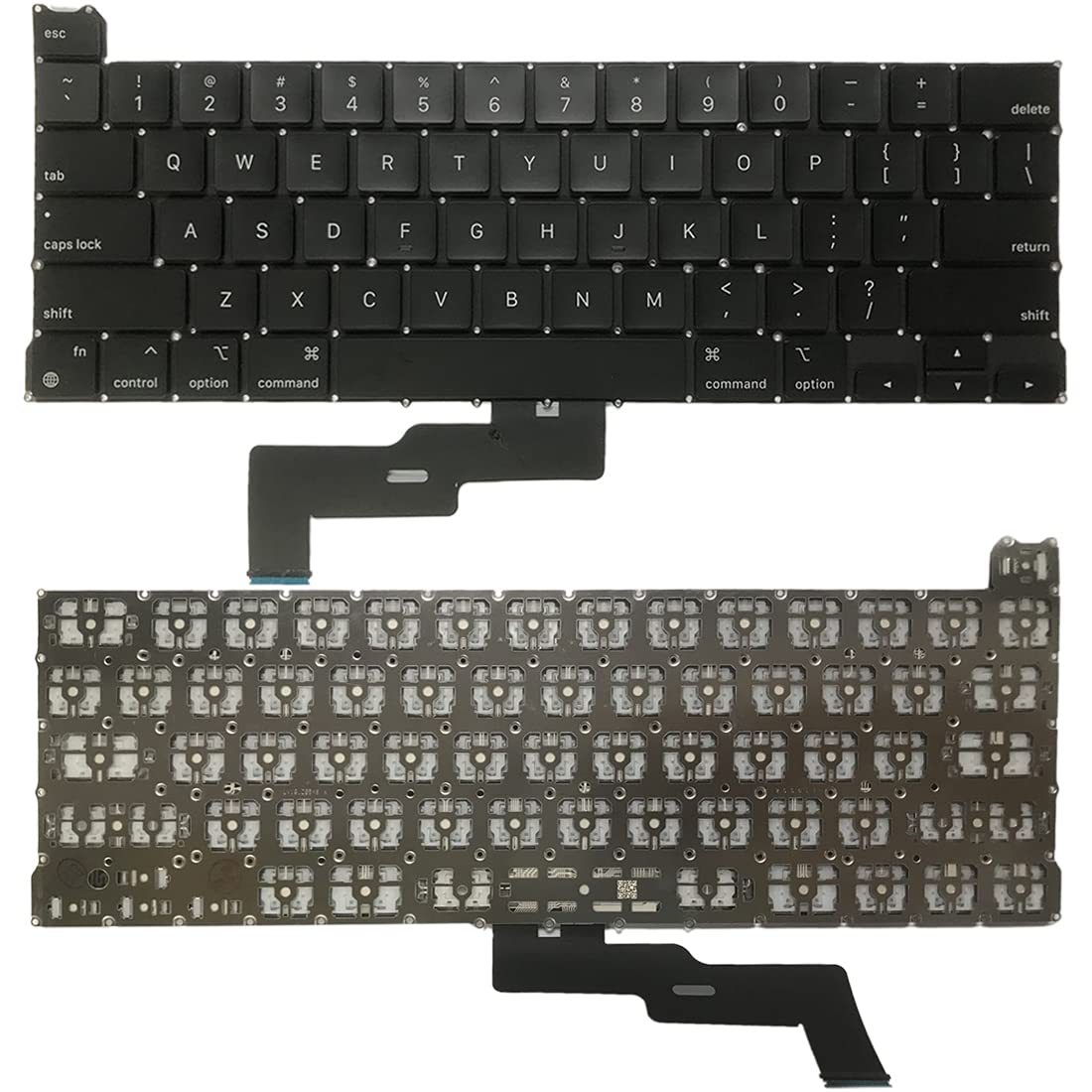
Digital Device Laptop Keyboard Compatible for MacBook AIR 13″ A1369 A1466 (MID 2011- MID 2017) US Layout 【Unique】Pls see detail compatible models in description below. 【Safe】Easy for you replace your faulty, cracked or broken keyboard ,seller remind that you should replace the keyboard in the off state. All pictures are taken from the real item, please check carefully before bidding, Replacement and high quality, Replace your faulty, cracked or broken keyboard. Each keyboard is tested before shipping Compatibility: MacBook Air 13″ A1369 Mid 2011: MC965LL/A (1.7 GHz Core i5) Mid 2011: MC966LL/A (1.7 GHz Core i5) Mid 2011: MD226LL/A (1.8 GHz Core i7) Compatibility: MacBook Air 13″ A1466 Mid 2012: MD231LL/A (1.8 GHz Core i5) Mid 2012: MD232LL/A (1.8 GHz Core i5) Mid 2012: MD232LL/A (2.0 GHz Core i7) Mid 2013: MD760LL/A (1.3 GHz Core i5) Mid 2013: MD761LL/A (1.3 GHz Core i5) Mid 2013: MD761LL/A (1.7 GHz Core i7) Early 2014: MD760LL/B (1.4 GHz Core i5) Early 2014: MD761LL/B (1.4 GHz Core i5) Early 2014: MD761LL/B (1.7 GHz Core i7) Compatibility: Early 2015: MJVE2LL/A (1.6 GHz Core i5 or 2.2 GHz Core i7) Early 2015: MJVG2LL/A (1.6 GHz Core i5 or 2.2 GHz Core i7) Identifying Numbers APN #: 661-6059, 661-6635, 661-7480

Genuine-spec touchpad flex cable for MacBook Pro 13″ (Model A2289, 2020, Intel)—restores full Force Touch functionality, haptic feedback, and preci multi-touch gesture control. OEM-quality replacement for damaged or faulty original cables. Compatible With: MacBook Pro 13-inch (2020, Four Thunderbolt Ports, Model A2289, Model Identifier MacBookPro16,2) with Intel Core i5/i7 processors. Part Type: Touchpad flex cable only — does not include the trackpad housing, Taptic Engine, or mounting hardware. This is the OEM-style ribbon cable that connects the trackpad to the logic board. Function: Transmits: Touch input coordinates Force Touch pressure data Haptic feedback signals to the Taptic Engine Enables full macOS gesture support: Force Click, three-finger lookup, swipe navigation, pinch-to-zoom, and smooth cursor tracking. Touch input coordinates Force Touch pressure data Haptic feedback signals to the Taptic Engine Enables full macOS gesture support: Force Click, three-finger lookup, swipe navigation, pinch-to-zoom, and smooth cursor tracking. OEM-Quality Build: Matches Apple’s original specifications in: Cable length and routing path Connector pitch and ZIF latch design EMI shielding and flex durability Cable length and routing path Connector pitch and ZIF latch design EMI shielding and flex durability Common Use Cases: Replacing a torn, creased, or liquid-damaged original flex cable Completing a trackpad replacement when the original cable is unusable Fixing: Intermittent or erratic trackpad behavior Loss of Force Touch or haptic feedback Complete trackpad unresponsiveness Replacing a torn, creased, or liquid-damaged original flex cable Completing a trackpad replacement when the original cable is unusable Fixing: Intermittent or erratic trackpad behavior Loss of Force Touch or haptic feedback Complete trackpad unresponsiveness Intermittent or erratic trackpad behavior Loss of Force Touch or haptic feedback Complete trackpad unresponsiveness Installation Note: Requires full bottom case removal and battery disconnection. Cable routes under internal components (speaker, logic board)—must follow original path. Connects via ZIF (Zero Insertion Force) socket—align carefully, never force. Recommended for experienced or certified technicians only. Requires full bottom case removal and battery disconnection. Cable routes under internal components (speaker, logic board)—must follow original path. Connects via ZIF (Zero Insertion Force) socket—align carefully, never force. Recommended for experienced or certified technicians only. Important Compatibility Notes: ✅ Only for A2289 (13″, 4 Thunderbolt ports, 2020, Intel) ❌ Not compatible with: A2251 (2 Thunderbolt ports, 2020) A2338 (M1 MacBook Pro, 2020) Any MacBook Air or 14″/16″ MacBook Pro ✅ Only for A2289 (13″, 4 Thunderbolt ports, 2020, Intel) ❌ Not compatible with: A2251 (2 Thunderbolt ports, 2020) A2338 (M1 MacBook Pro, 2020) Any MacBook Air or 14″/16″ MacBook Pro A2251 (2 Thunderbolt ports, 2020) A2338 (M1 MacBook Pro, 2020) Any MacBook Air or 14″/16″ MacBook Pro

A capable pre-owned Dell Latitude 5501 with 15.6" touchscreen, 9th Gen Core i5, 16GB RAM, 256GB SSD, and NVIDIA GeForce MX150 2GB—ideal for business users who need a balance of performance, portability, and light graphics power.

The Apple 240W USB-C Charge Cable (2 m) is a durable, braided USB-C to USB-C cable that supports fast charging up to 240W and USB 2.0 data transfer—ideal for powering high-performance MacBooks and other USB-C devices. Length: 2 meters Connector: USB-C to USB-C Power Support: Up to 240W (48V/5A), compatible with the new USB-C PD 3.1 Extended Power Range standard Data Transfer: USB 2.0 speeds (up to 480 Mbps) — this cable prioritizes power delivery over high-speed data Ideal for charging MacBook Pro (2021 and later), MacBook Air (M2 and later), and other high-power laptops Backward-compatible with lower-wattage devices (iPad, iPhone 15 lineup, etc.) Works with any USB-C power adapter, but you’ll only get full 240W output when paired with a compatible high-wattage charger The standard USB-C Charge Cable (2 m, 60W/100W) only supports up to 100W. The Thunderbolt 4 Pro Cable (3 m) supports high-speed data (40 Gb/s) and video output, but maxes at 100W charging. This 240W version is the one to get if your priority is maximum charging power rather than data/video.

Professional Grade K9 Dual Wireless Lavalier Mic For Android Smartphones Type C K9 Wireless Collar Microphone For YouTube Voice Recording Live Videos Vlog ASMR Podcast & Interview Expert Features 【Wireless Lavalier Microphone (2 Pcs) 】: Ideal for USB-C, iPhone, Smartphones, iPads and Macs with USB-C ports, Android devices, and laptops with USportsPort | Auto Noise Reduction. 【Dual Microphone Set】:Includes two wireless Lavalier microphones for versatile audio recording options. Simply plug the microphone into the USB port for instant connectivity and ease of use. 【Wide Compatibility】:Ideal for use with USB-C devices, iPhones, smartphones, iPads, Macs, Android devices, and laptops with USB-C ports, ensuring compatibility across various platforms. 【Auto Noise Reduction】: Features built-in noise reduction technology to minimize background noise and ensure clear and crisp audio. 【Long Battery Life】:Powered by lithium-ion batteries, providing reliable performance for extended recording sessions. 【Versatile Applications】:Suitable for a wide range of applications, including vlogging, interviews, presentations, podcasting, and more.

The Genius KM-100SE is a reliable wired keyboard and mouse combo featuring a full-size 104-key layout and USB plug-and-play connection. Ideal for office, business, and everyday home use, it delivers comfortable typing and smooth mouse control with stable performance. The Genius KM-100SE Keyboard & Mouse Combo is a practical and durable solution for users who need dependable performance for daily work. The full-size keyboard offers a comfortable typing experience with a standard layout that’s perfect for productivity, while the wired optical mouse ensures smooth and accurate cursor control. With USB plug-and-play setup, it works instantly with laptops and desktop PCs—no drivers needed. Full-Size 104-Key Keyboard for efficient and comfortable typing Wired USB Connection for stable, lag-free performance Plug & Play Setup – no software or drivers required Comfortable Key Spacing ideal for long office sessions Wired Optical Mouse Included for smooth and accurate tracking Durable Design suitable for daily professional use Ideal for Office & Home – work, study, and general computing Perfect for business offices, schools, home users, and laptop/desktop setups needing a simple, reliable wired keyboard and mouse set. Compatible with most computers supporting USB.

Genuine-spec US layout keyboard replacement for MacBook Pro (Model A1398, Late 2011–Mid 2012)—featuring durable scissor-switch keys, backlighting, and OEM-fit design for reliable typing and straightforward installation. Compatible With: MacBook Pro 13″: Late 2011 (Model A1278, but labeled A1398 in some regions) – Model Identifier MacBookPro8,1 MacBook Pro 15″: Early 2011, Late 2011, and Mid 2012 – Model Identifiers MacBookPro8,2 (15″ early/late 2011) and MacBookPro9,1 (15″ mid 2012) *(Note: “A1398” is primarily associated with the 15″ unibody MacBook Pro with Retina display (Mid 2012), which was the first Retina MacBook Pro.)* This keyboard fits the non-Retina 15″ A1398 (Mid 2012) and compatible Late 2011 models. MacBook Pro 13″: Late 2011 (Model A1278, but labeled A1398 in some regions) – Model Identifier MacBookPro8,1 MacBook Pro 15″: Early 2011, Late 2011, and Mid 2012 – Model Identifiers MacBookPro8,2 (15″ early/late 2011) and MacBookPro9,1 (15″ mid 2012) *(Note: “A1398” is primarily associated with the 15″ unibody MacBook Pro with Retina display (Mid 2012), which was the first Retina MacBook Pro.)* This keyboard fits the non-Retina 15″ A1398 (Mid 2012) and compatible Late 2011 models. Layout: Standard US English (QWERTY) with full-size keys, inverted-T arrow keys, and dedicated function row (F1–F12). Keyboard Type: Traditional scissor-switch mechanism—robust, tactile, and serviceable (pre-Butterfly era). Integrated Features: Backlit keys (adjustable brightness via F5/F6) OEM ribbon cable with ZIF connector Matches original key spacing and actuation force Backlit keys (adjustable brightness via F5/F6) OEM ribbon cable with ZIF connector Matches original key spacing and actuation force Build & Fit: Precision-molded plastic frame with exact screw mounts and alignment pegs—ensures secure, rattle-free installation in the top case. Installation Note: Keyboard is secured with screws and minimal adhesive. Requires full top case access and battery disconnect. Recommended for intermediate to advanced users or technicians.

HP LaserJet 179fnw is a compact color laser multifunction printer that offers printing, scanning, copying, and faxing in one device. With Wi-Fi wireless printing, fast performance, and high-quality color output, it is suitable for small offices, home offices, and business use.

Brand Lenovo Compatible Devices Laptops Input Voltage 240 Volts Mounting Type Wall Mount Wattage 90 watts Output Voltage 20 Volts Current Rating 4.5 Amps Lenovo 90W Slim Tip Ac Adapter (Original)

Non-slip, skid-proof rubber feet designed to perfectly fit MacBook Air models A1466, A1369, and A1370—restoring grip, stability, and protection for your laptop’s base. Keep your MacBook Air steady and scratch-free with these high-quality replacement rubber feet, engineered to match the original Apple design for MacBook Air models A1466 (2010–2017), A1369 (11″ 2010–2011), and A1370 (11″ 2011–2015). These skid-proof rubber feet provide excellent traction on desks, tables, and other smooth surfaces, preventing unwanted sliding during typing or use. Made from durable, soft-touch silicone-rubber material, they also help protect your laptop’s bottom case from scratches and reduce vibration noise. Each set includes all necessary feet (typically 5 per MacBook Air model) with pre-applied adhesive for easy, secure installation. The matte black finish blends seamlessly with your MacBook’s original aesthetic. Ideal for restoring worn, missing, or damaged feet—whether due to age, cleaning, or accidental removal—this is a simple, affordable way to maintain your MacBook’s functionality and appearance. Note: Surface must be clean and dry for optimal adhesion. For best results, gently warm the adhesive before applying.

Genuine-spec touchpad flex cable for Apple’s 12-inch MacBook (Model A1534, Early 2015 / Early 2016 / Mid 2017)—essential for restoring full Force Touch trackpad functionality, haptic feedback, and multi-touch gesture support. Compatible With: MacBook 12″ (Early 2015) – 1.1GHz Core M MacBook 12″ (Early 2016) – 1.1GHz/1.3GHz Core M MacBook 12″ (Mid 2017) – 1.2GHz/1.3GHz Core m3/i5/i7 All share Model Number A1534 and Model Identifier MacBook8,1 / MacBook9,1 / MacBook10,1 respectively. MacBook 12″ (Early 2015) – 1.1GHz Core M MacBook 12″ (Early 2016) – 1.1GHz/1.3GHz Core M MacBook 12″ (Mid 2017) – 1.2GHz/1.3GHz Core m3/i5/i7 All share Model Number A1534 and Model Identifier MacBook8,1 / MacBook9,1 / MacBook10,1 respectively. Part Type: Touchpad flex cable only—does not include the trackpad housing, Taptic Engine, or mounting brackets. This is the ribbon cable that connects the Force Touch trackpad to the logic board. Function: Critical for Force Touch functionality—transmits pressure-sensitive input, multi-touch gestures (e.g., pinch, swipe, Force Click), and haptic feedback signals to the Taptic Engine. OEM-Quality Construction: Precisely matches Apple’s original in length, connector pitch, shielding, and routing—ensures reliable signal integrity and compatibility with macOS. Common Use Cases: Replacing a torn, creased, or liquid-damaged flex cable Restoring unresponsive or erratic trackpad behavior Completing a trackpad replacement when the original cable is unusable Replacing a torn, creased, or liquid-damaged flex cable Restoring unresponsive or erratic trackpad behavior Completing a trackpad replacement when the original cable is unusable Installation Note: Requires full bottom case removal and delicate disconnection of the ZIF connector. The cable routes tightly under the battery—extreme care is required. Recommended for experienced or certified technicians only.

