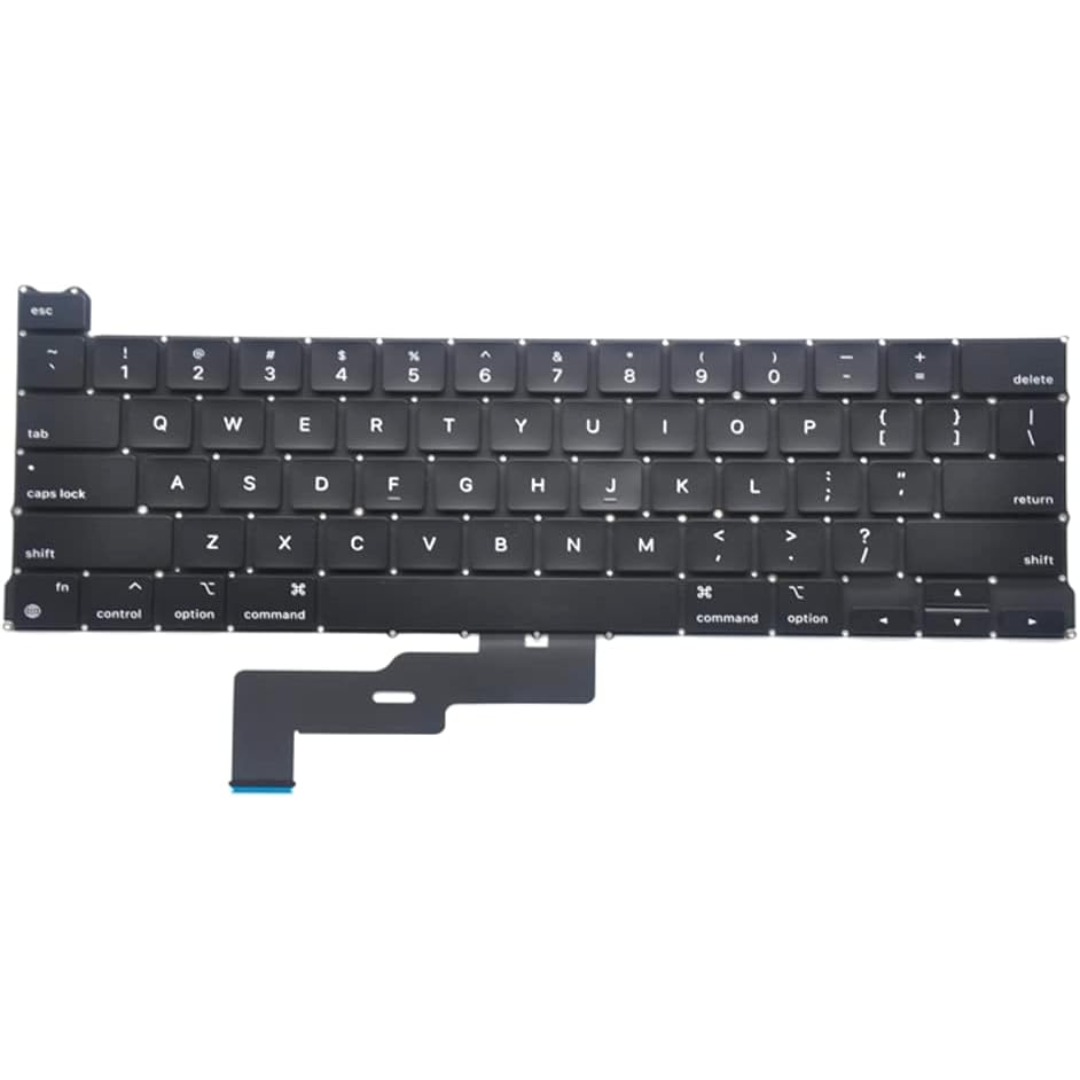

Arabic Silicone Keyboard Skin Cover for MacBook Pro 13" A1708 Without Touch bar and MacBook 12" A1534 with Retina Display US Layout (Black) Arabic Silicone Keyboard Skin Cover for MacBook Pro 13″ A1708 Without Touch bar and MacBook 12″ A1534 with Retina Display US Layout (Black) About this item Arabic language silicone keyboard skin, US version, perfect fit for your MacBook 12″ A1534, which was released in 2015 & new MacBook Pro 13-Inch 13″ Model A1708 without/no Touch Bar, which was released in 2016; Do not fit for Europe Version MacBook Handmade Skin – XSKN is the original Manufacturer of these “Keyboard Art Skin” silicone covers. They are durable, thin and soft with a cashmere feel. The keys fit snug over the keyboard, smooth surface treatment, suit for regular laptop user who types a lot and quickly Each XSKN silicone skin is heat molded to ensure, each color is paints taking hand screened using silicone paint which is heat fuses into the silicone keyboard skin to become one, making it Soft, ultra-thin, durable and easy to washable High quality silicone raw material assure no extension with longtime using. Every detail clearly prinited, imported ink keep it looking good, rubber coating help to remain in good condition Aside from being beautiful they protect your keyboard from spills, crumbs, animal hair and dust. Washable, can be cleaned easily


Are you seeking a more immersive and intuitive computing experience? Look no further than the ViewSonic 22” IR Touch Monitor. This cutting-edge display redefines interaction with its seamless touch functionality. Let’s start with responsiveness. The IR touch technology ensures swift and accurate touch responses, making navigation a breeze. Whether you’re scrolling through documents or playing interactive games, every touch is effortlessly detected. Additionally, the monitor’s sleek design and compact size make it perfect for any workspace. Its slim bezel and adjustable stand provide versatility, allowing you to customize your viewing angle for maximum comfort. Transitioning to visuals, prepare to be captivated by vibrant colors and sharp details. The Full HD resolution delivers crisp images, whether you’re watching movies, browsing photos, or working on creative projects. Furthermore, the monitor’s anti-glare coating reduces reflections, ensuring clear visibility even in brightly lit environments. Say goodbye to distracting glare and hello to uninterrupted viewing pleasure. Moreover, connectivity options such as HDMI and VGA ensure compatibility with a wide range of devices, from laptops to gaming consoles. Seamlessly switch between tasks or devices with ease, enhancing productivity and convenience. In conclusion, the ViewSonic 22” IR Touch Monitor offers an unparalleled touch experience. With its responsive touch technology, stunning visuals, and versatile design, it’s the perfect addition to any home or office setup. Upgrade your interaction today and discover a new level of computing convenience. Specifications: Display : 22″ Panel Type : TN Resolution : 1920×1080 FHD Response Time : 5ms Refresh Rate : 75Hz

LED feature Specification Display size 60.5 cm (23.8 in) diagonal Display type IPS with LED backlight Panel active area 52.7 x 29.6 cm (20.7 x 11.7 in) Scan range Horizontal: 30 to 80 KHz Vertical: 50 to 60 Hz Brightness 250 nits Color support Up to 16.7 million colors with the use of FRC technology Color gamut 72% Pixel pitch 0.2745 (H) mm x 0.2745 (V) mm 93 PPI Inputs 1 VGA 1 HDMI Audio in/Audio out HDCP support Viewing angle Horizontal viewing angle (typical): 178 degrees Vertical viewing angle (typical): 178 degrees Recommended resolution (H x V) 1920 x 1080 @ 60 Hz (Full HD) Aspect ratio 16:9 Static contrast ratio 1000:1 Dynamic contrast ratio 10,000,000:1 Response time 6 ms GtG w/OD 14 ms GtG (typ) / 28 ms GtG (Max) Power supply External Power consumption 30 Watts max Tilt -5 to +25 degrees Dimensions W x D x H (unpacked): 54.1 x 18.3 x 40.9 cm (21.3 x 7.2 x 16.1 in) Weight Unpacked: 3.1 Kg (6.8 lbs) Specifications: HP Monitor 24ea 23.8-inch IPS Display Display size 60.5 cm (23.8 in) diagonal Display type IPS with LED backlight Panel active area 52.7 x 29.6 cm (20.7 x 11.7 in)

Genuine-spec touchpad flex cable for MacBook Pro 16″ (Model A2141, 2019, Intel)—essential for restoring full Force Touch functionality, haptic feedback, and precise multi-touch gesture control during trackpad repair or replacement. Compatible With: MacBook Pro 16-inch (2019, Model A2141) with Intel Core i7/i9 processors (Model Identifier: MacBookPro16,1) (Note: A2141 is the non-base configuration of the 2019 16″ MacBook Pro—typically higher-end Intel models.) Part Type: Touchpad flex cable only—does not include the trackpad housing, Taptic Engine, or mounting hardware. This is the OEM-style ribbon cable that connects the trackpad to the logic board. Function: Transmits touch coordinates, Force Touch pressure data, and haptic feedback signals—critical for macOS gestures (e.g., Force Click, three-finger lookup, pinch-to-zoom) and Taptic Engine responsiveness. OEM-Quality Construction: Replicated to Apple’s exact specifications—including cable length, connector pitch, EMI shielding, and bend radius—ensuring reliable signal integrity and long-term durability. Common Use Cases: Replacing a torn, creased, or liquid-damaged original flex cable Completing a trackpad replacement when the original cable is compromised Fixing intermittent trackpad behavior, loss of Force Touch, or complete unresponsiveness Replacing a torn, creased, or liquid-damaged original flex cable Completing a trackpad replacement when the original cable is compromised Fixing intermittent trackpad behavior, loss of Force Touch, or complete unresponsiveness Installation Note: Requires full disassembly of the bottom case, speaker removal, and careful routing beneath the battery and logic board. Connectors use ZIF (Zero Insertion Force) sockets—must be aligned and latched gently. Recommended for certified or professional repair technicians only. Important: This is flex cable only—not a complete trackpad assembly. Must be used with the original or compatible A2141 trackpad and Taptic Engine. Not compatible with M1 MacBook Pro 16″ (A2485), 14″ models (A2442), or any MacBook Air. This is flex cable only—not a complete trackpad assembly. Must be used with the original or compatible A2141 trackpad and Taptic Engine. Not compatible with M1 MacBook Pro 16″ (A2485), 14″ models (A2442), or any MacBook Air. Model Verification: Confirm your device is MacBook Pro A2141 (16″, 2019, Intel) via > About This Mac > Model Identifier (should read MacBookPro16,1).

Original Apple - 87W USB-C Power Adapter - White | MNF82LL/A | A1719 Original Apple – 87W USB-C Power Adapter – White | MNF82LL/A | A1719 The Apple 87W USB-C Power Adapter (Model A1719) is designed to provide fast and efficient charging for a variety of Apple devices. Key Features: High Power Output: Delivers up to 87 watts of power, suitable for charging larger devices like the 15-inch MacBook Pro. Versatile Charging: Supports multiple output voltages—20.2V at 4.3A, 9V at 3A, and 5.2V at 2.4A—allowing it to charge a range of USB-C–enabled devices. chargerlab.com Versatile Charging: Supports multiple output voltages—20.2V at 4.3A, 9V at 3A, and 5.2V at 2.4A—allowing it to charge a range of USB-C–enabled devices. Compact Design: Its sleek and portable build makes it convenient for use at home, in the office, or while traveling. Compatibility: While this adapter is compatible with any USB-C–enabled device, Apple recommends pairing it with the 15-inch MacBook Pro with Thunderbolt 3 (USB-C) ports for optimal charging performance.

The Horion Interactive Flat Panel 65″ transforms any space into a dynamic and interactive environment. Whether in classrooms or conference rooms, it enhances collaboration and productivity. Featuring a stunning 65-inch 4K UHD display, the Horion Interactive Flat Panel delivers crystal-clear visuals and vibrant colors. This ensures every detail is visible, making presentations and lessons more engaging. The Interactive Flat Panel comes with advanced touch technology, allowing multiple users to interact with the screen simultaneously. This fosters teamwork and encourages active participation. With built-in annotation tools, the Interactive Flat Panel 65″ makes it easy to highlight key points and add notes during presentations. These tools are intuitive and user-friendly, making it accessible for everyone. Connectivity is seamless with the Interactive Flat Panel. It offers multiple ports, including HDMI, USB, and wireless options, ensuring compatibility with various devices. This flexibility makes it easy to integrate into your existing setup. The Interactive Flat Panel 65″ is designed for ease of use. Its user-friendly interface and responsive touch screen make it simple to navigate and control. Whether you’re a teacher or a business professional, you’ll find it easy to use. In addition, the Interactive Flat Panel includes powerful built-in speakers, delivering clear and immersive audio. This enhances the overall experience, making it ideal for multimedia presentations. In conclusion, the Horion Interactive Flat Panel 65″ combines stunning visuals, interactive features, and ease of use for a superior collaborative experience. Upgrade your space with the Interactive Flat Panel and boost engagement and productivity today. Specifications: Display : 65″ Resolution : 4K (3840×2160) Refresh Rate : 60Hz CPU : Octacore Ram : 8GB Memory : 128GB GPU : Mali G52-MP8 OS : Android 13.0 Sensor : Infrared, NFC, Light Sensor

Searching for a portable monitor to enhance your remote work experience? Look no further than the ViewSonic TD1655. This compact and versatile display is designed to elevate your productivity wherever you go. Firstly, its slim and lightweight design makes it easy to carry, fitting seamlessly into your work or travel bag. Enjoy the convenience of a dual-screen setup, enhancing multitasking capabilities on the fly. The TD1655 boasts a full HD resolution, ensuring crisp and clear visuals for work or entertainment. Its 15.6-inch screen provides ample space without compromising on portability, perfect for presentations or extended work sessions. Connecting your devices is a breeze with the TD1655’s USB-C and HDMI ports. Effortlessly link it to your laptop, tablet, or smartphone, eliminating the need for complicated setups. Transition seamlessly between devices with ease. Adjustable viewing angles offer ergonomic comfort, reducing strain during prolonged use. Whether you’re working on a report or binge-watching your favorite shows, find the perfect angle for a comfortable and immersive experience. The ViewSonic TD1655 isn’t just a monitor; it’s a productivity companion. Its compatibility with various devices, sleek design, and user-friendly features make it an ideal choice for professionals on the move. In conclusion, the ViewSonic TD1655 Portable Monitor is a game-changer for remote work and entertainment. Experience the freedom of a flexible, high-quality display that adapts to your dynamic lifestyle. Upgrade your mobile office setup today! Specifications: Size : 16″ Touch Resolution : 60Hz full HD Ports : 2 USB-C

The LG 27GX790A-B 27″ OLED QHD 480Hz gaming monitor delivers extreme speed and stunning image quality for competitive and professional gamers. Its 27-inch QHD OLED panel produces deep contrast, vibrant colors, and sharp detail, making every scene more immersive. Moreover, OLED technology provides fast pixel response for smooth visuals and minimal motion blur during high-speed gameplay. This monitor is built for esports performance thanks to its ultra-fast 480Hz refresh rate. Additionally, the QHD resolution balances clarity and performance, allowing gamers to enjoy sharp graphics while maintaining high frame rates. The sleek UltraGear design fits modern gaming setups and keeps desks organized while enhancing the overall gaming atmosphere. Connectivity options make it easy to connect PCs and gaming consoles. Furthermore, ergonomic stand adjustments help users maintain comfortable viewing positions during long gaming sessions. Therefore, this monitor suits competitive players and enthusiasts seeking top-tier performance. Finally, it combines OLED picture quality, ultra-fast refresh rate, and gaming-focused features for serious gameplay. Specifications: 27-inch QHD OLED gaming monitor Ultra-fast 480Hz refresh rate Deep contrast and vibrant OLED visuals Designed for competitive gaming setups Multiple connectivity options

The Samsung Odyssey 3D G90XF 27″ 4K Gaming Monitor delivers stunning visuals and immersive gaming experiences. It features a crisp 27‑inch 4K (3840×2160) display for ultra‑sharp image clarity. Moreover, the Samsung Odyssey 3D G90XF 27″ 4K Gaming Monitor supports high refresh rates for smooth gameplay. It includes advanced 3D features to bring virtual worlds to life. Also, the fast response time reduces motion blur in action scenes. In addition, it offers great color accuracy with HDR support for vibrant visuals. Plus, the monitor blends well with modern gaming setups and sleek decor. Furthermore, its ergonomic stand allows tilt, swivel, and height adjustments for comfort. Therefore, you get personalized viewing angles for long gaming sessions. It also supports NVIDIA G-SYNC or AMD FreeSync to prevent screen tearing. Meanwhile, built‑in speakers deliver basic sound without extra gear. Because of its thin bezels, the monitor creates a seamless multi‑monitor setup. Thus, gamers enjoy immersive edge‑to‑edge visuals without distraction. The Samsung Odyssey 3D G90XF 27″ 4K Gaming Monitor includes multiple HDMI and DisplayPort ports. Also, a USB hub port lets players connect peripherals easily. Moreover, its flicker‑free and low‑blue‑light modes ease eye strain. Then, LED backlighting enhances color uniformity and contrast levels. Also, adaptive sync keeps games smooth even under heavy graphical loads. Furthermore, factory calibration ensures accurate color right out of the box. In addition, the design supports VESA mounting for flexible placement. Therefore it fits on desks or wall mounts neatly. With durable build quality, the monitor stands up to intense everyday use. It stays cool under pressure thanks to efficient thermal design. Finally, the Samsung Odyssey 3D G90XF 27″ 4K Gaming Monitor balances performance, design, and comfort. Overall, it provides next‑level gaming visuals for serious gamers. Specifications: Display : 27″ IPS Resolution : 4K (3,840 x 2,160) Refresh Rate : 165Hz Response Rate : 1ms

MULTI-FUNCTIONAL: Portable retro speaker, support Bluetooth, U disk, Memory Card, AUX (connect to MP3, MP4 player, smartphone, PC) to play music. It is easy to enjoy stereo sound for music lovers. LONG BATTERY LIFE: Bluetooth speaker has a built-in 1800mAh battery, rechargeable and environmentally friendly, providing 8 hours of battery life, ensuring you can enjoy your favorite music and radio stations for a long time. CLEAR SOUND: The radio speaker’s built-in powerful DSP chip and antenna provide excellent reception, allowing you to experience clear sound. Stations can be easily selected, making it convenient to find your favorite FM channels. POWERFUL: This speaker is compact but with high power, the 5W speaker delivers powerful sound quality. Allows you to enjoy rich and immersive sound, transforming your room into a charming listening environment. RETRO DESIGN: The small FM radio speaker with charming and versatile design incorporates classic aesthetics, making it a delightful addition to your sound collection. For living rooms, bedrooms, parties, etc.

The Meetion Mini 4000 Black is a compact wireless keyboard and mouse combo designed for clean and convenient everyday use. With a mini-space-saving layout and stable wireless connection, it’s perfect for office work, home setups, and laptop users who want a neat, clutter-free desk. The Meetion Mini 4000 is a stylish and practical wireless keyboard and mouse set made for users who prefer a compact and modern workspace. Its mini keyboard design saves desk space while still offering comfortable typing for daily tasks. The wireless mouse provides smooth control and easy navigation, making this combo ideal for offices, students, and home users. With plug-and-play wireless connectivity, setup is simple—just connect the receiver and start using it instantly. Wireless Keyboard & Mouse Combo for a clean and clutter-free setup Compact Mini Keyboard Design saves space and fits small desks easily Stable Wireless Connection for smooth performance Plug & Play Receiver – quick setup without drivers Smooth Wireless Mouse for accurate control Comfortable Typing Layout for everyday productivity Modern Black Finish suitable for any workspace Ideal for Laptops & Desktops Perfect for office workers, students, and home users needing a compact wireless combo for laptops or desktops. Works with most devices that support USB.

A sleek and durable pre-owned Lenovo ThinkPad T460s with 14" touchscreen, 6th Gen Core i5, 8GB RAM, and 256GB SSD—ideal for professionals who need portability, touch functionality, and trusted ThinkPad reliability.

ACER KA220HQbid 21.5″ FHD, HDMI,AMD Freesync VESA 100x100mm Maximum Resolution 1920 x 1080 Colour Supported 16.7 Million Colours Brightness Aspect Ratio 16:9 Response Time 5 ms Backlight Technology LED Horizontal Viewing Angle 90° Vertical Viewing Angle 65° Tilt Angle -5° to 15° Features Flicker-free Features Low Dimming Features Blue Light Speakers No VGA Yes DVI Yes HDMI Yes Operating Power Consumption (Energy Star) 19.50 W Environmental Certification MPR II Package Contents KA220HQ Widescreen LCD Monitor Power Cord 1 x VGA Cable Specifications: ACER KA220HQbid 21.5″ FHD, HDMI,AMD Freesync VESA 100x100mm Maximum Resolution 1920 x 1080 Colour Supported 16.7 Million Colours Brightness 200 cd/m² Technical Information Aspect Ratio 16:9 Response Time 5 ms Backlight Technology LED Horizontal Viewing Angle 90° 1 Year Warranty

The Apple Magic Mouse (USB-C version) is a sleek, minimalist multi-touch wireless mouse built for Mac users. It offers smooth gesture support, Bluetooth connectivity and a built-in rechargeable battery — a great choice if you prefer a clean desk setup and full compatibility with macOS and iPadOS. General Name: Magic Mouse (USB-C) — part of Apple’s pointing-device lineup. Wireless connectivity: Bluetooth. Rechargeable battery: built-in, no disposable AA cells. Charging / port: USB-C port (bottom of mouse) for pairing and charging. Compatibility: Requires a Mac with macOS 15.1 or later, or an iPad with iPadOS 18.1 or later. Size & Weight Height: ~0.85 inch (2.16 cm) Width: ~2.25 inch (5.71 cm) Depth: ~4.47 inch (11.35 cm) Weight: ~0.22 pound (0.099 kg) (varies slightly by manufacturing) Features Multi-Touch surface: supports gestures such as swiping between pages, scrolling through documents, zooming. Glide / foot design: optimized for smooth movement across desktop surfaces. Rechargeable battery life: about a month or more between charges (typical use) per Apple spec. Used Condition ConsiderationsSince you’re specifying a used unit: Check for wear on the bottom feet / skates — these degrade and affect glide. Verify battery capacity / health (rechargeable batteries age). Confirm the port is functioning (USB-C) and Bluetooth connectivity is stable. Look for signs of excessive surface scratches on the multi-touch top — may impair gestures. Ensure the firmware / Mac recognizes it fully (gestures working). Upgradability / Limitations Not user-upgradable: You cannot replace the internal battery or change internals easily. Design limitation: The USB-C port remains on the bottom of the mouse, meaning you cannot use it while charging unless you flip it. This design is still criticized. Ergonomics: The flat, low-profile design is stylish but may not suit extended-use comfort for some users.

Genuine-spec touchpad flex cable for MacBook Pro 13″ (Model A1502, Mid 2014)—restores full trackpad functionality, including precise cursor control and physical click response. Essential for repairing unresponsive or erratic trackpad behavior. Compatible With: MacBook Pro 13-inch (Mid 2014, Model A1502, Model Identifier MacBookPro11,1) with Intel Core i5/i7 processors and Retina display. Part Type: Touchpad flex cable only — does not include the trackpad housing, button mechanism, or mounting hardware. This is the ribbon cable that connects the trackpad to the logic board. Function: Transmits cursor movement and click signals (left/right physical clicks) Supports standard multi-touch gestures (two-finger scroll, tap-to-click, pinch-to-zoom) ⚠️ Note: This model uses a physical click mechanism—not Force Touch (no haptic feedback or pressure sensitivity). Transmits cursor movement and click signals (left/right physical clicks) Supports standard multi-touch gestures (two-finger scroll, tap-to-click, pinch-to-zoom) ⚠️ Note: This model uses a physical click mechanism—not Force Touch (no haptic feedback or pressure sensitivity). OEM-Quality Build: Matches Apple’s original in: Cable length and routing path Connector type and pin alignment Insulation and flexibility for long-term reliability Cable length and routing path Connector type and pin alignment Insulation and flexibility for long-term reliability Common Use Cases: Replacing a torn, frayed, or corroded original flex cable Fixing: Unresponsive or intermittent trackpad Cursor jumping or drifting Click function failure (left or right) Complete trackpad disconnect Replacing a torn, frayed, or corroded original flex cable Fixing: Unresponsive or intermittent trackpad Cursor jumping or drifting Click function failure (left or right) Complete trackpad disconnect Unresponsive or intermittent trackpad Cursor jumping or drifting Click function failure (left or right) Complete trackpad disconnect Installation Note: Requires bottom case removal and battery disconnect. Connects via a ZIF (Zero Insertion Force) socket on the logic board—do not force. Cable routes under the battery; handle with care to avoid strain. Suitable for intermediate to advanced DIYers or technicians. Requires bottom case removal and battery disconnect. Connects via a ZIF (Zero Insertion Force) socket on the logic board—do not force. Cable routes under the battery; handle with care to avoid strain. Suitable for intermediate to advanced DIYers or technicians.

The BenQ PD2706U 27″ 4K 60Hz Monitor is crafted for designers and content creators who demand color accuracy and clarity. Its 27-inch IPS panel delivers a 3840×2160 resolution, ensuring sharp visuals and detailed imagery. With 95% DCI-P3, 100% sRGB, and 100% Rec.709 color space coverage, this monitor offers vibrant and true-to-life colors. Factory calibration ensures Delta E ≤ 3, providing consistent color accuracy across projects. The PD2706U supports HDR10 and VESA DisplayHDR 400, enhancing dynamic range for more realistic images. Its anti-glare screen and 178° viewing angles ensure comfortable viewing in various lighting conditions. Connectivity is streamlined with a 90W USB-C port, HDMI 2.0, and DisplayPort 1.4, facilitating easy integration with multiple devices. The built-in KVM switch allows control of two systems using one keyboard and mouse setup. Ergonomic features include height adjustment, tilt, swivel, and pivot, enabling users to customize their viewing experience for comfort. The monitor’s sleek design complements modern workspaces. Additional features like Low Blue Light and Flicker-Free technology reduce eye strain during extended use. The included Hotkey Puck G2 provides quick access to frequently used settings. In summary, the BenQ PD2706U 27″ 4K 60Hz Monitor combines high-resolution display, accurate color reproduction, and user-friendly features, making it an excellent choice for creative professionals. Specifications: Display : 27″ IPS Resolution : 4K (3840×2160) Refresh Rate : 60Hz Response Time : 5ms Speaker : Integrated

HP 83A Black Toner Cartridge | Works with HP LaserJet Pro M201, HP LaserJet Pro MFP M125, M127, M225 Series | CF283A

The Lenovo Monitor C22-20 (62A7KAT1EU) is a 21.5-inch Full HD display designed for office and everyday computing use. It delivers a 1920 × 1080 resolution with a compact screen size suitable for small desks and multi-monitor setups. Additionally, its slim design helps maintain a clean workspace. This monitor uses a TN panel with LED backlighting and supports up to 75Hz refresh rate via HDMI. Moreover, it offers a 5ms response time for basic smoothness in general tasks and light multimedia use. The Lenovo C22-20 provides 200 nits brightness and a 600:1 contrast ratio for standard indoor viewing. Therefore, it is best suited for office work, browsing, and document handling rather than gaming or creative color work. It includes HDMI 1.4 and VGA inputs for flexible connectivity with PCs and older systems. Additionally, it supports VESA mounting for wall or arm installation. The Lenovo Monitor C22-20 (62A7KAT1EU) 21.5″ is a practical and energy-efficient display for everyday productivity and business environments. Specifications: 21.5-inch Full HD (1920 × 1080) display TN panel with LED backlighting 75Hz refresh rate (via HDMI) 5ms response time for basic smooth visuals HDMI 1.4 and VGA connectivity support

Alienware 25 Gaming Monitor: AW2521HFLA Diagonal Viewing Size: 62.2 cm 24.5 Inches Preset Display Area (H x V) 543.744 mm x 302.616 mm 21.41″” x 11.91″” 164545.63 mm2 (255.04 inches2) Alienware 25 Gaming Monitor Panel Type: Fast IPS Display Screen Coating Antiglare with 3H hardness Maximum Preset Resolution 1920 x 1080 at 240Hz Viewing Angle (178° vertical / 178° horizontal) Pixel Pitch 0.283 mm x 0.280 mm Pixel Per Inch (PPI) 90 Contrast Ratio 1000: 1 (typical) Aspect Ratio (16:9) Backlight Technology LED edgelight system Brightness 400 cd/m2 (typical) Response Time(typical) True 1ms (gray to gray, in Extreme Mode) Audio Output No Connectivity Connectivity 2 x HDMI (ver 2.0) 1 x DP 1.2 1 x USB 3.0 upstream port (Rear) 2 x USB 3.0 Downstream port (Rear) 2 x USB 3.0 Downstream port [Front Bottom, one with BC1.2 charging capability at 2A(max)] 1 x Headphone-out jack (Front Bottom) 1 x Audio Line-out jack( Rear)AMD Free-Sync™ YesNVIDIA® G-SYNC® Compatible YesAlienFX™ Lighting Yes Dimensions & Weight Height with stand (Compressed ~ Extended) 421.21 mm ~526.08 mm 16.58″ ~ 20.71″ Width 556.29 mm 21.90″Depth 251.92 mm 9.92″Height without stand 328.24 mm 12.92″Width without stand 556.29mm 21.90″ Depth without stand 72.95 mm 2.87″ Weight (panel only – for VESA mount) 3.55 kg 7.81 lb Weight (with packaging) 11.22 kg 24.71 lb Power Voltage Required 100 VAC to 240 VAC / 50 Hz or 60 Hz + 3 Hz /1.5 A (typical)Power Consumption 0.2 W (Off Mode) 0.3 W (Standby Mode) 20.4 W (On Mode) 72 W (Max) Environmental Temperature Range Operating: 0° to 40°C (32° to 104°F) Non-operating: -20° to 60° (-4° to 140° F)Humidity Range Operating: 10% to 80% (non-condensing) Non-Operating:5% to 90% (non-condensing)Altitude Operating: 5,000 m (16,404 ft) max Non-Operating: 12,192 m (40,000 ft) max Chassis Adjustability Height adjustable stand (130 mm) and Height-markers Tilt (-5° to 21°) Swivel (-20° to 20°) Pivot (-90° to 90°) Built in cable-management Low Blue Light Yes, Comfort View Flicker-free Yes Specifications – Service / Support Details 3-Year Advanced Exchange Service and Premium Panel Exchange Color Support Color Gamut (typical): sRGB 99% Color Depth: 16.78 Million colors Built-in Devices NA Flat Panel Mount Interface VESA (100 mm) Specifications: Alienware 25 Gaming Monitor 240Hz refresh rate ips Panel Type: Fast IPS Color Support Color Gamut (typical): sRGB 99% 1 Year Warranty Manufacturer Link
