
Genuine-spec touchpad flex cable for MacBook Pro 16″ (Model A2141, 2019, Intel)—essential for restoring full Force Touch functionality, haptic feedback, and precise multi-touch gesture control during trackpad repair or replacement. Compatible With: MacBook Pro 16-inch (2019, Model A2141) with Intel Core i7/i9 processors (Model Identifier: MacBookPro16,1) (Note: A2141 is the non-base configuration of the 2019 16″ MacBook Pro—typically higher-end Intel models.) Part Type: Touchpad flex cable only—does not include the trackpad housing, Taptic Engine, or mounting hardware. This is the OEM-style ribbon cable that connects the trackpad to the logic board. Function: Transmits touch coordinates, Force Touch pressure data, and haptic feedback signals—critical for macOS gestures (e.g., Force Click, three-finger lookup, pinch-to-zoom) and Taptic Engine responsiveness. OEM-Quality Construction: Replicated to Apple’s exact specifications—including cable length, connector pitch, EMI shielding, and bend radius—ensuring reliable signal integrity and long-term durability. Common Use Cases: Replacing a torn, creased, or liquid-damaged original flex cable Completing a trackpad replacement when the original cable is compromised Fixing intermittent trackpad behavior, loss of Force Touch, or complete unresponsiveness Replacing a torn, creased, or liquid-damaged original flex cable Completing a trackpad replacement when the original cable is compromised Fixing intermittent trackpad behavior, loss of Force Touch, or complete unresponsiveness Installation Note: Requires full disassembly of the bottom case, speaker removal, and careful routing beneath the battery and logic board. Connectors use ZIF (Zero Insertion Force) sockets—must be aligned and latched gently. Recommended for certified or professional repair technicians only. Important: This is flex cable only—not a complete trackpad assembly. Must be used with the original or compatible A2141 trackpad and Taptic Engine. Not compatible with M1 MacBook Pro 16″ (A2485), 14″ models (A2442), or any MacBook Air. This is flex cable only—not a complete trackpad assembly. Must be used with the original or compatible A2141 trackpad and Taptic Engine. Not compatible with M1 MacBook Pro 16″ (A2485), 14″ models (A2442), or any MacBook Air. Model Verification: Confirm your device is MacBook Pro A2141 (16″, 2019, Intel) via > About This Mac > Model Identifier (should read MacBookPro16,1).

LENOVO 20V/3.25A USB PIN Laptop Charger for Lenovo Thinkpad Compatible Part NO.: 45N0236, 45N0237, 45N0238, 45N0239 0B46994, 0B46995, 0B46996, 0B46997, 0B46997, 0B46998, 0B469990B47000, 0B47001, 0B47002, 0B47003, 0B47004, 0B47005, 0B47006

Genuine-quality replacement A1989 battery testing flex cable—brand new and ready for professional MacBook Pro 15" (2018–2019) battery diagnostics and repairs. Genuine-quality replacement A1989 battery testing flex cable—brand new and ready for professional MacBook Pro 15″ (2018–2019) battery diagnostics and repairs. This is a brand-new A1989 Battery Testing Flex Cable, designed specifically for use in MacBook Pro 15-inch models from 2018 and 2019 (A1989) during battery replacement or diagnostic procedures. The flex cable connects the battery to the logic board’s test points, allowing technicians to verify battery health, voltage, and communication before final reassembly—ensuring safe and accurate repairs. Made with high-quality materials and precise engineering, this flex cable matches OEM specifications for fit, function, and reliability. It’s an essential tool for certified repair shops, independent technicians, and advanced DIYers performing battery servicing on T2-chip MacBook Pro models. Please note: This is not a full battery—it is the small flex cable used during battery testing and installation. Proper handling and ESD-safe practices are recommended during installation. Compatible with: MacBook Pro 15″ (2018, A1989) MacBook Pro 15″ (2019, A1989)

MacBook Pro 13″ Retina A1989 / A2159 (2018-2019) Display Assembly (Silver) MacBook Pro 13″ Touch Bar 2019z A1989 (EMC 3214 MacBookPro15,2) 2.3 GHz A1989 (EMC 3214 MacBookPro15,2) 2.7 GHz MacBook Pro 13″ Touch Bar 2019 A1989 (EMC 3358 MacBookPro15,2) 2.4 GHz A1989 (EMC 3358 MacBookPro15,2) 2.8 Ghz MacBook Pro 13″ Two Thunderbolt Ports 2019 A2159 (EMC 3301 MacBookPro15,4) 1.4 GHz A2159 (EMC 3301 MacBookPro15,4) 1.7 GHz

Dominate the battlefield with the Genius Scorpion M705, featuring a high-precision 7200 DPI sensor and striking 7-color breathing RGB lighting. Built with a durable braided cable and 6 programmable buttons, it’s the ultimate entry-level weapon for gamers seeking speed, style, and reliability. The Genius Scorpion M705 is designed to provide gamers with a competitive edge without compromising on comfort. Equipped with an optical sensor that reaches up to 7200 DPI, it ensures smooth and accurate tracking across various surfaces. Its ergonomic right-handed shape and lightweight build reduce wrist strain during marathon sessions, while the integrated 32K memory allows you to take your custom macros and profiles wherever you go. Adjustable 7200 DPI Sensor: Seamlessly switch between six sensitivity levels (800/1600/2400/3200/4800/7200 DPI) to match your game’s pace, from high-speed movement to pixel-perfect sniping. Dynamic RGB Breathing Effects: Enhance your gaming atmosphere with 7 dazzling LED colors that pulse with a “breathing” effect. You can easily adjust the lighting mode using the DPI + Forward/Backward shortcuts. 6 Programmable Buttons: Fully customize your controls. Assign macros, shortcut keys, or specific in-game commands to the 6 buttons to execute complex actions with a single click. Built-in 32K Memory: Save your settings directly on the mouse. Your custom profiles and button assignments stay with you, even when switching to a different PC. Professional Durability: Features a 1.8-meter braided USB cable that prevents tangling and increases the lifespan of the device, ensuring a stable, low-latency connection. Sensor Type: Optical Resolution: 800 – 7,200 DPI Number of Buttons: 6 (Programmable) Illumination: 7-Color RGB Breathing LED Interface: USB Wired Cable: 1.8m Braided Cable Internal Memory: 32K Dimensions: 120.2 x 72.7 x 39.6 mm Weight: Approx. 120g (including cable) Compatibility: Windows 8, 10, 11 or later What’s in the Box Compatibility: Windows 8, 10, 11 or later What’s in the Box Genius Scorpion M705 Gaming Mouse Multi-language Quick Guide

The Apple Magic Mouse (USB-C version) is a sleek, minimalist multi-touch wireless mouse built for Mac users. It offers smooth gesture support, Bluetooth connectivity and a built-in rechargeable battery — a great choice if you prefer a clean desk setup and full compatibility with macOS and iPadOS. General Name: Magic Mouse (USB-C) — part of Apple’s pointing-device lineup. Wireless connectivity: Bluetooth. Rechargeable battery: built-in, no disposable AA cells. Charging / port: USB-C port (bottom of mouse) for pairing and charging. Compatibility: Requires a Mac with macOS 15.1 or later, or an iPad with iPadOS 18.1 or later. Size & Weight Height: ~0.85 inch (2.16 cm) Width: ~2.25 inch (5.71 cm) Depth: ~4.47 inch (11.35 cm) Weight: ~0.22 pound (0.099 kg) (varies slightly by manufacturing) Features Multi-Touch surface: supports gestures such as swiping between pages, scrolling through documents, zooming. Glide / foot design: optimized for smooth movement across desktop surfaces. Rechargeable battery life: about a month or more between charges (typical use) per Apple spec. Used Condition ConsiderationsSince you’re specifying a used unit: Check for wear on the bottom feet / skates — these degrade and affect glide. Verify battery capacity / health (rechargeable batteries age). Confirm the port is functioning (USB-C) and Bluetooth connectivity is stable. Look for signs of excessive surface scratches on the multi-touch top — may impair gestures. Ensure the firmware / Mac recognizes it fully (gestures working). Upgradability / Limitations Not user-upgradable: You cannot replace the internal battery or change internals easily. Design limitation: The USB-C port remains on the bottom of the mouse, meaning you cannot use it while charging unless you flip it. This design is still criticized. Ergonomics: The flat, low-profile design is stylish but may not suit extended-use comfort for some users.

Genuine-spec touchpad flex cable compatible with both MacBook Air A2179 (Intel, 2020) and A2337 (M1, 2020)—restores full Force Touch functionality, haptic feedback, and precise multi-touch gesture control during trackpad repair or replacement. Compatible With: MacBook Air 13″ (2020, Intel) – Model A2179 (Model Identifier: MacBookAir9,1) MacBook Air 13″ (2020, Apple M1) – Model A2337 (Model Identifier: MacBookAir10,1) MacBook Air 13″ (2020, Intel) – Model A2179 (Model Identifier: MacBookAir9,1) MacBook Air 13″ (2020, Apple M1) – Model A2337 (Model Identifier: MacBookAir10,1) ✅ Important Note: Despite different processors (Intel vs. M1), Apple used the same trackpad assembly and flex cable in both A2179 and A2337. This makes the flex cable fully interchangeable between the two models. Part Type: Touchpad flex cable only — does not include the trackpad housing, Taptic Engine, or mounting hardware. This is the OEM-style ribbon cable that connects the trackpad to the logic board. Function: Transmits: Touch input coordinates Force Touch pressure data Haptic feedback signals to the Taptic Engine Enables full macOS gesture support: Force Click, three-finger lookup, swipe navigation, pinch-to-zoom, and smooth cursor tracking. Touch input coordinates Force Touch pressure data Haptic feedback signals to the Taptic Engine Enables full macOS gesture support: Force Click, three-finger lookup, swipe navigation, pinch-to-zoom, and smooth cursor tracking. OEM-Quality Build: Matches Apple’s original specifications in: Cable length and routing path Connector pitch and ZIF latch design EMI shielding and flex durability Cable length and routing path Connector pitch and ZIF latch design EMI shielding and flex durability Common Use Cases: Replacing a torn, creased, or liquid-damaged original flex cable Completing a trackpad replacement when the original cable is compromised Fixing intermittent trackpad behavior, loss of Force Touch, or complete unresponsiveness Replacing a torn, creased, or liquid-damaged original flex cable Completing a trackpad replacement when the original cable is compromised Fixing intermittent trackpad behavior, loss of Force Touch, or complete unresponsiveness Installation Note: Requires full bottom case removal and battery disconnection. Cable routes under the right side of the battery and logic board. Connects via a ZIF (Zero Insertion Force) socket—align carefully and latch gently. Recommended for experienced or certified technicians only. Requires full bottom case removal and battery disconnection. Cable routes under the right side of the battery and logic board. Connects via a ZIF (Zero Insertion Force) socket—align carefully and latch gently. Recommended for experienced or certified technicians only.

WIWU Alpha Double Layer Sleeve Bag For 16\14″ Laptop/MacBook Brand: WIWU The corner patent design protects your laptop from bumps and drops in potential accident. SBS water resistance zipper Retractable waterproof TPU handle, firm and scratch resistant (commonly used in car trailer ropes) 2 compartment zipper design, organize your accessories well Water-resistant material

Genuine-spec US layout keyboard replacement for MacBook Pro 15″ (2018–2019, Models A1989/A1990)—designed for reliable typing, full compatibility, and seamless integration with original top case assemblies. Compatible With: MacBook Pro 15-inch (2018 A1989 and 2019 A1990 models) with Touch Bar. Layout: Standard US English (QWERTY) with full-size keys, including inverted-T arrow keys and dedicated function row. Integrated Features: Includes built-in backlighting, scissor-switch mechanism (3rd-gen Butterfly or revised Butterfly mechanism, depending on original model year), and ribbon cable connector matching Apple’s OEM design. Functionality: Supports all native keyboard features, including brightness, volume, media controls, and Touch ID power button (note: Touch ID sensor is not included—this is the keyboard only). Build Quality: Precision-engineered to match Apple’s original fit, feel, and durability—ideal for professional repairs or top case refurbishment. Installation Note: Requires full top case disassembly. Keyboard is adhered to the top case and must be carefully removed and replaced using proper tools and techniques. Recommended for experienced technicians. Model Verification: Ensure your MacBook is A1989 (2018) or A1990 (2019) before purchase—keycaps and connectors differ from other MacBook generations.

The Apple MacBook Pro 16-inch (2019) is powered by an Intel Core i7 processor, paired with 16GB RAM and a fast 512GB SSD for powerful and reliable performance. Designed for professionals and creatives, it features a premium aluminum build, immersive 16-inch Retina display, and dedicated Radeon Pro graphics for demanding workloads.

Dell Latitude 5400 — business-class laptop built for reliability and productivity.• Intel Core i5 8th Gen • 8 GB RAM • 256 GB SSD • 14” FHD TouchscreenWindows | Durable Design | Backlit Keyboard

L12M4E01 L12L4A02 Battery for Lenovo G50 G50-70 G50-45 Z710 G400s S510p G510s G500s G40-70 G50-30,IdeaPad Z50,IdeaPad S510p Touch,IdeaPad G505s,IdeaPad S410p About this item This battery type: Li-ion; Voltage: 14.8V Capacity: 2600MAH; Cells: 4-cell;color: Black; 100% Brand New.Fit P/N L12L4A02, L12L4E01, L12M4A02, L12M4E01, L12S4A02, L12S4E01 Compatible Models: Relacement battery for lenovo G400s G40-30 G40-45 G405s G40-70 G40-70M G410s G50 G500s G50-30 G50-45 G505s G505s G50-70 G50-70A G50-70M G50-75 G50-80 G510s G510s S410p S410p S435 S510p S510p Z40 Z40-70 Z40-75 Z50 Z50-70 Z70 Z70-70 Z70-80 Z710 Compatible P/N: Lenovo battery L12L4A02 L12L4E01 L12M4A02 L12M4E01 L12S4A02 L12S4E01 121500171 121500172 121500173 121500174 121500175 121500176 90202869 All FTYTEN products are 100% Brand New; Grade A Li-ion battery cells ensure fast charges; Rigorous quality control; Overcharger and Discharger Circuit Protection, CE-/FCC-/RoHS-Certified for safety.

MacBook Pro Keyboard Replacement /Compatible for Apple MacBook - A1990 15" , A1989 13" MacBook Pro Keyboard Replacement /Compatible for Apple MacBook – A1990 15″ , A1989 13″ New A1989 A1990 Keyboard US Standard Replacement for MacBook Pro 13” 15”A1990 A1989 Keyboard 2018 Year

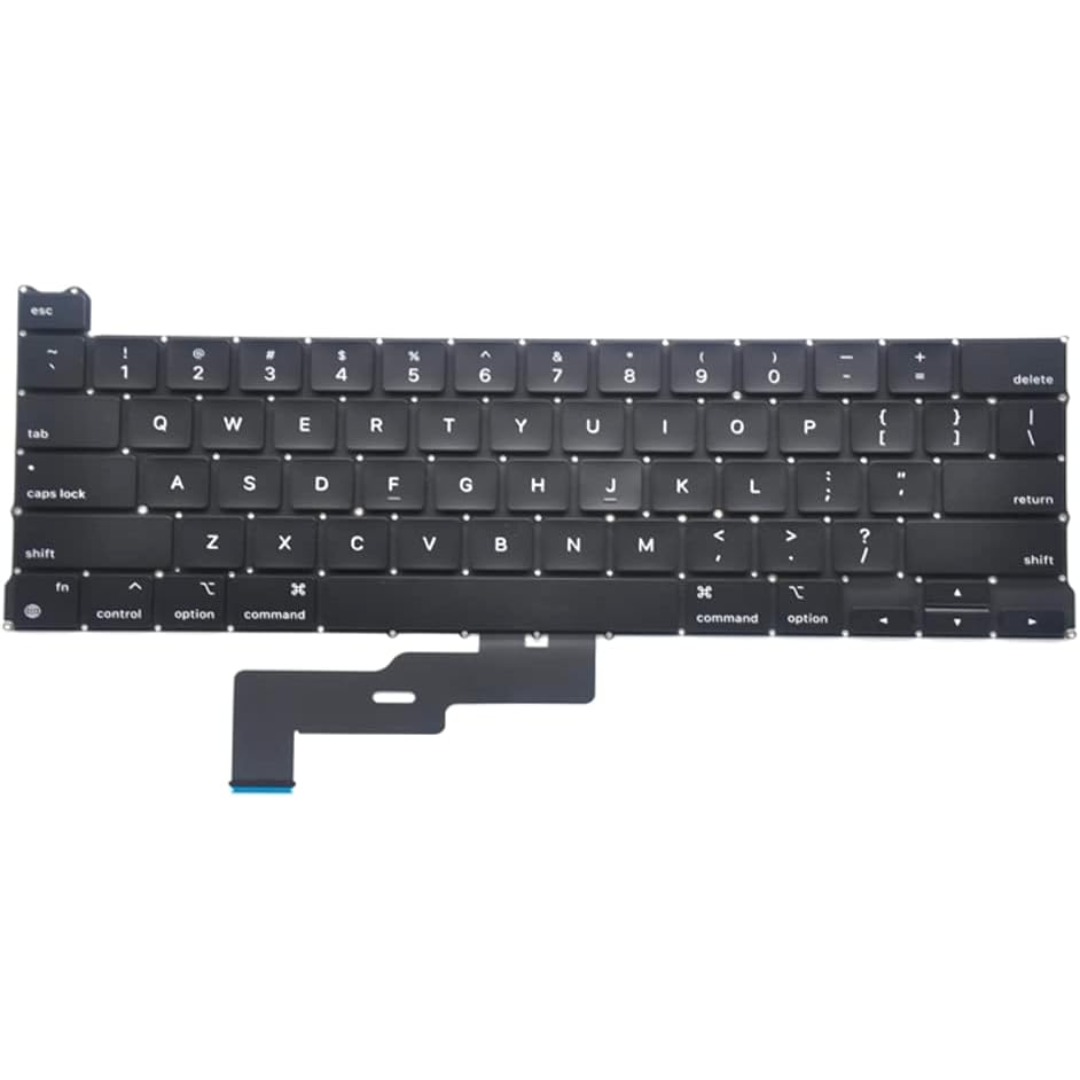
Genuine-spec keyboard replacement for MacBook Air 13″ (Model A2179, 2020, Intel) — choose US QWERTY or UK QWERTY (with £ symbol). Features Apple’s reliable scissor-switch mechanism, backlighting, and OEM-fit design for seamless performance and aesthetics. Compatible With: MacBook Air 13-inch (2020, Model A2179, EMC 3597) with Intel Core i3/i5/i7 processors (non-M1). Layout Options (select at purchase): US Layout: Standard QWERTY with wide Enter key, @ above 2, # above 3, and full inverted-T arrow keys. UK Layout: QWERTY with £ symbol, tall vertical Enter key, @ accessed via right Alt, and UK-specific punctuation—matches Apple’s official UK regional configuration. US Layout: Standard QWERTY with wide Enter key, @ above 2, # above 3, and full inverted-T arrow keys. UK Layout: QWERTY with £ symbol, tall vertical Enter key, @ accessed via right Alt, and UK-specific punctuation—matches Apple’s official UK regional configuration. Keyboard Type: Traditional scissor-switch mechanism (not Butterfly, not Magic Keyboard)—robust, tactile, and serviceable, with good key travel and proven durability. Integrated Features: Full backlit keys for low-light use Ambient light sensor compatibility OEM-style ribbon cable pre-attached for direct logic board connection Full backlit keys for low-light use Ambient light sensor compatibility OEM-style ribbon cable pre-attached for direct logic board connection Precision Build: Molded to exact Apple specifications—ensures flush mounting, consistent key alignment, and seamless integration into the original top case. Installation Note: Keyboard is screw-mounted with light adhesive—more accessible than glued Butterfly/Magic keyboards. Requires top case access and battery disconnect. Suitable for intermediate DIYers or professional technicians. Important: This is keyboard only—does not include the top case, battery, trackpad, or logic board. Not compatible with M1 MacBook Air (A2337/A2338) or M2 models (A2681/A2941). This is keyboard only—does not include the top case, battery, trackpad, or logic board. Not compatible with M1 MacBook Air (A2337/A2338) or M2 models (A2681/A2941). Model Verification: Confirm your device is MacBook Air A2179 (13″, Intel, 2020) via > About This Mac > Model Identifier (e.g., MacBookAir9,1).

Late 2019 Apple MacBook Pro with 2.4GHz Intel Core i9 (16 inch, 16GB, 1TB SSD) 4GB AMD Radeon Pro 5500M Space Gray

Genuine-spec touchpad flex cable for MacBook Pro 13″ (Model A2338, 2020, Apple M1)—essential for restoring full Force Touch functionality, haptic feedback, and precise multi-touch gesture control during trackpad repair or replacement. Compatible With: MacBook Pro 13-inch (2020, Model A2338, Model Identifier MacBookPro17,1) with Apple M1 chip (2 Thunderbolt ports). Part Type: Touchpad flex cable only — does not include the trackpad housing, Taptic Engine, or mounting hardware. This is the OEM-style ribbon cable that connects the trackpad to the logic board. Function: Transmits: Touch input coordinates Force Touch pressure data Haptic feedback signals to the Taptic Engine Enables full macOS gesture support: Force Click, three-finger lookup, swipe navigation, pinch-to-zoom, and smooth cursor tracking. Touch input coordinates Force Touch pressure data Haptic feedback signals to the Taptic Engine Enables full macOS gesture support: Force Click, three-finger lookup, swipe navigation, pinch-to-zoom, and smooth cursor tracking. OEM-Quality Build: Matches Apple’s original specifications in: Cable length and routing Connector pitch and ZIF latch design EMI shielding and flex durability Cable length and routing Connector pitch and ZIF latch design EMI shielding and flex durability Common Use Cases: Replacing a torn, creased, or liquid-damaged original flex cable Completing a trackpad replacement when the original cable is compromised Fixing intermittent trackpad behavior, loss of Force Touch, or complete unresponsiveness Replacing a torn, creased, or liquid-damaged original flex cable Completing a trackpad replacement when the original cable is compromised Fixing intermittent trackpad behavior, loss of Force Touch, or complete unresponsiveness Installation Note: Requires full bottom case removal and battery disconnection. Cable routes under internal components near the right speaker and logic board. Connects via a ZIF (Zero Insertion Force) socket—must be aligned carefully and latched gently. Recommended for experienced or certified technicians only. Requires full bottom case removal and battery disconnection. Cable routes under internal components near the right speaker and logic board. Connects via a ZIF (Zero Insertion Force) socket—must be aligned carefully and latched gently. Recommended for experienced or certified technicians only. Important Compatibility Notes: ✅ Only for A2338 (13″, M1, 2020) ❌ Not compatible with: Intel-based A2251 / A2289 (2020) MacBook Air M1 (A2337) Any MacBook Air or 14″/16″ MacBook Pro ✅ Only for A2338 (13″, M1, 2020) ❌ Not compatible with: Intel-based A2251 / A2289 (2020) MacBook Air M1 (A2337) Any MacBook Air or 14″/16″ MacBook Pro Intel-based A2251 / A2289 (2020) MacBook Air M1 (A2337) Any MacBook Air or 14″/16″ MacBook Pro

Original 12-inch Retina LCD display (Space Gray) for MacBook model A1534, pulled from a working unit. Drop-in replacement for cracked or faulty screens—genuine Apple part, ready to restore visuals. Overview:This is an original Apple Retina display assembly for the 12-inch MacBook (model A1534). It was removed (“pulled”) from a working unit, inspected, and is in usable condition. It’s ideal to replace damaged or failing screens without resorting to aftermarket copies. Key Features & Functionality: Retina resolution with sharp visuals and accurate colors Space Gray color matching original casing Integrated front glass, LCD panel, and display cable assembly Factory-quality optical layers and backlighting Compatible with MacBook A1534 (2015, 2016, 2017) variants Tested for functionality: display, backlight, no dead pixels (unless noted) Requires proper installation (cable alignment, hinge alignment) Detailed Specifications Important Notes & Considerations: Must match A1534 model exactly — other MacBook models won’t be compatible. Compare hinge mounting, cable routing, and connector orientation. Because it’s from a used unit, minor blemishes or microscopic dust may exist; always test before final assembly. Handle with care: the display glass is delicate. Professional installation is recommended unless you’re experienced with MacBook repairs.

TT03XL Laptop Battery Compatible with Hp EliteBook 850 G5 850 G6 ZBook 15U G5 15U G6 Series Notebook 932824-2C1 933322-855 932824-421 HSTNN-LB8H HSTNN-DB8K 11.55V 56Wh 4610mAh About this item 【Battery type】Li-ion. Voltage: 11.55V. Capacity: 56Wh 4610mAh. 【Replacement For Laptop】Hp EliteBook 850 G5 G6, ZBook 15U G5 G6 Series . 【Compatible Part Number】TT03XL 932824-2C1 933322-855 932824-421 HSTNN-LB8H HSTNN-DB8K TTO3XL. 【Connector】Before placing your order, Please refer to the picture and check it. Because the products produced by different factories will have differences in size, cable length, interface, etc. 【Use Skills】If the new battery is not recognized during the initial installation, please reinstall and check if the interface is fully connected. Discharge the new battery to 5% (not 0%), then charge and cycle 3-4 times to wake up the new battery.

Barcode Reader Wireless 2D S20W Wireless 2D Barcode Scanner | S20-W Name: Wireless 2D Barcode Scanner Model: S20-W Interface: USB Color: Black

The MSI PRO MP252L features a 25-inch Full HD IPS display with a smooth 120Hz refresh rate and 1ms MPRT response time. Equipped with HDMI and DisplayPort connectivity plus eye-care technology, it’s ideal for productivity, study, and everyday use. The MSI PRO MP252L is a professional-grade monitor designed for office work, learning, and home use. Its 25-inch Full HD IPS panel delivers sharp visuals and accurate colors, while the 120Hz refresh rate ensures smoother scrolling and motion. With versatile connectivity options, it easily integrates into modern and legacy setups. 25” Full HD Display (1920×1080): Clear and detailed visuals for work and entertainment. IPS Panel Technology: Wide viewing angles and consistent color accuracy. 120Hz Refresh Rate: Smoother visuals compared to standard 60Hz monitors. 1ms MPRT Response Time: Reduces motion blur for improved clarity. Eye Care Technology: Anti-Flicker and Less Blue Light reduce eye strain. 1× HDMI Port: Easy connection to laptops, desktops, and media devices. 1× DisplayPort: Stable and high-quality video signal for modern systems. Headphone Out: Convenient audio output for headphones or external speakers. Built with MSI’s trusted quality standards, the PRO MP252L features a durable yet sleek design that fits perfectly in professional and home environments.
