
slim, lightweight, and powerful—the Lenovo ThinkPad T490s combines 8th Gen Intel Core i5 performance, 8GB ,16GB RAM, and a fast 256GB SSD in a premium, portable chassis built for mobile professionals.

Battery Model: A1493 A1502 Replacement Laptop Battery for MacBook Pro Retina 13 Inch Late 2013 Mid 2014 ; MacBook Pro A1493 A1582 Battery EMC 2678 2875 2835 ME864 ME865 100% Brand New, Battery Type: Li-Polymer; Capacity: 71.8Wh; Voltage:11.34V; Package include two free screwdriver Compatible:A1502 A1493 (Only for Late 2013, Mid 2014 Version) Apple MacBook Pro 13″ Retina ME864LL/A ME866LL/A ,MacBook Pro “Core i5″ 2.4/2.5 13” Late 2013 Retina Overcharger and Discharger Circuit Protection, CE-/FCC-/RoHS-Certified for safety.

7.4V 51WH Laptop Battery G5M10 for DELL Latitude E5450 E5550 Notebook 15.6" G5M10 8V5GX R9XM9 WYJC2 1KY05-SIKER 7.4V 51WH Laptop Battery G5M10 for DELL Latitude E5450 E5550 Notebook 15.6″ G5M10 8V5GX R9XM9 WYJC2 1KY05-SIKER About this item Battery type: Li-ion Capacity:7.4V 51WH 100% New Manufacturer Features 100% Brand Replacement New battery

Laptop Accessories US Version Keyboard for MacBook Retina 13 M1 A2338 2020 EMC 3578 Original Computer Replacement Keyboards Laptop Accessories US Version Keyboard for Macbook Retina 13 M1 A2338 2020 EMC 3578

Experience professional-grade power with this pre-owned ThinkPad E14 Gen 2. Featuring a robust AMD Ryzen 7 4700U 8-core processor, 16GB RAM, and a 256GB NVMe SSD, this 14-inch laptop is built for high-speed productivity, secure data management, and long-lasting durability.

Cooler Master MasterGel Regular Thermal Paste PRODUCT NUMBERMGX-ZOSG-N15M-R2COLORGrayTHERMAL CONDUCTIVITY5 (W/m-K) SPECIFIC GRAVITY2.5 (g/cm3) (25°C) VOLUME1.5m lGREASE CLEANERYes EAN CODE 4719512077757UPC CODE884102050244SERIES Thermal Grease, MasterGel Series COOLER TYPEThermal Grease

Genuine Apple MagSafe 3 charging cable (2-meter length), originally shipped with MacBook Pro 14"/16" (2021, M1 Pro/Max) and MacBook Pro 16" (2023, M2/M3 Max). Used but fully functional, tested for safe power delivery and data handshake with Apple laptops. Compatibility: MacBook Pro 14″ (2021–2023, M1 Pro/Max, M2 Pro/Max, M3 Pro/Max) MacBook Pro 16″ (2021–2023, M1 Max, M2 Max, M3 Max) Works with Apple 67W, 96W, and 140W USB-C Power Adapters (sold separately) MacBook Pro 14″ (2021–2023, M1 Pro/Max, M2 Pro/Max, M3 Pro/Max) MacBook Pro 16″ (2021–2023, M1 Max, M2 Max, M3 Max) Works with Apple 67W, 96W, and 140W USB-C Power Adapters (sold separately) Connector Type: MagSafe 3 (magnetic, tri-oval tip) on laptop end USB-C on power adapter end MagSafe 3 (magnetic, tri-oval tip) on laptop end USB-C on power adapter end Cable Length: 2 meters (≈6.6 feet) – longer than the standard 1.8m cable, ideal for flexible desk or bedside setups. Condition: Original Apple cable, previously used but fully tested: No fraying, kinks, or exposed wires MagSafe 3 connector intact with strong magnetic hold Charges MacBook at full rated speed (supports up to 140W with compatible adapter) Passes Apple’s authentication handshake (no “Not Supported” warnings) No fraying, kinks, or exposed wires MagSafe 3 connector intact with strong magnetic hold Charges MacBook at full rated speed (supports up to 140W with compatible adapter) Passes Apple’s authentication handshake (no “Not Supported” warnings) What’s Included: MagSafe 3 to USB-C cable only Power adapter NOT included MagSafe 3 to USB-C cable only Power adapter NOT included Why Choose This: Cost-effective alternative to buying new 100% genuine Apple—no third-party risks (overheating, slow charging, compatibility errors) Ideal for backup, travel, or replacing a damaged original cable Cost-effective alternative to buying new 100% genuine Apple—no third-party risks (overheating, slow charging, compatibility errors) Ideal for backup, travel, or replacing a damaged original cable

Apple 60W MagSafe Power Adapter (for MacBook and 13-inch MacBook Pro) The 60 Watt MagSafe Power Adapter features a magnetic DC connector that ensures your power cable will disconnect if it experiences undue strain and helps prevent fraying or weakening of the cables over time. In addition, the magnetic DC helps guide the plug into the system for a quick and secure connection. When the connection is secure, an LED located at the head of the DC connector will light up; an amber light lets you know that your portable is charging, while a green light tells you that you have a full charge. An AC lead is provided with the adapter for maximum lead length, while the AC wall adapter (also provided) gives users an even easier and more compact way to travel. Designed to be the perfect travelling companion, the adapter has a clever design that allows the DC cable to be wound neatly around itself for easy cable storage. This power adapter recharges the lithium polymer battery while the system is off, on, or in sleep mode. It also powers the system if you choose to operate without a battery. Compatible with MacBook and 13-inch MacBook Pro. See this article for more details about choosing the right one. Knowing which specific Mac model you have is important. If you are running OS X Lion (10.7) or later, go to the “” menu at the top left of your screen, choose “About this Mac” then click the “More Info…” button. Your Mac model and generation will be displayed. If you are running an earlier version of OS X, you can enter your serial number here to find out which model you have.

240W USB-C Original Charge Cable (2m) (Second Hand) This 2-meter charge cable—with USB-C connectors on both ends—is ideal for charging, syncing, and transferring data between USB-C devices. Pair the USB-C Charge Cable with a compatible USB-C power adapter to conveniently charge your devices from a wall outlet and take advantage of fast-charging capabilities. USB-C Power Adapters sold separately. 240W USB-C Original Charge Cable (2m) (Second Hand) This 2-meter charge cable—with USB-C connectors on both ends—is ideal for charging, syncing, and transferring data between USB-C devices. Pair the USB-C Charge Cable with a compatible USB-C power adapter to conveniently charge your devices from a wall outlet and take advantage of fast-charging capabilities. USB-C Power Adapters sold separately. This 2-metre charging cable is made with a woven design — with USB-C connectors on both ends — and is ideal for charging, syncing and transferring data between USB-C devices. It supports charging of up to 240 watts and transfers data at USB 2 rates. Pair the USB-C Charge Cable with a compatible USB-C power adapter to conveniently charge your devices from a power point and take advantage of fast-charging capabilities. USB-C power adapters sold separately.

Ultra Thin Arabic Keyboard Cover Skin for MacBook Pro 13 Inch 2022 2021 2020 (Apple M2 Chip/Apple M1 Chip A2338/A2289/A2251) and 2019 MacBook Pro 16 Inch (Model A2141) Protector (Black) Ultra Thin Arabic Keyboard Cover Skin for MacBook Pro 13 Inch 2022 2021 2020 (Apple M2 Chip/Apple M1 Chip A2338/A2289/A2251) and 2019 MacBook Pro 16 Inch (Model A2141) Protector (Black) About this item [√] COMPATIBLE WITH: (1) 2022 MacBook Pro 13-Inch with Apple M2 processor, (2) MacBook Pro 13-Inch 2021 2020 with Apple M1 processor (model: A2338), (3) MacBook Pro 13-Inch Early 2020 released (model: A2289/A2251) and (4) 2019 MacBook Pro 16-Inch (model: A2141) [√] MORE PROTECTION for KEYBOARD: waterproof, dust-proof and dirt-proof design can prevent liquid, dust, cigarette ash, biscuit crumbs falling onto your keyboard to affect your keyboard’s life. [√] ACCURATE KEYS: every key is specially molded, manufactured to the quality available. Flexible, this cover is easy to apply and remove for cleaning or disinfecting. [√] 0.26 MM/0.1 IN THICKNESS: ultra thin silicone keyboard cover skin, made it easier for typing. Soft keyboard protector can weaken the sound in typing. [√] 100% CUSTOMER SERVICE and MONEY BACK GUARANTEE: if you are not fully satisfied with the products you received, please feel free to contact us. We will provide you with a 100% customer service and money back guarantee.

Genuine-spec touchpad flex cable for MacBook Pro 15″ (Model A1706 – 2017 and A1989 – 2018/2019)—restores full Force Touch functionality, haptic feedback, and precise multi-touch gesture control during trackpad repair or replacement. Compatible With: MacBook Pro 15″ (2017) – Model A1706 (Model Identifier: MacBookPro14,3) MacBook Pro 15″ (2018–2019) – Model A1989 (Model Identifier: MacBookPro15,2) ✅ Note: Apple used the same trackpad assembly and flex cable across both A1706 and A1989 15″ models—making this part interchangeable between them. MacBook Pro 15″ (2017) – Model A1706 (Model Identifier: MacBookPro14,3) MacBook Pro 15″ (2018–2019) – Model A1989 (Model Identifier: MacBookPro15,2) ✅ Note: Apple used the same trackpad assembly and flex cable across both A1706 and A1989 15″ models—making this part interchangeable between them. ✅ Note: Apple used the same trackpad assembly and flex cable across both A1706 and A1989 15″ models—making this part interchangeable between them. Part Type: Touchpad flex cable only — does not include the trackpad housing, Taptic Engine, or mounting hardware. This is the OEM-style ribbon cable connecting the trackpad to the logic board. Function: Transmits: Touch input coordinates Force Touch pressure data Haptic feedback signals to the Taptic Engine Enables full macOS gesture support: Force Click, three-finger lookup, swipe navigation, pinch-to-zoom, and smooth cursor tracking. Touch input coordinates Force Touch pressure data Haptic feedback signals to the Taptic Engine Enables full macOS gesture support: Force Click, three-finger lookup, swipe navigation, pinch-to-zoom, and smooth cursor tracking. OEM-Quality Build: Matches Apple’s original in: Cable length and routing Connector pitch and ZIF latch design EMI shielding and flex durability Cable length and routing Connector pitch and ZIF latch design EMI shielding and flex durability Common Use Cases: Replacing a torn, creased, or liquid-damaged original flex cable Completing a trackpad replacement when the original cable is compromised Fixing intermittent trackpad behavior, loss of Force Touch, or complete unresponsiveness Replacing a torn, creased, or liquid-damaged original flex cable Completing a trackpad replacement when the original cable is compromised Fixing intermittent trackpad behavior, loss of Force Touch, or complete unresponsiveness Installation Note: Requires full bottom case removal and battery disconnection. Cable routes under internal components near the right speaker and logic board. Connects via a ZIF (Zero Insertion Force) socket—must be aligned carefully and latched gently. Recommended for experienced or certified technicians only. Requires full bottom case removal and battery disconnection. Cable routes under internal components near the right speaker and logic board. Connects via a ZIF (Zero Insertion Force) socket—must be aligned carefully and latched gently. Recommended for experienced or certified technicians only.

79A High Yield Toner Cartridge CF279A Compatible Replacement for HP 79A Toner Pro MFP M26nw M26a M12w M12a Printer 2-Pack Black

Lexar NM620 SSD 512GB PCIe Gen3 NVMe M.2 2280 Internal Solid State Drive, Up to 3300MB/s Read, for Gamers and PC Enthusiasts (LNM620X512G-RNNNU) About this item High-speed PCIe Gen3x4 interface: 3300MB/s read and 3000MB/s write – NVMe 1.4 supported M.2 2280 form factor with 3D NAND Get 6x the speed of a SATA-based SSD Ideal for PC enthusiasts and gamers Shock and vibration resistant with no moving parts

Tabletop Desk Metal Stand for lPad/Tablet/Mobile Phones-Adjustable Multi Angle Long Arm-Device 3.5~10.6 inches- Office, Home, Watching Movie, Drawing, Live Streaming Stand Holder is suitable for tablets and cell phones whose size of 3.5 to 10.6 inches. 【Flexible】- stand mount with long arm can adjust freely in multi angle. Its head can be rotated 360 degrees. That’s stable and durable. 【Many suitable occasions】- Play online recipes, Baking Crafting Demo Video. In bedroom: Enjoy your free time to watch online movies, videos, browsing, YouTube, TikTok etc. In office: Participate in online meeting, and as a desk organizer to clean the office environment. 【Strong design】-Tablet Stand adjustable has a high-end metal extended arm and a clamp clip that can be easily operated with one hand and a charging hole reserved. 【LIVE stream equipment】- Place the tablet and cell phone stand on the desktop and then you can live streaming showing upper body that very convenient to avoid blurring caused by hand-shake..

Razer DeathAdder Essential – Ergonomic wired gaming mouse with 6,400 DPI sensor and 5 programmable buttons.Trusted for its comfort, precision, and durable build—perfect for casual and competitive gaming. Model: Razer DeathAdder Essential (Black) Sensor Type: Optical DPI: Up to 6,400 DPI (adjustable) Buttons: 5 independently programmable Hyperesponse buttons Switches: Razer Mechanical Switches rated for up to 10 million clicks Tracking Speed: Up to 220 inches per second (IPS) Acceleration: 30G Design: Ergonomic right-handed design Grip Style: Palm grip (with textured side grips) Lighting: Single-color green backlight (Razer logo) Polling Rate: 1000 Hz Cable: Standard USB wired, 1.8 meters (rubber cable) Compatibility: Windows 7, 8, 10, 11 (Razer Synapse support) Weight: Approx. 96g (excluding cable) Software Support: Razer Synapse (for customization & macros)

Genuine-spec touchpad flex cable compatible with both MacBook Air A2179 (Intel, 2020) and A2337 (M1, 2020)—restores full Force Touch functionality, haptic feedback, and precise multi-touch gesture control during trackpad repair or replacement. Compatible With: MacBook Air 13″ (2020, Intel) – Model A2179 (Model Identifier: MacBookAir9,1) MacBook Air 13″ (2020, Apple M1) – Model A2337 (Model Identifier: MacBookAir10,1) MacBook Air 13″ (2020, Intel) – Model A2179 (Model Identifier: MacBookAir9,1) MacBook Air 13″ (2020, Apple M1) – Model A2337 (Model Identifier: MacBookAir10,1) ✅ Important Note: Despite different processors (Intel vs. M1), Apple used the same trackpad assembly and flex cable in both A2179 and A2337. This makes the flex cable fully interchangeable between the two models. Part Type: Touchpad flex cable only — does not include the trackpad housing, Taptic Engine, or mounting hardware. This is the OEM-style ribbon cable that connects the trackpad to the logic board. Function: Transmits: Touch input coordinates Force Touch pressure data Haptic feedback signals to the Taptic Engine Enables full macOS gesture support: Force Click, three-finger lookup, swipe navigation, pinch-to-zoom, and smooth cursor tracking. Touch input coordinates Force Touch pressure data Haptic feedback signals to the Taptic Engine Enables full macOS gesture support: Force Click, three-finger lookup, swipe navigation, pinch-to-zoom, and smooth cursor tracking. OEM-Quality Build: Matches Apple’s original specifications in: Cable length and routing path Connector pitch and ZIF latch design EMI shielding and flex durability Cable length and routing path Connector pitch and ZIF latch design EMI shielding and flex durability Common Use Cases: Replacing a torn, creased, or liquid-damaged original flex cable Completing a trackpad replacement when the original cable is compromised Fixing intermittent trackpad behavior, loss of Force Touch, or complete unresponsiveness Replacing a torn, creased, or liquid-damaged original flex cable Completing a trackpad replacement when the original cable is compromised Fixing intermittent trackpad behavior, loss of Force Touch, or complete unresponsiveness Installation Note: Requires full bottom case removal and battery disconnection. Cable routes under the right side of the battery and logic board. Connects via a ZIF (Zero Insertion Force) socket—align carefully and latch gently. Recommended for experienced or certified technicians only. Requires full bottom case removal and battery disconnection. Cable routes under the right side of the battery and logic board. Connects via a ZIF (Zero Insertion Force) socket—align carefully and latch gently. Recommended for experienced or certified technicians only.

Genuine-quality replacement A1989 battery testing flex cable—brand new and ready for professional MacBook Pro 15" (2018–2019) battery diagnostics and repairs. Genuine-quality replacement A1989 battery testing flex cable—brand new and ready for professional MacBook Pro 15″ (2018–2019) battery diagnostics and repairs. This is a brand-new A1989 Battery Testing Flex Cable, designed specifically for use in MacBook Pro 15-inch models from 2018 and 2019 (A1989) during battery replacement or diagnostic procedures. The flex cable connects the battery to the logic board’s test points, allowing technicians to verify battery health, voltage, and communication before final reassembly—ensuring safe and accurate repairs. Made with high-quality materials and precise engineering, this flex cable matches OEM specifications for fit, function, and reliability. It’s an essential tool for certified repair shops, independent technicians, and advanced DIYers performing battery servicing on T2-chip MacBook Pro models. Please note: This is not a full battery—it is the small flex cable used during battery testing and installation. Proper handling and ESD-safe practices are recommended during installation. Compatible with: MacBook Pro 15″ (2018, A1989) MacBook Pro 15″ (2019, A1989)

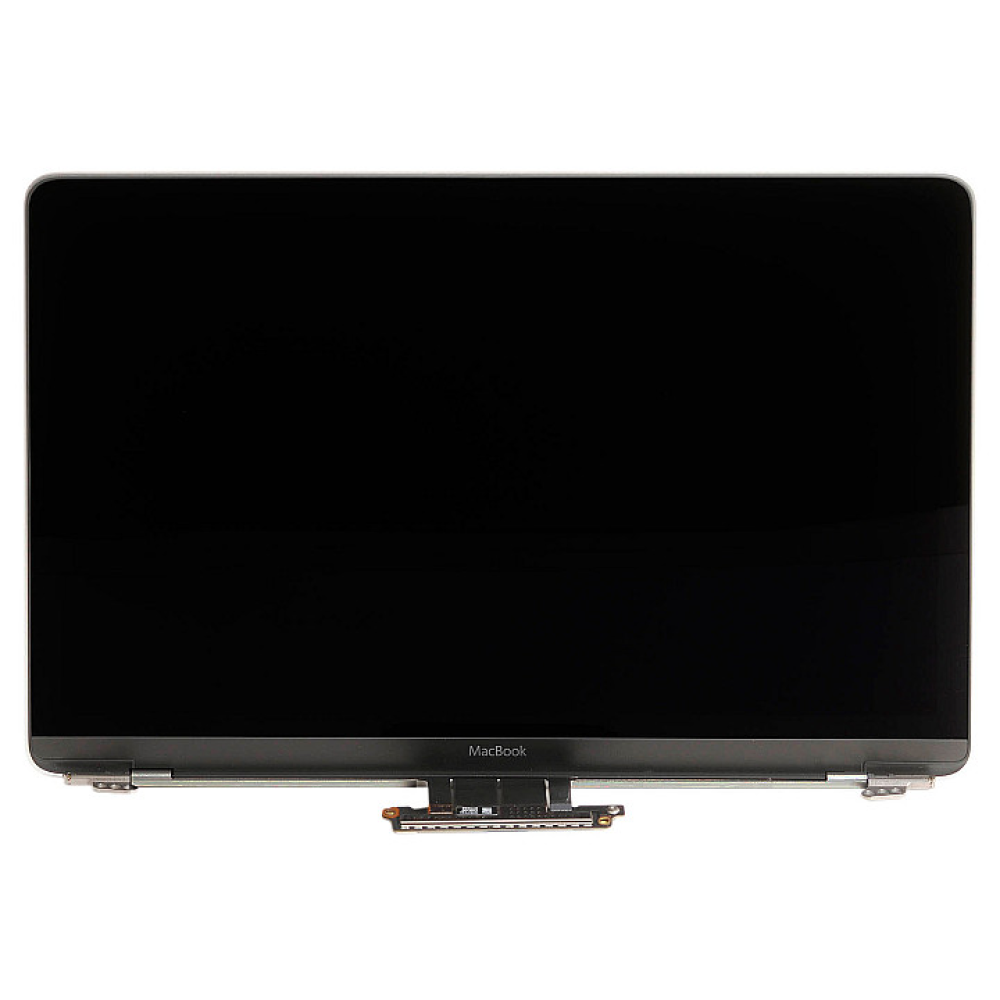
MacBook Pro A1706 / A1708 Display Assembly (Space Gray) Compatibility : MacBook Pro 2017 13″ A1708 (EMC 3164 MacBookPro14,1) 2.3 GHz A1708 (EMC 3164 MacBookPro14,1) 2.5 GHz A1706 (EMC 3163 MacBookPro14,2) 3.1 GHz A1706 (EMC 3163 MacBookPro14,2) 3.3 GHz A1706 (EMC 3163 MacBookPro14,2) 3.5 GHz MacBook Pro 2016 13″ A1706 (EMC 3071 MacBookPro13,2) 2.9 GHz A1706 (EMC 3071 MacBookPro13,2) 3.1 GHz A1706 (EMC 3071 MacBookPro13,2) 3.3 GHz A1708 (EMC 2978 MacBookPro13,1) 2.0 GHz A1708 (EMC 2978 MacBookPro13,1) 2.4 GHz

Genuine-spec touchpad flex cable for MacBook Pro 16″ (Model A2141, 2019, Intel)—essential for restoring full Force Touch functionality, haptic feedback, and precise multi-touch gesture control during trackpad repair or replacement. Compatible With: MacBook Pro 16-inch (2019, Model A2141) with Intel Core i7/i9 processors (Model Identifier: MacBookPro16,1) (Note: A2141 is the non-base configuration of the 2019 16″ MacBook Pro—typically higher-end Intel models.) Part Type: Touchpad flex cable only—does not include the trackpad housing, Taptic Engine, or mounting hardware. This is the OEM-style ribbon cable that connects the trackpad to the logic board. Function: Transmits touch coordinates, Force Touch pressure data, and haptic feedback signals—critical for macOS gestures (e.g., Force Click, three-finger lookup, pinch-to-zoom) and Taptic Engine responsiveness. OEM-Quality Construction: Replicated to Apple’s exact specifications—including cable length, connector pitch, EMI shielding, and bend radius—ensuring reliable signal integrity and long-term durability. Common Use Cases: Replacing a torn, creased, or liquid-damaged original flex cable Completing a trackpad replacement when the original cable is compromised Fixing intermittent trackpad behavior, loss of Force Touch, or complete unresponsiveness Replacing a torn, creased, or liquid-damaged original flex cable Completing a trackpad replacement when the original cable is compromised Fixing intermittent trackpad behavior, loss of Force Touch, or complete unresponsiveness Installation Note: Requires full disassembly of the bottom case, speaker removal, and careful routing beneath the battery and logic board. Connectors use ZIF (Zero Insertion Force) sockets—must be aligned and latched gently. Recommended for certified or professional repair technicians only. Important: This is flex cable only—not a complete trackpad assembly. Must be used with the original or compatible A2141 trackpad and Taptic Engine. Not compatible with M1 MacBook Pro 16″ (A2485), 14″ models (A2442), or any MacBook Air. This is flex cable only—not a complete trackpad assembly. Must be used with the original or compatible A2141 trackpad and Taptic Engine. Not compatible with M1 MacBook Pro 16″ (A2485), 14″ models (A2442), or any MacBook Air. Model Verification: Confirm your device is MacBook Pro A2141 (16″, 2019, Intel) via > About This Mac > Model Identifier (should read MacBookPro16,1).

The Apple Magic Mouse (USB-C version) is a sleek, minimalist multi-touch wireless mouse built for Mac users. It offers smooth gesture support, Bluetooth connectivity and a built-in rechargeable battery — a great choice if you prefer a clean desk setup and full compatibility with macOS and iPadOS. General Name: Magic Mouse (USB-C) — part of Apple’s pointing-device lineup. Wireless connectivity: Bluetooth. Rechargeable battery: built-in, no disposable AA cells. Charging / port: USB-C port (bottom of mouse) for pairing and charging. Compatibility: Requires a Mac with macOS 15.1 or later, or an iPad with iPadOS 18.1 or later. Size & Weight Height: ~0.85 inch (2.16 cm) Width: ~2.25 inch (5.71 cm) Depth: ~4.47 inch (11.35 cm) Weight: ~0.22 pound (0.099 kg) (varies slightly by manufacturing) Features Multi-Touch surface: supports gestures such as swiping between pages, scrolling through documents, zooming. Glide / foot design: optimized for smooth movement across desktop surfaces. Rechargeable battery life: about a month or more between charges (typical use) per Apple spec. Used Condition ConsiderationsSince you’re specifying a used unit: Check for wear on the bottom feet / skates — these degrade and affect glide. Verify battery capacity / health (rechargeable batteries age). Confirm the port is functioning (USB-C) and Bluetooth connectivity is stable. Look for signs of excessive surface scratches on the multi-touch top — may impair gestures. Ensure the firmware / Mac recognizes it fully (gestures working). Upgradability / Limitations Not user-upgradable: You cannot replace the internal battery or change internals easily. Design limitation: The USB-C port remains on the bottom of the mouse, meaning you cannot use it while charging unless you flip it. This design is still criticized. Ergonomics: The flat, low-profile design is stylish but may not suit extended-use comfort for some users.
