
The Lenovo ThinkPad T470s features an Intel Core i5 7th Gen processor, 8GB RAM, and a fast 256GB SSD for smooth everyday performance. With a durable business-grade build and non-touch 14″ display, it’s ideal for professionals, students, and productivity tasks.

Professional Lavalier Microphone Candc DC-C6 Candc DC-C6 Lavalier Microphone for Smartphones, DSLR, Camcorders, Audio recorders, PC etc. Clip microphone to help you get music or sound.One-directional microphone with anti-noise function. type jack can be connected to PC / laptop / wireless microphone transmitter with 3.5mm line-in / mic in. Built-in clip can be easily attached to collar, tie or other clothes-no installation required. Features: Type: microphone Cable length: about 116 cm Sensitivity: -46 ± 2db : one way Operating voltage: DC1.0V-10 VAcurrent consumption

Genuine-spec touchpad flex cable for MacBook Pro 16″ (Model A2159, 2019, Intel)—essential for restoring full Force Touch functionality, haptic feedback, and precise trackpad responsiveness during repair or replacement. Compatible With: MacBook Pro 16-inch (2019, Model A2159) with Intel Core i7/i9 processors (Model Identifier: MacBookPro16,1). Part Type: Touchpad flex cable only—does not include the trackpad, Taptic Engine, or mounting hardware. This is the OEM-style ribbon cable that connects the trackpad to the logic board. Function: Transmits touch input, Force Touch pressure data, and haptic feedback signals—critical for macOS gestures (e.g., Force Click, three-finger swipe, pinch-to-zoom) and Taptic Engine operation. OEM-Quality Build: Matches Apple’s original flex circuit in length, connector pitch, shielding, and bend radius—ensures reliable signal integrity and durability under repeated use. Common Use Cases: Replacing a torn, frayed, or corroded original flex cable Completing a trackpad replacement when the original cable is damaged Fixing intermittent or unresponsive trackpad behavior caused by cable failure Replacing a torn, frayed, or corroded original flex cable Completing a trackpad replacement when the original cable is damaged Fixing intermittent or unresponsive trackpad behavior caused by cable failure Installation Note: Requires full bottom case removal and careful routing beneath the battery and logic board. Connectors use ZIF (Zero Insertion Force) sockets—must be properly aligned and latched without force. Recommended for certified or experienced technicians only.

Genuine-spec touchpad flex cable for MacBook Pro 13″ (Model A1502, Mid 2014)—restores full trackpad functionality, including precise cursor control and physical click response. Essential for repairing unresponsive or erratic trackpad behavior. Compatible With: MacBook Pro 13-inch (Mid 2014, Model A1502, Model Identifier MacBookPro11,1) with Intel Core i5/i7 processors and Retina display. Part Type: Touchpad flex cable only — does not include the trackpad housing, button mechanism, or mounting hardware. This is the ribbon cable that connects the trackpad to the logic board. Function: Transmits cursor movement and click signals (left/right physical clicks) Supports standard multi-touch gestures (two-finger scroll, tap-to-click, pinch-to-zoom) ⚠️ Note: This model uses a physical click mechanism—not Force Touch (no haptic feedback or pressure sensitivity). Transmits cursor movement and click signals (left/right physical clicks) Supports standard multi-touch gestures (two-finger scroll, tap-to-click, pinch-to-zoom) ⚠️ Note: This model uses a physical click mechanism—not Force Touch (no haptic feedback or pressure sensitivity). OEM-Quality Build: Matches Apple’s original in: Cable length and routing path Connector type and pin alignment Insulation and flexibility for long-term reliability Cable length and routing path Connector type and pin alignment Insulation and flexibility for long-term reliability Common Use Cases: Replacing a torn, frayed, or corroded original flex cable Fixing: Unresponsive or intermittent trackpad Cursor jumping or drifting Click function failure (left or right) Complete trackpad disconnect Replacing a torn, frayed, or corroded original flex cable Fixing: Unresponsive or intermittent trackpad Cursor jumping or drifting Click function failure (left or right) Complete trackpad disconnect Unresponsive or intermittent trackpad Cursor jumping or drifting Click function failure (left or right) Complete trackpad disconnect Installation Note: Requires bottom case removal and battery disconnect. Connects via a ZIF (Zero Insertion Force) socket on the logic board—do not force. Cable routes under the battery; handle with care to avoid strain. Suitable for intermediate to advanced DIYers or technicians. Requires bottom case removal and battery disconnect. Connects via a ZIF (Zero Insertion Force) socket on the logic board—do not force. Cable routes under the battery; handle with care to avoid strain. Suitable for intermediate to advanced DIYers or technicians.

WIWU Pilot Water Resistant High-Capacity Laptop Sleeve Case

The Cudy AC1200 dual band WiFi extender boosts and extends your wireless coverage with speeds up to 1200Mbps across 2.4GHz and 5GHz bands. Ideal for eliminating dead zones, it provides stronger and more stable WiFi for streaming, gaming, and online work in every corner of your home or office. The Cudy AC1200 Dual Band WiFi Extender is designed to expand your existing WiFi network and deliver stronger coverage where your router signal is weak. With support for both 2.4GHz and 5GHz frequencies, it provides balanced performance for browsing, streaming, video calls, and gaming. Easy to set up and compatible with most routers, this extender is the perfect solution for improving WiFi connectivity in homes, offices, and multi-room spaces. AC1200 Dual Band Speed: Up to 1200Mbps total for smooth browsing and streaming 2.4GHz + 5GHz Support: Better performance and reduced interference Eliminates WiFi Dead Zones: Extends coverage to hard-to-reach rooms Stable Connection: Ideal for HD streaming, gaming, and online meetings Universal Compatibility: Works with most WiFi routers and access points Easy Setup: Simple installation with WPS / web configuration (model dependent) Compact Plug-In Design: Saves space and fits easily in any outlet Multiple Modes: Extender / Access Point (depending on model) Perfect for homes, offices, cafés, and apartments needing stronger WiFi coverage. Works with most routers and improves signal strength for devices like smartphones, laptops, smart TVs, consoles, and IP cameras.

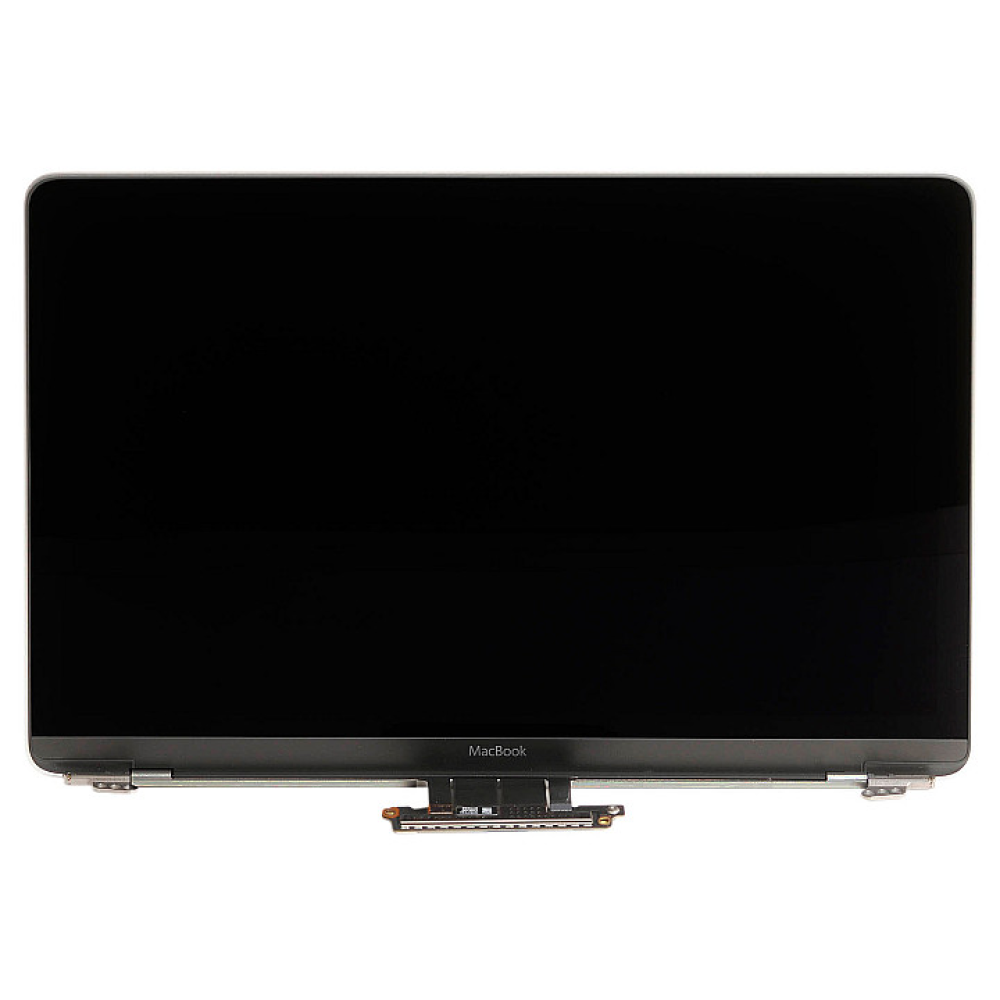
MacBook Pro 13″ Retina A1989 / A2159 (2018-2019) Display Assembly (Silver) MacBook Pro 13″ Touch Bar 2019z A1989 (EMC 3214 MacBookPro15,2) 2.3 GHz A1989 (EMC 3214 MacBookPro15,2) 2.7 GHz MacBook Pro 13″ Touch Bar 2019 A1989 (EMC 3358 MacBookPro15,2) 2.4 GHz A1989 (EMC 3358 MacBookPro15,2) 2.8 Ghz MacBook Pro 13″ Two Thunderbolt Ports 2019 A2159 (EMC 3301 MacBookPro15,4) 1.4 GHz A2159 (EMC 3301 MacBookPro15,4) 1.7 GHz

MARSRIVA Smart Mini DC UPS KP2 Series | 18 Watts 10000mAh | 0ms AC to DC Transfer | Flame Retardant | Wall Mount Slots | 1 x Passive PoE, 2 x DC and 1 x USB Output Ports | KP2 BLACK Keep Wi-Fi Power On Output:18W (Max.) or 30W (Max.) ● With 1 * Passive PoE, 2 * DC and 1 * USB output ports, DC UPS can power up multiple devices simultaneously. ● AC to DC 0ms transfer technology keeps your devices working when electricity is ON/OFF shifting. ● With wall-mount slots on the back, DC UPS can be mounted on the wall easily. ● Air cooling system provides maximum heat dissipation, ensuring the long-term stability of UPS. ● V-0 flame retardant product housing secures you and your property. ● 16000mAh high-capacity battery (KP2 Plus, KP2 Ultra) provides longer backup time. ● 30W high-power output (KP2 Pro, KP2 Ultra) provides better compatibility.

Feature Specification Packaging and Delivery Details Power Source Battery Selling Units Single item Number of Loudspeaker Enclosure 1 Single package size 19X22X10 cm Cabinet Material Plastic Single gross weight 0.600 kg Display Screen NO Built-in Microphone NO Brand Name Remax Model Number RB-X1 Remax Worldwide Store 9300+ Remax Support Video to see the product and testing Product Name Outdoor Wireless Speaker Color Black Logo Accept Customized Logo Intelligent Personal Assistant None

Xprinter XP-80T 80mm Thermal Receipt Printer Press to download driver: XPrinter Driver Setup V7.77

WiWU Factory Customize Eco-friendly Laptop Handbag Laptop bag for Macbook Air Pro

A31N1319 A41N1308 A41 Battery for Asus X451 X551 X451C X451CA X551C X551CA X551CA-SX024H X551CA-SX029H X551CA-DH21 X551CA-0051A2117U D550 0B110-00250100 About this item Fully compatible with your original battery, brand new from Professional Manufacturer, CE RoHS certified, grade A cells ensure fast charges and low power consumption; Built-in circuit protection ensures safety and stability. Expected operation time: 1.5-3 hours. This may vary depending on the device type and how it is used. Fits models: X451 X551 X451C X451CA X551C X551CA A41 D550 X45li9c X551CA-0051A2117U X551CA-DH21 X551CA-SX024H X551CA-SX029H Compatible Part Numbers 0B110-00250100 A41N1308 A31LJ91 A31N1319 A41N1308 X45LI9C YU12008-13007D YU12125-13002 More Part numbers of compatible batteries and Computers are listed in the Product Description

MLT-D111S MLT-D111L Toner Cartridge Replacement for Samsung 111S MLTD111L for Xpress SL-M2020W SL-M2070FW SL-M2070W M2020 M2024W M2026W M2070 Laser Printer (Black, 1-Pack)

A space-saving pre-owned Lenovo ThinkCentre M920z all-in-one desktop with 24-inch display, 8th Gen Core i5, RAM upgrade options, and SSD storage options. Ideal for offices, education, and home use with clean design and reliable performance.

WiWU Alpha Slim Sleeve Laptop Case 14/15.4/16 inch Inch Waterproof Bag With Handle For Macbook

A reliable pre-owned HP EliteBook 840 G3 with 14" display, 6th Gen Core i5, 8GB RAM, and 256GB SSD—offering solid business performance, security, and durability for everyday professional use.

Xprinter XP-80T 80mm Thermal Receipt Printer Press to download driver: XPrinter Driver Setup V7.77 Press to download driver: XPrinter Driver Setup V7.77

SS03XL 933321-855 Laptop Battery Replace for Hp EliteBook 840 G5 G6 Notebook 730 735 740 745 830 846 G5 840 G6 735 745 830 G6 ZBook 14U G5 G6 Series HSN-I13C-4 HSTNN-LB8G 932823-421 933321-852 50Wh About this item 【Basic Details】Item Model: SS03XL; Battery Type: Li-ion; Voltage: 11.55V; Capacity: 50Wh/4330mAh; Battery Color: Black. 【Compatible P/N 】SS03XL SS03 933321-855 / 932823-171 / 933321-852 932823-1C1 / 932823-271 / 932823-2C1 / 932823-421 / HSN-112C / HSN-113C-4 / HSN-I13C-4 / HSN-I12C / HSTNN-IB8C / HSTNN-LB8G / HSTNN-DB8J / SS03050XL 【Compatible Laptop Models】HP Elitebook 840 G5/ 730 G5/ 735 G5/ 740 G5/ 745 G5/ 836 G5/ 846 G5 Series; HP Elitebook 840 G6/ 735 G6/ 745 G6/ 830 G6 Series; HP ZBook 14U G5 Series; HP ZBook 14U G6 Series; HP MT44 Mobile Thin Client

Professional battery testing flex cable for MacBook Pro 15″ (Model A1990, 2018–2019)—used by technicians to bypass a faulty battery or diagnose power-on issues without permanent battery removal. Enables safe logic board testing and troubleshooting. This is not a replacement battery cable—it’s a diagnostic tool used in repair workflows. It mimics the battery’s presence by providing the necessary SMBus signal and power-enable lines to the logic board, allowing the MacBook to: Power on without a battery installed Test logic board functionality independently Diagnose whether a no-power issue is caused by the battery or logic board MacBook Pro 15″ (2018–2019) Model: A1990 Model Identifiers: MacBookPro15,2 Chip: Intel Core i7/i9 Model: A1990 Model Identifiers: MacBookPro15,2 Chip: Intel Core i7/i9 ⚠️ Not compatible with A1707 (2016–2017), A2159 (16″), or any M1/M2 models. Simulates battery presence via correct SMBus resistance and ID signals Includes power-enable circuitry matching Apple’s safety protocol Pre-terminated with OEM-style connector for A1990 logic board Allows safe bench testing of logic boards during repair Diagnosing “no power, no fan spin, no display” issues Verifying if a logic board powers on without risking a shorted battery Testing after liquid damage or DC-in board replacement Avoiding unnecessary battery replacements during diagnostics Not for permanent installation—intended for temporary diagnostic use only Does not charge or store power—requires connected USB-C power adapter to operate Must be used with a known-good power adapter (87W recommended) Not a consumer part—designed for professional repair shops and technicians

Genuine-spec touchpad flex cable for MacBook Pro 15″ (Model A1707, 2016–2017)—restores full Force Touch functionality, haptic feedback, and precise multi-touch gesture control during trackpad repair or replacement. Compatible With: MacBook Pro 15″ (2016) – Model A1707 (Model Identifier: MacBookPro13,2) MacBook Pro 15″ (2017) – Model A1707 (Model Identifier: MacBookPro14,2) MacBook Pro 15″ (2016) – Model A1707 (Model Identifier: MacBookPro13,2) MacBook Pro 15″ (2017) – Model A1707 (Model Identifier: MacBookPro14,2) Part Type: Touchpad flex cable only — does not include the trackpad housing, Taptic Engine, or mounting hardware. This is the OEM-style ribbon cable that connects the trackpad to the logic board. Function: Transmits: Touch input coordinates Force Touch pressure data Haptic feedback signals to the Taptic Engine Enables full macOS gesture support: Force Click, three-finger lookup, swipe navigation, pinch-to-zoom, and smooth cursor tracking. Touch input coordinates Force Touch pressure data Haptic feedback signals to the Taptic Engine Enables full macOS gesture support: Force Click, three-finger lookup, swipe navigation, pinch-to-zoom, and smooth cursor tracking. OEM-Quality Build: Matches Apple’s original specifications in: Cable length and routing path Connector pitch and ZIF latch design EMI shielding and flex durability Cable length and routing path Connector pitch and ZIF latch design EMI shielding and flex durability Common Use Cases: Replacing a torn, creased, or liquid-damaged original flex cable Completing a trackpad replacement when the original cable is compromised Fixing intermittent trackpad behavior, loss of Force Touch, or complete unresponsiveness Replacing a torn, creased, or liquid-damaged original flex cable Completing a trackpad replacement when the original cable is compromised Fixing intermittent trackpad behavior, loss of Force Touch, or complete unresponsiveness Installation Note: Requires full bottom case removal and battery disconnection. Cable routes under internal components near the right speaker and logic board. Connects via a ZIF (Zero Insertion Force) socket—must be aligned carefully and latched gently. Recommended for experienced or certified technicians only. Requires full bottom case removal and battery disconnection. Cable routes under internal components near the right speaker and logic board. Connects via a ZIF (Zero Insertion Force) socket—must be aligned carefully and latched gently. Recommended for experienced or certified technicians only.
