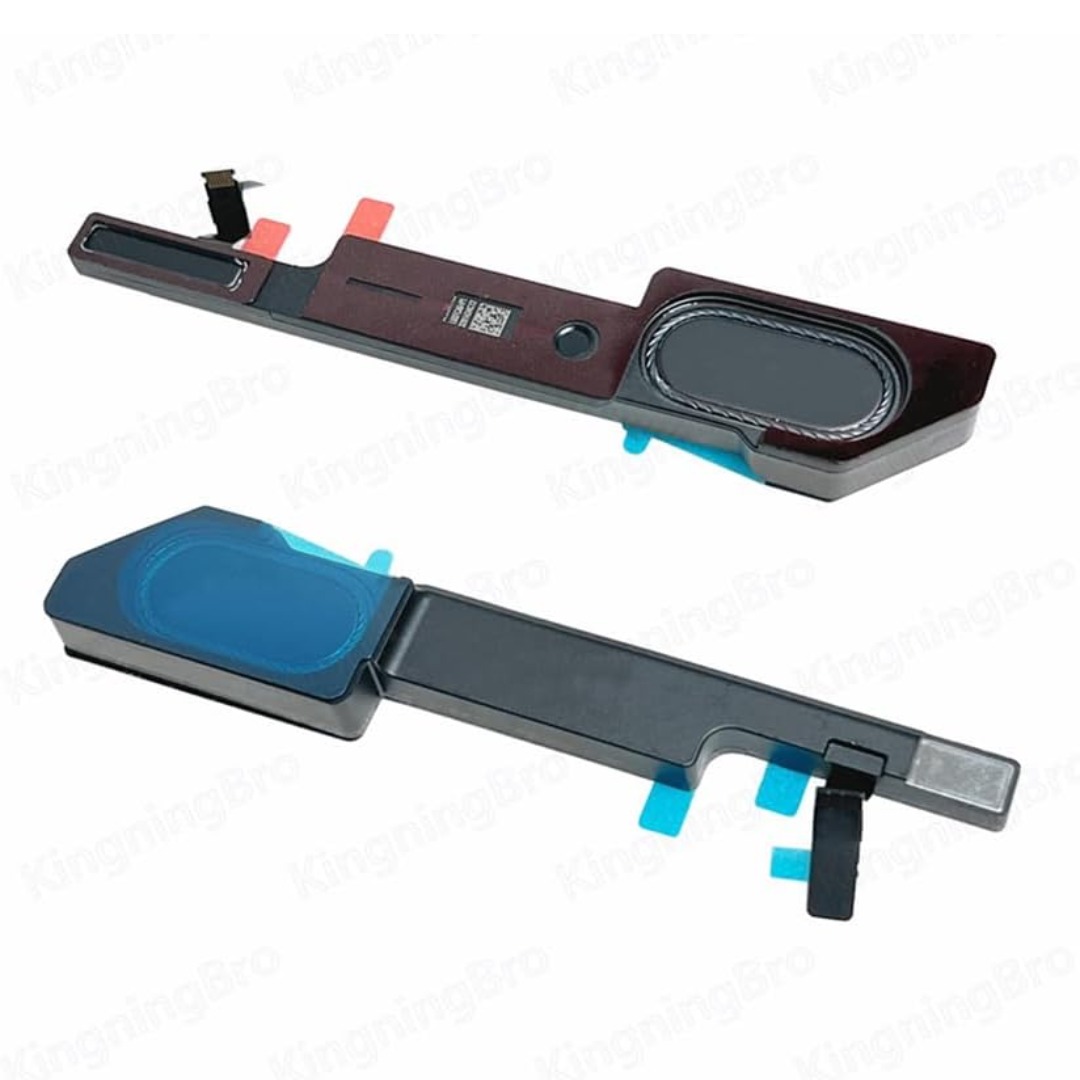

Genuine-spec touchpad flex cable for MacBook Pro 13″ (Model A2338, 2020, Apple M1)—essential for restoring full Force Touch functionality, haptic feedback, and precise multi-touch gesture control during trackpad repair or replacement. Compatible With: MacBook Pro 13-inch (2020, Model A2338, Model Identifier MacBookPro17,1) with Apple M1 chip (2 Thunderbolt ports). Part Type: Touchpad flex cable only — does not include the trackpad housing, Taptic Engine, or mounting hardware. This is the OEM-style ribbon cable that connects the trackpad to the logic board. Function: Transmits: Touch input coordinates Force Touch pressure data Haptic feedback signals to the Taptic Engine Enables full macOS gesture support: Force Click, three-finger lookup, swipe navigation, pinch-to-zoom, and smooth cursor tracking. Touch input coordinates Force Touch pressure data Haptic feedback signals to the Taptic Engine Enables full macOS gesture support: Force Click, three-finger lookup, swipe navigation, pinch-to-zoom, and smooth cursor tracking. OEM-Quality Build: Matches Apple’s original specifications in: Cable length and routing Connector pitch and ZIF latch design EMI shielding and flex durability Cable length and routing Connector pitch and ZIF latch design EMI shielding and flex durability Common Use Cases: Replacing a torn, creased, or liquid-damaged original flex cable Completing a trackpad replacement when the original cable is compromised Fixing intermittent trackpad behavior, loss of Force Touch, or complete unresponsiveness Replacing a torn, creased, or liquid-damaged original flex cable Completing a trackpad replacement when the original cable is compromised Fixing intermittent trackpad behavior, loss of Force Touch, or complete unresponsiveness Installation Note: Requires full bottom case removal and battery disconnection. Cable routes under internal components near the right speaker and logic board. Connects via a ZIF (Zero Insertion Force) socket—must be aligned carefully and latched gently. Recommended for experienced or certified technicians only. Requires full bottom case removal and battery disconnection. Cable routes under internal components near the right speaker and logic board. Connects via a ZIF (Zero Insertion Force) socket—must be aligned carefully and latched gently. Recommended for experienced or certified technicians only. Important Compatibility Notes: ✅ Only for A2338 (13″, M1, 2020) ❌ Not compatible with: Intel-based A2251 / A2289 (2020) MacBook Air M1 (A2337) Any MacBook Air or 14″/16″ MacBook Pro ✅ Only for A2338 (13″, M1, 2020) ❌ Not compatible with: Intel-based A2251 / A2289 (2020) MacBook Air M1 (A2337) Any MacBook Air or 14″/16″ MacBook Pro Intel-based A2251 / A2289 (2020) MacBook Air M1 (A2337) Any MacBook Air or 14″/16″ MacBook Pro

Genuine-spec touchpad flex cable for MacBook Pro 13″ (Model A2251, 2020, Intel)—essential for restoring full Force Touch functionality, haptic feedback, and precise multi-touch gesture control during trackpad repair or replacement. Compatible With: MacBook Pro 13-inch (2020, Two Thunderbolt Ports, Model A2251, Model Identifier MacBookPro16,1) with Intel Core i5/i7 processors. Part Type: Touchpad flex cable only—does not include the trackpad housing, Taptic Engine, or mounting hardware. This is the OEM-style ribbon cable that connects the trackpad to the logic board. Function: Transmits: Precise touch coordinates Force Touch pressure data Haptic feedback signals to the Taptic Engine Enables full macOS gesture support including Force Click, three-finger lookup, swipe navigation, and inertial scrolling. Precise touch coordinates Force Touch pressure data Haptic feedback signals to the Taptic Engine Enables full macOS gesture support including Force Click, three-finger lookup, swipe navigation, and inertial scrolling. OEM-Quality Build: Matches Apple’s original specifications in: Cable length and routing Connector pitch and ZIF latch design EMI shielding and flex durability Cable length and routing Connector pitch and ZIF latch design EMI shielding and flex durability Common Use Cases: Replacing a torn, creased, or liquid-damaged original flex Completing a trackpad replacement when the original cable is compromised Fixing intermittent trackpad behavior, loss of Force Touch, or complete unresponsiveness Replacing a torn, creased, or liquid-damaged original flex Completing a trackpad replacement when the original cable is compromised Fixing intermittent trackpad behavior, loss of Force Touch, or complete unresponsiveness Installation Note: Requires full bottom case removal and partial disassembly (including battery disconnect). Cable routes under the right speaker and logic board—must be seated in original retention channels. Connects via ZIF (Zero Insertion Force) socket—align carefully and latch gently. Recommended for experienced or certified technicians only. Requires full bottom case removal and partial disassembly (including battery disconnect). Cable routes under the right speaker and logic board—must be seated in original retention channels. Connects via ZIF (Zero Insertion Force) socket—align carefully and latch gently. Recommended for experienced or certified technicians only.

The Samsung 85″ Neo QLED QN70F 4K Vision AI Smart TV QA85QN70FAUXTW delivers a premium large-screen entertainment experience with advanced Neo QLED technology. It produces bright, sharp, and detailed images with strong contrast, making movies, sports, and games more immersive on the massive 85-inch display. Neo QLED technology uses Quantum Mini LEDs to improve brightness control and enhance contrast accuracy. As a result, dark scenes appear deeper while bright scenes remain vivid and well balanced. This helps deliver a more realistic viewing experience across different types of content. Vision AI enhances picture and sound in real time. It analyzes each scene and automatically adjusts brightness, sharpness, and color. Therefore, the TV consistently delivers optimized visuals without manual adjustments. In addition, AI upscaling improves lower-resolution content closer to 4K quality for better clarity and detail. HDR support expands brightness range and color depth, making visuals more dynamic and lifelike. Fast motion handling also improves clarity, which enhances sports and action viewing with smoother movement and reduced blur. The Smart TV platform provides easy access to streaming apps, gaming features, and smart home controls. It runs smoothly and responds quickly when switching between apps. In addition, the slim design with thin bezels gives the Samsung 85 Neo QLED QN70F 4K Vision AI Smart TV QA85QN70FAUXTW a modern and premium appearance. Overall, this Samsung Neo QLED TV combines strong brightness performance, AI optimization, and smart connectivity for a powerful home entertainment experience. Specifications: Neo QLED technology delivers bright, detailed picture quality 85-inch 4K display provides immersive large-screen viewing Vision AI optimizes picture and sound automatically HDR improves contrast, brightness, and color depth Smart TV platform supports apps, streaming, and smart features Imported from Mojitech: https://mojitech.net/shop/brands/samsung/samsung-qn70f-neo-qled-85-smart-tv-4k-vision-ai/

Specific Uses For Product Gaming Refresh Rate 240 Hz Brand LG Screen Size 27 Inches Screen Surface Description Matte 27” full HD (1920×1080) IPS display 1ms response time and 240Hz refresh rate NVIDIA G-SYNC Compatible HDR 10 Compatible 3-Side virtually borderless design Tilt, Height, Pivot adjustable stand 3 Years Warranty manufacturer link Imported from Mojitech: https://mojitech.net/shop/peripherals/monitors/lg-ultragear-gaming-monitor-27-fhd-27gn750-b-lebanon/

Genuine-spec touchpad flex cable for MacBook Pro 13″ (Model A1502, Mid 2014)—restores full trackpad functionality, including precise cursor control and physical click response. Essential for repairing unresponsive or erratic trackpad behavior. Compatible With: MacBook Pro 13-inch (Mid 2014, Model A1502, Model Identifier MacBookPro11,1) with Intel Core i5/i7 processors and Retina display. Part Type: Touchpad flex cable only — does not include the trackpad housing, button mechanism, or mounting hardware. This is the ribbon cable that connects the trackpad to the logic board. Function: Transmits cursor movement and click signals (left/right physical clicks) Supports standard multi-touch gestures (two-finger scroll, tap-to-click, pinch-to-zoom) ⚠️ Note: This model uses a physical click mechanism—not Force Touch (no haptic feedback or pressure sensitivity). Transmits cursor movement and click signals (left/right physical clicks) Supports standard multi-touch gestures (two-finger scroll, tap-to-click, pinch-to-zoom) ⚠️ Note: This model uses a physical click mechanism—not Force Touch (no haptic feedback or pressure sensitivity). OEM-Quality Build: Matches Apple’s original in: Cable length and routing path Connector type and pin alignment Insulation and flexibility for long-term reliability Cable length and routing path Connector type and pin alignment Insulation and flexibility for long-term reliability Common Use Cases: Replacing a torn, frayed, or corroded original flex cable Fixing: Unresponsive or intermittent trackpad Cursor jumping or drifting Click function failure (left or right) Complete trackpad disconnect Replacing a torn, frayed, or corroded original flex cable Fixing: Unresponsive or intermittent trackpad Cursor jumping or drifting Click function failure (left or right) Complete trackpad disconnect Unresponsive or intermittent trackpad Cursor jumping or drifting Click function failure (left or right) Complete trackpad disconnect Installation Note: Requires bottom case removal and battery disconnect. Connects via a ZIF (Zero Insertion Force) socket on the logic board—do not force. Cable routes under the battery; handle with care to avoid strain. Suitable for intermediate to advanced DIYers or technicians. Requires bottom case removal and battery disconnect. Connects via a ZIF (Zero Insertion Force) socket on the logic board—do not force. Cable routes under the battery; handle with care to avoid strain. Suitable for intermediate to advanced DIYers or technicians.

A1389 A1494 Laptop Battery Replacement for MacBook Pro 15 inch Retina A1398 (Late 2013 & Mid 2014), fit Retina ME293 ME294 MGXA2 MGXC2 MJLQ2 MJLT2 MJLU2 Details : Voltage:11.26V; Capacity: 95Wh; Battery Type: Li-Polymer KINDLY NOTES: Replacement for Apple Macbook Pro 15 inch A1494 A1398 Retina Only fit Late 2013 Mid 2014 Version,Do not fit 2012 & Early 2013 Version Packing: 1 x laptop battery,4 x free screwdrivers Desighed for the original battery 1:1,Please confirm that your laptop’s model number, the original battery’s part number and your laptop’s version correctly

Dell 24 Monitor – E2422HN Functional, space-saving design Convenient connectivity: Connect to current and legacy systems via HDMI, VGA and DP ports. Maximize your desktop: Cut clutter with space-saving features like a compact stand and improved cable management that hides cables while complementing any workspace. Clean, simple design: A slim bezel adds a modern look. Adapts to your needs: Make your workspace your own with VESA-compatible mounts and stands. manufacturer link 1 Year Warranty Imported from Mojitech: https://mojitech.net/shop/peripherals/monitors/dell-24-monitor-e2422hn-lebanon-seller/

BenQ RE6504A 65” 4K UHD Interactive Flat Panel is a large touchscreen display designed for classrooms, meeting rooms, and collaborative work environments. It combines a 4K IPS panel, multi-touch support, and an Android-based system for interactive use without needing a separate PC. It features a 65-inch IPS display with 3840 × 2160 (4K UHD) resolution. Therefore, it delivers sharp visuals and wide viewing angles for group collaboration. In addition, it supports up to 40-point infrared touch input, allowing multiple users to write or interact at the same time. Moreover, it uses Android 14 (EDLA certified in most regions) with built-in apps and Google services support. As a result, users can run whiteboard tools, presentations, and educational apps directly on the display. The panel runs at 450 nits brightness with a 1200:1 contrast ratio. Therefore, it stays readable in bright rooms while maintaining stable image quality. In addition, it uses 4K resolution at 60Hz for smooth visual output from connected devices. Furthermore, it includes connectivity such as HDMI, USB, USB-C with power delivery, LAN, and OPS slot support. As a result, it works with laptops, external PCs, and modular computing systems. It also includes built-in speakers (typically 2 × 20W depending on configuration). Therefore, it supports presentations and lessons without external audio equipment. Finally, the BenQ RE6504A delivers a responsive 4K interactive experience with strong connectivity, multi-touch control, and Android integration for education and business use. Specifications: Display: 65-inch IPS panel with 3840×2160 4K UHD resolution Touch: Up to 40-point infrared multi-touch support System: Android 14 (EDLA) with built-in apps and tools Brightness: 450 nits with 1200:1 contrast ratio Connectivity: HDMI, USB, USB-C, LAN, OPS slot support Imported from Mojitech: https://mojitech.net/shop/brands/benq/benq-re6504a-65-inch-4k-interactive-flat-panel/

DELL 7.6V 68Wh/8500mAh 4-Cell GJKNX Laptop Battery Compatible with Dell Latitude E5480 E5580 E5490 E5491 E5590 E5591 Precision 15 3520 M3530 Series Notebook 93FTF GD1JP DY9NT 5YHR4 451-BBZG About this item Dell Authentic OEM Parts. Item Model: GJKNX, Battery Type: Li-Polymer, Voltage: 7.6V, Capacity: 68Wh, Cell: 4 cell. Before purchasing, please open the back cover of the laptop to confirm the battery model and shape. Compatible Battery P/N: 68Wh GJKNX GD1JP 0GD1JP DY9NT 0DY9NT 5YHR4 451-BBZG FPT1C KCM82 MT31P. Compatible Laptop Models: for Dell Latitude 5280 5288 5290 5480 5488 5490 5580 5590 5495 5491 5591 5590 E5480 E5580 E5490 E5590 P72G001 P72G002 P72G003 P60F001 series, For Dell Precision 15 3520 3530 Series ( Only work with type 68Wh battery)

The Asus VA279HG22 27″ 120Hz Eye Care Gaming Monitor offers smooth visuals and great comfort for your eyes. Its 27-inch Full HD IPS screen displays rich colors and wide viewing angles for any setup. A 120Hz refresh rate delivers fluid motion, perfect for gaming or watching fast-paced videos. The 1ms MPRT response time reduces blur for clearer, sharper images. Adaptive-Sync technology helps remove screen tearing for a seamless gaming experience. You’ll enjoy smoother gameplay with less stuttering or lag. The monitor includes Flicker-Free and Low Blue Light features to reduce eye strain. Even after hours of use, your eyes stay more comfortable. An anti-glare screen improves visibility in bright or sunny environments. It’s ideal for work or play in any room. HDMI and VGA ports offer easy connection to your devices. You also get a headphone jack for private listening. The monitor has a slim, modern, and frameless design for a clean look. It fits into any gaming, work, or study space easily. Tilt adjustment allows you to set the perfect viewing angle. It’s also VESA mount compatible for flexible installation. You can customize settings using ASUS DisplayWidget Center software. Adjust brightness, color, and more with just a few clicks. GamePlus features like crosshair overlays and timers give an edge in competitive gaming. These tools help improve focus and reaction time. The Asus VA279HG22 27″ 120Hz Eye Care Gaming Monitor combines performance and comfort in one stylish display. It’s a great choice for gamers, students, and professionals. Specifications: Display : 27″ IPS Resolution : 1920×1080 Refresh Rate : 120Hz Response Rate : 1ms Imported from Mojitech: https://mojitech.net/shop/brands/asus-brands/asus-va279hg22-27-120hz-eye-care-gaming-monitor/

Philips 24M2N3200FQ is a 23.8-inch Full HD Fast IPS gaming monitor. It delivers a 1920 × 1080 resolution with a 200Hz refresh rate and 1ms (GtG) response time for very smooth motion handling. Additionally, it uses a Fast IPS panel that keeps colors accurate and viewing angles wide. Moreover, it supports Adaptive Sync to reduce screen tearing during fast gameplay. It also includes HDR10 support for improved contrast in compatible content. Low Input Lag and SmartImage Game modes further enhance responsiveness and visual tuning. Furthermore, it features Flicker-Free technology and LowBlue Mode to reduce eye strain during long sessions. It also provides HDMI 2.0 and DisplayPort 1.4 for modern connectivity. The Philips 24M2N3200FQ monitor delivers competitive 200Hz performance with Fast IPS clarity for gaming and everyday use. Specifications: 23.8-inch Fast IPS panel with Full HD 1920 × 1080 resolution 200Hz refresh rate for ultra-smooth gaming motion 1ms (GtG) response time for reduced blur Adaptive Sync and HDR10 support for smoother visuals HDMI 2.0 and DisplayPort 1.4 connectivity options Imported from Mojitech: https://mojitech.net/shop/peripherals/monitors/philips-24m2n3200fq-monitor/

The MSI PRO MP252L features a 25-inch Full HD IPS display with a smooth 120Hz refresh rate and 1ms MPRT response time. Equipped with HDMI and DisplayPort connectivity plus eye-care technology, it’s ideal for productivity, study, and everyday use. The MSI PRO MP252L is a professional-grade monitor designed for office work, learning, and home use. Its 25-inch Full HD IPS panel delivers sharp visuals and accurate colors, while the 120Hz refresh rate ensures smoother scrolling and motion. With versatile connectivity options, it easily integrates into modern and legacy setups. 25” Full HD Display (1920×1080): Clear and detailed visuals for work and entertainment. IPS Panel Technology: Wide viewing angles and consistent color accuracy. 120Hz Refresh Rate: Smoother visuals compared to standard 60Hz monitors. 1ms MPRT Response Time: Reduces motion blur for improved clarity. Eye Care Technology: Anti-Flicker and Less Blue Light reduce eye strain. 1× HDMI Port: Easy connection to laptops, desktops, and media devices. 1× DisplayPort: Stable and high-quality video signal for modern systems. Headphone Out: Convenient audio output for headphones or external speakers. Built with MSI’s trusted quality standards, the PRO MP252L features a durable yet sleek design that fits perfectly in professional and home environments.

Apple MacBook Pro 13” (2015) — reliable performance and classic MacBook design.• Intel Core i5 • 8 GB RAM • 128 GB SSD • Retina DisplaymacOS | Backlit Keyboard

The MSI PRO MP251 Series monitor is designed for professional work and everyday productivity. It features a 24.5-inch display that balances screen size and desk space efficiently. Therefore, it helps users stay focused while maintaining a clean and organized workspace. Moreover, the IPS panel delivers consistent colors and wide viewing angles for collaborative work. The Full HD resolution ensures clear visuals for documents, browsing, and media tasks. In addition, the 100Hz refresh rate provides smoother performance compared to standard office monitors. The built-in EyesErgo technology helps reduce eye strain during long working hours. As a result, users experience better comfort and improved productivity. Furthermore, TÜV-certified anti-flicker and low blue light features support healthier screen usage. In addition, the monitor includes practical features such as built-in speakers, VESA mount compatibility, and multiple connectivity options. This makes it suitable for both home and office setups. MSI PRO MP251 Series offers a reliable and ergonomic solution for daily computing needs. Specifications: 24.5-inch Full HD (1920 × 1080) IPS display 100Hz refresh rate for smoother workflow MSI EyesErgo with anti-flicker and low blue light Wide 178° viewing angles for consistent colors HDMI and VGA connectivity with VESA mount support Imported from Mojitech: https://mojitech.net/shop/peripherals/monitors/msi-pro-mp251-series-monitor/

Professional battery testing flex cable for MacBook Pro 15″ (Model A1990, 2018–2019)—used by technicians to bypass a faulty battery or diagnose power-on issues without permanent battery removal. Enables safe logic board testing and troubleshooting. This is not a replacement battery cable—it’s a diagnostic tool used in repair workflows. It mimics the battery’s presence by providing the necessary SMBus signal and power-enable lines to the logic board, allowing the MacBook to: Power on without a battery installed Test logic board functionality independently Diagnose whether a no-power issue is caused by the battery or logic board MacBook Pro 15″ (2018–2019) Model: A1990 Model Identifiers: MacBookPro15,2 Chip: Intel Core i7/i9 Model: A1990 Model Identifiers: MacBookPro15,2 Chip: Intel Core i7/i9 ⚠️ Not compatible with A1707 (2016–2017), A2159 (16″), or any M1/M2 models. Simulates battery presence via correct SMBus resistance and ID signals Includes power-enable circuitry matching Apple’s safety protocol Pre-terminated with OEM-style connector for A1990 logic board Allows safe bench testing of logic boards during repair Diagnosing “no power, no fan spin, no display” issues Verifying if a logic board powers on without risking a shorted battery Testing after liquid damage or DC-in board replacement Avoiding unnecessary battery replacements during diagnostics Not for permanent installation—intended for temporary diagnostic use only Does not charge or store power—requires connected USB-C power adapter to operate Must be used with a known-good power adapter (87W recommended) Not a consumer part—designed for professional repair shops and technicians

240W USB-C Original Charge Cable (2m) (Second Hand) This 2-meter charge cable—with USB-C connectors on both ends—is ideal for charging, syncing, and transferring data between USB-C devices. Pair the USB-C Charge Cable with a compatible USB-C power adapter to conveniently charge your devices from a wall outlet and take advantage of fast-charging capabilities. USB-C Power Adapters sold separately. 240W USB-C Original Charge Cable (2m) (Second Hand) This 2-meter charge cable—with USB-C connectors on both ends—is ideal for charging, syncing, and transferring data between USB-C devices. Pair the USB-C Charge Cable with a compatible USB-C power adapter to conveniently charge your devices from a wall outlet and take advantage of fast-charging capabilities. USB-C Power Adapters sold separately. This 2-metre charging cable is made with a woven design — with USB-C connectors on both ends — and is ideal for charging, syncing and transferring data between USB-C devices. It supports charging of up to 240 watts and transfers data at USB 2 rates. Pair the USB-C Charge Cable with a compatible USB-C power adapter to conveniently charge your devices from a power point and take advantage of fast-charging capabilities. USB-C power adapters sold separately.

The Apple Magic Mouse (USB-C version) is a sleek, minimalist multi-touch wireless mouse built for Mac users. It offers smooth gesture support, Bluetooth connectivity and a built-in rechargeable battery — a great choice if you prefer a clean desk setup and full compatibility with macOS and iPadOS. General Name: Magic Mouse (USB-C) — part of Apple’s pointing-device lineup. Wireless connectivity: Bluetooth. Rechargeable battery: built-in, no disposable AA cells. Charging / port: USB-C port (bottom of mouse) for pairing and charging. Compatibility: Requires a Mac with macOS 15.1 or later, or an iPad with iPadOS 18.1 or later. Size & Weight Height: ~0.85 inch (2.16 cm) Width: ~2.25 inch (5.71 cm) Depth: ~4.47 inch (11.35 cm) Weight: ~0.22 pound (0.099 kg) (varies slightly by manufacturing) Features Multi-Touch surface: supports gestures such as swiping between pages, scrolling through documents, zooming. Glide / foot design: optimized for smooth movement across desktop surfaces. Rechargeable battery life: about a month or more between charges (typical use) per Apple spec. Used Condition ConsiderationsSince you’re specifying a used unit: Check for wear on the bottom feet / skates — these degrade and affect glide. Verify battery capacity / health (rechargeable batteries age). Confirm the port is functioning (USB-C) and Bluetooth connectivity is stable. Look for signs of excessive surface scratches on the multi-touch top — may impair gestures. Ensure the firmware / Mac recognizes it fully (gestures working). Upgradability / Limitations Not user-upgradable: You cannot replace the internal battery or change internals easily. Design limitation: The USB-C port remains on the bottom of the mouse, meaning you cannot use it while charging unless you flip it. This design is still criticized. Ergonomics: The flat, low-profile design is stylish but may not suit extended-use comfort for some users.

Acer V227Q BIV Monitor Aspect Ratio 16:9 MasterFormat® Number 11 28 00 Model Number *227Q Power Supply No Screen Size (in.) 21.5 3 Years Warranty Imported from Mojitech: https://mojitech.net/shop/peripherals/monitors/acer-lebanon-v227q-biv-monitor/

The Philips 242V8 24″ 75Hz Monitor is a great choice for home and office use. It delivers clear visuals and smooth performance. With its Full HD resolution, you can enjoy sharp and detailed images. This 24-inch monitor features a 75Hz refresh rate for fluid motion. It reduces screen tearing and stuttering, making it ideal for everyday tasks and casual gaming. The fast response time ensures smooth transitions between frames. The Philips 242V8 24″ 75Hz Monitor uses SmartContrast technology for deep blacks and bright whites. It enhances image quality, making videos and images look better. The IPS panel provides wide viewing angles with consistent colors. With Flicker-Free technology, this 75Hz monitor reduces eye strain. It also includes LowBlue Mode to minimize harmful blue light. This makes it comfortable for long hours of use. Connectivity is simple with HDMI and VGA ports. You can easily connect it to your PC, laptop, or gaming console. The setup is quick and hassle-free. The Philips 242V8 24″ 75Hz Monitor has a slim and modern design. It fits well in any workspace, whether at home or in the office. The adjustable tilt stand provides a comfortable viewing experience. This Full HD monitor is energy-efficient, helping you save on power consumption. It meets eco-friendly standards while delivering high performance. In conclusion, the Philips 242V8 24″ 75Hz Monitor is a reliable and affordable display. It offers smooth visuals, eye comfort, and a sleek design, making it a perfect choice for work and entertainment. Specifications: Display : 24″ IPS Resolution : 1920×1080 Refresh Rate : 75Hz Response Rate : 4ms Speaker : 2W x2 Imported from Mojitech: https://mojitech.net/shop/peripherals/monitors/philips-242v8-24-75hz-monitor/

Philips 24E2N2100 is a 23.8-inch Full HD IPS monitor designed for smooth visuals and accurate color performance. It supports a 1920 × 1080 resolution with a 120Hz refresh rate and 1ms MPRT response time for fast motion clarity. The IPS panel provides wide viewing angles and consistent image quality. Additionally, it includes Adaptive Sync for reduced screen tearing and smoother gameplay. LowBlue Mode and Flicker-Free technology help reduce eye strain during long sessions. Moreover, HDMI 1.4 and VGA connectivity support standard PC and laptop setups. SmartImage presets adjust display settings based on content type. The Philips 24E2N2100 delivers reliable performance for work, media, and casual gaming. It combines IPS color accuracy with high refresh smoothness for everyday use. Specifications: 23.8-inch IPS display with Full HD 1920 × 1080 resolution 120Hz refresh rate for smoother motion performance 1ms MPRT response time for reduced motion blur Adaptive Sync support for tear-free visuals LowBlue Mode and Flicker-Free technology for eye comfort Imported from Mojitech: https://mojitech.net/shop/peripherals/monitors/philips-24e2n2100-monitor/
