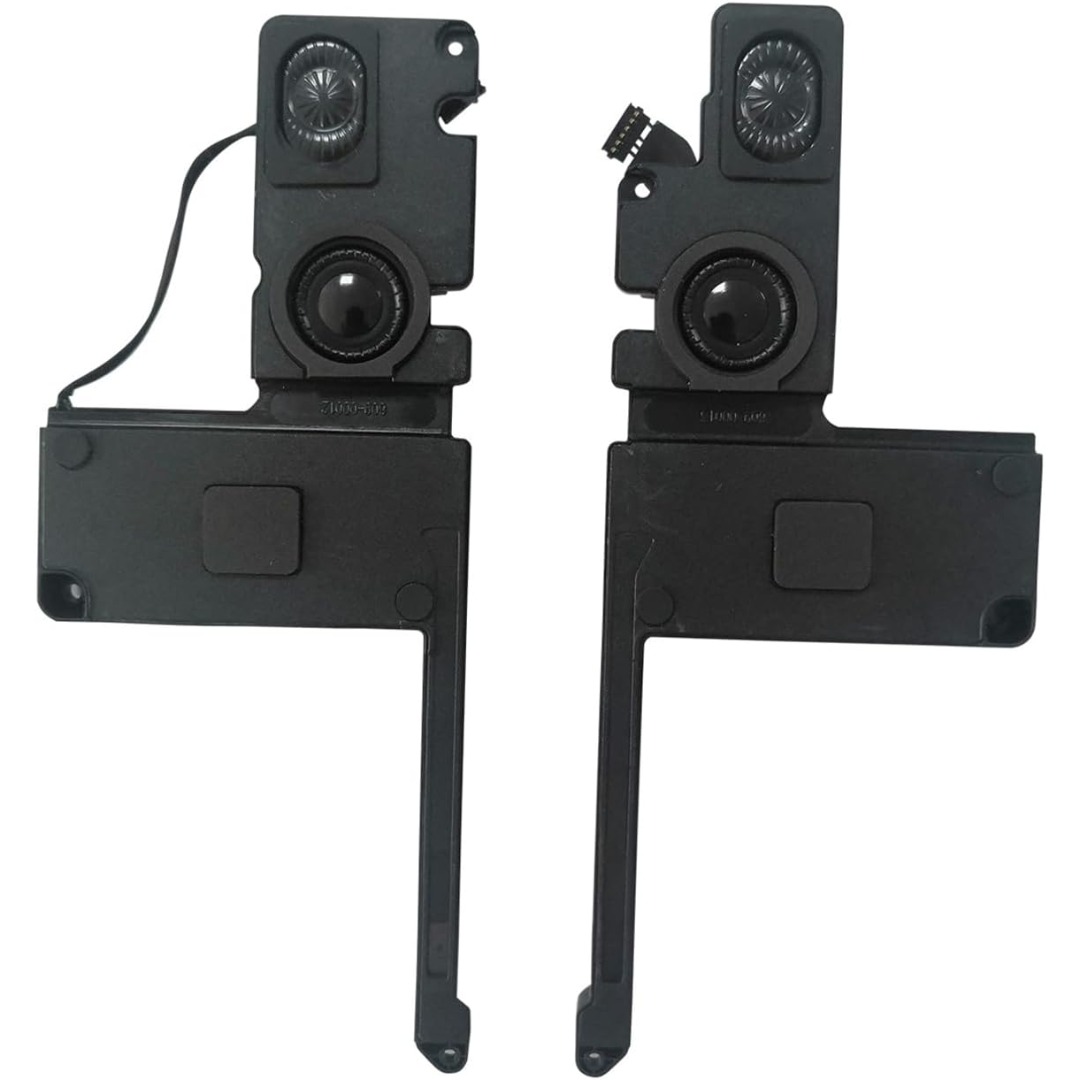

Genuine-spec Touch Bar assembly with integrated flex cable for MacBook Pro 15″ (Models A1706 – 2017 and A1989 – 2018)—fully restores dynamic Touch ID, system controls, and app-specific functions with OEM-level fit and reliability. Compatible With: MacBook Pro 15″ (2017) – Model A1706 (Intel Core i7/i9, 4 Thunderbolt 3 ports) MacBook Pro 15″ (2018) – Model A1989 (Intel Core i7/i9, 4 Thunderbolt 3 ports) MacBook Pro 15″ (2017) – Model A1706 (Intel Core i7/i9, 4 Thunderbolt 3 ports) MacBook Pro 15″ (2018) – Model A1989 (Intel Core i7/i9, 4 Thunderbolt 3 ports) Includes: Complete Touch Bar module with pre-attached flex cable, integrated Touch ID sensor (doubles as power button), and ambient light sensor—ready for direct connection to the logic board. Full Functionality: Restores all Touch Bar features including dynamic app controls, system brightness/volume sliders, Siri, and fingerprint authentication via Touch ID. Color Match: Available in Space Gray and Silver—select the finish that matches your MacBook’s top case. OEM-Quality Build: Matches Apple’s original dimensions, sensor alignment, and surface texture—ensures seamless integration with macOS and consistent responsiveness. Installation Note: Requires full top case disassembly. The flex cable routes under the left speaker and connects near the logic board—precision is critical to avoid damage. Recommended for experienced technicians.

A4Tech KRS-8372 USB Keyboard QWERTY English Black

The ViewSonic VA2732-mhd 27″ FHD 100Hz Monitor delivers smooth visuals for work, study, and daily entertainment. Its Full HD resolution shows clear text and sharp image details. The 27-inch screen gives more space for multitasking and viewing comfort. This helps users stay focused and productive. Moreover, the ViewSonic VA2732-mhd 27″ FHD 100Hz Monitor features a fast 100 Hz refresh rate. This makes scrolling smoother and motion more natural. Videos and animations look cleaner with less blur. As a result, the viewing experience feels more comfortable. In addition, the monitor uses IPS panel technology for wide viewing angles. Colors stay accurate even when viewed from the side. This helps during group work and shared screen use. The image remains bright and stable from all directions. Furthermore, the ViewSonic VA2732-mhd 27″ FHD 100Hz Monitor includes eye comfort features for daily protection. The low blue light mode reduces eye strain during long use. The flicker-free design supports viewing without discomfort. These features help users work longer with better comfort. Also, the monitor offers built-in speakers for simple audio needs. This removes the need for extra speakers in small spaces. Sound is clear for meetings, videos, and casual media. Desk setups stay clean and organized. In addition, the ViewSonic VA2732-mhd 27″ FHD 100Hz Monitor supports flexible connections. It includes HDMI, DisplayPort, and VGA for wide compatibility. You can connect laptops, desktops, and media devices easily. Switching between sources becomes quick and smooth. Moreover, the slim bezel design gives a modern and clean look. It fits well in home and office spaces. The stand supports tilt adjustment for better viewing comfort. Wall mounting is also supported for flexible setups. Overall, the ViewSonic VA2732-mhd 27″ FHD 100Hz Monitor delivers clarity, smooth motion, and daily comfort. It supports work, entertainment, and multitasking with ease. This monitor is an excellent choice for users who want large size and smooth performance. Specifications: Display : 27″ IPS Resolution : FHD 1920 x 1080 Refresh Rate : 100Hz Response Time : 1ms

Firstly the Alienware 25″ 360Hz Gaming Monitor AW2523HF is built for gamers who demand fast and smooth performance. It features a 24.5-inch Fast IPS panel with Full HD resolution for sharp visuals and vivid colors. Furthermore this gaming monitor offers a blazing 360Hz refresh rate via DisplayPort and up to 255Hz via HDMI, making motion incredibly smooth. With a 0.5ms response time, fast-paced games feel crisp and responsive with minimal blur. The display supports 99% sRGB color gamut, ensuring rich and accurate colors. It also has an anti-glare coating and 178° wide viewing angles, so your game looks great from every position. It’s compatible with AMD FreeSync Premium and G-SYNC, giving you a tear-free and fluid gameplay experience on both major GPU brands. Gaming features like Dark Stabilizer, AlienVision modes, and a built-in FPS counter give players extra control and awareness in-game. The monitor’s stand is fully adjustable with options to tilt, swivel, pivot, and adjust height for comfort during long gaming sessions. It also supports VESA mounting for flexible desk setups. For connectivity, the AW2523HF includes two HDMI 2.0 ports, one DisplayPort 1.4, four USB 3.2 Gen 1 downstream ports, a USB upstream port, headphone jack, and audio line-out. These ports make it easy to connect accessories and manage your setup neatly. In short, the Alienware 25″ 360Hz Gaming Monitor AW2523HF is a top-tier gaming monitor with extreme refresh rate, color accuracy, and gamer-friendly features. Specifications: Display : 24.5″ Fast IPS Resolution : 1920×1080 FHD Refresh Rate : 360Hz Response Time : 0.5ms

Keyboard for Macbook Pro A1502 ,A1582,A1493 13" Inch Retina Year 2013,2014,2015 Part no ME864 ME864LL/A ME866LL/A APN: 661-8154, 661-02361, 818-4278 Black US Layout Keyboard for Macbook Pro A1502 ,A1582,A1493 13″ Inch Retina Year 2013,2014,2015 Part no ME864 ME864LL/A ME866LL/A APN: 661-8154, 661-02361, 818-4278 Black US Layout Compatibility: FOR MB Pro Retina 13″ A1502 Late 2013: ME864LL/A (2.4 Core i5) Late 2013: ME866LL/A (2.6 Core i5) Late 2013: ME866LL/A (2.8 Core i7) Mid 2014: MGX72LL/A (2.6 Core i5) Mid 2014: MGX92LL/A (2.8 Core i5) Mid 2014: MGX92LL/A (3.0 Core i7) Early 2015: MF839LL/A (2.7 GHz Core i5) Early 2015: MF841LL/A (2.9 GHz Core i5) Early 2015: MF843LL/A (3.1 GHz Core i7) Identifying Numbers APN: 661-8154, 661-02361, 818-4278 Compatible part numbers: ME864 ME865 ME866 MF839 MF841 MF843 MGX72 MGX92 (Layout US) Related Part #: 661-8154, 661-02361, 818-4278 High Quality Laptop Keyboard. 100% Compatible with your brand.

New A1932 A2179 A2337 DC in Power Jack Connector for Macbook Air 13" Type-C USB-C Power 821-01658-A 2018 2019 2020 Year New A1932 A2179 A2337 DC in Power Jack Connector for Macbook Air 13″ Type-C USB-C Power 821-01658-A 2018 2019 2020 Year About this item New A1932 A2179 A2337 DC Jack Power DC-in Board for MacBook Retina 13″ DC Power Jack Board We have good after-sales services. We share the latest information on laptop spare parts in the Chinese market with all our customers. This is NOT an easy job for someone with no technical skills in Disassembling or Assembling a laptop, So only purchase this item if you know how to install it. Each DC Board is tested before shipping and working.

Genuine-spec keyboard replacement for MacBook Air 13″ (Model A2179, 2020, Intel) — choose US QWERTY or UK QWERTY (with £ symbol). Features Apple’s reliable scissor-switch mechanism, backlighting, and OEM-fit design for seamless performance and aesthetics. Compatible With: MacBook Air 13-inch (2020, Model A2179, EMC 3597) with Intel Core i3/i5/i7 processors (non-M1). Layout Options (select at purchase): US Layout: Standard QWERTY with wide Enter key, @ above 2, # above 3, and full inverted-T arrow keys. UK Layout: QWERTY with £ symbol, tall vertical Enter key, @ accessed via right Alt, and UK-specific punctuation—matches Apple’s official UK regional configuration. US Layout: Standard QWERTY with wide Enter key, @ above 2, # above 3, and full inverted-T arrow keys. UK Layout: QWERTY with £ symbol, tall vertical Enter key, @ accessed via right Alt, and UK-specific punctuation—matches Apple’s official UK regional configuration. Keyboard Type: Traditional scissor-switch mechanism (not Butterfly, not Magic Keyboard)—robust, tactile, and serviceable, with good key travel and proven durability. Integrated Features: Full backlit keys for low-light use Ambient light sensor compatibility OEM-style ribbon cable pre-attached for direct logic board connection Full backlit keys for low-light use Ambient light sensor compatibility OEM-style ribbon cable pre-attached for direct logic board connection Precision Build: Molded to exact Apple specifications—ensures flush mounting, consistent key alignment, and seamless integration into the original top case. Installation Note: Keyboard is screw-mounted with light adhesive—more accessible than glued Butterfly/Magic keyboards. Requires top case access and battery disconnect. Suitable for intermediate DIYers or professional technicians. Important: This is keyboard only—does not include the top case, battery, trackpad, or logic board. Not compatible with M1 MacBook Air (A2337/A2338) or M2 models (A2681/A2941). This is keyboard only—does not include the top case, battery, trackpad, or logic board. Not compatible with M1 MacBook Air (A2337/A2338) or M2 models (A2681/A2941). Model Verification: Confirm your device is MacBook Air A2179 (13″, Intel, 2020) via > About This Mac > Model Identifier (e.g., MacBookAir9,1).

lenovo battery L18C3PF2 Laptop Battery Compatible with Lenovo Ideapad L3-15IML05 L340-15API L340-15IWL L340-17API L340-17IWL L340-15API/L340-15IWL Touch Series 5B10T03401 L18M3PF2 L18L3PF1 L18D3PF1 11.25V 36Wh About this item 【Battery type】Li-ion. Voltage: 11.25V. Capacity: 36Wh 3320mAh . 【Compatible Part Number】L18C3PF2 5B10T03401 5B10W67302 L18M3PF2 5B10T03402 5B10W67367 5B10T03404 L18D3PF1 5B10W67278 5B10T03400 L18L3PF1 5B10W67198 5B10T03403 . 【Replacement For Laptop】Lenovo V155-15API V340-17IWL, IdeaPad L3-15IML05, Ideapad L340-15API L340-15IWL L340-17API L340-17IWL L340-15IWL Touch L340-15API Touch Series Notebook. 【Connector】Before placing your order, Please refer to the picture and check it. Because the products produced by different factories will have differences in size, cable length, interface, etc.

Apple USB-C Charge Cable (1m) , With Apple Warranty This 1-metre charge cable is made with a woven design — with USB-C connectors on both ends — and is ideal for charging, syncing and transferring data between USB-C devices. Pair the USB-C Charge Cable with a compatible USB-C power adapter to conveniently charge your devices from a power point and take advantage of fast-charging capabilities. USB-C power adapters sold separately.

Philips 221V8LB/67 22-inch Full HD monitor delivers clear and reliable performance for everyday computing. It focuses on sharp visuals, eye comfort, and simple connectivity for home and office use. Additionally, it features a 21.5-inch VA panel with Full HD resolution (1920 × 1080). This provides clear detail and strong contrast, so it improves readability and general viewing comfort. Moreover, it supports up to a 100Hz refresh rate (overclocked) with smooth visual output. As a result, it reduces flicker and makes scrolling and video playback more fluid. The monitor includes a 4ms response time (GtG). Therefore, it handles everyday motion smoothly for browsing, office work, and media use. In addition, it comes with Adaptive Sync support. This helps reduce screen tearing for more stable visuals during dynamic content. Furthermore, it includes LowBlue Mode and Flicker-Free technology. So it reduces eye strain during long hours of use. It also provides HDMI and VGA connectivity with a slim, tilt-adjustable design. This ensures compatibility with modern and older devices while keeping setup simple. Philips 221V8LB/67 22-inch Full HD monitor delivers reliable performance, comfortable viewing, and essential features for daily productivity. Specifications: 21.5-inch VA panel with Full HD 1920 × 1080 resolution Up to 100Hz refresh rate for smoother visuals 4ms GtG response time for stable motion Adaptive Sync support for reduced tearing LowBlue Mode and Flicker-Free eye comfort technology

Maximize your productivity with the Lenovo ThinkPad E14 Gen 1, featuring a powerful 10th Gen Intel Core i7 processor and dedicated AMD Radeon RX 640 graphics. With 16GB RAM and a fast 256GB NVMe SSD, this pre-owned professional laptop is designed to handle both intensive office workloads and light graphical tasks with ease.

The ViewSonic VA2405-H 24″ FHD 75Hz Monitor delivers clear and smooth visuals for daily work and home use. Its Full HD resolution shows sharp text and clean image details. The 24-inch screen offers a balanced size for comfort and productivity. This makes it ideal for office desks and study spaces. Moreover, the ViewSonic VA2405-H 24″ FHD 75Hz Monitor features a smooth 75 Hz refresh rate. This makes scrolling softer and screen motion more natural. Video playback looks cleaner with less blur. As a result, long viewing sessions feel more comfortable. In addition, the monitor uses an IPS panel for wide viewing angles. Colors stay accurate even when viewed from the side. This helps during meetings, teamwork, and shared viewing. The image remains bright and clear from many angles. Furthermore, the ViewSonic VA2405-H 24″ FHD 75Hz Monitor includes eye comfort features for daily protection. The low blue light mode helps reduce eye strain. The flicker-free design supports longer use without discomfort. These features improve viewing comfort throughout the day. Also, the monitor supports modern connection options for easy setup. It includes HDMI and VGA for wide device compatibility. You can connect laptops, desktops, and media devices with ease. Switching between sources becomes fast and simple. In addition, the slim bezel design gives a clean and modern look. It fits well in both home and office spaces. The stand supports tilt adjustment for basic viewing comfort. Wall mounting is also supported for flexible desk setups. Moreover, the display works well for documents, web browsing, and video watching. Text appears clear and easy to read. Daily tasks feel more organized and productive. The monitor blends smoothly into any workspace style. Overall, the ViewSonic VA2405-H 24″ FHD 75Hz Monitor delivers reliable performance, clean visuals, and daily comfort. It supports work, study, and entertainment with ease. This monitor is a smart choice for users who want smooth and simple screen performance. Specifications: Display : 24″ VA Resolution : FHD 1920 x 1080 Refresh Rate : 75Hz Response Time : 4ms

Genuine-spec touchpad flex cable for MacBook Pro 13″ with Touch Bar (Model A1708, 2016–2017)—restores full Force Touch functionality, haptic feedback, and precise multi-touch gesture control during trackpad repair or replacement. Compatible With: MacBook Pro 13″ (2016) – Model A1708 (Model Identifier: MacBookPro13,1) MacBook Pro 13″ (2017) – Model A1708 (Model Identifier: MacBookPro14,1) (Both years share the same internal trackpad assembly and flex cable.) MacBook Pro 13″ (2016) – Model A1708 (Model Identifier: MacBookPro13,1) MacBook Pro 13″ (2017) – Model A1708 (Model Identifier: MacBookPro14,1) (Both years share the same internal trackpad assembly and flex cable.) Part Type: Touchpad flex cable only — does not include the trackpad housing, Taptic Engine, or mounting hardware. This is the OEM-style ribbon cable that connects the trackpad to the logic board. Function: Transmits: Touch input coordinates Force Touch pressure data Haptic feedback signals to the Taptic Engine Enables full macOS gesture support: Force Click, three-finger lookup, swipe navigation, pinch-to-zoom, and smooth cursor tracking. Touch input coordinates Force Touch pressure data Haptic feedback signals to the Taptic Engine Enables full macOS gesture support: Force Click, three-finger lookup, swipe navigation, pinch-to-zoom, and smooth cursor tracking. OEM-Quality Build: Matches Apple’s original specifications in: Cable length and routing path Connector pitch and ZIF latch design EMI shielding and flex durability Cable length and routing path Connector pitch and ZIF latch design EMI shielding and flex durability Common Use Cases: Replacing a torn, creased, or liquid-damaged original flex cable Completing a trackpad replacement when the original cable is compromised Fixing intermittent trackpad behavior, loss of Force Touch, or complete unresponsiveness Replacing a torn, creased, or liquid-damaged original flex cable Completing a trackpad replacement when the original cable is compromised Fixing intermittent trackpad behavior, loss of Force Touch, or complete unresponsiveness Installation Note: Requires full bottom case removal and battery disconnection. Cable routes under internal components near the right speaker and logic board. Connects via a ZIF (Zero Insertion Force) socket—must be aligned carefully and latched gently. Recommended for experienced or certified technicians only. Requires full bottom case removal and battery disconnection. Cable routes under internal components near the right speaker and logic board. Connects via a ZIF (Zero Insertion Force) socket—must be aligned carefully and latched gently. Recommended for experienced or certified technicians only.

Aoc Agon 24-inch WQHD 165Hz Gaming Monitor Product Details Size: 23.8 inches. Panel Type: TN (16.7 Million Colours with 170/160 º viewing angles). Resolution: 2K / WQHD (2560x1440p). Refresh Rate: 165Hz. Respomse Time: 1 ms (GTG). Aspect Ratio: 16:9. Sync Technology: Nvidia G-Sync. Brightness: 350 cd/m2. Contrast Ratio: Static: 1000:1, Dynamic: 50M:1 Anti-Glare 3H hard coating with an Ultra Narrow bezel. Adjustable Height within a 13cm range. Tilt Adjustment: -3.5° ~ +21.5°. Swivel: -20° ~ +20°. Pivots up to 90°. VESA Wall Mounting : 100x100mm. (x2) 2W built-in speakers with microphone. Ports: (x1) HDMI 1.4 (x1) DisplayPort 1.2 (x4) USB-A 3.0 (x1) USB-B (x1) 3.5mm audio jack Dimensions (incl base): 55.5 x 21.3 x 49 cm. Lowblue Light mode: Protection from eye strain without sacrificing color composition. Specifications: Aoc Agon 24-inch WQHD 165Hz Gaming Monitor Size: 23.8 inches. Panel Type: TN (16.7 Million Colours with 170/160 º viewing angles). Resolution: 2K / WQHD (2560x1440p). Refresh Rate: 165Hz.

A compact and durable pre-owned Dell Latitude 7480 with 14" display, 6th Gen Core i5, 8GB RAM, and 128GB SSD—ideal for light office tasks, students, or as a secure secondary business device.

Are you in search of a high-performance gaming monitor? Look no further! The MSI MPG 274URF QD 27″ 160Hz gaming monitor is here to elevate your gaming experience. This monitor combines cutting-edge technology with sleek design to provide an unbeatable gaming setup. Firstly, let’s talk about the impressive display. The 27-inch screen size offers ample viewing space, making every detail pop. The Quantum Dot technology ensures vibrant and accurate colors, enhancing the overall visual experience. In addition, the 160Hz refresh rate is a game-changer. It ensures smooth and fluid motion, reducing blur and lag. This is essential for fast-paced games where every millisecond counts. With the MSI MPG 274URF QD, you can stay ahead of the competition. Moreover, the 1ms response time minimizes input lag. This allows for quick reactions and precise movements, crucial for competitive gaming. Every action you take will be instantaneously reflected on the screen, providing a seamless gaming experience. Furthermore, this gaming monitor supports HDR, delivering stunning contrast and brightness. You will enjoy deeper blacks and brighter whites, bringing your games to life. The detailed shadows and highlights will immerse you in the game world like never before. Comfort is also a key feature of the MSI MPG 274URF QD. The ergonomic design allows you to adjust the height, tilt, and swivel to find the perfect viewing angle. This ensures you can game comfortably for hours without straining your neck or eyes. Additionally, the monitor comes with multiple connectivity options. Easily connect your PC, console, or other devices with the available HDMI, DisplayPort, and USB ports. This versatility makes it a great addition to any gaming setup. In conclusion, the MSI MPG 274URF QD 27″ 160Hz gaming monitor offers superior performance and stunning visuals. Whether you’re a casual gamer or a professional, this monitor will enhance your gaming experience. Upgrade your setup today and enjoy the best in gaming technology! Specifications: Display : 27″ Rapid IPS Resolution : 3840×2160 (UHD) Refresh Rate : 160Hz Response Rate : 0.5ms

The Meetion Mini 4000 Black is a compact wireless keyboard and mouse combo designed for clean and convenient everyday use. With a mini-space-saving layout and stable wireless connection, it’s perfect for office work, home setups, and laptop users who want a neat, clutter-free desk. The Meetion Mini 4000 is a stylish and practical wireless keyboard and mouse set made for users who prefer a compact and modern workspace. Its mini keyboard design saves desk space while still offering comfortable typing for daily tasks. The wireless mouse provides smooth control and easy navigation, making this combo ideal for offices, students, and home users. With plug-and-play wireless connectivity, setup is simple—just connect the receiver and start using it instantly. Wireless Keyboard & Mouse Combo for a clean and clutter-free setup Compact Mini Keyboard Design saves space and fits small desks easily Stable Wireless Connection for smooth performance Plug & Play Receiver – quick setup without drivers Smooth Wireless Mouse for accurate control Comfortable Typing Layout for everyday productivity Modern Black Finish suitable for any workspace Ideal for Laptops & Desktops Perfect for office workers, students, and home users needing a compact wireless combo for laptops or desktops. Works with most devices that support USB.

HP M24f Monitor Overview The HP M24f is a 24-inch Full HD monitor designed for work and everyday use. It offers a slim design and reliable performance. As a result, it suits offices, home setups, and students. 24-Inch Full HD Display This monitor features a 24-inch Full HD resolution. Therefore, text appears sharp and easy to read. Moreover, images look clear and well balanced. Because of this, it supports long working sessions comfortably. In addition, the wide viewing angles improve screen visibility. As a result, content stays clear from different positions. Smooth Visual Performance The HP M24f delivers smooth visuals for daily tasks. As a result, scrolling and browsing feel natural. Furthermore, the display maintains consistent brightness. This improves overall viewing comfort. Eye Comfort and Anti-Glare Screen This monitor includes eye comfort features. Therefore, it helps reduce eye strain. In addition, the anti-glare coating minimizes reflections. As a result, users can work comfortably in bright rooms. Connectivity and Compatibility The HP M24f includes HDMI and VGA ports. As a result, it connects easily to modern and older devices. Moreover, setup is quick and simple. Therefore, users can start working right away. Slim Design and Mounting Options The monitor features a sleek and modern design. In addition, it supports VESA mounting. As a result, users can save desk space and customize layouts. Ideal for Daily Use This monitor focuses on clarity and reliability. Moreover, it suits office work, browsing, and media viewing. In conclusion, the HP M24f offers a balanced and efficient display solution. Specifications: 60.5 cm (23.8) FHD (1920 x 1080) Sustainable; Adaptive Sync; Eyesafe® Certified; IPS panel 1 VGA; 1 HDMI 1.4 (with HDCP support)

Asus VG248QG Gaming Monitor -24″ 24” Full HD gaming monitor with an ultra-fast 165Hz(overclockable) refresh rate and Adaptive-Sync technology to eliminate screen tearing and choppy frame rates Certified as G-SYNC Compatible, FreeSync Premium technology delivering a seamless, tear-free gaming experience by enabling VRR (variable refresh rate) by default. 0.5ms* response time for smooth gameplay, and ASUS Extreme Low Motion Blur (ELMB) Technology to further reduce ghosting and motion blur ASUS-exclusive GamePlus hotkey for in-game enhancements while GameVisual for optimized visuals TUV Rheinland Certification for Flicker-free and Low Blue Light technology to ensure a comfortable viewing experience Supports both Adaptive-Sync with NVIDIA GeForce* graphics cards and FreeSync with AMD Radeon graphics cards *Compatible with NVIDIA GeForce GTX 10 series, GTX 16 series, RTX 20 series and newer graphics cards

Genuine-spec touchpad flex cable for MacBook Pro 15″ (Model A1707, 2016–2017)—restores full Force Touch functionality, haptic feedback, and precise multi-touch gesture control during trackpad repair or replacement. Compatible With: MacBook Pro 15″ (2016) – Model A1707 (Model Identifier: MacBookPro13,2) MacBook Pro 15″ (2017) – Model A1707 (Model Identifier: MacBookPro14,2) MacBook Pro 15″ (2016) – Model A1707 (Model Identifier: MacBookPro13,2) MacBook Pro 15″ (2017) – Model A1707 (Model Identifier: MacBookPro14,2) Part Type: Touchpad flex cable only — does not include the trackpad housing, Taptic Engine, or mounting hardware. This is the OEM-style ribbon cable that connects the trackpad to the logic board. Function: Transmits: Touch input coordinates Force Touch pressure data Haptic feedback signals to the Taptic Engine Enables full macOS gesture support: Force Click, three-finger lookup, swipe navigation, pinch-to-zoom, and smooth cursor tracking. Touch input coordinates Force Touch pressure data Haptic feedback signals to the Taptic Engine Enables full macOS gesture support: Force Click, three-finger lookup, swipe navigation, pinch-to-zoom, and smooth cursor tracking. OEM-Quality Build: Matches Apple’s original specifications in: Cable length and routing path Connector pitch and ZIF latch design EMI shielding and flex durability Cable length and routing path Connector pitch and ZIF latch design EMI shielding and flex durability Common Use Cases: Replacing a torn, creased, or liquid-damaged original flex cable Completing a trackpad replacement when the original cable is compromised Fixing intermittent trackpad behavior, loss of Force Touch, or complete unresponsiveness Replacing a torn, creased, or liquid-damaged original flex cable Completing a trackpad replacement when the original cable is compromised Fixing intermittent trackpad behavior, loss of Force Touch, or complete unresponsiveness Installation Note: Requires full bottom case removal and battery disconnection. Cable routes under internal components near the right speaker and logic board. Connects via a ZIF (Zero Insertion Force) socket—must be aligned carefully and latched gently. Recommended for experienced or certified technicians only. Requires full bottom case removal and battery disconnection. Cable routes under internal components near the right speaker and logic board. Connects via a ZIF (Zero Insertion Force) socket—must be aligned carefully and latched gently. Recommended for experienced or certified technicians only.
