
PCE 900 M8 900VA 480W Output Power: 700VA (M8 700), 900VA (M8 900) Voltage Input Range: 220-240 VAC with 102 wires (M8 700), 140-300 VAC (M8 900) Output Protection: Overload, discharge, and overcharge protection (M8 700), Fault protection (M8 900) Waveform: Simulated Sine Wave LED Indicators: Green lighting (M8 700), Green flashing (M8 900) Frequency: 50 or 60 Hz +/- 10% (auto sensing) (M8 700), 50 or 60 Hz +/- 1% (M8 900) Voltage (backup mode): 12V/9AH x 1 (M8 700), 12V/7AH x 1 (M8 900) Frequency (backup mode): 50 or 60 Hz +/- 1% (M8 700 and M8 900) Transfer time (M8 700): Typical 2 to 6 ms Backup time (M8 900): 10-20min depending on load level Net Weight: 4.3 kg (9.46 lbs) (M8 700), 4.8 kg (10.56 lbs) (M8 900) Output Receptacles: Universal sockets x 2 or German x 2 (M8 700), Universal sockets x 4 (M8 900) Audible Noise: Sounding every 10 seconds (M8 700), Sounding every second (M8 900) Dimensions: 100x278x140 (3.9″x10.8″x5.5″) (M8 700), 130x320x182 (5.07″x12.48″x7.1″) (M8 900) Compatibility: Windows 2000/XP/2003/2008/Vista/7, NOVELL, LINUX, UNIX (M8 700), Optional Interface with power management software (M8 900) Certifications: EN 50091-1-1/EN 69050 (RD), IEC 60950, TUV GC-Mark, EN 50091-2, EN 50022/B, IEC 62040-2, IEC 61000-3-2, IEC 61000-3-3, ISO 9001, ISO 14001 (M8 700 and M8 900)

The Genius KM-100SE is a reliable wired keyboard and mouse combo featuring a full-size 104-key layout and USB plug-and-play connection. Ideal for office, business, and everyday home use, it delivers comfortable typing and smooth mouse control with stable performance. The Genius KM-100SE Keyboard & Mouse Combo is a practical and durable solution for users who need dependable performance for daily work. The full-size keyboard offers a comfortable typing experience with a standard layout that’s perfect for productivity, while the wired optical mouse ensures smooth and accurate cursor control. With USB plug-and-play setup, it works instantly with laptops and desktop PCs—no drivers needed. Full-Size 104-Key Keyboard for efficient and comfortable typing Wired USB Connection for stable, lag-free performance Plug & Play Setup – no software or drivers required Comfortable Key Spacing ideal for long office sessions Wired Optical Mouse Included for smooth and accurate tracking Durable Design suitable for daily professional use Ideal for Office & Home – work, study, and general computing Perfect for business offices, schools, home users, and laptop/desktop setups needing a simple, reliable wired keyboard and mouse set. Compatible with most computers supporting USB.

Replacement Keyboard for MacBook Pro 13" inch A1706 & MacBook Pro 15" inch A1707 Touch Bar (for Late 2016 mid 2017 Year) Replacement Keyboard for MacBook Pro 13″ inch A1706 & MacBook Pro 15″ inch A1707 Touch Bar (for Late 2016 mid 2017 Year) 【Compatibility】This replacement keyboard is Compatible with original MacBook Pro 13″ inch A1706 & MacBook Pro 15″ inch A1707 Touch Bar (for Late 2016 mid 2017 Year) Laptop. 【Compatible Part Numbers】661-06377 【Compatible MBP Numbers】A1706 series :MacBook Pro 13 inch 2017 MacBookPro14,2 & MacBook Pro 13 2016 MacBookPro13,2 MNQF2LL/A MNQG2LL/A MLH12LL/A MLVP2LL/A etc A1707 series:MacBook Pro 15 inch 2016 MacBookPro13,3 & MacBook Pro 15 inch 2017 MacBookPro14,3 Release June 2017 MPTR2LL/A MPTU2LL/A MPTT2LL/A MPTV2LL/A Release October 2016 MLH32LL/A MLW72LL/A MLH42LL/A MLW82LL/A

Logitech C270 HD webcam — 720p USB camera with built-in mic and automatic light correction. Solid pick for video calls, remote work, or basic streaming. This is the Logitech C270 HD Webcam, a budget plug-and-play USB camera suited for everyday video calls. It doesn’t strive for professional streaming quality, but it reliably handles meeting needs, student calls, or backup cam duties. Key Features & Functionality Records video in HD 720p at 30 fps Fixed focus lens (no autofocus) Built-in mono microphone with noise reduction (captures voice clearly in standard environments) Automatic light correction (RightLight / similar tech) to adjust in low or uneven lighting Universal mounting clip: works on laptop lids, monitors, or can sit on a shelf USB 2.0 interface, 1.5 m (≈ 5 ft) cable length Technical Specifications Strengths & Limitations Pros: Reliable and easy to set up: plug and play Good for video calls in decent lighting Noise suppression in mic helps reduce background hiss Affordable alternative if your built-in camera fails Cons: Only 720p — not ideal for high quality streaming Fixed focus — manual adjusting can’t zoom/focus No privacy shutter (you may need stickers or external cover) Color and sharpness aren’t top tier under weak light

The Samsung S3 Essential (D362) 27″ Full‑HD VA Curved Monitor (LS27D362GAMXUE) offers a large curved screen with a 100 Hz refresh rate for smoother motion in games and videos. Additionally, the VA panel produces deep contrast with wide viewing angles for everyday computing, entertainment, and casual gaming. The monitor also supports Game Mode to optimize color and image contrast for more vivid scenes. Moreover, advanced eye comfort technologies such as Eye Saver Mode and flicker‑free operation help reduce eye strain during long sessions. Therefore, it supports extended use for work or entertainment without discomfort. The curved design enhances immersion and helps minimize peripheral distractions. Furthermore, connectivity includes HDMI and VGA ports for easy connection to PCs and other devices. The monitor also includes a headphone jack for audio output. It comes with a stand that allows tilt adjustment, and it supports VESA wall mounting for flexible setups. The monitor is backed by a three‑year warranty for peace of mind. Specifications: 27″ curved VA panel with Full HD (1920 × 1080) resolution for clear visuals 100 Hz refresh rate for smoother motion in games and videos Game Mode optimizes color and contrast for more vivid scenes Eye Saver Mode and flicker‑free technology reduce eye strain HDMI and VGA connectivity plus headphone jack for flexible connections

Samsung Lebanon 43″ UHD LS43BM700UMXUE The Samsung Lebanon 43″ UHD Everything you need is right in your screen. Watch, work and chat – all without connecting a separate PC – with Smart Monitor. Your favorite content, productivity and video call apps are built-in. for a simpler and more stylish desk setup that’s a joy to use every time. Smart TV Experience Effortless entertainment. Enjoy Netflix, YouTube and other streaming services by simply connecting the monitor to WiFi. Samsung TV Plus also offers free live and on-demand content with no downloads or sign-up needed. while Universal Guide provides personalized content recommendations. Workspace Experience PC-less. Browse the web, edit documents and work on projects, all without the need for a separate PC. With new Workmode, you can also remotely access another PC, use Microsoft 365 programs and even . connect to Samsung mobile devices with Samsung DeX for seamless working. SlimFit camera Jump into any conversation. The SlimFit camera with tilt functionality allows you to create the perfect angle . while using your favorite video call apps like Google Duo, which can be accessed directly through the monitor. Plus, the camera cover and option to fully detach always protect your privacy. IoT Hub Turn your Smart Monitor into a control center for the home by connecting it to your IoT home products with SmartThings. Relax by turning off the lights, pulling down the blinds and setting the thermostat to the perfect temperature . all with the Smart Monitor for a perfectly relaxed evening. Multiple Voice Assistants With the Far Field Voice feature, activate your voice assistant just by speaking. Directly command the monitor even at a distance – and tell it what you need. It’s as simple as that. The Smart Monitor supports both Bixby and Amazon Alexa. Mobile connectivity Convenient connectivity. With AirPlay integration, you can wirelessly connect Apple devices to the Smart Monitor . and view on a bigger screen. Enjoy your favorite content from an iPhone, iPad. and Mac on the Smart Monitor and even mirror apps, documents, and websites. Specifications: Specifications Screen Size (Class)43 Flat / CurvedFlat Active Display Size (HxV) (mm)941.184×529.416 Aspect Ratio16:9 Panel TypeVA Brightness (Typical, cd/m2)300 Brightness (Min, cd/m2)240 Contrast Ratio Static5,000:1(Typ.) HDR(High Dynamic Range)HDR10 Resolution3,840 x 2,160 Response Time4ms(GTG) Viewing Angle (H/V)178°(H)/178°(V) Color SupportMax 1B Refresh RateMax 60Hz 3-year warranty Manufacturer Link

Genuine-spec touchpad flex cable for MacBook Pro 13″ (Model A2289, 2020, Intel)—restores full Force Touch functionality, haptic feedback, and preci multi-touch gesture control. OEM-quality replacement for damaged or faulty original cables. Compatible With: MacBook Pro 13-inch (2020, Four Thunderbolt Ports, Model A2289, Model Identifier MacBookPro16,2) with Intel Core i5/i7 processors. Part Type: Touchpad flex cable only — does not include the trackpad housing, Taptic Engine, or mounting hardware. This is the OEM-style ribbon cable that connects the trackpad to the logic board. Function: Transmits: Touch input coordinates Force Touch pressure data Haptic feedback signals to the Taptic Engine Enables full macOS gesture support: Force Click, three-finger lookup, swipe navigation, pinch-to-zoom, and smooth cursor tracking. Touch input coordinates Force Touch pressure data Haptic feedback signals to the Taptic Engine Enables full macOS gesture support: Force Click, three-finger lookup, swipe navigation, pinch-to-zoom, and smooth cursor tracking. OEM-Quality Build: Matches Apple’s original specifications in: Cable length and routing path Connector pitch and ZIF latch design EMI shielding and flex durability Cable length and routing path Connector pitch and ZIF latch design EMI shielding and flex durability Common Use Cases: Replacing a torn, creased, or liquid-damaged original flex cable Completing a trackpad replacement when the original cable is unusable Fixing: Intermittent or erratic trackpad behavior Loss of Force Touch or haptic feedback Complete trackpad unresponsiveness Replacing a torn, creased, or liquid-damaged original flex cable Completing a trackpad replacement when the original cable is unusable Fixing: Intermittent or erratic trackpad behavior Loss of Force Touch or haptic feedback Complete trackpad unresponsiveness Intermittent or erratic trackpad behavior Loss of Force Touch or haptic feedback Complete trackpad unresponsiveness Installation Note: Requires full bottom case removal and battery disconnection. Cable routes under internal components (speaker, logic board)—must follow original path. Connects via ZIF (Zero Insertion Force) socket—align carefully, never force. Recommended for experienced or certified technicians only. Requires full bottom case removal and battery disconnection. Cable routes under internal components (speaker, logic board)—must follow original path. Connects via ZIF (Zero Insertion Force) socket—align carefully, never force. Recommended for experienced or certified technicians only. Important Compatibility Notes: ✅ Only for A2289 (13″, 4 Thunderbolt ports, 2020, Intel) ❌ Not compatible with: A2251 (2 Thunderbolt ports, 2020) A2338 (M1 MacBook Pro, 2020) Any MacBook Air or 14″/16″ MacBook Pro ✅ Only for A2289 (13″, 4 Thunderbolt ports, 2020, Intel) ❌ Not compatible with: A2251 (2 Thunderbolt ports, 2020) A2338 (M1 MacBook Pro, 2020) Any MacBook Air or 14″/16″ MacBook Pro A2251 (2 Thunderbolt ports, 2020) A2338 (M1 MacBook Pro, 2020) Any MacBook Air or 14″/16″ MacBook Pro

Are you seeking a versatile solution for your presentation and collaboration needs? Look no further than the BenQ RE03A 75″ Board Essential. This cutting-edge interactive whiteboard redefines productivity and engagement in meeting rooms and classrooms alike. With its expansive 75-inch display, the BenQ RE03A offers ample space for showcasing your ideas and content. Whether you’re delivering a presentation, brainstorming with colleagues, or teaching a class, this interactive board provides a captivating canvas for your creativity. Transitioning to functionality, the BenQ RE03A boasts intuitive touch controls that make navigation and interaction effortless. Its responsive touch technology ensures smooth and precise input, allowing you to annotate, draw, and manipulate content with ease. Furthermore, the board’s seamless connectivity options enable seamless integration with your existing devices and software. Whether you’re using a laptop, tablet, or smartphone, the BenQ RE03A ensures compatibility and flexibility for all your presentation needs. In addition, collaboration features such as screen sharing and real-time annotation foster teamwork and idea exchange among participants. Break down communication barriers and enhance productivity with the BenQ RE03A’s collaborative tools. Moreover, the board’s durable construction and anti-glare surface ensure reliability and visibility even in brightly lit environments. Say goodbye to distractions and glare, and hello to clear, crisp visuals every time. In conclusion, the BenQ RE03A 75″ Board Essential is a game-changer for presentations and collaboration. With its large display, intuitive controls, and collaborative features, it empowers users to deliver impactful presentations and foster teamwork like never before. Upgrade your meeting room or classroom with the BenQ RE03A and unlock new possibilities for productivity and engagement. Specifications: Screen Size : 75″ Panel Type : IPS Resolution : UHD 3840×2160 Response Time : 8ms

MSI Modern MD271UL 27″ 4K Business Monitor is a 27-inch IPS display for office work and creative tasks. It shows 4K UHD resolution (3840 × 2160) for sharp text and clear images. Additionally, it fits well in modern minimal setups. Moreover, MSI designed this monitor for color accuracy and productivity. It supports wide color gamut for design and editing work. Therefore, it suits professionals who need reliable visual quality instead of gaming speed. In addition, MSI Modern MD271UL 27″ 4K Business Monitor includes USB-C connectivity with power delivery. This allows a single cable connection for compatible laptops. It also includes HDMI and DisplayPort for flexible use. Furthermore, it adds eye-care features to reduce strain during long sessions. The monitor runs at 60Hz for stable and consistent performance. It works well in offices, studios, and home workspaces. As a result, it supports multitasking and daily productivity with ease. MSI Modern MD271UL 27″ 4K Business Monitor delivers sharp 4K visuals, strong color accuracy, and simple USB-C connectivity for professional use. Specifications: 27-inch 4K UHD IPS display (3840×2160) USB-C with power delivery support Wide color gamut for accurate visuals HDMI and DisplayPort connectivity Eye-care technology for long use comfort

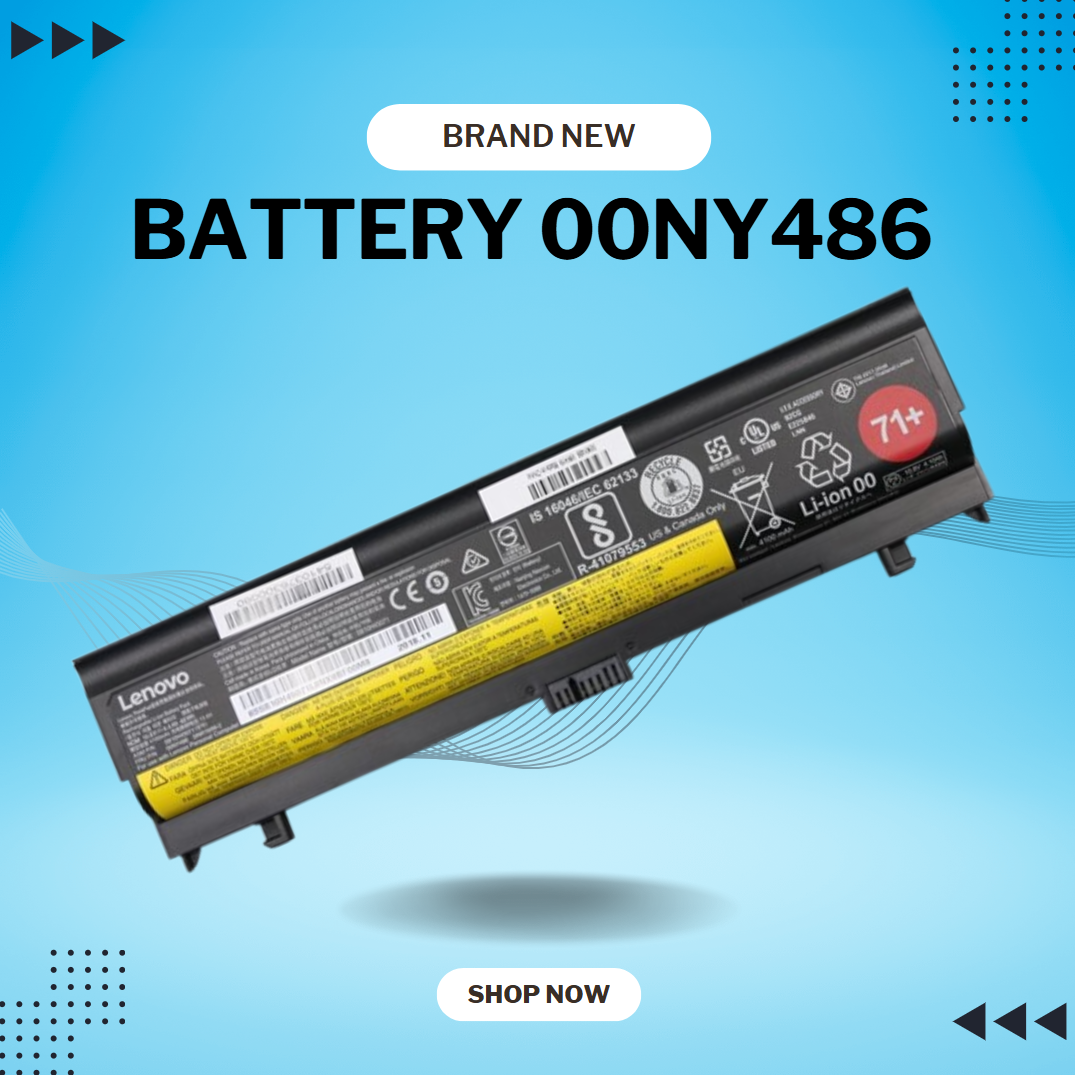
BATTERY DELL M5Y1K Laptop Battery for Dell Inspiron 15 5000 5555 5558 5559 3552 3558 3567 14 3451 3452 3458 5458 17 5755 5758 Series Rechargeable 40WH li-ion Battery Replacement Fit GXVJ3 VN3N0 YU12005-13001D About this item 【Specification】Dell laptop Replacement Battery Type: Li-ion; Voltage: 14.8 V; Capacity 2600MAH/40WH; Cells:4-Cell 【Stability】M5Y1K Laptop Battery Replacement battery for Dell offers 500+ recharge cycles over life of battery 【COMPATIBLE MODEL】(Check description below for more models) Dell 40WH Standard Rechargeable Li-ion Battery Type M5Y1K 14.8V YU12005-13001D 453-BR GXVJ3 HD4J0 M5YIK MSY1K Dell Inspiron 14 15 3000 Laptop Replacement Battery 3558 3458 3567 3452 3565 3459 P60G Dell Inspiron 14 15 17 5000 Laptop Battery 5555 5558 5559 5755 5758 5458 Dell Vostro Laptop Battery 3558 3458 Dell Latitude Laptop Battery 3460 3560 【GUARANTEE】Our Dell M5Y1K replacement laptop battery is 100% Compatible with the originals. Complying with the CE/FCC/ROHS/UL Certified Standard

Fast-charging feature available on select iPhone and iPad models.

Genuine-spec US layout keyboard replacement for MacBook Pro 13″ (Model A1466, Late 2015–Early 2016)—featuring traditional scissor-switch mechanism, backlighting, and full OEM compatibility for reliable, comfortable typing. Compatible With: MacBook Pro 13-inch non-Touch Bar models: Late 2015 (Intel Core i5/i7, Retina, A1466, Model Identifier MacBookPro12,1) Early 2016 (Intel Core i5/i7, Retina, A1466, MacBookPro13,1) Late 2015 (Intel Core i5/i7, Retina, A1466, Model Identifier MacBookPro12,1) Early 2016 (Intel Core i5/i7, Retina, A1466, MacBookPro13,1) Layout: Standard US English (QWERTY) with full-size keys, inverted-T arrow keys, and dedicated function row (F1–F12). Keyboard Type: Traditional scissor-switch mechanism—not Butterfly or Magic Keyboard—known for durability, deeper key travel, and tactile feedback. Integrated Features: Backlit keys for low-light use, ambient light sensor support, and OEM-style ribbon cable for direct logic board connection. Build & Fit: Precision-engineered to match Apple’s original dimensions and mounting points—ensures flush alignment within the top case and consistent key height. Installation Note: Keyboard is secured with screws and minimal adhesive (unlike later glued models), making replacement more accessible. Still requires full top case disassembly and battery disconnect. Suitable for intermediate to advanced technicians.

A reliable pre-owned Dell Latitude 5400 with 14" display, 8th Gen Core i5, 16GB RAM, and 512GB SSD—ideal for business users and students seeking solid performance, security, and durability in a compact form.

Searching for a monitor that enhances your productivity and comfort? Look no further than the ViewSonic 24” 60Hz Monitor VG2448. This monitor is your gateway to a superior visual experience. First and foremost, let’s discuss clarity. With its 24-inch screen size, the VG2448 delivers crisp and clear images, ensuring every detail is sharp and vibrant. Say goodbye to eye strain and hello to comfortable viewing. Transitioning to performance, this monitor boasts a refresh rate of 60Hz, providing smooth and fluid visuals for an enhanced viewing experience. Whether you’re working on spreadsheets or watching videos, motion blur will be a thing of the past. Moreover, its ergonomic design offers customizable tilt, swivel, and height adjustments, allowing you to find the perfect viewing angle for maximum comfort. Say goodbye to neck and back strain with this user-friendly monitor. In addition, the VG2448 features a variety of connectivity options, including HDMI, DisplayPort, and VGA, ensuring compatibility with a wide range of devices. Seamlessly connect your PC, laptop, or gaming console with ease. Furthermore, this monitor is equipped with ViewSonic’s exclusive Eye Care technology, which helps reduce eye fatigue during prolonged use. Protect your vision while enjoying extended viewing sessions. In conclusion, the ViewSonic 24” 60Hz Monitor VG2448 is a versatile and reliable choice for both work and entertainment. With its superior clarity, performance, and ergonomic design, it’s sure to enhance your productivity and comfort. Upgrade your viewing experience today and see the difference for yourself. Specifications: Display : 24″ IPS Resolution : FHD (1920×1080) Refresh Rate : 60Hz Response Rate : 5ms GTG

The LG UltraGear 32″ 180Hz Curved Monitor | 32GS60QC‑B delivers smooth visuals for gaming and entertainment. It features a large 32‑inch curved screen that wraps your view for greater immersion. Moreover, the high 180Hz refresh rate makes motion look fluid in fast games and movies. This gaming monitor uses a VA panel for rich contrast and deep blacks. Additionally, its quick response time helps reduce blur during rapid action. Adaptive sync support helps reduce screen tearing and stutter for smoother play. The LG UltraGear 32″ 180Hz Curved Monitor also includes HDMI and DisplayPort inputs for easy setup with PCs and consoles. Furthermore, its tilt and height adjustable stand lets you find a comfortable view. Low blue light and flicker‑safe technology help reduce eye strain during long sessions. This display works well for competitive gaming, entertainment, and everyday use. Therefore, it suits gamers, streamers, and media lovers alike. Finally, it combines immersive visuals, strong performance, and user‑friendly features. Specifications: Display : 32″ VA Resolution : QHD (2560 x 1440) Refresh Rate : 180Hz Response Rate : 1ms GTG Curvature : 1000R

The AOC 24″ 75Hz Monitor is designed to enhance your viewing experience, making it ideal for both work and entertainment. Whether you’re editing documents or watching movies, this monitor delivers vibrant and sharp visuals. With a 24-inch Full HD display, the AOC monitor provides clear and detailed images. The 75Hz refresh rate ensures smooth motion, reducing screen tearing and providing a more enjoyable viewing experience. The AOC 24″ Monitor features an ergonomic design, allowing you to adjust the height, tilt, and swivel for maximum comfort. This ensures you can work or play for extended periods without discomfort. Equipped with multiple connectivity options, including HDMI and VGA ports, the AOC 24″ 75Hz Monitor offers flexibility in connecting to various devices. This makes it easy to set up and use with your computer, gaming console, or other gadgets. The AOC 24″ 75Hz Monitor includes flicker-free technology and a Low Blue Light mode. These features help reduce eye strain during prolonged use, making it a great choice for both work and leisure. With its sleek and modern design, the AOC 24″ Monitor adds a touch of elegance to any workspace or gaming setup. Its slim bezels provide a larger viewing area, enhancing your overall visual experience. In conclusion, the AOC 24″ 75Hz Monitor combines excellent performance, ergonomic design, and modern aesthetics for a superior viewing experience. Upgrade to the AOC 24″ Monitor today and enjoy clear, smooth, and comfortable visuals. Specifications: Display : 23.8″ VA Resolution : 1920×1080 FHD Refresh Rate : 75Hz Response Rate : 4ms

WIWU Pilot Water Resistant High-Capacity Laptop Sleeve Case

The Dell OptiPlex 3040 Micro delivers dependable business performance in a compact, energy-efficient design. Featuring an Intel Core i5 6th Gen processor, 8GB DDR3L RAM, and SSD storage options, it is built for smooth multitasking, fast startups, and reliable operation in professional environments.

VIEWSONIC MONITOR TD2423 Display Size (in.): 24 Viewable Area (in.): 23.6 Panel Type: VA Technology Resolution: 1920 x 1080 Resolution Type: FHD (Full HD) Static Contrast Ratio: 3,000:1 (typ) Dynamic Contrast Ratio: 20M:1 Light Source: LED VIEWSONIC MONITOR Brightness: 250 cd/m² (typ) Colors: 16.7M Color Space Support: 8 bit (6 bit + Hi-FRC) Aspect Ratio: 16:9 Response Time (Typical GTG): 7ms Response Time (GTG w/OD): 7ms Response Time (Typical Tr+Tf): 25ms Viewing Angles: 178º horizontal, 178º vertical Backlight Life (Hours): 40000 Hrs (Min) Curvature: Flat Refresh Rate (Hz): 75 VIEWSONIC MONITOR Blue Light Filter: Yes Flicker-Free: Yes Color Gamut: NTSC: 72% size (Typ) sRGB: 104% size (Typ) Pixel Size: 0.272 mm (H) x 0.272 mm (V) Touch Screen: IR, 10-point multi-touch Surface Treatment: Glossy, Hard Coating (7H) Cover Glass Thickness: 1.85mm CompatibilityVIEWSONIC MONITOR TD2423 PC Resolution (max): 1920×1080 Mac® Resolution (max): 1920×1080 PC Operating System: Windows 7/8.1/10/11 certified; macOS tested Mac® Resolution (min): 1920×1080 Connector VGA: 1 USB 2.0 Type A: 2 USB 2.0 Type B: 1 3.5mm Audio In: 1 3.5mm Audio Out: 1 HDMI 1.4: 1 DVI-D: 1 Power in: 3-pin Socket (IEC C14 / CEE22) Specifications: VIEWSONIC MONITOR TD2423 Display Size (in.): 24 Viewable Area (in.): 23.6 Panel Type: VA Technology Resolution: 1920 x 1080 Resolution Type: FHD (Full HD) Static Contrast Ratio: 3,000:1 (typ) 1 Year Warranty Manufacturer link

Original 12-inch Retina LCD display (Space Gray) for MacBook model A1534, pulled from a working unit. Drop-in replacement for cracked or faulty screens—genuine Apple part, ready to restore visuals. Overview:This is an original Apple Retina display assembly for the 12-inch MacBook (model A1534). It was removed (“pulled”) from a working unit, inspected, and is in usable condition. It’s ideal to replace damaged or failing screens without resorting to aftermarket copies. Key Features & Functionality: Retina resolution with sharp visuals and accurate colors Space Gray color matching original casing Integrated front glass, LCD panel, and display cable assembly Factory-quality optical layers and backlighting Compatible with MacBook A1534 (2015, 2016, 2017) variants Tested for functionality: display, backlight, no dead pixels (unless noted) Requires proper installation (cable alignment, hinge alignment) Detailed Specifications Important Notes & Considerations: Must match A1534 model exactly — other MacBook models won’t be compatible. Compare hinge mounting, cable routing, and connector orientation. Because it’s from a used unit, minor blemishes or microscopic dust may exist; always test before final assembly. Handle with care: the display glass is delicate. Professional installation is recommended unless you’re experienced with MacBook repairs.
