
SB03XL Battery for HP Elitebook 720 725 G2 820 G1 G2 716726-421 717378-001 HSTNN-LB4T HSTNN-I13C About this item Compatible Computers: Hp EliteBook 820 G1, HP EliteBook 720 G1, HP EliteBook 720 G2, HP EliteBook 725 G1, HP EliteBook 725 G2 E7U25AA E7U25UT F6B38PA Replace Battery List: SB03XL SB03046XL HSTNN-LB4T HSTNN-I13C HSTNN-IB4T HSTNN-I13C 716726-421 716726-1C1 717378-001 Battery Life: Up to 500 recharge cycles over the life of the battery. 100% Brand New from Manufacturer. All products are Certified by CE, and FCC for safety. Strict guidelines for compatibility, and standards compliance for environmental safety.

Keyboard for Macbook Pro A1502 ,A1582,A1493 13" Inch Retina Year 2013,2014,2015 Part no ME864 ME864LL/A ME866LL/A APN: 661-8154, 661-02361, 818-4278 Black US Layout Keyboard for Macbook Pro A1502 ,A1582,A1493 13″ Inch Retina Year 2013,2014,2015 Part no ME864 ME864LL/A ME866LL/A APN: 661-8154, 661-02361, 818-4278 Black US Layout Compatibility: FOR MB Pro Retina 13″ A1502 Late 2013: ME864LL/A (2.4 Core i5) Late 2013: ME866LL/A (2.6 Core i5) Late 2013: ME866LL/A (2.8 Core i7) Mid 2014: MGX72LL/A (2.6 Core i5) Mid 2014: MGX92LL/A (2.8 Core i5) Mid 2014: MGX92LL/A (3.0 Core i7) Early 2015: MF839LL/A (2.7 GHz Core i5) Early 2015: MF841LL/A (2.9 GHz Core i5) Early 2015: MF843LL/A (3.1 GHz Core i7) Identifying Numbers APN: 661-8154, 661-02361, 818-4278 Compatible part numbers: ME864 ME865 ME866 MF839 MF841 MF843 MGX72 MGX92 (Layout US) Related Part #: 661-8154, 661-02361, 818-4278 High Quality Laptop Keyboard. 100% Compatible with your brand.

Experience professional-grade power with this pre-owned ThinkPad E14 Gen 2. Featuring a robust AMD Ryzen 7 4700U 8-core processor, 16GB RAM, and a 256GB NVMe SSD, this 14-inch laptop is built for high-speed productivity, secure data management, and long-lasting durability.

Genuine-spec battery flex cable for MacBook Pro models A2159 (16", 2019), A1708 (13", 2016–2017), and A2338 (13", 2020 M1)—restores critical communication between the battery and logic board for proper power-on, charging, and macOS battery status. Genuine-spec battery flex cable for MacBook Pro models A2159 (16″, 2019), A1708 (13″, 2016–2017), and A2338 (13″, 2020 M1)—restores critical communication between the battery and logic board for proper power-on, charging, and macOS battery status. Carries SMBus (System Management Bus) signals from the battery to the logic board Enables: Accurate battery percentage and health reporting in macOS Proper charging control (start/stop, thermal throttling) Power-on capability (MacBooks will not boot without this connection) Prevention of “Battery Not Charging” or “Service Battery” errors Accurate battery percentage and health reporting in macOS Proper charging control (start/stop, thermal throttling) Power-on capability (MacBooks will not boot without this connection) Prevention of “Battery Not Charging” or “Service Battery” errors MacBook won’t turn on (even with a good battery) Battery shows “–%”, 0%, or “Not Charging” Random shutdowns under load macOS displays “No Battery Available” Logic board powers fans or lights but no display output Battery flex cable only (with OEM-style connector and strain relief) ❌ Does not include: battery, logic board, or trackpad Requires full bottom case removal and battery disconnection Connects via a ZIF or press-fit socket on the logic board Must be routed precisely to avoid tension or micro-tears Highly recommended for experienced or certified technicians—improper installation can cause permanent power or battery communication failure

Genuine-spec touchpad flex cable for MacBook Pro 16″ (Model A2159, 2019, Intel)—essential for restoring full Force Touch functionality, haptic feedback, and precise trackpad responsiveness during repair or replacement. Compatible With: MacBook Pro 16-inch (2019, Model A2159) with Intel Core i7/i9 processors (Model Identifier: MacBookPro16,1). Part Type: Touchpad flex cable only—does not include the trackpad, Taptic Engine, or mounting hardware. This is the OEM-style ribbon cable that connects the trackpad to the logic board. Function: Transmits touch input, Force Touch pressure data, and haptic feedback signals—critical for macOS gestures (e.g., Force Click, three-finger swipe, pinch-to-zoom) and Taptic Engine operation. OEM-Quality Build: Matches Apple’s original flex circuit in length, connector pitch, shielding, and bend radius—ensures reliable signal integrity and durability under repeated use. Common Use Cases: Replacing a torn, frayed, or corroded original flex cable Completing a trackpad replacement when the original cable is damaged Fixing intermittent or unresponsive trackpad behavior caused by cable failure Replacing a torn, frayed, or corroded original flex cable Completing a trackpad replacement when the original cable is damaged Fixing intermittent or unresponsive trackpad behavior caused by cable failure Installation Note: Requires full bottom case removal and careful routing beneath the battery and logic board. Connectors use ZIF (Zero Insertion Force) sockets—must be properly aligned and latched without force. Recommended for certified or experienced technicians only.

WiWU Waterproof Large Capacity Minimalist Backpack Business Laptop Backpack Bags with Multi-Pockets For digital gadgets Minimalist Style Water-resistant material,Polyester Large Capacity Have Stock Size:15.6 inch

WiWU Linker 721HD Hub – Compact USB-C hub with 7 ports including 100W PD, dual USB-A, USB-C data, HDMI 4K60, and dual SD/TF slots.Aluminum body, plug‑and‑play compatibility with MacBooks and modern USB‑C devices—ideal for laptop expansion. Model: Linker 721HD (WiWU) Material: Aluminum-alloy shell Ports: 2 × USB‑A 3.1 1 × USB‑C 3.1 (data) 1 × USB‑C PD power delivery (up to 100 W) 1 × HDMI (4K @ 60 Hz) SD card slot + micro‑SD (TF) slot (USB 3.0 speed) Ports: 2 × USB‑A 3.1 1 × USB‑C 3.1 (data) 1 × USB‑C PD power delivery (up to 100 W) 1 × HDMI (4K @ 60 Hz) SD card slot + micro‑SD (TF) slot (USB 3.0 speed) Cable: Fixed USB‑C male cable (approx. 15 cm) Compatibility: Plug-and-play with USB-C/Thunderbolt 3/4 devices (MacBook, XPS, Chromebooks, mobile devices with DP-Alt Mode) Design: Compact, space gray finish optimized for travel/work setups Weight: ~150 g

CS03XL Battery for HP Elitebook 745 755 840 848 850 G3 G4, ZBook 15u G3 G4 Laptop, P/N: HSTNN-UB6S HSTNN-IB6Y 800231-141 800513-001 800231-1C1 CS03046XL About this item Battery type: Li-ion ‖ Capacity: 46Wh ‖ Voltage: 11.4V Replacement Battery for HP Elitebook 745 G4 G3, Elitebook 755 G4 G3, Elitebook 840 G4 G3, Elitebook 848 G4 G3, Elitebook 850 G4 G3, ZBook 15u G4 G3 Mobile Workstation. Compatible P/N: 800231-141, 800513-001, CS03XL, CS03, HSTNN-UB6S, HSTNN-IB6Y, HSTNN-I33C-4, HSTNN-I33C-5, HSTNN-I41C-4, HSTNN-I41C-5. Built-in circuit protection ensures both safety and stability. Overcharger and Discharger Circuit Protection.

Genuine Apple MacBook Pro 16″ (A2141) Retina display assembly—professionally removed from original units and tested for full functionality. Ideal for high-quality repairs with true OEM performance and clarity. Model Compatibility: Fits MacBook Pro 16-inch (2019 model, A2141) only. 100% Original Apple Display: Not a copy or aftermarket part—this is an authentic Apple Retina display assembly carefully pulled from used or refurbished MacBook Pro units. Stunning Retina Display: 16-inch LED-backlit screen with 3072 x 1920 resolution, P3 wide color, True Tone technology, and high brightness for crisp, lifelike visuals. Complete Assembly Included: Comes with front glass, LCD panel, integrated 720p FaceTime HD camera, ambient light sensor, and full bezel—ready for installation. Rigorously Inspected: Each unit is tested for dead pixels, backlight uniformity, color accuracy, and physical condition to ensure reliable performance. “Pulled” Condition: Removed from a genuine MacBook Pro—fully functional with OEM quality, but shows signs of prior use (no cracks or major blemishes). Perfect for Professional Repairs: Trusted by technicians and refurbishers who demand factory-level display quality and compatibility.

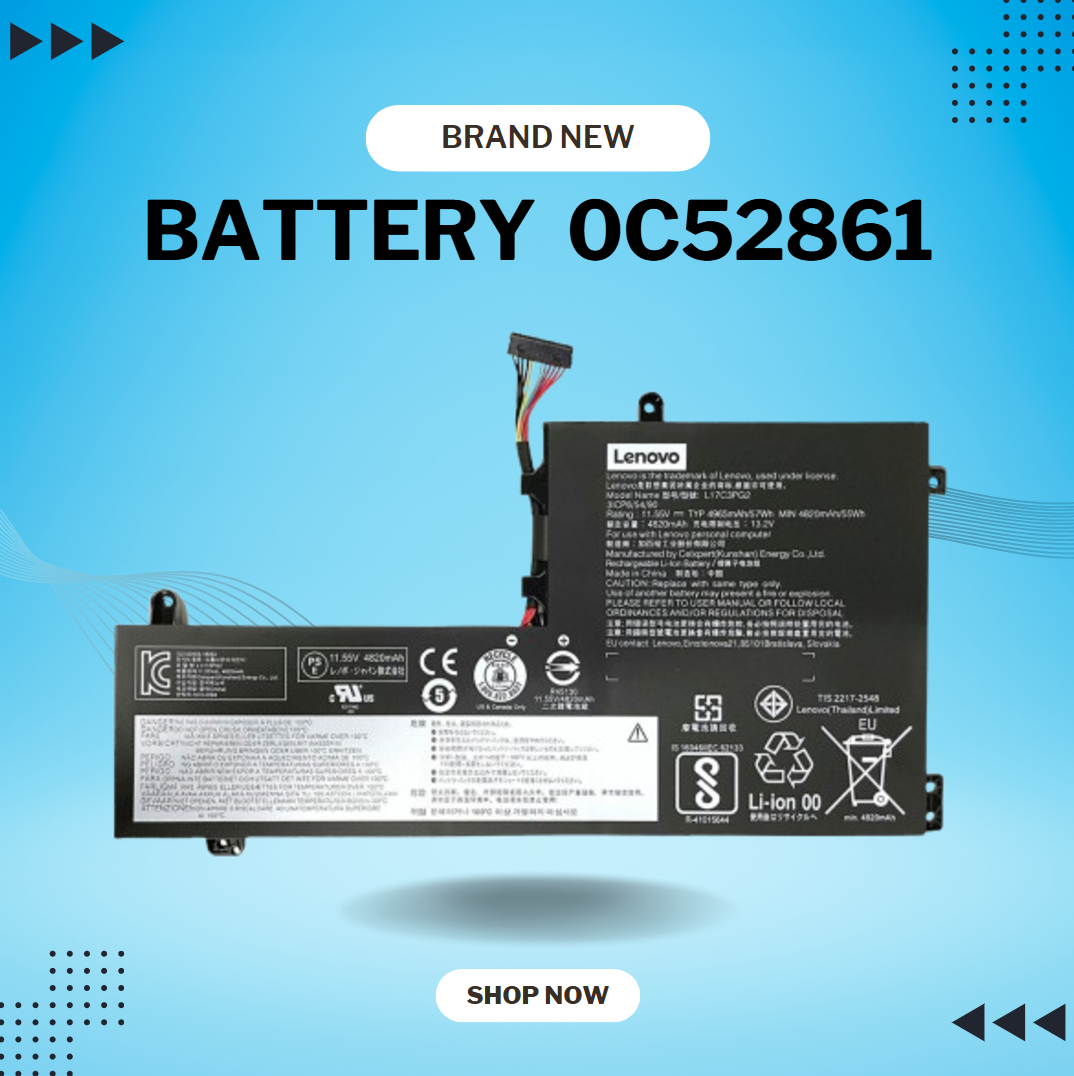
LENOVO 11.1V or 11.4V 24Wh 68 Laptop Battery 0C52861 45N1124 45N1775 45N1126 45N1127 For Lenovo ThinkPad X240 X240S X250 X260 X270 T440 T440S T450 T450S T460 T460P T470P T550 T560 W550 L450 L460 About this item Battery Type: 3-Cell Lithium-Ion Voltage &Capacity :11.1V 24Wh 2.09AH or 11.4V 24Wh 2.06Ah , in fact , 11.1V is same as 11.4V , because one cell voltage is 3.7V or 3.8V . SANISI Concept: The customer is god, Product Quality and Service must be perfect! We will let every customer feel satisfied Package Contents: 1 pcs Brand New Battery

External Seagate 2TB/4TB HDD Expansion Portable Drive Easily store and access 2TB/4TB of content on the go with Seagate Expansion Portable hard drive This external hard drive for Windows computers makes backup a snap just drag and drop To get set up, connect the portable hard drive to your Windows computer for automatic recognition no software required This USB drive provides plug and play simplicity with the included 18 inch USB 3.0 cable Enjoy long term peace of mind with the included one year limited warranty

Upgrade your workspace with a massive 27-inch Full HD canvas. Combining a high-speed 100Hz refresh rate with a stunning frameless IPS display, the B27M1 delivers an expansive, fluid viewing experience for professionals and creators alike. Model: Buerotika B27M1 Primary Specs: 27-inch Wide-Screen Display Display/Performance: IPS (In-Plane Switching) for 178° ultra-wide viewing angles Visual/Build Quality: 1920 x 1080 (Full HD) with vibrant color reproduction Aesthetic: 3-sided frameless “infinity” design for a sleek, modern desk setup Build: Lightweight, ultra-slim chassis with a space-saving minimalist stand Adjustability: Ergonomic tilt adjustment to match your eye level Input/Output: HDMI (High-Speed) and VGA ports Compatibility: Fully compatible with desktop PCs, laptops, and gaming consoles Smooth Motion: 100Hz Refresh Rate – 66% faster than standard monitors for reduced motion blur and lag. Eye Care: Integrated Flicker-Free technology and Low Blue Light filters for comfortable all-day use. Panel Quality: IPS technology ensures colors stay accurate even when viewed from the side. Enhanced Productivity: Large 27-inch screen allows for comfortable side-by-side window multitasking. Home Entertainment: Great for streaming and movies where a larger screen provides more impact. Education & Research: Easy-to-read text and large display area for students and writers. Casual Gaming: The 100Hz boost provides a competitive edge in smoothness over 60Hz displays.

BATTERY DELL J60J5 7.6V 55Wh Battery Compatible with Dell Latitude E7470 E7270 7470 7270 451-BBSY 451-BBSX 451-BBSU WYWJ2 R1V85 MC34Y 242WD PDNM2 1W2Y2 GG4FM F1KTM NJJ2H 5F08V P61G001 P26S001 J6OJ5 Laptop Battery About this item SPECIFICATION : Model Name: Standard Rechargeable Li-ion battery Type J60J5 ; Device Type: Notebook battery; Battery Type: Lithium ion; Voltage : 7.6V; Capacity : 55Wh; Cells: 4-cell; Dimensions about 9.37×4.17×0.24in; Weight: About 11OZ / 0.69lb; Condition : 100 % New; Packages includes: 1PC J6OJ5 laptop battery(with free screwdrivers for easy installation) COMPATIBILITY : 7.6V 55 WHr 4-Cell Lithium-Ion battery replace manufacturer part J60J5 J6OJ5 451-BBSX 451-BBSY 451-BBSU R1V85 WYWJ2 MC34Y 0MC34Y 242WD PDNM2 1W2Y2 0F1KTM F1KTM NJJ2H GG4FM 5F08V P61G P61G001 P26S P26S001 battery designed for Dell Latitude E7270 Latitude E7470 7270 7470 Series laptop. SECURITY: ECHEER 55Wh 4-cell J60J5 batteries have passed strict intelligent detection, such as short circuit protection, over-voltage protection, discharge protection, and over-current protection, which is very important for the battery’s use cycle and safety. Also, CE, FCC, and RoHS are certificated. Every one of our replacement notebook batteries is tested to meet OEM specifications.

Genuine-spec touchpad flex cable for MacBook Air 13″ (Model A1534, Early 2015)—essential for restoring full trackpad functionality, including precise cursor control and physical click response, during repair or replacement. Compatible With: MacBook Air 13-inch (Early 2015, Model A1534, Model Identifier MacBookAir7,2). Part Type: Touchpad flex cable only—does not include the trackpad housing, button mechanism, or mounting brackets. This is the ribbon cable that connects the trackpad to the logic board. Function: Carries input signals from the trackpad to the logic board—critical for cursor movement, tap-to-click, and primary/secondary physical click functionality. (Note: This model uses a physical click mechanism, not Force Touch—so no haptic feedback or pressure-sensing.) OEM-Quality Construction: Matches Apple’s original cable in length, connector type, and shielding—ensures reliable signal transmission and long-term durability. Common Use Cases: Replacing a torn, frayed, or damaged original flex cable Completing a trackpad replacement when the original cable is compromised Fixing erratic cursor movement, unresponsive trackpad, or loss of click function Replacing a torn, frayed, or damaged original flex cable Completing a trackpad replacement when the original cable is compromised Fixing erratic cursor movement, unresponsive trackpad, or loss of click function Installation Note: Requires bottom case removal and careful disconnect/reconnect of the ZIF (Zero Insertion Force) connector on the logic board. The cable routes under the battery—handle with care. Suitable for intermediate to advanced DIYers or technicians.

Apple USB-C to Lightning Cable (1m) - With Apple Warranty Apple USB-C to Lightning Cable (1m) – With Apple Warranty Connect your iPhone, iPad or iPod with Lightning connector to your USB-C– or Thunderbolt 3 (USB-C)–enabled Mac for syncing and charging, or to your USB-C–enabled iPad for charging. You can also use this cable with your Apple 18W, 20W, 29W, 30W, 61W, 87W or 96W USB‑C Power Adapter to charge your iOS device and even take advantage of the fast-charging feature on selected iPhone and iPad models.

WIWU S400 Aluminum Laptop Stand Portable, Adjustable and Foldable - Silver WIWU S400 Aluminum Laptop Stand Portable, Adjustable and Foldable – Silver

Apple Magic Keyboard - A1644 Wireless Bluetooth - UK English Layout Apple Magic Keyboard – A1644 Wireless Bluetooth – UK English Layout

Genuine-spec touchpad flex cable compatible with both MacBook Air A2179 (Intel, 2020) and A2337 (M1, 2020)—restores full Force Touch functionality, haptic feedback, and precise multi-touch gesture control during trackpad repair or replacement. Compatible With: MacBook Air 13″ (2020, Intel) – Model A2179 (Model Identifier: MacBookAir9,1) MacBook Air 13″ (2020, Apple M1) – Model A2337 (Model Identifier: MacBookAir10,1) MacBook Air 13″ (2020, Intel) – Model A2179 (Model Identifier: MacBookAir9,1) MacBook Air 13″ (2020, Apple M1) – Model A2337 (Model Identifier: MacBookAir10,1) ✅ Important Note: Despite different processors (Intel vs. M1), Apple used the same trackpad assembly and flex cable in both A2179 and A2337. This makes the flex cable fully interchangeable between the two models. Part Type: Touchpad flex cable only — does not include the trackpad housing, Taptic Engine, or mounting hardware. This is the OEM-style ribbon cable that connects the trackpad to the logic board. Function: Transmits: Touch input coordinates Force Touch pressure data Haptic feedback signals to the Taptic Engine Enables full macOS gesture support: Force Click, three-finger lookup, swipe navigation, pinch-to-zoom, and smooth cursor tracking. Touch input coordinates Force Touch pressure data Haptic feedback signals to the Taptic Engine Enables full macOS gesture support: Force Click, three-finger lookup, swipe navigation, pinch-to-zoom, and smooth cursor tracking. OEM-Quality Build: Matches Apple’s original specifications in: Cable length and routing path Connector pitch and ZIF latch design EMI shielding and flex durability Cable length and routing path Connector pitch and ZIF latch design EMI shielding and flex durability Common Use Cases: Replacing a torn, creased, or liquid-damaged original flex cable Completing a trackpad replacement when the original cable is compromised Fixing intermittent trackpad behavior, loss of Force Touch, or complete unresponsiveness Replacing a torn, creased, or liquid-damaged original flex cable Completing a trackpad replacement when the original cable is compromised Fixing intermittent trackpad behavior, loss of Force Touch, or complete unresponsiveness Installation Note: Requires full bottom case removal and battery disconnection. Cable routes under the right side of the battery and logic board. Connects via a ZIF (Zero Insertion Force) socket—align carefully and latch gently. Recommended for experienced or certified technicians only. Requires full bottom case removal and battery disconnection. Cable routes under the right side of the battery and logic board. Connects via a ZIF (Zero Insertion Force) socket—align carefully and latch gently. Recommended for experienced or certified technicians only.

Fast-charging feature available on select iPhone and iPad models.

Premium non-slip rubber feet designed to fit MacBook Pro models A1398, A1425, and A1502—restoring grip, stability, and base protection with a perfect OEM-style fit. Keep your MacBook Pro firmly in place with these high-quality skid-proof rubber feet, precision-made for MacBook Pro 13″ and 15″ Retina models: A1398 (15″ Retina, 2012–2015) A1425 (13″ Retina, 2012–2013) A1502 (13″ Retina, 2014–2015) These replacement feet replicate Apple’s original design, offering excellent traction on smooth surfaces like glass, wood, or metal desks—preventing slips during typing or transport. Crafted from soft yet durable silicone-rubber, they also cushion your laptop’s base, reducing scratches and minimizing vibration noise. Each set includes all necessary feet (typically 5 per unit) with strong pre-applied adhesive for quick, secure installation. The matte black finish matches your MacBook Pro’s sleek bottom case for a seamless look. Perfect for replacing worn, missing, or damaged feet due to age, cleaning, or accidental removal. A simple, cost-effective way to restore both function and finish to your MacBook Pro. Installation Tip: Clean the foot areas thoroughly with isopropyl alcohol and let dry before applying. Lightly warming the adhesive (with a hairdryer or fingers) can improve bonding.
