
The MSI MAG 274QF X24 monitor delivers sharp 27″ WQHD visuals with a high 240Hz refresh rate for smooth motion. It offers responsive gameplay and fast action performance. Its Rapid IPS panel provides vivid colors and wide viewing angles, ensuring consistent image quality from many positions. The monitor supports AMD FreeSync Premium to help reduce screen tearing and stuttering. This contributes to a fluid gaming experience. It also includes HDR Ready support to enhance contrast and display detail in bright and dark areas. The sleek flat design with anti-glare surface supports long sessions with less eye strain. The MSI MAG 274QF X24 monitor is a strong choice for gamers who want fast refresh performance and sharp 2K visuals. Specifications: 27″ WQHD (2560×1440) Rapid IPS panel with vivid colors 240Hz refresh rate for ultra-smooth motion 0.5ms (GtG) response time for fast responsiveness AMD FreeSync Premium to reduce screen tearing HDR Ready support for enhanced contrast and detail

Premium bilingual keyboard replacement for MacBook Pro 13″ (A1278, 2009–2012) — choose US/Arabic or UK/Arabic layout. Features durable scissor-switch keys, OEM fit, and clear dual-language legends for seamless typing in English and Arabic. Compatible With: MacBook Pro 13-inch (Model A1278) from Late 2009, Mid 2010, Early 2011, and Mid 2012 (Model Identifiers: MacBookPro5,5, 6,2, 8,1) Layout Options (select at purchase): US/Arabic: Primary legends in Arabic, secondary (top-left) in US QWERTY — includes @, #, and standard US symbols. UK/Arabic: Primary legends in Arabic, secondary in UK QWERTY — includes £ symbol, taller Enter key, and UK-specific punctuation. Both versions feature full Arabic character set US/Arabic: Primary legends in Arabic, secondary (top-left) in US QWERTY — includes @, #, and standard US symbols. UK/Arabic: Primary legends in Arabic, secondary in UK QWERTY — includes £ symbol, taller Enter key, and UK-specific punctuation. Both versions feature full Arabic character set Keyboard Type: Traditional scissor-switch mechanism—reliable, tactile, and serviceable (pre-Butterfly design). Backlighting: Included on Early 2011 and Mid 2012 models only. Keycaps are translucent for even lighting. (Note: Late 2009 & Mid 2010 A1278 models did not support backlighting—keyboard will still function, but lighting requires compatible hardware.) Build & Fit: Precision-molded frame with correct screw mounts and alignment pegs—ensures flush, secure installation in the original top case with no rattling. Installation: Keyboard is screw-mounted (no adhesive)—one of the most DIY-friendly MacBook keyboards. Requires top case access and battery disconnect. Suitable for intermediate users or professionals.

The MSI Pro MP241X 24″ monitor delivers clear visuals and reliable performance for work and home use. It is built for everyday tasks, browsing, and media viewing. First, this monitor features a 24-inch Full HD display with vibrant colors and sharp details. As a result, your screen content looks crisp and easy to read. In addition, the MSI Pro MP241X 24″ offers a wide viewing angle for shared viewing. Therefore, multiple people can see clear images from different positions. The sleek and slim design makes this monitor look modern on any desk. Also, it takes up minimal space. Moreover, this monitor supports anti-flicker and reduced blue light technology. So, your eyes feel more comfortable during long sessions. Because it uses HDMI and VGA inputs, it connects easily to many devices. Thus, setup stays simple with laptops and desktops. The MSI Pro MP241X 24″ provides consistent performance for work apps and video watching. This makes everyday computing smooth and enjoyable. Furthermore, the stand offers tilt adjustment for better viewing angles. So, you can find the most comfortable position for your eyes. Compared to lower-resolution screens, this Full HD panel shows clearer details. Therefore, text and graphics look sharper and more accurate. It works well for office tasks, video streaming, and school work. Thus, it fits many daily needs. Installation is fast and beginner-friendly with plug-and-play support. As a result, you can start using it right away. The MSI Pro MP241X 24″ also supports stable refresh performance for smoother visuals. This improves motion during videos and general use. Also, the slim bezels help reduce distraction and provide a clean look. Therefore, your workspace stays neat and focused. In conclusion, this monitor offers clear visuals, comfort features, and easy connectivity. Overall, it is a strong choice for work, school, or entertainment. If you want a reliable and sharp 24″ screen, this model is worth choosing. Specifications: Display: 24-inch VA panel, Full HD (1920×1080), 16:9 aspect ratio. Performance: 75Hz refresh rate, 4ms (GTG) response time, 1000:1/3000:1 contrast Connectivity: HDMI™ 1.4b & D-Sub (VGA) ports for versatile device connection

The Dell UltraSharp 34 Curved Thunderbolt Hub Monitor transforms your workspace with stunning visuals and seamless connectivity. Ideal for professionals and creatives, this monitor elevates your productivity and entertainment experiences. With its 34-inch curved screen, the Dell UltraSharp Monitor provides an immersive viewing experience. The WQHD resolution ensures sharp and vibrant visuals, making it perfect for detailed work and multimedia consumption. Connectivity is a breeze with the Dell UltraSharp 34 Curved Thunderbolt Hub Monitor. Featuring Thunderbolt 3, USB-C, HDMI, and DisplayPort options, it supports a wide range of devices for a clutter-free workspace. The integrated Thunderbolt hub enhances your workflow by providing power delivery, data transfer, and video output all through a single cable. This simplifies your setup and reduces cable clutter. Designed with comfort in mind, the Dell UltraSharp Monitor offers adjustable height, tilt, and swivel options. You can easily customize your viewing position for maximum comfort during long hours of use. The monitor’s advanced IPS technology ensures consistent color accuracy and wide viewing angles. This makes it ideal for tasks requiring precise color reproduction, such as graphic design and photo editing. Enjoy peace of mind with Dell’s ComfortView feature, which reduces harmful blue light emissions. This helps minimize eye strain, allowing you to work comfortably for extended periods. In conclusion, the Dell UltraSharp 34 Curved Thunderbolt Hub Monitor combines stunning visuals, versatile connectivity, and ergonomic design. Enhance your workspace with this exceptional monitor and boost your productivity and creativity. Specifications: Display : 34″ IPS Resolution : 3440 x 1440 Refresh Rate : 120Hz Response Rate : 5ms

Genuine-spec touchpad flex cable for MacBook Pro 13″ (Model A1502, Mid 2014)—restores full trackpad functionality, including precise cursor control and physical click response. Essential for repairing unresponsive or erratic trackpad behavior. Compatible With: MacBook Pro 13-inch (Mid 2014, Model A1502, Model Identifier MacBookPro11,1) with Intel Core i5/i7 processors and Retina display. Part Type: Touchpad flex cable only — does not include the trackpad housing, button mechanism, or mounting hardware. This is the ribbon cable that connects the trackpad to the logic board. Function: Transmits cursor movement and click signals (left/right physical clicks) Supports standard multi-touch gestures (two-finger scroll, tap-to-click, pinch-to-zoom) ⚠️ Note: This model uses a physical click mechanism—not Force Touch (no haptic feedback or pressure sensitivity). Transmits cursor movement and click signals (left/right physical clicks) Supports standard multi-touch gestures (two-finger scroll, tap-to-click, pinch-to-zoom) ⚠️ Note: This model uses a physical click mechanism—not Force Touch (no haptic feedback or pressure sensitivity). OEM-Quality Build: Matches Apple’s original in: Cable length and routing path Connector type and pin alignment Insulation and flexibility for long-term reliability Cable length and routing path Connector type and pin alignment Insulation and flexibility for long-term reliability Common Use Cases: Replacing a torn, frayed, or corroded original flex cable Fixing: Unresponsive or intermittent trackpad Cursor jumping or drifting Click function failure (left or right) Complete trackpad disconnect Replacing a torn, frayed, or corroded original flex cable Fixing: Unresponsive or intermittent trackpad Cursor jumping or drifting Click function failure (left or right) Complete trackpad disconnect Unresponsive or intermittent trackpad Cursor jumping or drifting Click function failure (left or right) Complete trackpad disconnect Installation Note: Requires bottom case removal and battery disconnect. Connects via a ZIF (Zero Insertion Force) socket on the logic board—do not force. Cable routes under the battery; handle with care to avoid strain. Suitable for intermediate to advanced DIYers or technicians. Requires bottom case removal and battery disconnect. Connects via a ZIF (Zero Insertion Force) socket on the logic board—do not force. Cable routes under the battery; handle with care to avoid strain. Suitable for intermediate to advanced DIYers or technicians.

A versatile wireless 2D barcode scanner with desk stand—Beurotika BS104WS supports auto-scan, continuous, and manual modes, with up to 200 scans per second and a 2000mAh rechargeable battery for all-day use. The Beurotika BS104WS is a high-performance wireless 2.4GHz 2D barcode scanner designed for retail, warehouse, logistics, and office environments. It comes with a convenient desktop stand for hands-free operation and features a 32-bit high-speed processor for fast, accurate decoding of 1D and 2D barcodes—including QR Code, Data Matrix, PDF417, and more Three scanning modes: Auto-scan, continuous scan, and manual trigger—ideal for different workflow needs Scanning speed: Up to 200 scans per second for rapid data capture Wireless range: Reliable 2.4GHz connection (via USB dongle) for cord-free mobility Built-in battery: 3.7V 2000mAh lithium-ion battery offering up to 16 hours of continuous use Ergonomic handheld design with desk stand for flexible countertop or portable use Plug-and-play setup via USB receiver—no drivers required for most systems

The Arzopa A1 is an ultra-slim, lightweight 15.6-inch portable monitor engineered for seamless travel productivity and entertainment. Delivering crisp Full HD imagery on a premium IPS panel with integrated eye care features, it provides a hassle-free plug-and-play experience using dual full-function USB-C and Mini HDMI inputs. Complete with a built-in adjustable kickstand, it is the perfect dual-screen companion for laptops, smartphones, and gaming consoles. ✅ Full Specifications: Model: ARZOPA Type-C Portable Monitor (ARZOPA-A1) Interface / Connection: Multi-Port Input Panel: 2 x USB Type-C Full Function Ports (Supports concurrent video transmission, data, and power delivery) 1 x Mini HDMI Port (Video signal input only) 1 x 3.5mm Headphone / Audio Output Interface Interface / Connection: Multi-Port Input Panel: 2 x USB Type-C Full Function Ports (Supports concurrent video transmission, data, and power delivery) 1 x Mini HDMI Port (Video signal input only) 1 x 3.5mm Headphone / Audio Output Interface Performance / Screen Quality: Panel Type: IPS (In-Plane Switching) display with 178° wide viewing angles Resolution: Full HD 1920 x 1080p Refresh Rate: 60Hz Aspect Ratio: 16:9 Brightness: 300 cd/m² Contrast Ratio: 1200:1 Display Colors: 262K (8-bit) Color Gamut: 45% NTSC / 72% sRGB space coverage Performance / Screen Quality: Panel Type: IPS (In-Plane Switching) display with 178° wide viewing angles Resolution: Full HD 1920 x 1080p Refresh Rate: 60Hz Aspect Ratio: 16:9 Brightness: 300 cd/m² Contrast Ratio: 1200:1 Display Colors: 262K (8-bit) Color Gamut: 45% NTSC / 72% sRGB space coverage Display Technology: Features built-in HDR rendering technology to boost dynamic contrast alongside a Low Blue Light comfort filter to reduce eye fatigue. Audio: Dual built-in stereo speakers (1W x 2 configuration). Material & Build: Premium, durable metal housing constructed out of a sleek aluminum alloy framework. Design & Form Factor: Ultra-thin bezel layout boasting an integrated adjustable smart kickstand for multi-angle landscape deployment. Power Setup: Driverless plug-and-play architecture. Operates without an internal battery; runs on host device power distribution via USB-C or requires an external 5V/3A power input adapter. Compatibility: Fully compatible with MacBooks, Windows PCs/Laptops, Chromebooks, USB-C supported Android smartphones, and modern gaming consoles (Nintendo Switch, Xbox Series X/S, PS4, PS5). Dimensions: Approx. 355.6 x 220.9 x 9.14 mm (Ultra-slim 0.36-inch profile) Weight: Approx. 725 to 735 grams (1.6 lbs lightweight chassis)

• LCD panel type: IPS technology • Adaptive sync • Backlight type: W-LED system • Panel Size: 27 inch / 68.6 cm • Display Screen Coating: Anti-Glare, 3H, Haze 25% • Effective viewing area: 597.9 (H) x 336.3 (V) • Aspect ratio: 16:9 • Maximum resolution: 1920 x 1080 @ 75 Hz* • Pixel Density: 82 PPI • Response time (typical): 4 ms (GtG)* • Brightness: 250 cd/m² • Contrast ratio (typical): 1000:1 • SmartContrast: Mega Infinity DCR • Pixel pitch: 0.311 x 0.311 mm • Viewing angle: 178º (H) / 178º (V), @ C/R > 10 • Flicker-free • Display colors: 16.7 M • Scanning Frequency: 30 -83 kHz (H) / 56 -76 Hz (V) • LowBlue Mode • EasyRead • sRGB 1 YEAR WARRANTY

A1989 Battery Replacement, A1964 Battery for MacBook Pro 13″ A1989 (Mid 2018 2019) A2251(2020 Release) EMC 3214 3358 3348 MR9Q2LL/A MR9R2LL/A MR9T2LL/A MR9U2LL/A MR9V2LL/A MV962LL/A MV9A2LL/A 【Specification】Voltage: 11.41V. Capacity: 58Wh/ 5086mAh. Battery Type: Li-ion. Condition: Brand new, from high quality materials, top circuit boards and smart chip. 【Compatible Part Number】A1964 A1989 A1989(EMC 3214) A1989(EMC 3358) A2251(EMC 3348) 020-02497 616-00419. 【Compatible Laptop Models】MacBook Pro 13-Inch model A1989 (Mid 2018, Mid 2019) , A2251(2020 Release), Order No MR9Q2LL/A MR9R2LL/A MR9T2LL/A MR9U2LL/A MR9V2LL/A MV962LL/A MV972LL/A MV982LL/A MV992LL/A MV9A2LL/A MWP72LL/A MWP82LL/A MWP42LL/A MWP52LL/A MWP62LL/A MR9Q2 MR9R2 MR9T2 MR9U2 MR9V2 MV962 MV972 MV982 MV992 MV9A2 MWP62. 【Note】The tools are included. Double-sided tape is attached to the back of the battery, but NO battery installation instruction. The MBP battery is difficult to disassemble, we suggest you search for related installation videos or find a technician for help.

The Apple MacBook Pro 16-inch (2019) is powered by an Intel Core i9 processor, paired with 16GB RAM and a fast 512GB SSD for powerful and reliable performance. Designed for professionals and creatives, it features a premium aluminum build, immersive 16-inch Retina display, and dedicated Radeon Pro graphics for demanding workloads.

Genuine-spec US layout keyboard replacement for MacBook Pro (Model A1398, Late 2011–Mid 2012)—featuring durable scissor-switch keys, backlighting, and OEM-fit design for reliable typing and straightforward installation. Compatible With: MacBook Pro 13″: Late 2011 (Model A1278, but labeled A1398 in some regions) – Model Identifier MacBookPro8,1 MacBook Pro 15″: Early 2011, Late 2011, and Mid 2012 – Model Identifiers MacBookPro8,2 (15″ early/late 2011) and MacBookPro9,1 (15″ mid 2012) *(Note: “A1398” is primarily associated with the 15″ unibody MacBook Pro with Retina display (Mid 2012), which was the first Retina MacBook Pro.)* This keyboard fits the non-Retina 15″ A1398 (Mid 2012) and compatible Late 2011 models. MacBook Pro 13″: Late 2011 (Model A1278, but labeled A1398 in some regions) – Model Identifier MacBookPro8,1 MacBook Pro 15″: Early 2011, Late 2011, and Mid 2012 – Model Identifiers MacBookPro8,2 (15″ early/late 2011) and MacBookPro9,1 (15″ mid 2012) *(Note: “A1398” is primarily associated with the 15″ unibody MacBook Pro with Retina display (Mid 2012), which was the first Retina MacBook Pro.)* This keyboard fits the non-Retina 15″ A1398 (Mid 2012) and compatible Late 2011 models. Layout: Standard US English (QWERTY) with full-size keys, inverted-T arrow keys, and dedicated function row (F1–F12). Keyboard Type: Traditional scissor-switch mechanism—robust, tactile, and serviceable (pre-Butterfly era). Integrated Features: Backlit keys (adjustable brightness via F5/F6) OEM ribbon cable with ZIF connector Matches original key spacing and actuation force Backlit keys (adjustable brightness via F5/F6) OEM ribbon cable with ZIF connector Matches original key spacing and actuation force Build & Fit: Precision-molded plastic frame with exact screw mounts and alignment pegs—ensures secure, rattle-free installation in the top case. Installation Note: Keyboard is secured with screws and minimal adhesive. Requires full top case access and battery disconnect. Recommended for intermediate to advanced users or technicians.

Sleek, ultra-thin 24-inch Full HD display with micro-edge design, flicker-free technology, and versatile connectivity—ideal for productivity, home office, or multi-display setups. Model: HP V24v G5 Screen Size: 23.8 inches (viewable), 24-inch class Display Type: IPS (In-Plane Switching) panel Resolution: 1920 x 1080 (Full HD) at 60Hz Brightness: 250 cd/m² Contrast Ratio: 1,000:1 (static), 10,000,000:1 (dynamic) Response Time: 7 ms (gray-to-gray) Viewing Angles: 178° horizontal / 178° vertical (excellent color consistency from wide angles) Design Features: 3-sided micro-edge bezel – ideal for seamless multi-monitor setups Ultra-slim profile – modern, minimalist aesthetic Tilt-only stand: -5° to +25° VESA Mount Compatible: 100 x 100 mm (stand removable) 3-sided micro-edge bezel – ideal for seamless multi-monitor setups Ultra-slim profile – modern, minimalist aesthetic Tilt-only stand: -5° to +25° VESA Mount Compatible: 100 x 100 mm (stand removable) Connectivity: 1 x HDMI 1.4 1 x VGA (D-Sub) Audio Line-out (3.5mm) – for use with external speakers/headphones No built-in speakers 1 x HDMI 1.4 1 x VGA (D-Sub) Audio Line-out (3.5mm) – for use with external speakers/headphones No built-in speakers Eye Comfort & Sustainability: Flicker-free backlight HP Eye Ease (TÜV-certified low blue light mode—reduces eye strain without color distortion) ENERGY STAR® certified Made with post-consumer recycled plastics (up to 85% in enclosure) Flicker-free backlight HP Eye Ease (TÜV-certified low blue light mode—reduces eye strain without color distortion) ENERGY STAR® certified Made with post-consumer recycled plastics (up to 85% in enclosure) Ideal For: Home office & remote work Students and professionals Dual/triple monitor productivity setups Everyday computing, web browsing, and document editing Home office & remote work Students and professionals Dual/triple monitor productivity setups Everyday computing, web browsing, and document editing Dimensions (with stand): 21.26 x 7.76 x 15.83 in (540 x 197 x 402 mm) 21.26 x 7.76 x 15.83 in (540 x 197 x 402 mm) Weight: ~7.5 lbs (3.4 kg)

ViewSonic 27″ 2K QHD The ViewSonic 27″ 2K QHD Designed with creative professionals in mind. the ViewSonic VP2756-2k delivers colors on screen. Pantone validated 100% sRGB coverage provides precise color your work looks how it should. every time. A USB-C port that easily connects with your devices for easy charging and data transfer. Ergonomic engineering gives you the flexibility to do more without injury, while Auto Pivot lets shift between horizontal. and Introducing VP56 Series Inspiration starts within, then appears to the world on the ViewSonic VP2756-2k, delivered with stunning true-to-life, high precision colors on an QHD frameless screen, with an ergonomic stand and USB-C support. Bring Your Colors to Life 100% sRGB color gamut that meets industry standards and can produce color precisely. Pantone® Validated ensures high levels of fidelity in simulating the full range of real-world colors. These two features combine to give ColorPro® VP2756-2K high every creative to get their colors right, every time. Precise Color With Delta E < 2 color accuracy, the ColorPro® VP2756-2K delivers stunning color reproduction that ensures. the colors in your videos and photos are true-to-life and nearly indistinguishable from the color seen by the naked eye. Exquisite Quality out of the Box Every unit is pre-calibrated at the factory and comes with its own color calibration report. Giving you the highest quality color calibration possible, right out of the box. Time spent fine-tuning ColorPro® monitors bring you the highest quality color calibration possible. Big Picture, Small Details Image quality is paramount for creative professionals, and with a 2K QHD (2560 x 1440) . resolution panel, images on the ColorPro® VP2756-2K series ensure incredible detail. Find Your Perfect Angle With a full range of swivel, pivot, tilt, and height adjustments, The ColorPro® VP2756-2K allows you to find the most comfortable. monitor positioning for your .Auto Pivot can even let photos to be automatically adjusted to the screen’s orientation when pivoted. Specifications: Specifications QHD Pantone| sRGB| USB-C 60W|CAM/CAD| Portrait mode for photography certified for blue light filter Auto Pivot, Swivel, Tilt, and Height adjust Split Screen 27 Inch 60 Hz QHD 2 USB-A 1 USB-C 1 HDMI 1 Display Port 1 year warranty Manufacturer Link

Mini Slim Wired USB Numeric Digital Keyboard Number Pad (18 Keys) Numeric Keypad for Laptop,18 Key USB Keypad, Numerical Keypad Wired Portable Ultra Slim Mini Numpad External Numbers Keyboard Pad for Laptop PC Computer Desktop Surface pro Notebook

Compact, affordable all-in-one inkjet printer for home and small office use—print, scan, and copy in color with easy wireless setup, mobile printing, and HP’s efficient ink system.

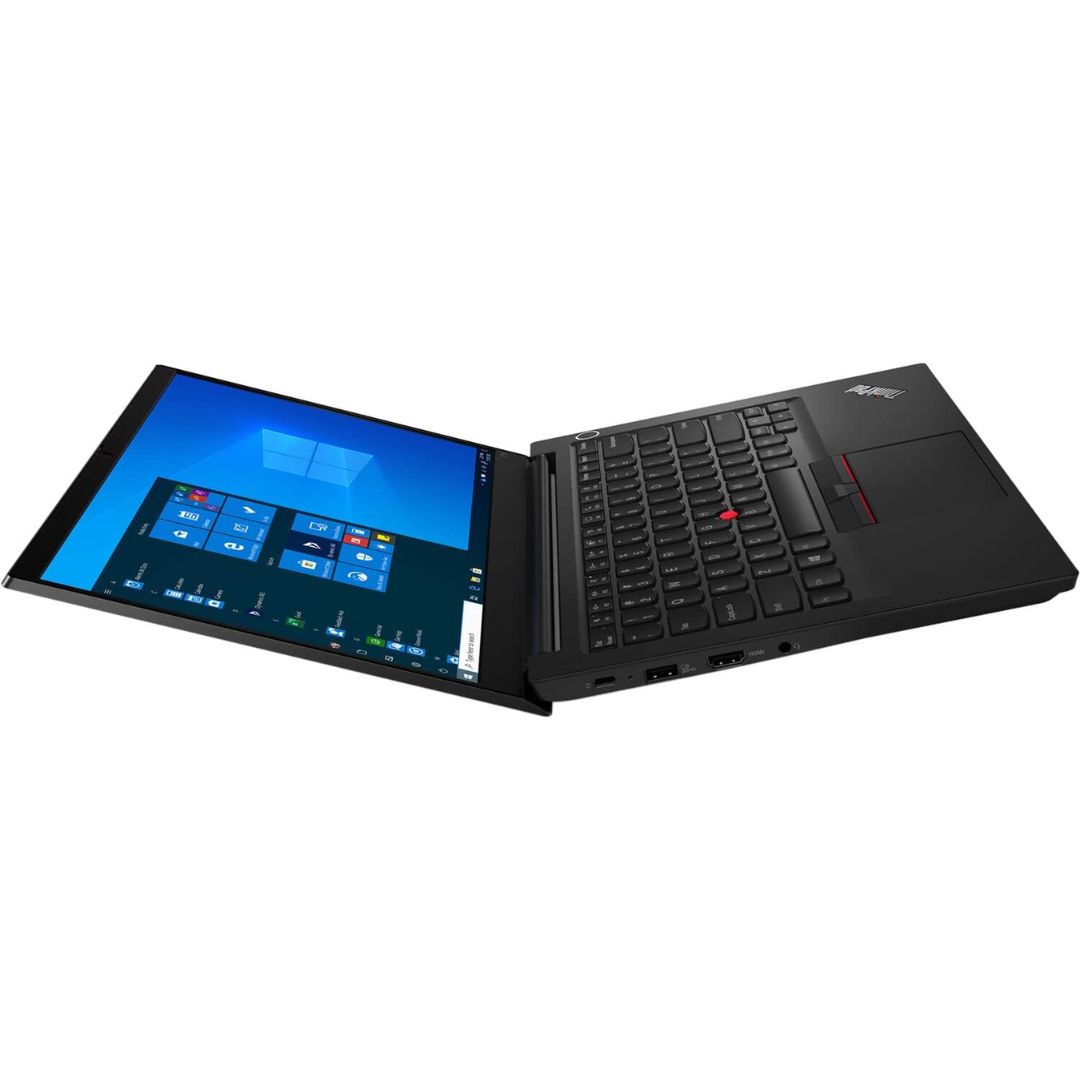
A capable pre-owned Dell Latitude 5401 with 14" display, 10th Gen Core i7, 16GB RAM, 512GB SSD, and NVIDIA GeForce MX330 2GB—ideal for professionals who need extra graphics power for light creative work or multitasking in a durable business laptop.

The Samsung 86″ Interactive E-Board LH86WACW offers a large and clear display for classrooms and meeting rooms. It shows bright images with strong detail. The screen size allows everyone in the room to see clearly. This improves communication and teamwork. Moreover, the Samsung Interactive E-Board LH86WACW supports smooth touch control. You can write, draw, and move items with ease. The touch response feels fast and natural. This helps teachers and teams present ideas more effectively. In addition, the board includes multiple connection options. You can connect laptops, tablets, and other devices quickly. This makes sharing content easier for everyone. The board also supports wireless features for more flexible use. Furthermore, the Samsung 86″ Interactive E-Board LH86WACW includes built-in software tools. These tools allow easy note-taking and smart collaboration. You can save your work and share it instantly. This helps improve learning and workflow. Also, the display uses strong protection glass. It resists scratches and damage during daily use. The durable design makes it ideal for schools and offices. It stays reliable even with heavy use. The sleek design of the Samsung Interactive E-Board LH86WACW looks modern and professional. It fits well in classrooms, conference rooms, and training centers. The slim frame gives the screen a clean and elegant look. This makes every space feel more advanced. Overall, the Samsung 86″ Interactive E-Board LH86WACW offers clear visuals, fast touch control, and smart tools in one device. It helps teams share ideas better and faster. It also makes lessons more interactive and engaging. This board is perfect for education, business, and training environments. Specifications: Display : 86″ IPS Resolution : 3840×2160 Refresh Rate : 60Hz Response Time : 8ms Model : LH86WACW

The MSI Pro MP272 E14C is a 27‑inch FHD monitor built for business and productivity. It delivers clear Full HD visuals with a fast 144 Hz refresh rate. Furthermore, its IPS panel provides wide viewing angles and accurate colors, making work and multimedia more enjoyable. It supports a 1 ms (MPRT) response time, which reduces motion blur in videos and fast‑moving content. In addition, Adaptive‑Sync technology helps smooth gameplay and reduce screen tearing. The monitor also includes HDR Ready support for improved contrast and detail. Moreover, the design features a four‑side slim bezel for a clean look and immersive viewing experience. It offers anti‑glare treatment and built‑in speakers for convenient multimedia use. As a result, the MSI Pro MP272 E14C enhances productivity and comfort whether you work, create, or play. . Specifications: 27‑inch FHD (1920 × 1080) IPS panel with wide viewing angles 144 Hz refresh rate with 1 ms (MPRT) response time Adaptive‑Sync support and HDR Ready for smooth visuals HDMI 2.0 and USB‑C (DP Alt Mode with 15 W PD) connectivity Built‑in speakers, anti‑glare surface, and slim bezel design

ViewSonic VX3276-2K-MHD-2 32 SuperClear® IPS panel for vivid picture quality and wider viewing angles Frameless bezel and stylish stand QHD (2560 x 1440) resolution for crisp, clear image detail Adaptive Sync delivers smooth, continuous visuals Flexible connectivity with DisplayPort, Mini DisplayPort and two HDMI ports Specifications: ViewSonic VX3276-2K-MHD-2 32 SuperClear® IPS panel for vivid picture quality and wider viewing angles Frameless bezel and stylish stand QHD (2560 x 1440) resolution for crisp, clear image detail manufacturer link

Genuine-spec touchpad flex cable for Apple’s 12-inch MacBook (Model A1534, Early 2015 / Early 2016 / Mid 2017)—essential for restoring full Force Touch trackpad functionality, haptic feedback, and multi-touch gesture support. Compatible With: MacBook 12″ (Early 2015) – 1.1GHz Core M MacBook 12″ (Early 2016) – 1.1GHz/1.3GHz Core M MacBook 12″ (Mid 2017) – 1.2GHz/1.3GHz Core m3/i5/i7 All share Model Number A1534 and Model Identifier MacBook8,1 / MacBook9,1 / MacBook10,1 respectively. MacBook 12″ (Early 2015) – 1.1GHz Core M MacBook 12″ (Early 2016) – 1.1GHz/1.3GHz Core M MacBook 12″ (Mid 2017) – 1.2GHz/1.3GHz Core m3/i5/i7 All share Model Number A1534 and Model Identifier MacBook8,1 / MacBook9,1 / MacBook10,1 respectively. Part Type: Touchpad flex cable only—does not include the trackpad housing, Taptic Engine, or mounting brackets. This is the ribbon cable that connects the Force Touch trackpad to the logic board. Function: Critical for Force Touch functionality—transmits pressure-sensitive input, multi-touch gestures (e.g., pinch, swipe, Force Click), and haptic feedback signals to the Taptic Engine. OEM-Quality Construction: Precisely matches Apple’s original in length, connector pitch, shielding, and routing—ensures reliable signal integrity and compatibility with macOS. Common Use Cases: Replacing a torn, creased, or liquid-damaged flex cable Restoring unresponsive or erratic trackpad behavior Completing a trackpad replacement when the original cable is unusable Replacing a torn, creased, or liquid-damaged flex cable Restoring unresponsive or erratic trackpad behavior Completing a trackpad replacement when the original cable is unusable Installation Note: Requires full bottom case removal and delicate disconnection of the ZIF connector. The cable routes tightly under the battery—extreme care is required. Recommended for experienced or certified technicians only.
