
Genuine-spec touchpad flex cable for MacBook Pro 13″ (Model A1502, Mid 2014)—restores full trackpad functionality, including precise cursor control and physical click response. Essential for repairing unresponsive or erratic trackpad behavior. Compatible With: MacBook Pro 13-inch (Mid 2014, Model A1502, Model Identifier MacBookPro11,1) with Intel Core i5/i7 processors and Retina display. Part Type: Touchpad flex cable only — does not include the trackpad housing, button mechanism, or mounting hardware. This is the ribbon cable that connects the trackpad to the logic board. Function: Transmits cursor movement and click signals (left/right physical clicks) Supports standard multi-touch gestures (two-finger scroll, tap-to-click, pinch-to-zoom) ⚠️ Note: This model uses a physical click mechanism—not Force Touch (no haptic feedback or pressure sensitivity). Transmits cursor movement and click signals (left/right physical clicks) Supports standard multi-touch gestures (two-finger scroll, tap-to-click, pinch-to-zoom) ⚠️ Note: This model uses a physical click mechanism—not Force Touch (no haptic feedback or pressure sensitivity). OEM-Quality Build: Matches Apple’s original in: Cable length and routing path Connector type and pin alignment Insulation and flexibility for long-term reliability Cable length and routing path Connector type and pin alignment Insulation and flexibility for long-term reliability Common Use Cases: Replacing a torn, frayed, or corroded original flex cable Fixing: Unresponsive or intermittent trackpad Cursor jumping or drifting Click function failure (left or right) Complete trackpad disconnect Replacing a torn, frayed, or corroded original flex cable Fixing: Unresponsive or intermittent trackpad Cursor jumping or drifting Click function failure (left or right) Complete trackpad disconnect Unresponsive or intermittent trackpad Cursor jumping or drifting Click function failure (left or right) Complete trackpad disconnect Installation Note: Requires bottom case removal and battery disconnect. Connects via a ZIF (Zero Insertion Force) socket on the logic board—do not force. Cable routes under the battery; handle with care to avoid strain. Suitable for intermediate to advanced DIYers or technicians. Requires bottom case removal and battery disconnect. Connects via a ZIF (Zero Insertion Force) socket on the logic board—do not force. Cable routes under the battery; handle with care to avoid strain. Suitable for intermediate to advanced DIYers or technicians.

The Samsung 65″ The Frame Pro 4K Samsung Vision AI Smart TV QA65LS03FWUXTW uses a 65-inch LCD panel with 3840 × 2160 4K resolution. It is designed for standard TV viewing and wall-mounted display use in living spaces. Samsung uses Vision AI and picture processing to adjust image settings in real time. As a result, brightness, contrast, and color adjust based on the scene and content type. In addition, the system supports 4K upscaling to improve lower-resolution content clarity. The display supports HDR formats for compatible content. This improves contrast between bright and dark areas. Also, motion processing reduces blur in fast scenes such as sports and action content. The TV runs Samsung Tizen OS. Therefore, users access streaming apps, SmartThings integration, and smart features through a unified interface. It also supports Wi-Fi and Bluetooth for wireless devices. Connectivity includes HDMI ports, USB ports, Ethernet LAN, and optical audio output. It supports external devices such as gaming consoles and sound systems. This model uses The Frame design concept, which allows the display to function as both a TV and a digital art screen when not in use. Specifications: 65-inch 4K UHD LCD panel with 3840 × 2160 resolution Vision AI image processing with real-time adjustments HDR support for compatible content Tizen OS smart platform with streaming apps HDMI, USB, Wi-Fi, Bluetooth, Ethernet connectivity

Samsung ViewFinity S5 S50GC 34″ UltraWide Monitor features a 21:9 Ultra WQHD display for wide and detailed viewing. Additionally, the large screen helps improve productivity and entertainment by showing more content at once. The flat design and minimal bezel support multi‑task workflows with less distraction. Moreover, the monitor supports HDR10 for richer color and deeper contrast. This brings more accurate and vibrant visuals for movies, work, and games. In addition, the 100Hz refresh rate helps deliver smoother motion during fast scenes and transitions. Furthermore, AMD FreeSync keeps the display and graphics card refresh rates in sync to reduce tearing and stutter. Eye Saver Mode and Flicker Free technology help reduce eye strain during long use. Picture‑in‑Picture (PIP) and Picture‑by‑Picture (PBP) let users view content from two sources at once. Finally, the panel offers wide viewing angles and consistent visuals across the screen. The monitor also includes an ambient light sensor to adjust brightness automatically in changing lighting conditions. These features make it a versatile choice for work and multimedia. Specifications: The monitor has Ultra WQHD (3440 × 1440) resolution with a 21:9 aspect ratio for a wide view. It offers a 100Hz refresh rate for smooth motion and reduced blur. HDR10 support adds richer colors and improved contrast. AMD FreeSync keeps graphics and display refresh rates aligned to reduce tearing. Features include PIP/PBP for multitasking, Eye Saver Mode, and Flicker Free eye comfort tech.

The ASUS ROG Strix XG27ACS-W 27 inch QHD 180Hz 1ms Fast IPS Gaming Monitor is a 27-inch gaming display designed for smooth performance and sharp image quality. It uses a Fast IPS panel that delivers wide viewing angles and accurate colors for gaming and everyday use. It features a QHD (2560×1440) resolution, which provides more detail and screen space compared to Full HD. Therefore, it improves visibility in games and productivity tasks. The ASUS ROG Strix XG27ACS-W 27 inch QHD 180Hz 1ms Fast IPS Gaming Monitor supports a 180Hz refresh rate for smoother motion in fast-paced gameplay. In addition, it includes a 1ms response time to reduce motion blur during rapid actions. It supports adaptive sync technology, which helps reduce screen tearing and stuttering when paired with compatible graphics cards. As a result, gameplay feels smoother and more stable. Moreover, it includes HDR support for improved contrast and brightness in compatible content. The monitor also provides gaming display modes and on-screen settings for quick adjustments. The white design gives it a clean and modern appearance suitable for light or themed setups. Overall, the ASUS ROG Strix XG27ACS-W 27 inch QHD 180Hz 1ms Fast IPS Gaming Monitor is built for responsive gaming, clear visuals, and a premium white aesthetic. Specifications: 27-inch QHD (2560×1440) display 180Hz refresh rate 1ms response time Fast IPS panel White premium design

Genuine-spec touchpad flex cable for MacBook Pro 16″ (Model A2141, 2019, Intel)—essential for restoring full Force Touch functionality, haptic feedback, and precise multi-touch gesture control during trackpad repair or replacement. Compatible With: MacBook Pro 16-inch (2019, Model A2141) with Intel Core i7/i9 processors (Model Identifier: MacBookPro16,1) (Note: A2141 is the non-base configuration of the 2019 16″ MacBook Pro—typically higher-end Intel models.) Part Type: Touchpad flex cable only—does not include the trackpad housing, Taptic Engine, or mounting hardware. This is the OEM-style ribbon cable that connects the trackpad to the logic board. Function: Transmits touch coordinates, Force Touch pressure data, and haptic feedback signals—critical for macOS gestures (e.g., Force Click, three-finger lookup, pinch-to-zoom) and Taptic Engine responsiveness. OEM-Quality Construction: Replicated to Apple’s exact specifications—including cable length, connector pitch, EMI shielding, and bend radius—ensuring reliable signal integrity and long-term durability. Common Use Cases: Replacing a torn, creased, or liquid-damaged original flex cable Completing a trackpad replacement when the original cable is compromised Fixing intermittent trackpad behavior, loss of Force Touch, or complete unresponsiveness Replacing a torn, creased, or liquid-damaged original flex cable Completing a trackpad replacement when the original cable is compromised Fixing intermittent trackpad behavior, loss of Force Touch, or complete unresponsiveness Installation Note: Requires full disassembly of the bottom case, speaker removal, and careful routing beneath the battery and logic board. Connectors use ZIF (Zero Insertion Force) sockets—must be aligned and latched gently. Recommended for certified or professional repair technicians only. Important: This is flex cable only—not a complete trackpad assembly. Must be used with the original or compatible A2141 trackpad and Taptic Engine. Not compatible with M1 MacBook Pro 16″ (A2485), 14″ models (A2442), or any MacBook Air. This is flex cable only—not a complete trackpad assembly. Must be used with the original or compatible A2141 trackpad and Taptic Engine. Not compatible with M1 MacBook Pro 16″ (A2485), 14″ models (A2442), or any MacBook Air. Model Verification: Confirm your device is MacBook Pro A2141 (16″, 2019, Intel) via > About This Mac > Model Identifier (should read MacBookPro16,1).

Display Panel Size (inch) : 27 Aspect Ratio : 16:9 Display Viewing Area (H x V) : 597.888 x 336.312 mm Display Surface : Non-Glare Backlight Type : LED Panel Type : IPS Viewing Angle (CR≧10, H/V) : 178°/ 178° Pixel Pitch : 0.311mm Resolution : 1920×1080 Color Space (sRGB) : 100% Brightness (Typ.) : 250cd/㎡ Contrast Ratio (Typ.) : 1000:1 ASUS Smart Contrast Ratio (ASCR) : 100000000:1 Display Colors : 16.7M Response Time : 1ms MPRT Refresh Rate (Max) : 144Hz Flicker-free : Yes Video Feature Trace Free Technology : Yes GameVisual : Yes Color Temp. Selection : Yes(4 modes) GamePlus : Yes HDCP : Yes VRR Technology : FreeSync™ Premium GameFast Input technology : Yes Shadow Boost : Yes Low Blue Light : Yes Audio Feature Speaker : Yes(2Wx2) I/O Ports DisplayPort 1.2 x 1 HDMI(v1.4) x 2 Earphone Jack : Yes Signal Frequency Digital Signal Frequency : HDMI: 30~160 KHz (H) / 48~ 144 Hz (V) DisplayPort: 30~160 KHz (H) / 48~144 Hz (V) Power Consumption Power Consumption : <18W* Power Saving Mode : <0.5W Power Off Mode : <0.3W Voltage : 100-240V, 50/60Hz Mechanical Design Tilt : Yes (+22° ~ -5°) VESA Wall Mounting : 75x75mm Kensington Lock : Yes Dimensions (Esti.) Phys. Dimension with Stand (W x H x D) : 612.6x431x213 mm Phys. Dimension without Stand (W x H x D) : 612.6 x 362.5 x 37.7 mm Box Dimension (W x H x D) : 692 x 499 x 183 mm Weight (Esti.) Net Weight with Stand : 3.9 Kg Net Weight without Stand : 3.5 Kg Gross Weight : 6.1 Kg Accessories (vary by regions) DisplayPort cable HDMI cable Power adapter Power cord Quick start guide Warranty Card 90LM05S1-B01E70 manufacturer link

The 45W MagSafe 2 Power Adapter features a magnetic DC connector so if someone should trip over it, the cord disconnects harmlessly and your MacBook Air stays put safely. It also helps prevent fraying or weakening of the cables over time. In addition, the magnetic DC helps guide the plug into the system for a quick and secure connection. The 45W MagSafe 2 Power Adapter features a magnetic DC connector so if someone should trip over it, the cord disconnects harmlessly and your MacBook Air stays put safely. It also helps prevent fraying or weakening of the cables over time. In addition, the magnetic DC helps guide the plug into the system for a quick and secure connection. When the connection is secure, an LED located at the head of the DC connector lights up; an amber light lets you know that your notebook is charging, while a green light tells you that you have a full charge. An AC cord is provided with the adapter for maximum cord length, while the AC wall adapter (also provided) gives you an even easier and more compact way to travel. Designed to be the perfect traveling companion, the adapter has a clever design which allows the DC cable to be wound neatly around itself for easy cable storage. This power adapter recharges the lithium polymer battery while the system is off, on, or in sleep mode. It also powers the system if you choose to operate without a battery. Compatible only with MacBook Air featuring MagSafe 2 power port. Knowing which specific Mac model you have is important. If you are running OS X Lion (10.7) or later go to the “” menu at the top left of your screen, choose “About this Mac” then click the “More Info…” button. Your Mac model and generation will be displayed. If you are running an earlier version of OS X, you can enter your serial number here to find out which model you have. Mac Models MacBook Air (13-inch, Early 2015 – 2017) MacBook Air (11-inch, Early 2015)

The MSI MAG 272F X24 is a 27‑inch FHD gaming monitor made for fast and fluid gameplay. It delivers vibrant Full HD visuals with a rapid 240 Hz refresh rate. Furthermore, its fast 0.5 ms response time helps reduce motion blur and ghosting for clearer action. This monitor uses Adaptive‑Sync technology, which improves smoothness and reduces tearing during high‑speed gaming. In addition, its panel offers wide viewing angles and consistent color performance, helping players see details clearly from different positions. Moreover, the display includes multiple connectivity options such as DisplayPort and HDMI, allowing easy setup with gaming PCs and consoles. Ergonomic adjustments support tilt and height changes for comfortable long sessions. As a result, the MSI MAG 272F X24 enhances both competitive play and casual gaming experiences. Specifications: 27‑inch FHD (1920 × 1080) display with 240 Hz refresh rate 0.5 ms response time for reduced motion blur Adaptive‑Sync for smooth gaming performance Multiple connectivity options including DisplayPort and HDMI Ergonomic tilt and height adjustment for comfortable use

The Riotouch 86″ Interactive Panel is designed to transform educational and professional environments with its cutting-edge features and user-friendly interface. This interactive flat panel offers a seamless blend of performance, connectivity, and intuitive design, making it an ideal choice for classrooms and conference rooms. Featuring a 86-inch 4K UHD display (3840 x 2160 resolution), the panel delivers crisp visuals and vibrant colors. Its 4mm anti-glare tempered glass ensures clear visibility from any angle, reducing eye strain during prolonged use. The panel supports up to 40-point multi-touch and 20-point multi-writing capabilities, allowing multiple users to interact simultaneously. This feature fosters collaborative learning and dynamic presentations, enhancing engagement and productivity. Powered by a quad-core Cortex-A55 processor and equipped with 4GB RAM and 32GB storage, the Riotouch panel ensures smooth performance. Its dual operating system support (Android and Windows) provides versatility, accommodating various software applications and user preferences. Connectivity is robust, with multiple ports including HDMI, USB 3.0, USB-C, VGA, and RJ45, facilitating easy integration with other devices. Built-in Wi-Fi and Bluetooth capabilities enable wireless connections, promoting a clutter-free workspace. The panel comes with integrated 2x15W front-facing speakers, delivering clear audio for multimedia presentations. Additionally, it includes a built-in 13MP 4K camera and microphone, supporting high-quality video conferencing and remote collaboration. Designed with user convenience in mind, the Riotouch panel features intuitive front controls for power, volume, and input selection. Its slim aluminum frame and wall-mountable design ensure it fits seamlessly into any environment. In summary, the Riotouch 86″ Interactive Panel combines high-resolution display, multi-touch interactivity, and versatile connectivity, making it a comprehensive solution for modern collaborative spaces. Specifications: Display : 86″ 4K UHD Touch Memory : 4GB Storage : 32GB OS : Android 11

TP-Link 8 Port Gigabit Ethernet Network Switch | Plug and Play | Desktop or Wall-Mount | Plastic Case Ethernet Splitter | Fanless | Traffic Optimization | Unmanaged (TL-SG1008D),Black About this item PLUG-AND-PLAY – Easy setup with no configuration or no software needed ETHERNET SPLITTER – Connectivity to your router or modem router for additional wired connections (laptop, gaming console, printer, etc) 8 Ports GIGABIT ETHERNET – 8 10/100/1000 Mbps Gigabit auto-negotiation RJ45 ports greatly expand network capacity COST EFFECTIVE – Fanless Quiet Design, Desktop design RELIABLE – IEEE 802.3x flow control provides reliable data transfer UP to 80% Power Saving – Automatically adjusts power consumption according to the link status and cable length AUTO-NEGOTIATION – Supports Auto-MDI/MDIX, eliminating the need for crossover cables

VIEWSONIC MONITOR TD2423 Display Size (in.): 24 Viewable Area (in.): 23.6 Panel Type: VA Technology Resolution: 1920 x 1080 Resolution Type: FHD (Full HD) Static Contrast Ratio: 3,000:1 (typ) Dynamic Contrast Ratio: 20M:1 Light Source: LED VIEWSONIC MONITOR Brightness: 250 cd/m² (typ) Colors: 16.7M Color Space Support: 8 bit (6 bit + Hi-FRC) Aspect Ratio: 16:9 Response Time (Typical GTG): 7ms Response Time (GTG w/OD): 7ms Response Time (Typical Tr+Tf): 25ms Viewing Angles: 178º horizontal, 178º vertical Backlight Life (Hours): 40000 Hrs (Min) Curvature: Flat Refresh Rate (Hz): 75 VIEWSONIC MONITOR Blue Light Filter: Yes Flicker-Free: Yes Color Gamut: NTSC: 72% size (Typ) sRGB: 104% size (Typ) Pixel Size: 0.272 mm (H) x 0.272 mm (V) Touch Screen: IR, 10-point multi-touch Surface Treatment: Glossy, Hard Coating (7H) Cover Glass Thickness: 1.85mm CompatibilityVIEWSONIC MONITOR TD2423 PC Resolution (max): 1920×1080 Mac® Resolution (max): 1920×1080 PC Operating System: Windows 7/8.1/10/11 certified; macOS tested Mac® Resolution (min): 1920×1080 Connector VGA: 1 USB 2.0 Type A: 2 USB 2.0 Type B: 1 3.5mm Audio In: 1 3.5mm Audio Out: 1 HDMI 1.4: 1 DVI-D: 1 Power in: 3-pin Socket (IEC C14 / CEE22) Specifications: VIEWSONIC MONITOR TD2423 Display Size (in.): 24 Viewable Area (in.): 23.6 Panel Type: VA Technology Resolution: 1920 x 1080 Resolution Type: FHD (Full HD) Static Contrast Ratio: 3,000:1 (typ) 1 Year Warranty Manufacturer link

Are you seeking a versatile solution for your presentation and collaboration needs? Look no further than the BenQ RE03A 75″ Board Essential. This cutting-edge interactive whiteboard redefines productivity and engagement in meeting rooms and classrooms alike. With its expansive 75-inch display, the BenQ RE03A offers ample space for showcasing your ideas and content. Whether you’re delivering a presentation, brainstorming with colleagues, or teaching a class, this interactive board provides a captivating canvas for your creativity. Transitioning to functionality, the BenQ RE03A boasts intuitive touch controls that make navigation and interaction effortless. Its responsive touch technology ensures smooth and precise input, allowing you to annotate, draw, and manipulate content with ease. Furthermore, the board’s seamless connectivity options enable seamless integration with your existing devices and software. Whether you’re using a laptop, tablet, or smartphone, the BenQ RE03A ensures compatibility and flexibility for all your presentation needs. In addition, collaboration features such as screen sharing and real-time annotation foster teamwork and idea exchange among participants. Break down communication barriers and enhance productivity with the BenQ RE03A’s collaborative tools. Moreover, the board’s durable construction and anti-glare surface ensure reliability and visibility even in brightly lit environments. Say goodbye to distractions and glare, and hello to clear, crisp visuals every time. In conclusion, the BenQ RE03A 75″ Board Essential is a game-changer for presentations and collaboration. With its large display, intuitive controls, and collaborative features, it empowers users to deliver impactful presentations and foster teamwork like never before. Upgrade your meeting room or classroom with the BenQ RE03A and unlock new possibilities for productivity and engagement. Specifications: Screen Size : 75″ Panel Type : IPS Resolution : UHD 3840×2160 Response Time : 8ms

The Horion Interactive Flat Panel 65″ transforms any space into a dynamic and interactive environment. Whether in classrooms or conference rooms, it enhances collaboration and productivity. Featuring a stunning 65-inch 4K UHD display, the Horion Interactive Flat Panel delivers crystal-clear visuals and vibrant colors. This ensures every detail is visible, making presentations and lessons more engaging. The Interactive Flat Panel comes with advanced touch technology, allowing multiple users to interact with the screen simultaneously. This fosters teamwork and encourages active participation. With built-in annotation tools, the Interactive Flat Panel 65″ makes it easy to highlight key points and add notes during presentations. These tools are intuitive and user-friendly, making it accessible for everyone. Connectivity is seamless with the Interactive Flat Panel. It offers multiple ports, including HDMI, USB, and wireless options, ensuring compatibility with various devices. This flexibility makes it easy to integrate into your existing setup. The Interactive Flat Panel 65″ is designed for ease of use. Its user-friendly interface and responsive touch screen make it simple to navigate and control. Whether you’re a teacher or a business professional, you’ll find it easy to use. In addition, the Interactive Flat Panel includes powerful built-in speakers, delivering clear and immersive audio. This enhances the overall experience, making it ideal for multimedia presentations. In conclusion, the Horion Interactive Flat Panel 65″ combines stunning visuals, interactive features, and ease of use for a superior collaborative experience. Upgrade your space with the Interactive Flat Panel and boost engagement and productivity today. Specifications: Display : 65″ Resolution : 4K (3840×2160) Refresh Rate : 60Hz CPU : Octacore Ram : 8GB Memory : 128GB GPU : Mali G52-MP8 OS : Android 13.0 Sensor : Infrared, NFC, Light Sensor

Replacement DC in Power Jack Connector I/O USB-C Board Charging Port Compatible with MacBook Pro 13" 15" 16" Model A1989 A1990 A2141 A2159 A2251 A2289 A2338 Mid 2018-2020 Replacement DC in Power Jack Connector I/O USB-C Board Charging Port Compatible with MacBook Pro 13″ 15″ 16″ Model A1989 A1990 A2141 A2159 A2251 A2289 A2338 Mid 2018-2020 About this item If your USB-C ports aren’t functioning properly, replacing this board is a good place to start. These are also referred to as Thunderbolt 3 ports. Please double-check the pictures and model numbers to see if they fit your laptop to avoid buying mistakes. Package: 1PCS Type-C/USB-C DC Power Jack I/O Board. We are committed to providing a better shopping experience for our customers, if you have any questions, you can always contact us.

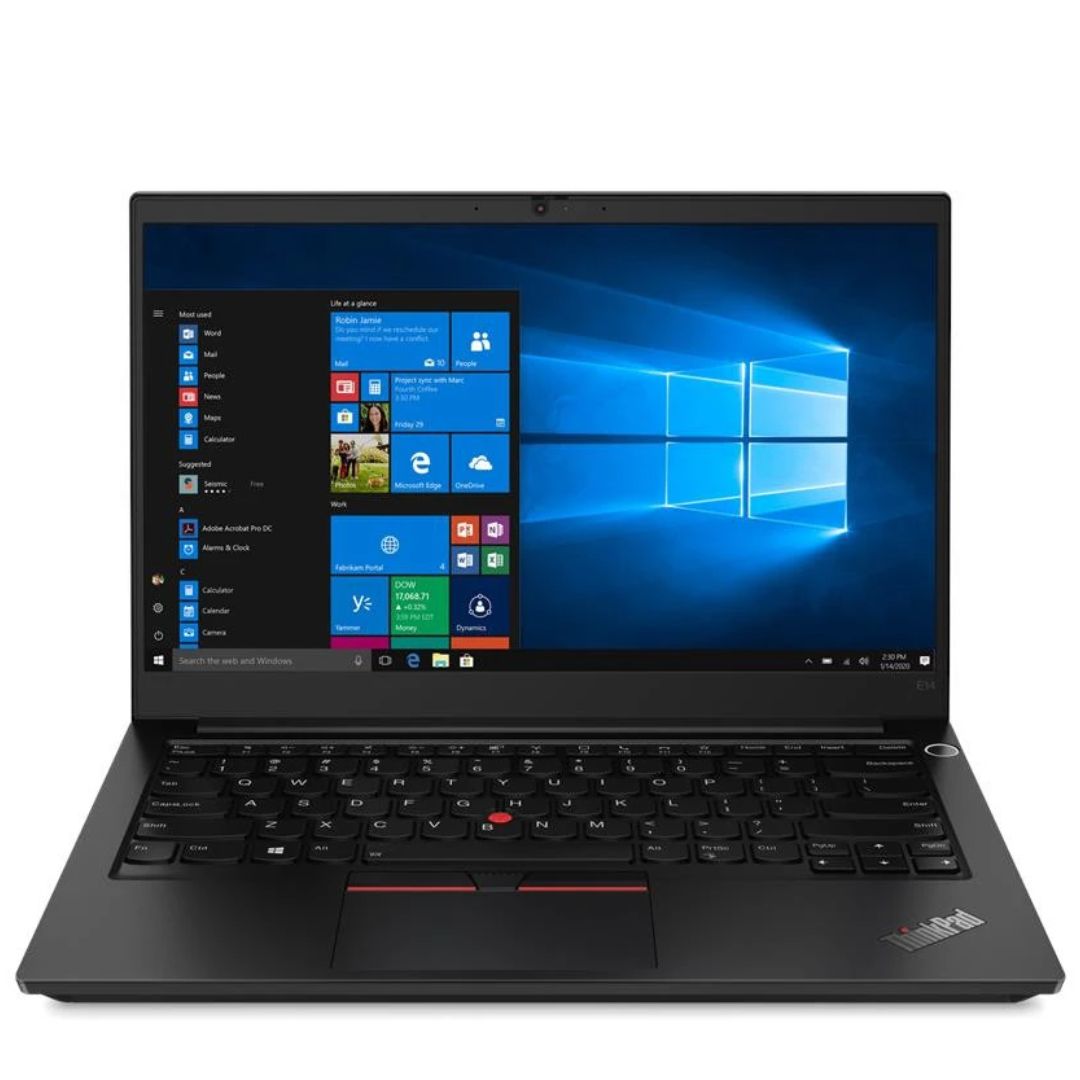
The Lenovo 65W Round-Tip AC Adapter (AU) provides reliable and efficient power for compatible Lenovo laptops. Designed with a round-tip connector and Australian plug, it’s perfect as a replacement or travel charger. ⚡ 65W Power Output: Delivers stable and efficient charging for Lenovo laptops and notebooks. 🔌 Round-Tip Connector: Designed specifically for Lenovo models using the classic round charging port. 🇦🇺 AU Power Plug: Built for Australian power outlets — ideal for home, office, and travel use in AU regions. 👜 Compact & Portable: Lightweight design makes it easy to carry in a bag or backpack. 🔒 Safe Charging: Features over-voltage, over-current, and short-circuit protection. 🛠️ OEM-Compatible: Works with a wide range of ThinkPad, ThinkBook, and IdeaPad models using round-tip charging.

Lightning-fast: Experience the best available in IPS Technology with native refresh rates of up to 240Hz. 1ms response. No gimmicks: A true 1ms response time blasts away ghosting and blurs for clear images with no artificial tricks needed. The ultimate color coverage True colors, real speed: New, fast IPS technology helps maintain image clarity from every angle of the screen. Plus, with up to 99% sRGB color coverage, you have a wide array of colors in your arsenal. Best of both worlds: A 24.5” monitor combined with native FHD 1080p resolution provides the best pixel-per-inch ratio, so details are clearer and images are life-like, making the 24.5” form factor the ideal size for high speed gaming.

The MSI MAG 345CQRF E20 gaming monitor delivers an immersive ultrawide experience for demanding users. It features a large curved screen that improves focus and enhances gameplay. Therefore, players enjoy a wider field of view and better visual depth. Moreover, the near-4K resolution provides sharp details and clear image quality across the 34-inch panel. The Rapid VA panel ensures strong contrast and deep blacks for richer visuals. In addition, the 240Hz refresh rate enables ultra-smooth motion during fast-paced gaming. The fast response time helps reduce motion blur and improves clarity in action scenes. As a result, players gain better precision and faster reactions. Furthermore, the curved design increases comfort and keeps visuals consistent across the screen. In addition, adaptive sync technology minimizes screen tearing and stuttering for stable performance. The monitor also supports multiple input options, allowing easy connection to gaming systems and PCs. MSI MAG 345CQRF E20 monitor provides a powerful balance of speed and immersion. Specifications: 34-inch ultrawide curved display Near-4K resolution for detailed visuals 200Hz refresh rate for ultra-smooth gameplay Rapid VA panel with high contrast Adaptive sync support for tear-free performance

Genuine-spec touchpad flex cable for MacBook Pro 14″ (Model A2442, 2021, M1 Pro/Max)—essential for restoring full Force Touch functionality, haptic feedback, and precise multi-touch gesture control. Compatible With: MacBook Pro 14-inch (2021, Model A2442) with Apple M1 Pro or M1 Max chip (Model Identifiers: MacBookPro18,3 / MacBookPro18,4). Part Type: Touchpad flex cable only—does not include the trackpad, Taptic Engine, or mounting brackets. This is the OEM-style ribbon cable that connects the trackpad to the logic board. Function: Carries touch input, Force Touch pressure data, and haptic feedback signals—critical for macOS trackpad gestures, Force Click, and Taptic Engine responsiveness. OEM-Quality Build: Matches Apple’s original flex circuit in length, connector pitch, shielding, and bend geometry—ensures reliable signal transmission and durability under repeated use. Common Use Cases: Replacing a damaged, torn, or corroded original flex cable Completing a trackpad replacement when the original cable is unusable Fixing intermittent trackpad issues, unresponsiveness, or loss of Force Touch Replacing a damaged, torn, or corroded original flex cable Completing a trackpad replacement when the original cable is unusable Fixing intermittent trackpad issues, unresponsiveness, or loss of Force Touch Installation Note: Requires full bottom case removal and careful routing beneath internal components. Connectors use ZIF (Zero Insertion Force) sockets—must be seated properly without force. Recommended for certified or highly experienced technicians only.

TPLINK 300Mbps Wireless N ADSL2+ Modem Router TD-W8961N

Genuine-spec Touch Bar assembly with integrated flex cable for MacBook Pro 15″ (Models A1706 – 2017 and A1989 – 2018)—fully restores dynamic Touch ID, system controls, and app-specific functions with OEM-level fit and reliability. Compatible With: MacBook Pro 15″ (2017) – Model A1706 (Intel Core i7/i9, 4 Thunderbolt 3 ports) MacBook Pro 15″ (2018) – Model A1989 (Intel Core i7/i9, 4 Thunderbolt 3 ports) MacBook Pro 15″ (2017) – Model A1706 (Intel Core i7/i9, 4 Thunderbolt 3 ports) MacBook Pro 15″ (2018) – Model A1989 (Intel Core i7/i9, 4 Thunderbolt 3 ports) Includes: Complete Touch Bar module with pre-attached flex cable, integrated Touch ID sensor (doubles as power button), and ambient light sensor—ready for direct connection to the logic board. Full Functionality: Restores all Touch Bar features including dynamic app controls, system brightness/volume sliders, Siri, and fingerprint authentication via Touch ID. Color Match: Available in Space Gray and Silver—select the finish that matches your MacBook’s top case. OEM-Quality Build: Matches Apple’s original dimensions, sensor alignment, and surface texture—ensures seamless integration with macOS and consistent responsiveness. Installation Note: Requires full top case disassembly. The flex cable routes under the left speaker and connects near the logic board—precision is critical to avoid damage. Recommended for experienced technicians.
