
Genuine-spec touchpad flex cable for MacBook Pro 13″ (Model A2251, 2020, Intel)—essential for restoring full Force Touch functionality, haptic feedback, and precise multi-touch gesture control during trackpad repair or replacement. Compatible With: MacBook Pro 13-inch (2020, Two Thunderbolt Ports, Model A2251, Model Identifier MacBookPro16,1) with Intel Core i5/i7 processors. Part Type: Touchpad flex cable only—does not include the trackpad housing, Taptic Engine, or mounting hardware. This is the OEM-style ribbon cable that connects the trackpad to the logic board. Function: Transmits: Precise touch coordinates Force Touch pressure data Haptic feedback signals to the Taptic Engine Enables full macOS gesture support including Force Click, three-finger lookup, swipe navigation, and inertial scrolling. Precise touch coordinates Force Touch pressure data Haptic feedback signals to the Taptic Engine Enables full macOS gesture support including Force Click, three-finger lookup, swipe navigation, and inertial scrolling. OEM-Quality Build: Matches Apple’s original specifications in: Cable length and routing Connector pitch and ZIF latch design EMI shielding and flex durability Cable length and routing Connector pitch and ZIF latch design EMI shielding and flex durability Common Use Cases: Replacing a torn, creased, or liquid-damaged original flex Completing a trackpad replacement when the original cable is compromised Fixing intermittent trackpad behavior, loss of Force Touch, or complete unresponsiveness Replacing a torn, creased, or liquid-damaged original flex Completing a trackpad replacement when the original cable is compromised Fixing intermittent trackpad behavior, loss of Force Touch, or complete unresponsiveness Installation Note: Requires full bottom case removal and partial disassembly (including battery disconnect). Cable routes under the right speaker and logic board—must be seated in original retention channels. Connects via ZIF (Zero Insertion Force) socket—align carefully and latch gently. Recommended for experienced or certified technicians only. Requires full bottom case removal and partial disassembly (including battery disconnect). Cable routes under the right speaker and logic board—must be seated in original retention channels. Connects via ZIF (Zero Insertion Force) socket—align carefully and latch gently. Recommended for experienced or certified technicians only.

Genuine-spec touchpad flex cable for MacBook Pro 16″ (Model A2159, 2019, Intel)—essential for restoring full Force Touch functionality, haptic feedback, and precise trackpad responsiveness during repair or replacement. Compatible With: MacBook Pro 16-inch (2019, Model A2159) with Intel Core i7/i9 processors (Model Identifier: MacBookPro16,1). Part Type: Touchpad flex cable only—does not include the trackpad, Taptic Engine, or mounting hardware. This is the OEM-style ribbon cable that connects the trackpad to the logic board. Function: Transmits touch input, Force Touch pressure data, and haptic feedback signals—critical for macOS gestures (e.g., Force Click, three-finger swipe, pinch-to-zoom) and Taptic Engine operation. OEM-Quality Build: Matches Apple’s original flex circuit in length, connector pitch, shielding, and bend radius—ensures reliable signal integrity and durability under repeated use. Common Use Cases: Replacing a torn, frayed, or corroded original flex cable Completing a trackpad replacement when the original cable is damaged Fixing intermittent or unresponsive trackpad behavior caused by cable failure Replacing a torn, frayed, or corroded original flex cable Completing a trackpad replacement when the original cable is damaged Fixing intermittent or unresponsive trackpad behavior caused by cable failure Installation Note: Requires full bottom case removal and careful routing beneath the battery and logic board. Connectors use ZIF (Zero Insertion Force) sockets—must be properly aligned and latched without force. Recommended for certified or experienced technicians only.

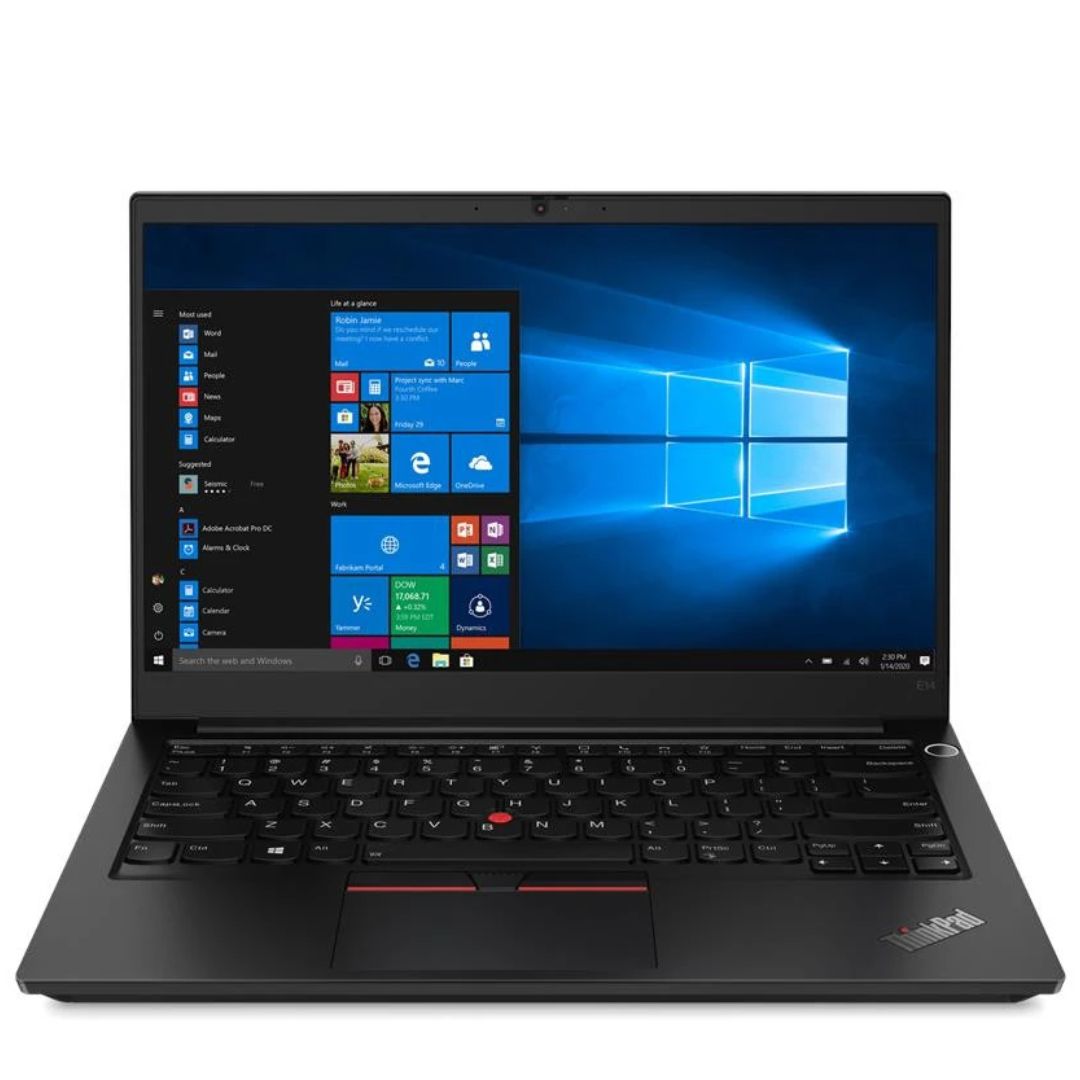
Experience flagship performance with this pre-owned ThinkPad E14 Gen 2. Driven by an 11th Gen Intel Core i7 processor, 16GB RAM, and a 512GB NVMe SSD, this 14-inch laptop delivers high-speed responsiveness and modern features like Thunderbolt 4 for the ultimate professional setup.

Genuine-spec keyboard replacement for MacBook Pro 13″ (Model A2251, 2020) — choose US QWERTY or UK QWERTY (with £ symbol). Features Apple’s reliable Magic Keyboard with scissor-switch mechanism, backlighting, and precise OEM fit. Compatible With: MacBook Pro 13-inch (2020, Two Thunderbolt Ports, Model A2251, Model Identifier MacBookPro16,1) with Intel Core i5/i7 processors. Layout Options (select at purchase): US Layout: Standard QWERTY with wide Enter key, @ above 2, # above 3, and full function row. UK Layout: QWERTY with £ symbol, tall vertical Enter key, @ accessed via right Alt, and UK-specific punctuation. US Layout: Standard QWERTY with wide Enter key, @ above 2, # above 3, and full function row. UK Layout: QWERTY with £ symbol, tall vertical Enter key, @ accessed via right Alt, and UK-specific punctuation. Keyboard Type: Apple’s Magic Keyboard with scissor-switch mechanism—offering improved durability, quieter typing, and 1mm key travel compared to Butterfly keyboards. Integrated Features: Full backlit keys for low-light environments Ambient light sensor support OEM-style flex cable pre-attached for direct connection to the logic board Full backlit keys for low-light environments Ambient light sensor support OEM-style flex cable pre-attached for direct connection to the logic board Precision Build: Engineered to match Apple’s exact dimensions, key spacing, and top-case curvature—ensures seamless visual and functional integration. Installation Note: The keyboard is factory-glued into the top case. Replacement requires full disassembly, careful adhesive removal, and professional re-adhesion. Recommended for experienced or certified repair technicians only.

Genuine-spec touchpad flex cable for MacBook Pro 15″ (Model A1706 – 2017 and A1989 – 2018/2019)—restores full Force Touch functionality, haptic feedback, and precise multi-touch gesture control during trackpad repair or replacement. Compatible With: MacBook Pro 15″ (2017) – Model A1706 (Model Identifier: MacBookPro14,3) MacBook Pro 15″ (2018–2019) – Model A1989 (Model Identifier: MacBookPro15,2) ✅ Note: Apple used the same trackpad assembly and flex cable across both A1706 and A1989 15″ models—making this part interchangeable between them. MacBook Pro 15″ (2017) – Model A1706 (Model Identifier: MacBookPro14,3) MacBook Pro 15″ (2018–2019) – Model A1989 (Model Identifier: MacBookPro15,2) ✅ Note: Apple used the same trackpad assembly and flex cable across both A1706 and A1989 15″ models—making this part interchangeable between them. ✅ Note: Apple used the same trackpad assembly and flex cable across both A1706 and A1989 15″ models—making this part interchangeable between them. Part Type: Touchpad flex cable only — does not include the trackpad housing, Taptic Engine, or mounting hardware. This is the OEM-style ribbon cable connecting the trackpad to the logic board. Function: Transmits: Touch input coordinates Force Touch pressure data Haptic feedback signals to the Taptic Engine Enables full macOS gesture support: Force Click, three-finger lookup, swipe navigation, pinch-to-zoom, and smooth cursor tracking. Touch input coordinates Force Touch pressure data Haptic feedback signals to the Taptic Engine Enables full macOS gesture support: Force Click, three-finger lookup, swipe navigation, pinch-to-zoom, and smooth cursor tracking. OEM-Quality Build: Matches Apple’s original in: Cable length and routing Connector pitch and ZIF latch design EMI shielding and flex durability Cable length and routing Connector pitch and ZIF latch design EMI shielding and flex durability Common Use Cases: Replacing a torn, creased, or liquid-damaged original flex cable Completing a trackpad replacement when the original cable is compromised Fixing intermittent trackpad behavior, loss of Force Touch, or complete unresponsiveness Replacing a torn, creased, or liquid-damaged original flex cable Completing a trackpad replacement when the original cable is compromised Fixing intermittent trackpad behavior, loss of Force Touch, or complete unresponsiveness Installation Note: Requires full bottom case removal and battery disconnection. Cable routes under internal components near the right speaker and logic board. Connects via a ZIF (Zero Insertion Force) socket—must be aligned carefully and latched gently. Recommended for experienced or certified technicians only. Requires full bottom case removal and battery disconnection. Cable routes under internal components near the right speaker and logic board. Connects via a ZIF (Zero Insertion Force) socket—must be aligned carefully and latched gently. Recommended for experienced or certified technicians only.

WiWU Ora Laptop Sleeve Size: 14" and 16" Color: Black/Grey/Ivory Extra Storage Space - Two pockets in front, enough space to keep mouse, cable, cellphone, memory cards, external hard drive, pens, etc. Ultra-slim & Lightweight - Slim, portable, and lightweight to take alone, or slide into your briefcase, backpack, or any other bag, perfect for business, school, or travel. Shockproof - Multiple Layers Protection, polyester foam padding layer, and nylon fabric lining for bump and shock absorption, protect your computer from accidental scratches. Excellent Detail: Use an Exquisite zipper and reinforced stitching on all stress points, ensuring the bag does not fall apart when carrying heavy goods. The first verticle-designed laptop bag, you will feel the beauty of simple and good texture. WiWU Ora Laptop Sleeve Size: 14″ and 16″ Color: Black/Grey/Ivory Extra Storage Space – Two pockets in front, enough space to keep mouse, cable, cellphone, memory cards, external hard drive, pens, etc. Ultra-slim & Lightweight – Slim, portable, and lightweight to take alone, or slide into your briefcase, backpack, or any other bag, perfect for business, school, or travel. Shockproof – Multiple Layers Protection, polyester foam padding layer, and nylon fabric lining for bump and shock absorption, protect your computer from accidental scratches. Excellent Detail: Use an Exquisite zipper and reinforced stitching on all stress points, ensuring the bag does not fall apart when carrying heavy goods. The first verticle-designed laptop bag, you will feel the beauty of simple and good texture.

WiWU Infinite USB‑C to HDMI Adapter (HB004) – Sleek aluminum dongle offering 4K@60Hz output over USB‑C (DP Alt‑Mode), plug-and-play with no drivers needed.Compact, portable, and reliable—a must-have for mobile productivity, gaming, and media streaming. Model: WiWU Infinite USB‑C to HDMI Adapter (HB004) Video Output: HDMI 2.0, supports up to 4K @ 60 Hz resolution Material & Weight: Robust aluminum alloy body, compact, weighs ~69 g Compatibility: Plug-and-play connector works with USB‑C devices supporting DP Alt‑Mode—compatible with laptops, smartphones, tablets, consoles Design & Build: Slim, portable, durable—no driver/software required Use Cases: Ideal for mirroring/extending screens for presentations, streaming, gaming

Led Desk Lamp REMAX RT-E815 ReSee Series Smart Eye-Caring 1500mAh RT-E815 With Container · Eye-caring lightning · Large-area lighting · 1500mAh · Delayed light-off · Soft lighting · Stepless dimming · Pen/phone holder · With rechargeable battery · Plug and use · A soft hose of 360-degree adjustment.

OEM-quality trackpad replacement (without flex cable) for MacBook Air 13.3″ M1 (Model A2337, EMC 3598)—available in Space Gray, Gold, and Silver finishes—engineered for precise Force Touch response, smooth multi-touch gestures, and perfect color-matched integration. Compatible With: MacBook Air 13.3-inch (2020, Model A2337, EMC 3598) with Apple M1 chip. Part Type: Trackpad only—does not include the flex cable, Taptic Engine, or mounting brackets. Intended for professional technicians who will reuse or transfer the original internal components. Color Options: Space Gray – matches Space Gray and Midnight finishes Gold – matches Gold MacBook Air Silver – matches Silver and Starlight finishes Each variant is finished to OEM specifications for seamless visual continuity with the lower case. Space Gray – matches Space Gray and Midnight finishes Gold – matches Gold MacBook Air Silver – matches Silver and Starlight finishes Each variant is finished to OEM specifications for seamless visual continuity with the lower case. Force Touch Support: Fully compatible with pressure-sensitive input and haptic feedback when used with the original Taptic Engine and logic board—ensuring full macOS gesture functionality (e.g., Force Click, Look Up, pressure-sensitive drawing). Precision Engineering: Features the same smooth glass surface, curvature, and micro-click mechanism as Apple’s original—delivering consistent tracking accuracy and tactile feel. Installation Requirements: Requires complete bottom case disassembly and careful transfer of the original flex cable and Taptic Engine. Adhesive must be applied precisely to maintain structural integrity and sensor alignment. Recommended for certified or experienced repair technicians only. Important: This is a bare trackpad assembly—not a plug-and-play module. Functionality depends on correct integration with original electronics.

Experience elite performance with the Lenovo ThinkPad E14 Gen 3, powered by the AMD Ryzen 7 5700U 8-core processor. Featuring 16GB RAM, a lightning-fast 512GB NVMe SSD, and a professional 14-inch FHD display, this laptop is engineered for high-level productivity and military-grade durability.

A capable pre-owned Dell Latitude 5501 with 15.6" touchscreen, 9th Gen Core i5, 16GB RAM, 256GB SSD, and NVIDIA GeForce MX150 2GB—ideal for business users who need a balance of performance, portability, and light graphics power.

The 60W MagSafe 2 Power Adapter features a magnetic DC connector so if someone should trip over it, the cord disconnects harmlessly and your MacBook Pro stays put safely. It also helps prevent fraying or weakening of the cables over time. In addition, the magnetic DC helps guide the plug into the system for a quick and secure connection. The 60W MagSafe 2 Power Adapter features a magnetic DC connector so if someone should trip over it, the cord disconnects harmlessly and your MacBook Pro stays put safely. It also helps prevent fraying or weakening of the cables over time. In addition, the magnetic DC helps guide the plug into the system for a quick and secure connection. When the connection is secure, an LED located at the head of the DC connector lights up; an amber light lets you know that your notebook is charging, while a green light tells you that you have a full charge. An AC cord is provided with the adapter for maximum cord length, while the AC wall adapter (also provided) gives you an even easier and more compact way to travel. Designed to be the perfect traveling companion, the adapter has a clever design which allows the DC cable to be wound neatly around itself for easy cable storage. Compatible with MacBook Pro with 13-inch Retina display. See this article for more details about choosing the right one. Knowing which specific Mac model you have is important. If you are running OS X Lion (10.7) or later go to the “” menu at the top left of your screen, choose “About this Mac” then click the “More Info…” button. Your Mac model and generation will be displayed. If you are running an earlier version of OS X, you can enter your serial number here to find out which model you have. COMPATIBILITY Mac Models: MacBook Pro (Retina, 13-inch, Late 2012 – 2015)

Replacement cable for MacBook Pro A2794, designed to restore proper connection and functionality for damaged or faulty internal cables. Ideal for technicians and repair shops, ensuring reliable performance and correct fit for A2794 models. Type: USB-C to USB-C charging/data cable Model: A2794 Length: 2 meters (≈ 6.6 ft) Color: White Design: Woven braided cable for durability Connectors: USB-C (Male) on both ends Power Delivery: Supports up to 240 W high-power charging when used with a compatible USB-C PD adapter Data Transfer: USB 2.0 transfer speeds Designed for fast charging and syncing between USB-C devices

New A1989 A1990 Keyboard US Standard Replacement for MacBook Pro 13'' 15''A1990 A1989 Keyboard 2018/2019 Year New A1989 A1990 Keyboard US Standard Replacement for MacBook Pro 13” 15”A1990 A1989 Keyboard 2018/2019 Year New A1989 A1990 Keyboard US Standard Replacement for MacBook Pro 13” 15”A1990 A1989 Keyboard 2018/2019 Year We have Perfect after-sales services We share the latest information on laptop spare parts For all our customers. This is NOT an easy job for someone who has no technical skills with Disassembling or Assembling a laptop, So only purchase this item if you know how to install it. Each Keyboard is tested before shipping and working.

A premium ultralight pre-owned Lenovo ThinkPad T14s Gen 3 with 14" display, AMD Ryzen 7 6850U, 16GB RAM, and 512GB SSD—delivering exceptional performance, all-day battery life, and workstation-class integrated graphics in a featherlight business laptop.

MacBook Air 13″ Retina A1932(2018-2019-2020) Display Assembly (Silver) MacBook Air 13″ Retina Display 2019 A1932 (EMC 3184 MacBookAir8,2) 1.6 GHz MacBook Air 13″ Retina Display 2020 A2179 (EMC 3302 MacBookAir9,1) 1.1 GHz Core i3 A2179 (EMC 3302 MacBookAir9,1) 1.1 GHz Core i5 A2179 (EMC 3302 MacBookAir9,1) 1.2 GHz Core i7 MacBook Air 13” Retina Display Late 2018 A1932 (EMC 3184 MacBookAir8,1) 1.6 GHz

Lexar NM620 1TB SSD, M.2 2280 PCIe Gen3x4 NVMe 1.4 Internal SSD, Up to 3500MB/s Read, 3000MB/s Write, 3D NAND Flash Internal Solid State Drive for PC Enthusiasts and Gamers (LNM620X001T-RNNNG) About this item High-speed PCIe Gen3x4 interface: Lexar 1TB SSD up to 3500MB/s read and 3000MB/s write – NVMe 1.4 is supported. Lexar Internal SSD M.2 2280 form factor with 3D NAND Lexar Solid state drive maintains 6x the speed of a SATA-based SSD. Lexar SSD is ideal for PC enthusiasts and gamers. Lexar Internal solid state drive is shock and vibration-resistant without moving parts.

Upgrade your workspace with a massive 27-inch Full HD canvas. Combining a high-speed 100Hz refresh rate with a stunning frameless IPS display, the B27M1 delivers an expansive, fluid viewing experience for professionals and creators alike. Model: Buerotika B27M1 Primary Specs: 27-inch Wide-Screen Display Display/Performance: IPS (In-Plane Switching) for 178° ultra-wide viewing angles Visual/Build Quality: 1920 x 1080 (Full HD) with vibrant color reproduction Aesthetic: 3-sided frameless “infinity” design for a sleek, modern desk setup Build: Lightweight, ultra-slim chassis with a space-saving minimalist stand Adjustability: Ergonomic tilt adjustment to match your eye level Input/Output: HDMI (High-Speed) and VGA ports Compatibility: Fully compatible with desktop PCs, laptops, and gaming consoles Smooth Motion: 100Hz Refresh Rate – 66% faster than standard monitors for reduced motion blur and lag. Eye Care: Integrated Flicker-Free technology and Low Blue Light filters for comfortable all-day use. Panel Quality: IPS technology ensures colors stay accurate even when viewed from the side. Enhanced Productivity: Large 27-inch screen allows for comfortable side-by-side window multitasking. Home Entertainment: Great for streaming and movies where a larger screen provides more impact. Education & Research: Easy-to-read text and large display area for students and writers. Casual Gaming: The 100Hz boost provides a competitive edge in smoothness over 60Hz displays.

WiWU S500 Foldable Lightweight Plastic Laptop Stand Description WiWU S500 Foldable Lightweight Plastic Laptop Stand Brand: wiwu Material: ABS+Aluminum alloy Foldable Height Adjustment. Laptop stand with foldable technology, light weight, easy to carry Adjustable from 20 to 40 degrees and height adjustable from 3.15 to 5.12 inches. There are 6 corners Compatible with laptops (11 inch-15 inch) Macbook, iMac, ipad, Microsoft Surface PR, Thinkpad, Lenovo, Dell, HP and more. With anti-slip rubber pad

Logitech C270 HD webcam — 720p USB camera with built-in mic and automatic light correction. Solid pick for video calls, remote work, or basic streaming. This is the Logitech C270 HD Webcam, a budget plug-and-play USB camera suited for everyday video calls. It doesn’t strive for professional streaming quality, but it reliably handles meeting needs, student calls, or backup cam duties. Key Features & Functionality Records video in HD 720p at 30 fps Fixed focus lens (no autofocus) Built-in mono microphone with noise reduction (captures voice clearly in standard environments) Automatic light correction (RightLight / similar tech) to adjust in low or uneven lighting Universal mounting clip: works on laptop lids, monitors, or can sit on a shelf USB 2.0 interface, 1.5 m (≈ 5 ft) cable length Technical Specifications Strengths & Limitations Pros: Reliable and easy to set up: plug and play Good for video calls in decent lighting Noise suppression in mic helps reduce background hiss Affordable alternative if your built-in camera fails Cons: Only 720p — not ideal for high quality streaming Fixed focus — manual adjusting can’t zoom/focus No privacy shutter (you may need stickers or external cover) Color and sharpness aren’t top tier under weak light
