
The Lenovo L22E-30 21.5″ LCD Monitor is designed to enhance your viewing experience with clear and vibrant visuals. Whether you’re working, gaming, or streaming your favorite shows, this monitor delivers exceptional quality. With a full HD resolution of 1920×1080, the Lenovo offers crisp and detailed images. Enjoy true-to-life colors and sharp details that make every task more enjoyable. The sleek and modern design of the Lenovo 21.5″ LCD Monitor complements any workspace. Its slim profile and narrow bezels provide a clean and stylish look that fits seamlessly into your setup. This monitor features a 75Hz refresh rate and a 4ms response time, ensuring smooth and lag-free performance. Whether you’re watching videos or playing games, enjoy a seamless experience without any motion blur. The Lenovo 21.5″ LCD Monitor includes multiple connectivity options, including HDMI and VGA ports. Easily connect your computer, gaming console, or other devices for versatile use. Designed with your comfort in mind, this monitor features TUV Rheinland Eye Comfort certification. Reduce eye strain during extended use with flicker-free technology and a low blue light filter. Adjust the Lenovo to your preferred viewing angle with its tilt-adjustable stand. Find the perfect position for maximum comfort, whether you’re working on a project or watching a movie. In conclusion, the Lenovo L22E-30 21.5″ LCD Monitor offers a perfect blend of style, performance, and comfort. Upgrade your workspace today and enjoy an enhanced viewing experience with this versatile and reliable monitor. Specifications: Display : 21.5″ Resolution : 1920 x 1080 Refresh Rate : 75Hz Response Rate : 4ms

The AOPEN 32HC5QR 31.5″ FHD 165Hz Curved Gaming Monitor wraps your view with a wide curved screen. It gives immersive visuals for gaming, work, or movies. The Full HD resolution produces clear, sharp images. The 31.5‑inch size provides plenty of screen space for multitasking or play. Moreover, the AOPEN 32HC5QR offers a high 165 Hz refresh rate that delivers very smooth motion. Fast action scenes appear fluid and crisp. The VA panel gives deep contrast and rich blacks for vibrant visuals. This enhancement adds depth to games and movies. In addition, the monitor uses adaptive sync (AMD FreeSync Premium) to match frame rate and screen refresh. This avoids screen tearing and stutter during gameplay. You get stable and consistent frame delivery even in intense gaming. Also, the curved 1500R / 1800R screen design helps immerse you deeper into action. It reduces eye‑strain by keeping all parts of the display at a comfortable viewing distance. The AOPEN 32HC5QR includes useful eye‑care features. It has Flicker‑Free and BlueLightShield technologies to reduce screen flicker and filter blue light. This helps protect your eyes during extended use. It also supports HDMI and DisplayPort connectivity for easy setup with laptops, PCs, or consoles. The monitor includes a slim bezel design for a clean modern look. It has a tilt‑adjustable stand and works with VESA mounts for flexible placement. The build feels solid and reliable for everyday use. Overall, the AOPEN 32HC5QR 31.5″ FHD 165Hz Curved Gaming Monitor combines immersive curved display, smooth refresh rate, strong contrast, and eye‑friendly design. It improves gaming, work, and entertainment experiences. It is ideal for gamers, content viewers, and everyday users who want a large, smooth, and comfortable display. Specifications: Display : 31.5 VA Resolution : FHD 1920×1080 Refresh Rate : 165Hz Response Time : 1ms Curvature : 1800R

The MSI MAG 275QF X24 27″ 240Hz 2K Gaming Monitor offers fast refresh and crisp visuals. Firstly, it features a 27‑inch display with sharp 2560×1440 resolution. Also, the 240 Hz refresh rate guarantees smooth motion in fast games. Moreover, a 1 ms GtG response time delivers quick reaction during intense battles. In addition, it uses an IPS panel for vibrant colors and wide viewing angles. Furthermore, Adaptive‑Sync helps reduce screen tearing and visual stutter. Thus, you get clean and smooth gameplay at all times. Another highlight is the sturdy stand with tilt, height, and swivel adjustments. So, you can find your ideal ergonomic viewing position easily. Also, the monitor includes low‑blue‑light and anti‑flicker tech to protect your eyes. Therefore, long gaming sessions become less tiring and more comfortable. Plus, it offers DisplayPort and HDMI ports for easy multi‑device support. This lets you connect both gaming PC and console without hassle. The MSI MAG 275QF X24 features RGB ambient backlighting to enhance your setup. Hence, it creates an immersive lighting environment behind the screen. Also, the monitor’s slim bezels provide a sleek, modern look. Additionally, its on‑screen display is intuitive and easy to use. Moreover, MSI’s GameSense overlays show real‑time game info like FPS or timers. In short, these features give you an edge in competitive play. Furthermore, Night Vision mode brightens dark in‑game scenes without overexposure. Thus, you can spot enemies clearly even in shadowy maps. Also, the matte screen finish helps cut down glare from room lighting. As a result, you stay focused without distraction. The MSI MAG 275QF X24 delivers top performance at a 240 Hz refresh. To conclude, it is a smart choice for serious gamers seeking speed and quality. Finally, it balances fast gameplay, sharp visuals, and user comfort perfectly. Specifications: Display : 27″ Rapid IPS Resolution : 2560 x 1440 (WQHD) Refresh Rate : 240Hz Response Rate : 0.5ms (GTG)

Firstly the Alienware 25″ 360Hz Gaming Monitor AW2523HF is built for gamers who demand fast and smooth performance. It features a 24.5-inch Fast IPS panel with Full HD resolution for sharp visuals and vivid colors. Furthermore this gaming monitor offers a blazing 360Hz refresh rate via DisplayPort and up to 255Hz via HDMI, making motion incredibly smooth. With a 0.5ms response time, fast-paced games feel crisp and responsive with minimal blur. The display supports 99% sRGB color gamut, ensuring rich and accurate colors. It also has an anti-glare coating and 178° wide viewing angles, so your game looks great from every position. It’s compatible with AMD FreeSync Premium and G-SYNC, giving you a tear-free and fluid gameplay experience on both major GPU brands. Gaming features like Dark Stabilizer, AlienVision modes, and a built-in FPS counter give players extra control and awareness in-game. The monitor’s stand is fully adjustable with options to tilt, swivel, pivot, and adjust height for comfort during long gaming sessions. It also supports VESA mounting for flexible desk setups. For connectivity, the AW2523HF includes two HDMI 2.0 ports, one DisplayPort 1.4, four USB 3.2 Gen 1 downstream ports, a USB upstream port, headphone jack, and audio line-out. These ports make it easy to connect accessories and manage your setup neatly. In short, the Alienware 25″ 360Hz Gaming Monitor AW2523HF is a top-tier gaming monitor with extreme refresh rate, color accuracy, and gamer-friendly features. Specifications: Display : 24.5″ Fast IPS Resolution : 1920×1080 FHD Refresh Rate : 360Hz Response Time : 0.5ms

Replacement cable for MacBook Pro A2794, designed to restore proper connection and functionality for damaged or faulty internal cables. Ideal for technicians and repair shops, ensuring reliable performance and correct fit for A2794 models. Type: USB-C to USB-C charging/data cable Model: A2794 Length: 2 meters (≈ 6.6 ft) Color: White Design: Woven braided cable for durability Connectors: USB-C (Male) on both ends Power Delivery: Supports up to 240 W high-power charging when used with a compatible USB-C PD adapter Data Transfer: USB 2.0 transfer speeds Designed for fast charging and syncing between USB-C devices

The Samsung 85″ QN85F Neo QLED 4K Smart TV QA85QN85FAUXTW delivers a premium large-screen viewing experience with advanced Neo QLED technology. It produces bright images, strong contrast, and rich colors, so movies, sports, and games look sharp and immersive on the massive 85-inch display. Neo QLED technology uses Quantum Mini LEDs to control brightness more precisely. As a result, the TV delivers better contrast and clearer details in both dark and bright scenes. This helps improve overall picture depth and realism across all types of content. Samsung enhances performance with an AI-powered processor that improves picture quality in real time. It analyzes scenes and adjusts brightness, sharpness, and color automatically. Therefore, the Samsung 85 QN85F Neo QLED 4K Smart TV QA85QN85FAUXTW always shows optimized visuals without manual adjustments. In addition, AI upscaling improves lower-resolution content closer to 4K quality. HDR support expands brightness and color range, making visuals more dynamic and lifelike. Fast motion also appears smoother, which improves sports and action viewing. The Smart TV platform provides access to streaming apps, games, and smart home controls. It runs smoothly and responds quickly when switching between apps. In addition, the slim design with narrow bezels gives the Samsung 85 QN85F Neo QLED 4K Smart TV QA85QN85FAUXTW a modern and premium appearance. Overall, this Samsung Neo QLED TV combines bright performance, AI optimization, and smart features for a powerful home entertainment experience. Specifications: Neo QLED technology delivers bright and detailed picture quality 85-inch 4K display provides immersive large-screen viewing experience AI processor enhances picture quality in real time HDR improves contrast, brightness, and color depth Smart TV platform supports apps, streaming, and smart features

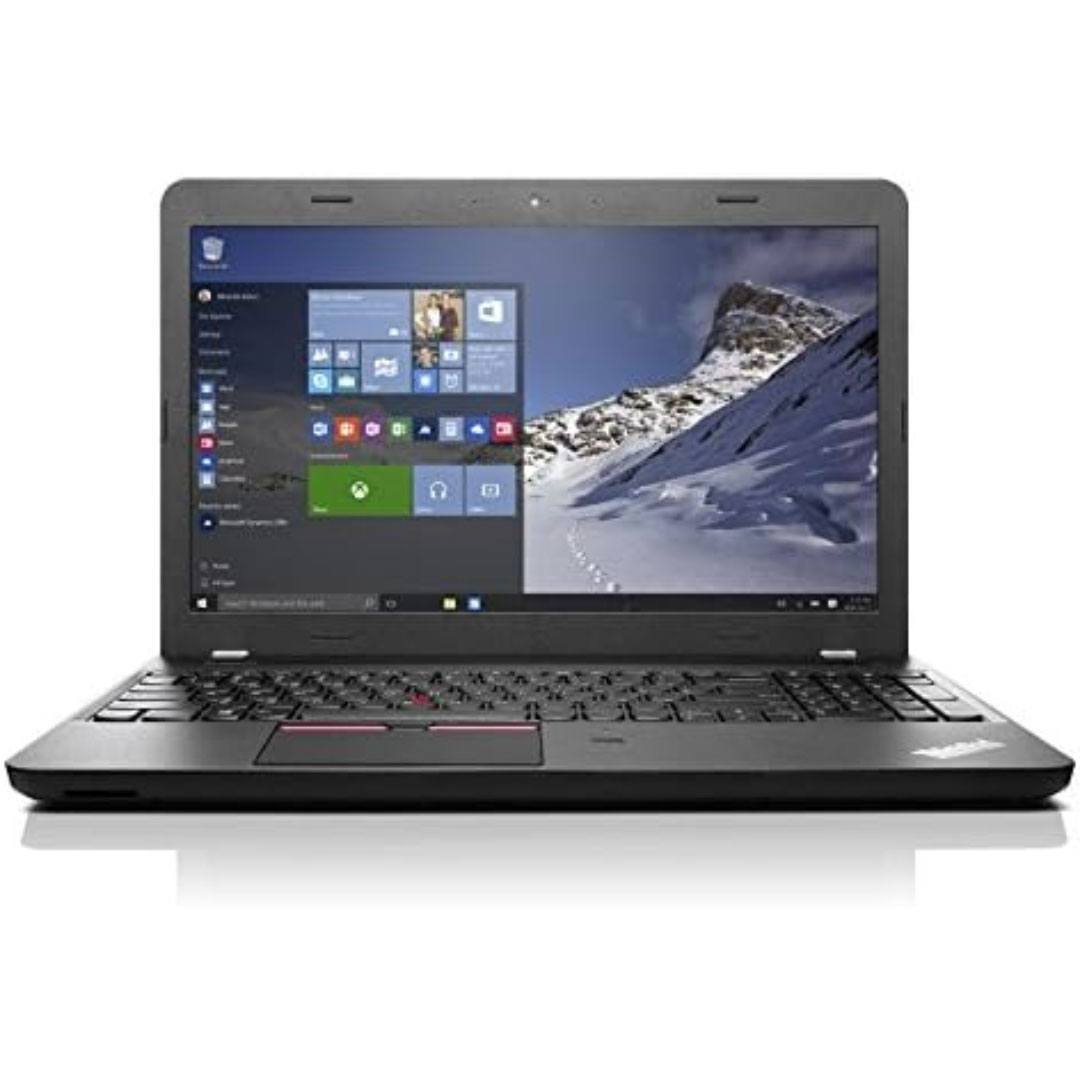
The Lenovo ThinkPad T470s features an Intel Core i5 7th Gen processor, 8GB RAM, and a fast 256GB SSD for smooth everyday performance. With a durable business-grade build and non-touch 14″ display, it’s ideal for professionals, students, and productivity tasks.

HP 5 Pro 524pf Monitor Overview The HP 5 Pro 524pf is a 24-inch Full HD monitor designed for daily productivity. It delivers clear visuals and a clean modern design. As a result, it fits offices, students, and home workspaces. 24-Inch Full HD Display This monitor features a 24-inch Full HD resolution. Therefore, text appears sharp and easy to read. Moreover, images look clear and balanced. Because of this, it supports long working sessions without fatigue. In addition, wide viewing angles improve visibility. As a result, content stays clear from different positions. Smooth Performance for Daily Tasks The HP 5 Pro 524pf provides smooth visuals for everyday use. As a result, scrolling and browsing feel natural. Furthermore, the display maintains consistent brightness. This improves overall viewing comfort. Eye Comfort and Anti-Glare Screen This monitor includes eye comfort features. Therefore, it helps reduce eye strain during extended use. In addition, the anti-glare coating limits reflections. As a result, the screen stays clear in bright environments. Connectivity and Easy Setup The HP 5 Pro 524pf includes HDMI connectivity. As a result, it connects easily to laptops and desktops. Moreover, setup is quick and simple. Therefore, users can start working immediately. Sleek Design and Mounting Options The monitor features a slim and modern design. In addition, it supports VESA mounting. As a result, users can customize their workspace layout. Ideal for Work and Home Use This monitor focuses on clarity and reliability. Moreover, it suits office work, studying, and media viewing. In conclusion, the HP 5 Pro 524pf is a practical Full HD monitor for everyday use. Specifications: Display: 23.8-inch diagonal, IPS panel, 16:9 aspect ratio, 93 PPI, anti-glare. Performance: 100Hz refresh rate (50-100Hz range), 5ms GtG response time, 350 nits brightness. Connectivity: HDMI 1.4, DisplayPort 1.2, and a USB hub.

The TP-Link TL-WA855RE N300 Universal Range Extender boosts your existing 2.4GHz Wi-Fi signal up to 300Mbps to eliminate dead zones and extend coverage. With a compact wall-plug design, dual external antennas, and one-touch WPS setup, it’s perfect for home and office use. The TP-Link TL-WA855RE N300 Universal Wireless Range Extender is an easy and affordable solution to extend your Wi-Fi coverage into areas where your router signal is weak or unavailable. It works with almost any wireless router to repeat and strengthen your existing network, providing improved connectivity for streaming, browsing, video calls, and everyday online tasks. Featuring two external antennas for better signal strength, an Ethernet port for wired devices, and a smart signal indicator for optimal placement, it ensures stable coverage across your space. N300 Wi-Fi Speed (Up to 300Mbps) on 2.4GHz Universal Compatibility works with most Wi-Fi routers and access points Boosts Coverage & Removes Dead Zones for stronger wireless signal Two External Antennas improve range and stability One-Touch WPS Setup for quick and simple connection Smart Signal Indicator helps you find the best placement Ethernet Port for wired connection to TVs, PCs, or consoles Compact Wall Plug Design ideal for home or office use Ideal for homes, offices, apartments, and small businesses needing better Wi-Fi coverage. Works with laptops, smartphones, smart TVs, tablets, IP cameras, and other Wi-Fi devices.

The Samsung 98″ Crystal UHD DU9000 4K Tizen OS Smart TV UA98DU9000UXTW uses a 98-inch LCD panel with 3840 × 2160 4K resolution. It is built for large rooms where screen size matters more than advanced display processing. Samsung uses the Crystal Processor 4K to handle image processing and upscaling. It converts lower-resolution video into higher clarity output for the 4K panel. It also supports HDR10 and HDR10+, which improve contrast between bright and dark areas for compatible content. The TV runs at a native 60 Hz refresh rate. It includes Motion Xcelerator to reduce blur in fast scenes. This helps improve clarity in sports and basic gaming. Samsung Tizen OS powers the smart system. It gives access to streaming apps, internet browsing, and SmartThings integration. The interface responds quickly and supports easy navigation. The TV includes Wi-Fi and Bluetooth for wireless connections. It also provides multiple HDMI ports with eARC support, USB ports, Ethernet input, and optical audio output. It supports Auto Low Latency Mode for gaming consoles. Overall, this model focuses on large-screen 4K viewing, standard HDR support, and basic smart TV functionality without advanced local dimming or high-end gaming features. Specifications: 98-inch LCD panel with 3840 × 2160 (4K UHD) resolution Samsung Crystal Processor 4K with 4K upscaling HDR10 and HDR10+ support Tizen OS smart platform with streaming apps HDMI, USB, Ethernet, Wi-Fi, and Bluetooth connectivity

Genuine-spec touchpad flex cable for MacBook Pro 13″ with Touch Bar (Model A1708, 2016–2017)—restores full Force Touch functionality, haptic feedback, and precise multi-touch gesture control during trackpad repair or replacement. Compatible With: MacBook Pro 13″ (2016) – Model A1708 (Model Identifier: MacBookPro13,1) MacBook Pro 13″ (2017) – Model A1708 (Model Identifier: MacBookPro14,1) (Both years share the same internal trackpad assembly and flex cable.) MacBook Pro 13″ (2016) – Model A1708 (Model Identifier: MacBookPro13,1) MacBook Pro 13″ (2017) – Model A1708 (Model Identifier: MacBookPro14,1) (Both years share the same internal trackpad assembly and flex cable.) Part Type: Touchpad flex cable only — does not include the trackpad housing, Taptic Engine, or mounting hardware. This is the OEM-style ribbon cable that connects the trackpad to the logic board. Function: Transmits: Touch input coordinates Force Touch pressure data Haptic feedback signals to the Taptic Engine Enables full macOS gesture support: Force Click, three-finger lookup, swipe navigation, pinch-to-zoom, and smooth cursor tracking. Touch input coordinates Force Touch pressure data Haptic feedback signals to the Taptic Engine Enables full macOS gesture support: Force Click, three-finger lookup, swipe navigation, pinch-to-zoom, and smooth cursor tracking. OEM-Quality Build: Matches Apple’s original specifications in: Cable length and routing path Connector pitch and ZIF latch design EMI shielding and flex durability Cable length and routing path Connector pitch and ZIF latch design EMI shielding and flex durability Common Use Cases: Replacing a torn, creased, or liquid-damaged original flex cable Completing a trackpad replacement when the original cable is compromised Fixing intermittent trackpad behavior, loss of Force Touch, or complete unresponsiveness Replacing a torn, creased, or liquid-damaged original flex cable Completing a trackpad replacement when the original cable is compromised Fixing intermittent trackpad behavior, loss of Force Touch, or complete unresponsiveness Installation Note: Requires full bottom case removal and battery disconnection. Cable routes under internal components near the right speaker and logic board. Connects via a ZIF (Zero Insertion Force) socket—must be aligned carefully and latched gently. Recommended for experienced or certified technicians only. Requires full bottom case removal and battery disconnection. Cable routes under internal components near the right speaker and logic board. Connects via a ZIF (Zero Insertion Force) socket—must be aligned carefully and latched gently. Recommended for experienced or certified technicians only.

Samsung Lebanon 32″ Flat The Samsung Lebanon 32″ Flat Everything you need is right in your screen. Watch, work and chat – all without connecting a separate PC – with Smart Monitor. Your favorite content, productivity and video call apps are built-in. for a simpler and more stylish desk setup that’s a joy to use every time. Smart TV Experience Effortless entertainment. Enjoy Netflix, YouTube and other streaming services by simply connecting the monitor to WiFi. Samsung TV Plus also offers free live and on-demand content with no downloads or sign-up needed. while Universal Guide provides personalized content recommendations. Workspace Experience PC-less. Browse the web, edit documents and work on projects, all without the need for a separate PC. With new Workmode, you can also remotely access another PC, use Microsoft 365 programs . and even connect to Samsung mobile devices with Samsung DeX for seamless working. SlimFit camera Jump into any conversation. The SlimFit camera with tilt functionality allows you to create the perfect angle while using. your favorite video call apps like Google Duo, which can be accessed directly through the monitor. Plus, the camera cover and option to fully detach always protect your privacy. IoT Hub Turn your Smart Monitor into a control center for the home by connecting it to your IoT home products with SmartThings. Relax by turning off the lights, pulling down the blinds and setting the thermostat. to the perfect temperature all with the Smart Monitor for a perfectly relaxed evening. Mobile connectivity Convenient connectivity. With AirPlay integration, you can wirelessly connect Apple devices to the Smart Monitor and view on a bigger screen. Enjoy your favorite content from an iPhone, iPad, and Mac on the Smart Monitor and even mirror apps, documents, and websites. Adaptive Picture Sensational picture, day or night. Surrounding light is detected by a sensor to adjust brightness automatically with Adaptive Picture. Even in broad daylight, watch dark, gritty dramas without squinting and straining your eyes to see the picture. Specifications: Specifications Aspect Ratio16:9 Brightness (Typical)250 cd/㎡ Contrast Ratio Static3,000:1 (Typ.) Resolution1,920 x 1,080 Response Time4ms (GTG) Viewing Angle (H/V)178°/178° 3 year warranty Manufacturer Link

Genuine-spec touchpad flex cable for MacBook Air 13″ (Model A1534, Early 2015)—essential for restoring full trackpad functionality, including precise cursor control and physical click response, during repair or replacement. Compatible With: MacBook Air 13-inch (Early 2015, Model A1534, Model Identifier MacBookAir7,2). Part Type: Touchpad flex cable only—does not include the trackpad housing, button mechanism, or mounting brackets. This is the ribbon cable that connects the trackpad to the logic board. Function: Carries input signals from the trackpad to the logic board—critical for cursor movement, tap-to-click, and primary/secondary physical click functionality. (Note: This model uses a physical click mechanism, not Force Touch—so no haptic feedback or pressure-sensing.) OEM-Quality Construction: Matches Apple’s original cable in length, connector type, and shielding—ensures reliable signal transmission and long-term durability. Common Use Cases: Replacing a torn, frayed, or damaged original flex cable Completing a trackpad replacement when the original cable is compromised Fixing erratic cursor movement, unresponsive trackpad, or loss of click function Replacing a torn, frayed, or damaged original flex cable Completing a trackpad replacement when the original cable is compromised Fixing erratic cursor movement, unresponsive trackpad, or loss of click function Installation Note: Requires bottom case removal and careful disconnect/reconnect of the ZIF (Zero Insertion Force) connector on the logic board. The cable routes under the battery—handle with care. Suitable for intermediate to advanced DIYers or technicians.

The Asus VP228HE 22″ 60Hz Gaming Monitor is designed for gamers who want smooth visuals and fast response times. It offers a great balance of performance and affordability for casual and competitive players. This gaming monitor features a 22-inch Full HD display with a 1920 x 1080 resolution. The screen delivers sharp visuals with vibrant colors, enhancing your gaming experience. The 60Hz refresh rate ensures smooth motion in fast-paced games. With a 1ms response time, the Asus VP228HE reduces motion blur and ghosting. This makes gameplay more responsive, giving you an advantage in action-packed games. The monitor also includes ASUS GamePlus technology with crosshair and timer functions for better accuracy. The Asus VP228HE 22″ 60Hz Gaming Monitor features ASUS Eye Care technology. It includes a flicker-free display and a blue light filter to reduce eye strain. You can game for longer periods without discomfort. For connectivity, this monitor includes HDMI and VGA ports, making it compatible with gaming consoles, PCs, and laptops. It provides flexibility for different gaming setups. The built-in speakers deliver clear sound, eliminating the need for external speakers. The gaming monitor has a sleek and compact design that fits any setup. It is lightweight and easy to adjust, ensuring comfortable viewing angles. The durable build ensures long-lasting performance. If you need a reliable and affordable gaming monitor, the Asus VP228HE 22″ 60Hz Gaming Monitor is a great choice. It delivers smooth visuals, fast response times, and eye care features for comfortable gaming. Specifications: Display : 22″ TN Resolution : 1920×1080 Refresh Rate : 60Hz Response Rate : 1ms Speaker : 1.5W x2

Get fully equipped with the Fantech P31 Hero Bundle, featuring a high-performance K515 Shikari RGB Keyboard, a precision VX9 Kanata Gaming Mouse, and a high-traction Vigil MP356 Mousepad. This all-in-one starter kit is designed to deliver a professional gaming experience with stunning RGB aesthetics and reliable durability. The Fantech P31 Hero Bundle is the ultimate “ready-to-play” solution for gamers who want quality peripherals in one cohesive package. Centered around the Shikari K515 membrane keyboard and the lightweight Kanata VX9 mouse, this bundle provides the tactile feedback and tracking precision needed for competitive gaming. Completing the setup is the Vigil MP356 control-type mousepad, ensuring your movements are smooth, stable, and accurate. K515 Shikari RGB Keyboard: A full-sized 104-key membrane keyboard featuring 6-key anti-ghosting and vibrant rainbow RGB illumination. Its floating keycap design is both stylish and easy to clean. Kanata VX9 Gaming Mouse: Lightweight (77g) and ergonomic, the VX9 is equipped with a high-accuracy sensor adjustable from 400 to 3,600 DPI, Huano switches rated for 5 million clicks, and 7 dynamic lighting effects. Vigil MP356 Mousepad: A premium control-surface mousepad (350x300mm) with anti-fray stitched edges and a non-slip rubber base to keep your gear firmly in place during intense matches. Plug & Play Simplicity: No complex drivers needed; simply plug into your USB ports and start gaming immediately across Windows or macOS systems. Integrated Multimedia Controls: Easily manage your volume and media playback directly from the keyboard without tabbing out of your game. Keyboard Model: K515 Shikari (Membrane, 104 Keys, RGB) Mouse Model: Kanata VX9 (Optical, 400–3,600 DPI, 7 Buttons) Mousepad Model: Vigil MP356 (Control Surface, 350 x 300 x 4mm) Interface: USB 2.0 Wired Cable Length: 1.8m (Mouse) / 1.5m (Keyboard) Compatibility: Windows 7/8/10/11, macOS, Linux 1 x K515 Shikari Gaming Keyboard 1 x Kanata VX9 Gaming Mouse 1 x Vigil MP356 Mousepad User Manuals

The ASUS VG27AQ3A 27 inch QHD 180Hz Monitor is a 27-inch gaming display designed for smooth performance and clear image quality. It uses a Fast IPS panel that provides wide viewing angles and consistent colors for gaming and everyday use. It features a QHD (2560×1440) resolution, which delivers sharper detail than Full HD. Therefore, users get more screen space and clearer visuals for games, work, and media. The monitor supports a 180Hz refresh rate for smoother motion in fast-paced gameplay. In addition, it includes a 1ms response time to reduce motion blur during rapid actions. It also features ELMB Sync technology, which combines motion blur reduction with adaptive sync. As a result, it helps reduce screen tearing and improves overall visual clarity. Moreover, it supports adaptive sync for smoother frame synchronization with compatible GPUs. The monitor also includes built-in gaming presets and on-screen display controls for quick adjustments. Overall, the ASUS VG27AQ3A 27 inch QHD 180Hz Monitor is built for high-refresh gaming, responsive performance, and sharp visual output in a 27-inch QHD format. Specifications: 27-inch QHD (2560×1440) display 180Hz refresh rate 1ms response time Fast IPS panel technology ELMB Sync for reduced motion blur 90LM0940-B01970

Specifications : Dell Alienware 25 Monitor – AW2521HFL – 63.5cm(25″) Device Type LED edgelight system Panel Type Fast In-Plane Switching Type Native Resolution 1920 x 1080 @ 240 Hz Contrast Ratio 1000 to 1 (typical) Features USB 3.0 Hub Aspect Ratio 16:09 Brightness 400 cd/m² (typical) Response Time 1ms (gray to gray) – Extreme Mode Input Connectors 2 x HDMI (ver 2.0) 1 x DP 1.2 1 x USB 3.0 upstream port (Rear) 2 x USB 3.0 Downstream port (Rear) 2 x USB 3.0 Downstream port [Front Bottom, one with BC1.2 charging capability at 2A(max)] 1 x Headphone-out jack (Front Bottom) 1 x Audio Line-out jack( Rear) manufacturer link

Genuine-spec US layout (QWERTY) black keyboard replacement for MacBook Air 13.6″ and 15″ models (2023–2025, M2/M3/M4 chips)—featuring Apple’s Magic Keyboard with scissor-switch mechanism, backlighting, and precise OEM fit. Compatible With: 13.6″ MacBook Air: A2681 (M2, 2022–2023), A3113 (M3, 2023–2024), A3240 (M4, 2024–2025) 15″ MacBook Air: A2941 (M2, 2023), A3114 (M3, 2023–2024), A3241 (M4, 2024–2025) 13.6″ MacBook Air: A2681 (M2, 2022–2023), A3113 (M3, 2023–2024), A3240 (M4, 2024–2025) 15″ MacBook Air: A2941 (M2, 2023), A3114 (M3, 2023–2024), A3241 (M4, 2024–2025) Keyboard Layout: Standard US English (QWERTY) with wide Enter key, dedicated left/right arrow keys in inverted-T layout, and full function row—matches Apple’s original US configuration. Design: Apple’s Magic Keyboard with scissor-switch mechanism—providing quiet, stable, and responsive typing with 1mm key travel and enhanced durability. Features: Integrated backlighting for low-light use, ambient light sensor compatibility, and OEM-style flex cable for direct logic board connection. Color: Sleek black keycaps—ideal for Space Gray and Midnight finishes, and visually consistent across all color variants. Precision Fit: Engineered to exact Apple specifications for alignment, key spacing, and mounting—ensures seamless integration into the original top case. Installation Note: The keyboard is factory-glued into the top case. Replacement requires full disassembly, careful removal, and professional-grade re-adhesion. Recommended for experienced technicians only.

The ViewSonic VA240‑H 24″ 100Hz monitor delivers clear visuals for everyday use. Its Full HD panel shows sharp text and crisp images, making work, media, and web browsing easier to see. In addition, the IPS panel provides wide viewing angles so colors stay consistent from different positions. The 100 Hz refresh rate and 1 ms response time reduce motion blur and provide smoother video playback and casual gaming. Furthermore, built-in eye-care features like a blue light filter and flicker-free technology help reduce strain during long sessions. This monitor includes HDMI and VGA inputs for easy connection to laptops and desktops without extra adapters. Therefore, it suits home and office setups needing reliable display performance. Overall, the VA240‑H balances sharp visuals, smooth motion, and essential connectivity in a practical 24‑inch design. Specifications: 24″ Full HD (1920×1080) SuperClear IPS display 100 Hz refresh rate and 1 ms response time Wide viewing angles with consistent color Eye care features with blue light filter and flicker‑free HDMI and VGA connectivity, practical everyday performance

Genuine-spec touchpad flex cable for MacBook Pro 16″ (Model A2141, 2019, Intel)—essential for restoring full Force Touch functionality, haptic feedback, and precise multi-touch gesture control during trackpad repair or replacement. Compatible With: MacBook Pro 16-inch (2019, Model A2141) with Intel Core i7/i9 processors (Model Identifier: MacBookPro16,1) (Note: A2141 is the non-base configuration of the 2019 16″ MacBook Pro—typically higher-end Intel models.) Part Type: Touchpad flex cable only—does not include the trackpad housing, Taptic Engine, or mounting hardware. This is the OEM-style ribbon cable that connects the trackpad to the logic board. Function: Transmits touch coordinates, Force Touch pressure data, and haptic feedback signals—critical for macOS gestures (e.g., Force Click, three-finger lookup, pinch-to-zoom) and Taptic Engine responsiveness. OEM-Quality Construction: Replicated to Apple’s exact specifications—including cable length, connector pitch, EMI shielding, and bend radius—ensuring reliable signal integrity and long-term durability. Common Use Cases: Replacing a torn, creased, or liquid-damaged original flex cable Completing a trackpad replacement when the original cable is compromised Fixing intermittent trackpad behavior, loss of Force Touch, or complete unresponsiveness Replacing a torn, creased, or liquid-damaged original flex cable Completing a trackpad replacement when the original cable is compromised Fixing intermittent trackpad behavior, loss of Force Touch, or complete unresponsiveness Installation Note: Requires full disassembly of the bottom case, speaker removal, and careful routing beneath the battery and logic board. Connectors use ZIF (Zero Insertion Force) sockets—must be aligned and latched gently. Recommended for certified or professional repair technicians only. Important: This is flex cable only—not a complete trackpad assembly. Must be used with the original or compatible A2141 trackpad and Taptic Engine. Not compatible with M1 MacBook Pro 16″ (A2485), 14″ models (A2442), or any MacBook Air. This is flex cable only—not a complete trackpad assembly. Must be used with the original or compatible A2141 trackpad and Taptic Engine. Not compatible with M1 MacBook Pro 16″ (A2485), 14″ models (A2442), or any MacBook Air. Model Verification: Confirm your device is MacBook Pro A2141 (16″, 2019, Intel) via > About This Mac > Model Identifier (should read MacBookPro16,1).
