
The MSI PRO MP245PG E14 monitor delivers smooth performance for work and daily tasks. It features a 24-inch Full HD display that provides clear visuals and accurate colors. Therefore, users can handle office applications, browsing, and content viewing with ease. Moreover, the 144Hz refresh rate ensures smoother motion during fast screen activity. The 1ms response time helps reduce motion blur for better clarity. As a result, users enjoy a more responsive and comfortable viewing experience throughout the day. In addition, the IPS panel maintains consistent colors across wide viewing angles. This allows multiple users to view the screen without distortion. Furthermore, eye care features help reduce strain during long working hours. The monitor also includes essential connectivity options for flexible device integration. Consequently, the MSI PRO MP245PG E14 monitor supports both productivity and smooth visual performance in any workspace. MSI PRO MP245PG E14 monitor offers reliable display quality and enhanced smoothness for modern business environments. Specifications: 24-inch Full HD (1920 × 1080) IPS display 144Hz refresh rate for smoother motion 1ms response time for reduced blur Wide viewing angles with consistent color Eye care features for comfortable use

Arabic Silicone Keyboard Skin Cover for MacBook Pro 13" A1708 Without Touch bar and MacBook 12" A1534 with Retina Display US Layout (Black) Arabic Silicone Keyboard Skin Cover for MacBook Pro 13″ A1708 Without Touch bar and MacBook 12″ A1534 with Retina Display US Layout (Black) About this item Arabic language silicone keyboard skin, US version, perfect fit for your MacBook 12″ A1534, which was released in 2015 & new MacBook Pro 13-Inch 13″ Model A1708 without/no Touch Bar, which was released in 2016; Do not fit for Europe Version MacBook Handmade Skin – XSKN is the original Manufacturer of these “Keyboard Art Skin” silicone covers. They are durable, thin and soft with a cashmere feel. The keys fit snug over the keyboard, smooth surface treatment, suit for regular laptop user who types a lot and quickly Each XSKN silicone skin is heat molded to ensure, each color is paints taking hand screened using silicone paint which is heat fuses into the silicone keyboard skin to become one, making it Soft, ultra-thin, durable and easy to washable High quality silicone raw material assure no extension with longtime using. Every detail clearly prinited, imported ink keep it looking good, rubber coating help to remain in good condition Aside from being beautiful they protect your keyboard from spills, crumbs, animal hair and dust. Washable, can be cleaned easily

HP E24 G5 FHD Monitor If you’re in the market for an affordable yet high-quality monitor for your everyday computing needs, look no further than the HP E24 G5 FHD Monitor. This versatile monitor is designed to meet your requirements without breaking the bank. The HP E24 G5 features a Full High Definition (FHD) display, ensuring that you’ll enjoy sharp and vivid visuals whether you’re working on documents, streaming content, or engaging in light gaming. With its 24-inch screen size, this monitor strikes a balance between providing adequate screen real estate for multitasking and conserving desk space. It’s an ideal addition to compact workstations. Setting up the E24 G5 is a breeze, thanks to its user-friendly interface and easy connectivity options. You can swiftly connect it to your PC or laptop and start your computing tasks without any hassle. The monitor’s design is both sleek and functional, making it a practical addition to any workspace. Its compact and modern appearance easily complements your existing setup. Whether you’re a student, professional, or home user, the HP E24 G5 delivers reliable performance without straining your budget. It’s a cost-effective choice that doesn’t compromise on quality. Specifications: 23.8″ FHD (1920 x 1080 @ 75 Hz) Flat IPS with Edge-lit 1 HDMI 1.4, 1 DisplayPort™ 1.2 Tilt and Height Adjustable, Pivot, Swivel Stand, VESA Mountable On-screen controls, Anti-glare, HP Eye Ease

Genuine-spec Touch Bar assembly with integrated flex cable for 2020 MacBook Pro 13″ models (A2251, A2289, A2338)—restores full Touch ID and Touch Bar functionality with OEM-level fit and performance. Compatible With: MacBook Pro 13″ (2020): A2251 (Intel Core i5/i7, two Thunderbolt ports) A2289 (Intel Core i5/i7, four Thunderbolt ports) A2338 (Apple M1 chip, two Thunderbolt ports) MacBook Pro 13″ (2020): A2251 (Intel Core i5/i7, two Thunderbolt ports) A2289 (Intel Core i5/i7, four Thunderbolt ports) A2338 (Apple M1 chip, two Thunderbolt ports) A2251 (Intel Core i5/i7, two Thunderbolt ports) A2289 (Intel Core i5/i7, four Thunderbolt ports) A2338 (Apple M1 chip, two Thunderbolt ports) Includes: Complete Touch Bar module with integrated flex cable, Touch ID sensor, and ambient light sensor—ready for direct connection to the logic board. Functionality: Fully restores dynamic Touch Bar controls, system functions, app shortcuts, and Touch ID (fingerprint authentication and power button). OEM-Quality Build: Matches Apple’s original design in responsiveness, finish, and sensor alignment—ensures seamless integration with macOS. Color Options: Available in Space Gray and Silver to match your MacBook’s top case (confirm your model’s color before ordering). Installation Note: Requires full top case disassembly and careful handling of adhesive and connectors. The flex cable routes under the speakers and connects near the logic board—precision is essential. Recommended for experienced technicians.

The ViewSonic XG2431 24″ 240 Hz gaming monitor delivers ultra‑smooth motion for fast‑paced games and everyday use. Its Full HD panel shows sharp images and crisp text, making work, media, and gameplay easy to see. In addition, the 240 Hz refresh rate significantly reduces motion blur, helping you react faster in competitive games. Furthermore, the monitor includes adaptive sync support to reduce screen tearing and keep visuals smooth during intense scenes. It also offers a quick response time to cut down on ghosting and keep action sharp. In addition, the ergonomic stand lets you adjust tilt and height for comfortable viewing during long sessions. Therefore, this monitor fits both gaming setups and work desks with ease. Overall, the ViewSonic XG2431 combines fast motion, clear visuals, and solid connectivity in a reliable 24″ design. Specifications: 24″ Full HD display with clear, crisp visuals 240 Hz refresh rate for ultra‑smooth motion Adaptive sync to reduce screen tearing Fast response time for sharp action Adjustable ergonomic stand and solid connectivity

The ViewSonic VA2409-H 24″ FHD 750Hz Monitor delivers clear visuals for daily work and home use. Its Full HD resolution shows sharp text and detailed images. The 24-inch screen offers a perfect balance between size and comfort. This makes it ideal for desks with limited space. Moreover, the ViewSonic VA2409-H 24″ FHD 750Hz Monitor offers an ultra-smooth refresh experience for fast screen motion. Scrolling becomes very smooth and clean. Videos appear fluid with less blur. As a result, motion looks natural and easy on the eyes. In addition, the monitor uses IPS panel technology for wide viewing angles. Colors stay accurate from every direction. This helps during shared screen use and teamwork. The image remains bright and steady at all times. Furthermore, the ViewSonic VA2409-H 24″ FHD 750Hz Monitor includes eye comfort features for daily protection. The low blue light mode helps reduce eye strain. The flicker-free design supports long viewing hours without discomfort. These features improve comfort during long work sessions. Also, the monitor supports flexible connection options for easy setup. It includes HDMI and VGA for wide device compatibility. You can connect laptops, desktops, and media devices easily. Switching between devices becomes fast and simple. In addition, the slim bezel design gives a clean and modern look. It fits well in both home and office setups. The stand supports tilt adjustment for basic viewing comfort. Wall mounting is also supported for a clean desk setup. Moreover, the display works well for office tasks, browsing, and media viewing. Text appears sharp and easy to read. Daily tasks feel smoother and more organized. The monitor blends easily into any workspace style. Overall, the ViewSonic VA2409-H 24″ FHD 750Hz Monitor offers clarity, smooth motion, and daily comfort. It supports work, study, and entertainment with ease. This monitor is a strong choice for users seeking smooth and simple screen performance. Specifications: Display : 24″ IPS Resolution : FHD 1920 x 1080 Refresh Rate : 75Hz Response Time : 3ms

The MSI PRO MP251L E2 monitor delivers reliable performance for daily work and home use. It features a 24.5-inch Full HD display that provides clear visuals and consistent color quality. Therefore, users can handle tasks like browsing, office work, and media viewing with ease. Moreover, the 120Hz refresh rate improves screen smoothness during scrolling and light gaming. This creates a more comfortable viewing experience over long periods. In addition, the IPS panel ensures wide viewing angles and stable color reproduction from different positions. Furthermore, the monitor supports eye care features that help reduce strain during extended use. This makes it suitable for professionals and students alike. As a result, users can stay productive while maintaining visual comfort throughout the day. The design also focuses on simplicity and efficiency. It includes essential connectivity options for easy setup with various devices. Consequently, the MSI PRO MP251L E2 monitor offers a balanced combination of performance, comfort, and usability. MSI PRO MP251L E2 monitor is a practical choice for users who need smooth visuals and dependable display quality. Specifications: 24.5-inch Full HD (1920 × 1080) IPS display 120Hz refresh rate for smoother visuals Wide viewing angles with consistent colors Eye care technology for reduced strain Multiple connectivity options for easy setup

The MSI MAG 345CQRF E20 gaming monitor delivers an immersive ultrawide experience for demanding users. It features a large curved screen that improves focus and enhances gameplay. Therefore, players enjoy a wider field of view and better visual depth. Moreover, the near-4K resolution provides sharp details and clear image quality across the 34-inch panel. The Rapid VA panel ensures strong contrast and deep blacks for richer visuals. In addition, the 240Hz refresh rate enables ultra-smooth motion during fast-paced gaming. The fast response time helps reduce motion blur and improves clarity in action scenes. As a result, players gain better precision and faster reactions. Furthermore, the curved design increases comfort and keeps visuals consistent across the screen. In addition, adaptive sync technology minimizes screen tearing and stuttering for stable performance. The monitor also supports multiple input options, allowing easy connection to gaming systems and PCs. MSI MAG 345CQRF E20 monitor provides a powerful balance of speed and immersion. Specifications: 34-inch ultrawide curved display Near-4K resolution for detailed visuals 200Hz refresh rate for ultra-smooth gameplay Rapid VA panel with high contrast Adaptive sync support for tear-free performance

HUAWEI IdeaHub B2 IHB2-86PU 86-inch conferencing display delivers clear 4K visuals for meetings and collaboration. It allows teams to share ideas effectively and work interactively. As a result, conferences become more productive and engaging. The display features zero-gap laminated glass and D-LED/IPS technology. Therefore, it offers sharp images and reduced glare. The 60Hz panel ensures smooth visuals during presentations. It supports up to 20 touch points with infrared multi-touch. In addition, smart handwriting recognition and annotation enable natural note-taking. Low latency writing ensures precise input with the magnetic stylus pens. The system includes a quad-core CPU, 4GB RAM, and 32GB storage. Consequently, it runs applications smoothly. It supports Android, Windows, iOS, and macOS for versatile use. It also includes key capabilities such as 4K UHD resolution, multi-touch interaction, smart annotation, dual Wi-Fi connectivity, and enhanced audio. HUAWEI IdeaHub B2 IHB2-86PU is designed to improve collaboration in professional environments. Specifications: 86-inch 4K UHD display with 3840 × 2160 resolution Supports up to 20 touch points with infrared multi-touch Zero-gap laminated glass with D-LED/IPS panel Low latency writing with smart annotation and magnetic pens Quad-core CPU with 4GB RAM, 32GB storage, and dual Wi-Fi

Genuine-spec touchpad flex cable for MacBook Pro 15″ (Model A1990, 2018–2019, Intel)—essential for restoring full Force Touch functionality, haptic feedback, and precise multi-touch gesture control during trackpad repair or replacement. Compatible With: MacBook Pro 15-inch (2018 & 2019, Model A1990, Model Identifiers MacBookPro15,2) with Intel Core i7/i9 processors. Part Type: Touchpad flex cable only — does not include the trackpad housing, Taptic Engine, or mounting hardware. This is the OEM-style ribbon cable that connects the trackpad to the logic board. Function: Transmits: Touch input coordinates Force Touch pressure data Haptic feedback signals to the Taptic Engine Enables full macOS gesture support: Force Click, three-finger lookup, swipe navigation, pinch-to-zoom, and smooth cursor tracking. Touch input coordinates Force Touch pressure data Haptic feedback signals to the Taptic Engine Enables full macOS gesture support: Force Click, three-finger lookup, swipe navigation, pinch-to-zoom, and smooth cursor tracking. OEM-Quality Build: Matches Apple’s original specifications in: Cable length and routing path Connector pitch and ZIF latch design EMI shielding and flex durability Cable length and routing path Connector pitch and ZIF latch design EMI shielding and flex durability Common Use Cases: Replacing a torn, creased, or liquid-damaged original flex cable Completing a trackpad replacement when the original cable is unusable Fixing intermittent trackpad behavior, loss of Force Touch, or complete unresponsiveness Replacing a torn, creased, or liquid-damaged original flex cable Completing a trackpad replacement when the original cable is unusable Fixing intermittent trackpad behavior, loss of Force Touch, or complete unresponsiveness Installation Note: Requires full bottom case removal and battery disconnection. Cable routes under internal components near the right speaker and logic board. Connects via a ZIF (Zero Insertion Force) socket—must be aligned carefully and latched gently. Recommended for experienced or certified technicians only. Requires full bottom case removal and battery disconnection. Cable routes under internal components near the right speaker and logic board. Connects via a ZIF (Zero Insertion Force) socket—must be aligned carefully and latched gently. Recommended for experienced or certified technicians only.

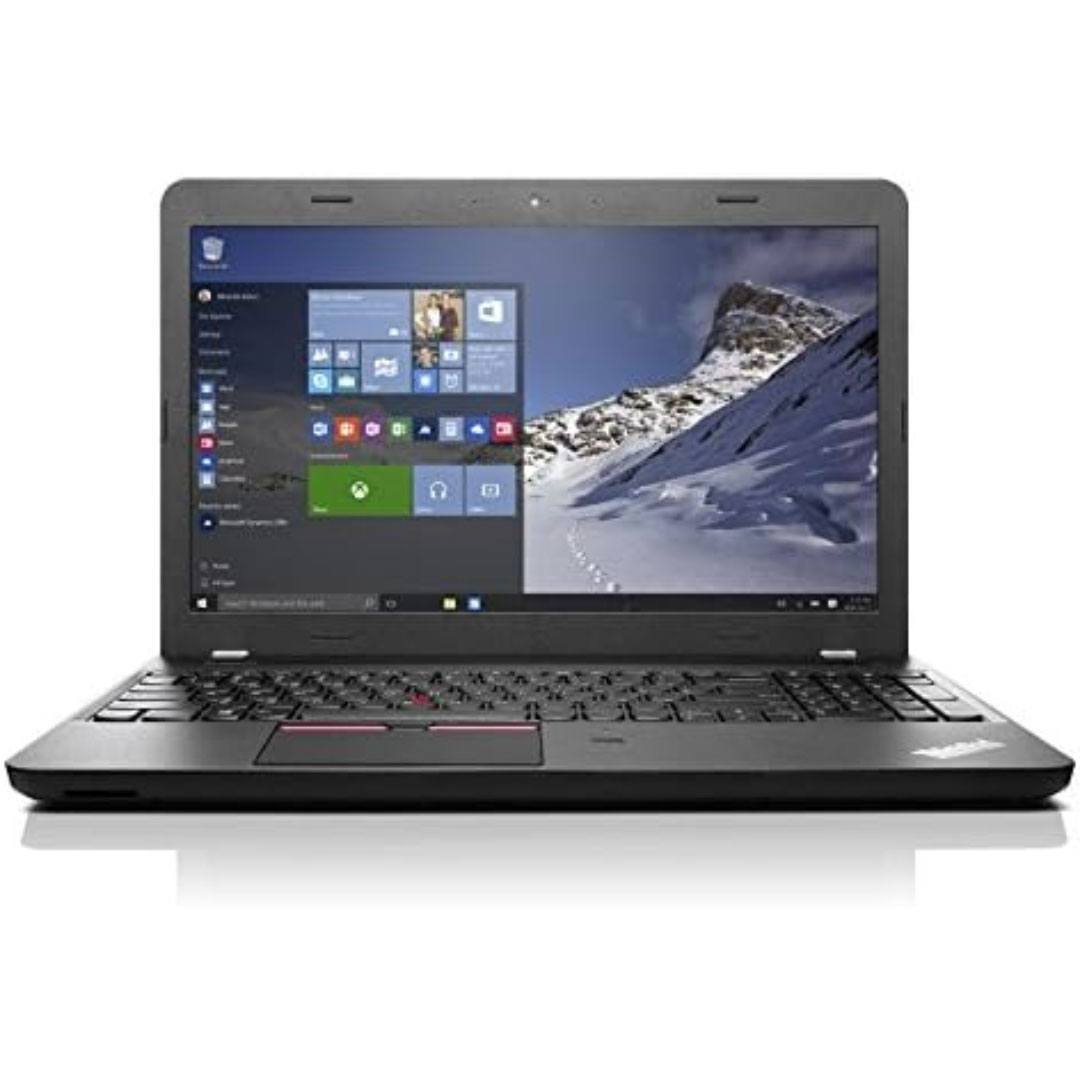
Experience flagship performance with this pre-owned ThinkPad E14 Gen 2. Driven by an 11th Gen Intel Core i7 processor, 16GB RAM, and a 512GB NVMe SSD, this 14-inch laptop delivers high-speed responsiveness and modern features like Thunderbolt 4 for the ultimate professional setup.

The Philips 242V8 24″ 75Hz Monitor is a great choice for home and office use. It delivers clear visuals and smooth performance. With its Full HD resolution, you can enjoy sharp and detailed images. This 24-inch monitor features a 75Hz refresh rate for fluid motion. It reduces screen tearing and stuttering, making it ideal for everyday tasks and casual gaming. The fast response time ensures smooth transitions between frames. The Philips 242V8 24″ 75Hz Monitor uses SmartContrast technology for deep blacks and bright whites. It enhances image quality, making videos and images look better. The IPS panel provides wide viewing angles with consistent colors. With Flicker-Free technology, this 75Hz monitor reduces eye strain. It also includes LowBlue Mode to minimize harmful blue light. This makes it comfortable for long hours of use. Connectivity is simple with HDMI and VGA ports. You can easily connect it to your PC, laptop, or gaming console. The setup is quick and hassle-free. The Philips 242V8 24″ 75Hz Monitor has a slim and modern design. It fits well in any workspace, whether at home or in the office. The adjustable tilt stand provides a comfortable viewing experience. This Full HD monitor is energy-efficient, helping you save on power consumption. It meets eco-friendly standards while delivering high performance. In conclusion, the Philips 242V8 24″ 75Hz Monitor is a reliable and affordable display. It offers smooth visuals, eye comfort, and a sleek design, making it a perfect choice for work and entertainment. Specifications: Display : 24″ IPS Resolution : 1920×1080 Refresh Rate : 75Hz Response Rate : 4ms Speaker : 2W x2

Transparent 2.5" USB 3.0 HDD/SSD Enclosure – Supports SATA drives up to 6TB with UASP and tool-free design.Fast, plug-and-play storage case using JMS578 chipset with crystal-clear ABS shell. Transparent 2.5″ USB 3.0 HDD/SSD Enclosure – Supports SATA drives up to 6TB with UASP and tool-free design.Fast, plug-and-play storage case using JMS578 chipset with crystal-clear ABS shell. Model: 2.5″ HDD/SSD Enclosure with JMS578 Chipset Material: Transparent ABS Plastic (durable and lightweight) Interface: USB 3.0 (backward compatible with USB 2.0 & 1.1) Chipset: JMS578 (JMicron) – supports UASP for faster data transfer Drive Compatibility: 2.5″ SATA I/II/III HDD or SSD Supports up to 6TB capacity Fits 7mm or 9.5mm thick drives Drive Compatibility: 2.5″ SATA I/II/III HDD or SSD Supports up to 6TB capacity Fits 7mm or 9.5mm thick drives Data Transfer Rate: Up to 5Gbps via USB 3.0 UASP support enables up to 20% faster transfers (with UASP-enabled OS) Data Transfer Rate: Up to 5Gbps via USB 3.0 UASP support enables up to 20% faster transfers (with UASP-enabled OS) Tool-Free Design: No screws needed – easy slide-in installation Hot Swappable: Plug and play, no drivers needed for most systems LED Indicator: Blue light for power and activity status Operating Systems: Windows 7/8/10/11, macOS, Linux Dimensions: Approx. 125 x 80 x 14 mm Cable Included: USB 3.0 cable (typically 30–50 cm)

Genuine-spec US layout keyboard replacement for MacBook Pro (Model A1398, Late 2011–Mid 2012)—featuring durable scissor-switch keys, backlighting, and OEM-fit design for reliable typing and straightforward installation. Compatible With: MacBook Pro 13″: Late 2011 (Model A1278, but labeled A1398 in some regions) – Model Identifier MacBookPro8,1 MacBook Pro 15″: Early 2011, Late 2011, and Mid 2012 – Model Identifiers MacBookPro8,2 (15″ early/late 2011) and MacBookPro9,1 (15″ mid 2012) *(Note: “A1398” is primarily associated with the 15″ unibody MacBook Pro with Retina display (Mid 2012), which was the first Retina MacBook Pro.)* This keyboard fits the non-Retina 15″ A1398 (Mid 2012) and compatible Late 2011 models. MacBook Pro 13″: Late 2011 (Model A1278, but labeled A1398 in some regions) – Model Identifier MacBookPro8,1 MacBook Pro 15″: Early 2011, Late 2011, and Mid 2012 – Model Identifiers MacBookPro8,2 (15″ early/late 2011) and MacBookPro9,1 (15″ mid 2012) *(Note: “A1398” is primarily associated with the 15″ unibody MacBook Pro with Retina display (Mid 2012), which was the first Retina MacBook Pro.)* This keyboard fits the non-Retina 15″ A1398 (Mid 2012) and compatible Late 2011 models. Layout: Standard US English (QWERTY) with full-size keys, inverted-T arrow keys, and dedicated function row (F1–F12). Keyboard Type: Traditional scissor-switch mechanism—robust, tactile, and serviceable (pre-Butterfly era). Integrated Features: Backlit keys (adjustable brightness via F5/F6) OEM ribbon cable with ZIF connector Matches original key spacing and actuation force Backlit keys (adjustable brightness via F5/F6) OEM ribbon cable with ZIF connector Matches original key spacing and actuation force Build & Fit: Precision-molded plastic frame with exact screw mounts and alignment pegs—ensures secure, rattle-free installation in the top case. Installation Note: Keyboard is secured with screws and minimal adhesive. Requires full top case access and battery disconnect. Recommended for intermediate to advanced users or technicians.

The HP P24V G5 FHD VA monitor delivers clear and vibrant visuals with its 24‑inch Full HD display. As a result, it makes everyday computing, work tasks, and media viewing more enjoyable with sharp detail and rich colors. In addition, the VA panel provides wide viewing angles, so the image stays consistent even when you move around your desk. Furthermore, this monitor includes fast response times that help reduce motion blur when watching videos or casual gaming. It also offers essential connectivity options, making it easy to connect laptops, desktops, or media players without adapter hassles. Therefore, it fits well in both home and office setups. Overall, the HP P24V G5 strikes a good balance between performance and practicality, giving users dependable display quality at an affordable level. Specifications: 24″ Full HD VA display with wide viewing angles Clear visuals and vibrant colors Fast response for smooth motion Essential connectivity for multiple devices Ideal for everyday work and entertainment use

MacBook Pro A1708 Battery A1713 for MacBook Pro 13 Inch A1708 Late 2016 Mid 2017 (EMC 2978 3164), A2171 Laptop Replacement Battery for MacBook Pro 13 Inch A2159 (2019) A2289 (2020) A2338 (2020) 【Macbook pro 13 Inch battery A1713 & A2171 Battery Specification】– Voltage: 11.4V. Capacity: 54.5Wh / 4781mAh, Battery Type: Li-ion 【Newest 4.0 upgraded OEM Battery for Apple macbook pro】– Japan High Performance Electric Core. Cobalt Proportion: >98%. Upgrade chip. Up to 1500+ recharge cycles over the life of the battery. Overcharger and Discharger Circuit Protection, Ensure fast charges and low power consumption, UL-/CE-/FCC-/RoHS-Certified for safety 【Replacement Battery A1713 for A1708 Macbook pro 13 inch】– A1708 Macbook pro 13” Late 2016: MacBook Pro 13-Inch “Core i5” 2.0 & MacBook Pro 13-Inch “Core i7” 2.4 (MacBookPro13,1, EMC2978, MLL42xx/A, MLUQ2xx/A). — A1708 Macbook pro 13” Mid 2017: MacBook Pro 13-Inch “Core i5” 2.3 & MacBook Pro 13-Inch “Core i7” 2.5 (MacBookPro14,1, EMC3164, MPXQ2xx/A, MPXR2xx/A, MPXT2xx/A, MPXU2xx/A) 【Replacement Battery A2171 for A2159 & A2289 & A2338 Macbook pro 13 inch】– A2159 Macbook pro 13” 2019: MacBook Pro 13-Inch “Core i5” 1.4 Touch & “Core i7” 1.7 Touch (MacBookPro15,4, EMC3301, MUHN2xx/A, MUHP2xx/A, MUHQ2xx/A, MUHR2xx/A, MUHR2xx/B). — A2289 Year 2020: MacBook Pro 13-Inch “Core i5” 1.4 & “Core i7” 1.7 (MacBookPro16,3, EMC 3456, MXK32xx/A, MXK52xx/A, MXK62xx/A, MXK72xx/A). — A2338 Year 2020: MacBook Pro 13-Inch “M1” 8-Core 3.2 (MacBookPro17,1, EMC3578, MYDA2LL/A*)

Are you in search of a monitor that elevates your gaming experience? Look no further than the Philips 27″ 75Hz 27E1N5600HE LCD Monitor. Designed with gamers in mind, this monitor offers a perfect blend of performance and visual quality. Featuring a generous 27-inch display, the Philips monitor provides ample screen real estate for immersive gaming sessions. Lose yourself in stunning visuals and vibrant colors that bring your games to life. With a refresh rate of 75Hz, this monitor delivers smoother gameplay compared to standard displays. Say goodbye to motion blur and screen tearing, and enjoy a more responsive gaming experience. Equipped with Adaptive-Sync technology, the Philips monitor synchronizes the refresh rate with your GPU, reducing stuttering and input lag. Enjoy seamless gameplay, whether you’re exploring vast landscapes or engaging in fast-paced action. The ultra-narrow bezel design creates a seamless multi-monitor setup, perfect for immersive gaming or multitasking. Dive into your favorite games without distractions, and enjoy a more immersive gaming experience. Designed for comfort and convenience, the Philips monitor features adjustable tilt for optimal viewing angles. Whether you’re sitting at your desk or lounging in your gaming chair, you can find the perfect position for extended gaming sessions. In summary, the Philips 27″ 75Hz 27E1N5600HE LCD Monitor is a must-have for gamers seeking smooth performance and immersive visuals. Upgrade your gaming setup with this feature-packed monitor and take your gaming experience to new heights. Specifications: Display : 27″ IPS Resolution : 2560 x 1440 QHD Refresh Rate : 75hz Response Rater : 4ms

The MSI PRO MP275W E2 27″ 120Hz Business Monitor is designed to enhance productivity with smooth visuals and eye-care features. It features a 27-inch Full HD IPS panel, delivering clear images and wide viewing angles for everyday work tasks. With a 120Hz refresh rate, the monitor provides smoother motion compared to standard displays. This makes it ideal not only for business use but also for light entertainment. The MSI PRO MP275W E2 27″ 120Hz Business Monitor ensures reduced motion blur and a more comfortable viewing experience. The monitor supports Anti-Flicker and Less Blue Light technologies, helping to reduce eye strain during long hours of use. These features are especially useful in office settings or remote work environments. Thanks to its built-in speakers, users can enjoy basic audio without needing external accessories. The MSI PRO MP275W E2 27″ 120Hz Business Monitor also includes HDMI and VGA ports, offering compatibility with modern and older devices. Its sleek, minimal design fits easily into any workspace, whether at home or in an office. The adjustable tilt function allows users to set the screen at the most comfortable viewing angle. This monitor is also VESA mount compatible, making it easy to attach to a monitor arm or wall mount. It supports a clutter-free setup that boosts workspace efficiency. In conclusion, the MSI PRO MP275W E2 27″ 120Hz Business Monitor offers smooth performance, comfort-focused features, and modern connectivity in a professional package. It’s ideal for business users who value quality and simplicity. Specifications: Display : 27″ IPS Resolution : 1920 x 1080 (FHD) Refresh Rate : 120Hz Response Time : 1ms (MPRT) / 4ms (GtG) Speaker : 2x 2W

Samsung Lebanon 32″ Flat The Samsung Lebanon 32″ Flat Everything you need is right in your screen. Watch, work and chat – all without connecting a separate PC – with Smart Monitor. Your favorite content, productivity and video call apps are built-in. for a simpler and more stylish desk setup that’s a joy to use every time. Smart TV Experience Effortless entertainment. Enjoy Netflix, YouTube and other streaming services by simply connecting the monitor to WiFi. Samsung TV Plus also offers free live and on-demand content with no downloads or sign-up needed. while Universal Guide provides personalized content recommendations. Workspace Experience PC-less. Browse the web, edit documents and work on projects, all without the need for a separate PC. With new Workmode, you can also remotely access another PC, use Microsoft 365 programs . and even connect to Samsung mobile devices with Samsung DeX for seamless working. SlimFit camera Jump into any conversation. The SlimFit camera with tilt functionality allows you to create the perfect angle while using. your favorite video call apps like Google Duo, which can be accessed directly through the monitor. Plus, the camera cover and option to fully detach always protect your privacy. IoT Hub Turn your Smart Monitor into a control center for the home by connecting it to your IoT home products with SmartThings. Relax by turning off the lights, pulling down the blinds and setting the thermostat. to the perfect temperature all with the Smart Monitor for a perfectly relaxed evening. Mobile connectivity Convenient connectivity. With AirPlay integration, you can wirelessly connect Apple devices to the Smart Monitor and view on a bigger screen. Enjoy your favorite content from an iPhone, iPad, and Mac on the Smart Monitor and even mirror apps, documents, and websites. Adaptive Picture Sensational picture, day or night. Surrounding light is detected by a sensor to adjust brightness automatically with Adaptive Picture. Even in broad daylight, watch dark, gritty dramas without squinting and straining your eyes to see the picture. Specifications: Specifications Aspect Ratio16:9 Brightness (Typical)250 cd/㎡ Contrast Ratio Static3,000:1 (Typ.) Resolution1,920 x 1,080 Response Time4ms (GTG) Viewing Angle (H/V)178°/178° 3 year warranty Manufacturer Link

Genuine-spec touchpad flex cable for MacBook Pro 13″ (Model A1502, Mid 2014)—restores full trackpad functionality, including precise cursor control and physical click response. Essential for repairing unresponsive or erratic trackpad behavior. Compatible With: MacBook Pro 13-inch (Mid 2014, Model A1502, Model Identifier MacBookPro11,1) with Intel Core i5/i7 processors and Retina display. Part Type: Touchpad flex cable only — does not include the trackpad housing, button mechanism, or mounting hardware. This is the ribbon cable that connects the trackpad to the logic board. Function: Transmits cursor movement and click signals (left/right physical clicks) Supports standard multi-touch gestures (two-finger scroll, tap-to-click, pinch-to-zoom) ⚠️ Note: This model uses a physical click mechanism—not Force Touch (no haptic feedback or pressure sensitivity). Transmits cursor movement and click signals (left/right physical clicks) Supports standard multi-touch gestures (two-finger scroll, tap-to-click, pinch-to-zoom) ⚠️ Note: This model uses a physical click mechanism—not Force Touch (no haptic feedback or pressure sensitivity). OEM-Quality Build: Matches Apple’s original in: Cable length and routing path Connector type and pin alignment Insulation and flexibility for long-term reliability Cable length and routing path Connector type and pin alignment Insulation and flexibility for long-term reliability Common Use Cases: Replacing a torn, frayed, or corroded original flex cable Fixing: Unresponsive or intermittent trackpad Cursor jumping or drifting Click function failure (left or right) Complete trackpad disconnect Replacing a torn, frayed, or corroded original flex cable Fixing: Unresponsive or intermittent trackpad Cursor jumping or drifting Click function failure (left or right) Complete trackpad disconnect Unresponsive or intermittent trackpad Cursor jumping or drifting Click function failure (left or right) Complete trackpad disconnect Installation Note: Requires bottom case removal and battery disconnect. Connects via a ZIF (Zero Insertion Force) socket on the logic board—do not force. Cable routes under the battery; handle with care to avoid strain. Suitable for intermediate to advanced DIYers or technicians. Requires bottom case removal and battery disconnect. Connects via a ZIF (Zero Insertion Force) socket on the logic board—do not force. Cable routes under the battery; handle with care to avoid strain. Suitable for intermediate to advanced DIYers or technicians.
