
256GB SSD Apple Macbook Pro Air 2013 2014 2015 A1502 A1398 A1466 A1465 | Samsung MZ-JPU512T/A06 | 655-1805D ORIGINAL APPLE PART (Apple sources their SSD’s for MacBooks from Samsung) A1502 – A1398 – A1465 – A1466 100% TESTED WORKING Please check compatibility below before you make your purchase: COMPATIBILITY: MacBook Pro Retina Late 2013 – Mid-2015 MacBookPro11,1 (A1502) – ME864LL/A, ME866LL/A, ME867LL/A, MGX72LL/A, MGX92LL/A, & MGXD2LL/A MacBookPro11,2 (A1398) – ME293LL/A & MGXA2LL/A MacBookPro11,3 (A1398) – ME294LL/A, ME874LL/A, MGXC2LL/A, & MGXG2LL/A MacBookPro11,4 (A1398) – MJLQ2LL/A MacBookPro11,5 (A1398) – MJLT2LL/A & MJLU2LL/A MacBookPro12,1 (A1502) – MF839LL/A, MF841LL/A, & MF843LL/A MacBook Air Mid-2013 – Late 2015 MacBookAir6,1 (A1465) – MD711LL/A, MD760LL/A, MD711LL/B, & MF067LL/A MacBookAir6,2 (A1466) – MD760LL/A, MD760LL/B, & MF068LL/A MacBookAir7,1 (A1465) – MJMVM2LL/A MacBookAir7,2 (A1466) – MJVE2LL/A Model Identifier: Samsung Manufacturer Part# MZ-JPU512T/A06

Looking to add a touch of efficiency to your workspace? Meet the ViewSonic 24″ 60Hz Touch Monitor TD2455. With its intuitive touch functionality, this monitor redefines productivity. First and foremost, let’s talk about versatility. The TD2455’s 24-inch display size strikes the perfect balance between screen real estate and desk space. Enjoy ample room for multitasking without overwhelming your workspace. Transitioning to touch capabilities, the TD2455 offers a responsive and intuitive touch experience. Navigate through applications, annotate documents, and interact with content effortlessly with just the touch of your fingertips. Moreover, its ergonomic design ensures comfortable viewing angles, reducing strain during extended work sessions. Tilt, swivel, and adjust the height to find the perfect position that suits your needs. Additionally, with a refresh rate of 60Hz, the TD2455 delivers smooth and fluid visuals, enhancing the overall user experience. Whether you’re browsing the web, editing documents, or watching videos, every task feels seamless. Furthermore, the monitor’s Full HD resolution ensures crisp and clear imagery, making text and graphics sharp and legible. Say goodbye to pixelation and hello to clarity, enhancing your productivity and workflow. In conclusion, the ViewSonic 24″ 60Hz Touch Monitor TD2455 is a game-changer for professionals seeking a versatile and efficient display solution. From its intuitive touch functionality to its ergonomic design and crisp visuals, it’s the perfect addition to any workspace. Upgrade today and take your productivity to new heights. Specifications: Type-C Input Display : 24″ IPS Resolution : FHD(1920×1080) Refresh Rate : 60Hz Response Rate : 6ms

The ASUS ProArt PA329CRV 32″ 4K Professional Monitor delivers amazing clarity for creative work. It offers a large 32-inch screen with sharp 4K detail. Every image looks clean and accurate. This makes it ideal for editing and design projects. Moreover, the ASUS ProArt PA329CRV 32″ 4K Professional Monitor includes factory-calibrated color accuracy. It shows precise colors for photos, videos, and artwork. The wide color gamut helps you view rich and natural tones. This ensures professional results in every task. In addition, the monitor features HDR support. It improves brightness, contrast, and depth in your visuals. Your projects look more realistic and detailed. This boosts your productivity and viewing experience. Furthermore, the ASUS ProArt PA329CRV 32″ 4K Professional Monitor includes a USB-C port. It provides display output, data transfer, and power delivery. This makes your workspace cleaner and more organized. It is perfect for creators using laptops. Also, the monitor offers an ergonomic stand. You can tilt, turn, pivot, or adjust the height easily. This helps you work comfortably for long hours. The design supports healthy posture and better workflow. The slim and modern look of the ASUS ProArt PA329CRV 32″ 4K Professional Monitor fits any studio. The thin bezels make multi-monitor setups cleaner. The build quality feels strong and long lasting. This makes it a reliable tool for professionals. Overall, the ASUS ProArt PA329CRV 32″ 4K Professional Monitor delivers accuracy, clarity, and productivity in one display. It supports creative work with true-to-life colors and advanced features. It is a great choice for editors, designers, and photographers who need perfect visuals. Specifications: Display : 32″ IPS Resolution : 4K Refresh Rate : 60Hz Response Time : 5ms Fully Adjustable
In today’s fast-paced world, a reliable display is essential for work and play. Our LED Monitor 23.8″ 75Hz is your solution. Firstly, this 23.8-inch LED monitor is designed to meet your needs. Its crisp visuals make your content come to life. Whether you’re watching videos, working on documents, or gaming, the 75Hz refresh rate ensures smooth performance. Moreover, the LED technology provides sharp and vibrant colors, enhancing your viewing experience. Say goodbye to dull screens! Setting up this LED monitor is a breeze. With simple plug-and-play connectivity, you can be up and running in no time. Furthermore, the slim and modern design adds a touch of elegance to your workspace. Its compact size fits any desk, saving valuable space. In addition, the monitor comes with a variety of ports, including HDMI and VGA, for maximum compatibility with your devices. The LED Monitor 23.8″ 75Hz is energy-efficient, which means you save on power bills while reducing your carbon footprint. In conclusion, our 23.8-inch 75Hz LED monitor is a cost-effective solution for anyone seeking a crisp, vivid display. MANUFACTURERS LINK YOU CAN ALSO CHECK HERE

Genuine-spec Touch Bar assembly with integrated flex cable for 2020 MacBook Pro 13″ models (A2251, A2289, A2338)—restores full Touch ID and Touch Bar functionality with OEM-level fit and performance. Compatible With: MacBook Pro 13″ (2020): A2251 (Intel Core i5/i7, two Thunderbolt ports) A2289 (Intel Core i5/i7, four Thunderbolt ports) A2338 (Apple M1 chip, two Thunderbolt ports) MacBook Pro 13″ (2020): A2251 (Intel Core i5/i7, two Thunderbolt ports) A2289 (Intel Core i5/i7, four Thunderbolt ports) A2338 (Apple M1 chip, two Thunderbolt ports) A2251 (Intel Core i5/i7, two Thunderbolt ports) A2289 (Intel Core i5/i7, four Thunderbolt ports) A2338 (Apple M1 chip, two Thunderbolt ports) Includes: Complete Touch Bar module with integrated flex cable, Touch ID sensor, and ambient light sensor—ready for direct connection to the logic board. Functionality: Fully restores dynamic Touch Bar controls, system functions, app shortcuts, and Touch ID (fingerprint authentication and power button). OEM-Quality Build: Matches Apple’s original design in responsiveness, finish, and sensor alignment—ensures seamless integration with macOS. Color Options: Available in Space Gray and Silver to match your MacBook’s top case (confirm your model’s color before ordering). Installation Note: Requires full top case disassembly and careful handling of adhesive and connectors. The flex cable routes under the speakers and connects near the logic board—precision is essential. Recommended for experienced technicians.

SCREEN LG 24″ FHD Borderless IPS 100HZ 5MS with FreeSync™ LG-24MR400-B SCREEN LG 24″ FHD Borderless IPS 100HZ 5MS with FreeSync™ LG-24MR400-B Technical Details

Are you in search of the ultimate gaming monitor to enhance your gaming experience? Look no further than the MSI G274QPX 27″ 240Hz Gaming Monitor. Packed with advanced features, this monitor delivers smooth and immersive gameplay. Transitioning to its core, the MSI G274QPX boasts a lightning-fast 240Hz refresh rate, ensuring ultra-smooth motion and fluid gameplay. Whether you’re racing through virtual worlds or engaging in intense firefights, every moment is captured with precision and clarity. Its spacious 27-inch screen provides ample room for immersive gaming sessions, allowing you to see more of the action without compromising on detail. Plus, with its Full HD resolution, you’ll enjoy crisp and sharp visuals that bring your games to life. Furthermore, the MSI G274QPX features Adaptive-Sync technology, reducing screen tearing and stuttering for a seamless gaming experience. Say goodbye to distractions and hello to uninterrupted gameplay. Connectivity is key, and this monitor offers a range of ports including HDMI and DisplayPort, ensuring compatibility with your favorite gaming devices. Whether you’re connecting your PC, console, or other peripherals, you’ll experience hassle-free connectivity. Transitioning to its design, the MSI G274QPX sports a sleek and modern aesthetic that adds a touch of style to any gaming setup. Its slim bezels maximize screen real estate, allowing you to immerse yourself fully in the game without distractions. In conclusion, the MSI G274QPX 27″ 240Hz Gaming Monitor is the perfect choice for gamers seeking unparalleled performance and immersion. With its lightning-fast refresh rate, crisp visuals, and seamless connectivity, it’s time to elevate your gaming experience to new heights. Specifications: Display : 27″ Rapid IPS Resolution : 2560×1440 (WQHD) Refresh Rate : 240Hz Response Rate : 1ms GtG

Genuine-spec touchpad flex cable for MacBook Pro 14″ (Model A2442, 2021, M1 Pro/Max)—essential for restoring full Force Touch functionality, haptic feedback, and precise multi-touch gesture control. Compatible With: MacBook Pro 14-inch (2021, Model A2442) with Apple M1 Pro or M1 Max chip (Model Identifiers: MacBookPro18,3 / MacBookPro18,4). Part Type: Touchpad flex cable only—does not include the trackpad, Taptic Engine, or mounting brackets. This is the OEM-style ribbon cable that connects the trackpad to the logic board. Function: Carries touch input, Force Touch pressure data, and haptic feedback signals—critical for macOS trackpad gestures, Force Click, and Taptic Engine responsiveness. OEM-Quality Build: Matches Apple’s original flex circuit in length, connector pitch, shielding, and bend geometry—ensures reliable signal transmission and durability under repeated use. Common Use Cases: Replacing a damaged, torn, or corroded original flex cable Completing a trackpad replacement when the original cable is unusable Fixing intermittent trackpad issues, unresponsiveness, or loss of Force Touch Replacing a damaged, torn, or corroded original flex cable Completing a trackpad replacement when the original cable is unusable Fixing intermittent trackpad issues, unresponsiveness, or loss of Force Touch Installation Note: Requires full bottom case removal and careful routing beneath internal components. Connectors use ZIF (Zero Insertion Force) sockets—must be seated properly without force. Recommended for certified or highly experienced technicians only.

MARSRIVA Smart Mini DC UPS KP2 Series | 18 Watts 10000mAh | 0ms AC to DC Transfer | Flame Retardant | Wall Mount Slots | 1 x Passive PoE, 2 x DC and 1 x USB Output Ports | KP2 BLACK Keep Wi-Fi Power On Output:18W (Max.) or 30W (Max.) ● With 1 * Passive PoE, 2 * DC and 1 * USB output ports, DC UPS can power up multiple devices simultaneously. ● AC to DC 0ms transfer technology keeps your devices working when electricity is ON/OFF shifting. ● With wall-mount slots on the back, DC UPS can be mounted on the wall easily. ● Air cooling system provides maximum heat dissipation, ensuring the long-term stability of UPS. ● V-0 flame retardant product housing secures you and your property. ● 16000mAh high-capacity battery (KP2 Plus, KP2 Ultra) provides longer backup time. ● 30W high-power output (KP2 Pro, KP2 Ultra) provides better compatibility.

BenQ Board Essential Series 75 inch RE7504FV is designed for classrooms, meeting rooms, and interactive collaboration. It features a 75-inch 4K UHD IPS display with precision IR touch technology for smooth writing and presentations. Additionally, it supports up to 40 touch points. Therefore, it improves teamwork, teaching, and interactive learning experiences. The BenQ RE7504FV delivers 3840 × 2160 resolution with 450 nits brightness and anti-glare protection for clear visibility in bright environments. Moreover, it uses 9H tempered glass for durability and safer daily use. It also includes low blue light and flicker-free technology to reduce eye strain. In addition, it runs Android 14 (EDLA) with strong memory and storage options for smooth performance. Furthermore, it provides wide connectivity including HDMI 2.0, DisplayPort, USB-A, USB-C with 65W power delivery, VGA, and OPS slot support. As a result, users can easily connect laptops, cameras, and external systems. It also includes an 8-microphone array and dual 20W speakers for clear audio in meetings and lessons. Specifications: 75-inch 4K UHD (3840 × 2160) IPS display Precision IR touch with up to 40 touch points Android 14 (EDLA) with smooth system performance 450 nits brightness with anti-glare 9H tempered glass USB-C 65W, HDMI, OPS slot, mic array, and dual 20W speakers

The Samsung Crystal UHD U8000F 65″ 4K TV UA65U8000FUXTW uses a 65-inch LCD panel with 3840 × 2160 resolution. It delivers standard 4K performance for everyday viewing. Samsung uses the Crystal Processor 4K for image processing and upscaling. As a result, lower-resolution content converts closer to 4K output. In addition, the TV supports HDR10 and HDR10+, which improve contrast between bright and dark scenes. The display runs at a 60 Hz refresh rate. Also, Motion Xcelerator reduces blur in fast motion content such as sports and action. Samsung equips the TV with Tizen OS. Therefore, users access streaming apps, SmartThings features, and basic voice control options depending on setup. Connectivity includes HDMI, USB, Wi-Fi, Bluetooth, Ethernet LAN, and optical audio output. In addition, the TV supports ALLM for basic gaming response time. This model focuses on 4K resolution, standard HDR support, and essential smart features without advanced gaming or local dimming systems. Specifications: 65-inch LCD panel with 3840 × 2160 4K UHD resolution Crystal Processor 4K with 4K upscaling support HDR10 and HDR10+ compatibility 60 Hz native refresh rate with Motion Xcelerator Tizen OS with HDMI, USB, Wi-Fi, Bluetooth, Ethernet connectivity

Dominate the battlefield with the Genius Scorpion M705, featuring a high-precision 7200 DPI sensor and striking 7-color breathing RGB lighting. Built with a durable braided cable and 6 programmable buttons, it’s the ultimate entry-level weapon for gamers seeking speed, style, and reliability. The Genius Scorpion M705 is designed to provide gamers with a competitive edge without compromising on comfort. Equipped with an optical sensor that reaches up to 7200 DPI, it ensures smooth and accurate tracking across various surfaces. Its ergonomic right-handed shape and lightweight build reduce wrist strain during marathon sessions, while the integrated 32K memory allows you to take your custom macros and profiles wherever you go. Adjustable 7200 DPI Sensor: Seamlessly switch between six sensitivity levels (800/1600/2400/3200/4800/7200 DPI) to match your game’s pace, from high-speed movement to pixel-perfect sniping. Dynamic RGB Breathing Effects: Enhance your gaming atmosphere with 7 dazzling LED colors that pulse with a “breathing” effect. You can easily adjust the lighting mode using the DPI + Forward/Backward shortcuts. 6 Programmable Buttons: Fully customize your controls. Assign macros, shortcut keys, or specific in-game commands to the 6 buttons to execute complex actions with a single click. Built-in 32K Memory: Save your settings directly on the mouse. Your custom profiles and button assignments stay with you, even when switching to a different PC. Professional Durability: Features a 1.8-meter braided USB cable that prevents tangling and increases the lifespan of the device, ensuring a stable, low-latency connection. Sensor Type: Optical Resolution: 800 – 7,200 DPI Number of Buttons: 6 (Programmable) Illumination: 7-Color RGB Breathing LED Interface: USB Wired Cable: 1.8m Braided Cable Internal Memory: 32K Dimensions: 120.2 x 72.7 x 39.6 mm Weight: Approx. 120g (including cable) Compatibility: Windows 8, 10, 11 or later What’s in the Box Compatibility: Windows 8, 10, 11 or later What’s in the Box Genius Scorpion M705 Gaming Mouse Multi-language Quick Guide

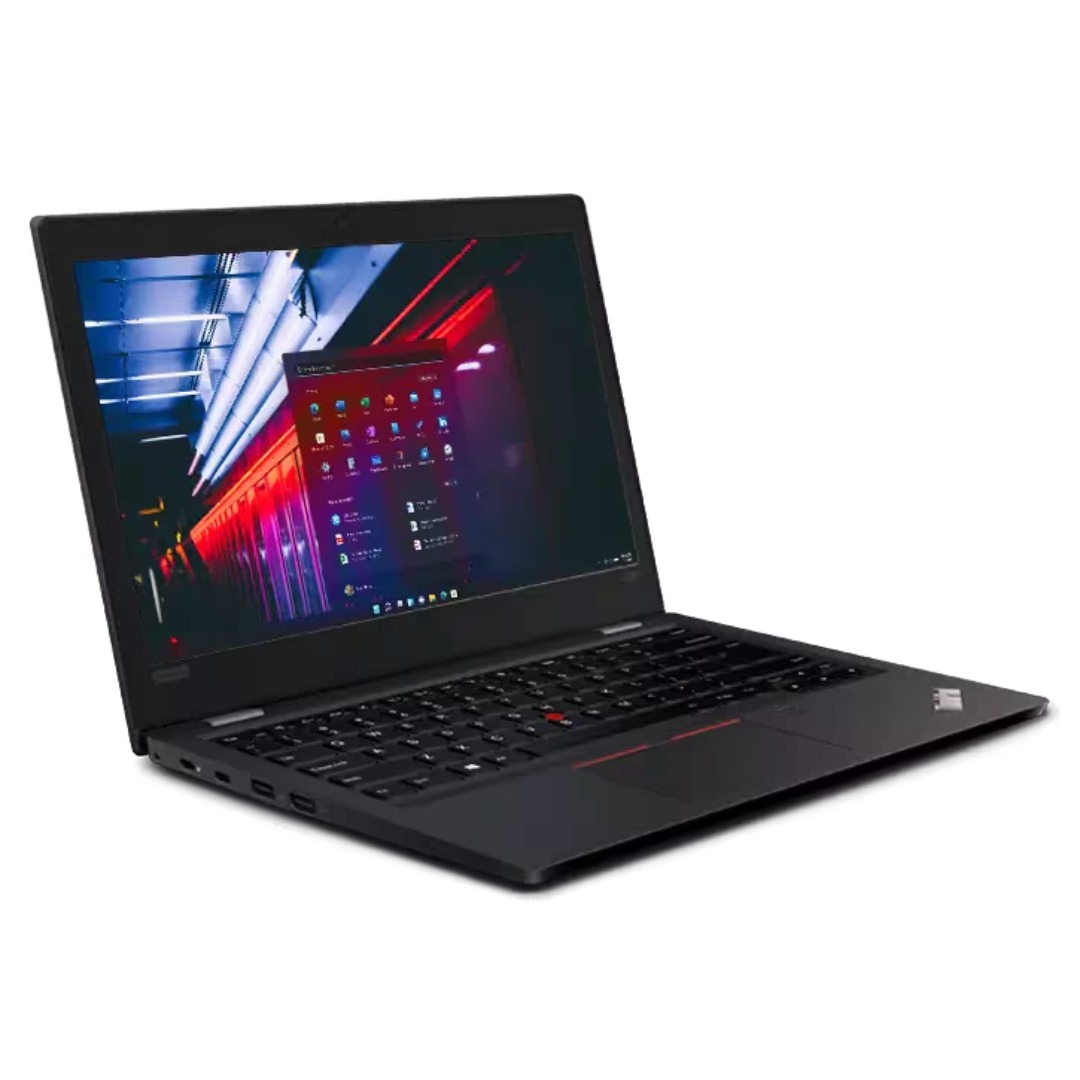
Experience flagship performance with this pre-owned ThinkPad E14 Gen 2. Driven by an 11th Gen Intel Core i7 processor, 16GB RAM, and a 512GB NVMe SSD, this 14-inch laptop delivers high-speed responsiveness and modern features like Thunderbolt 4 for the ultimate professional setup.

WiWU WM108 Wimice Dual‑Mode Mouse – Bluetooth 5.0 and 2.4 GHz wireless mouse with 800/1200/1600 DPI, silent clicks, and ergonomic ABS housing.Long battery life (~6 months standby), USB dongle & silent design—ideal for travel, office, and quiet environments. Model: WiWU Wimice WM108 Connection Modes: Bluetooth 5.0 2.4 GHz wireless via USB dongle Connection Modes: Bluetooth 5.0 2.4 GHz wireless via USB dongle DPI Settings: 800 / 1,200 / 1,600 DPI (adjustable) Buttons: 3 standard buttons + clickable scroll wheel (4 keys total) Range: Up to 10 m wireless connectivity Material/Design: Lightweight (67–130 g, depending on source), ergonomic ABS plastic body, magnetic base or “super magnetic absorption” design Operating Range: ≈10 m Silent Clicks: Quiet operation—silent key action Dimensions: Approx. 108 × 64 × 36 mm Weight: 67 g cited by Star Tech and 130 g by others—likely lighter in official spec Compatibility: Windows, macOS, Linux, Android, etc. Plug-and-play, no driver needed

Enhance Your Viewing Experience with the HP FHD 27” Monitor | V27i In today’s digital age, having a reliable and clear monitor is essential. The HP FHD 27” Monitor | V27i delivers. Transitioning from your old monitor to the V27i is straightforward, even if you’re not tech-savvy. This 27-inch monitor offers a spacious screen, perfect for work, entertainment, and everyday tasks. Its user-friendly interface ensures anyone can use it without complicated settings. The V27i provides crisp and clear visuals with Full HD resolution, enhancing your viewing experience. With its sleek and minimalist design, it complements any workspace or home setup. The monitor’s energy-efficient design saves power and reduces your environmental impact. In summary, the HP FHD 27” Monitor | V27i offers a simple and impressive solution for your computing needs. Elevate your viewing experience with this accessible and reliable display. you can always check here and if you like to see more options you can always check here! Specifications: HP V27i G5 FHD Monitor (65P64AS) Display size (diagonal) 68.6 cm (27″) Low blue light Yes (TÜV certified) Panel bit depth 8 bit (6 bit + FRC) Pixels per inch (ppi) 82 ppi Resolution (maximum) FHD (1920 x 1080 @ 75 Hz) 1 year warranty

Screen Size 32″ Display Type VA Color Gamut (Typ.) sRGB 95% (CIE1931) Color Depth (Number of Colors) 16.7M Pixel Pitch (mm) 0.36375 x 0.36375 mm Response Time (GTG) 5ms (GtG at Faster), 1ms MBR Refresh Rate 165Hz Aspect Ratio 16:9 Display Resolution FHD Resolution 1920 x 1080 Brightness 300cd/m² Contrast Ratio 3000:1 Viewing Angle 178º (R/L), 178º (U/D) Surface Treatment Anti-Glare INPUT/OUTPUT HDMI Yes x 2 DisplayPort Yes x 1 Headphone Out Yes POWER Type Adapter Input 100-240 Vac, 50/60Hz Power Save/Sleep Mode (Max.) Less than 0.5W DC Off (Max.) Less than 0.3W Power Consumption (Typ.) 40W Power Consumption (Max.) 40W SPECIAL FEATURES NVIDIA G-Sync™ Yes (Compatible) Adaptive Sync AMD FreeSync™ Premium Black Stabilizer® Yes Dynamic Action Sync® Yes Crosshair® Yes Flicker Safe Yes Smart Energy Saving Yes Reader Mode Yes OnScreen Control (OSC) Yes HDR (High Dynamic Range) HDR10 HDR Effect Yes FreeSync (Low Frame Compensation) Yes Motion Blur Reduction Technology Yes 1ms Motion Blur Reduction Yes SOUND Speaker No Built-in Speaker DIMENSIONS/WEIGHTS With Stand (WxHxD) 28.1″ x 23.6″ x 11.5″ (Up), 28.1″ x 19.3″ x 11.5″ (Down) Without Stand (WxHxD) 28.1″ x 16.9″ x 2.0″ Shipping Dimensions (WxHxD) 31.2” x 21.9” x 8.9” With Stand Weight 15.9 lbs Without Stand Weight 11.2 lbs Shipping Weight 22.7 lbs STAND Display Position Adjustments Tilt/Height/Pivot CABINET/ACCESSORIES Wall Mount Size (mm) 100 x 100 mm Display Port Yes 3 Years Warranty manufacturer link

MacBook Pro A2485 2021 – 16.2" XDR display, Apple M1 Pro (10-core CPU / 16-core GPU), 32 GB memory, 512 GB SSD.Top-tier creative laptop with blazing performance, superb display, and professional I/O – built for demanding workflows.

OEM-quality touchpad replacement for MacBook Air 13.6″ (Model A2681, 2022)—available in Gray, Gold, Silver, and Blue to match your original chassis color. Precision-engineered for seamless Force Touch performance and smooth gesture control. Compatible With: MacBook Air 13.6-inch (2022, Model A2681) with M2 chip—includes all color variants: Space Gray, Gold, Silver, and Midnight Blue. Part Type: Touchpad only—does not include the flex cable, connector, or mounting brackets. Intended for technicians reusing the original cable or transferring it during repair. Color-Matched Finish: Available in all four official A2681 colors to maintain aesthetic consistency with your MacBook’s lower case. Force Touch Support: Full compatibility with Force Touch gestures, haptic feedback, and multi-touch functionality (requires original Taptic Engine and logic board). OEM Build Quality: Matches Apple’s original surface texture, curvature, and responsiveness—ensures consistent click feel and tracking accuracy. Installation Note: Requires careful transfer of the original flex cable and Taptic Engine (if not already attached). Full bottom case disassembly is necessary. Recommended for professional repair technicians.

Specifications Input/Output USB Sound Mode Game Mode, Standard Mode, 3D Surround Sound Mode, Live Sound Mode, Extra Bass Mode Category Speakers Use HOME Input Power(W) <25 W Voice Control No Waterproof Yes Support APP No Intelligent Personal Assistant None Audio Crossover Full-Range Number of Loudspeaker Enclosure 2 Power Source Battery, USB Channels 2 (2.0) Battery Yes Communication Bluetooth, Wireless Speaker Type Portable Cabinet Material Plastic Brand Name AEVYVKV Origin Mainland China

Genuine-spec touchpad flex cable for MacBook Pro 13″ with Touch Bar (Model A1708, 2016–2017)—restores full Force Touch functionality, haptic feedback, and precise multi-touch gesture control during trackpad repair or replacement. Compatible With: MacBook Pro 13″ (2016) – Model A1708 (Model Identifier: MacBookPro13,1) MacBook Pro 13″ (2017) – Model A1708 (Model Identifier: MacBookPro14,1) (Both years share the same internal trackpad assembly and flex cable.) MacBook Pro 13″ (2016) – Model A1708 (Model Identifier: MacBookPro13,1) MacBook Pro 13″ (2017) – Model A1708 (Model Identifier: MacBookPro14,1) (Both years share the same internal trackpad assembly and flex cable.) Part Type: Touchpad flex cable only — does not include the trackpad housing, Taptic Engine, or mounting hardware. This is the OEM-style ribbon cable that connects the trackpad to the logic board. Function: Transmits: Touch input coordinates Force Touch pressure data Haptic feedback signals to the Taptic Engine Enables full macOS gesture support: Force Click, three-finger lookup, swipe navigation, pinch-to-zoom, and smooth cursor tracking. Touch input coordinates Force Touch pressure data Haptic feedback signals to the Taptic Engine Enables full macOS gesture support: Force Click, three-finger lookup, swipe navigation, pinch-to-zoom, and smooth cursor tracking. OEM-Quality Build: Matches Apple’s original specifications in: Cable length and routing path Connector pitch and ZIF latch design EMI shielding and flex durability Cable length and routing path Connector pitch and ZIF latch design EMI shielding and flex durability Common Use Cases: Replacing a torn, creased, or liquid-damaged original flex cable Completing a trackpad replacement when the original cable is compromised Fixing intermittent trackpad behavior, loss of Force Touch, or complete unresponsiveness Replacing a torn, creased, or liquid-damaged original flex cable Completing a trackpad replacement when the original cable is compromised Fixing intermittent trackpad behavior, loss of Force Touch, or complete unresponsiveness Installation Note: Requires full bottom case removal and battery disconnection. Cable routes under internal components near the right speaker and logic board. Connects via a ZIF (Zero Insertion Force) socket—must be aligned carefully and latched gently. Recommended for experienced or certified technicians only. Requires full bottom case removal and battery disconnection. Cable routes under internal components near the right speaker and logic board. Connects via a ZIF (Zero Insertion Force) socket—must be aligned carefully and latched gently. Recommended for experienced or certified technicians only.
