
Genuine-spec touchpad flex cable for MacBook Pro 15″ (Model A2941, 2023, Apple M2)—restores full Force Touch functionality, haptic feedback, and precise multi-touch gesture control during trackpad repair or replacement. Compatible With: MacBook Pro 15-inch (2023, Model A2941) with Apple M2 chip (Model Identifier: MacBookPro19,1) Part Type: Touchpad flex cable only — does not include the trackpad housing, Taptic Engine, or mounting hardware. This is the OEM-style ribbon cable that connects the trackpad to the logic board. Function: Transmits: Touch input coordinates Force Touch pressure data Haptic feedback signals to the Taptic Engine Enables full macOS gesture support: Force Click, three-finger lookup, swipe navigation, pinch-to-zoom, and smooth cursor tracking. Touch input coordinates Force Touch pressure data Haptic feedback signals to the Taptic Engine Enables full macOS gesture support: Force Click, three-finger lookup, swipe navigation, pinch-to-zoom, and smooth cursor tracking. OEM-Quality Build: Matches Apple’s original specifications in: Cable length and routing path Connector pitch and ZIF latch design EMI shielding and flex durability Cable length and routing path Connector pitch and ZIF latch design EMI shielding and flex durability Common Use Cases: Replacing a torn, creased, or liquid-damaged original flex cable Completing a trackpad replacement when the original cable is compromised Fixing intermittent trackpad behavior, loss of Force Touch, or complete unresponsiveness Replacing a torn, creased, or liquid-damaged original flex cable Completing a trackpad replacement when the original cable is compromised Fixing intermittent trackpad behavior, loss of Force Touch, or complete unresponsiveness Installation Note: Requires full bottom case removal and battery disconnection. Cable routes under internal components near the right speaker and logic board. Connects via a ZIF (Zero Insertion Force) socket—must be aligned carefully and latched gently. Recommended for experienced or certified technicians only. Requires full bottom case removal and battery disconnection. Cable routes under internal components near the right speaker and logic board. Connects via a ZIF (Zero Insertion Force) socket—must be aligned carefully and latched gently. Recommended for experienced or certified technicians only.

Are you in the market for a reliable monitor that won’t break the bank? Look no further than the ViewSonic VX2719-PC-MHD. In this comprehensive guide, we’ll delve into the key features and advantages of this budget-friendly monitor. The ViewSonic VX2719-PC-MHD offers a stunning 27-inch display, making it perfect for work or play. Its size allows you to enjoy a more immersive visual experience, whether you’re working on a project or streaming your favorite movies. One of the key benefits of this monitor is its Full HD resolution, which ensures that your content appears sharp and clear. Whether you’re editing photos, watching videos, or browsing the web, you’ll appreciate the vivid visuals this monitor delivers. Furthermore, the ViewSonic VX2719-PC-MHD boasts a rapid response time, reducing motion blur during fast-paced games or action-packed movie scenes. This makes it an ideal choice for both gamers and casual users. Connectivity is a breeze with this monitor, thanks to its HDMI and VGA inputs. You can effortlessly connect it to your computer, gaming console, or other devices without any hassle. In terms of setup, the ViewSonic VX2719-PC-MHD is designed with user-friendliness in mind. It comes with an easy-to-follow manual, and the on-screen menu is straightforward, allowing you to customize your display settings without any confusion. 3 years warranty MANUFACTURERS LINK YOU CAN ALSO CHECK HERE Specifications: 240Hz refresh rate for smooth gameplay 1ms (MPRT) response time for precision 1500R Curved screen for immersive visuals AMD FreeSync Premium prevents screen tearing Full HD resolution for rich detail VX2719-PC-MHD

WiWU Waterproof Lycra Cosmo Laptop Slim Bag Laptop Handbag with Strap for Men and Women

Philips 278B1 27-inch 4K UHD IPS monitor delivers sharp detail and professional-grade clarity for productivity, design, and everyday office work. It focuses on UltraClear 4K resolution, ergonomic adjustability, and eye comfort features. Additionally, it features a 27-inch IPS panel with 4K UHD resolution (3840 × 2160). This provides high pixel density and precise detail, so it improves multitasking and content accuracy. Moreover, it supports a 60Hz refresh rate with a 4ms response time. As a result, it delivers stable and smooth performance for office tasks and media use. The monitor offers a 350 cd/m² brightness level and strong contrast performance. Therefore, it improves visibility and keeps images clear in different lighting conditions. In addition, it includes wide 178° viewing angles using IPS technology. This ensures consistent color and clarity from almost any position. Furthermore, it comes with a fully adjustable ergonomic stand. It supports height, tilt, swivel, and pivot adjustments for better comfort during long working hours. It also includes eye comfort features such as Flicker-Free and LowBlue Mode. So it helps reduce eye strain during extended screen use. Philips 278B1 27-inch 4K UHD IPS monitor provides sharp visuals, flexible ergonomics, and productivity-focused performance for professional environments. Specifications: 27-inch IPS panel with 3840 × 2160 4K UHD resolution 60Hz refresh rate with 4ms response time 350 cd/m² brightness with strong contrast performance Fully adjustable stand with height, tilt, swivel, pivot Flicker-Free and LowBlue Mode for eye comfort

OEM-quality trackpad replacement (without flex cable) for MacBook Air 13″ (Model A2179, 2020)—available in Space Gray and Silver finishes—engineered for precise Force Touch performance, smooth multi-touch gestures, and seamless visual integration. Compatible With: MacBook Air 13-inch (2020, Model A2179) with Intel Core i3/i5/i7 processors (non-M1). Part Type: Trackpad only—does not include the flex cable, Taptic Engine, or mounting hardware. Designed for technicians who will reuse the original internal components. Color Options: Space Gray: Matches Space Gray and Midnight finishes Silver: Matches Silver and Starlight finishes (Note: “Z1” typically refers to Apple’s internal regional/part code—this listing covers standard OEM trackpads for A2179.) Space Gray: Matches Space Gray and Midnight finishes Silver: Matches Silver and Starlight finishes (Note: “Z1” typically refers to Apple’s internal regional/part code—this listing covers standard OEM trackpads for A2179.) Force Touch Capable: Fully supports pressure-sensitive input and haptic feedback when paired with the original Taptic Engine and logic board—ensuring full macOS gesture functionality. Precision Build: Mirror-smooth glass surface with exact curvature, texture, and micro-click mechanism matching Apple’s original design for consistent tracking and tactile response. Installation Requirements: Requires full bottom case disassembly and careful transfer of the original flex cable and Taptic Engine. Proper adhesive application is critical for structural integrity and sensor alignment. Recommended for professional or experienced repair technicians only. Important: This is a bare trackpad assembly—not a plug-and-play module. Functionality depends on correct integration with original electronics.

Keyboard Compatible for MacBook PRO Retina 15″ A1398 (Late 2013-MID 2015) US Layout Compatibility: MacBook Pro Retina 15″ A1398 Late 2013 (IG): ME293LL/A (2.0 Core i7) Late 2013 (IG): ME293LL/A (2.3 Core i7) Late 2013 (IG): ME293LL/A (2.6 Core i7) Mid 2014 (IG): MGXA2LL/A (2.2 Core i7) Mid 2014 (IG): MGXA2LL/A (2.5 Core i7) Mid 2014 (IG): MGXA2LL/A (2.8 Core i7) Late 2013 (DG): ME294LL/A (2.3 Core i7) Late 2013 (DG): ME294LL/A (2.6 Core i7) Compatibility: Mid 2014 (DG): MGXC2LL/A (2.5 Core i7) Mid 2014 (DG): MGXC2LL/A (2.8 Core i7) Mid 2015 (IG): MJLQ2LL/A (2.2 GHz Core i7) Mid 2015 (IG): MJLQ2LL/A BTO (2.5 GHz Core i7) Mid 2015 (IG): MJLQ2LL/A BTO (2.8 GHz Core i7) Mid 2015 (DG): MJLT2LL/A (2.5 GHz Core i7) Mid 2015 (DG): MJLT2LL/A BTO (2.8 GHz Core i7) Identifying Numbers APN: 661-6532, 661-8311,661-02536 Specification】The keyboard is without frame! pls see detail compatible model in descrirption. Safe】Easy for you replace your faulty,cracked or broken keyboard ,seller remind that you should replace the keyboard in the off state. All pictures are taken from the real item, please check carefully before biddingReplacement and high quality,Replace your faulty, cracked or broken keyboard Replacement and high quality,Replace your faulty, cracked or broken keyboard Each keyboard is tested before shipping Please contact us if you have any question or problems.

Gain the competitive advantage with the Bloody ES7, featuring a high-performance 6000 CPI PixArt Optical Engine. With ultra-fast 1ms click response and customizable 16.8 million color RGB lighting, this mouse is built for gamers who demand precision, speed, and comfort in every match. The A4Tech Bloody ES7 is a professional-grade esports tool designed to translate every hand movement into on-screen action with 1:1 tracking accuracy. Driven by the reliable PixArt Optical Engine, it eliminates “angle snapping” and artificial corrections, ensuring your aim remains raw and precise. Its ergonomic symmetrical shape supports various grip styles, while the anti-sweat matte finish ensures you stay in control even during the most intense gaming sessions. PixArt Optical Engine (6000 CPI): High-precision tracking with 5-level adjustable sensitivity (1000/1200/1600/2000/6000 CPI). Fine-tune your control via software to suit any game genre. Lightning-Fast 1ms Response: Equipped with ahead-of-the-curve technology, the ES7 reacts instantly to your clicks, providing the low-latency performance required for competitive play. Vibrant RGB Lighting: Immerse yourself in your gaming setup with 16.8 million customizable RGB colors and dynamic lighting effects. Customizable “M” Button: The dedicated M button can be programmed via software to execute complex macros or combined functions, putting more power at your fingertips. Extreme Durability: Built to last, the primary buttons are rated for over 10 million clicks, and the high-quality scroll wheel is tested for over 500,000 scrolls. Braided 1.8m Cable: The robust, tangle-free braided cable ensures a stable connection and long-term durability against wear and tear. Sensor: PixArt Optical Engine Resolution: 100 – 6,000 CPI Report Rate: 125 – 1,000 Hz (Adjustable) Key Response: 1 ms Acceleration: 15 g Tracking Speed: 45 ips Frame Speed: 6,000 fps Buttons: 7 Buttons Memory: 256K Onboard Memory Interface: USB Wired (1.8m Cable) System Requirements: Windows 7/8/8.1/10/11 or later Bloody ES7 Esports Gaming Mouse Quick Start Guide

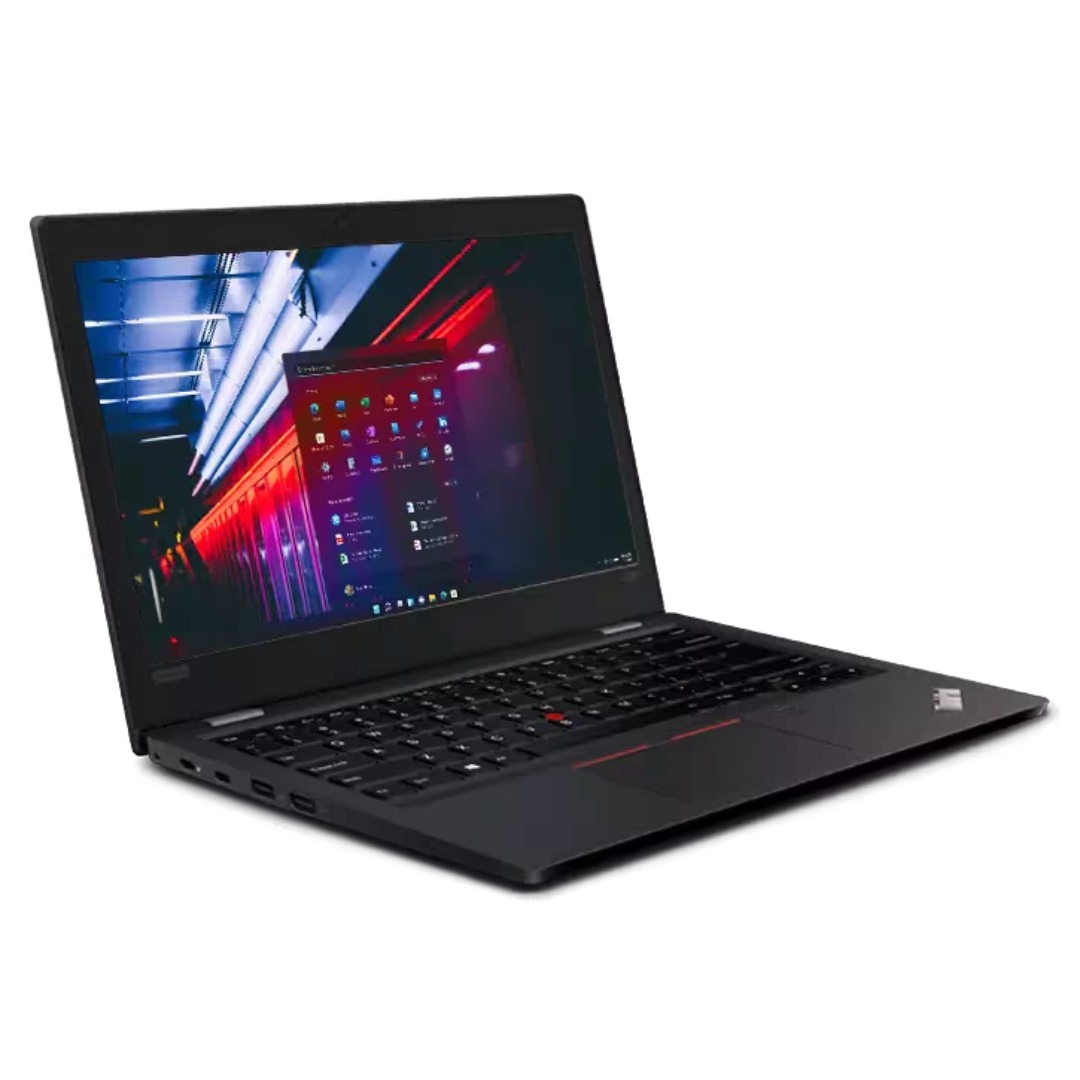
A high-efficiency pre-owned HP EliteBook 865 G9 with 16" display, AMD Ryzen 7 6850U, 16GB RAM, 512GB SSD, and integrated AMD Radeon 680M graphics—ideal for business professionals seeking all-day battery life, strong performance, and enterprise security.

HP P24q G4 QHD Height Adjust Monitor Are you seeking a monitor that can elevate your workstation’s comfort and productivity? Meet the HP P24q G4 QHD Height Adjust Monitor, a versatile solution designed to meet your needs. One of the key features of the HP P24q G4 is its Quad High Definition (QHD) display. With four times the resolution of standard HD, you’ll experience stunning clarity and detail in your work and entertainment. The 24-inch screen size strikes a perfect balance, providing enough space for multitasking without taking up excessive desk space. It’s a comfortable and functional addition to any workspace. Adjusting the monitor to your preferred height is effortless, thanks to its height-adjustable stand. This allows you to tailor your viewing angle for maximum comfort, reducing strain during extended work hours. Setting up the P24q G4 is a straightforward process. Connect it to your PC or laptop through standard ports, and you’re ready to enhance your workspace. Say goodbye to complicated installation procedures. The monitor’s modern design not only complements your workspace but also adds a touch of sophistication. It blends seamlessly with your existing setup, enhancing the overall aesthetics. Whether you’re a professional or a casual user, the HP P24q G4 offers fantastic value for your investment. Its affordable price point ensures that you can enjoy top-notch features without breaking the bank. Specifications: 60.45 cm (23.8″) QHD (2560 x 1440) Asset control; Language selection; On-screen controls; Pivot rotation; Plug and Play; User controls; Anti-glare Response time: 5ms GtG (with overdrive) HDMI; VGA

A premium pre-owned HP EliteOne 800 G2 all-in-one desktop with 23.8-inch display, 6th Gen Core i7, RAM upgrade options, and SSD storage options. Designed for business professionals who need performance, security, and a clean space-saving workstation.

Genuine-spec US layout keyboard replacement for MacBook Pro 15″ (2018–2019, Models A1989/A1990)—designed for reliable typing, full compatibility, and seamless integration with original top case assemblies. Compatible With: MacBook Pro 15-inch (2018 A1989 and 2019 A1990 models) with Touch Bar. Layout: Standard US English (QWERTY) with full-size keys, including inverted-T arrow keys and dedicated function row. Integrated Features: Includes built-in backlighting, scissor-switch mechanism (3rd-gen Butterfly or revised Butterfly mechanism, depending on original model year), and ribbon cable connector matching Apple’s OEM design. Functionality: Supports all native keyboard features, including brightness, volume, media controls, and Touch ID power button (note: Touch ID sensor is not included—this is the keyboard only). Build Quality: Precision-engineered to match Apple’s original fit, feel, and durability—ideal for professional repairs or top case refurbishment. Installation Note: Requires full top case disassembly. Keyboard is adhered to the top case and must be carefully removed and replaced using proper tools and techniques. Recommended for experienced technicians. Model Verification: Ensure your MacBook is A1989 (2018) or A1990 (2019) before purchase—keycaps and connectors differ from other MacBook generations.

The Samsung 65″ OLED 4K S85F Vision AI Smart TV QA65S85FAEXTW delivers a premium viewing experience built on advanced OLED technology. It produces deep blacks, rich colors, and strong contrast, so movies, sports, and games look more realistic and immersive on the 65-inch screen. OLED technology controls each pixel individually, so every detail appears with high precision. This improves dark scenes by keeping blacks deep and detailed, while bright areas stay clean and accurate. As a result, the picture remains balanced in both bright and dark environments. Samsung Vision AI improves picture and sound in real time. It analyzes each scene and adjusts brightness, color, and sharpness automatically. Therefore, the Samsung 65 OLED S85F Vision AI Smart TV QA65S85FAEXTW always delivers optimized visuals without manual settings. In addition, AI upscaling improves lower-resolution content closer to 4K quality for better clarity. HDR expands contrast and color depth, making visuals more lifelike and dynamic. Fast motion also appears smoother and clearer, which improves sports and action viewing. The Smart TV system gives access to streaming apps, games, and smart home features. It runs smoothly and is easy to navigate. In addition, the slim design with thin bezels gives the Samsung 65 OLED S85F Vision AI Smart TV QA65S85FAEXTW a modern and premium look. Overall, this Samsung OLED TV combines strong picture quality, AI optimization, and smart connectivity for a high-end viewing experience. Specifications: OLED display delivers deep blacks and strong contrast 65-inch 4K screen provides immersive viewing experience Vision AI optimizes picture and sound automatically HDR improves brightness, contrast, and color depth Smart TV system supports apps, streaming, and smart features

Genuine-spec touchpad flex cable for MacBook Pro 13″ (Model A1502, Mid 2014)—restores full trackpad functionality, including precise cursor control and physical click response. Essential for repairing unresponsive or erratic trackpad behavior. Compatible With: MacBook Pro 13-inch (Mid 2014, Model A1502, Model Identifier MacBookPro11,1) with Intel Core i5/i7 processors and Retina display. Part Type: Touchpad flex cable only — does not include the trackpad housing, button mechanism, or mounting hardware. This is the ribbon cable that connects the trackpad to the logic board. Function: Transmits cursor movement and click signals (left/right physical clicks) Supports standard multi-touch gestures (two-finger scroll, tap-to-click, pinch-to-zoom) ⚠️ Note: This model uses a physical click mechanism—not Force Touch (no haptic feedback or pressure sensitivity). Transmits cursor movement and click signals (left/right physical clicks) Supports standard multi-touch gestures (two-finger scroll, tap-to-click, pinch-to-zoom) ⚠️ Note: This model uses a physical click mechanism—not Force Touch (no haptic feedback or pressure sensitivity). OEM-Quality Build: Matches Apple’s original in: Cable length and routing path Connector type and pin alignment Insulation and flexibility for long-term reliability Cable length and routing path Connector type and pin alignment Insulation and flexibility for long-term reliability Common Use Cases: Replacing a torn, frayed, or corroded original flex cable Fixing: Unresponsive or intermittent trackpad Cursor jumping or drifting Click function failure (left or right) Complete trackpad disconnect Replacing a torn, frayed, or corroded original flex cable Fixing: Unresponsive or intermittent trackpad Cursor jumping or drifting Click function failure (left or right) Complete trackpad disconnect Unresponsive or intermittent trackpad Cursor jumping or drifting Click function failure (left or right) Complete trackpad disconnect Installation Note: Requires bottom case removal and battery disconnect. Connects via a ZIF (Zero Insertion Force) socket on the logic board—do not force. Cable routes under the battery; handle with care to avoid strain. Suitable for intermediate to advanced DIYers or technicians. Requires bottom case removal and battery disconnect. Connects via a ZIF (Zero Insertion Force) socket on the logic board—do not force. Cable routes under the battery; handle with care to avoid strain. Suitable for intermediate to advanced DIYers or technicians.

OEM-quality trackpad replacement (without flex cable) for MacBook Pro 13″ (Models A2251 and A2289, 2020) in Silver finish—engineered for precise Force Touch response, smooth multi-touch gestures, and seamless integration with the original chassis. Compatible With: MacBook Pro 13″ (2020, Two Thunderbolt Ports) – Model A2251 (Intel Core i5/i7) MacBook Pro 13″ (2020, Four Thunderbolt Ports) – Model A2289 (Intel Core i5/i7) (Note: Both models share the same trackpad assembly despite port differences.) MacBook Pro 13″ (2020, Two Thunderbolt Ports) – Model A2251 (Intel Core i5/i7) MacBook Pro 13″ (2020, Four Thunderbolt Ports) – Model A2289 (Intel Core i5/i7) (Note: Both models share the same trackpad assembly despite port differences.) Part Type: Trackpad only—does not include the flex cable, Taptic Engine, or mounting hardware. Designed for technicians who will reuse the original internal components. Finish: Silver—matches the Silver MacBook Pro 13″ top and bottom case for perfect aesthetic continuity. Force Touch Support: Fully compatible with pressure-sensitive input and haptic feedback when paired with the original Taptic Engine and logic board—ensuring full macOS gesture functionality (e.g., Force Click, Lookup, Pressure-sensitive drawing). Precision Build: Features the same glass surface texture, curvature, and micro-click mechanism as Apple’s original—delivering consistent tracking accuracy and tactile feel. Installation Requirements: Requires full bottom case disassembly and careful transfer of the original flex cable and Taptic Engine. Adhesive must be applied precisely to maintain structural rigidity and sensor alignment. Recommended for certified or experienced repair technicians only.

The AOC G2460PF 24″ gaming LCD monitor offers fast and smooth visuals for competitive play and everyday use. Its Full HD panel displays sharp images and crisp text for work and gaming. In addition, the 144 Hz refresh rate keeps motion fluid, helping reduce blur in fast action scenes. The monitor also supports adaptive sync technology, which helps reduce screen tearing during gameplay. Furthermore, its ergonomic stand allows tilt, swivel, and height adjustments so you can set it to your most comfortable position. The monitor includes DisplayPort, HDMI, and VGA inputs, making it easy to connect gaming consoles, PCs, or media players without extra adapters. Therefore, this model fits well in gaming rooms and workspaces alike. Overall, the AOC G2460PF balances speed, smooth visuals, and flexible connections in a reliable 24‑inch display. Specifications: 24″ Full HD (1920×1080) display with sharp visuals 144 Hz refresh rate for fluid motion in games Adaptive sync support to reduce screen tearing Ergonomic stand with tilt, swivel, height adjustment DisplayPort, HDMI, VGA inputs, ideal for gaming and work

Specifications Feature Value Feature Value Input/Output Other Sound Mode Extra Bass Mode Category Speakers Use Other Input Power (W) 25-49W Voice Control No Waterproof Yes Support APP No Intelligent Personal Assistant None Audio Crossover Full-Range Number of Loudspeaker Enclosures 2 Power Source None Channels 2 (2.0) Battery Yes Communication USB Speaker Type Portable Cabinet Material Plastic Brand Name QUCAA Origin Mainland China Certification CE

Specification Details Input/Output Other Battery Capacity (mAh) 5000 Number of Devices Connectable Simultaneously 1 Touch Screen No Sound Mode Stereo Sound Mode Category Speakers Use Camping Tweeter Material Other Bluetooth Version 5.0 Input Power (W) 25-49 W Voice Control Yes Frequency Range 80 Hz – 20 KHz Display Screen No Waterproof Yes Support APP Yes Support Memory Card Yes Material Plastic Playback Function MP3, FLAC, APE, WAV Remote Control No Intelligent Personal Assistant Built-in Microphone Yes Audio Crossover Full-Range Number of Loudspeaker Enclosures 2 Power Source Battery PMPO 40 W Channels 1.1 Communication Audio Line Speaker Type Portable Cabinet Material Plastic Brand Name YIBOLANG Origin Mainland China Certification CE

Screen Gigabyte Monistor AORUS KD25F 24.5″ FHD Gaming Monitor 240Hz

The ViewSonic VA2710-mh 27″ 60Hz Monitor brings stunning visuals to your desk. With its 27-inch Full HD display, you can enjoy vibrant colors and sharp details, perfect for work, entertainment, or gaming. This monitor features a sleek and modern design, making it a stylish addition to any workspace. The slim bezels provide a clean and uncluttered look, enhancing your viewing experience. The ViewSonic VA2710-mh offers versatile connectivity options, including HDMI and VGA inputs. This makes it easy to connect your computer, laptop, or gaming console, ensuring compatibility with various devices. With a 60Hz refresh rate, the ViewSonic VA2710-mh delivers smooth and fluid visuals. Whether you’re watching movies, playing games, or working on graphic design, you’ll appreciate the clarity and responsiveness of this monitor. The SuperClear IPS panel technology provides consistent brightness and accurate colors from any viewing angle. This means you can enjoy the same high-quality visuals, whether you’re sitting directly in front of the screen or off to the side. The ViewSonic VA2710-mh is designed for comfort and productivity. It features flicker-free technology and a Blue Light Filter, reducing eye strain during extended viewing sessions. This makes it an ideal choice for those who spend long hours in front of their screens. In conclusion, the ViewSonic VA2710-mh 27″ 60Hz Monitor combines stunning visuals, versatile connectivity, and a sleek design for an exceptional viewing experience. Upgrade your setup today and enjoy vibrant and clear visuals with the ViewSonic VA2710-mh monitor. Specifications: Display : 27″ IPS Resolution : FHS 1920×1080 Refresh Rate : 60Hz Response Rate : 5ms

AOC U32V11N 31.5-inch 4K monitor delivers ultra-clear visuals and large screen workspace for productivity and media use. It focuses on high resolution, strong contrast, and comfortable long-term viewing. Additionally, it features a 31.5-inch VA panel with 4K UHD resolution (3840 × 2160). This resolution provides very fine detail and more screen space, so it improves multitasking and content clarity. Moreover, it supports a 60Hz refresh rate with 4ms GtG response time. As a result, it delivers stable performance for office work, design, and general use. The monitor offers a high 3500:1 contrast ratio with HDR10 support and 10-bit color. Therefore, it enhances color depth and improves brightness and dark scene detail. In addition, it includes Picture-by-Picture and Picture-in-Picture modes. These features allow multiple input sources on one screen, so multitasking becomes more efficient. Furthermore, it includes Low Blue Mode and Flicker-Free technology. So it reduces eye strain during long working hours. The design features a three-sided frameless layout with HDMI 2.0 and DisplayPort 1.4 connectivity. It also supports VESA mounting for flexible setup options. AOC U32V11N 31.5-inch 4K monitor provides sharp visuals, strong contrast, and productivity-focused features for everyday professional use. Specifications: 31.5-inch VA panel with 3840 × 2160 4K UHD resolution 60Hz refresh rate with 4ms GtG response time HDR10 support with 10-bit color depth 3500:1 contrast ratio for deeper blacks and detail PIP and PBP multitasking with HDMI and DisplayPort connectivity
