
The BenQ ZOWIE XL2566K TN 360Hz 24.5″ Gaming Monitor is designed for serious gamers. Its 360Hz refresh rate ensures incredibly smooth and fluid motion, reducing blur and ghosting in fast-paced games. With a 24.5″ TN panel, this gaming monitor delivers vibrant colors and sharp images. The TN technology ensures low response times, making it ideal for competitive gaming where every millisecond counts. Setting up the BenQ ZOWIE XL2566K is simple and straightforward. The adjustable stand allows you to find the perfect viewing angle, ensuring comfort during long gaming sessions. Experience the benefits of DyAc+ Technology, which enhances clarity and reduces motion blur. This feature is perfect for first-person shooters and fast-action games, giving you a clear advantage over your opponents. The BenQ ZOWIE XL2566K offers multiple connectivity options, including HDMI, DisplayPort, and USB. This versatility allows you to connect various devices and switch between them with ease. With its Black eQualizer and Color Vibrance settings, you can customize your gaming experience. These features help you spot enemies in dark areas and adjust color settings to suit your preferences. In conclusion, the BenQ ZOWIE XL2566K TN 360Hz 24.5″ Gaming Monitor is a top choice for gamers seeking an edge in performance. Upgrade to this monitor and enjoy ultra-smooth gameplay and exceptional clarity. Elevate your gaming setup today and dominate the competition. Specifications: Display : 24.5″ TN Resolution : 1920 x 1080 Refresh Rate : 360Hz

Are you ready to take your gaming to the next level? Look no further than the Samsung Odyssey G5 32″ Curved Gaming Monitor. This cutting-edge monitor is designed to deliver an immersive gaming experience like no other. Featuring a stunning 32-inch curved display, the Samsung Odyssey G5 brings your games to life with vibrant colors and crystal-clear visuals. Whether you’re exploring virtual worlds or engaging in epic battles, every detail will be rendered with precision and clarity. With a lightning-fast 165Hz refresh rate, this monitor ensures buttery-smooth gameplay with no lag or stuttering. Say goodbye to screen tearing and motion blur, and hello to an ultra-responsive gaming experience. Equipped with AMD FreeSync technology, the Samsung Odyssey G5 syncs the monitor’s refresh rate with your graphics card, eliminating screen tearing and providing silky-smooth gameplay. Transitioning to its design, the Odyssey G5 features a sleek and stylish aesthetic that will complement any gaming setup. Its slim bezels and curved screen create an immersive viewing experience that pulls you into the action. Connectivity is key for gamers, and the Samsung Odyssey G5 doesn’t disappoint. With HDMI and DisplayPort inputs, you can easily connect your gaming PC, console, or other devices for maximum versatility. Furthermore, the Odyssey G5 comes with a range of gaming-centric features, including customizable gaming modes, black equalizer technology, and low input lag. Whether you’re playing fast-paced shooters or strategy games, you can tailor your gaming experience to suit your preferences. In summary, the Samsung Odyssey G5 32″ Curved Gaming Monitor is the ultimate choice for gamers who demand performance, immersion, and style. Upgrade your gaming setup today and experience gaming like never before. Specifications: Display : 32″ VA Curvature : 1000R Resolution : 2,560 x 1,440 Refresh Rate : 165Hz Response Rate : 1ms

The ViewSonic VA2730-4K-HD 27″ UHD 60Hz Monitor delivers crisp, detailed 4K visuals for work, media, and creative projects. Its UHD resolution shows sharp text, images, and video with clear clarity. The 27‑inch screen gives you plenty of space for multitasking and large spreadsheets. Moreover, the ViewSonic VA2730-4K-HD uses a quality IPS panel that gives wide viewing angles and consistent colors from any seat. Colors stay accurate even when you look off‑center. This makes photos, designs, and movies appear vibrant and natural. In addition, the monitor supports HDR10 for improved contrast and more realistic visuals. It also includes anti‑glare coating and a blue‑light filter to protect your eyes during long use. These features help reduce eye strain when you work or binge‑watch for hours. Furthermore, the ViewSonic VA2730-4K-HD 27″ UHD 60Hz Monitor offers simple connectivity with HDMI and DisplayPort. You can connect laptops, desktops, or consoles easily. The plug-and-play setup makes it ready fast, without fuss. Also, the monitor’s design is modern and slim. The thin bezel gives a clean look that suits offices, home desks, or studios. The stand tilts slightly to help you get a comfortable viewing angle. The build feels solid and reliable for daily use. Overall, the ViewSonic VA2730-4K-HD 27″ UHD 60Hz Monitor blends high resolution, vivid color, and usability in one versatile screen. It enhances productivity, creative work, and entertainment. It is ideal for professionals, media fans, and casual users who want a clear, quality display. Specifications: Display : 27″ IPS Resolution : UHD 3840×2160 Refresh Rate : 60Hz Response Time : 4ms

The Alienware AW2524HF 24.5″ 500Hz Gaming Monitor is built for pro gamers who want unmatched speed and clarity. It features a 24.5-inch Full HD display with a Fast IPS panel for accurate colors and wide viewing angles. This monitor offers a blazing 500Hz refresh rate through DisplayPort when overclocked, and up to 240Hz via HDMI, making gameplay ultra-smooth. A 0.5ms response time helps reduce motion blur, so every frame stays sharp and clean. It supports NVIDIA G-SYNC, giving you tear-free and fluid motion across demanding games. You also get support for HDR10 and 99% sRGB color coverage, bringing vivid visuals to every scene. Connectivity options are flexible, including two HDMI 2.0 ports, one DisplayPort 1.4, four USB 3.2 Gen 1 ports, and one USB upstream port. There’s also a built-in USB hub for quick accessory access. The stand is fully adjustable with tilt, swivel, pivot, and height settings, making long sessions more comfortable. You can also use VESA mounting for a custom setup. Extra features like AlienFX lighting and NVIDIA Reflex Latency Analyzer add depth to your gaming experience. These tools help improve reaction time and personalize your setup. Overall, the Alienware AW2524HF delivers unmatched refresh speed, quick response, and stunning visuals. It’s perfect for competitive gamers who want every possible advantage. Specifications: Display : 24.5″ IPS Resolution : FHD 1920 x 1080 Refresh Rate : 500Hz Response Time : 0.5ms

A high-efficiency pre-owned HP EliteBook 865 G9 with 16" display, AMD Ryzen 7 6850U, 16GB RAM, 512GB SSD, and integrated AMD Radeon 680M graphics—ideal for business professionals seeking all-day battery life, strong performance, and enterprise security.

256GB SSD Apple Macbook Pro Air 2013 2014 2015 A1502 A1398 A1466 A1465 | Samsung MZ-JPU512T/A06 | 655-1805D ORIGINAL APPLE PART (Apple sources their SSD’s for MacBooks from Samsung) A1502 – A1398 – A1465 – A1466 100% TESTED WORKING Please check compatibility below before you make your purchase: COMPATIBILITY: MacBook Pro Retina Late 2013 – Mid-2015 MacBookPro11,1 (A1502) – ME864LL/A, ME866LL/A, ME867LL/A, MGX72LL/A, MGX92LL/A, & MGXD2LL/A MacBookPro11,2 (A1398) – ME293LL/A & MGXA2LL/A MacBookPro11,3 (A1398) – ME294LL/A, ME874LL/A, MGXC2LL/A, & MGXG2LL/A MacBookPro11,4 (A1398) – MJLQ2LL/A MacBookPro11,5 (A1398) – MJLT2LL/A & MJLU2LL/A MacBookPro12,1 (A1502) – MF839LL/A, MF841LL/A, & MF843LL/A MacBook Air Mid-2013 – Late 2015 MacBookAir6,1 (A1465) – MD711LL/A, MD760LL/A, MD711LL/B, & MF067LL/A MacBookAir6,2 (A1466) – MD760LL/A, MD760LL/B, & MF068LL/A MacBookAir7,1 (A1465) – MJMVM2LL/A MacBookAir7,2 (A1466) – MJVE2LL/A Model Identifier: Samsung Manufacturer Part# MZ-JPU512T/A06

The ASUS VA279HG 27″ FHD Eye Care Monitor delivers clear Full HD visuals on a large 27-inch screen. It offers bright colors and a wide viewing area. This makes work, entertainment, and daily tasks look clean and comfortable. The larger display improves productivity and visual clarity. Moreover, the ASUS VA279HG 27″ FHD Eye Care Monitor features a 75Hz refresh rate. This creates smoother motion in games and videos. It reduces blur and keeps movement stable. You enjoy a more responsive and pleasant viewing experience. In addition, Adaptive Sync support minimizes screen tearing. It keeps visuals smooth during fast scenes. Gamers and casual users benefit from consistent performance. This adds comfort to longer sessions. Furthermore, the monitor includes ASUS Eye Care technology. It reduces blue light and eliminates screen flicker. This protects your eyes from strain and fatigue. You can work or watch content for longer with ease. Also the ASUS VA279HG 27″ FHD Eye Care Monitor uses a VA panel for strong contrast. It delivers deeper blacks and more vivid colors. Also, the design is simple and modern. The thin frame looks clean on any desk. The stand offers tilt adjustment for better comfort. This helps you find the ideal viewing angle easily. Finally connectivity is flexible and reliable. The monitor includes HDMI and VGA ports. This allows quick setup with many devices. It works well with laptops, desktops, and media players. Overall, the ASUS VA279HG 27″ FHD Eye Care Monitor combines smooth performance, eye protection, and a spacious display. It is ideal for home, office, and entertainment use. It delivers comfort, clarity, and strong everyday value. Specifications: Display : 27″ IPS Resolution : FHD Refresh Rate : 120Hz Response Time : 1ms Model : 90LM04J1-B02371

Genuine-spec touchpad flex cable for MacBook Pro 13″ (Model A1502, Mid 2014)—restores full trackpad functionality, including precise cursor control and physical click response. Essential for repairing unresponsive or erratic trackpad behavior. Compatible With: MacBook Pro 13-inch (Mid 2014, Model A1502, Model Identifier MacBookPro11,1) with Intel Core i5/i7 processors and Retina display. Part Type: Touchpad flex cable only — does not include the trackpad housing, button mechanism, or mounting hardware. This is the ribbon cable that connects the trackpad to the logic board. Function: Transmits cursor movement and click signals (left/right physical clicks) Supports standard multi-touch gestures (two-finger scroll, tap-to-click, pinch-to-zoom) ⚠️ Note: This model uses a physical click mechanism—not Force Touch (no haptic feedback or pressure sensitivity). Transmits cursor movement and click signals (left/right physical clicks) Supports standard multi-touch gestures (two-finger scroll, tap-to-click, pinch-to-zoom) ⚠️ Note: This model uses a physical click mechanism—not Force Touch (no haptic feedback or pressure sensitivity). OEM-Quality Build: Matches Apple’s original in: Cable length and routing path Connector type and pin alignment Insulation and flexibility for long-term reliability Cable length and routing path Connector type and pin alignment Insulation and flexibility for long-term reliability Common Use Cases: Replacing a torn, frayed, or corroded original flex cable Fixing: Unresponsive or intermittent trackpad Cursor jumping or drifting Click function failure (left or right) Complete trackpad disconnect Replacing a torn, frayed, or corroded original flex cable Fixing: Unresponsive or intermittent trackpad Cursor jumping or drifting Click function failure (left or right) Complete trackpad disconnect Unresponsive or intermittent trackpad Cursor jumping or drifting Click function failure (left or right) Complete trackpad disconnect Installation Note: Requires bottom case removal and battery disconnect. Connects via a ZIF (Zero Insertion Force) socket on the logic board—do not force. Cable routes under the battery; handle with care to avoid strain. Suitable for intermediate to advanced DIYers or technicians. Requires bottom case removal and battery disconnect. Connects via a ZIF (Zero Insertion Force) socket on the logic board—do not force. Cable routes under the battery; handle with care to avoid strain. Suitable for intermediate to advanced DIYers or technicians.

The HUAWEI IdeaHub Board 2 IHB2-65SU is a 65-inch intelligent collaboration display designed for meetings, classrooms, and hybrid work environments. It combines a 4K UHD interactive touchscreen with built-in collaboration tools for writing, presenting, and video communication. Additionally, it supports smooth interaction for real-time teamwork. Moreover, it features a 65-inch 4K (3840 × 2160) infrared multi-touch screen with up to 20 touch points. Therefore, users can write and interact accurately during meetings and lessons. Furthermore, Huawei designs it with ultra-low writing latency of around 16–25 ms. So, writing feels natural and responsive like a real whiteboard. It also includes anti-glare and zero-gap bonding for clearer visuals. In addition, it integrates a 4K display system with built-in speakers and microphone support. Therefore, it improves audio-visual communication for hybrid meetings and presentations. It also supports dual Wi-Fi and wireless projection from multiple devices. Also, it runs on Android-based system support with optional Windows OPS integration. So, it fits different enterprise IT environments and meeting setups. Overall, the Huawei IdeaHub Board 2 IHB2-65SU delivers interactive 4K collaboration, smooth writing performance, and flexible connectivity for modern workplaces and education spaces. Specifications: 65-inch 4K UHD infrared touch display Up to 20-point multi-touch support Ultra-low writing latency (~16–25 ms) Built-in speakers and conferencing support Wireless projection with dual Wi-Fi connectivity

The Asus ZenScreen 15.6″ Portable USB Monitor is the perfect solution for productivity on the go. Its slim and lightweight design makes it easy to carry anywhere. Whether you’re working, studying, or gaming, this portable monitor enhances your experience. With a Full HD 1080p display, the Asus ZenScreen delivers crisp and vibrant visuals. The IPS panel ensures wide viewing angles and accurate colors. Enjoy clear images whether you’re indoors or outdoors. Setting up the Asus ZenScreen 15.6″ Portable USB Monitor is simple. It connects via USB-C or USB-A, making it compatible with laptops, tablets, and smartphones. No need for extra drivers or complicated installations. This monitor features an auto-rotating screen, allowing you to switch between portrait and landscape modes. It’s ideal for coding, reading documents, or multitasking efficiently. With TÜV Rheinland-certified Eye Care technology, the Asus ZenScreen reduces blue light and flicker. This helps minimize eye strain, making it perfect for long hours of use. Work or watch comfortably without discomfort. The Asus ZenScreen Portable USB Monitor comes with a foldable smart case that doubles as a stand. Adjust it to different angles for the best viewing experience. The built-in pen hole also lets you prop up the monitor with a pen. Designed for both professionals and casual users, this monitor is a must-have for portable productivity. Stay efficient and expand your screen space wherever you go. Upgrade your workflow today with the Asus ZenScreen 15.6″ Portable USB Monitor. Specifications: Display : 15.6″ IPS Resolution : FHD (1920×1080) Refresh Rate : 60Hz Response Rate : 5ms GTG Interface : USB-C

The Dell Latitude 5410 is a dependable, enterprise-grade 14-inch business laptop built for smooth multitasking and daily office productivity. Powered by a 10th Generation Intel Core i5 processor and fast SSD storage, this pre-owned Grade-B unit offers excellent performance value with minor, visible cosmetic wear on the outer chassis.

The LG UltraGear 27GP750-B 27″ 240Hz FHD Gaming Monitor delivers ultra-smooth performance and vivid visuals for serious gamers. Its 27-inch Full HD screen provides sharp and clear images, making games, movies, and content creation more engaging. Moreover, the high 240Hz refresh rate ensures fluid motion and responsive gameplay, giving you a competitive advantage in fast-paced games. This monitor features a low response time that minimizes motion blur and ghosting, ensuring every action is precise and clear. Additionally, it offers accurate colors and wide viewing angles, enhancing the visual experience for gaming and entertainment. Its sleek design complements any gaming setup or office environment while providing a professional and modern aesthetic. The LG UltraGear 27GP750-B includes multiple connectivity options, making it easy to connect PCs, consoles, and other devices. Furthermore, ergonomic tilt and height adjustments provide comfort during long gaming sessions. Therefore, it is ideal for competitive gamers, streamers, and content creators. Finally, it combines responsive performance, crisp visuals, and user-friendly design for a superior gaming experience. Specifications: 27″ Full HD gaming monitor 240Hz refresh rate for ultra-smooth gameplay Low response time for reduced blur Accurate colors and wide viewing angles Multiple connectivity options

Genuine-spec keyboard replacement for MacBook Air 13″ (Model A2179, 2020, Intel) — choose US QWERTY or UK QWERTY (with £ symbol). Features Apple’s reliable scissor-switch mechanism, backlighting, and OEM-fit design for seamless performance and aesthetics. Compatible With: MacBook Air 13-inch (2020, Model A2179, EMC 3597) with Intel Core i3/i5/i7 processors (non-M1). Layout Options (select at purchase): US Layout: Standard QWERTY with wide Enter key, @ above 2, # above 3, and full inverted-T arrow keys. UK Layout: QWERTY with £ symbol, tall vertical Enter key, @ accessed via right Alt, and UK-specific punctuation—matches Apple’s official UK regional configuration. US Layout: Standard QWERTY with wide Enter key, @ above 2, # above 3, and full inverted-T arrow keys. UK Layout: QWERTY with £ symbol, tall vertical Enter key, @ accessed via right Alt, and UK-specific punctuation—matches Apple’s official UK regional configuration. Keyboard Type: Traditional scissor-switch mechanism (not Butterfly, not Magic Keyboard)—robust, tactile, and serviceable, with good key travel and proven durability. Integrated Features: Full backlit keys for low-light use Ambient light sensor compatibility OEM-style ribbon cable pre-attached for direct logic board connection Full backlit keys for low-light use Ambient light sensor compatibility OEM-style ribbon cable pre-attached for direct logic board connection Precision Build: Molded to exact Apple specifications—ensures flush mounting, consistent key alignment, and seamless integration into the original top case. Installation Note: Keyboard is screw-mounted with light adhesive—more accessible than glued Butterfly/Magic keyboards. Requires top case access and battery disconnect. Suitable for intermediate DIYers or professional technicians. Important: This is keyboard only—does not include the top case, battery, trackpad, or logic board. Not compatible with M1 MacBook Air (A2337/A2338) or M2 models (A2681/A2941). This is keyboard only—does not include the top case, battery, trackpad, or logic board. Not compatible with M1 MacBook Air (A2337/A2338) or M2 models (A2681/A2941). Model Verification: Confirm your device is MacBook Air A2179 (13″, Intel, 2020) via > About This Mac > Model Identifier (e.g., MacBookAir9,1).

Compact and stylish with a zinc alloy shell, the SatcOp 8‑in‑1 USB‑C Multiport Dock delivers essential ports—Ethernet, HDMI, USB, card readers, and charging—in one portable adapter. Ideal for powering your laptop while expanding connectivity on the go. 🖥️ HDMI Port – Connect to external displays in Full HD or 4K (depending on your host device). 🌐 RJ45 Ethernet Port – Provides stable wired internet access with gigabit-speed support. ⚡ USB-C PD Charging – Power your laptop while using other ports (up to 87W pass-through). 🔌 USB 3.0 & USB 2.0 Ports – Connect flash drives, external storage, keyboards, and mice. 💾 SD & TF Card Readers – Quick access to camera and device storage cards. 🧊 Material – Premium zinc alloy casing for durability and efficient heat dissipation. 💼 Design – Slim, lightweight, and perfect for travel, home, or office setups. 💻 Compatibility – Works with most USB-C laptops, including Windows, macOS, Chrome OS, and select Android tablets.

Genuine-quality keyboard and touchpad connection board (also known as the keyboard flex cable or I/O board) for the 2022 MacBook Pro 14″ (Model A2681)—essential for restoring full keyboard and Touch ID functionality during repairs. Compatible With: MacBook Pro 14-inch (2022, M2 Pro/M2 Max models, Apple Model A2681). Function: This internal connection board links the keyboard, Touch ID sensor, and touchpad to the logic board—critical for proper operation of input devices. Includes: Keyboard flex cable assembly with integrated Touch ID sensor and touchpad connector (exact configuration matches Apple’s original design). Common Use Cases: Replacing after liquid damage, physical impact, or keyboard/touchpad failure; often required when the built-in keyboard or power button (with Touch ID) stops responding. OEM-Spec Quality: Built to match Apple’s original specifications for fit, signal integrity, and durability—ensures seamless integration and reliable performance. Installation Note: Requires precision disassembly of the MacBook’s lower case and display. Recommended for experienced technicians or certified repair centers.

WiWU 20W fast Charger for Mobile Phone with USB C Quick Power Adapter in white Wall charger

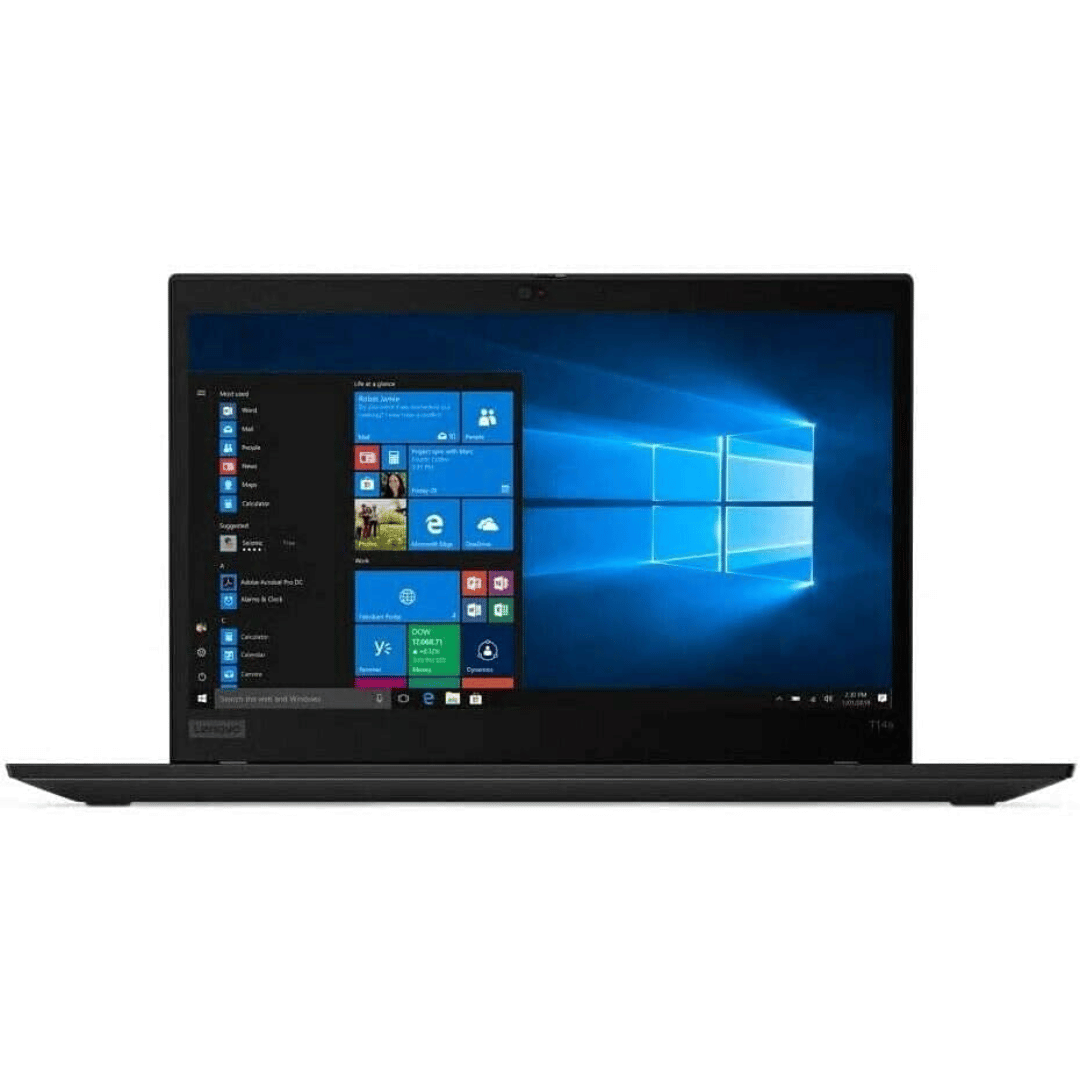
A premium ultralight pre-owned Lenovo ThinkPad T14s Gen 2 with 14" display, 11th Gen Core i5, 16GB RAM, and 512GB SSD—delivering powerful performance, all-day battery life, and exceptional portability for professionals on the move.

Logitech MK120 Wired USB Keyboard Mouse Desktop Combo Height: 6.10 in (155 mm) Width: 17.72 in (450 mm) Depth: 0.93 in (23.5 mm) Weight: 19.4 oz (550 g) Cable length: 4.9 ft (150 cm) Height: 4.45 in (113 mm) Width: 2.44 in (62 mm) Depth: 1.50 in (38 mm) Weight: 3.17 oz (90 g) Cable length: 70.87 in (180 cm) Spill-resistant design 1Tested under limited conditions (maximum of 60 ml liquid spillage). Do not immerse the keyboard in liquid. Adjustable keyboard height 10-Key Number pad Caps lock indicator light Num lock indicator light Up to 10 million keystrokes (excludes number lock key) Key type: Deep profile Sensor Technology: Optical tracking Number of Buttons: 3 (Left/Right-click, Middle click) Scrolling: line-by-line Scroll Wheel: Yes, optical Mouse plastics: 72% post-consumer recycled material 2Excludes plastic in cable assembly, printed wiring assembly (PWA) and packaging. Keyboard plastics: 54% post-consumer recycled material 3Excludes plastic in cable assembly, printed wiring assembly (PWA) and packaging. Windows® 10,11 or later Two available USB ports

Used OEM Original Apple Logic Board Working, 2018 Model 2.7Ghz I7 251gb 16gb (A1989) + Original Touch ID, Tested using latest industry hardware diagnostic software, Fresh pull from fully Working nearly new unit. SPECIFICATION:

Genuine-spec touchpad flex cable for MacBook Pro 15″ (Model A1990, 2018–2019, Intel)—essential for restoring full Force Touch functionality, haptic feedback, and precise multi-touch gesture control during trackpad repair or replacement. Compatible With: MacBook Pro 15-inch (2018 & 2019, Model A1990, Model Identifiers MacBookPro15,2) with Intel Core i7/i9 processors. Part Type: Touchpad flex cable only — does not include the trackpad housing, Taptic Engine, or mounting hardware. This is the OEM-style ribbon cable that connects the trackpad to the logic board. Function: Transmits: Touch input coordinates Force Touch pressure data Haptic feedback signals to the Taptic Engine Enables full macOS gesture support: Force Click, three-finger lookup, swipe navigation, pinch-to-zoom, and smooth cursor tracking. Touch input coordinates Force Touch pressure data Haptic feedback signals to the Taptic Engine Enables full macOS gesture support: Force Click, three-finger lookup, swipe navigation, pinch-to-zoom, and smooth cursor tracking. OEM-Quality Build: Matches Apple’s original specifications in: Cable length and routing path Connector pitch and ZIF latch design EMI shielding and flex durability Cable length and routing path Connector pitch and ZIF latch design EMI shielding and flex durability Common Use Cases: Replacing a torn, creased, or liquid-damaged original flex cable Completing a trackpad replacement when the original cable is unusable Fixing intermittent trackpad behavior, loss of Force Touch, or complete unresponsiveness Replacing a torn, creased, or liquid-damaged original flex cable Completing a trackpad replacement when the original cable is unusable Fixing intermittent trackpad behavior, loss of Force Touch, or complete unresponsiveness Installation Note: Requires full bottom case removal and battery disconnection. Cable routes under internal components near the right speaker and logic board. Connects via a ZIF (Zero Insertion Force) socket—must be aligned carefully and latched gently. Recommended for experienced or certified technicians only. Requires full bottom case removal and battery disconnection. Cable routes under internal components near the right speaker and logic board. Connects via a ZIF (Zero Insertion Force) socket—must be aligned carefully and latched gently. Recommended for experienced or certified technicians only.
