
Genuine-spec touchpad flex cable for MacBook Pro 13″ (Model A2338, 2020, Apple M1)—essential for restoring full Force Touch functionality, haptic feedback, and precise multi-touch gesture control during trackpad repair or replacement. Compatible With: MacBook Pro 13-inch (2020, Model A2338, Model Identifier MacBookPro17,1) with Apple M1 chip (2 Thunderbolt ports). Part Type: Touchpad flex cable only — does not include the trackpad housing, Taptic Engine, or mounting hardware. This is the OEM-style ribbon cable that connects the trackpad to the logic board. Function: Transmits: Touch input coordinates Force Touch pressure data Haptic feedback signals to the Taptic Engine Enables full macOS gesture support: Force Click, three-finger lookup, swipe navigation, pinch-to-zoom, and smooth cursor tracking. Touch input coordinates Force Touch pressure data Haptic feedback signals to the Taptic Engine Enables full macOS gesture support: Force Click, three-finger lookup, swipe navigation, pinch-to-zoom, and smooth cursor tracking. OEM-Quality Build: Matches Apple’s original specifications in: Cable length and routing Connector pitch and ZIF latch design EMI shielding and flex durability Cable length and routing Connector pitch and ZIF latch design EMI shielding and flex durability Common Use Cases: Replacing a torn, creased, or liquid-damaged original flex cable Completing a trackpad replacement when the original cable is compromised Fixing intermittent trackpad behavior, loss of Force Touch, or complete unresponsiveness Replacing a torn, creased, or liquid-damaged original flex cable Completing a trackpad replacement when the original cable is compromised Fixing intermittent trackpad behavior, loss of Force Touch, or complete unresponsiveness Installation Note: Requires full bottom case removal and battery disconnection. Cable routes under internal components near the right speaker and logic board. Connects via a ZIF (Zero Insertion Force) socket—must be aligned carefully and latched gently. Recommended for experienced or certified technicians only. Requires full bottom case removal and battery disconnection. Cable routes under internal components near the right speaker and logic board. Connects via a ZIF (Zero Insertion Force) socket—must be aligned carefully and latched gently. Recommended for experienced or certified technicians only. Important Compatibility Notes: ✅ Only for A2338 (13″, M1, 2020) ❌ Not compatible with: Intel-based A2251 / A2289 (2020) MacBook Air M1 (A2337) Any MacBook Air or 14″/16″ MacBook Pro ✅ Only for A2338 (13″, M1, 2020) ❌ Not compatible with: Intel-based A2251 / A2289 (2020) MacBook Air M1 (A2337) Any MacBook Air or 14″/16″ MacBook Pro Intel-based A2251 / A2289 (2020) MacBook Air M1 (A2337) Any MacBook Air or 14″/16″ MacBook Pro

Replacement cable for MacBook Pro A2794, designed to restore proper connection and functionality for damaged or faulty internal cables. Ideal for technicians and repair shops, ensuring reliable performance and correct fit for A2794 models. Type: USB-C to USB-C charging/data cable Model: A2794 Length: 2 meters (≈ 6.6 ft) Color: White Design: Woven braided cable for durability Connectors: USB-C (Male) on both ends Power Delivery: Supports up to 240 W high-power charging when used with a compatible USB-C PD adapter Data Transfer: USB 2.0 transfer speeds Designed for fast charging and syncing between USB-C devices

The Samsung 85-Inch QLED 4K Smart TV QA85Q7FAAUXTW delivers a premium large-screen viewing experience with advanced QLED display technology. It produces bright, sharp, and colorful images, so movies, sports, and games look immersive and detailed on the massive 85-inch screen. QLED technology uses Quantum Dot enhancement to improve brightness and color accuracy. As a result, visuals appear more vivid and balanced across both dark and bright scenes. This helps maintain consistent picture quality in different lighting conditions and content types. Samsung Vision AI enhances picture and sound in real time. It analyzes each scene and automatically adjusts brightness, sharpness, and color for optimal results. Therefore, the TV consistently delivers improved visuals without manual tuning. In addition, AI upscaling improves lower-resolution content closer to 4K quality for better clarity and detail. HDR support expands contrast and color depth, making visuals more dynamic and lifelike. Fast motion handling also improves clarity, which enhances sports and action content by reducing blur and improving smoothness. The Smart TV platform provides easy access to streaming apps, gaming features, and smart home controls. It runs smoothly and allows quick switching between applications. In addition, the slim design with thin bezels gives the Samsung 85 QLED 4K Smart TV QA85Q7FAAUXTW a modern and premium appearance suitable for large living spaces. Overall, this Samsung QLED TV combines strong brightness performance, AI optimization, and smart connectivity for an immersive home entertainment experience. Specifications: QLED technology delivers bright and vivid picture quality 85-inch 4K display provides immersive large-screen viewing Vision AI optimizes picture and sound automatically in real time HDR improves contrast, brightness, and color depth Smart TV platform supports apps, streaming, and smart features

The Samsung 75″ Crystal UHD U8000F 4K Smart TV UA75U8000FUXTW uses a 75-inch LCD panel with 3840 × 2160 resolution. It is a basic 4K TV focused on screen size, standard image processing, and everyday smart features. It uses the Crystal Processor 4K for image processing and upscaling. This system converts lower-resolution content into closer-to-4K output. It also supports HDR10 and HDR10+, which adjust contrast between bright and dark areas for compatible content. The panel runs at a native 60 Hz refresh rate. Motion Xcelerator is included to reduce blur during fast scenes such as sports and gaming. Samsung Tizen OS powers the smart platform. It provides access to streaming apps, web browsing, and SmartThings connectivity. It also supports voice control depending on region and setup. Connectivity includes HDMI ports, USB ports, Wi-Fi, Bluetooth, Ethernet LAN, and optical audio output. It supports Auto Low Latency Mode (ALLM) for basic console gaming. This model does not include local dimming or advanced display systems. It focuses on standard 4K performance and basic smart TV functionality for general use. Specifications: 75-inch LCD panel with 3840 × 2160 (4K UHD) resolution Crystal Processor 4K with 4K upscaling support HDR10 and HDR10+ compatibility 60 Hz native refresh rate with Motion Xcelerator Tizen OS with HDMI, USB, Wi-Fi, Bluetooth, Ethernet connectivity

The ASUS VG34VQL3A Curved Gaming Monitor, 34″ WQHD delivers immersive gaming and smooth visuals for modern PC players. It is designed for gamers, creators, and anyone who wants a wider view and fast performance. First, this monitor features a 34-inch Ultra-Wide QHD (3440 × 1440) curved display with a 1500R curvature that wraps around your vision and feels more natural. As a result, games, movies, and multitasking feel more engaging. In addition, the ASUS VG34VQL3A supports a high refresh rate up to 180 Hz (OC) and a 1 ms response time (GTG) for smooth motion and minimal blur. This helps you react faster in fast-paced games. This model also uses AMD FreeSync Premium Pro for adaptive sync technology that reduces screen tearing and stuttering in supported games. Therefore, visuals stay smooth and clear with compatible GPUs. The screen covers 125% of the sRGB color gamut and supports DisplayHDR™ 400 with HDR10, giving bright highlights and rich contrast for vivid colors in HDR content. Thus, games and movies look more dynamic. Because the panel uses VA technology, it delivers deep contrast and solid black levels that make details pop in dark scenes. Also, the anti-glare coating helps reduce reflections in bright rooms. The ASUS VG34VQL3A includes built-in features like Picture-in-Picture (PiP), Picture-by-Picture (PbP), ASUS GamePlus, and low blue light modes for added convenience and comfort. This makes it versatile for work and play. Connectivity options include DisplayPort 1.4, HDMI 2.0, and USB 3.2 Gen 2 hub ports to link to PCs, laptops, and peripherals easily. As a result, setup stays flexible for many systems. The ergonomic stand offers height, tilt, and swivel adjustments plus VESA mount support, so you can position the monitor comfortably. This helps reduce neck and eye strain during long sessions. In conclusion, the ASUS VG34VQL3A Curved Gaming Monitor, 34″ WQHD combines speed, clarity, and wide ultrawide visuals. Overall, it is a strong choice for immersive gaming and productivity. Specifications: Display :34″ VA Panel, 1500R Curved, Anti-Glare. Resolution :Ultrawide QHD (3440 x 1440). Refresh Rate : Up to 180Hz (OC) for smooth motion. Response Time : 1ms (GTG) for reduced ghosting. HDR: Display HDR 400 with HDR10 support for enhanced contrast.

The LG UltraGear 27″ 180Hz Curved Monitor is built for gamers who demand smooth visuals and immersive experiences. Its 27-inch curved screen pulls you into the action with an engaging field of view. With a 180Hz refresh rate, this monitor delivers ultra-smooth motion, reducing blur during fast-paced gameplay. The LG UltraGear 27″ 180Hz Curved Monitor also supports high resolution for sharp details and vibrant visuals. Its curved design enhances immersion, making games, movies, and work tasks more enjoyable. The IPS panel ensures accurate colors and wide viewing angles for consistent quality. Additionally, the LG UltraGear 27″ 180Hz Curved Monitor includes AMD FreeSync and NVIDIA G-SYNC compatibility. This reduces tearing and stuttering, ensuring smoother gaming performance. Its low response time allows quick reactions, giving competitive players a clear advantage. With HDR support, the monitor delivers better brightness and contrast for lifelike imagery. The LG UltraGear 27″ 180Hz Curved Monitor also provides multiple connectivity options, including HDMI and DisplayPort. Its ergonomic stand offers height, tilt, and swivel adjustments for comfortable viewing. The slim bezel design gives it a modern look and maximizes screen space. Built-in gaming features like Crosshair and Black Stabilizer improve accuracy and visibility in competitive titles. The LG UltraGear 27″ 180Hz Curved Monitor is not only stylish but also reliable for long hours of use. It is ideal for gamers, streamers, and anyone who values speed and immersion. Ultimately, this monitor offers a perfect balance of performance, design, and comfort. Specifications: Display : 27″ VA Resolution : QHD (2560 x 1440) Refresh Rate : 180Hz Response Rate : 1ms GTG Curvature : 1000R

This 1.8-meter DisplayPort to HDMI cable lets you connect a DisplayPort-enabled PC or laptop to an HDMI monitor, TV, or projector. It delivers clear high-definition video and reliable signal transmission, making it perfect for office work, presentations, and home entertainment. The DisplayPort to HDMI cable (1.8M) is a simple and reliable solution for connecting modern computers and laptops with a DisplayPort output to HDMI displays. Ideal for upgrading your setup, it supports high-quality video output for monitors, HDTVs, and projectors. With plug-and-play functionality and a durable build, it ensures stable performance for both professional and home use. DisplayPort to HDMI Connection for easy compatibility with HDMI screens 1.8M Cable Length ideal for desk and office setups High-Definition Video Output for clear and sharp visuals Plug & Play no drivers required Durable Connectors & Cable Build for long-term reliability Perfect for Work & Entertainment supports monitors, TVs, and projectors Works with devices that have a DisplayPort output and displays with an HDMI input, including monitors, TVs, projectors, and display systems. Ideal for workstations, presentations, and dual-screen setups.

128GB SSD Apple Macbook Pro Air 2013 2014 2015 A1502 A1398 A1466 A1465 | Samsung MZ-JPU512T/A06 | 655-1805D ORIGINAL APPLE PART (Apple sources their SSD’s for MacBooks from Samsung) A1502 – A1398 – A1465 – A1466 100% TESTED WORKING Please check compatibility below before you make your purchase: COMPATIBILITY: MacBook Pro Retina Late 2013 – Mid-2015 MacBookPro11,1 (A1502) – ME864LL/A, ME866LL/A, ME867LL/A, MGX72LL/A, MGX92LL/A, & MGXD2LL/A MacBookPro11,2 (A1398) – ME293LL/A & MGXA2LL/A MacBookPro11,3 (A1398) – ME294LL/A, ME874LL/A, MGXC2LL/A, & MGXG2LL/A MacBookPro11,4 (A1398) – MJLQ2LL/A MacBookPro11,5 (A1398) – MJLT2LL/A & MJLU2LL/A MacBookPro12,1 (A1502) – MF839LL/A, MF841LL/A, & MF843LL/A MacBook Air Mid-2013 – Late 2015 MacBookAir6,1 (A1465) – MD711LL/A, MD760LL/A, MD711LL/B, & MF067LL/A MacBookAir6,2 (A1466) – MD760LL/A, MD760LL/B, & MF068LL/A MacBookAir7,1 (A1465) – MJMVM2LL/A MacBookAir7,2 (A1466) – MJVE2LL/A Model Identifier: Samsung Manufacturer Part# MZ-JPU512T/A06

The Alienware AW2725DF 27″ 360Hz OLED Gaming Monitor is built for gamers who demand top performance and rich visuals. It features a 27-inch QHD (2560 x 1440) display, offering clear detail and vibrant colors. This monitor uses a Quantum Dot OLED panel, which delivers deep blacks, bright highlights, and true-to-life colors. With a 360Hz refresh rate and 0.03ms response time, motion is silky smooth and incredibly sharp. It covers 99.3% of the DCI-P3 color range, making every game look vivid and accurate. It also supports HDR with DisplayHDR True Black 400, enhancing contrast and brightness in dark scenes. For connections, it offers two DisplayPort 1.4, one HDMI 2.1, four USB 3.2 Gen 1 ports, and a USB-C port with 15W power delivery. This gives you plenty of options for plugging in accessories and charging devices. The stand supports height, tilt, swivel, and pivot adjustments, so you can game comfortably for hours. It’s also VESA mount compatible, allowing flexible setups to fit your space. Extra features include AlienFX lighting for customization and gaming overlays that offer helpful tools during play. A built-in USB hub and cable management system help keep your desk neat. In short, the Alienware AW2725DF combines a fast OLED panel, ultra-high refresh rate, and stunning color accuracy, making it perfect for competitive and immersive gaming. Specifications: Display : 27″ QD-OLED Resolution : QHD 2560 x 1440 Refresh Rate : 360Hz Response Time : 0.03ms

Are you seeking a versatile solution for your presentation and collaboration needs? Look no further than the BenQ RE03A 75″ Board Essential. This cutting-edge interactive whiteboard redefines productivity and engagement in meeting rooms and classrooms alike. With its expansive 75-inch display, the BenQ RE03A offers ample space for showcasing your ideas and content. Whether you’re delivering a presentation, brainstorming with colleagues, or teaching a class, this interactive board provides a captivating canvas for your creativity. Transitioning to functionality, the BenQ RE03A boasts intuitive touch controls that make navigation and interaction effortless. Its responsive touch technology ensures smooth and precise input, allowing you to annotate, draw, and manipulate content with ease. Furthermore, the board’s seamless connectivity options enable seamless integration with your existing devices and software. Whether you’re using a laptop, tablet, or smartphone, the BenQ RE03A ensures compatibility and flexibility for all your presentation needs. In addition, collaboration features such as screen sharing and real-time annotation foster teamwork and idea exchange among participants. Break down communication barriers and enhance productivity with the BenQ RE03A’s collaborative tools. Moreover, the board’s durable construction and anti-glare surface ensure reliability and visibility even in brightly lit environments. Say goodbye to distractions and glare, and hello to clear, crisp visuals every time. In conclusion, the BenQ RE03A 75″ Board Essential is a game-changer for presentations and collaboration. With its large display, intuitive controls, and collaborative features, it empowers users to deliver impactful presentations and foster teamwork like never before. Upgrade your meeting room or classroom with the BenQ RE03A and unlock new possibilities for productivity and engagement. Specifications: Screen Size : 75″ Panel Type : IPS Resolution : UHD 3840×2160 Response Time : 8ms

Genuine-spec touchpad flex cable for MacBook Pro 15″ (Model A1990, 2018–2019, Intel)—essential for restoring full Force Touch functionality, haptic feedback, and precise multi-touch gesture control during trackpad repair or replacement. Compatible With: MacBook Pro 15-inch (2018 & 2019, Model A1990, Model Identifiers MacBookPro15,2) with Intel Core i7/i9 processors. Part Type: Touchpad flex cable only — does not include the trackpad housing, Taptic Engine, or mounting hardware. This is the OEM-style ribbon cable that connects the trackpad to the logic board. Function: Transmits: Touch input coordinates Force Touch pressure data Haptic feedback signals to the Taptic Engine Enables full macOS gesture support: Force Click, three-finger lookup, swipe navigation, pinch-to-zoom, and smooth cursor tracking. Touch input coordinates Force Touch pressure data Haptic feedback signals to the Taptic Engine Enables full macOS gesture support: Force Click, three-finger lookup, swipe navigation, pinch-to-zoom, and smooth cursor tracking. OEM-Quality Build: Matches Apple’s original specifications in: Cable length and routing path Connector pitch and ZIF latch design EMI shielding and flex durability Cable length and routing path Connector pitch and ZIF latch design EMI shielding and flex durability Common Use Cases: Replacing a torn, creased, or liquid-damaged original flex cable Completing a trackpad replacement when the original cable is unusable Fixing intermittent trackpad behavior, loss of Force Touch, or complete unresponsiveness Replacing a torn, creased, or liquid-damaged original flex cable Completing a trackpad replacement when the original cable is unusable Fixing intermittent trackpad behavior, loss of Force Touch, or complete unresponsiveness Installation Note: Requires full bottom case removal and battery disconnection. Cable routes under internal components near the right speaker and logic board. Connects via a ZIF (Zero Insertion Force) socket—must be aligned carefully and latched gently. Recommended for experienced or certified technicians only. Requires full bottom case removal and battery disconnection. Cable routes under internal components near the right speaker and logic board. Connects via a ZIF (Zero Insertion Force) socket—must be aligned carefully and latched gently. Recommended for experienced or certified technicians only.

The Viewsonic XG251G Gaming Monitor is designed to meet the needs of serious gamers. This monitor combines top-tier performance with stunning visuals, ensuring you enjoy seamless gameplay. Firstly, let’s talk about the impressive refresh rate. The Viewsonic XG251G offers a blazing-fast 360Hz refresh rate. This means smoother transitions and no motion blur, giving you an edge in fast-paced games. Every frame counts, and this monitor ensures you won’t miss a single detail. In addition, the monitor boasts a 1ms response time. This ultra-fast response ensures your actions are translated into on-screen movements almost instantly. This feature is crucial for competitive gaming, where milliseconds can make a difference. The Viewsonic XG251G also features NVIDIA G-SYNC technology. This technology synchronizes the monitor’s refresh rate with your GPU, eliminating screen tearing and stuttering. You get a smoother, more immersive gaming experience every time you play. Moreover, the monitor delivers stunning visual quality. With its Full HD resolution and vibrant color accuracy, your games will look better than ever. Every scene comes to life with sharp details and rich colors. Comfort is also a priority with the Viewsonic XG251G. The ergonomic design allows you to adjust the monitor’s height, tilt, swivel, and pivot. This ensures you can game in the most comfortable position for extended periods. Furthermore, the monitor includes customizable RGB lighting. You can personalize your gaming setup with different lighting effects, adding a unique touch to your gaming environment. In conclusion, the Viewsonic XG251G Gaming Monitor offers unparalleled performance, stunning visuals, and ultimate comfort. It’s the perfect choice for gamers who demand the best. Elevate your gaming experience with the Viewsonic XG251G today! Specifications: Display : 25″ IPS Screen : FHD (1920 x 1080) Refresh Rate : 360Hz Response Rate : 1ms GTG Adjustable : Height, Tilt, Pivot, Swivel

GAMDIAS XC3 (2g, incl. Cleaning Wipe and Scraper) - Ultimate Performance Thermal Paste for CPU, GPU, consoles, laptops, high thermal conductivity, long durability, non-conductive, non-capacitive GAMDIAS XC3 (2g, incl. Cleaning Wipe and Scraper) – Ultimate Performance Thermal Paste for CPU, GPU, consoles, laptops, high thermal conductivity, long durability, non-conductive, non-capacitive PERFORMANCE THERMAL COMPOUND: XC3 is an easy-to-apply thermal paste that features high-quality thermal compounds with nano-diamond particles that allow excellent conductivity to lower thermals and push your PC to the limit. HIGH THERMAL CONDUCTIVITY: XC3 ensures exceptional heat dissipation by utilizing high conductivity nanoparticles and lowering thermal impedance between the CPU and cooler with its nano-diamond particles. VERSATILE APPLICATION: The compound provides a stable working status from -50°C to 220°C. SAFE AND STABLE: Without electrically conductive materials,the grease eliminates the risk of short-circuiting or discharging. APPLICATION KIT: The paste comes in a luer lock syringe, with a cleaning wipe and scraper included in the product pack for convenience.

Samsung Lebanon 55″ UHD The Samsung Lebanon 55″ UHD See more on a 55-inch, 1000R curved screen. Quantum Mini-LED achieves next-generation depth to deliver exceptional picture . 55″” large screen & 1000R curvature Be immersed in lifelike images. The 55-inch screen delivers a picture that overwhelms your senses. creating an experience superior to anything seen before. This is upgraded by 1000R curvature to wrap around your field of vision for maximum immersion. Cockpit Mode & Eclipse Lighting Feel like you’re in a cockpit. Rotate the screen to Cockpit Mode with HAS, tilt and pivot for an optimal screen environment. This perfect positioning creates a new sense of world-blending , further by Eclipse Lighting. Quantum Matrix Technology An unrivaled visual experience. Revolutionary Quantum Matrix Technology with Quantum Mini LEDs . creates controlled brightness and perfect contrast for refined definition. The advanced 14-bit back light unit allows detailed HDR control which creates unmatched picture quality. Neural Quantum Processor Ultra Enjoy powerful cinematic By combining 20 multi-layer neural networks. the AI-Powered images to restore every detail, pixel by pixel. Automatic and upscale the resolution of whatever you’re watching. HDR 10+ gaming See every detail in all its glory. From shadows to sun-scorched scenes, the t ratio enables enhanced . color expression and depth. Get a competitive edge with HDR 10+, which automatically adapts. games in real-time to show you every detail that could lead to victory. Matte display Focus only on what matters. The distraction-free matte screen absorbs, not reflects. artificial and natural light, keeping you laser-focused during the toughest battles and hardest levels. Sound Dome Technology Four corner speakers and two central woofers result in a 60W 2.2.2 channel with the lowest 45Hz. notes of any gaming screen or gaming soundbar. AI Sound Booster and Dolby Atmos take it to the next level. you in a that places you inside the gaming world. Specifications: Specifications Screen Size (Class)55 Flat / CurvedCurved Active Display Size (HxV) (mm)1209.6(H) x 680.4(V) Screen Curvature1000R Aspect Ratio16:9 Panel TypeVA Brightness (Typical)600 cd/㎡ Brightness (Min)420 cd/㎡ Contrast Ratio Static1,000,000:1 (Static) Contrast Ratio (Dynamic)Mega DCR HDR(High Dynamic Range)Quantum HDR 32x HDR10+Yes Mini LED Local DimmingYes (1,056 zones) HDR10+ GamingYes Resolution3,840 x 2,160 Response Time1ms(GTG) 3 year warranty Manufacturer Link

The Lenovo Monitor C22-20 (62A7KAT1EU) is a 21.5-inch Full HD display designed for office and everyday computing use. It delivers a 1920 × 1080 resolution with a compact screen size suitable for small desks and multi-monitor setups. Additionally, its slim design helps maintain a clean workspace. This monitor uses a TN panel with LED backlighting and supports up to 75Hz refresh rate via HDMI. Moreover, it offers a 5ms response time for basic smoothness in general tasks and light multimedia use. The Lenovo C22-20 provides 200 nits brightness and a 600:1 contrast ratio for standard indoor viewing. Therefore, it is best suited for office work, browsing, and document handling rather than gaming or creative color work. It includes HDMI 1.4 and VGA inputs for flexible connectivity with PCs and older systems. Additionally, it supports VESA mounting for wall or arm installation. The Lenovo Monitor C22-20 (62A7KAT1EU) 21.5″ is a practical and energy-efficient display for everyday productivity and business environments. Specifications: 21.5-inch Full HD (1920 × 1080) display TN panel with LED backlighting 75Hz refresh rate (via HDMI) 5ms response time for basic smooth visuals HDMI 1.4 and VGA connectivity support

Genuine Apple MacBook Pro 16″ (A2141) Retina display assembly—professionally removed from original units and tested for full functionality. Ideal for high-quality repairs with true OEM performance and clarity. Model Compatibility: Fits MacBook Pro 16-inch (2019 model, A2141) only. 100% Original Apple Display: Not a copy or aftermarket part—this is an authentic Apple Retina display assembly carefully pulled from used or refurbished MacBook Pro units. Stunning Retina Display: 16-inch LED-backlit screen with 3072 x 1920 resolution, P3 wide color, True Tone technology, and high brightness for crisp, lifelike visuals. Complete Assembly Included: Comes with front glass, LCD panel, integrated 720p FaceTime HD camera, ambient light sensor, and full bezel—ready for installation. Rigorously Inspected: Each unit is tested for dead pixels, backlight uniformity, color accuracy, and physical condition to ensure reliable performance. “Pulled” Condition: Removed from a genuine MacBook Pro—fully functional with OEM quality, but shows signs of prior use (no cracks or major blemishes). Perfect for Professional Repairs: Trusted by technicians and refurbishers who demand factory-level display quality and compatibility.

WiWU T22 Earbuds – Stylish TWS earbuds with TFT display case, Bluetooth 6.0, ANC (-23 dB), 4 hrs playback, and in-ear detection.Sleek, feature-rich, and comfortable — ideal for mobile users who want touch control and immersive sound. Model: WiWU T22 Display & Controls: Charging case includes vibrant TFT/LCD screen with touch controls for playback, ANC toggle, and battery levels Bluetooth: JL 7003D8 chipset, Bluetooth 6.0 (alias V6 or 5.4) for stable, low-latency connection up to 10 m Noise Reduction: Active Noise Cancellation at –23 dB Battery: Earbuds: 30 mAh each; Charging case: 300 mAh; ~4 hrs music, ~3 hrs talk (at ~80% volume); ~50 hrs standby Charging: USB‑C, ~1 hr to full charge Other Features: In-ear detection (auto play/pause), Hi-Fi audio, ergonomic fit, compact design

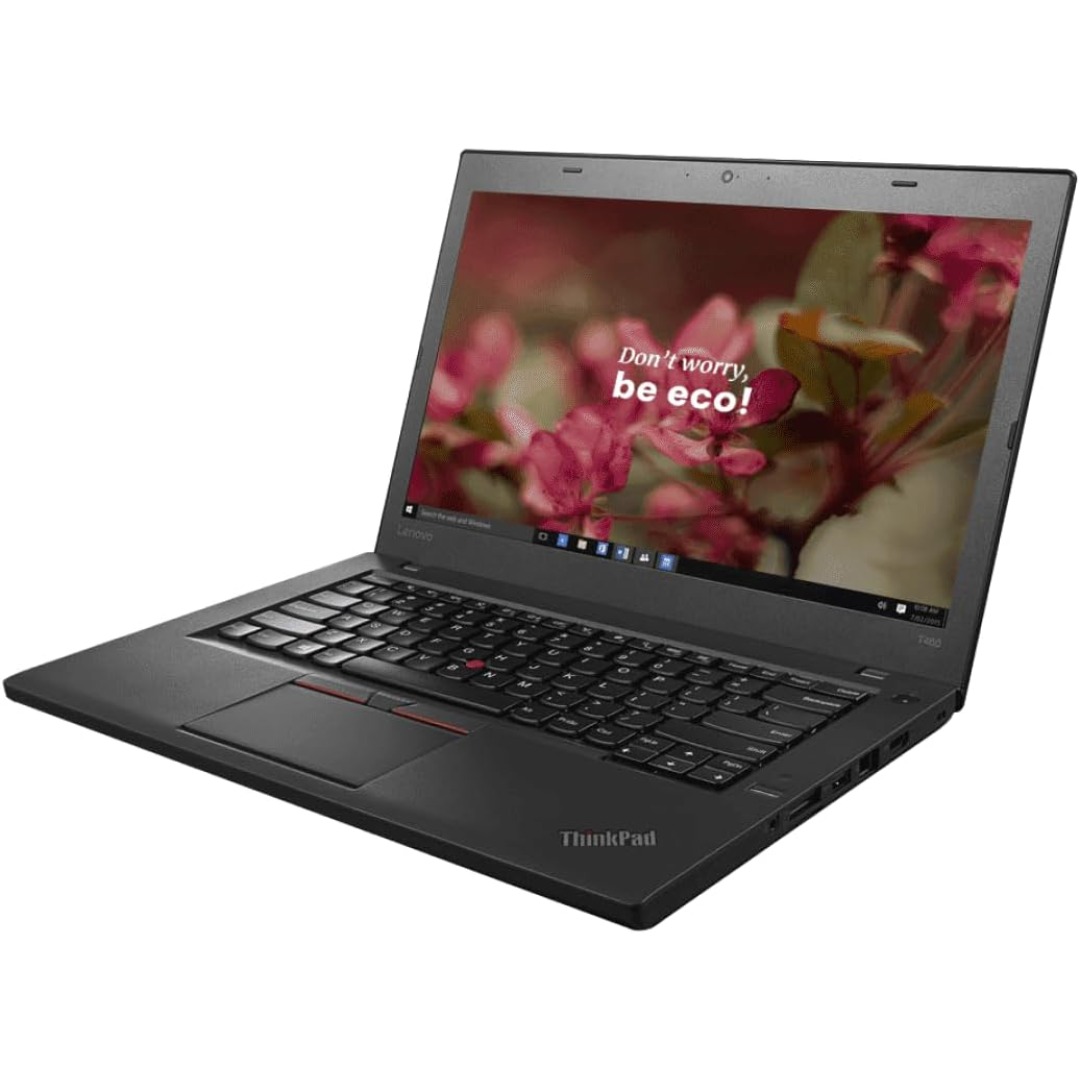
The Lenovo 65W USB-C Adapter (20V 3.25A) provides fast and reliable charging for Lenovo laptops and USB-C devices. Compact, durable, and ideal as a replacement or travel charger. ⚡ 65W Fast Charging: Delivers 20V 3.25A output for efficient laptop charging. 🔌 USB-C Connector: Compatible with USB-C powered Lenovo laptops and devices. 👜 Compact & Travel-Friendly: Lightweight design ideal for office, home, or travel use. 🔒 Built-In Protection: Over-voltage, over-current, and short-circuit protection for safe charging. 🧩 OEM-Compatible: Works with many Lenovo ThinkPad, ThinkBook, and IdeaPad models. 🛠️ Durable Build: High-quality cable and adapter construction for long-term use.

The Philips 242V8 24″ 75Hz Monitor is a great choice for home and office use. It delivers clear visuals and smooth performance. With its Full HD resolution, you can enjoy sharp and detailed images. This 24-inch monitor features a 75Hz refresh rate for fluid motion. It reduces screen tearing and stuttering, making it ideal for everyday tasks and casual gaming. The fast response time ensures smooth transitions between frames. The Philips 242V8 24″ 75Hz Monitor uses SmartContrast technology for deep blacks and bright whites. It enhances image quality, making videos and images look better. The IPS panel provides wide viewing angles with consistent colors. With Flicker-Free technology, this 75Hz monitor reduces eye strain. It also includes LowBlue Mode to minimize harmful blue light. This makes it comfortable for long hours of use. Connectivity is simple with HDMI and VGA ports. You can easily connect it to your PC, laptop, or gaming console. The setup is quick and hassle-free. The Philips 242V8 24″ 75Hz Monitor has a slim and modern design. It fits well in any workspace, whether at home or in the office. The adjustable tilt stand provides a comfortable viewing experience. This Full HD monitor is energy-efficient, helping you save on power consumption. It meets eco-friendly standards while delivering high performance. In conclusion, the Philips 242V8 24″ 75Hz Monitor is a reliable and affordable display. It offers smooth visuals, eye comfort, and a sleek design, making it a perfect choice for work and entertainment. Specifications: Display : 24″ IPS Resolution : 1920×1080 Refresh Rate : 75Hz Response Rate : 4ms Speaker : 2W x2

0G74G Laptop Battery Replacement for Dell Latitude 5300 2-in-1 5310 7300 7400 Series Notebook OG74G 02PFPW 2PFPW 3KF82 8JYHH 11.4V 42Wh 3-Cell About this item Specification: Battery type: Li-ion. Color: Black. Voltage: 11.4V. Capacity: 42Wh/3Cell. New from Manufacturer Replace Part Number: For MXV9V 0G74G 00G74G 2PFPW 3KF82 8JYHH Compatible Models: Replacement for Dell Latitude 5300 E5300 / 5300 2-in-1 / 5310 E5310 / 5310 2-in-1 / 7300 E7300 / 7400 E7400 Series (Important Note: NOT fit for latitude 7400 2-in-1 Series) Note: The Dell laptop models on this product page are compatible with 2 battery models: 0G74G (42Wh 3-Cell 11.4V) , MXV9V(60Wh 4-Cell 7.6V). Please open the back cover of your laptop to check the original battery size and capacity before placing an order. Make sure that the battery model you need is 0G74G (42Wh 3-Cell 11.4V). Note: If the new battery is not recognized during the initial installation, please reinstall and check if the interface is fully connected. Discharge the new battery to 10-20% (not 0%), then charge and cycle 3-4 times to wake up the new battery
