
Acer KA222Qbi The Acer KA222Qbi entry-level series provide a superb user experience and don’t compromise . on quality. With a choice of display size and a ZeroFrame. design it is ideal for use in homes and offices. Whether it’s running productivity apps or playing games this monitor has it all. Viewable Screen Size Acer KA222Qbi 54.6 cm (21.5″) Aspect Ratio 16:9 Response Time 1 ms VRB Backlight Technology LED Horizontal Viewing Angle 178° Vertical Viewing Angle 178° Panel Technology In-plane Switching (IPS) Technology Frequency (Horizontal/Vertical) 30KHz-85KHz/48Hz-75Hz Pixel Pitch 0.25 mm Tilt Angle -5° to 15° Maximum Adjustable Height No Video Maximum Resolution 1920 x 1080 Native Contrast Ratio 1,000:1 Dynamic Contrast Ratio 100,000,000:1 Colour Supported 16.7 Million Colours Colour Depth 8-bit Color Gamut 72% NTSC Dynamic Contrast Ratio 100,000,000:1 Brightness 250 cd/m² Tearing Prevention Technology AMD FreeSync™ (HDMI VRR) Interfaces/Ports Acer KA222Qbi VGA Yes HDMI Yes Power Description Standby Power Consumption (Energy Star) 270 mW Off-Mode Power Consumption (Energy Star) 210 mW Operating Power Consumption (Energy Star) 15.50 W Miscellaneous Environmental Certification MPR II Package Contents 1 x KA222Q Widescreen LCD Monitor 1 x Power Cord(EURO/UK) 1 x VGA Cable Physical Characteristics Colour Black VESA Mount Compatible Yes VESA Mount Standard 100 x 100 Height 295 mm Width 490 mm Depth 65 mm Weight (Approximate) 3.09 kg Weight with Stand (Approximate) 3.44 kg Specifications: Specifications 21.5″ ZeroFrame FreeSync 1ms, IPS 1 year warranty

OEM-quality touchpad replacement for MacBook Air 13.6″ (Model A2681, 2022)—available in Gray, Gold, Silver, and Blue to match your original chassis color. Precision-engineered for seamless Force Touch performance and smooth gesture control. Compatible With: MacBook Air 13.6-inch (2022, Model A2681) with M2 chip—includes all color variants: Space Gray, Gold, Silver, and Midnight Blue. Part Type: Touchpad only—does not include the flex cable, connector, or mounting brackets. Intended for technicians reusing the original cable or transferring it during repair. Color-Matched Finish: Available in all four official A2681 colors to maintain aesthetic consistency with your MacBook’s lower case. Force Touch Support: Full compatibility with Force Touch gestures, haptic feedback, and multi-touch functionality (requires original Taptic Engine and logic board). OEM Build Quality: Matches Apple’s original surface texture, curvature, and responsiveness—ensures consistent click feel and tracking accuracy. Installation Note: Requires careful transfer of the original flex cable and Taptic Engine (if not already attached). Full bottom case disassembly is necessary. Recommended for professional repair technicians.

Genuine-spec US layout keyboard replacement for MacBook Pro 13″ (Model A1502, Mid 2014)—featuring durable scissor-switch keys, backlighting, and OEM-fit design for reliable performance and easy installation. Compatible With: MacBook Pro 13-inch (Mid 2014, Model A1502, Model Identifier MacBookPro11,1) with Retina display. Layout: Standard US English (QWERTY) with full-size keys, inverted-T arrow keys, and dedicated function row (F1–F12). Keyboard Type: Traditional scissor-switch mechanism—offers good key travel, tactile feedback, and proven long-term reliability (pre-Butterfly design). Integrated Features: Backlit keys for low-light environments, ambient light sensor compatibility, and original-style ribbon cable connector for direct logic board attachment. Build & Fit: Precision-molded to match Apple’s exact dimensions and mounting points—ensures flush integration into the top case with consistent key alignment. Installation Note: Keyboard is secured with screws and light adhesive—more serviceable than later glued models. Requires top case access and battery disconnection. Suitable for intermediate DIYers or professional technicians.

The Anyuse Portable Monitor 15.6″ FHD USB-C offers clear visuals in a slim and lightweight design. It provides sharp Full HD quality for work and entertainment. The screen shows bright colors and strong detail. This makes movies, games, and documents look smooth and clear. Moreover, the Anyuse Portable Monitor FHD USB-C connects easily through a single USB-C cable. This cable carries both power and video. It removes the need for extra chargers or adapters. This makes setup fast and simple for all users. In addition, the monitor works with laptops, tablets, phones, and gaming consoles. This wide compatibility helps you use the screen anywhere. You can work on the go, or play games during travel. It gives you more freedom and flexibility. Furthermore, the Anyuse Portable Monitor 15.6″ FHD USB-C features a slim frame with a modern look. It fits easily inside backpacks and travel bags. The lightweight build makes it comfortable to carry daily. This makes it ideal for students and professionals. Also, the monitor includes built-in speakers for better convenience. They provide clear sound for videos and calls. The screen also offers eye-care features that reduce strain. This helps you use the monitor for long hours with comfort. The stand cover of the Anyuse Portable Monitor FHD USB-C protects the screen during travel. It also works as a foldable stand. You can place the monitor at comfortable angles for work or play. This improves your overall experience. Overall, the Anyuse Portable Monitor 15.6″ FHD USB-C delivers portability, quality, and comfort in one device. It helps you stay productive anywhere. It also makes entertainment more enjoyable. This monitor is perfect for travel, work, study, and gaming. Specifications: Display : 15.6″ Resolution : FHD 1920×1080 Refresh Rate : 60Hz Response Time : 5ms

About this item Noise-cancelling microphone reduces room noise for clearer Internet calls Full stereo sound for your music, movies and games Rotating microphone boom can be worn on your left or right side Adjustable headband gives you a customized fit Works with Windows 10 or later, Windows 8, Windows 7, Windows Vista, Mac OS X 10.5 or later, Chrome OS, Linux Kernel 2.6+ and iOS or Android devices

Genuine-spec touchpad flex cable for MacBook Pro 13″ (Model A1502, Mid 2014)—restores full trackpad functionality, including precise cursor control and physical click response. Essential for repairing unresponsive or erratic trackpad behavior. Compatible With: MacBook Pro 13-inch (Mid 2014, Model A1502, Model Identifier MacBookPro11,1) with Intel Core i5/i7 processors and Retina display. Part Type: Touchpad flex cable only — does not include the trackpad housing, button mechanism, or mounting hardware. This is the ribbon cable that connects the trackpad to the logic board. Function: Transmits cursor movement and click signals (left/right physical clicks) Supports standard multi-touch gestures (two-finger scroll, tap-to-click, pinch-to-zoom) ⚠️ Note: This model uses a physical click mechanism—not Force Touch (no haptic feedback or pressure sensitivity). Transmits cursor movement and click signals (left/right physical clicks) Supports standard multi-touch gestures (two-finger scroll, tap-to-click, pinch-to-zoom) ⚠️ Note: This model uses a physical click mechanism—not Force Touch (no haptic feedback or pressure sensitivity). OEM-Quality Build: Matches Apple’s original in: Cable length and routing path Connector type and pin alignment Insulation and flexibility for long-term reliability Cable length and routing path Connector type and pin alignment Insulation and flexibility for long-term reliability Common Use Cases: Replacing a torn, frayed, or corroded original flex cable Fixing: Unresponsive or intermittent trackpad Cursor jumping or drifting Click function failure (left or right) Complete trackpad disconnect Replacing a torn, frayed, or corroded original flex cable Fixing: Unresponsive or intermittent trackpad Cursor jumping or drifting Click function failure (left or right) Complete trackpad disconnect Unresponsive or intermittent trackpad Cursor jumping or drifting Click function failure (left or right) Complete trackpad disconnect Installation Note: Requires bottom case removal and battery disconnect. Connects via a ZIF (Zero Insertion Force) socket on the logic board—do not force. Cable routes under the battery; handle with care to avoid strain. Suitable for intermediate to advanced DIYers or technicians. Requires bottom case removal and battery disconnect. Connects via a ZIF (Zero Insertion Force) socket on the logic board—do not force. Cable routes under the battery; handle with care to avoid strain. Suitable for intermediate to advanced DIYers or technicians.

Searching for a monitor that enhances your productivity and comfort? Look no further than the ViewSonic 24” 60Hz Monitor VG2448. This monitor is your gateway to a superior visual experience. First and foremost, let’s discuss clarity. With its 24-inch screen size, the VG2448 delivers crisp and clear images, ensuring every detail is sharp and vibrant. Say goodbye to eye strain and hello to comfortable viewing. Transitioning to performance, this monitor boasts a refresh rate of 60Hz, providing smooth and fluid visuals for an enhanced viewing experience. Whether you’re working on spreadsheets or watching videos, motion blur will be a thing of the past. Moreover, its ergonomic design offers customizable tilt, swivel, and height adjustments, allowing you to find the perfect viewing angle for maximum comfort. Say goodbye to neck and back strain with this user-friendly monitor. In addition, the VG2448 features a variety of connectivity options, including HDMI, DisplayPort, and VGA, ensuring compatibility with a wide range of devices. Seamlessly connect your PC, laptop, or gaming console with ease. Furthermore, this monitor is equipped with ViewSonic’s exclusive Eye Care technology, which helps reduce eye fatigue during prolonged use. Protect your vision while enjoying extended viewing sessions. In conclusion, the ViewSonic 24” 60Hz Monitor VG2448 is a versatile and reliable choice for both work and entertainment. With its superior clarity, performance, and ergonomic design, it’s sure to enhance your productivity and comfort. Upgrade your viewing experience today and see the difference for yourself. Specifications: Display : 24″ IPS Resolution : FHD (1920×1080) Refresh Rate : 60Hz Response Rate : 5ms GTG

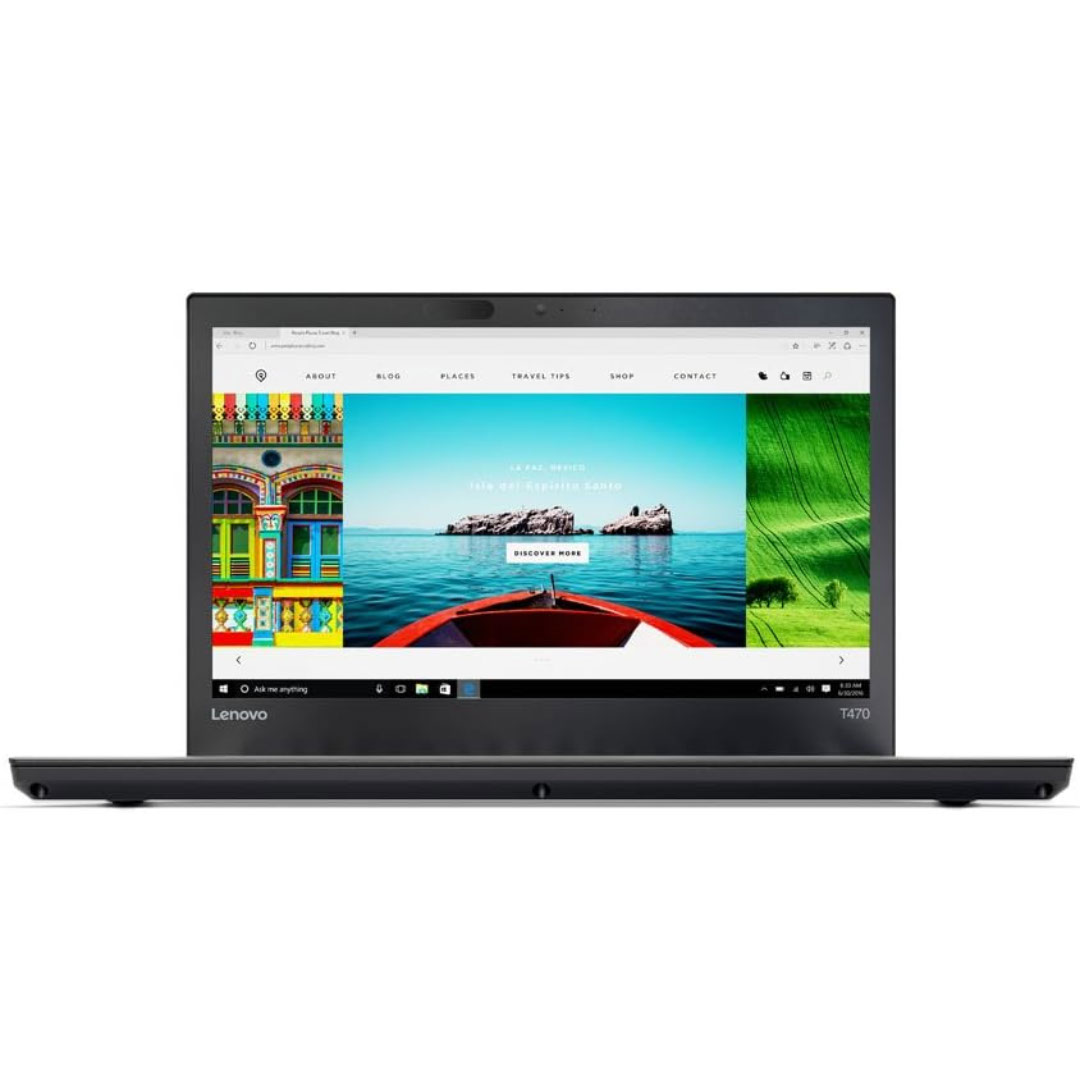
Boost your daily productivity with the Lenovo ThinkPad E14 Gen 2, featuring a powerful 11th Gen Intel Core i5 processor. With flexible configurations of up to 16GB RAM and a fast 512GB NVMe SSD, this 14-inch business laptop offers the perfect blend of performance, security, and legendary ThinkPad durability

The Cudy WR3000 AX3000 WiFi 6 Router delivers ultra-fast wireless speeds and improved network efficiency with the latest WiFi 6 technology. Designed for modern homes and offices, it offers high-speed Gigabit connectivity, wider coverage, and stable performance for multiple devices. AX3000 WiFi 6 Speed – Combined speeds of up to 3000Mbps for ultra-smooth streaming, gaming, and downloads. Next-Gen WiFi 6 Technology – Improved efficiency, lower latency, and better performance for multiple connected devices. Gigabit Ethernet Ports – High-speed WAN and LAN ports for maximum wired performance. Enhanced Coverage – High-performance antennas provide strong and stable WiFi signal across your space. OFDMA & MU-MIMO – Efficient data transmission to multiple devices simultaneously without slowing down the network. Multiple Operating Modes – Supports Router, Access Point, and Repeater modes for flexible setup. Advanced Security – WPA3/WPA2 encryption ensures a secure and protected network. 1 × Gigabit WAN Port 4 × Gigabit LAN Ports Dual Band WiFi (2.4GHz & 5GHz) WiFi 6 (802.11ax) Ethernet (RJ45) Wireless Security (WPA2/WPA3)

WiWU ZM‑901 – Sturdy foldable aluminum stand with adjustable angles and silicone pads, weighing just 900 g.Enhances posture, airflow, and workspace ergonomics while staying compact and travel-friendly. Model: WiWU ZM‑901 Material: Metal (aluminum/carbon steel) frame with silicone pads for grip Dimensions (Folded): 260 × 225.5 × 53 mm Package Size: 290 × 250 × 50 mm Net Weight: Approx. 900 g Compatibility: Fits laptops, tablets, and smartphones up to ~17 ” (some listings note 15.6″ limit, but device capacity varies) Features: Adjustable angle configuration, detachable foldable design for portability, silicone surface pads for anti-slip and vibration reduction Build & Design: Durable yet lightweight, crafted to enhance airflow and promote ergonomic posture

Genuine-spec touchpad flex cable for MacBook Air 13″ (Model A1932, 2018–2019)—essential for restoring full Force Touch functionality, haptic feedback, and precise multi-touch gesture control during trackpad repair or replacement. Compatible With: MacBook Air 13-inch (2018 & 2019, Model A1932, Model Identifier MacBookAir8,1) with Intel Core i5/i7 processors. Part Type: Touchpad flex cable only—does not include the trackpad housing, Taptic Engine, or mounting hardware. This is the OEM-style ribbon cable that connects the trackpad to the logic board. Function: Transmits touch input, Force Touch pressure data, and haptic feedback signals—critical for macOS gestures like Force Click, three-finger lookup, pinch-to-zoom, and smooth cursor tracking. OEM-Quality Build: Matches Apple’s original in length, connector pitch, EMI shielding, and flexibility—ensures reliable signal integrity and long-term durability. Common Use Cases: Replacing a torn, creased, or liquid-damaged original flex cable Completing a trackpad replacement when the original cable is unusable Fixing intermittent trackpad behavior, loss of Force Touch, or complete unresponsiveness Replacing a torn, creased, or liquid-damaged original flex cable Completing a trackpad replacement when the original cable is unusable Fixing intermittent trackpad behavior, loss of Force Touch, or complete unresponsiveness Installation Note: Requires full bottom case removal and careful routing beneath the battery. The cable connects via a ZIF (Zero Insertion Force) socket on the logic board—must be properly aligned and latched without force. Recommended for experienced or certified technicians. Important: This is flex cable only—not a complete trackpad assembly. Must be used with the original or compatible A1932 trackpad and Taptic Engine. Not compatible with MacBook Air M1 (A2337/A2338), M2 (A2681/A2941), or any MacBook Pro model. This is flex cable only—not a complete trackpad assembly. Must be used with the original or compatible A1932 trackpad and Taptic Engine. Not compatible with MacBook Air M1 (A2337/A2338), M2 (A2681/A2941), or any MacBook Pro model.

The ASUS ROG Strix XG27ACS-W 27 inch QHD 180Hz 1ms Fast IPS Gaming Monitor is a 27-inch gaming display designed for smooth performance and sharp image quality. It uses a Fast IPS panel that delivers wide viewing angles and accurate colors for gaming and everyday use. It features a QHD (2560×1440) resolution, which provides more detail and screen space compared to Full HD. Therefore, it improves visibility in games and productivity tasks. The ASUS ROG Strix XG27ACS-W 27 inch QHD 180Hz 1ms Fast IPS Gaming Monitor supports a 180Hz refresh rate for smoother motion in fast-paced gameplay. In addition, it includes a 1ms response time to reduce motion blur during rapid actions. It supports adaptive sync technology, which helps reduce screen tearing and stuttering when paired with compatible graphics cards. As a result, gameplay feels smoother and more stable. Moreover, it includes HDR support for improved contrast and brightness in compatible content. The monitor also provides gaming display modes and on-screen settings for quick adjustments. The white design gives it a clean and modern appearance suitable for light or themed setups. Overall, the ASUS ROG Strix XG27ACS-W 27 inch QHD 180Hz 1ms Fast IPS Gaming Monitor is built for responsive gaming, clear visuals, and a premium white aesthetic. Specifications: 27-inch QHD (2560×1440) display 180Hz refresh rate 1ms response time Fast IPS panel White premium design

OEM-spec trackpad replacement (without flex cable) for MacBook Air 15.3″ M2 (Model A2941, EMC 8301) in Silver finish—engineered for precise Force Touch response, smooth multi-touch gestures, and seamless integration with the original chassis. Compatible With: MacBook Air 15.3-inch (2023, Model A2941, EMC 8301) with Apple M2 chip. Part Type: Trackpad only—does not include the flex cable, Taptic Engine, or mounting brackets. Designed for technicians who will reuse or transfer the original internal components. Finish: Silver—matches the original Silver and Starlight lower case for perfect visual continuity. Force Touch Support: Fully compatible with pressure-sensitive input and haptic feedback when used with the original Taptic Engine and logic board—no loss of functionality. Precision Build: Mirror-smooth glass surface with exact curvature, texture, and micro-click mechanism matching Apple’s OEM standards for consistent tracking and tactile feel. Installation Requirements: Requires full bottom case disassembly and careful transfer of the original flex cable and Taptic Engine. Proper adhesive application is essential to maintain structural rigidity and sensor alignment. Recommended for professional or certified repair technicians only.

The MSI PRO MP252L features a 25-inch Full HD IPS display with a smooth 120Hz refresh rate and 1ms MPRT response time. Equipped with HDMI and DisplayPort connectivity plus eye-care technology, it’s ideal for productivity, study, and everyday use. The MSI PRO MP252L is a professional-grade monitor designed for office work, learning, and home use. Its 25-inch Full HD IPS panel delivers sharp visuals and accurate colors, while the 120Hz refresh rate ensures smoother scrolling and motion. With versatile connectivity options, it easily integrates into modern and legacy setups. 25” Full HD Display (1920×1080): Clear and detailed visuals for work and entertainment. IPS Panel Technology: Wide viewing angles and consistent color accuracy. 120Hz Refresh Rate: Smoother visuals compared to standard 60Hz monitors. 1ms MPRT Response Time: Reduces motion blur for improved clarity. Eye Care Technology: Anti-Flicker and Less Blue Light reduce eye strain. 1× HDMI Port: Easy connection to laptops, desktops, and media devices. 1× DisplayPort: Stable and high-quality video signal for modern systems. Headphone Out: Convenient audio output for headphones or external speakers. Built with MSI’s trusted quality standards, the PRO MP252L features a durable yet sleek design that fits perfectly in professional and home environments.

Looking to upgrade your gaming setup? The Asus TUF VG279Q1A Gaming Monitor is the perfect solution for an enhanced gaming experience without breaking the bank. First and foremost, indulge in the impressive display quality this monitor offers. With vivid colors and sharp contrasts, your games come to life, providing an immersive and captivating visual feast. The ultra-fast refresh rate ensures smooth and fluid motion, eliminating lag and enhancing your responsiveness during intense gaming sessions. Say goodbye to screen tearing and hello to a competitive edge. Transition seamlessly between tasks with the user-friendly interface. The intuitive controls make adjusting settings a breeze, allowing you to personalize your gaming environment effortlessly. Furthermore connectivity is key, and the Asus TUF VG279Q1A Gaming Monitor delivers. Multiple ports cater to your gaming peripherals, ensuring compatibility with various devices for a versatile gaming setup. Experience comfort during extended gaming sessions with adjustable features. Tilt, swivel, and height adjustments guarantee an ergonomic setup, reducing strain and enhancing your focus on the game. With eye-care technology, this monitor prioritizes your well-being by reducing eye strain and fatigue. Game for hours without compromising on comfort or visual quality. In conclusion, the Asus TUF VG279Q1A Gaming Monitor is a budget-friendly solution that doesn’t compromise on performance. Elevate your gaming setup with its impressive features and enjoy a new level of gaming immersion. Upgrade today! Specifications: Display : 27″ FHD (1920×1080), IPS Refresh Rate : 165Hz Response time : 1ms Part Number : 90LM05X0-B05170

The Samsung 65″ Neo QLED QN70F 4K Vision AI Smart TV QA65QN70FAUXTW delivers a premium viewing experience with advanced Neo QLED technology. It produces bright, sharp, and highly detailed images with strong contrast, so movies, sports, and games look clear and immersive on the 65-inch screen. Neo QLED technology uses Quantum Mini LEDs to improve brightness control and contrast accuracy. As a result, dark scenes appear deeper while bright scenes stay vivid and balanced. This creates a more realistic picture across different types of content. Vision AI enhances picture and sound in real time. It analyzes each scene and automatically adjusts brightness, sharpness, and color. Therefore, the TV consistently delivers optimized visuals without manual settings. In addition, AI upscaling improves lower-resolution content closer to 4K quality for better clarity and detail. HDR support expands brightness range and color depth, making visuals more dynamic and lifelike. Fast motion handling also improves clarity, which enhances sports and action viewing. The Smart TV platform provides easy access to streaming apps, gaming features, and smart home controls. It runs smoothly and responds quickly when switching between apps. In addition, the slim design with thin bezels gives the Samsung 65 Neo QLED QN70F 4K Vision AI Smart TV QA65QN70FAUXTW a modern and premium appearance. Overall, this Samsung Neo QLED TV combines strong brightness performance, AI optimization, and smart connectivity for a powerful entertainment experience. Specifications: Neo QLED technology delivers bright, sharp, and detailed visuals 65-inch 4K display provides immersive viewing experience Vision AI enhances picture and sound automatically in real time HDR improves contrast, brightness, and color depth Smart TV platform supports apps, streaming, and smart features

Foloda Wireless Number Pads, Numeric Keypad Numpad 22 Keys Portable 2.4 GHz Financial Accounting Number Keyboard Extensions 10 Key for Laptop, PC, Desktop, Surface Pro, Notebook

BenQ Board Essential RE7504N 75” 4K UHD Interactive Flat Panel is a large interactive display designed for education and business collaboration. It supports touch input, built-in Android system, and 4K resolution for presentations and group work. It features a 75-inch IPS panel with 3840 × 2160 4K UHD resolution. Therefore, it delivers sharp visuals and wide viewing angles. In addition, it supports up to 40-point multi-touch for group interaction. Moreover, it runs Android (EDLA-supported system depending on region). As a result, users can run apps, whiteboard tools, and content directly on the display without a PC. The screen includes anti-glare coating. Therefore, it stays readable in bright rooms. In addition, it supports 4K 60Hz output for smooth visuals. Furthermore, it includes HDMI, USB, LAN, and OPS slot connectivity. As a result, it works with laptops, external PCs, and modular systems. It also includes built-in speakers for basic audio output. Therefore, it supports lessons and meetings without external speakers. Finally, the BenQ RE7504N provides a large interactive 4K workspace for classrooms and business collaboration. Specifications: Display: 75-inch IPS panel with 3840×2160 4K UHD resolution Touch: Up to 40-point multi-touch support System: Android-based interactive platform (EDLA support depending on region) Connectivity: HDMI, USB, LAN, and OPS slot support Display: Anti-glare screen with 4K 60Hz output for smooth visuals

BenQ Board Essential Series 75 inch RE7504FV is designed for classrooms, meeting rooms, and interactive collaboration. It features a 75-inch 4K UHD IPS display with precision IR touch technology for smooth writing and presentations. Additionally, it supports up to 40 touch points. Therefore, it improves teamwork, teaching, and interactive learning experiences. The BenQ RE7504FV delivers 3840 × 2160 resolution with 450 nits brightness and anti-glare protection for clear visibility in bright environments. Moreover, it uses 9H tempered glass for durability and safer daily use. It also includes low blue light and flicker-free technology to reduce eye strain. In addition, it runs Android 14 (EDLA) with strong memory and storage options for smooth performance. Furthermore, it provides wide connectivity including HDMI 2.0, DisplayPort, USB-A, USB-C with 65W power delivery, VGA, and OPS slot support. As a result, users can easily connect laptops, cameras, and external systems. It also includes an 8-microphone array and dual 20W speakers for clear audio in meetings and lessons. Specifications: 75-inch 4K UHD (3840 × 2160) IPS display Precision IR touch with up to 40 touch points Android 14 (EDLA) with smooth system performance 450 nits brightness with anti-glare 9H tempered glass USB-C 65W, HDMI, OPS slot, mic array, and dual 20W speakers

OEM-quality trackpad replacement (without flex cable) for MacBook Pro 14″ (Model A2442, 2021, M1 Pro/Max) in Silver finish—designed for precise Force Touch performance, seamless gesture control, and perfect visual integration with the original chassis. Compatible With: MacBook Pro 14-inch (2021, Model A2442) with Apple M1 Pro or M1 Max chip. Part Type: Trackpad only—does not include the flex cable, Taptic Engine, or mounting hardware. Intended for professional technicians who will reuse the original internal components. Finish: Silver—matches the Silver and Space Gray top/bottom case (Apple uses the same trackpad finish across both color variants for this model). Force Touch Capable: Fully supports pressure-sensitive input and haptic feedback when paired with the original Taptic Engine and logic board—ensuring full macOS gesture and functionality support. OEM Precision: Features the same glass surface, curvature, and micro-click mechanism as Apple’s original—delivering consistent tracking accuracy and tactile response. Installation Requirements: Requires complete bottom case removal and careful transfer of the original flex cable and Taptic Engine. Adhesive must be applied precisely to maintain structural integrity and sensor alignment. Recommended for certified or experienced repair professionals only.
