
MacBook Air 13″ Retina A1932(2018-2019-2020) Display Assembly (Silver) MacBook Air 13″ Retina Display 2019 A1932 (EMC 3184 MacBookAir8,2) 1.6 GHz MacBook Air 13″ Retina Display 2020 A2179 (EMC 3302 MacBookAir9,1) 1.1 GHz Core i3 A2179 (EMC 3302 MacBookAir9,1) 1.1 GHz Core i5 A2179 (EMC 3302 MacBookAir9,1) 1.2 GHz Core i7 MacBook Air 13” Retina Display Late 2018 A1932 (EMC 3184 MacBookAir8,1) 1.6 GHz

WIWU Alpha tech pouch 1.Designed for Mac book accessories 2.Exquisite internal storage space, neat and tidy, get rid of clutter 3.Durable YKK water resistance zipper

Genuine-spec US layout (QWERTY) keyboard replacement in Midnight Blue for MacBook Air 13.6″ (Model A2681, M2, 2022)—featuring Apple’s Magic Keyboard with scissor-switch mechanism, backlighting, and precise OEM fit. Compatible With: MacBook Air 13.6-inch (2022, Model A2681) with Apple M2 chip – specifically designed for the Midnight color variant. Layout: Standard US English (QWERTY) with wide Enter key, inverted-T arrow keys, and full function row—matches Apple’s original US configuration. Design: Apple’s Magic Keyboard with scissor-switch mechanism—offering quiet, stable keystrokes, 1mm key travel, and enhanced durability over older Butterfly designs. Color: Midnight Blue keycaps—specially matched to the Midnight finish of the A2681 MacBook Air for seamless visual integration. (Note: This keyboard is not recommended for Silver, Space Gray, or Starlight models due to color mismatch.) Features: Integrated backlighting, ambient light sensor compatibility, and OEM-style flex cable connector for direct logic board connection. Precision Fit: Engineered to exact Apple specifications for alignment, key spacing, and mounting—ensures a flush, secure fit within the original top case. Installation Note: The keyboard is factory-glued into the top case. Replacement requires full disassembly and professional-grade re-adhesion. Recommended for experienced technicians only.

Professional battery testing flex cable for MacBook Pro 15″ (Model A1990, 2018–2019)—used by technicians to bypass a faulty battery or diagnose power-on issues without permanent battery removal. Enables safe logic board testing and troubleshooting. This is not a replacement battery cable—it’s a diagnostic tool used in repair workflows. It mimics the battery’s presence by providing the necessary SMBus signal and power-enable lines to the logic board, allowing the MacBook to: Power on without a battery installed Test logic board functionality independently Diagnose whether a no-power issue is caused by the battery or logic board MacBook Pro 15″ (2018–2019) Model: A1990 Model Identifiers: MacBookPro15,2 Chip: Intel Core i7/i9 Model: A1990 Model Identifiers: MacBookPro15,2 Chip: Intel Core i7/i9 ⚠️ Not compatible with A1707 (2016–2017), A2159 (16″), or any M1/M2 models. Simulates battery presence via correct SMBus resistance and ID signals Includes power-enable circuitry matching Apple’s safety protocol Pre-terminated with OEM-style connector for A1990 logic board Allows safe bench testing of logic boards during repair Diagnosing “no power, no fan spin, no display” issues Verifying if a logic board powers on without risking a shorted battery Testing after liquid damage or DC-in board replacement Avoiding unnecessary battery replacements during diagnostics Not for permanent installation—intended for temporary diagnostic use only Does not charge or store power—requires connected USB-C power adapter to operate Must be used with a known-good power adapter (87W recommended) Not a consumer part—designed for professional repair shops and technicians

OEM-quality trackpad replacement (without flex cable) for MacBook Pro 13″ (Models A2251 and A2289, 2020) in Silver finish—engineered for precise Force Touch response, smooth multi-touch gestures, and seamless integration with the original chassis. Compatible With: MacBook Pro 13″ (2020, Two Thunderbolt Ports) – Model A2251 (Intel Core i5/i7) MacBook Pro 13″ (2020, Four Thunderbolt Ports) – Model A2289 (Intel Core i5/i7) (Note: Both models share the same trackpad assembly despite port differences.) MacBook Pro 13″ (2020, Two Thunderbolt Ports) – Model A2251 (Intel Core i5/i7) MacBook Pro 13″ (2020, Four Thunderbolt Ports) – Model A2289 (Intel Core i5/i7) (Note: Both models share the same trackpad assembly despite port differences.) Part Type: Trackpad only—does not include the flex cable, Taptic Engine, or mounting hardware. Designed for technicians who will reuse the original internal components. Finish: Silver—matches the Silver MacBook Pro 13″ top and bottom case for perfect aesthetic continuity. Force Touch Support: Fully compatible with pressure-sensitive input and haptic feedback when paired with the original Taptic Engine and logic board—ensuring full macOS gesture functionality (e.g., Force Click, Lookup, Pressure-sensitive drawing). Precision Build: Features the same glass surface texture, curvature, and micro-click mechanism as Apple’s original—delivering consistent tracking accuracy and tactile feel. Installation Requirements: Requires full bottom case disassembly and careful transfer of the original flex cable and Taptic Engine. Adhesive must be applied precisely to maintain structural rigidity and sensor alignment. Recommended for certified or experienced repair technicians only.

A capable pre-owned Dell Latitude 5401 with 14" display, 10th Gen Core i7, 16GB RAM, 512GB SSD, and NVIDIA GeForce MX330 2GB—ideal for professionals who need extra graphics power for light creative work or multitasking in a durable business laptop.

Remax F41 6″ Wireless Clamp Fan – USB‑C rechargeable (4,000 mAh), 4 speeds, 720° rotation, up to 3 hrs runtime.Modular 3‑in‑1 design with detachable grille, washable parts, and night‑light feature. Model: Remax F41 6-inch Wireless Air Circulating Clamp Fan Power & Battery: Rechargeable 4,000 mAh battery; USB-C charging (~3 hours to full charge), offers ~3 hours continuous use at high speeds Operation Modes: 4 fan speeds, 3‑in‑1 usage (desktop, clamp, or hanging), 720° wide-angle rotation Design Features: Detachable, washable grille plus built-in warm night light Care Tips: Recharge every two months if unused; avoid inserting objects into blades

lenovo battery L18C3PF2 Laptop Battery Compatible with Lenovo Ideapad L3-15IML05 L340-15API L340-15IWL L340-17API L340-17IWL L340-15API/L340-15IWL Touch Series 5B10T03401 L18M3PF2 L18L3PF1 L18D3PF1 11.25V 36Wh About this item 【Battery type】Li-ion. Voltage: 11.25V. Capacity: 36Wh 3320mAh . 【Compatible Part Number】L18C3PF2 5B10T03401 5B10W67302 L18M3PF2 5B10T03402 5B10W67367 5B10T03404 L18D3PF1 5B10W67278 5B10T03400 L18L3PF1 5B10W67198 5B10T03403 . 【Replacement For Laptop】Lenovo V155-15API V340-17IWL, IdeaPad L3-15IML05, Ideapad L340-15API L340-15IWL L340-17API L340-17IWL L340-15IWL Touch L340-15API Touch Series Notebook. 【Connector】Before placing your order, Please refer to the picture and check it. Because the products produced by different factories will have differences in size, cable length, interface, etc.

SB03XL Battery for HP Elitebook 720 725 G2 820 G1 G2 716726-421 717378-001 HSTNN-LB4T HSTNN-I13C About this item Compatible Computers: Hp EliteBook 820 G1, HP EliteBook 720 G1, HP EliteBook 720 G2, HP EliteBook 725 G1, HP EliteBook 725 G2 E7U25AA E7U25UT F6B38PA Replace Battery List: SB03XL SB03046XL HSTNN-LB4T HSTNN-I13C HSTNN-IB4T HSTNN-I13C 716726-421 716726-1C1 717378-001 Battery Life: Up to 500 recharge cycles over the life of the battery. 100% Brand New from Manufacturer. All products are Certified by CE, and FCC for safety. Strict guidelines for compatibility, and standards compliance for environmental safety.

Genuine-spec touchpad flex cable compatible with both MacBook Air A2179 (Intel, 2020) and A2337 (M1, 2020)—restores full Force Touch functionality, haptic feedback, and precise multi-touch gesture control during trackpad repair or replacement. Compatible With: MacBook Air 13″ (2020, Intel) – Model A2179 (Model Identifier: MacBookAir9,1) MacBook Air 13″ (2020, Apple M1) – Model A2337 (Model Identifier: MacBookAir10,1) MacBook Air 13″ (2020, Intel) – Model A2179 (Model Identifier: MacBookAir9,1) MacBook Air 13″ (2020, Apple M1) – Model A2337 (Model Identifier: MacBookAir10,1) ✅ Important Note: Despite different processors (Intel vs. M1), Apple used the same trackpad assembly and flex cable in both A2179 and A2337. This makes the flex cable fully interchangeable between the two models. Part Type: Touchpad flex cable only — does not include the trackpad housing, Taptic Engine, or mounting hardware. This is the OEM-style ribbon cable that connects the trackpad to the logic board. Function: Transmits: Touch input coordinates Force Touch pressure data Haptic feedback signals to the Taptic Engine Enables full macOS gesture support: Force Click, three-finger lookup, swipe navigation, pinch-to-zoom, and smooth cursor tracking. Touch input coordinates Force Touch pressure data Haptic feedback signals to the Taptic Engine Enables full macOS gesture support: Force Click, three-finger lookup, swipe navigation, pinch-to-zoom, and smooth cursor tracking. OEM-Quality Build: Matches Apple’s original specifications in: Cable length and routing path Connector pitch and ZIF latch design EMI shielding and flex durability Cable length and routing path Connector pitch and ZIF latch design EMI shielding and flex durability Common Use Cases: Replacing a torn, creased, or liquid-damaged original flex cable Completing a trackpad replacement when the original cable is compromised Fixing intermittent trackpad behavior, loss of Force Touch, or complete unresponsiveness Replacing a torn, creased, or liquid-damaged original flex cable Completing a trackpad replacement when the original cable is compromised Fixing intermittent trackpad behavior, loss of Force Touch, or complete unresponsiveness Installation Note: Requires full bottom case removal and battery disconnection. Cable routes under the right side of the battery and logic board. Connects via a ZIF (Zero Insertion Force) socket—align carefully and latch gently. Recommended for experienced or certified technicians only. Requires full bottom case removal and battery disconnection. Cable routes under the right side of the battery and logic board. Connects via a ZIF (Zero Insertion Force) socket—align carefully and latch gently. Recommended for experienced or certified technicians only.

Genuine-spec touchpad flex cable for MacBook Pro 15″ (Model A1706 – 2017 and A1989 – 2018/2019)—restores full Force Touch functionality, haptic feedback, and precise multi-touch gesture control during trackpad repair or replacement. Compatible With: MacBook Pro 15″ (2017) – Model A1706 (Model Identifier: MacBookPro14,3) MacBook Pro 15″ (2018–2019) – Model A1989 (Model Identifier: MacBookPro15,2) ✅ Note: Apple used the same trackpad assembly and flex cable across both A1706 and A1989 15″ models—making this part interchangeable between them. MacBook Pro 15″ (2017) – Model A1706 (Model Identifier: MacBookPro14,3) MacBook Pro 15″ (2018–2019) – Model A1989 (Model Identifier: MacBookPro15,2) ✅ Note: Apple used the same trackpad assembly and flex cable across both A1706 and A1989 15″ models—making this part interchangeable between them. ✅ Note: Apple used the same trackpad assembly and flex cable across both A1706 and A1989 15″ models—making this part interchangeable between them. Part Type: Touchpad flex cable only — does not include the trackpad housing, Taptic Engine, or mounting hardware. This is the OEM-style ribbon cable connecting the trackpad to the logic board. Function: Transmits: Touch input coordinates Force Touch pressure data Haptic feedback signals to the Taptic Engine Enables full macOS gesture support: Force Click, three-finger lookup, swipe navigation, pinch-to-zoom, and smooth cursor tracking. Touch input coordinates Force Touch pressure data Haptic feedback signals to the Taptic Engine Enables full macOS gesture support: Force Click, three-finger lookup, swipe navigation, pinch-to-zoom, and smooth cursor tracking. OEM-Quality Build: Matches Apple’s original in: Cable length and routing Connector pitch and ZIF latch design EMI shielding and flex durability Cable length and routing Connector pitch and ZIF latch design EMI shielding and flex durability Common Use Cases: Replacing a torn, creased, or liquid-damaged original flex cable Completing a trackpad replacement when the original cable is compromised Fixing intermittent trackpad behavior, loss of Force Touch, or complete unresponsiveness Replacing a torn, creased, or liquid-damaged original flex cable Completing a trackpad replacement when the original cable is compromised Fixing intermittent trackpad behavior, loss of Force Touch, or complete unresponsiveness Installation Note: Requires full bottom case removal and battery disconnection. Cable routes under internal components near the right speaker and logic board. Connects via a ZIF (Zero Insertion Force) socket—must be aligned carefully and latched gently. Recommended for experienced or certified technicians only. Requires full bottom case removal and battery disconnection. Cable routes under internal components near the right speaker and logic board. Connects via a ZIF (Zero Insertion Force) socket—must be aligned carefully and latched gently. Recommended for experienced or certified technicians only.

Genuine-quality keyboard and touchpad connection board (also known as the keyboard flex cable or I/O board) for the 2022 MacBook Pro 14″ (Model A2681)—essential for restoring full keyboard and Touch ID functionality during repairs. Compatible With: MacBook Pro 14-inch (2022, M2 Pro/M2 Max models, Apple Model A2681). Function: This internal connection board links the keyboard, Touch ID sensor, and touchpad to the logic board—critical for proper operation of input devices. Includes: Keyboard flex cable assembly with integrated Touch ID sensor and touchpad connector (exact configuration matches Apple’s original design). Common Use Cases: Replacing after liquid damage, physical impact, or keyboard/touchpad failure; often required when the built-in keyboard or power button (with Touch ID) stops responding. OEM-Spec Quality: Built to match Apple’s original specifications for fit, signal integrity, and durability—ensures seamless integration and reliable performance. Installation Note: Requires precision disassembly of the MacBook’s lower case and display. Recommended for experienced technicians or certified repair centers.

The Lenovo 65W Round-Tip AC Adapter (AU) provides reliable and efficient power for compatible Lenovo laptops. Designed with a round-tip connector and Australian plug, it’s perfect as a replacement or travel charger. ⚡ 65W Power Output: Delivers stable and efficient charging for Lenovo laptops and notebooks. 🔌 Round-Tip Connector: Designed specifically for Lenovo models using the classic round charging port. 🇦🇺 AU Power Plug: Built for Australian power outlets — ideal for home, office, and travel use in AU regions. 👜 Compact & Portable: Lightweight design makes it easy to carry in a bag or backpack. 🔒 Safe Charging: Features over-voltage, over-current, and short-circuit protection. 🛠️ OEM-Compatible: Works with a wide range of ThinkPad, ThinkBook, and IdeaPad models using round-tip charging.

A reliable pre-owned Dell Latitude 5410 with 14" display, 10th Gen Core i5, 8GB RAM, and 256GB SSD—ideal for business users and students seeking solid performance, security, and portability.

WIWU GENIUS COMBO SET BAG WITH MOUSE AND MOUSE PAD FOR 14" LAPTOP/ULTRABOOK - BLACK WIWU GENIUS COMBO SET BAG WITH MOUSE AND MOUSE PAD FOR 14″ LAPTOP/ULTRABOOK – BLACK Details: Material: plaid polyester + metal Mouse: single mode 2.4G Product weight: 14 inch / 465g Product size: 14 inches: 35*25*2cm Handbag+mouse+mouse pad Front layer multi-pocket design Better help classify items Waterproof fabric

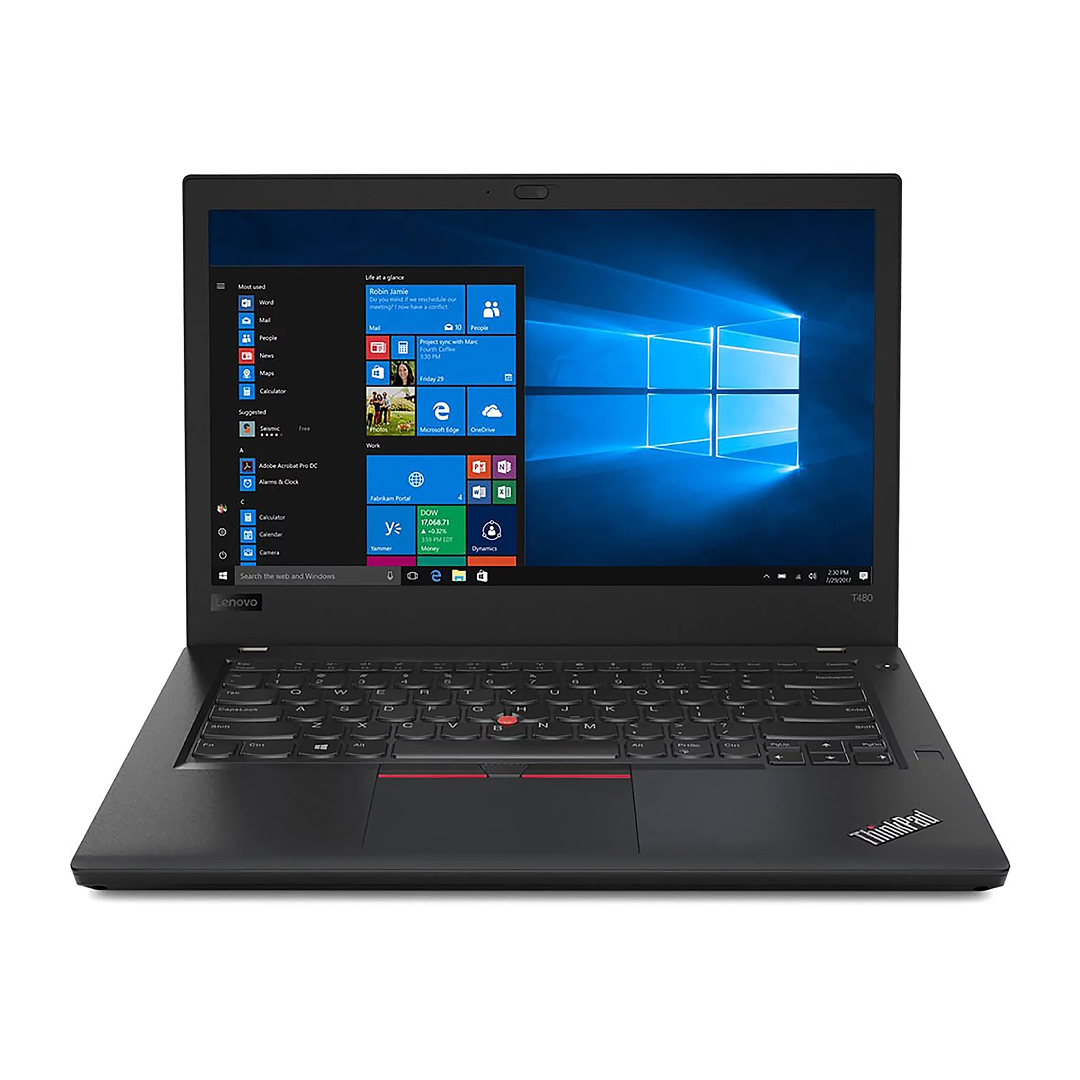
The Lenovo ThinkPad T460 features an Intel Core i5 6th Gen processor, 8GB RAM, and a fast 256GB SSD for smooth everyday performance. With a responsive 14-inch touchscreen display and the legendary ThinkPad keyboard, it’s ideal for work, study, and productivity on the go.

Used OEM Original Apple Logic Board Working, 2019 Model 2.7Ghz I7 251gb 16gb (A1989) + Original Touch ID, Tested using latest industry hardware diagnostic software, Fresh pull from fully Working nearly new unit. SPECIFICATION:

A reliable pre-owned Dell Latitude 5400 with 14" display, 8th Gen Core i5, 8GB RAM, and 256GB SSD—ideal for business users and students seeking solid performance, security, and durability in a compact form.

The Apple Magic Mouse (USB-C version) is a sleek, minimalist multi-touch wireless mouse built for Mac users. It offers smooth gesture support, Bluetooth connectivity and a built-in rechargeable battery — a great choice if you prefer a clean desk setup and full compatibility with macOS and iPadOS. General Name: Magic Mouse (USB-C) — part of Apple’s pointing-device lineup. Wireless connectivity: Bluetooth. Rechargeable battery: built-in, no disposable AA cells. Charging / port: USB-C port (bottom of mouse) for pairing and charging. Compatibility: Requires a Mac with macOS 15.1 or later, or an iPad with iPadOS 18.1 or later. Size & Weight Height: ~0.85 inch (2.16 cm) Width: ~2.25 inch (5.71 cm) Depth: ~4.47 inch (11.35 cm) Weight: ~0.22 pound (0.099 kg) (varies slightly by manufacturing) Features Multi-Touch surface: supports gestures such as swiping between pages, scrolling through documents, zooming. Glide / foot design: optimized for smooth movement across desktop surfaces. Rechargeable battery life: about a month or more between charges (typical use) per Apple spec. Used Condition ConsiderationsSince you’re specifying a used unit: Check for wear on the bottom feet / skates — these degrade and affect glide. Verify battery capacity / health (rechargeable batteries age). Confirm the port is functioning (USB-C) and Bluetooth connectivity is stable. Look for signs of excessive surface scratches on the multi-touch top — may impair gestures. Ensure the firmware / Mac recognizes it fully (gestures working). Upgradability / Limitations Not user-upgradable: You cannot replace the internal battery or change internals easily. Design limitation: The USB-C port remains on the bottom of the mouse, meaning you cannot use it while charging unless you flip it. This design is still criticized. Ergonomics: The flat, low-profile design is stylish but may not suit extended-use comfort for some users.

Genuine-spec touchpad flex cable for Apple’s 12-inch MacBook (Model A1534, Early 2015 / Early 2016 / Mid 2017)—essential for restoring full Force Touch trackpad functionality, haptic feedback, and multi-touch gesture support. Compatible With: MacBook 12″ (Early 2015) – 1.1GHz Core M MacBook 12″ (Early 2016) – 1.1GHz/1.3GHz Core M MacBook 12″ (Mid 2017) – 1.2GHz/1.3GHz Core m3/i5/i7 All share Model Number A1534 and Model Identifier MacBook8,1 / MacBook9,1 / MacBook10,1 respectively. MacBook 12″ (Early 2015) – 1.1GHz Core M MacBook 12″ (Early 2016) – 1.1GHz/1.3GHz Core M MacBook 12″ (Mid 2017) – 1.2GHz/1.3GHz Core m3/i5/i7 All share Model Number A1534 and Model Identifier MacBook8,1 / MacBook9,1 / MacBook10,1 respectively. Part Type: Touchpad flex cable only—does not include the trackpad housing, Taptic Engine, or mounting brackets. This is the ribbon cable that connects the Force Touch trackpad to the logic board. Function: Critical for Force Touch functionality—transmits pressure-sensitive input, multi-touch gestures (e.g., pinch, swipe, Force Click), and haptic feedback signals to the Taptic Engine. OEM-Quality Construction: Precisely matches Apple’s original in length, connector pitch, shielding, and routing—ensures reliable signal integrity and compatibility with macOS. Common Use Cases: Replacing a torn, creased, or liquid-damaged flex cable Restoring unresponsive or erratic trackpad behavior Completing a trackpad replacement when the original cable is unusable Replacing a torn, creased, or liquid-damaged flex cable Restoring unresponsive or erratic trackpad behavior Completing a trackpad replacement when the original cable is unusable Installation Note: Requires full bottom case removal and delicate disconnection of the ZIF connector. The cable routes tightly under the battery—extreme care is required. Recommended for experienced or certified technicians only.
