
Soft Silicone Arabic Language Keyboard Cover Skin Compatible with MacBook Pro 13 inch and 15 inch with Touch Bar Models: A2159 / A1989 / A1990 / A1706/ A1707 - Release 2019 2018 2017 2016 - Black Soft Silicone Arabic Language Keyboard Cover Skin Compatible with MacBook Pro 13 inch and 15 inch with Touch Bar Models: A2159 / A1989 / A1990 / A1706/ A1707 – Release 2019 2018 2017 2016 – Black Perfect compatible for MacBook Pro 13 inch with Touch Bar (models: A2159, A1989, A1706 – MUHN2LL/A, MUHQ2LL/A, MUHP2LL/A, MUHR2LL/A, MV962LL/A, MV992LL/A, MV972LL/A, MV9A2LL/A, MR9Q2LL/A, MR9R2LL/A, MPXV2LL/A, MPXX2LL/A, MPXW2LL/A, MPXY2LL/A, MNQF2LL/A, MNQG2LL/A, MLH12LL/A, MLVP2LL/A — MacBook Pro 15 inch with Touch Bar, models: A1990, A1707 – MV902LL/A, MV922LL/A, MV912LL/A, MV932LL/A, MR932LL/A, MR942LL/A, MPTR2LL/A, MPTU2LL/A, MPTT2LL/A, MPTV2LL/A, MLH32LL/A, MLW72LL/A, MLH42LL/A. Please compare your MacBook keyboard layout and model with product pictures to avoid of buying incompatible one! Any compatible issues, please feel free to contact us at any time. NOTICE: If the “Enter/Return” key looks like Arabic number “7”, this product will not fit your laptop! It ONLY fits US version, the “Enter” key is a rectangle. – Please check the model number “A1xxx” on the back of your MacBook before you purchase this keyboard cover! Arabic Language, super soft silicone, touches smooth and comfortable, This ultra thin keyboard protector helps protect your laptop keyboard against spills, dust, coffee, tea or liquor, and other contaminants because of waterproof and dustproof design. Durable, removable and washable. Easy to apply and remove for cleaning or disinfecting. Extra slim silicone skin, made it easier for typing. Keywords are clearly printed on the keyboard cover.

The Horion Interactive Flat Panel 65″ transforms any space into a dynamic and interactive environment. Whether in classrooms or conference rooms, it enhances collaboration and productivity. Featuring a stunning 65-inch 4K UHD display, the Horion Interactive Flat Panel delivers crystal-clear visuals and vibrant colors. This ensures every detail is visible, making presentations and lessons more engaging. The Interactive Flat Panel comes with advanced touch technology, allowing multiple users to interact with the screen simultaneously. This fosters teamwork and encourages active participation. With built-in annotation tools, the Interactive Flat Panel 65″ makes it easy to highlight key points and add notes during presentations. These tools are intuitive and user-friendly, making it accessible for everyone. Connectivity is seamless with the Interactive Flat Panel. It offers multiple ports, including HDMI, USB, and wireless options, ensuring compatibility with various devices. This flexibility makes it easy to integrate into your existing setup. The Interactive Flat Panel 65″ is designed for ease of use. Its user-friendly interface and responsive touch screen make it simple to navigate and control. Whether you’re a teacher or a business professional, you’ll find it easy to use. In addition, the Interactive Flat Panel includes powerful built-in speakers, delivering clear and immersive audio. This enhances the overall experience, making it ideal for multimedia presentations. In conclusion, the Horion Interactive Flat Panel 65″ combines stunning visuals, interactive features, and ease of use for a superior collaborative experience. Upgrade your space with the Interactive Flat Panel and boost engagement and productivity today. Specifications: Display : 65″ Resolution : 4K (3840×2160) Refresh Rate : 60Hz CPU : Octacore Ram : 8GB Memory : 128GB GPU : Mali G52-MP8 OS : Android 13.0 Sensor : Infrared, NFC, Light Sensor

The Lenovo Legion R45w-30 44.5″ Dual QHD Gaming Monitor gives you a massive, ultra-wide screen for gaming, work, and media. Its 44.5-inch curved panel wraps around your view for full immersion. The Dual QHD resolution (5120 × 1440) delivers sharp, detailed images and wide viewing space. This helps games and content feel vivid and real. Moreover, the Lenovo Legion R45w-30 44.5″ Dual QHD Gaming Monitor uses a fast 165 Hz refresh rate — and can overclock up to 170 Hz for ultra-smoother motion. Fast movements and animations appear smooth and fluid. In addition, the monitor features a VA panel with strong contrast (3000:1), deep colors, and wide viewing angles. Colors stay rich and natural even from side angles. It supports 99% sRGB and wide-gamut coverage, ideal for gaming, creative work, and media editing. The 1500R curve and anti-glare surface improve comfort and immersion. Furthermore, the Lenovo Legion R45w-30 44.5″ Dual QHD Gaming Monitor includes modern connectivity. It offers HDMI 2.1, DisplayPort 1.4, USB-C (with power delivery and data), USB hub ports, and even Ethernet. Also, the monitor adds useful features like built-in speakers, adaptive sync (AMD FreeSync Premium Pro), HDR support (DisplayHDR 400), and ergonomic stand adjustments. The stand allows height, tilt, and swivel changes for comfortable setup. Its curved, wide display boosts productivity, creativity, and gaming immersion. Overall, the Lenovo Legion R45w-30 44.5″ Dual QHD Gaming Monitor blends size, speed, clarity, and flexibility into one powerful screen. It transforms your PC into a wide, immersive workstation or gaming setup. This monitor is perfect for gamers, creators, and multitaskers who want maximum space and smooth performance. Specifications: Display : 44.5″ VA Resolution : 5120×1440 Refresh Rate : 165Hz Response Time : 1ms Curvature : 1500R

The MSI MAG 275CQF E18 is a 27-inch curved gaming monitor built for immersive and smooth gameplay with WQHD resolution (2560 × 1440). It delivers vibrant visuals and responsive performance for gamers seeking clarity and speed. Furthermore, its rapid panel enhances action scenes and detailed environments effectively. It features a 180 Hz refresh rate and a 0.5 ms (GtG) response time, which help reduce motion blur and improve tracking in fast‑paced games. In addition, Adaptive‑Sync support minimizes screen tearing for fluid gameplay. The Rapid VA panel produces rich colors and deep contrast. Moreover, HDR Ready technology enhances contrast and shadow detail for more realistic visuals. Anti‑Flicker and Less Blue Light technologies improve viewing comfort during long sessions. As a result, players stay focused and comfortable. The monitor also supports AI Vision, which boosts brightness and color saturation in darker scenes. In addition, HDMI™ CEC console mode improves compatibility with game consoles. Consequently, MAG 275CQF E18 provides enjoyable gaming whether on PC or console. This monitor combines high refresh performance, curved immersion, and advanced color features to enhance both competitive and casual gaming experiences. Specifications: 27-inch WQHD (2560 × 1440) curved Rapid VA panel 180 Hz refresh rate with 0.5 ms (GtG) response time Adaptive‑Sync support for smooth performance HDR Ready with Anti‑Flicker and Less Blue Light technologies AI Vision and HDMI™ CEC console mode compatibility

The LG 24″ FHD IPS 120Hz HDR10 Monitor – Slim Stand | 24U411A-B delivers crisp visuals and smooth motion for work and play. This monitor brings vibrant colors and sharp detail to all your content. Moreover, its 120Hz refresh rate makes motion feel fluid and responsive. Therefore, it suits gamers, students, and home office users alike. First, the full HD resolution ensures clear images on a 24-inch screen. Text looks sharp, videos pop, and games appear more alive. In addition, the IPS panel provides wide viewing angles so colors stay consistent from any seat. This helps when friends or family watch together. Also, the HDR10 support enhances brightness and contrast for richer scenes. Next, the fast 120Hz refresh rate makes motion smooth in games and video. Low frame drops mean play feels more responsive. Meanwhile, everyday tasks like scrolling and navigating menus feel quicker. As a result, overall screen performance feels natural and enjoyable for all day use. The slim stand design saves desk space and adds modern style to your setup. It fits neatly with any décor and keeps the workspace clean. Additionally, tilt adjustments help you find a comfortable viewing angle. This makes long work or play sessions easier on your neck and eyes. Connectivity includes essential ports so you can link laptops, desktops, and consoles easily. Plug and play means simple setup with few steps. Furthermore, built-in speakers provide basic sound without extra devices attached. This gives extra convenience when audio isn’t your main focus. Overall, the LG 24″ FHD IPS 120Hz HDR10 Monitor – Slim Stand | 24U411A-B combines smooth performance, vivid color, and practical design. It offers great value for users who want quality visuals and fluid motion without complexity. Manufacturer link Specifications: Display : 24″ IPS Resolution : 1920 x 1080 Refresh Rate : 120Hz Response Rate : 5ms

Firstly the Alienware 25″ 360Hz Gaming Monitor AW2523HF is built for gamers who demand fast and smooth performance. It features a 24.5-inch Fast IPS panel with Full HD resolution for sharp visuals and vivid colors. Furthermore this gaming monitor offers a blazing 360Hz refresh rate via DisplayPort and up to 255Hz via HDMI, making motion incredibly smooth. With a 0.5ms response time, fast-paced games feel crisp and responsive with minimal blur. The display supports 99% sRGB color gamut, ensuring rich and accurate colors. It also has an anti-glare coating and 178° wide viewing angles, so your game looks great from every position. It’s compatible with AMD FreeSync Premium and G-SYNC, giving you a tear-free and fluid gameplay experience on both major GPU brands. Gaming features like Dark Stabilizer, AlienVision modes, and a built-in FPS counter give players extra control and awareness in-game. The monitor’s stand is fully adjustable with options to tilt, swivel, pivot, and adjust height for comfort during long gaming sessions. It also supports VESA mounting for flexible desk setups. For connectivity, the AW2523HF includes two HDMI 2.0 ports, one DisplayPort 1.4, four USB 3.2 Gen 1 downstream ports, a USB upstream port, headphone jack, and audio line-out. These ports make it easy to connect accessories and manage your setup neatly. In short, the Alienware 25″ 360Hz Gaming Monitor AW2523HF is a top-tier gaming monitor with extreme refresh rate, color accuracy, and gamer-friendly features. Specifications: Display : 24.5″ Fast IPS Resolution : 1920×1080 FHD Refresh Rate : 360Hz Response Time : 0.5ms

The Samsung 27″ G60SD QHD OLED Gaming Monitor delivers ultra-fast performance and stunning visuals. First, it features a QHD OLED panel with deep blacks and vibrant colors. The monitor offers a 360Hz refresh rate and ultra-low response time for smooth gameplay. In addition, it supports high performance gaming with sharp details and fluid motion. Moreover, the ergonomic design allows height and tilt adjustments for comfort. Therefore, gamers can enjoy competitive play with fast response, clear visuals, and immersive performance. Specifications: 27″ QHD OLED panel delivers deep blacks and vibrant colors 360Hz refresh rate ensures ultra-smooth and responsive gameplay Ultra-low response time reduces motion blur in fast-paced games Ergonomic design with height and tilt adjustment for comfort High-performance display enhances competitive gaming experience

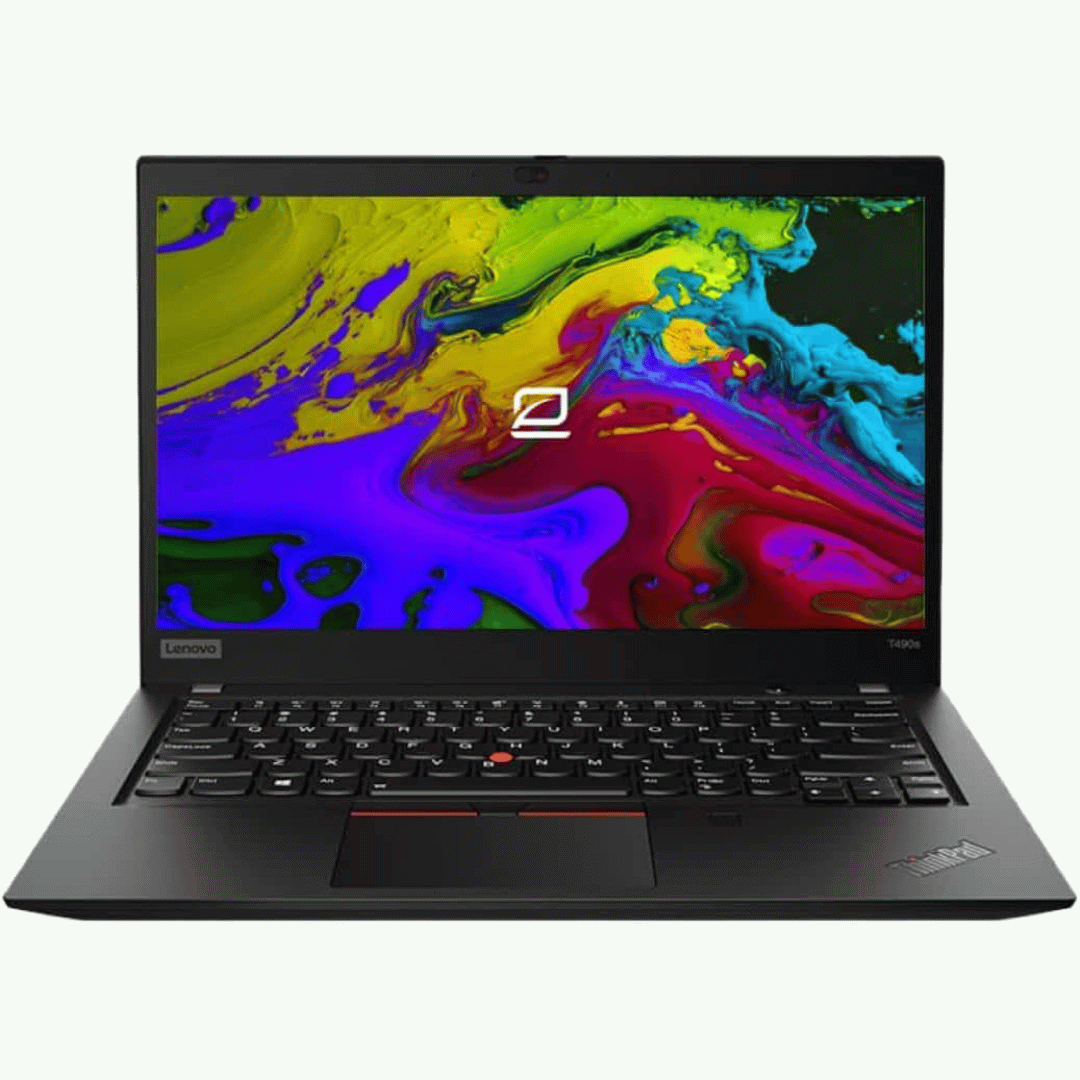
A compact and durable pre-owned Dell Latitude 7480 with 14" display, 6th Gen Core i5, 8GB RAM, and 128GB SSD—ideal for light office tasks, students, or as a secure secondary business device.

The LG 32UR500K-B 32 Inch Monitor delivers large-screen clarity and detailed visuals for work, entertainment, and everyday computing. Its spacious 32-inch display provides an immersive viewing experience, making it ideal for productivity, content consumption, and multitasking. Moreover, the high-resolution panel ensures sharp images and vibrant colors, allowing users to enjoy clear visuals across various applications. This monitor offers wide viewing angles and accurate color reproduction, making it suitable for office tasks, media editing, and home entertainment. Additionally, the sleek and modern design fits easily into professional or home setups while maximizing desk space efficiency. The large screen size also allows users to work with multiple windows comfortably without constant switching. The LG 32UR500K-B includes multiple connectivity options, making it easy to connect PCs, laptops, and consoles. Furthermore, ergonomic tilt adjustments allow comfortable viewing during long work or entertainment sessions. Therefore, it is perfect for professionals, students, and home users seeking performance and comfort. Finally, it combines large-screen immersion, clarity, and modern design for everyday use. Specifications: 32-inch monitor for work and entertainment High-resolution display for clear visuals Wide viewing angles and accurate colors Multiple connectivity options Sleek and modern design

This 1.8-meter DisplayPort to HDMI cable lets you connect a DisplayPort-enabled PC or laptop to an HDMI monitor, TV, or projector. It delivers clear high-definition video and reliable signal transmission, making it perfect for office work, presentations, and home entertainment. The DisplayPort to HDMI cable (1.8M) is a simple and reliable solution for connecting modern computers and laptops with a DisplayPort output to HDMI displays. Ideal for upgrading your setup, it supports high-quality video output for monitors, HDTVs, and projectors. With plug-and-play functionality and a durable build, it ensures stable performance for both professional and home use. DisplayPort to HDMI Connection for easy compatibility with HDMI screens 1.8M Cable Length ideal for desk and office setups High-Definition Video Output for clear and sharp visuals Plug & Play no drivers required Durable Connectors & Cable Build for long-term reliability Perfect for Work & Entertainment supports monitors, TVs, and projectors Works with devices that have a DisplayPort output and displays with an HDMI input, including monitors, TVs, projectors, and display systems. Ideal for workstations, presentations, and dual-screen setups.

Specifications : Dell Alienware 25 Monitor – AW2521HFL – 63.5cm(25″) Device Type LED edgelight system Panel Type Fast In-Plane Switching Type Native Resolution 1920 x 1080 @ 240 Hz Contrast Ratio 1000 to 1 (typical) Features USB 3.0 Hub Aspect Ratio 16:09 Brightness 400 cd/m² (typical) Response Time 1ms (gray to gray) – Extreme Mode Input Connectors 2 x HDMI (ver 2.0) 1 x DP 1.2 1 x USB 3.0 upstream port (Rear) 2 x USB 3.0 Downstream port (Rear) 2 x USB 3.0 Downstream port [Front Bottom, one with BC1.2 charging capability at 2A(max)] 1 x Headphone-out jack (Front Bottom) 1 x Audio Line-out jack( Rear) manufacturer link

Elevate Your Gaming with the ViewSonic VX2728 27” 180Hz Gaming Monitor – Simple, Smooth, and Immersive! Are you searching for a monitor that can elevate your gaming experience? Look no further than the ViewSonic VX2728 27” opens 165 to 180Hz Fast IPS Gaming Monitor, designed to provide a simple, smooth, and immersive gaming experience. First and foremost, let’s talk about simplicity. Setting up this gaming monitor is a breeze. With straightforward instructions, you’ll have your high-quality gaming display ready to go in no time. No need for complicated technical knowledge. therefore One of the standout features of the ViewSonic VX2728 is its impressive 180Hz refresh rate. This means that you can enjoy incredibly smooth and responsive gameplay, free from annoying screen tearing and lag. It’s gaming made easy. The Fast IPS panel on this monitor ensures vibrant colors and wide viewing angles, making your games come to life. You don’t need to be a tech expert to appreciate the stunning visuals that this monitor offers. This gaming monitor has been designed with user-friendliness in mind. It comes with a simple interface that allows you to customize settings such as brightness and contrast easily. No need to navigate complex menus. Additionally, the monitor boasts ultra-slim bezels that minimize distractions, providing an immersive gaming experience. With your focus squarely on the game, you’ll find yourself performing at your best. In conclusion, the ViewSonic VX2728 27” 180Hz Fast IPS Gaming Monitor offers simplicity, smooth gameplay, and an immersive experience. With easy setup, stunning visuals, and user-friendly features, it’s the ideal choice for gamers of all levels. Elevate your gaming experience with the ViewSonic VX2728 today. you can always check here and if you like to see other options you can check here ! Specifications: Fast IPS Display with HDR10 AMD FreeSync™ Premium for smooth gameplay VESA AdaptiveSync for tear-free gaming experience 1 year warranty

The MSI G244PF E2 Gaming Monitor features a 23.8″ Rapid IPS panel with Full HD (1920 x 1080) resolution and a high 180Hz refresh rate. This delivers quick and smooth visuals for responsive gaming and everyday use. It also provides a fast 1ms Gray‑to‑Gray response time, which reduces motion blur in fast‑moving games. Adaptive‑Sync technology helps reduce screen tearing and stuttering for fluid gameplay. The monitor includes Night Vision for better detail in dark areas, anti‑flicker and less blue light features to lower eye strain. Wide 178° horizontal and vertical viewing angles keep colors consistent from different positions. The fully adjustable stand lets you tilt, swivel, pivot, and change height for ergonomic comfort. The MSI G244PF E2 Gaming Monitor is ideal for users who want smooth, responsive visuals and ergonomic adjustability. Specifications: 23.8″ Full HD Rapid IPS panel with wide viewing angles 180Hz refresh rate for smooth and responsive visuals 1ms Gray‑to‑Gray response time to reduce motion blur Adaptive‑Sync technology to minimize screen tearing Adjustable stand with tilt, swivel, pivot, and height options

Genuine-spec touchpad flex cable for MacBook Pro 16″ (Model A2141, 2019, Intel)—essential for restoring full Force Touch functionality, haptic feedback, and precise multi-touch gesture control during trackpad repair or replacement. Compatible With: MacBook Pro 16-inch (2019, Model A2141) with Intel Core i7/i9 processors (Model Identifier: MacBookPro16,1) (Note: A2141 is the non-base configuration of the 2019 16″ MacBook Pro—typically higher-end Intel models.) Part Type: Touchpad flex cable only—does not include the trackpad housing, Taptic Engine, or mounting hardware. This is the OEM-style ribbon cable that connects the trackpad to the logic board. Function: Transmits touch coordinates, Force Touch pressure data, and haptic feedback signals—critical for macOS gestures (e.g., Force Click, three-finger lookup, pinch-to-zoom) and Taptic Engine responsiveness. OEM-Quality Construction: Replicated to Apple’s exact specifications—including cable length, connector pitch, EMI shielding, and bend radius—ensuring reliable signal integrity and long-term durability. Common Use Cases: Replacing a torn, creased, or liquid-damaged original flex cable Completing a trackpad replacement when the original cable is compromised Fixing intermittent trackpad behavior, loss of Force Touch, or complete unresponsiveness Replacing a torn, creased, or liquid-damaged original flex cable Completing a trackpad replacement when the original cable is compromised Fixing intermittent trackpad behavior, loss of Force Touch, or complete unresponsiveness Installation Note: Requires full disassembly of the bottom case, speaker removal, and careful routing beneath the battery and logic board. Connectors use ZIF (Zero Insertion Force) sockets—must be aligned and latched gently. Recommended for certified or professional repair technicians only. Important: This is flex cable only—not a complete trackpad assembly. Must be used with the original or compatible A2141 trackpad and Taptic Engine. Not compatible with M1 MacBook Pro 16″ (A2485), 14″ models (A2442), or any MacBook Air. This is flex cable only—not a complete trackpad assembly. Must be used with the original or compatible A2141 trackpad and Taptic Engine. Not compatible with M1 MacBook Pro 16″ (A2485), 14″ models (A2442), or any MacBook Air. Model Verification: Confirm your device is MacBook Pro A2141 (16″, 2019, Intel) via > About This Mac > Model Identifier (should read MacBookPro16,1).

Genuine-spec US layout keyboard replacement for MacBook Pro 13″ (Model A1466, Late 2015–Early 2016)—featuring traditional scissor-switch mechanism, backlighting, and full OEM compatibility for reliable, comfortable typing. Compatible With: MacBook Pro 13-inch non-Touch Bar models: Late 2015 (Intel Core i5/i7, Retina, A1466, Model Identifier MacBookPro12,1) Early 2016 (Intel Core i5/i7, Retina, A1466, MacBookPro13,1) Late 2015 (Intel Core i5/i7, Retina, A1466, Model Identifier MacBookPro12,1) Early 2016 (Intel Core i5/i7, Retina, A1466, MacBookPro13,1) Layout: Standard US English (QWERTY) with full-size keys, inverted-T arrow keys, and dedicated function row (F1–F12). Keyboard Type: Traditional scissor-switch mechanism—not Butterfly or Magic Keyboard—known for durability, deeper key travel, and tactile feedback. Integrated Features: Backlit keys for low-light use, ambient light sensor support, and OEM-style ribbon cable for direct logic board connection. Build & Fit: Precision-engineered to match Apple’s original dimensions and mounting points—ensures flush alignment within the top case and consistent key height. Installation Note: Keyboard is secured with screws and minimal adhesive (unlike later glued models), making replacement more accessible. Still requires full top case disassembly and battery disconnect. Suitable for intermediate to advanced technicians.

The Apildella 14″ Triple Laptop Screen Extender gives your laptop three screens for better productivity. It allows you to work faster and more comfortably. The extender adds two extra displays around your laptop screen. This creates a wider workspace for all your tasks. Moreover, the Apildella Triple Laptop Screen Extender offers clear and bright visuals. Each screen delivers sharp quality for work, gaming, and media. The colors stay consistent across all panels. This helps you focus on your tasks with ease. In addition, the screens connect through simple USB-C or HDMI. The setup process is quick, and you can start using it instantly. There is no need for heavy software. This makes the extender ideal for travel and office use. Furthermore, the Apildella 14″ Triple Laptop Screen Extender works with many laptops. It supports Windows, macOS, and some mobile devices. This wide compatibility makes it useful for students, creators, and professionals. It helps you multitask with less stress. Also, the extender features a foldable and lightweight design. You can pack it in your laptop bag easily. It fits well in small workspaces. This makes it great for remote work and travel. The Apildella Triple Laptop Screen Extender also allows adjustable viewing angles. You can tilt the screens to get a comfortable view. This helps reduce eye strain during long hours of use. It improves your overall productivity. Overall, the Apildella 14″ Triple Laptop Screen Extender gives you more space, better multitasking, and stronger efficiency. It upgrades your laptop into a full workstation instantly. It is perfect for work, study, design, and streaming anywhere you go. Specifications: Display : 14″ Resolution : FHD 1920×1080 Refresh Rate : 60Hz Compatible with 13″ to 17″ laptops, windows/mac

HP Monitor 27er 27-inch Display Technical specifications LED feature Specification Display size 68.6 cm (27 in) diagonal Display type IPS with LED Backlight Panel active area 59.8 x 33.6 cm (23.5 x 13.2 in) Brightness 250 nits Color gamut 72% Color support Up to 16.7 million colors with the use of FRC technology Pixel pitch 0.3114 x 0.3114 mm 82 PPI Inputs 1 VGA 2 HDMi Viewing angle Horizontal viewing angle (typical): 178 degrees Vertical viewing angle (typical): 178 degrees Recommended resolution (H x V) 1920 x 1080 (Full HD) Aspect ratio 16:9 Static contrast ratio Up to 1000:1 Dynamic contrast ratio Up to 5,000,000:1 Response time 7 ms gray to gray with overdrive Power consumption 28 Watts max Tilt -5 to +25 degrees Power Supply External Dimensions W x D x H (unpacked): 53.1 x 18.3 x 40.4 cm (24.5 x 7.7 x 17.9 in) Weight Unpacked: 3.8 Kg (8.4 lbs) Specifications: HP Monitor 27er 27-inch Display Display size 68.6 cm (27 in) diagonal Display type IPS with LED Backlight Panel active area 59.8 x 33.6 cm (23.5 x 13.2 in) Brightness 250 nits Color gamut 72%

Are you in search of a reliable and efficient monitor for work or play? Look no further than the MSI Pro MP245V. This monitor is crafted to elevate your productivity and enhance your overall computing experience. To begin with, the MSI Pro MP245V boasts a sleek and modern design, adding a touch of sophistication to your workspace. Its slim bezels and adjustable stand ensure a comfortable and ergonomic viewing experience. Transitioning seamlessly between work tasks and entertainment, this monitor features a vibrant Full HD display. Enjoy crisp and clear visuals, making it perfect for both professional presentations and immersive gaming sessions. One standout feature is the eye-care technology, reducing eye strain during extended screen time. Say goodbye to discomfort and hello to a more comfortable and enjoyable viewing experience. Connectivity is a breeze with multiple ports, including HDMI and VGA, ensuring compatibility with a variety of devices. Switch effortlessly between your computer, gaming console, and other peripherals. The MSI Pro MP245V’s energy-efficient design is not only good for the environment but also easy on your wallet. Experience high performance without compromising on power consumption. In summary, the MSI Pro MP245V monitor is a versatile and cost-effective solution for anyone seeking a reliable display for work and play. Elevate your productivity and immerse yourself in superior visuals with this exceptional monitor. Upgrade your computing experience with the MSI Pro today! Specifications: Display : 23.8″ Resolution : 1920×1080 FHD Response Rate : 1ms Refresh Rate : 100Hz

The Apple Magic Mouse (USB-C version) is a sleek, minimalist multi-touch wireless mouse built for Mac users. It offers smooth gesture support, Bluetooth connectivity and a built-in rechargeable battery — a great choice if you prefer a clean desk setup and full compatibility with macOS and iPadOS. General Name: Magic Mouse (USB-C) — part of Apple’s pointing-device lineup. Wireless connectivity: Bluetooth. Rechargeable battery: built-in, no disposable AA cells. Charging / port: USB-C port (bottom of mouse) for pairing and charging. Compatibility: Requires a Mac with macOS 15.1 or later, or an iPad with iPadOS 18.1 or later. Size & Weight Height: ~0.85 inch (2.16 cm) Width: ~2.25 inch (5.71 cm) Depth: ~4.47 inch (11.35 cm) Weight: ~0.22 pound (0.099 kg) (varies slightly by manufacturing) Features Multi-Touch surface: supports gestures such as swiping between pages, scrolling through documents, zooming. Glide / foot design: optimized for smooth movement across desktop surfaces. Rechargeable battery life: about a month or more between charges (typical use) per Apple spec. Used Condition ConsiderationsSince you’re specifying a used unit: Check for wear on the bottom feet / skates — these degrade and affect glide. Verify battery capacity / health (rechargeable batteries age). Confirm the port is functioning (USB-C) and Bluetooth connectivity is stable. Look for signs of excessive surface scratches on the multi-touch top — may impair gestures. Ensure the firmware / Mac recognizes it fully (gestures working). Upgradability / Limitations Not user-upgradable: You cannot replace the internal battery or change internals easily. Design limitation: The USB-C port remains on the bottom of the mouse, meaning you cannot use it while charging unless you flip it. This design is still criticized. Ergonomics: The flat, low-profile design is stylish but may not suit extended-use comfort for some users.

WiWU A821CH 8‑in‑1 Stand & Dock – A foldable aluminum laptop stand with a built-in 8‑port USB‑C dock (two USB‑A, two USB‑C, HDMI 4K30, SD/TF, Gigabit Ethernet, PD 100 W).Enhances comfort, cooling, and functionality—perfect for decluttered, professional work setups. Model: WiWU A821CH Design: Sturdy aluminum alloy stand with foldable, portable design, hollow surface for cooling, and silicone pads to prevent slips Dimensions & Weight: Compact when folded (~400 g in aluminum) Docking Hub Ports: 2 × USB-C ports 2 × USB‑A 3.0 ports 1 × HDMI (up to 4K@30 Hz) SD + micro‑SD card slots 1 × RJ‑45 Gigabit Ethernet (1000 Mbps) Docking Hub Ports: 2 × USB-C ports 2 × USB‑A 3.0 ports 1 × HDMI (up to 4K@30 Hz) SD + micro‑SD card slots 1 × RJ‑45 Gigabit Ethernet (1000 Mbps) Power Delivery: USB-C PD 3.0 supports up to 100 W—can charge a laptop while using other ports Connectivity: HDMI supports up to 4K@30 Hz; Ethernet up to Gigabit speed Stand Features: Detachable base—can use stand and hub together or separately, with adjustable ergonomic angles and vents for airflow Durability: Aluminum alloy with frosted texture, scratch-resistant finish, tested to executive standards
