
OEM-quality left and right loudspeaker replacement pair for MacBook Pro 15″ (Models A1707 – 2016/2017 and A1990 – 2018/2019)—restores rich, balanced stereo sound with precision acoustic tuning and seamless fit. Compatible With: MacBook Pro 15″ (2016) – Model A1707 (MacBookPro13,2) MacBook Pro 15″ (2017) – Model A1707 (MacBookPro14,2) MacBook Pro 15″ (2018) – Model A1990 (MacBookPro15,2) MacBook Pro 15″ (2019) – Model A1990 (MacBookPro15,2) (Note: Apple used the same speaker assembly across all four years of the 15″ Touch Bar MacBook Pro.) MacBook Pro 15″ (2016) – Model A1707 (MacBookPro13,2) MacBook Pro 15″ (2017) – Model A1707 (MacBookPro14,2) MacBook Pro 15″ (2018) – Model A1990 (MacBookPro15,2) MacBook Pro 15″ (2019) – Model A1990 (MacBookPro15,2) (Note: Apple used the same speaker assembly across all four years of the 15″ Touch Bar MacBook Pro.) Includes: Complete left and right speaker units with pre-attached flex cables and mounting brackets—ready for direct installation. Audio Performance: Engineered to match Apple’s original high-fidelity stereo system—delivers deep bass, clear mids, and crisp highs with wide soundstage and distortion-free playback. OEM Build Quality: Precision-molded housings, correct grille patterns, and exact cable routing ensure secure fit, no rattling, and full compatibility with macOS audio calibration. Common Use Cases: Replaces speakers damaged by liquid spills, physical impact, or wear (e.g., muffled sound, no audio from one side, crackling, or complete failure). Installation Note: Requires full display and logic board access. Speakers are secured with adhesive and screws in tight compartments. Recommended for certified or experienced technicians only. Important: This speaker pair is exclusive to 15″ Touch Bar MacBook Pro models (A1707/A1990). Not compatible with 13″ models (A1708/A1989), 16″ MacBook Pro (A2141), or non-Touch Bar MacBooks. This speaker pair is exclusive to 15″ Touch Bar MacBook Pro models (A1707/A1990). Not compatible with 13″ models (A1708/A1989), 16″ MacBook Pro (A2141), or non-Touch Bar MacBooks. Model Verification: Confirm your device via > About This Mac > Model Identifier (e.g., MacBookPro13,2 or MacBookPro15,2).

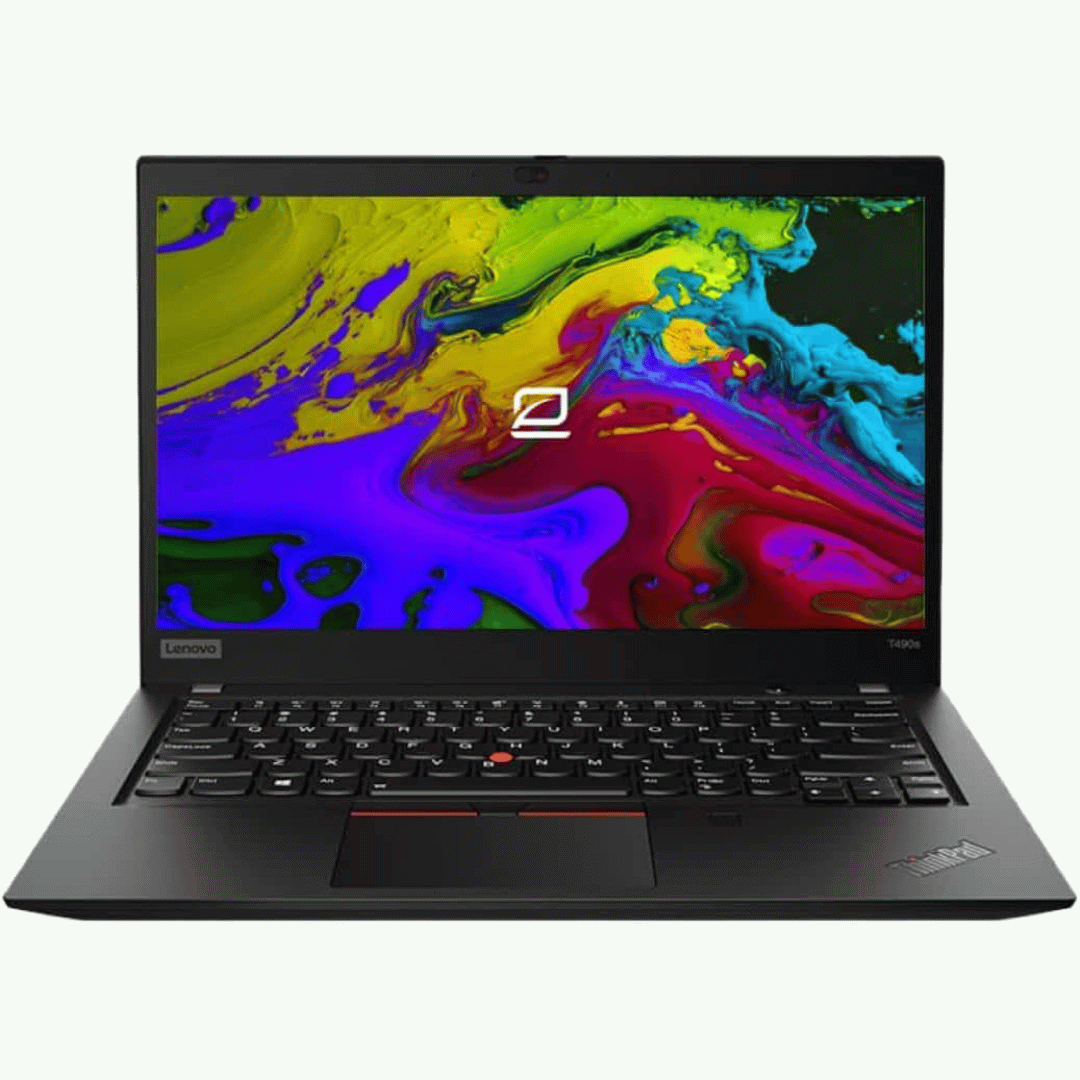
A reliable pre-owned Dell Latitude 5480 with 14" display, 7th Gen Core i5, 8GB RAM, and 256GB SSD—offering solid business performance, security, and durability for everyday professional use.

Philips 22E1N1100LA/71 22-inch frameless monitor delivers smooth motion and clear visuals for everyday use and casual gaming. It focuses on high refresh rate performance, fast response time, and a clean modern design. Additionally, it features a 21.5-inch VA panel with Full HD resolution (1920 × 1080). This provides strong contrast and clear detail, so it improves overall viewing quality for work and media. Moreover, it supports an overclockable 120Hz refresh rate. As a result, it delivers smoother motion and reduces screen stutter during scrolling and gameplay. The monitor includes a 1ms MPRT response time. Therefore, it reduces motion blur and keeps fast-moving visuals sharp and clear. In addition, it supports Adaptive Sync technology. This helps reduce screen tearing and ensures more stable frame delivery in supported content. Furthermore, it includes VA wide-view technology with 178° viewing angles. So it maintains consistent color and brightness from different positions. It also features LowBlue Mode and Flicker-Free technology. These reduce eye strain during long sessions of work, study, or entertainment. Philips 22E1N1100LA/71 22-inch 120Hz monitor provides fast performance, sharp visuals, and comfortable viewing for daily multimedia use. Specifications: 21.5-inch VA panel with Full HD 1920 × 1080 resolution Overclockable 120Hz refresh rate for smooth motion 1ms MPRT response time for reduced blur Adaptive Sync for tear-free performance Frameless design with LowBlue Mode and Flicker-Free technology

Introducing the ASUS VG248QE 24″ 144Hz gaming monitor, designed to take your gaming experience to the next level. With its ultra-smooth 144Hz refresh rate, enjoy fluid motion and responsive gameplay for a competitive edge. Furthermore featuring a 24-inch display, the VG248QE delivers crisp, clear visuals with Full HD resolution. Dive into immersive worlds with stunning detail and vibrant colors, bringing your games to life like never before. Moreover equipped with ASUS-exclusive GamePlus technology, enhance your gaming performance with crosshair overlays, timer functions, and FPS counters. Gain the edge in fast-paced action games and dominate the battlefield with precision and accuracy. Say goodbye to motion blur and screen tearing thanks to the monitor’s 1ms response time and NVIDIA G-SYNC compatibility. Enjoy buttery-smooth gameplay with seamless graphics, ensuring every moment is immersive and lag-free. With ergonomic design features like tilt, swivel, pivot, and height adjustment, customize your gaming setup for optimal comfort and visibility. Stay comfortable during extended gaming sessions and maintain focus on the action. Connectivity options include DisplayPort, HDMI, and Dual-link DVI-D ports, providing versatile compatibility with gaming consoles, PCs, and other devices. Enjoy hassle-free connectivity and seamless integration into your gaming setup. In conclusion, the ASUS VG248QE 24″ 144Hz gaming monitor offers unparalleled performance, stunning visuals, and customizable features for the ultimate gaming experience. Elevate your gameplay and immerse yourself in the world of gaming excellence. Specifications: Display : 24″ Resolution : 1920×1080 FHD Refresh Rate : 144Hz Response Rate : 1ms Speaker : 2W Built-in Stereo Speaker

Genuine-spec US layout keyboard replacement for MacBook Pro 15″ (2018–2019, Models A1989/A1990)—designed for reliable typing, full compatibility, and seamless integration with original top case assemblies. Compatible With: MacBook Pro 15-inch (2018 A1989 and 2019 A1990 models) with Touch Bar. Layout: Standard US English (QWERTY) with full-size keys, including inverted-T arrow keys and dedicated function row. Integrated Features: Includes built-in backlighting, scissor-switch mechanism (3rd-gen Butterfly or revised Butterfly mechanism, depending on original model year), and ribbon cable connector matching Apple’s OEM design. Functionality: Supports all native keyboard features, including brightness, volume, media controls, and Touch ID power button (note: Touch ID sensor is not included—this is the keyboard only). Build Quality: Precision-engineered to match Apple’s original fit, feel, and durability—ideal for professional repairs or top case refurbishment. Installation Note: Requires full top case disassembly. Keyboard is adhered to the top case and must be carefully removed and replaced using proper tools and techniques. Recommended for experienced technicians. Model Verification: Ensure your MacBook is A1989 (2018) or A1990 (2019) before purchase—keycaps and connectors differ from other MacBook generations.

The Meetion Mini 4000 Black is a compact wireless keyboard and mouse combo designed for clean and convenient everyday use. With a mini-space-saving layout and stable wireless connection, it’s perfect for office work, home setups, and laptop users who want a neat, clutter-free desk. The Meetion Mini 4000 is a stylish and practical wireless keyboard and mouse set made for users who prefer a compact and modern workspace. Its mini keyboard design saves desk space while still offering comfortable typing for daily tasks. The wireless mouse provides smooth control and easy navigation, making this combo ideal for offices, students, and home users. With plug-and-play wireless connectivity, setup is simple—just connect the receiver and start using it instantly. Wireless Keyboard & Mouse Combo for a clean and clutter-free setup Compact Mini Keyboard Design saves space and fits small desks easily Stable Wireless Connection for smooth performance Plug & Play Receiver – quick setup without drivers Smooth Wireless Mouse for accurate control Comfortable Typing Layout for everyday productivity Modern Black Finish suitable for any workspace Ideal for Laptops & Desktops Perfect for office workers, students, and home users needing a compact wireless combo for laptops or desktops. Works with most devices that support USB.

The Dell P3424WEB Pro Plus 34″ 4K 60Hz Video Conferencing Monitor delivers a large, immersive screen ideal for work, meetings, and multitasking. You get a wide curved display that fills your field of view. It lets you open many windows side by side for improved productivity. Moreover, the Dell P3424WEB Pro Plus 34″ 4K 60Hz Video Conferencing Monitor includes a high-quality built-in webcam. The camera captures sharp and clear video for meetings. Integrated microphones and speakers provide clear sound without extra devices. This makes virtual calls simple and effective. In addition, the monitor supports USB-C with up to 90W power delivery. You can connect and charge a laptop with a single cable. This reduces desk clutter and simplifies setup. It also supports HDMI, DisplayPort, Ethernet and multiple USB ports for many devices. Furthermore, the Dell P3424WEB Pro Plus 34″ 4K 60Hz Video Conferencing Monitor uses a wide IPS curved panel with great color accuracy. Colors stay vivid and natural from wide viewing angles. This is useful for design work, video editing, or media viewing. The large screen enhances focus and comfort. Also, the monitor includes adjustable stand for height, tilt, and swivel. You can adjust it to a comfortable viewing position. The thin bezels and modern frame give a clean, professional look to any office space. The curved shape reduces glare and eyestrain during long hours. Overall, the Dell P3424WEB Pro Plus 34″ 4K 60Hz Video Conferencing Monitor combines a large display, smart connectivity, and built-in conferencing tools. It improves productivity, simplifies video calls, and enhances work comfort. This monitor is ideal for professionals, remote workers, creators, and teams needing an all-in-one display solution. Specifications: Display : 34″ IPS Resolution : WQHD 3440 x 1440 Refresh Rate : 60Hz Response Time : 8ms Curvature : 3800R

HP Monitor 27er 27-inch Display Technical specifications LED feature Specification Display size 68.6 cm (27 in) diagonal Display type IPS with LED Backlight Panel active area 59.8 x 33.6 cm (23.5 x 13.2 in) Brightness 250 nits Color gamut 72% Color support Up to 16.7 million colors with the use of FRC technology Pixel pitch 0.3114 x 0.3114 mm 82 PPI Inputs 1 VGA 2 HDMi Viewing angle Horizontal viewing angle (typical): 178 degrees Vertical viewing angle (typical): 178 degrees Recommended resolution (H x V) 1920 x 1080 (Full HD) Aspect ratio 16:9 Static contrast ratio Up to 1000:1 Dynamic contrast ratio Up to 5,000,000:1 Response time 7 ms gray to gray with overdrive Power consumption 28 Watts max Tilt -5 to +25 degrees Power Supply External Dimensions W x D x H (unpacked): 53.1 x 18.3 x 40.4 cm (24.5 x 7.7 x 17.9 in) Weight Unpacked: 3.8 Kg (8.4 lbs) Specifications: HP Monitor 27er 27-inch Display Display size 68.6 cm (27 in) diagonal Display type IPS with LED Backlight Panel active area 59.8 x 33.6 cm (23.5 x 13.2 in) Brightness 250 nits Color gamut 72%

PCE 1500 M8 1500VA 600W PCE UPS SYSTEM M8-1500 1500VA 600W Input Voltage: 220/230/240 VAC, 1Ø2Wires Input Frequency: 50 or 60 Hz +/-10% (auto sensing) Power: 600W Output voltage: 220/230/240VAC+/-1% Output Frequency: 50 or 60 Hz +/-1% Full Protection: Overload, discharge, and overcharge protection PCE UPS SYSTEM M8-1500 1500VA 600W Input Voltage: 220/230/240 VAC, 1Ø2Wires Input Frequency: 50 or 60 Hz +/-10% (auto sensing) Power: 600W Output voltage: 220/230/240VAC+/-1% Output Frequency: 50 or 60 Hz +/-1% Full Protection: Overload, discharge, and overcharge protection

A high-end pre-owned HP ZBook Fury G8 mobile workstation with 17.3" display, Intel Core i7-11850H, 64GB RAM, 512GB SSD+HDD 1TB, and NVIDIA RTX A2000 (T1200) 4GB—built for demanding engineering, design, and creative workflows.

Genuine-spec touchpad flex cable for MacBook Pro 13″ (Model A1502, Mid 2014)—restores full trackpad functionality, including precise cursor control and physical click response. Essential for repairing unresponsive or erratic trackpad behavior. Compatible With: MacBook Pro 13-inch (Mid 2014, Model A1502, Model Identifier MacBookPro11,1) with Intel Core i5/i7 processors and Retina display. Part Type: Touchpad flex cable only — does not include the trackpad housing, button mechanism, or mounting hardware. This is the ribbon cable that connects the trackpad to the logic board. Function: Transmits cursor movement and click signals (left/right physical clicks) Supports standard multi-touch gestures (two-finger scroll, tap-to-click, pinch-to-zoom) ⚠️ Note: This model uses a physical click mechanism—not Force Touch (no haptic feedback or pressure sensitivity). Transmits cursor movement and click signals (left/right physical clicks) Supports standard multi-touch gestures (two-finger scroll, tap-to-click, pinch-to-zoom) ⚠️ Note: This model uses a physical click mechanism—not Force Touch (no haptic feedback or pressure sensitivity). OEM-Quality Build: Matches Apple’s original in: Cable length and routing path Connector type and pin alignment Insulation and flexibility for long-term reliability Cable length and routing path Connector type and pin alignment Insulation and flexibility for long-term reliability Common Use Cases: Replacing a torn, frayed, or corroded original flex cable Fixing: Unresponsive or intermittent trackpad Cursor jumping or drifting Click function failure (left or right) Complete trackpad disconnect Replacing a torn, frayed, or corroded original flex cable Fixing: Unresponsive or intermittent trackpad Cursor jumping or drifting Click function failure (left or right) Complete trackpad disconnect Unresponsive or intermittent trackpad Cursor jumping or drifting Click function failure (left or right) Complete trackpad disconnect Installation Note: Requires bottom case removal and battery disconnect. Connects via a ZIF (Zero Insertion Force) socket on the logic board—do not force. Cable routes under the battery; handle with care to avoid strain. Suitable for intermediate to advanced DIYers or technicians. Requires bottom case removal and battery disconnect. Connects via a ZIF (Zero Insertion Force) socket on the logic board—do not force. Cable routes under the battery; handle with care to avoid strain. Suitable for intermediate to advanced DIYers or technicians.

The MSI G32C4X 32″ Monitor delivers ultra-smooth and immersive visuals for gaming and entertainment.It features a 32-inch Full HD curved display that enhances immersion and provides a wide field of view. Moreover, its 250Hz refresh rate ensures extremely smooth motion during fast-paced games. This monitor uses a VA panel for strong contrast and deep colors. Additionally, the fast response time reduces blur and ghosting for competitive gaming. The anti-glare screen helps minimize reflections in bright rooms. HDMI and DisplayPort inputs allow easy connection to gaming PCs and consoles. Furthermore, the curved design and tilt adjustment help you maintain a comfortable viewing angle during long sessions. Low blue light and flicker-free technologies reduce eye strain during extended use. This display is ideal for gamers, esports enthusiasts, and home users alike. Therefore, it supports competitive gaming, streaming, and everyday computing. Finally, it combines fast performance, immersive visuals, and comfort features for daily use. Specifications: Display : 31.5″ VA Resolution : 1920 x 1080 (FHD) Refresh Rate : 250Hz Response Rate : 1ms Curvature : 1500R

The HP Omen 27″ FHD 165Hz Gaming Monitor delivers smooth, sharp visuals for gaming and everyday use. Its Full HD resolution (1920×1080) shows crisp details in games, videos, and work tasks. The 27-inch screen provides ample space for immersive gameplay or multitasking. This helps you stay focused and engaged. Moreover, the HP Omen 27″ FHD 165Hz Gaming Monitor features a fast 165 Hz refresh rate. This high refresh rate makes motion look fluid and clean on screen. Fast-paced games and action scenes appear smoother and more responsive. This reduces blur and improves reaction time during gameplay. In addition, the monitor offers a 1 ms gray-to-gray response time (with overdrive). This helps reduce ghosting and keeps fast movements clear and sharp. Your controls feel more responsive, which is ideal for competitive games. The monitor also supports adaptive sync technology to cut screen tearing and stutter. Furthermore, the HP Omen 27″ FHD 165Hz Gaming Monitor uses an IPS panel that gives wide viewing angles and good color accuracy. Colors stay consistent even when viewed from sides. This helps when you are reading, editing, or sharing your screen with others. Also, the monitor includes eye-comfort features to ease long sessions. A low-blue-light mode helps reduce eye strain during extended gaming or work hours. The anti-glare screen surface helps in bright rooms too. The design of the HP Omen 27″ FHD 165Hz Gaming Monitor is modern and clean with thin bezels. It fits well on desks of different sizes. The stand is adjustable for comfortable viewing angles, and the build feels sturdy and stable. Overall, the HP Omen 27″ FHD 165Hz Gaming Monitor combines speed, clarity, and comfort. It enhances both gaming performance and daily computing tasks. This monitor is ideal for gamers and users wanting a balanced, responsive, and reliable display. Specifications: Display : 27″ IPS Resolution : 1920×1080 Refresh Rate : 165Hz Response Time : 1ms

BATTERY DELL 6MT4T CYDZ 62W 7.6V Laptop Battery Compatible with Dell Latitude 5470 E5470 155570 E5570 3510 M3510 7V69Y, TXF9M, 79VRK, 07V69Y, 0HK6DV, 079VRK, 0TXF9M About this item 6MT4T Voltage: 7.6V, Capacity: 62Wh Compatible Part Number: 7V69Y, TXF9M, 79VRK, 07V69Y, 0HK6DV, 079VRK, 0TXF9M Compatible for Dell Latitude 14 Series 5470 E5470 155570 E5570 Series Compatible for Dell Latitude 15 Series Precision 15 3510 M3510.

Specifications Feature Value Feature Value Input/Output Other Sound Mode Extra Bass Mode Category Speakers Use Other Input Power (W) 25-49W Voice Control No Waterproof Yes Support APP No Intelligent Personal Assistant None Audio Crossover Full-Range Number of Loudspeaker Enclosures 2 Power Source None Channels 2 (2.0) Battery Yes Communication USB Speaker Type Portable Cabinet Material Plastic Brand Name QUCAA Origin Mainland China Certification CE

Arabic Language Ultra Thin Silicone Keyboard Cover for 2021 2020 MacBook Air 13 Inch A2179 and A2337 Apple M1 Chip (US Layout) with Touch ID Keyboard Accessories Protective Skin (Black) Color Black-Arabic Compatible Devices 2021 2020 MacBook Air 13.3-Inch with Apple M1 Chip (model: A2337), 2020 MacBook Air 13.3-Inch (model: A2179)2021 2020 MacBook Air 13.3-Inch with Apple M1 Chip (model: A2337), 2020 MacBook Air 13.3-Inch (model: A2179) Material Silicone Special Feature Waterproof, Dust Proof About this item [√] COMPATIBLE WITH: ONLY U.S keyboard layout–MacBook Air 13″ with Touch ID Early 2020 (model: A2179) and 2021 2020 MacBook Air 13″ with Apple M1 Chip (model: A2337). [√] MORE PROTECTION for KEYBOARD: waterproof, dust-proof and dirt-proof design can prevent liquid, dust, cigarette ash, biscuit crumbs falling onto your keyboard to affect your keyboard’s life. [√] ACCURATE KEYS: every key is specially molded, manufactured to the quality available. Flexible, this cover is easy to apply and remove for cleaning or disinfecting. [√] 0.25 MM THICKNESS: ultra thin silicone keyboard cover skin, made it easier for typing. Soft keyboard protector can weaken the sound in typing. About this item [√] COMPATIBLE WITH: ONLY U.S keyboard layout–MacBook Air 13″ with Touch ID Early 2020 (model: A2179) and 2021 2020 MacBook Air 13″ with Apple M1 Chip (model: A2337). [√] MORE PROTECTION for KEYBOARD: waterproof, dust-proof and dirt-proof design can prevent liquid, dust, cigarette ash, biscuit crumbs falling onto your keyboard to affect your keyboard’s life. [√] ACCURATE KEYS: every key is specially molded, manufactured to the quality available. Flexible, this cover is easy to apply and remove for cleaning or disinfecting. [√] 0.25 MM THICKNESS: ultra thin silicone keyboard cover skin, made it easier for typing. Soft keyboard protector can weaken the sound in typing.

Genuine-spec touchpad flex cable for MacBook Air 13″ (Model A1534, Early 2015)—essential for restoring full trackpad functionality, including precise cursor control and physical click response, during repair or replacement. Compatible With: MacBook Air 13-inch (Early 2015, Model A1534, Model Identifier MacBookAir7,2). Part Type: Touchpad flex cable only—does not include the trackpad housing, button mechanism, or mounting brackets. This is the ribbon cable that connects the trackpad to the logic board. Function: Carries input signals from the trackpad to the logic board—critical for cursor movement, tap-to-click, and primary/secondary physical click functionality. (Note: This model uses a physical click mechanism, not Force Touch—so no haptic feedback or pressure-sensing.) OEM-Quality Construction: Matches Apple’s original cable in length, connector type, and shielding—ensures reliable signal transmission and long-term durability. Common Use Cases: Replacing a torn, frayed, or damaged original flex cable Completing a trackpad replacement when the original cable is compromised Fixing erratic cursor movement, unresponsive trackpad, or loss of click function Replacing a torn, frayed, or damaged original flex cable Completing a trackpad replacement when the original cable is compromised Fixing erratic cursor movement, unresponsive trackpad, or loss of click function Installation Note: Requires bottom case removal and careful disconnect/reconnect of the ZIF (Zero Insertion Force) connector on the logic board. The cable routes under the battery—handle with care. Suitable for intermediate to advanced DIYers or technicians.

OEM-quality trackpad replacement (without flex cable) for MacBook Pro 14″ (Model A2442, 2021, M1 Pro/Max) in Silver finish—designed for precise Force Touch performance, seamless gesture control, and perfect visual integration with the original chassis. Compatible With: MacBook Pro 14-inch (2021, Model A2442) with Apple M1 Pro or M1 Max chip. Part Type: Trackpad only—does not include the flex cable, Taptic Engine, or mounting hardware. Intended for professional technicians who will reuse the original internal components. Finish: Silver—matches the Silver and Space Gray top/bottom case (Apple uses the same trackpad finish across both color variants for this model). Force Touch Capable: Fully supports pressure-sensitive input and haptic feedback when paired with the original Taptic Engine and logic board—ensuring full macOS gesture and functionality support. OEM Precision: Features the same glass surface, curvature, and micro-click mechanism as Apple’s original—delivering consistent tracking accuracy and tactile response. Installation Requirements: Requires complete bottom case removal and careful transfer of the original flex cable and Taptic Engine. Adhesive must be applied precisely to maintain structural integrity and sensor alignment. Recommended for certified or experienced repair professionals only.

AOC 27G4X 27-inch 180Hz gaming monitor delivers fast, smooth, and responsive performance for competitive gaming. It focuses on high refresh rate visuals, low response time, and immersive Fast IPS display quality. Additionally, it features a 27-inch Fast IPS panel with Full HD resolution (1920 × 1080). This panel provides sharp image quality and wide viewing angles, so it improves clarity in both games and everyday use. Moreover, it supports a 180Hz refresh rate with up to 0.5ms MPRT response time. As a result, it delivers extremely smooth motion and reduces blur during fast-paced gameplay. The monitor also includes up to 1ms GtG response performance. Therefore, it improves pixel transition speed and helps reduce ghosting in competitive scenes. In addition, it supports Adaptive Sync and G-SYNC compatibility. This reduces screen tearing and stuttering, so gameplay stays stable and fluid. Furthermore, it includes HDR10 support and low input lag gaming modes. These features enhance visual depth and improve responsiveness during gameplay. AOC 27G4X 27-inch 180Hz gaming monitor provides fast performance, smooth motion clarity, and reliable competitive gaming features for FPS and esports players. Check out other option here! Specifications: 27-inch Fast IPS panel with Full HD 1920 × 1080 resolution 180Hz refresh rate for ultra-smooth gaming performance 0.5ms MPRT response time for reduced motion blur Up to 1ms GtG response for faster pixel transitions Adaptive Sync and G-SYNC compatible for tear-free gameplay

Genuine-spec touchpad flex cable for MacBook Pro 15″ (Model A2941, 2023, Apple M2)—restores full Force Touch functionality, haptic feedback, and precise multi-touch gesture control during trackpad repair or replacement. Compatible With: MacBook Pro 15-inch (2023, Model A2941) with Apple M2 chip (Model Identifier: MacBookPro19,1) Part Type: Touchpad flex cable only — does not include the trackpad housing, Taptic Engine, or mounting hardware. This is the OEM-style ribbon cable that connects the trackpad to the logic board. Function: Transmits: Touch input coordinates Force Touch pressure data Haptic feedback signals to the Taptic Engine Enables full macOS gesture support: Force Click, three-finger lookup, swipe navigation, pinch-to-zoom, and smooth cursor tracking. Touch input coordinates Force Touch pressure data Haptic feedback signals to the Taptic Engine Enables full macOS gesture support: Force Click, three-finger lookup, swipe navigation, pinch-to-zoom, and smooth cursor tracking. OEM-Quality Build: Matches Apple’s original specifications in: Cable length and routing path Connector pitch and ZIF latch design EMI shielding and flex durability Cable length and routing path Connector pitch and ZIF latch design EMI shielding and flex durability Common Use Cases: Replacing a torn, creased, or liquid-damaged original flex cable Completing a trackpad replacement when the original cable is compromised Fixing intermittent trackpad behavior, loss of Force Touch, or complete unresponsiveness Replacing a torn, creased, or liquid-damaged original flex cable Completing a trackpad replacement when the original cable is compromised Fixing intermittent trackpad behavior, loss of Force Touch, or complete unresponsiveness Installation Note: Requires full bottom case removal and battery disconnection. Cable routes under internal components near the right speaker and logic board. Connects via a ZIF (Zero Insertion Force) socket—must be aligned carefully and latched gently. Recommended for experienced or certified technicians only. Requires full bottom case removal and battery disconnection. Cable routes under internal components near the right speaker and logic board. Connects via a ZIF (Zero Insertion Force) socket—must be aligned carefully and latched gently. Recommended for experienced or certified technicians only.
