
Genuine-spec touchpad flex cable compatible with both MacBook Air A2179 (Intel, 2020) and A2337 (M1, 2020)—restores full Force Touch functionality, haptic feedback, and precise multi-touch gesture control during trackpad repair or replacement. Compatible With: MacBook Air 13″ (2020, Intel) – Model A2179 (Model Identifier: MacBookAir9,1) MacBook Air 13″ (2020, Apple M1) – Model A2337 (Model Identifier: MacBookAir10,1) MacBook Air 13″ (2020, Intel) – Model A2179 (Model Identifier: MacBookAir9,1) MacBook Air 13″ (2020, Apple M1) – Model A2337 (Model Identifier: MacBookAir10,1) ✅ Important Note: Despite different processors (Intel vs. M1), Apple used the same trackpad assembly and flex cable in both A2179 and A2337. This makes the flex cable fully interchangeable between the two models. Part Type: Touchpad flex cable only — does not include the trackpad housing, Taptic Engine, or mounting hardware. This is the OEM-style ribbon cable that connects the trackpad to the logic board. Function: Transmits: Touch input coordinates Force Touch pressure data Haptic feedback signals to the Taptic Engine Enables full macOS gesture support: Force Click, three-finger lookup, swipe navigation, pinch-to-zoom, and smooth cursor tracking. Touch input coordinates Force Touch pressure data Haptic feedback signals to the Taptic Engine Enables full macOS gesture support: Force Click, three-finger lookup, swipe navigation, pinch-to-zoom, and smooth cursor tracking. OEM-Quality Build: Matches Apple’s original specifications in: Cable length and routing path Connector pitch and ZIF latch design EMI shielding and flex durability Cable length and routing path Connector pitch and ZIF latch design EMI shielding and flex durability Common Use Cases: Replacing a torn, creased, or liquid-damaged original flex cable Completing a trackpad replacement when the original cable is compromised Fixing intermittent trackpad behavior, loss of Force Touch, or complete unresponsiveness Replacing a torn, creased, or liquid-damaged original flex cable Completing a trackpad replacement when the original cable is compromised Fixing intermittent trackpad behavior, loss of Force Touch, or complete unresponsiveness Installation Note: Requires full bottom case removal and battery disconnection. Cable routes under the right side of the battery and logic board. Connects via a ZIF (Zero Insertion Force) socket—align carefully and latch gently. Recommended for experienced or certified technicians only. Requires full bottom case removal and battery disconnection. Cable routes under the right side of the battery and logic board. Connects via a ZIF (Zero Insertion Force) socket—align carefully and latch gently. Recommended for experienced or certified technicians only.

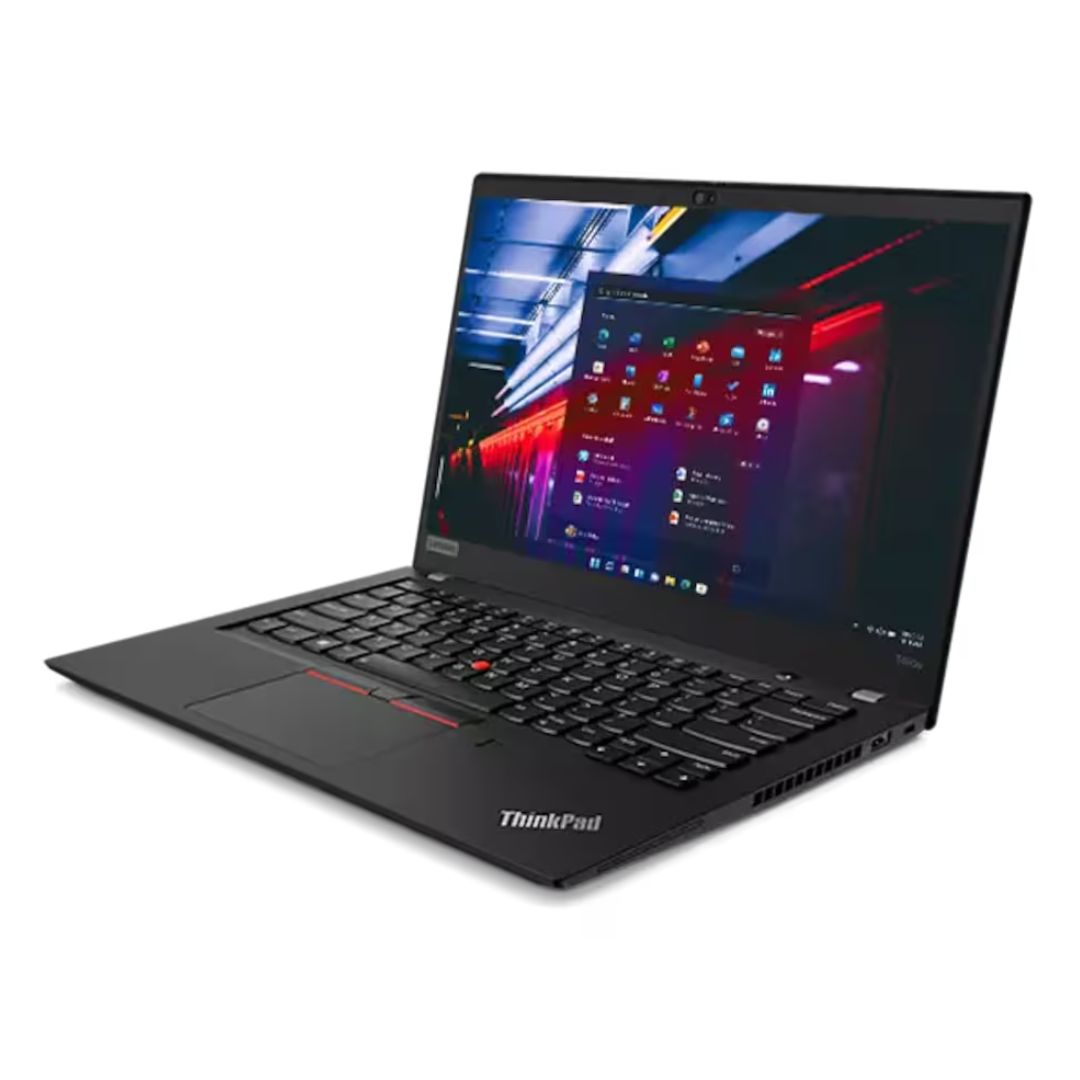
A premium ultralight pre-owned Lenovo ThinkPad T14s Gen 3 with 14" display, AMD Ryzen 7 6850U, 16GB RAM, and 512GB SSD—delivering exceptional performance, all-day battery life, and workstation-class integrated graphics in a featherlight business laptop.

Genuine-spec US layout (QWERTY) keyboard replacement in Midnight Blue for MacBook Air 13.6″ (Model A2681, M2, 2022)—featuring Apple’s Magic Keyboard with scissor-switch mechanism, backlighting, and precise OEM fit. Compatible With: MacBook Air 13.6-inch (2022, Model A2681) with Apple M2 chip – specifically designed for the Midnight color variant. Layout: Standard US English (QWERTY) with wide Enter key, inverted-T arrow keys, and full function row—matches Apple’s original US configuration. Design: Apple’s Magic Keyboard with scissor-switch mechanism—offering quiet, stable keystrokes, 1mm key travel, and enhanced durability over older Butterfly designs. Color: Midnight Blue keycaps—specially matched to the Midnight finish of the A2681 MacBook Air for seamless visual integration. (Note: This keyboard is not recommended for Silver, Space Gray, or Starlight models due to color mismatch.) Features: Integrated backlighting, ambient light sensor compatibility, and OEM-style flex cable connector for direct logic board connection. Precision Fit: Engineered to exact Apple specifications for alignment, key spacing, and mounting—ensures a flush, secure fit within the original top case. Installation Note: The keyboard is factory-glued into the top case. Replacement requires full disassembly and professional-grade re-adhesion. Recommended for experienced technicians only.

New A1932 A2179 A2337 DC in Power Jack Connector for Macbook Air 13" Type-C USB-C Power 821-01658-A 2018 2019 2020 Year New A1932 A2179 A2337 DC in Power Jack Connector for Macbook Air 13″ Type-C USB-C Power 821-01658-A 2018 2019 2020 Year About this item New A1932 A2179 A2337 DC Jack Power DC-in Board for MacBook Retina 13″ DC Power Jack Board We have good after-sales services. We share the latest information on laptop spare parts in the Chinese market with all our customers. This is NOT an easy job for someone with no technical skills in Disassembling or Assembling a laptop, So only purchase this item if you know how to install it. Each DC Board is tested before shipping and working.

MacBook Pro Keyboard Replacement /Compatible for Apple MacBook - A1990 15" , A1989 13" MacBook Pro Keyboard Replacement /Compatible for Apple MacBook – A1990 15″ , A1989 13″ New A1989 A1990 Keyboard US Standard Replacement for MacBook Pro 13” 15”A1990 A1989 Keyboard 2018 Year

128GB SSD Apple Macbook Pro Air 2013 2014 2015 A1502 A1398 A1466 A1465 | Samsung MZ-JPU512T/A06 | 655-1805D ORIGINAL APPLE PART (Apple sources their SSD’s for MacBooks from Samsung) A1502 – A1398 – A1465 – A1466 100% TESTED WORKING Please check compatibility below before you make your purchase: COMPATIBILITY: MacBook Pro Retina Late 2013 – Mid-2015 MacBookPro11,1 (A1502) – ME864LL/A, ME866LL/A, ME867LL/A, MGX72LL/A, MGX92LL/A, & MGXD2LL/A MacBookPro11,2 (A1398) – ME293LL/A & MGXA2LL/A MacBookPro11,3 (A1398) – ME294LL/A, ME874LL/A, MGXC2LL/A, & MGXG2LL/A MacBookPro11,4 (A1398) – MJLQ2LL/A MacBookPro11,5 (A1398) – MJLT2LL/A & MJLU2LL/A MacBookPro12,1 (A1502) – MF839LL/A, MF841LL/A, & MF843LL/A MacBook Air Mid-2013 – Late 2015 MacBookAir6,1 (A1465) – MD711LL/A, MD760LL/A, MD711LL/B, & MF067LL/A MacBookAir6,2 (A1466) – MD760LL/A, MD760LL/B, & MF068LL/A MacBookAir7,1 (A1465) – MJMVM2LL/A MacBookAir7,2 (A1466) – MJVE2LL/A Model Identifier: Samsung Manufacturer Part# MZ-JPU512T/A06

The 45W MagSafe 2 Power Adapter features a magnetic DC connector so if someone should trip over it, the cord disconnects harmlessly and your MacBook Air stays put safely. It also helps prevent fraying or weakening of the cables over time. In addition, the magnetic DC helps guide the plug into the system for a quick and secure connection. The 45W MagSafe 2 Power Adapter features a magnetic DC connector so if someone should trip over it, the cord disconnects harmlessly and your MacBook Air stays put safely. It also helps prevent fraying or weakening of the cables over time. In addition, the magnetic DC helps guide the plug into the system for a quick and secure connection. When the connection is secure, an LED located at the head of the DC connector lights up; an amber light lets you know that your notebook is charging, while a green light tells you that you have a full charge. An AC cord is provided with the adapter for maximum cord length, while the AC wall adapter (also provided) gives you an even easier and more compact way to travel. Designed to be the perfect traveling companion, the adapter has a clever design which allows the DC cable to be wound neatly around itself for easy cable storage. This power adapter recharges the lithium polymer battery while the system is off, on, or in sleep mode. It also powers the system if you choose to operate without a battery. Compatible only with MacBook Air featuring MagSafe 2 power port. Knowing which specific Mac model you have is important. If you are running OS X Lion (10.7) or later go to the “” menu at the top left of your screen, choose “About this Mac” then click the “More Info…” button. Your Mac model and generation will be displayed. If you are running an earlier version of OS X, you can enter your serial number here to find out which model you have. Mac Models MacBook Air (13-inch, Early 2015 – 2017) MacBook Air (11-inch, Early 2015)

Xprinter XP-80T 80mm Thermal Receipt Printer Press to download driver: XPrinter Driver Setup V7.77

The Cudy WR3000 AX3000 WiFi 6 Router delivers ultra-fast wireless speeds and improved network efficiency with the latest WiFi 6 technology. Designed for modern homes and offices, it offers high-speed Gigabit connectivity, wider coverage, and stable performance for multiple devices. AX3000 WiFi 6 Speed – Combined speeds of up to 3000Mbps for ultra-smooth streaming, gaming, and downloads. Next-Gen WiFi 6 Technology – Improved efficiency, lower latency, and better performance for multiple connected devices. Gigabit Ethernet Ports – High-speed WAN and LAN ports for maximum wired performance. Enhanced Coverage – High-performance antennas provide strong and stable WiFi signal across your space. OFDMA & MU-MIMO – Efficient data transmission to multiple devices simultaneously without slowing down the network. Multiple Operating Modes – Supports Router, Access Point, and Repeater modes for flexible setup. Advanced Security – WPA3/WPA2 encryption ensures a secure and protected network. 1 × Gigabit WAN Port 4 × Gigabit LAN Ports Dual Band WiFi (2.4GHz & 5GHz) WiFi 6 (802.11ax) Ethernet (RJ45) Wireless Security (WPA2/WPA3)

Brand-new UK-layout keyboard replacement (Z1 Black) for MacBook Air models with M2, M3, and M4 chips (13.6″ and 15″, 2023–2025). Compatible with A2681 and A2941—precision-engineered for seamless fit and reliable typing performance. This is a brand-new, high-quality keyboard replacement designed specifically for the latest MacBook Air models featuring Apple’s M2, M3, and M4 chips (released 2023–2025). It fits both the 13.6-inch (Model A2681) and 15-inch (Model A2941) MacBook Air variants and comes in the sleek Z1 Black (Space Black) finish with a UK English layout (including the £ symbol and correct key positioning). Engineered to match Apple’s original specifications, this keyboard ensures a responsive, quiet, and comfortable typing experience with consistent key travel and tactile feedback. It includes the full top case assembly with integrated backlighting, function keys, and Touch ID sensor cutout (sensor not included), making it ideal for professional repairs or replacements after liquid damage, wear, or key failure. Installation requires technical expertise and proper tools due to the integrated nature of the MacBook Air’s top case design. Recommended for certified technicians or experienced repair professionals. Important Notes: This is a keyboard + top case assembly, not just keycaps. Touch ID sensor is not included—you must transfer your original sensor to maintain functionality. Compatible only with MacBook Air M2 (2022–2023), M3 (2023–2024), and M4 (2024–2025) models in 13.6″ (A2681) and 15″ (A2941) sizes. Color: Z1 Black (Space Black) – matches official Apple Space Black finish. Layout: UK English (ISO) – features the correct “£” key and shifted Enter key.

Genuine-spec touchpad flex cable for MacBook Pro 13″ (Model A2251, 2020, Intel)—essential for restoring full Force Touch functionality, haptic feedback, and precise multi-touch gesture control during trackpad repair or replacement. Compatible With: MacBook Pro 13-inch (2020, Two Thunderbolt Ports, Model A2251, Model Identifier MacBookPro16,1) with Intel Core i5/i7 processors. Part Type: Touchpad flex cable only—does not include the trackpad housing, Taptic Engine, or mounting hardware. This is the OEM-style ribbon cable that connects the trackpad to the logic board. Function: Transmits: Precise touch coordinates Force Touch pressure data Haptic feedback signals to the Taptic Engine Enables full macOS gesture support including Force Click, three-finger lookup, swipe navigation, and inertial scrolling. Precise touch coordinates Force Touch pressure data Haptic feedback signals to the Taptic Engine Enables full macOS gesture support including Force Click, three-finger lookup, swipe navigation, and inertial scrolling. OEM-Quality Build: Matches Apple’s original specifications in: Cable length and routing Connector pitch and ZIF latch design EMI shielding and flex durability Cable length and routing Connector pitch and ZIF latch design EMI shielding and flex durability Common Use Cases: Replacing a torn, creased, or liquid-damaged original flex Completing a trackpad replacement when the original cable is compromised Fixing intermittent trackpad behavior, loss of Force Touch, or complete unresponsiveness Replacing a torn, creased, or liquid-damaged original flex Completing a trackpad replacement when the original cable is compromised Fixing intermittent trackpad behavior, loss of Force Touch, or complete unresponsiveness Installation Note: Requires full bottom case removal and partial disassembly (including battery disconnect). Cable routes under the right speaker and logic board—must be seated in original retention channels. Connects via ZIF (Zero Insertion Force) socket—align carefully and latch gently. Recommended for experienced or certified technicians only. Requires full bottom case removal and partial disassembly (including battery disconnect). Cable routes under the right speaker and logic board—must be seated in original retention channels. Connects via ZIF (Zero Insertion Force) socket—align carefully and latch gently. Recommended for experienced or certified technicians only.

NETIS ST-3108 8-Port Fast Ethernet Switch Network Desktop Hub Retail Eight (8) 10/100Mbps RJ45 ports, Auto-Negotiation & Auto MDI/ MDIX IEEE 802.3x flow control for Full Duplex mode and back pressure for Half Duplex mode 1.6Gbps switching fabric capacity/backplane bandwidth Green Ethernet technology for effective power saving LED indicators for simple diagnostics and management Plug and play, no configuration required Compact plastic case, desktop design for home and office use Interface: 8* 10/100M TX ports LED: PWR, 1-8 Cabling Type 10Base-T:UTP Cat.3 or up, 100Base-TX:UTP Cat.5 or up Standard: IEEE 802.3 10Base-T, IEEE 802.3u 100Base-TX,IEEE802.3ab 1000Base-T Access Method: CSMA/CD Transmission Method: Store and Forward Data Transmission Rate: 10/100Mbps(Half-duplex), 20/200Mbps(Full-duplex) MAC Address Table: 1K Operating Temperature: 0-40C Storage Temperature: -40, 70C Operating Humidity: 10%-90%RH non-condensing Storage Humidity: 5%-90%RH non-condensing Input: 100-240V 0.2A 50/60HZ Output:DC 9V/500mA

A modern pre-owned Dell Latitude 5420 with 14" display, 11th Gen Core i5, 8GB RAM, and 256GB SSD—delivering reliable performance, enterprise security, and all-day productivity in a compact business laptop.

Apple 60W MagSafe Power Adapter (for MacBook and 13-inch MacBook Pro) The 60 Watt MagSafe Power Adapter features a magnetic DC connector that ensures your power cable will disconnect if it experiences undue strain and helps prevent fraying or weakening of the cables over time. In addition, the magnetic DC helps guide the plug into the system for a quick and secure connection. When the connection is secure, an LED located at the head of the DC connector will light up; an amber light lets you know that your portable is charging, while a green light tells you that you have a full charge. An AC lead is provided with the adapter for maximum lead length, while the AC wall adapter (also provided) gives users an even easier and more compact way to travel. Designed to be the perfect travelling companion, the adapter has a clever design that allows the DC cable to be wound neatly around itself for easy cable storage. This power adapter recharges the lithium polymer battery while the system is off, on, or in sleep mode. It also powers the system if you choose to operate without a battery. Compatible with MacBook and 13-inch MacBook Pro. See this article for more details about choosing the right one. Knowing which specific Mac model you have is important. If you are running OS X Lion (10.7) or later, go to the “” menu at the top left of your screen, choose “About this Mac” then click the “More Info…” button. Your Mac model and generation will be displayed. If you are running an earlier version of OS X, you can enter your serial number here to find out which model you have.

Genuine-spec touchpad flex cable for MacBook Pro 15″ (Model A2941, 2023, Apple M2)—restores full Force Touch functionality, haptic feedback, and precise multi-touch gesture control during trackpad repair or replacement. Compatible With: MacBook Pro 15-inch (2023, Model A2941) with Apple M2 chip (Model Identifier: MacBookPro19,1) Part Type: Touchpad flex cable only — does not include the trackpad housing, Taptic Engine, or mounting hardware. This is the OEM-style ribbon cable that connects the trackpad to the logic board. Function: Transmits: Touch input coordinates Force Touch pressure data Haptic feedback signals to the Taptic Engine Enables full macOS gesture support: Force Click, three-finger lookup, swipe navigation, pinch-to-zoom, and smooth cursor tracking. Touch input coordinates Force Touch pressure data Haptic feedback signals to the Taptic Engine Enables full macOS gesture support: Force Click, three-finger lookup, swipe navigation, pinch-to-zoom, and smooth cursor tracking. OEM-Quality Build: Matches Apple’s original specifications in: Cable length and routing path Connector pitch and ZIF latch design EMI shielding and flex durability Cable length and routing path Connector pitch and ZIF latch design EMI shielding and flex durability Common Use Cases: Replacing a torn, creased, or liquid-damaged original flex cable Completing a trackpad replacement when the original cable is compromised Fixing intermittent trackpad behavior, loss of Force Touch, or complete unresponsiveness Replacing a torn, creased, or liquid-damaged original flex cable Completing a trackpad replacement when the original cable is compromised Fixing intermittent trackpad behavior, loss of Force Touch, or complete unresponsiveness Installation Note: Requires full bottom case removal and battery disconnection. Cable routes under internal components near the right speaker and logic board. Connects via a ZIF (Zero Insertion Force) socket—must be aligned carefully and latched gently. Recommended for experienced or certified technicians only. Requires full bottom case removal and battery disconnection. Cable routes under internal components near the right speaker and logic board. Connects via a ZIF (Zero Insertion Force) socket—must be aligned carefully and latched gently. Recommended for experienced or certified technicians only.

OEM-spec trackpad replacement (without flex cable) for MacBook Air 15.3″ M2 (Model A2941, EMC 8301) in Silver finish—engineered for precise Force Touch response, smooth multi-touch gestures, and seamless integration with the original chassis. Compatible With: MacBook Air 15.3-inch (2023, Model A2941, EMC 8301) with Apple M2 chip. Part Type: Trackpad only—does not include the flex cable, Taptic Engine, or mounting brackets. Designed for technicians who will reuse or transfer the original internal components. Finish: Silver—matches the original Silver and Starlight lower case for perfect visual continuity. Force Touch Support: Fully compatible with pressure-sensitive input and haptic feedback when used with the original Taptic Engine and logic board—no loss of functionality. Precision Build: Mirror-smooth glass surface with exact curvature, texture, and micro-click mechanism matching Apple’s OEM standards for consistent tracking and tactile feel. Installation Requirements: Requires full bottom case disassembly and careful transfer of the original flex cable and Taptic Engine. Proper adhesive application is essential to maintain structural rigidity and sensor alignment. Recommended for professional or certified repair technicians only.

C21N1509 Laptop Battery Replacement for Asus Vivobook X556UA X556UB X556UF X556UJ X556UQ X556UQK X556UR X556UV K556U K556UA K556UB K556UF K556UJ K556UQ K556UR A556U A556UA A556UB A556UF(7.6V 38Wh) About this item Battery Type: Li-ion Voltage: 7.6V Capacity:38Wh Compatible Part Number: C21N1509 C21N15WZ C21PQ9H 0B200-01750000 Fits Model:Asus Vivobook X556 X556U X556UA X556UB X556UF X556UJ X556UQ X556UR X556UV K556 K556U K556UA K556UB K556UF K556UJ K556UQ K556UR K556UV F556U F556UA F556UB F556UF F556UJ F556UQ F556UR F556UV A556U A556UA A556UB A556UF A556UJ A556UQ A556UR A556UV Series New from Manufacturer. CE-/FCC-/RoHS-Certified for safety.

Reliable, secure, and built for productivity—the Lenovo ThinkPad T14 features a 10th Gen Intel Core i5 processor, 16GB RAM, and a fast 256GB SSD in a durable,14-inch business laptop.

A compact and reliable pre-owned Lenovo ThinkPad L390 with 13.3" display, 8th Gen Core i7, 8GB RAM, and 256GB SSD—ideal for mobile professionals and students who need performance and portability in a durable business laptop.

CI03 CI03XL Battery for HP ProBook 640 G2 645 G2 650 G2 655 G2, ProBook 640 G3 645 G3 650 G3 655 G3 Laptop, P/N: HSTNN-UB6Q HSTNN-LB6T HSTNN-PB6K 801554-001 About this item 【BATTERY SPECIFICATIONS】 Type: Li-ion ‖ Capacity: 48Wh ‖ Voltage: 11.4V ‖ Model: CI03XL 【COMPATIBLE LAPTOP MODEL】For ProBook 640 G2, ProBook 640 G3, ProBook 645 G2, ProBook 645 G3, ProBook 650 G2, ProBook 650 G3, ProBook 655 G2, ProBook 655 G3 Notebook. 【PART NUMBER】CI03, CI03XL, C103XL, CIO3XL, CI03048XL, CIO3, HSTNN-UB6Q, HSTNN-LB6T, HSTNN-PB6K, HSTNN-UB6Q, HSTNN-DB7N, HSTNN-I66C-4, HSTNN-I66C-5U, HSTNN-I66C-5H, HSTNN-I67C-4, HSTNN-I67C-5, 801517-221, 801517-222, 801517-231, 801517-232, 801517-241, 801517-242, 801517-421, 801517-422,801517-541, 801517-831, 801554-001. 【MULTIPLE PRETCTION】 Don’t fall into buying cheap and unsafe batteries. All our batteries are certified by CE, and FCC for safety. Bulit-in circuit protection ensures both safety and stability.
