
In the realm of monitors, the ViewSonic VG2748 stands out as a powerhouse, offering exceptional visual clarity and a range of features to boost productivity for an enhanced viewing journey. Transitioning to its key features, the VG2748 excels in providing crisp and detailed visuals. This monitor is designed to deliver sharp images and vibrant colors, ensuring a visually engaging experience for work, presentations, or creative tasks. Moreover, this display impresses with its sleek and professional design. The ViewSonic VG2748 not only complements your workspace but also ensures a slim profile and ergonomic stand, allowing for customized and comfortable viewing. In addition to its functionality, the VG2748 offers user-friendly controls and versatile connectivity options, ensuring a seamless and adaptable experience. This monitor effortlessly adapts to various settings, providing flexibility for different work environments. Furthermore, ViewSonic’s commitment to user satisfaction is evident in the VG2748’s advanced ergonomic features and eye-care technology. It’s a reliable companion for extended work sessions, offering both visual excellence and comfort. In conclusion, the ViewSonic VG2748 redefines productivity, combining high-quality visuals, professional design, and user-friendly features. Elevate your work experience effortlessly with the VG2748 – your partner in a seamless and efficient viewing journey! Specification vDisplay Manager SuperClear IPS 178˚/ 178˚ Low Energy Consumption Dual Speakers Refresh Rate : 60Hz Flicker-Free Blue Light Filter ViewMode : Game/Movie/Web/Text/Mono/Mac Ports : 4 USB-A |1 VGA | 1 HDMI | 1 Display Port

Compact and stylish with a zinc alloy shell, the SatcOp 8‑in‑1 USB‑C Multiport Dock delivers essential ports—Ethernet, HDMI, USB, card readers, and charging—in one portable adapter. Ideal for powering your laptop while expanding connectivity on the go. 🖥️ HDMI Port – Connect to external displays in Full HD or 4K (depending on your host device). 🌐 RJ45 Ethernet Port – Provides stable wired internet access with gigabit-speed support. ⚡ USB-C PD Charging – Power your laptop while using other ports (up to 87W pass-through). 🔌 USB 3.0 & USB 2.0 Ports – Connect flash drives, external storage, keyboards, and mice. 💾 SD & TF Card Readers – Quick access to camera and device storage cards. 🧊 Material – Premium zinc alloy casing for durability and efficient heat dissipation. 💼 Design – Slim, lightweight, and perfect for travel, home, or office setups. 💻 Compatibility – Works with most USB-C laptops, including Windows, macOS, Chrome OS, and select Android tablets.

Genuine-spec touchpad flex cable for MacBook Pro 16″ (Model A2159, 2019, Intel)—essential for restoring full Force Touch functionality, haptic feedback, and precise trackpad responsiveness during repair or replacement. Compatible With: MacBook Pro 16-inch (2019, Model A2159) with Intel Core i7/i9 processors (Model Identifier: MacBookPro16,1). Part Type: Touchpad flex cable only—does not include the trackpad, Taptic Engine, or mounting hardware. This is the OEM-style ribbon cable that connects the trackpad to the logic board. Function: Transmits touch input, Force Touch pressure data, and haptic feedback signals—critical for macOS gestures (e.g., Force Click, three-finger swipe, pinch-to-zoom) and Taptic Engine operation. OEM-Quality Build: Matches Apple’s original flex circuit in length, connector pitch, shielding, and bend radius—ensures reliable signal integrity and durability under repeated use. Common Use Cases: Replacing a torn, frayed, or corroded original flex cable Completing a trackpad replacement when the original cable is damaged Fixing intermittent or unresponsive trackpad behavior caused by cable failure Replacing a torn, frayed, or corroded original flex cable Completing a trackpad replacement when the original cable is damaged Fixing intermittent or unresponsive trackpad behavior caused by cable failure Installation Note: Requires full bottom case removal and careful routing beneath the battery and logic board. Connectors use ZIF (Zero Insertion Force) sockets—must be properly aligned and latched without force. Recommended for certified or experienced technicians only.

The Lenovo Legion R24e is a 23.8-inch Full HD gaming monitor designed for smooth competitive gameplay and responsive visual performance. It uses an IPS panel with a high refresh rate for improved motion clarity and wide viewing angles. Additionally, its slim NearEdgeless design fits modern gaming and workstation setups. This monitor delivers a 1920 × 1080 resolution with up to 180Hz refresh rate support. Moreover, it features a 0.5ms MPRT response time to reduce motion blur during fast-paced gaming sessions. The Lenovo Legion R24e also supports AMD FreeSync technology for smoother gameplay with reduced screen tearing. The IPS panel provides 99% sRGB color coverage and wide 178-degree viewing angles for accurate and consistent image quality. Therefore, the monitor works well for gaming, streaming, and everyday multimedia tasks. It also includes anti-glare screen treatment for improved viewing comfort. The Lenovo Legion R24e includes HDMI 2.1 TMDS and DisplayPort 1.4 connectivity for gaming PCs and consoles. Additionally, the ergonomic stand supports tilt, swivel, pivot, and height adjustment for flexible positioning. VESA mount compatibility also allows wall or monitor arm installation. Community feedback highlights the monitor’s strong color quality, smooth refresh rate performance, and good value for competitive gaming setups. Specifications: 23.8-inch Full HD IPS gaming display 180Hz refresh rate for smooth gameplay 0.5ms MPRT response time for reduced blur AMD FreeSync support for tear-free visuals Ergonomic stand with height, tilt, swivel, and pivot adjustment

A reliable, budget-friendly Genius KM-100SE wired keyboard and mouse combo featuring a spill-resistant keyboard, ergonomic design, and plug-and-play USB connectivity—ideal for home, office, or classroom use. Spill-resistant design with drainage holes to protect against accidental liquid damage Quiet, low-profile keys with standard layout (including numeric keypad) for comfortable typing Durable construction with a lifespan of up to 10 million keystrokes Integrated wrist rest for improved ergonomics during long sessions Ambidextrous 3-button design with scroll wheel 1000 DPI optical sensor for smooth, precise tracking on most surfaces Ergonomic shape for comfortable right- or left-handed use Plug-and-play USB connection—no drivers required Compatible with Windows, macOS, Linux, and ChromeOS 1.5-meter braided cable for tangle resistance and durability

*Additional 8$ Delivery Fee Outside Beirut Due to The Packaging Size The Fantech GC192 Ledare Gaming Chair (Black) is a high-back ergonomic gaming chair designed for gaming and office use. It is built with a steel frame, foam cushioning, and PU leather for daily seating comfort and basic durability. The chair uses a Class 4 hydraulic gas lift. As a result, the seat height can be adjusted to match different desk setups. In addition, it includes a multi-tilt mechanism that allows reclining and angle adjustment for more relaxed seating positions. It comes with adjustable support pillows for the head and lumbar area. Therefore, users can improve neck and lower back support during long sitting sessions. The armrests are adjustable (commonly 3D or multi-direction depending on variant). Also, the chair includes a reinforced base with PU caster wheels for stability and movement. The recline range typically reaches up to around 130°–170°, depending on setup and adjustment. Overall, the GC192 focuses on comfort padding, adjustable ergonomics, and a stable frame rather than advanced premium mechanisms. Specifications: Steel frame construction with PU leather and foam padding Class 4 gas lift height adjustment Multi-tilt reclining backrest system Adjustable head and lumbar support pillows PU caster wheels with 360° swivel base

*Additional 8$ Delivery Fee Outside Beirut Due to The Packaging Size Cougar EXPLORE NEO High-Performance Gaming Chair is built for gamers and professionals who need lasting comfort during long gaming or work sessions. It combines ergonomic support, durable construction, and adjustable features in a modern racing-style design. The chair features a full steel frame with high-density molded foam. Therefore, it provides excellent support and maintains its shape over time. In addition, the breathable premium PVC leather surface helps improve comfort during extended use. Moreover, the EXPLORE NEO reclines from 90° to 155°. As a result, you can switch easily between working, gaming, and relaxing. A retractable footrest adds extra comfort whenever you want to stretch your legs. The chair includes adjustable 1D armrests, a Class 4 gas lift, and a tilt mechanism for smooth height and recline adjustments. Head and lumbar cushions provide additional support and help maintain a comfortable sitting posture throughout the day. Its sturdy five-star metal base and durable casters offer stable movement on different floor surfaces. In addition, the chair supports users weighing up to 120 kg, making it suitable for everyday gaming and office use. Finally, the Cougar EXPLORE NEO delivers ergonomic comfort, durable materials, and practical adjustability for an enjoyable seating experience. Specifications: Frame: Full steel construction with high-density molded foam Comfort: Breathable premium PVC leather with head and lumbar cushions Recline: Adjustable backrest from 90° to 155° with retractable footrest Adjustment: 1D armrests, Class 4 gas lift, and tilt mechanism Capacity: Durable metal base with support for users up to 120 kg

A capable pre-owned Dell Latitude 5401 with 14" display, 10th Gen Core i7, 16GB RAM, 512GB SSD, and NVIDIA GeForce MX330 2GB—ideal for professionals who need extra graphics power for light creative work or multitasking in a durable business laptop.

Genuine-quality keyboard and touchpad connection board (also known as the keyboard flex cable or I/O board) for the 2022 MacBook Pro 14″ (Model A2681)—essential for restoring full keyboard and Touch ID functionality during repairs. Compatible With: MacBook Pro 14-inch (2022, M2 Pro/M2 Max models, Apple Model A2681). Function: This internal connection board links the keyboard, Touch ID sensor, and touchpad to the logic board—critical for proper operation of input devices. Includes: Keyboard flex cable assembly with integrated Touch ID sensor and touchpad connector (exact configuration matches Apple’s original design). Common Use Cases: Replacing after liquid damage, physical impact, or keyboard/touchpad failure; often required when the built-in keyboard or power button (with Touch ID) stops responding. OEM-Spec Quality: Built to match Apple’s original specifications for fit, signal integrity, and durability—ensures seamless integration and reliable performance. Installation Note: Requires precision disassembly of the MacBook’s lower case and display. Recommended for experienced technicians or certified repair centers.

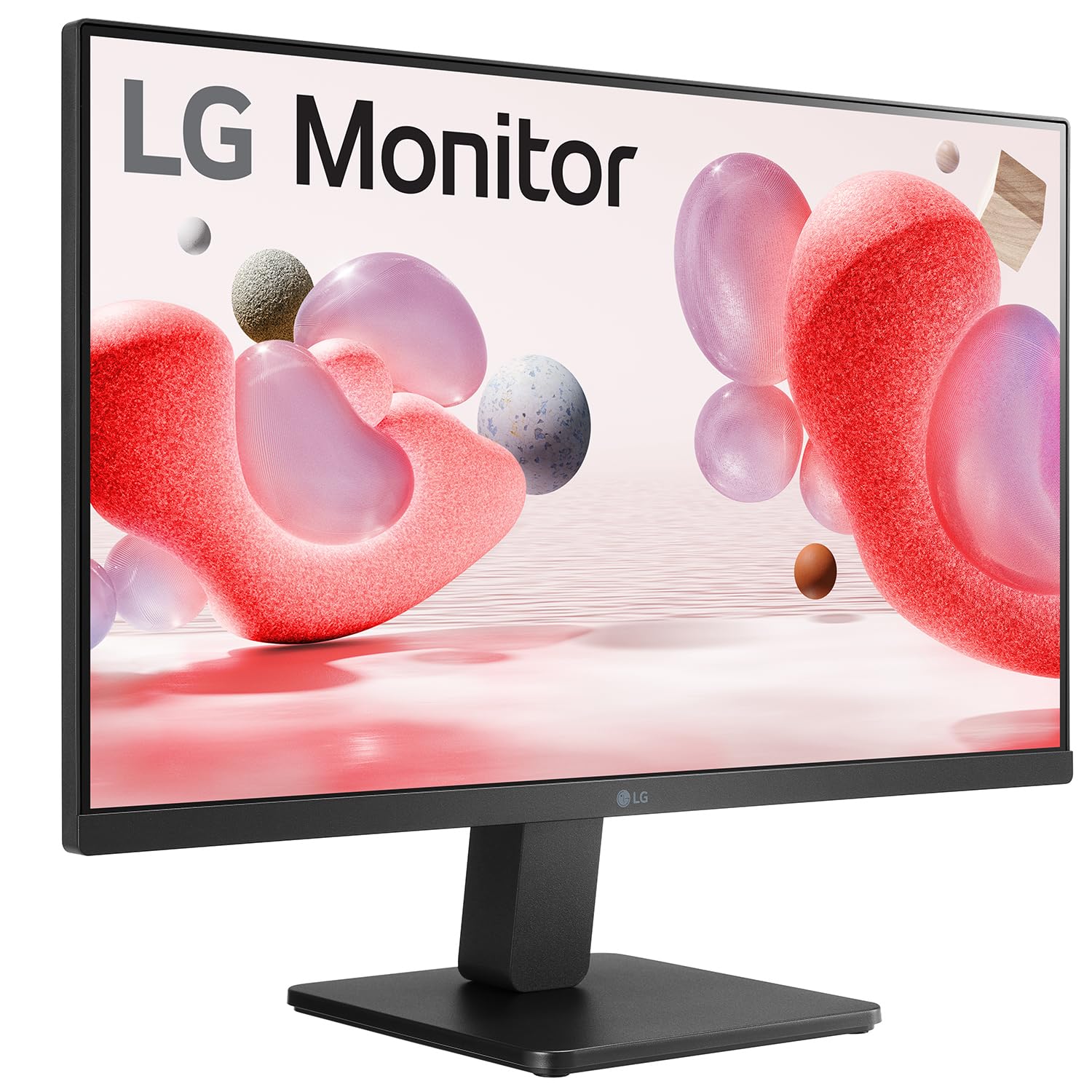
• LCD panel type: IPS technology • Adaptive sync • Backlight type: W-LED system • Panel Size: 27 inch / 68.6 cm • Display Screen Coating: Anti-Glare, 3H, Haze 25% • Effective viewing area: 597.9 (H) x 336.3 (V) • Aspect ratio: 16:9 • Maximum resolution: 1920 x 1080 @ 75 Hz* • Pixel Density: 82 PPI • Response time (typical): 4 ms (GtG)* • Brightness: 250 cd/m² • Contrast ratio (typical): 1000:1 • SmartContrast: Mega Infinity DCR • Pixel pitch: 0.311 x 0.311 mm • Viewing angle: 178º (H) / 178º (V), @ C/R > 10 • Flicker-free • Display colors: 16.7 M • Scanning Frequency: 30 -83 kHz (H) / 56 -76 Hz (V) • LowBlue Mode • EasyRead • sRGB 1 YEAR WARRANTY


The ASUS ProArt PA329CRV 32″ 4K Professional Monitor delivers amazing clarity for creative work. It offers a large 32-inch screen with sharp 4K detail. Every image looks clean and accurate. This makes it ideal for editing and design projects. Moreover, the ASUS ProArt PA329CRV 32″ 4K Professional Monitor includes factory-calibrated color accuracy. It shows precise colors for photos, videos, and artwork. The wide color gamut helps you view rich and natural tones. This ensures professional results in every task. In addition, the monitor features HDR support. It improves brightness, contrast, and depth in your visuals. Your projects look more realistic and detailed. This boosts your productivity and viewing experience. Furthermore, the ASUS ProArt PA329CRV 32″ 4K Professional Monitor includes a USB-C port. It provides display output, data transfer, and power delivery. This makes your workspace cleaner and more organized. It is perfect for creators using laptops. Also, the monitor offers an ergonomic stand. You can tilt, turn, pivot, or adjust the height easily. This helps you work comfortably for long hours. The design supports healthy posture and better workflow. The slim and modern look of the ASUS ProArt PA329CRV 32″ 4K Professional Monitor fits any studio. The thin bezels make multi-monitor setups cleaner. The build quality feels strong and long lasting. This makes it a reliable tool for professionals. Overall, the ASUS ProArt PA329CRV 32″ 4K Professional Monitor delivers accuracy, clarity, and productivity in one display. It supports creative work with true-to-life colors and advanced features. It is a great choice for editors, designers, and photographers who need perfect visuals. Specifications: Display : 32″ IPS Resolution : 4K Refresh Rate : 60Hz Response Time : 5ms Fully Adjustable

Specifications : Display Diagonal Viewing Size 86.27 cm 34.14 inches Preset Display Area (H x V) 799.80 mm x 344.80 mm 31.49″ x 13.18″ 267773.04 sq-mm (415.01 sq-inches) Panel Type In-Plane switching Technology Display Screen Coating Antiglare with hard-coating 3H Maximum Preset Resolution 3440 x 1440 at 60Hz Viewing Angles 178° vertical / 178° horizontal Pixel Pitch 0.233 mm x 0.233 mm Pixel Per Inch (PPI) 109 Contrast Ratio 1,000 to 1 (typical) Aspect Ratio 21:9 Backlight Technology LED edgelight system Brightness 300 cd/m² (typical) Response time 8 ms for NORMAL mode 5 ms for FAST mode Adjustability Height adjustable (115 mm), Tilt (-5° to 21°) Swivel (-30° to 30°) Pivot (N/A) PbP / PiP PbP (Yes) PiP (Yes) Daisy Chain Availability No Dell Display Manager Compatibility Yes, Easy Arrange and other key features Remote Asset Management Yes, via Dell Command Monitor Specifications – Service / Support Details 3-Year Advanced Exchange Service and Limited Hardware Warranty Color Support Color Gamut (typical): 99.9% sRGB, CIE1976 (90%), CIE1931 (75%) Color Depth: 1.074 Billion colors Color Calibration Accurancy Delta E < 3 (average) Color Calibration with X-rite colorimeter No Built-in Devices USB 3.0 super-speed hub (with 2 x USB 3.0 upstream port) 4 x USB 3.0 downstream ports Security Security lock slot (cable lock sold separately) Anti-theft stand lock slot (to panel) Compliant Standards BFR/PVC-free (Halogen-free) excluding external cables Meets NFPA 99 leakage current requirements Arsenic-Free glass and Mercury-Free for the panel only Product Safety, EMC and Environmental Datasheets Dell Regulatory Compliance Home Page Dell and the Environment Flat Panel Mount Interface VESA (100 mm) Audio Output 1 x Audio line-out Connectivity 2 x HDMI 2.0 (HDCP 2.2) 1 x DP 1.2 (HDCP 2.2) 2 x USB 3.0 Upstream port 2 x USB 3.0 Downstream port (side) 2 x USB 3.0 Downstream port (bottom) 1 x USB Type-C (DisplayPort DP1.2 Alternate Mode, Power Delivery up to 90W (Typical), and USB 2.0) Dimensions & Weight Height with stand (Compressed ~ Extended) 417.0 mm ~ 532.0 mm 16.42″ ~ 20.94″ Width 813.6 mm 32.03″ Depth 226.4 mm 8.91″ Height without stand 363.7 mm 14.32″ Width without stand 813.6 mm 32.03″ Depth without stand 58.4 mm 2.30″ Weight (panel only – for VESA mount) 8.2 kg 18.07 lb Weight (with packaging) 16.0 kg 35.27 lb Power Voltage Required 100 VAC to 240 VAC / 50 Hz or 60 Hz + 3 Hz / 3 A (typical) Power Consumption (Operational) 54 W (typical) 250 W (maximum)** Power Consumption Stand by / Sleep Less than 0.5W **Maximum power consumption with max luminance, and USB active. Environmental Operating Conditions Temperature Range Operating: 0°C to 40°C (32°F to 104°F) Non-operating: –20°C to 60°C (–4°F to 140°F) Humidity Range Operating: 10% to 80% (non-condensing) Non-Operating: 5% to 90% (non-condensing) Altitude Operating: 5,000 m (16,404 ft) max Non-Operating: 12,192 m (40,000 ft) max In The Box Monitor, Stand Riser, Stand Base 1 x Power cable 1 X DP Cable (DP to DP) 1 X USB Type-C Cable (C to C) 1 x HDMI Cable 1 x USB 3.0 upstream cable Quick setup guide Safety, Environmental, and Regulatory Information Factory Calibration Report 1 Year Warranty manufacturer link

The ViewSonic 23″ 60Hz Monitor is perfect for work, gaming, and entertainment. With its clear and vibrant display, you can enjoy all your favorite activities with stunning visuals. This monitor features a Full HD resolution of 1920×1080 pixels, ensuring sharp and detailed images. Whether you’re editing photos, watching movies, or browsing the web, the ViewSonic 23″ 60Hz Monitor delivers an impressive visual experience. With a 60Hz refresh rate, the ViewSonic 23″ Monitor provides smooth and fluid motion. This makes it ideal for gaming and fast-paced videos, reducing blur and ensuring you don’t miss any action. The ViewSonic 23″ 60Hz Monitor has a slim and sleek design that fits perfectly on any desk. Its narrow bezel adds to its modern look and allows for a more immersive viewing experience. Featuring multiple connectivity options, including HDMI and VGA ports, the ViewSonic 23″ 60Hz Monitor is compatible with a variety of devices. This makes it easy to connect your computer, gaming console, or other multimedia devices. Designed with user comfort in mind, the ViewSonic 23″ 60Hz Monitor includes a flicker-free display and blue light filter. These features help reduce eye strain during extended use, allowing you to work or play for longer periods comfortably. In conclusion, the ViewSonic 23″ 60Hz Monitor offers excellent performance, vibrant visuals, and user-friendly features. Upgrade to this monitor today and enjoy a superior viewing experience for all your needs. Specifications: Display : 23″ IPS Resolution : FHD 1920 x 1080 Refresh Rate : 60Hz Response Rate : 6ms GTG

Apple MacBook Pro 15” (2018) — professional-grade performance for creative power users.• Intel Core i9 • 32 GB RAM • 500 GB SSD • 4 GB Dedicated GraphicsRetina Display | macOS |

The Samsung Odyssey G30D 27″ FHD 180Hz Gaming Monitor delivers smooth, fast visuals for games and everyday use. Its Full HD (1920×1080) resolution shows clear detail in games, videos, and work. The 27-inch screen gives you a large viewing area for wide action and immersive gameplay. This helps you see more and stay focused. Moreover, the Samsung Odyssey G30D 27″ FHD 180Hz Gaming Monitor features a high 180 Hz refresh rate. This high refresh rate makes motion fluid and clean on screen. Fast games and action scenes appear more detailed and responsive. In addition, the monitor offers a rapid 1 ms (MPRT) response time. This helps reduce ghosting and keeps fast visual shifts clear. Controls and movement feel precise and snappy. This enhances gameplay performance in fast shooters or racing games. Furthermore, the Samsung Odyssey G30D 27″ FHD 180Hz Gaming Monitor uses a VA panel with strong contrast (3000:1) and decent brightness (250 cd/m²). This delivers deeper blacks and vivid colors, improving visual quality for games and movies. It also covers around 95% sRGB for solid color representation. Also, the monitor supports adaptive sync with AMD FreeSync to reduce screen tearing and stutter when paired with compatible graphics cards. A slim 3-sided borderless design gives a clean modern look, and the ergonomic stand allows height, tilt, and swivel adjustments for comfortable use. Overall, the Samsung Odyssey G30D 27″ FHD 180Hz Gaming Monitor offers strong value by combining speed, clarity, and comfort. It suits gamers and everyday users who want smooth gameplay, responsive controls, and a clear large display. It is a solid choice for fast-paced games, casual gaming, and general computer use. Specifications: Display : 27″ VA Resolution : FHD (1920 x 1080) Refresh Rate : 180Hz Response Time : 1ms

Genuine-spec touchpad flex cable for MacBook Pro 13″ (Model A1502, Mid 2014)—restores full trackpad functionality, including precise cursor control and physical click response. Essential for repairing unresponsive or erratic trackpad behavior. Compatible With: MacBook Pro 13-inch (Mid 2014, Model A1502, Model Identifier MacBookPro11,1) with Intel Core i5/i7 processors and Retina display. Part Type: Touchpad flex cable only — does not include the trackpad housing, button mechanism, or mounting hardware. This is the ribbon cable that connects the trackpad to the logic board. Function: Transmits cursor movement and click signals (left/right physical clicks) Supports standard multi-touch gestures (two-finger scroll, tap-to-click, pinch-to-zoom) ⚠️ Note: This model uses a physical click mechanism—not Force Touch (no haptic feedback or pressure sensitivity). Transmits cursor movement and click signals (left/right physical clicks) Supports standard multi-touch gestures (two-finger scroll, tap-to-click, pinch-to-zoom) ⚠️ Note: This model uses a physical click mechanism—not Force Touch (no haptic feedback or pressure sensitivity). OEM-Quality Build: Matches Apple’s original in: Cable length and routing path Connector type and pin alignment Insulation and flexibility for long-term reliability Cable length and routing path Connector type and pin alignment Insulation and flexibility for long-term reliability Common Use Cases: Replacing a torn, frayed, or corroded original flex cable Fixing: Unresponsive or intermittent trackpad Cursor jumping or drifting Click function failure (left or right) Complete trackpad disconnect Replacing a torn, frayed, or corroded original flex cable Fixing: Unresponsive or intermittent trackpad Cursor jumping or drifting Click function failure (left or right) Complete trackpad disconnect Unresponsive or intermittent trackpad Cursor jumping or drifting Click function failure (left or right) Complete trackpad disconnect Installation Note: Requires bottom case removal and battery disconnect. Connects via a ZIF (Zero Insertion Force) socket on the logic board—do not force. Cable routes under the battery; handle with care to avoid strain. Suitable for intermediate to advanced DIYers or technicians. Requires bottom case removal and battery disconnect. Connects via a ZIF (Zero Insertion Force) socket on the logic board—do not force. Cable routes under the battery; handle with care to avoid strain. Suitable for intermediate to advanced DIYers or technicians.

The Samsung 77″ S95D OLED 4K Smart TV | QA77S95FAUXTW is a premium large-screen television designed for exceptional picture quality and immersive home entertainment. It features advanced OLED technology, and it delivers perfect black levels, infinite contrast, and highly accurate colors. In addition, the 4K resolution ensures sharp detail and clarity across movies, games, and streaming content. This model uses Samsung’s advanced AI processor, and it enhances picture quality in real time. As a result, lower-resolution content is intelligently upscaled closer to 4K quality with improved sharpness and texture. Furthermore, the processor optimizes brightness and color balance depending on the scene, so viewing remains consistent in different lighting conditions. The Samsung S95D also supports advanced HDR performance, and it delivers brighter highlights and deeper contrast for a more cinematic experience. Therefore, visuals appear more realistic and dynamic. In addition, motion enhancement technology helps reduce blur, making fast-moving scenes in sports and action movies smoother and clearer. The Smart TV platform provides access to popular streaming applications and smart features. Meanwhile, the sleek OLED design with ultra-thin bezels creates a modern, minimalist look that blends into any living space. Overall, the Samsung 77″ S95D OLED 4K Smart TV | QA77S95FAUXTW combines premium OLED picture quality, intelligent AI processing, and advanced smart features. It is ideal for users who want a high-end cinematic viewing experience at home. Specifications: OLED panel delivers perfect blacks and infinite contrast for cinematic visuals 4K resolution ensures sharp detail and crystal-clear picture quality AI processor enhances and upscales content for improved viewing clarity HDR support delivers brighter highlights and deeper contrast levels Smart TV platform provides access to streaming apps and smart features

The Samsung 75″ The Frame Pro 4K Vision AI Smart TV QA75LS03FWUXTW uses a 75-inch 4K LCD panel with 3840 × 2160 resolution. It is designed for both TV viewing and wall-mounted display use. The TV uses Samsung’s Vision AI and image processing to adjust picture settings in real time. As a result, brightness, contrast, and color are optimized based on content type and scene changes. In addition, the system supports 4K upscaling for lower-resolution content. The display supports HDR formats for compatible content, which improves contrast between bright and dark areas. It also includes motion processing to reduce blur during fast-moving scenes such as sports and action content. Samsung equips this model with Tizen OS. Therefore, users access streaming apps, SmartThings integration, and smart features through a unified interface. The TV also supports wireless connectivity through Wi-Fi and Bluetooth for external devices. Connectivity includes HDMI ports, USB ports, Ethernet LAN, and optical audio output. It also supports external audio systems and gaming consoles through standard input options. This model includes The Frame design concept, which allows the display to function as both a TV and a digital art display when not in use. Specifications: 75-inch 4K UHD LCD panel with 3840 × 2160 resolution Vision AI image processing with automatic adjustments HDR support for compatible content Tizen OS smart platform with streaming apps HDMI, USB, Wi-Fi, Bluetooth, Ethernet connectivity

Genuine-spec US layout keyboard replacement for MacBook Pro 15″ (Models A1706 and A1707, 2016–2017)—featuring Apple’s second-generation Butterfly mechanism, backlighting, and full OEM compatibility for professional-grade repairs. Compatible With: MacBook Pro 15″ (2016, Model A1707) MacBook Pro 15″ (2017, Model A1706) Both models include Touch Bar and are powered by Intel Core i7/i9 processors. MacBook Pro 15″ (2016, Model A1707) MacBook Pro 15″ (2017, Model A1706) Both models include Touch Bar and are powered by Intel Core i7/i9 processors. Layout: Standard US English (QWERTY) with full-size keys, inverted-T arrow keys, and dedicated function row (mapped to Touch Bar). Keyboard Type: Apple’s 2nd-generation Butterfly mechanism—thinner profile with reduced travel; known for sensitivity but requires careful handling. Integrated Features: Backlit keys, ambient light sensor support, and original ribbon cable connector matching Apple’s design for direct logic board attachment. Build & Fit: Precision-engineered to align flush with the top case—ensures consistent key height and tactile response when properly installed. Installation Note: The keyboard is glued into the top case and must be carefully removed and re-adhered. Requires full disassembly of display, battery, and internal components. Recommended for experienced technicians only.
