
A high-performance pre-owned Dell Precision 5540 mobile workstation with 15.6" 4K touchscreen, 9th Gen Core i7, 16GB RAM, 256GB SSD, and NVIDIA Quadro T2000 4GB—engineered for creative professionals, engineers, and designers who demand power and precision.

The MSI MAG 274QPF E20 monitor delivers sharp visuals and smooth performance for competitive gaming and daily use. It features a 27-inch WQHD display that provides clear detail and consistent colors. Therefore, users can enjoy both immersive gameplay and productive work sessions. Moreover, the 200Hz refresh rate ensures fluid motion during fast-paced action. The fast response time reduces motion blur and ghosting effectively. As a result, players can react quickly and maintain accuracy in competitive scenarios. In addition, adaptive sync technology helps eliminate screen tearing and stuttering. This improves visual stability across different frame rates. The monitor also includes multiple connectivity options, allowing easy connection to gaming systems and PCs. Furthermore, the design focuses on comfort and usability for long sessions. It supports ergonomic adjustments that help users find the ideal viewing position. Consequently, the MSI MAG 274QPF E20 monitor delivers both performance and comfort in one solution. This monitor combines high refresh speed, detailed resolution, and reliable performance. MSI MAG 274QPF E20 monitor is a strong choice for gamers who need smooth visuals and consistent responsiveness. Specifications: 27-inch WQHD (2560 × 1440) display 200Hz refresh rate for smooth gameplay Low response time for reduced motion blur Adaptive sync support for tear-free visuals Multiple connectivity options for flexible setup

Logitech MK120 Wired USB Keyboard Mouse Desktop Combo Height: 6.10 in (155 mm) Width: 17.72 in (450 mm) Depth: 0.93 in (23.5 mm) Weight: 19.4 oz (550 g) Cable length: 4.9 ft (150 cm) Height: 4.45 in (113 mm) Width: 2.44 in (62 mm) Depth: 1.50 in (38 mm) Weight: 3.17 oz (90 g) Cable length: 70.87 in (180 cm) Spill-resistant design 1Tested under limited conditions (maximum of 60 ml liquid spillage). Do not immerse the keyboard in liquid. Adjustable keyboard height 10-Key Number pad Caps lock indicator light Num lock indicator light Up to 10 million keystrokes (excludes number lock key) Key type: Deep profile Sensor Technology: Optical tracking Number of Buttons: 3 (Left/Right-click, Middle click) Scrolling: line-by-line Scroll Wheel: Yes, optical Mouse plastics: 72% post-consumer recycled material 2Excludes plastic in cable assembly, printed wiring assembly (PWA) and packaging. Keyboard plastics: 54% post-consumer recycled material 3Excludes plastic in cable assembly, printed wiring assembly (PWA) and packaging. Windows® 10,11 or later Two available USB ports

Genuine-spec touchpad flex cable for MacBook Pro 15″ (Model A2941, 2023, Apple M2)—restores full Force Touch functionality, haptic feedback, and precise multi-touch gesture control during trackpad repair or replacement. Compatible With: MacBook Pro 15-inch (2023, Model A2941) with Apple M2 chip (Model Identifier: MacBookPro19,1) Part Type: Touchpad flex cable only — does not include the trackpad housing, Taptic Engine, or mounting hardware. This is the OEM-style ribbon cable that connects the trackpad to the logic board. Function: Transmits: Touch input coordinates Force Touch pressure data Haptic feedback signals to the Taptic Engine Enables full macOS gesture support: Force Click, three-finger lookup, swipe navigation, pinch-to-zoom, and smooth cursor tracking. Touch input coordinates Force Touch pressure data Haptic feedback signals to the Taptic Engine Enables full macOS gesture support: Force Click, three-finger lookup, swipe navigation, pinch-to-zoom, and smooth cursor tracking. OEM-Quality Build: Matches Apple’s original specifications in: Cable length and routing path Connector pitch and ZIF latch design EMI shielding and flex durability Cable length and routing path Connector pitch and ZIF latch design EMI shielding and flex durability Common Use Cases: Replacing a torn, creased, or liquid-damaged original flex cable Completing a trackpad replacement when the original cable is compromised Fixing intermittent trackpad behavior, loss of Force Touch, or complete unresponsiveness Replacing a torn, creased, or liquid-damaged original flex cable Completing a trackpad replacement when the original cable is compromised Fixing intermittent trackpad behavior, loss of Force Touch, or complete unresponsiveness Installation Note: Requires full bottom case removal and battery disconnection. Cable routes under internal components near the right speaker and logic board. Connects via a ZIF (Zero Insertion Force) socket—must be aligned carefully and latched gently. Recommended for experienced or certified technicians only. Requires full bottom case removal and battery disconnection. Cable routes under internal components near the right speaker and logic board. Connects via a ZIF (Zero Insertion Force) socket—must be aligned carefully and latched gently. Recommended for experienced or certified technicians only.

The Lenovo Legion 27‑10 27″ Gaming Monitor delivers smooth competitive gaming and crisp visuals in a versatile display. First, it features a 27″ Full HD (1920×1080) IPS panel that offers sharp detail and balanced color for all your content. In addition, the ultra‑fast 240 Hz refresh rate and 0.5 ms response deliver fluid gameplay and reduce motion blur in fast‑paced titles. Adaptive sync compatibility helps reduce tearing, so your experience stays uninterrupted. Moreover, the brightness and HDR10 support keep images vibrant and engaging in varied lighting conditions. Furthermore, the ergonomic stand adjusts for tilt, height, swivel, and pivot, so you can find a comfortable setup for long sessions. In addition, the slim bezels and sleek black design add a modern look to any desk. Finally, multiple HDMI 2.1 and DisplayPort 1.4 inputs ensure easy connection to PCs and consoles. With the Lenovo Legion 27‑10, you get a gamer‑ready monitor that blends high refresh performance, clarity, and ergonomic flexibility at an accessible level. Specifications: 27″ Full HD (1920×1080) IPS display for sharp, balanced visuals Ultra‑fast 240 Hz refresh rate and 0.5 ms response for fluid gaming Adaptive sync support reduces tearing and stutter Adjustable ergonomic stand with tilt, swivel, height, and pivot Multiple HDMI 2.1 and DisplayPort 1.4 inputs for versatile connectivity

Elevate your game with the Logitech G102, featuring a high-precision 8,000 DPI sensor and vibrant Lightsync RGB lighting. Designed with a classic six-button layout and gaming-grade performance, it offers incredible accuracy and responsiveness for both competitive play and daily productivity. The Logitech G102 is engineered for speed, consistency, and comfort. At its core is a gaming-grade sensor that provides adjustable sensitivity, allowing you to tailor your control to your specific playstyle. Whether you are navigating complex spreadsheets or hitting precise headshots, the G102 delivers a seamless experience with a classic design trusted by gamers worldwide. Gaming-Grade 8,000 DPI Sensor: Experience ultra-precise tracking and consistent responsiveness. The sensitivity is fully adjustable from 200 to 8,000 DPI. Lightsync RGB Color Wave: Choose from vibrant animations or customize your own from approximately 16.8 million colors to match your setup’s aesthetic. Mechanical Spring Button Tensioning: The primary left and right buttons feature a metal spring tensioning system, providing crisp, reliable clicks and a premium feel. Classic 6-Button Design: A familiar, comfortable shape that allows you to play or work for hours without fatigue. Each button can be customized via software for specific in-game actions. On-the-Fly DPI Shifting: Cycle through up to five sensitivity settings with the press of a button, allowing you to switch from precision sniping to rapid movement instantly. Resolution: 200 – 8,000 DPI Connection Type: USB 2.0 (Wired) USB Data Format: 16 bits/axis USB Report Rate: 1000Hz (1ms) Microprocessor: 32-bit ARM Cable Length: 2.1 meters Compatibility: Windows 7 or later, macOS 10.13 or later, ChromeOS Logitech G102 Gaming Mouse User Documentation

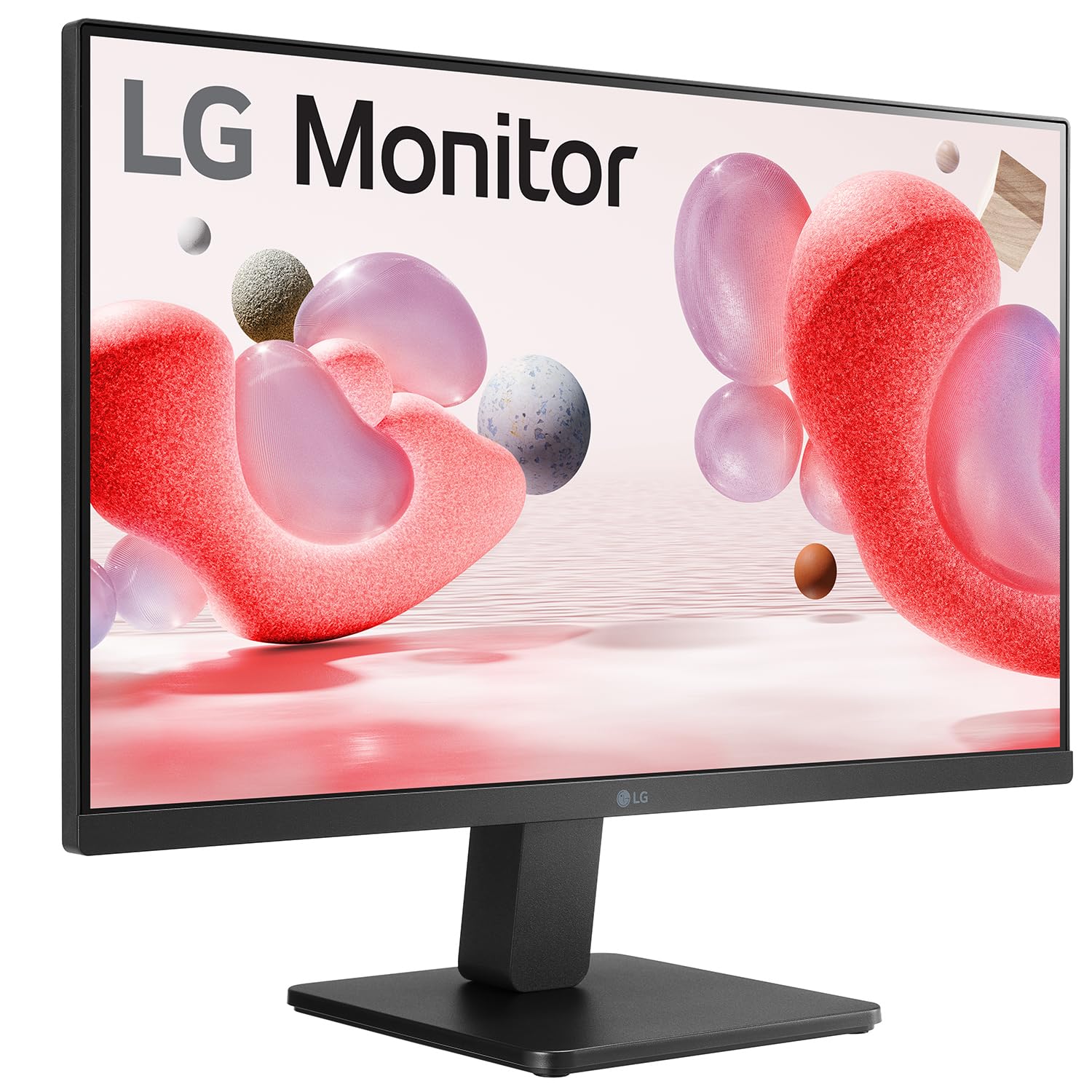
The LG 24GS65F-B 24″ 1ms 180Hz Gaming Monitor delivers fast and responsive performance for competitive gamers and entertainment users. It features a 24-inch screen that keeps every detail sharp and immersive while fitting nicely on most desks. Moreover, the high refresh rate brings smoother gameplay so you can see every move with clarity and precision. This monitor offers a rapid 1ms response time that reduces motion blur and ghosting during fast action. Additionally, the 180Hz refresh rate makes gameplay feel fluid and dynamic, especially during intense sessions. The vivid colors and clear visuals make games, movies, and work look more engaging. Its sleek design also fits well into gaming setups and home offices. The LG 24GS65F-B includes multiple connectivity options, making it simple to hook up your PC, console, or other devices. Furthermore, ergonomic features allow you to adjust tilt for more comfortable viewing during long sessions. Therefore, it suits both casual and competitive players who want performance and clarity. Finally, it balances fast performance, vibrant visuals, and user-friendly design for everyday use. Specifications: 24-inch gaming monitor Fast refresh rate for smooth gameplay Crisp visuals with vibrant colors Multiple connectivity options Sleek and ergonomic design

OEM-quality touchpad replacement (without flex cable) for MacBook Air 15″ (Model A2941, 2023)—in Space Gray finish—designed for precise Force Touch performance and seamless integration with the original chassis. Compatible With: MacBook Air 15-inch (2023, Model A2941) with Apple M2 chip. Part Type: Touchpad only—does not include the flex cable, Taptic Engine, or mounting hardware. Intended for technicians who will reuse or transfer the original internal components. Color: Space Gray—matches the original lower case of Space Gray A2941 models. Force Touch Ready: Fully supports pressure-sensitive gestures and haptic feedback when paired with the original Taptic Engine and logic board. OEM Build Quality: Matches Apple’s original surface texture, curvature, and responsiveness for consistent tracking and click feel. Installation Note: Requires full bottom case disassembly and careful transfer of the original flex cable and Taptic Engine. Adhesive and alignment must be precise to avoid gaps or malfunction. Recommended for professional repair technicians.

BenQ RE8604 86” 4K UHD Interactive Flat Panel is a large interactive display designed for classrooms, meeting rooms, and training environments. It supports touch interaction, built-in Android system, and 4K resolution for collaboration and presentations. It features an 86-inch IPS panel with 3840 × 2160 4K UHD resolution. Therefore, it delivers sharp visuals and wide viewing angles for group use. In addition, it supports up to 40-point multi-touch input for writing and collaboration. Moreover, it runs an Android-based system (EDLA-supported depending on configuration). As a result, users can open apps, use whiteboard tools, and present content directly on the display without an external PC. The display includes anti-glare glass. Therefore, it remains readable in bright environments. In addition, it supports 4K 60Hz output for smooth visuals during presentations and video playback. Furthermore, it includes HDMI, USB, USB-C, LAN, and OPS slot connectivity. As a result, it works with laptops, external PCs, and modular computing systems. It also includes built-in speakers for classroom and meeting audio. Therefore, it supports presentations without extra sound systems. Finally, the BenQ RE8604 delivers a large 4K interactive workspace with multi-touch control and flexible connectivity for education and business use. Specifications: Display: 86-inch IPS panel with 3840×2160 4K UHD resolution Touch: Up to 40-point multi-touch support for collaboration System: Android-based interactive platform (EDLA support depending on model) Connectivity: HDMI, USB, USB-C, LAN, and OPS slot Display: Anti-glare screen with 4K 60Hz smooth output

The LB-LINK AX900 USB WiFi adapter delivers fast and stable wireless connectivity with WiFi 6 technology and speeds up to 900Mbps. Featuring dual-band support (2.4GHz + 5GHz), it’s ideal for upgrading PCs and laptops for smoother streaming, gaming, and online work. The LB-LINK AX900 USB WiFi Adapter is a modern wireless solution designed to upgrade your computer to the latest WiFi 6 (802.11ax) standard. It offers improved speed, better network efficiency, and stronger stability compared to older WiFi adapters. With dual-band support, you can connect to either the 2.4GHz band for long-range stability or the 5GHz band for higher speed and lower latency. Its compact USB design makes it perfect for desktops and laptops needing fast internet without installing internal cards. WiFi 6 (802.11ax) Technology for faster performance and better efficiency AX900 Speed (Up to 900Mbps) for smooth streaming and downloads Dual Band Support: 2.4GHz + 5GHz for flexibility and stability USB Plug & Play easy installation (driver may be required) Low Latency Connection ideal for gaming and video calls Compact Portable Design perfect for laptops and desktops Improves WiFi Performance for weak built-in adapters Ideal for PCs and laptops that need faster WiFi speeds and stronger connectivity. Perfect for online gaming, HD streaming, Zoom/Teams meetings, and stable browsing.

Genuine-spec US layout keyboard replacement for MacBook Pro 13″ (Model A1466, Late 2015–Early 2016)—featuring traditional scissor-switch mechanism, backlighting, and full OEM compatibility for reliable, comfortable typing. Compatible With: MacBook Pro 13-inch non-Touch Bar models: Late 2015 (Intel Core i5/i7, Retina, A1466, Model Identifier MacBookPro12,1) Early 2016 (Intel Core i5/i7, Retina, A1466, MacBookPro13,1) Late 2015 (Intel Core i5/i7, Retina, A1466, Model Identifier MacBookPro12,1) Early 2016 (Intel Core i5/i7, Retina, A1466, MacBookPro13,1) Layout: Standard US English (QWERTY) with full-size keys, inverted-T arrow keys, and dedicated function row (F1–F12). Keyboard Type: Traditional scissor-switch mechanism—not Butterfly or Magic Keyboard—known for durability, deeper key travel, and tactile feedback. Integrated Features: Backlit keys for low-light use, ambient light sensor support, and OEM-style ribbon cable for direct logic board connection. Build & Fit: Precision-engineered to match Apple’s original dimensions and mounting points—ensures flush alignment within the top case and consistent key height. Installation Note: Keyboard is secured with screws and minimal adhesive (unlike later glued models), making replacement more accessible. Still requires full top case disassembly and battery disconnect. Suitable for intermediate to advanced technicians.

LED feature Specification Display size 60.5 cm (23.8 in) diagonal Display type IPS with LED backlight Panel active area 52.7 x 29.6 cm (20.7 x 11.7 in) Scan range Horizontal: 30 to 80 KHz Vertical: 50 to 60 Hz Brightness 250 nits Color support Up to 16.7 million colors with the use of FRC technology Color gamut 72% Pixel pitch 0.2745 (H) mm x 0.2745 (V) mm 93 PPI Inputs 1 VGA 1 HDMI Audio in/Audio out HDCP support Viewing angle Horizontal viewing angle (typical): 178 degrees Vertical viewing angle (typical): 178 degrees Recommended resolution (H x V) 1920 x 1080 @ 60 Hz (Full HD) Aspect ratio 16:9 Static contrast ratio 1000:1 Dynamic contrast ratio 10,000,000:1 Response time 6 ms GtG w/OD 14 ms GtG (typ) / 28 ms GtG (Max) Power supply External Power consumption 30 Watts max Tilt -5 to +25 degrees Dimensions W x D x H (unpacked): 54.1 x 18.3 x 40.9 cm (21.3 x 7.2 x 16.1 in) Weight Unpacked: 3.1 Kg (6.8 lbs) Specifications: HP Monitor 24ea 23.8-inch IPS Display Display size 60.5 cm (23.8 in) diagonal Display type IPS with LED backlight Panel active area 52.7 x 29.6 cm (20.7 x 11.7 in)

TP-Link 8 Port Gigabit Ethernet Network Switch | Plug and Play | Desktop or Wall-Mount | Plastic Case Ethernet Splitter | Fanless | Traffic Optimization | Unmanaged (TL-SG1008D),Black About this item PLUG-AND-PLAY – Easy setup with no configuration or no software needed ETHERNET SPLITTER – Connectivity to your router or modem router for additional wired connections (laptop, gaming console, printer, etc) 8 Ports GIGABIT ETHERNET – 8 10/100/1000 Mbps Gigabit auto-negotiation RJ45 ports greatly expand network capacity COST EFFECTIVE – Fanless Quiet Design, Desktop design RELIABLE – IEEE 802.3x flow control provides reliable data transfer UP to 80% Power Saving – Automatically adjusts power consumption according to the link status and cable length AUTO-NEGOTIATION – Supports Auto-MDI/MDIX, eliminating the need for crossover cables

Are you ready to take your gaming to the next level? Look no further than the Asus VG279Q3A 27″ 180Hz Gaming Monitor. With its advanced features and cutting-edge technology, this monitor is designed to deliver an immersive gaming experience like no other. Firstly, let’s talk about the impressive display. With a 27-inch Full HD panel, you’ll enjoy crisp, clear visuals with vibrant colors and sharp details. Whether you’re exploring vast open worlds or engaging in intense battles, every moment will come to life on this stunning screen. Moreover, the 180Hz refresh rate ensures smooth and fluid gameplay, allowing you to react quickly to every movement with precision and accuracy. Say goodbye to motion blur and screen tearing, and hello to seamless gaming sessions that keep you on the edge of your seat. In addition, the Asus VG279Q3A features Adaptive-Sync technology, which eliminates stuttering and tearing for a smoother gaming experience. Whether you’re playing fast-paced shooters or immersive RPGs, you’ll enjoy tear-free gameplay without any distractions. In conclusion, if you’re looking for a gaming monitor that delivers exceptional performance and immersion, the Asus VG279Q3A 27″ 180Hz Gaming Monitor is the perfect choice. Immerse yourself in stunning visuals, fluid gameplay, and unparalleled gaming excellence. Specifications: Display : 27″ IPS Resolution : 1920×1080 Refresh Rate : 180Hz Response Rate : 1ms

TPLINK 300Mbps Wireless N ADSL2+ Modem Router TD-W8961N

Genuine-spec keyboard replacement for MacBook Pro 13″ (Model A2251, 2020) — choose US QWERTY or UK QWERTY (with £ symbol). Features Apple’s reliable Magic Keyboard with scissor-switch mechanism, backlighting, and precise OEM fit. Compatible With: MacBook Pro 13-inch (2020, Two Thunderbolt Ports, Model A2251, Model Identifier MacBookPro16,1) with Intel Core i5/i7 processors. Layout Options (select at purchase): US Layout: Standard QWERTY with wide Enter key, @ above 2, # above 3, and full function row. UK Layout: QWERTY with £ symbol, tall vertical Enter key, @ accessed via right Alt, and UK-specific punctuation. US Layout: Standard QWERTY with wide Enter key, @ above 2, # above 3, and full function row. UK Layout: QWERTY with £ symbol, tall vertical Enter key, @ accessed via right Alt, and UK-specific punctuation. Keyboard Type: Apple’s Magic Keyboard with scissor-switch mechanism—offering improved durability, quieter typing, and 1mm key travel compared to Butterfly keyboards. Integrated Features: Full backlit keys for low-light environments Ambient light sensor support OEM-style flex cable pre-attached for direct connection to the logic board Full backlit keys for low-light environments Ambient light sensor support OEM-style flex cable pre-attached for direct connection to the logic board Precision Build: Engineered to match Apple’s exact dimensions, key spacing, and top-case curvature—ensures seamless visual and functional integration. Installation Note: The keyboard is factory-glued into the top case. Replacement requires full disassembly, careful adhesive removal, and professional re-adhesion. Recommended for experienced or certified repair technicians only.

OEM-quality left and right loudspeaker replacement pair for MacBook Pro 15″ (Models A1707 – 2016/2017 and A1990 – 2018/2019)—restores rich, balanced stereo sound with precision acoustic tuning and seamless fit. Compatible With: MacBook Pro 15″ (2016) – Model A1707 (MacBookPro13,2) MacBook Pro 15″ (2017) – Model A1707 (MacBookPro14,2) MacBook Pro 15″ (2018) – Model A1990 (MacBookPro15,2) MacBook Pro 15″ (2019) – Model A1990 (MacBookPro15,2) (Note: Apple used the same speaker assembly across all four years of the 15″ Touch Bar MacBook Pro.) MacBook Pro 15″ (2016) – Model A1707 (MacBookPro13,2) MacBook Pro 15″ (2017) – Model A1707 (MacBookPro14,2) MacBook Pro 15″ (2018) – Model A1990 (MacBookPro15,2) MacBook Pro 15″ (2019) – Model A1990 (MacBookPro15,2) (Note: Apple used the same speaker assembly across all four years of the 15″ Touch Bar MacBook Pro.) Includes: Complete left and right speaker units with pre-attached flex cables and mounting brackets—ready for direct installation. Audio Performance: Engineered to match Apple’s original high-fidelity stereo system—delivers deep bass, clear mids, and crisp highs with wide soundstage and distortion-free playback. OEM Build Quality: Precision-molded housings, correct grille patterns, and exact cable routing ensure secure fit, no rattling, and full compatibility with macOS audio calibration. Common Use Cases: Replaces speakers damaged by liquid spills, physical impact, or wear (e.g., muffled sound, no audio from one side, crackling, or complete failure). Installation Note: Requires full display and logic board access. Speakers are secured with adhesive and screws in tight compartments. Recommended for certified or experienced technicians only. Important: This speaker pair is exclusive to 15″ Touch Bar MacBook Pro models (A1707/A1990). Not compatible with 13″ models (A1708/A1989), 16″ MacBook Pro (A2141), or non-Touch Bar MacBooks. This speaker pair is exclusive to 15″ Touch Bar MacBook Pro models (A1707/A1990). Not compatible with 13″ models (A1708/A1989), 16″ MacBook Pro (A2141), or non-Touch Bar MacBooks. Model Verification: Confirm your device via > About This Mac > Model Identifier (e.g., MacBookPro13,2 or MacBookPro15,2).

In the world of monitors, the Smart Monitor M5 LS32CM501 takes center stage. Packed with intelligent features, this monitor becomes the ideal choice for elevating your productivity and entertainment, offering seamless multitasking, vibrant visuals, and a space-saving design for a modern and efficient workspace. Transitioning to its key features, the Smart Monitor M5 excels in providing a smart and efficient viewing experience. Engineered for seamless multitasking, it ensures a responsive and reliable display, making it an ideal choice for users seeking an intelligent monitor solution. Moreover, this smart monitor impresses with its vibrant and modern design. The Smart Monitor M5 not only enhances your viewing experience but also saves space, making it a reliable and visually appealing choice for a clutter-free workspace. In addition to its functionality, the M5 offers user-friendly controls and customizable features. This guarantees a hassle-free and adaptable monitor experience, allowing you to optimize your workspace effortlessly. Furthermore, the commitment to user satisfaction is evident in the M5’s durable build and compatibility with various devices. It stands as a reliable choice for upgrading your monitor without compromising on performance. In conclusion, the Smart Monitor M5 LS32CM501 redefines monitor solutions, combining intelligence, space-saving design, and top-tier performance. Elevate your workspace effortlessly with the M5 – your gateway to a modern and efficient work environment! Specification Resolution : 1920 x 1080 Aspect Ratio : 16:9 Response Time : 4ms(GTG) Refresh Rate : 60Hz Panel Type : VA Part Number : LS32CM501

The Cudy WR1300 AC1200 Router delivers fast and stable internet with dual-band WiFi speeds up to 1200Mbps. Designed for home and office use, it features Gigabit ports for high-speed wired connections and reliable coverage for streaming, gaming, and everyday browsing. AC1200 Dual Band WiFi – Combined speeds of up to 1200Mbps (300Mbps on 2.4GHz + 867Mbps on 5GHz) for smooth streaming and online gaming. Gigabit Ethernet Ports – Ultra-fast LAN/WAN ports ensure maximum wired performance for PCs, consoles, and smart TVs. Wide Coverage – Equipped with high-gain antennas to provide strong and stable WiFi signal throughout your home or office. Multiple Operating Modes – Supports Router, Access Point, and Repeater modes for flexible network setup. Easy Setup & Management – Simple web interface for quick installation and control. Secure Connection – Advanced wireless security with WPA/WPA2 encryption to keep your network safe. 1 × Gigabit WAN Port 4 × Gigabit LAN Ports Wi-Fi 2.4GHz & 5GHz Dual Band Ethernet (RJ45) Wireless Security (WPA/WPA2)

Genuine-spec touchpad flex cable for MacBook Pro 13″ (Model A1502, Mid 2014)—restores full trackpad functionality, including precise cursor control and physical click response. Essential for repairing unresponsive or erratic trackpad behavior. Compatible With: MacBook Pro 13-inch (Mid 2014, Model A1502, Model Identifier MacBookPro11,1) with Intel Core i5/i7 processors and Retina display. Part Type: Touchpad flex cable only — does not include the trackpad housing, button mechanism, or mounting hardware. This is the ribbon cable that connects the trackpad to the logic board. Function: Transmits cursor movement and click signals (left/right physical clicks) Supports standard multi-touch gestures (two-finger scroll, tap-to-click, pinch-to-zoom) ⚠️ Note: This model uses a physical click mechanism—not Force Touch (no haptic feedback or pressure sensitivity). Transmits cursor movement and click signals (left/right physical clicks) Supports standard multi-touch gestures (two-finger scroll, tap-to-click, pinch-to-zoom) ⚠️ Note: This model uses a physical click mechanism—not Force Touch (no haptic feedback or pressure sensitivity). OEM-Quality Build: Matches Apple’s original in: Cable length and routing path Connector type and pin alignment Insulation and flexibility for long-term reliability Cable length and routing path Connector type and pin alignment Insulation and flexibility for long-term reliability Common Use Cases: Replacing a torn, frayed, or corroded original flex cable Fixing: Unresponsive or intermittent trackpad Cursor jumping or drifting Click function failure (left or right) Complete trackpad disconnect Replacing a torn, frayed, or corroded original flex cable Fixing: Unresponsive or intermittent trackpad Cursor jumping or drifting Click function failure (left or right) Complete trackpad disconnect Unresponsive or intermittent trackpad Cursor jumping or drifting Click function failure (left or right) Complete trackpad disconnect Installation Note: Requires bottom case removal and battery disconnect. Connects via a ZIF (Zero Insertion Force) socket on the logic board—do not force. Cable routes under the battery; handle with care to avoid strain. Suitable for intermediate to advanced DIYers or technicians. Requires bottom case removal and battery disconnect. Connects via a ZIF (Zero Insertion Force) socket on the logic board—do not force. Cable routes under the battery; handle with care to avoid strain. Suitable for intermediate to advanced DIYers or technicians.
