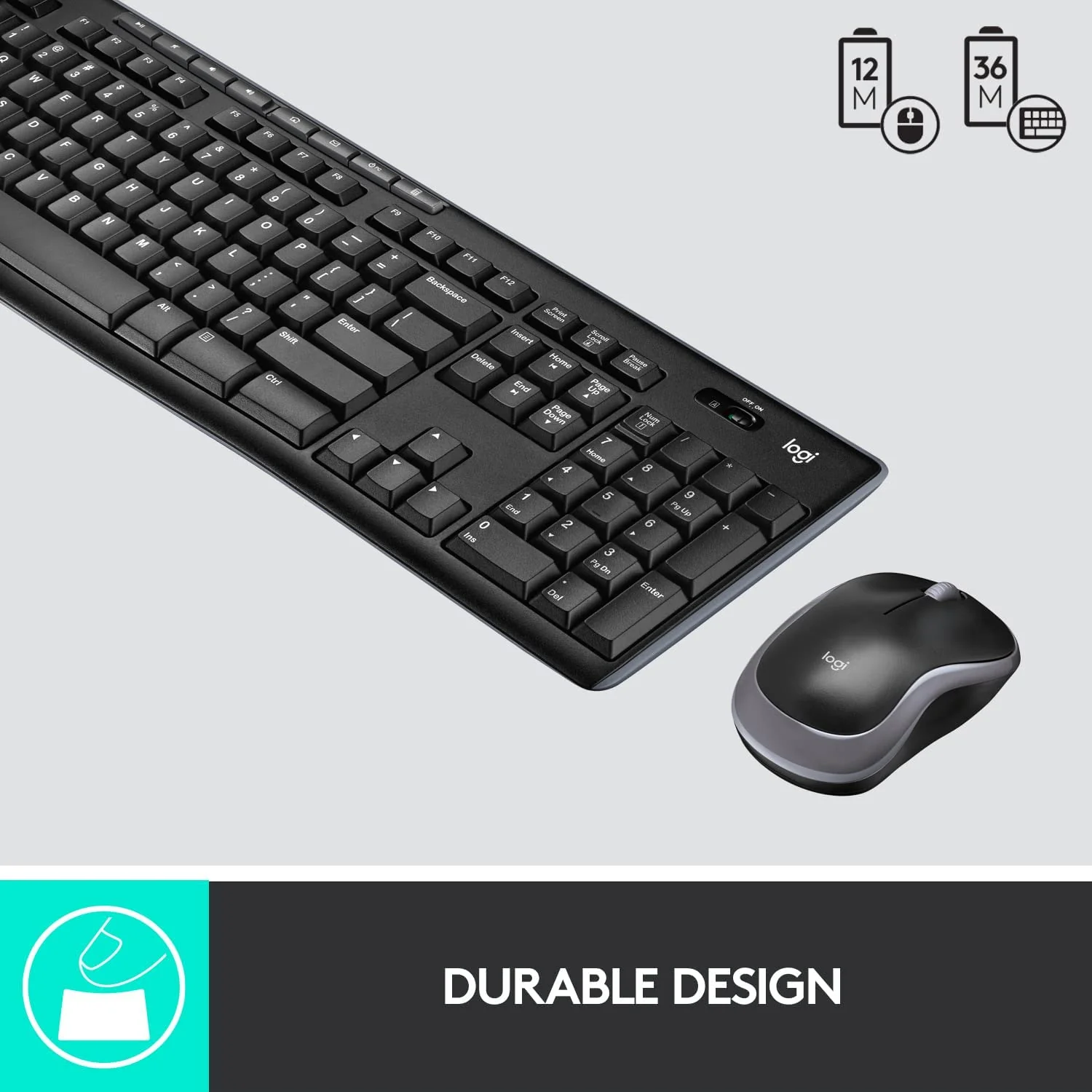

Genuine-spec US layout keyboard replacement for MacBook Pro 13″ (Model A1466, Late 2015–Early 2016)—featuring traditional scissor-switch mechanism, backlighting, and full OEM compatibility for reliable, comfortable typing. Compatible With: MacBook Pro 13-inch non-Touch Bar models: Late 2015 (Intel Core i5/i7, Retina, A1466, Model Identifier MacBookPro12,1) Early 2016 (Intel Core i5/i7, Retina, A1466, MacBookPro13,1) Late 2015 (Intel Core i5/i7, Retina, A1466, Model Identifier MacBookPro12,1) Early 2016 (Intel Core i5/i7, Retina, A1466, MacBookPro13,1) Layout: Standard US English (QWERTY) with full-size keys, inverted-T arrow keys, and dedicated function row (F1–F12). Keyboard Type: Traditional scissor-switch mechanism—not Butterfly or Magic Keyboard—known for durability, deeper key travel, and tactile feedback. Integrated Features: Backlit keys for low-light use, ambient light sensor support, and OEM-style ribbon cable for direct logic board connection. Build & Fit: Precision-engineered to match Apple’s original dimensions and mounting points—ensures flush alignment within the top case and consistent key height. Installation Note: Keyboard is secured with screws and minimal adhesive (unlike later glued models), making replacement more accessible. Still requires full top case disassembly and battery disconnect. Suitable for intermediate to advanced technicians.

The AOPEN 32HC5QR 31.5″ FHD 165Hz Curved Gaming Monitor wraps your view with a wide curved screen. It gives immersive visuals for gaming, work, or movies. The Full HD resolution produces clear, sharp images. The 31.5‑inch size provides plenty of screen space for multitasking or play. Moreover, the AOPEN 32HC5QR offers a high 165 Hz refresh rate that delivers very smooth motion. Fast action scenes appear fluid and crisp. The VA panel gives deep contrast and rich blacks for vibrant visuals. This enhancement adds depth to games and movies. In addition, the monitor uses adaptive sync (AMD FreeSync Premium) to match frame rate and screen refresh. This avoids screen tearing and stutter during gameplay. You get stable and consistent frame delivery even in intense gaming. Also, the curved 1500R / 1800R screen design helps immerse you deeper into action. It reduces eye‑strain by keeping all parts of the display at a comfortable viewing distance. The AOPEN 32HC5QR includes useful eye‑care features. It has Flicker‑Free and BlueLightShield technologies to reduce screen flicker and filter blue light. This helps protect your eyes during extended use. It also supports HDMI and DisplayPort connectivity for easy setup with laptops, PCs, or consoles. The monitor includes a slim bezel design for a clean modern look. It has a tilt‑adjustable stand and works with VESA mounts for flexible placement. The build feels solid and reliable for everyday use. Overall, the AOPEN 32HC5QR 31.5″ FHD 165Hz Curved Gaming Monitor combines immersive curved display, smooth refresh rate, strong contrast, and eye‑friendly design. It improves gaming, work, and entertainment experiences. It is ideal for gamers, content viewers, and everyday users who want a large, smooth, and comfortable display. Specifications: Display : 31.5 VA Resolution : FHD 1920×1080 Refresh Rate : 165Hz Response Time : 1ms Curvature : 1800R

Acer Nitro VG240YSbmiipx 23.8 inchSize Name: 23.8 Style Name: FHD, 165Hz, DP Pattern Name: Single Screen size 23.8 Inches Display resolution maximum 1920 x 1080 Pixels Brand ACER Special feature Blue Light Filter, Tilt Adjustment, Frameless, Flicker-Free Refresh rate 165 Hz Discover the joys of a seamless game experience with Radeon FreeSync, in vivid IPS With a 165Hz refresh rate and 1ms Visual Response Boost (VRB) technology, gameplay is seamless and practically blur-free An IPS panel lets you view your display clearly at angles of up to 178 degrees while maintaining the same level of high-quality colour Take in the full view of the display with its ZeroFrame design atop the sharply-cut three-pronged stand No need to fiddle with buttons Easily modify your monitor settings via the Display Widget utility software


Are you seeking a more immersive and intuitive computing experience? Look no further than the ViewSonic 22” IR Touch Monitor. This cutting-edge display redefines interaction with its seamless touch functionality. Let’s start with responsiveness. The IR touch technology ensures swift and accurate touch responses, making navigation a breeze. Whether you’re scrolling through documents or playing interactive games, every touch is effortlessly detected. Additionally, the monitor’s sleek design and compact size make it perfect for any workspace. Its slim bezel and adjustable stand provide versatility, allowing you to customize your viewing angle for maximum comfort. Transitioning to visuals, prepare to be captivated by vibrant colors and sharp details. The Full HD resolution delivers crisp images, whether you’re watching movies, browsing photos, or working on creative projects. Furthermore, the monitor’s anti-glare coating reduces reflections, ensuring clear visibility even in brightly lit environments. Say goodbye to distracting glare and hello to uninterrupted viewing pleasure. Moreover, connectivity options such as HDMI and VGA ensure compatibility with a wide range of devices, from laptops to gaming consoles. Seamlessly switch between tasks or devices with ease, enhancing productivity and convenience. In conclusion, the ViewSonic 22” IR Touch Monitor offers an unparalleled touch experience. With its responsive touch technology, stunning visuals, and versatile design, it’s the perfect addition to any home or office setup. Upgrade your interaction today and discover a new level of computing convenience. Specifications: Display : 22″ Panel Type : TN Resolution : 1920×1080 FHD Response Time : 5ms Refresh Rate : 75Hz

Specifications : Display Diagonal Viewing Size 86.27 cm 34.14 inches Preset Display Area (H x V) 799.80 mm x 344.80 mm 31.49″ x 13.18″ 267773.04 sq-mm (415.01 sq-inches) Panel Type In-Plane switching Technology Display Screen Coating Antiglare with hard-coating 3H Maximum Preset Resolution 3440 x 1440 at 60Hz Viewing Angles 178° vertical / 178° horizontal Pixel Pitch 0.233 mm x 0.233 mm Pixel Per Inch (PPI) 109 Contrast Ratio 1,000 to 1 (typical) Aspect Ratio 21:9 Backlight Technology LED edgelight system Brightness 300 cd/m² (typical) Response time 8 ms for NORMAL mode 5 ms for FAST mode Adjustability Height adjustable (115 mm), Tilt (-5° to 21°) Swivel (-30° to 30°) Pivot (N/A) PbP / PiP PbP (Yes) PiP (Yes) Daisy Chain Availability No Dell Display Manager Compatibility Yes, Easy Arrange and other key features Remote Asset Management Yes, via Dell Command Monitor Specifications – Service / Support Details 3-Year Advanced Exchange Service and Limited Hardware Warranty Color Support Color Gamut (typical): 99.9% sRGB, CIE1976 (90%), CIE1931 (75%) Color Depth: 1.074 Billion colors Color Calibration Accurancy Delta E < 3 (average) Color Calibration with X-rite colorimeter No Built-in Devices USB 3.0 super-speed hub (with 2 x USB 3.0 upstream port) 4 x USB 3.0 downstream ports Security Security lock slot (cable lock sold separately) Anti-theft stand lock slot (to panel) Compliant Standards BFR/PVC-free (Halogen-free) excluding external cables Meets NFPA 99 leakage current requirements Arsenic-Free glass and Mercury-Free for the panel only Product Safety, EMC and Environmental Datasheets Dell Regulatory Compliance Home Page Dell and the Environment Flat Panel Mount Interface VESA (100 mm) Audio Output 1 x Audio line-out Connectivity 2 x HDMI 2.0 (HDCP 2.2) 1 x DP 1.2 (HDCP 2.2) 2 x USB 3.0 Upstream port 2 x USB 3.0 Downstream port (side) 2 x USB 3.0 Downstream port (bottom) 1 x USB Type-C (DisplayPort DP1.2 Alternate Mode, Power Delivery up to 90W (Typical), and USB 2.0) Dimensions & Weight Height with stand (Compressed ~ Extended) 417.0 mm ~ 532.0 mm 16.42″ ~ 20.94″ Width 813.6 mm 32.03″ Depth 226.4 mm 8.91″ Height without stand 363.7 mm 14.32″ Width without stand 813.6 mm 32.03″ Depth without stand 58.4 mm 2.30″ Weight (panel only – for VESA mount) 8.2 kg 18.07 lb Weight (with packaging) 16.0 kg 35.27 lb Power Voltage Required 100 VAC to 240 VAC / 50 Hz or 60 Hz + 3 Hz / 3 A (typical) Power Consumption (Operational) 54 W (typical) 250 W (maximum)** Power Consumption Stand by / Sleep Less than 0.5W **Maximum power consumption with max luminance, and USB active. Environmental Operating Conditions Temperature Range Operating: 0°C to 40°C (32°F to 104°F) Non-operating: –20°C to 60°C (–4°F to 140°F) Humidity Range Operating: 10% to 80% (non-condensing) Non-Operating: 5% to 90% (non-condensing) Altitude Operating: 5,000 m (16,404 ft) max Non-Operating: 12,192 m (40,000 ft) max In The Box Monitor, Stand Riser, Stand Base 1 x Power cable 1 X DP Cable (DP to DP) 1 X USB Type-C Cable (C to C) 1 x HDMI Cable 1 x USB 3.0 upstream cable Quick setup guide Safety, Environmental, and Regulatory Information Factory Calibration Report 1 Year Warranty manufacturer link

ZOWIE XL2411K ZOWIE XL2411K With the introduction of the PS5 and Xbox Series X. console gamers are finally able to take advantage of a 120Hz refresh rate . This is a significant upgrade for competitive FPS players, as the increased smoothness and clarity . can result in quicker reaction times and easier tracking of enemies. DyAc™ Technology – A Different Spray Feeling DyAc™ makes vigorous in-game actions such as spraying less blurry. This allows gamers to see the position of crosshair and impact points more clearly which can help with recoil control. Different In-Game Color Modes – Play To Your Liking We are releasing tailored game modes to meet different preferences and scenarios. Each color setting takes careful consideration, game by game, scene by scene. to make sure the colors work throughout the gameplay, and not compromised across different maps. Make Visual Adjustments Based on Your In-Game Needs Black eQualizer to increase visibility in dark scenes without the bright areas. Color Vibrance to adjust color setting and tone to differentiate enemy targets in-game. and Game modes to switch between presets for different game titles. these are all adjustments that allow players to play with their preferred visual settings. XL Setting to Share Share your own settings with a teammate, friend, or your fans. Save video profiles quickly and share conveniently through a simple user interface. Fluid & Flexible Adjustment – More Comfort In-Game We understand that each player has his/her own unique combination of monitor height and angle adjustment. With height adjustment & free tilt, players are able to setup quickly and conveniently resulting in a more comfortable playing environment. Smaller Base – More Playing Space New base is designed to take up less space while maintaining the same stability. This allows gamers more space in their setup for in-game movements and allows. them the flexibility to make adjustments and play comfortably. Specifications: Specifications LCD size (inch) 24″ Aspect ratio 16:9 Max. resolution (PC/Laptop) 1920 x 1080 at 144Hz (HDMI 2.0, DP) Max. resolution (Console) 1920 x 1080 at 120Hz for PS5 / Xbox series X (HDMI2.0) Refresh rate 144Hz Display area (mm) 531.36 x 298.89 Pixel pitch (mm) 0.276 1 year warranty Manufacturer Link

The Lenovo L29w-30 is a 29-inch QHD business monitor designed for productivity and multitasking. First, its 2560 × 1080 resolution delivers sharp and clear visuals for spreadsheets, documents, and presentations. The ultra-wide 21:9 aspect ratio allows seamless multitasking across multiple windows. In addition, the monitor features a slim bezel design for a clean, professional workspace. Moreover, anti-glare technology reduces eye strain during extended use. The adjustable stand provides tilt and height options for comfortable viewing. Furthermore, multiple connectivity options, including HDMI and DisplayPort, ensure easy integration with laptops and desktops. Finally, the Lenovo L29w-30 combines wide-screen clarity, ergonomic adjustments, and flexible connectivity in one business monitor. Overall, it is ideal for office environments, remote work, and professional setups. Specifications: 29″ 2560 × 1080 QHD resolution Ultra-wide 21:9 aspect ratio Adjustable tilt and height stand Anti-glare display for reduced eye strain HDMI and DisplayPort connectivity

MacBook Pro 15″ Top case A1990 2018 2019 MacBook Pro 15″ A1990 MacBookPro15,1 Mid 2018: MR932LL/A or MR962LL/A (2.2 GHz Core i7) MacBookPro15,1 Mid 2018: MR942LL/A or MR972LL/A (2.6 GHz Core i7) MacBookPro15,3 Mid 2018: BTO/CTO (2.6 GHz Core i7) MacBookPro15,3 Mid 2018: BTO/CTO (2.9 GHz Core i9)

The Apple MacBook Pro 16-inch (2019) is powered by an Intel Core i9 processor, paired with 16GB RAM and a fast 512GB SSD for powerful and reliable performance. Designed for professionals and creatives, it features a premium aluminum build, immersive 16-inch Retina display, and dedicated Radeon Pro graphics for demanding workloads.

The 85W MagSafe 2 Power Adapter features a magnetic DC connector so if someone should trip over it, the cord disconnects harmlessly and your MacBook Pro stays put safely. It also helps prevent fraying or weakening of the cables over time. In addition, the magnetic DC helps guide the plug into the system for a quick and secure connection. The 85W MagSafe 2 Power Adapter features a magnetic DC connector so if someone should trip over it, the cord disconnects harmlessly and your MacBook Pro stays put safely. It also helps prevent fraying or weakening of the cables over time. In addition, the magnetic DC helps guide the plug into the system for a quick and secure connection. When the connection is secure, an LED located at the head of the DC connector lights up; an amber light lets you know that your notebook is charging, while a green light tells you that you have a full charge. An AC cord is provided with the adapter for maximum cord length, while the AC wall adapter (also provided) gives you an even easier and more compact way to travel. Designed to be the perfect traveling companion, the adapter has a clever design which allows the DC cable to be wound neatly around itself for easy cable storage. Compatible with MacBook Pro with 13-inch Retina display. See this article for more details about choosing the right one. Knowing which specific Mac model you have is important. If you are running OS X Lion (10.7) or later go to the “” menu at the top left of your screen, choose “About this Mac” then click the “More Info…” button. Your Mac model and generation will be displayed. If you are running an earlier version of OS X, you can enter your serial number here to find out which model you have. COMPATIBILITY Mac Models: MacBook Pro (Retina, 13-inch, Late 2012 – 2015)

Are you ready to take your gaming to the next level? Meet the Asus ROG Swift PG278QR monitor, the ultimate gaming companion. With its cutting-edge features and sleek design, it’s the perfect choice for gamers seeking excellence. Firstly, let’s talk about the mesmerizing visuals. With a blazing-fast refresh rate and NVIDIA G-SYNC technology, this monitor delivers smooth, tear-free gameplay that will immerse you in every virtual world. Say goodbye to stuttering and lagging! Moreover, the WQHD resolution ensures crisp, detailed images that bring your games to life. Whether you’re exploring vast open worlds or engaging in intense firefights, every scene will be rendered with stunning clarity and precision. But the Asus ROG Swift PG278QR isn’t just about visuals—it’s also designed for comfort and convenience. The ergonomic stand allows you to adjust the height, tilt, swivel, and pivot for the perfect viewing angle, reducing strain during extended gaming sessions. Furthermore, connectivity options abound with DisplayPort 1.2 and HDMI ports, ensuring compatibility with a wide range of devices. Whether you’re gaming on your PC, console, or streaming media from your favorite device, the Asus ROG Swift PG278QR has you covered. In conclusion, if you’re serious about gaming, the Asus ROG Swift PG278QR monitor is a game-changer. Elevate your gaming experience with stunning visuals, smooth gameplay, and unmatched comfort. Get ready to unlock gaming excellence like never before! Specifications: Display : 27″ TN Resolution : 2k(2560×1440) Refresh Rate : 165Hz Response Rate : 1ms

Brand Lenovo Compatible Devices Laptops Input Voltage 240 Volts Mounting Type Wall Mount Wattage 90 watts Output Voltage 20 Volts Current Rating 4.5 Amps Lenovo 90W Slim Tip Ac Adapter (Original)

The Samsung Odyssey Neo G9 57″ 240Hz Curved Gaming Monitor redefines the gaming experience. It features a massive 57-inch curved display with ultra-wide dual 4K resolution. Every detail appears sharp, bright, and incredibly lifelike. The 1000R curve wraps around your vision perfectly. It makes gameplay more immersive and natural for your eyes. You feel fully surrounded by the action every time you play. With a 240Hz refresh rate, motion stays ultra-smooth and responsive. Fast-paced scenes and intense battles run without lag or tearing. Gamers can react instantly and stay one step ahead. The Quantum Mini LED technology delivers outstanding contrast and brightness. Blacks are deeper, highlights are brighter, and colors stay true. HDR support ensures every game looks cinematic and vibrant. Connectivity is modern and versatile. It includes DisplayPort 2.1, HDMI 2.1, and USB ports for easy setup. You can connect multiple devices and switch effortlessly. The sleek design stands out in any setup. The adjustable stand allows height, tilt, and swivel control. RGB CoreSync lighting adds style that matches your gameplay. Multitasking is simple with Picture-by-Picture and Picture-in-Picture modes. You can game, stream, or work on one massive screen. It’s perfect for gamers and professionals alike. The Samsung Odyssey Neo G9 57″ 240Hz Curved Gaming Monitor combines power, style, and precision. It’s the ultimate choice for next-generation gaming and performance. Specifications: Display : 57″ VA Curvature : 1000R Resolution : Dual UHD (7,680 x 2,160) Refresh Rate : 240Hz Response Rate : 1ms GTG

Reliability meets value in this pre-owned ThinkPad E14 Gen 2. Equipped with the AMD Ryzen 5 4500U 6-core processor, 8GB RAM, and a 512GB NVMe SSD, this laptop is built for students and professionals who need a durable, high-performance machine for everyday multitasking.

The ViewSonic VA240‑H 24″ 100Hz monitor delivers clear visuals for everyday use. Its Full HD panel shows sharp text and crisp images, making work, media, and web browsing easier to see. In addition, the IPS panel provides wide viewing angles so colors stay consistent from different positions. The 100 Hz refresh rate and 1 ms response time reduce motion blur and provide smoother video playback and casual gaming. Furthermore, built-in eye-care features like a blue light filter and flicker-free technology help reduce strain during long sessions. This monitor includes HDMI and VGA inputs for easy connection to laptops and desktops without extra adapters. Therefore, it suits home and office setups needing reliable display performance. Overall, the VA240‑H balances sharp visuals, smooth motion, and essential connectivity in a practical 24‑inch design. Specifications: 24″ Full HD (1920×1080) SuperClear IPS display 100 Hz refresh rate and 1 ms response time Wide viewing angles with consistent color Eye care features with blue light filter and flicker‑free HDMI and VGA connectivity, practical everyday performance

The Dell P3424WEB Pro Plus 34″ 4K 60Hz Video Conferencing Monitor delivers a large, immersive screen ideal for work, meetings, and multitasking. You get a wide curved display that fills your field of view. It lets you open many windows side by side for improved productivity. Moreover, the Dell P3424WEB Pro Plus 34″ 4K 60Hz Video Conferencing Monitor includes a high-quality built-in webcam. The camera captures sharp and clear video for meetings. Integrated microphones and speakers provide clear sound without extra devices. This makes virtual calls simple and effective. In addition, the monitor supports USB-C with up to 90W power delivery. You can connect and charge a laptop with a single cable. This reduces desk clutter and simplifies setup. It also supports HDMI, DisplayPort, Ethernet and multiple USB ports for many devices. Furthermore, the Dell P3424WEB Pro Plus 34″ 4K 60Hz Video Conferencing Monitor uses a wide IPS curved panel with great color accuracy. Colors stay vivid and natural from wide viewing angles. This is useful for design work, video editing, or media viewing. The large screen enhances focus and comfort. Also, the monitor includes adjustable stand for height, tilt, and swivel. You can adjust it to a comfortable viewing position. The thin bezels and modern frame give a clean, professional look to any office space. The curved shape reduces glare and eyestrain during long hours. Overall, the Dell P3424WEB Pro Plus 34″ 4K 60Hz Video Conferencing Monitor combines a large display, smart connectivity, and built-in conferencing tools. It improves productivity, simplifies video calls, and enhances work comfort. This monitor is ideal for professionals, remote workers, creators, and teams needing an all-in-one display solution. Specifications: Display : 34″ IPS Resolution : WQHD 3440 x 1440 Refresh Rate : 60Hz Response Time : 8ms Curvature : 3800R

The Lenovo L24E-30 24″ 60Hz Monitor offers a perfect blend of style and performance for your computing needs. Whether you’re working, gaming, or streaming, this monitor delivers an exceptional visual experience. With its 24-inch Full HD display, the Lenovo L24E-30 provides crisp and clear visuals. Enjoy stunning detail and vibrant colors that bring your content to life, whether you’re editing photos or watching videos. The 60Hz refresh rate of the Lenovo L24E-30 ensures smooth and fluid motion, reducing screen tearing and ghosting. This makes it ideal for fast-paced games and dynamic videos, offering a more immersive experience. Designed with a slim and sleek profile, the Lenovo L24E-30 adds a modern touch to any workspace. Its narrow bezels create a seamless multi-monitor setup, allowing you to expand your view effortlessly. Featuring AMD FreeSync technology, the Lenovo L24E-30 synchronizes the monitor’s refresh rate with your graphics card. This reduces screen stuttering and provides a smoother gaming experience, even during intense action scenes. The Lenovo L24E-30 24″ 60Hz Monitor is equipped with multiple connectivity options, including HDMI and VGA ports. This ensures compatibility with a wide range of devices, making it a versatile addition to your setup. For comfortable viewing, the Lenovo L24E-30 includes eye-care features like low blue light and flicker-free technology. These features help reduce eye strain during long hours of use, enhancing your overall comfort. In conclusion, the Lenovo L24E-30 24″ 60Hz Monitor combines stylish design, smooth performance, and eye-care features for an outstanding viewing experience. Upgrade to the Lenovo L24E-30 today and enjoy enhanced productivity and entertainment. Specifications: Display : 24″ VA Resolution : FHD 1920 x 1080 Refresh Rate : 60Hz Response Rate : 4ms

Apple 60W MagSafe Power Adapter (for MacBook and 13-inch MacBook Pro) The 60 Watt MagSafe Power Adapter features a magnetic DC connector that ensures your power cable will disconnect if it experiences undue strain and helps prevent fraying or weakening of the cables over time. In addition, the magnetic DC helps guide the plug into the system for a quick and secure connection. When the connection is secure, an LED located at the head of the DC connector will light up; an amber light lets you know that your portable is charging, while a green light tells you that you have a full charge. An AC lead is provided with the adapter for maximum lead length, while the AC wall adapter (also provided) gives users an even easier and more compact way to travel. Designed to be the perfect travelling companion, the adapter has a clever design that allows the DC cable to be wound neatly around itself for easy cable storage. This power adapter recharges the lithium polymer battery while the system is off, on, or in sleep mode. It also powers the system if you choose to operate without a battery. Compatible with MacBook and 13-inch MacBook Pro. See this article for more details about choosing the right one. Knowing which specific Mac model you have is important. If you are running OS X Lion (10.7) or later, go to the “” menu at the top left of your screen, choose “About this Mac” then click the “More Info…” button. Your Mac model and generation will be displayed. If you are running an earlier version of OS X, you can enter your serial number here to find out which model you have.

Xprinter XP-80T 80mm Thermal Receipt Printer Press to download driver: XPrinter Driver Setup V7.77
