
Genuine-spec UK layout (QWERTY) black keyboard replacement for MacBook Air 13.6″ and 15″ models (2023–2025, M2/M3/M4 chips)—featuring Apple’s Magic Keyboard design with scissor-switch mechanism, backlighting, and precise OEM fit. Compatible With: 13.6″ MacBook Air: A2681 (M2, 2022–2023), A3113 (M3, 2023–2024), A3240 (M4, 2024–2025) 15″ MacBook Air: A2941 (M2, 2023), A3114 (M3, 2023–2024), A3241 (M4, 2024–2025) 13.6″ MacBook Air: A2681 (M2, 2022–2023), A3113 (M3, 2023–2024), A3240 (M4, 2024–2025) 15″ MacBook Air: A2941 (M2, 2023), A3114 (M3, 2023–2024), A3241 (M4, 2024–2025) Keyboard Layout: UK English (QWERTY) with £ symbol, taller Enter key, and standard UK key labeling—matches Apple’s original regional configuration. Design: Apple’s Magic Keyboard with scissor-switch mechanism—offering quiet, responsive typing with 1mm travel and improved reliability. Features: Backlit keys, ambient light sensor support, and original-style flex cable connector for seamless integration with the logic board. Color: Matte black keycaps matching the Space Gray and Midnight MacBook Air finishes (also compatible with Silver/Starlight—keycaps are model-agnostic). Precision Engineering: Manufactured to exact OEM specifications for fit, alignment, and tactile performance—ensures flush mounting within the top case. Installation Note: Keyboard is glued into the top case and requires full disassembly and careful re-adhesion. Recommended for professional technicians only due to complexity and risk of damage.

OEM-quality left and right loudspeaker replacement pair for MacBook Pro 15″ (Models A1707 – 2016/2017 and A1990 – 2018/2019)—restores rich, balanced stereo sound with precision acoustic tuning and seamless fit. Compatible With: MacBook Pro 15″ (2016) – Model A1707 (MacBookPro13,2) MacBook Pro 15″ (2017) – Model A1707 (MacBookPro14,2) MacBook Pro 15″ (2018) – Model A1990 (MacBookPro15,2) MacBook Pro 15″ (2019) – Model A1990 (MacBookPro15,2) (Note: Apple used the same speaker assembly across all four years of the 15″ Touch Bar MacBook Pro.) MacBook Pro 15″ (2016) – Model A1707 (MacBookPro13,2) MacBook Pro 15″ (2017) – Model A1707 (MacBookPro14,2) MacBook Pro 15″ (2018) – Model A1990 (MacBookPro15,2) MacBook Pro 15″ (2019) – Model A1990 (MacBookPro15,2) (Note: Apple used the same speaker assembly across all four years of the 15″ Touch Bar MacBook Pro.) Includes: Complete left and right speaker units with pre-attached flex cables and mounting brackets—ready for direct installation. Audio Performance: Engineered to match Apple’s original high-fidelity stereo system—delivers deep bass, clear mids, and crisp highs with wide soundstage and distortion-free playback. OEM Build Quality: Precision-molded housings, correct grille patterns, and exact cable routing ensure secure fit, no rattling, and full compatibility with macOS audio calibration. Common Use Cases: Replaces speakers damaged by liquid spills, physical impact, or wear (e.g., muffled sound, no audio from one side, crackling, or complete failure). Installation Note: Requires full display and logic board access. Speakers are secured with adhesive and screws in tight compartments. Recommended for certified or experienced technicians only. Important: This speaker pair is exclusive to 15″ Touch Bar MacBook Pro models (A1707/A1990). Not compatible with 13″ models (A1708/A1989), 16″ MacBook Pro (A2141), or non-Touch Bar MacBooks. This speaker pair is exclusive to 15″ Touch Bar MacBook Pro models (A1707/A1990). Not compatible with 13″ models (A1708/A1989), 16″ MacBook Pro (A2141), or non-Touch Bar MacBooks. Model Verification: Confirm your device via > About This Mac > Model Identifier (e.g., MacBookPro13,2 or MacBookPro15,2).

The Lenovo ThinkPad P50s is a business-class 15.6-inch mobile workstation that pairs a 6th-generation Intel Core i7 dual-core processor with a dedicated NVIDIA Quadro M500M 2 GB graphics card, 16 GB of RAM and a 256 GB SSD. It’s designed for professionals who need workstation capability in a relatively slim and portable form-factor.

HP LaserJet 179fnw is a compact color laser multifunction printer that offers printing, scanning, copying, and faxing in one device. With Wi-Fi wireless printing, fast performance, and high-quality color output, it is suitable for small offices, home offices, and business use.

The Moxom MX-ST16 is a 12-in-1 safety power strip with 4 AC outlets, 7 USB-A ports, and 1 USB-C PD port. It supports up to 2500W / 10A total load and provides fast USB charging (PD 20W + QC 18W), making it a practical charging hub for home, office, and desk setups. ⚡ 12-in-1 Multi-Output Design: 4 AC sockets + 7 USB-A + 1 USB-C PD allow powering and charging many devices at once. 🔋 Fast USB Charging: USB-C PD up to 20W for modern phones and tablets. QC fast-charge up to 18W on supported USB-A ports. Smart IC balances output across ports for safe, efficient charging. 🔋 Fast USB Charging: USB-C PD up to 20W for modern phones and tablets. QC fast-charge up to 18W on supported USB-A ports. Smart IC balances output across ports for safe, efficient charging. 🛡️ Multi-Safety Protection: Overload protection, surge/over-voltage protection, over-current and overheating protection, plus foreign-object detection. 👶 Child-Safety Shutters: Safety doors on AC outlets reduce accidental contact. ⏻ One-Key Master Switch: Single button controls all outlets for easy power cut-off. 📏 Long Extension Cord: About 2 meters for flexible placement. 🧊 Heat-Resistant Build: ABS + PC construction designed for durability under continuous load.

HP Smart Tank 581 All-in-One – A wireless ink tank printer with copy, scan, and high-volume print capabilities.Ideal for home or small offices with ultra-low-cost ink and seamless mobile connectivity.

Genuine-spec keyboard replacement for MacBook Pro 14" & 16" (2021–2025, M1 Pro/Max to M4 Pro/Max)—available in US QWERTY or UK QWERTY (with £ symbol). Features Apple’s Magic Keyboard with scissor-switch mechanism, full backlighting, and precise OEM fit. Genuine-spec keyboard replacement for MacBook Pro 14″ & 16″ (2021–2025, M1 Pro/Max to M4 Pro/Max)—available in US QWERTY or UK QWERTY (with £ symbol). Features Apple’s Magic Keyboard with scissor-switch mechanism, full backlighting, and precise OEM fit. US Layout: Wide Enter key @ above 2, # above 3 Standard inverted-T arrow keys Wide Enter key @ above 2, # above 3 Standard inverted-T arrow keys UK Layout: Tall vertical Enter key £ symbol on key 3 @ accessed via Right Alt + 2 Matches Apple’s official UK regional configuration Tall vertical Enter key £ symbol on key 3 @ accessed via Right Alt + 2 Matches Apple’s official UK regional configuration Keyboard Type: Apple Magic Keyboard with scissor-switch mechanism Backlighting: Full per-key white backlight with ambient light sensor support Function Row: Full-height physical function keys (F1–F12) with macOS shortcut toggling Build Quality: OEM-grade keycaps, consistent actuation force, and precise top-case alignment

Genuine-spec touchpad flex cable for MacBook Pro 16″ (Model A2485, 2021, M1 Pro/Max)—critical for restoring full Force Touch functionality, haptic feedback, and precise multi-touch gesture control during trackpad repairs. Compatible With: MacBook Pro 16-inch (2021, Model A2485) with Apple M1 Pro or M1 Max chip (Model Identifiers: MacBookPro18,1 / MacBookPro18,2). Part Type: Touchpad flex cable only—does not include the trackpad, Taptic Engine, or mounting hardware. This is the OEM-style ribbon cable that connects the trackpad to the logic board. Function: Transmits touch coordinates, Force Touch pressure data, and haptic feedback signals—essential for macOS gestures (e.g., pinch-to-zoom, Force Click, three-finger lookup) and Taptic Engine operation. OEM-Quality Construction: Precisely replicated to Apple’s original specifications—including cable length, connector type, EMI shielding, and flex routing—ensuring signal integrity and long-term reliability. Common Use Cases: Replacing a torn, frayed, or liquid-damaged original flex cable Completing a trackpad replacement when the original cable is compromised Fixing intermittent trackpad behavior, lost Force Touch, or complete unresponsiveness Replacing a torn, frayed, or liquid-damaged original flex cable Completing a trackpad replacement when the original cable is compromised Fixing intermittent trackpad behavior, lost Force Touch, or complete unresponsiveness Installation Note: Requires full disassembly of the bottom case and careful routing around the battery and logic board. Connectors use ZIF (Zero Insertion Force) sockets—must be aligned and latched gently. Recommended for certified or professional repair technicians only.

REMAX K10 Ryusic Series Type C One-to-Two Live-Stream Wireless Microphone Lossless Sound Quality: This microphone is equipped with an advanced chip for effective noise reduction, minimizing background noise, and delivering clear, high-fidelity sound. True 2.4GHz Wireless Technology: Operates with a proprietary 2.4GHz transmission protocol that offers stable, real-time audio transmission with ultra-low latency (<20ms), enhancing performance. Long-lasting Battery Life: Powered by an 80mAh polymer battery, the microphone consumes low power and provides up to 6-8 hours of continuous working time. Broad Device Compatibility: Compatible with a variety of devices, including smartphones, tablets, computers, and cameras, offering versatile recording solutions. Portable and Compact Design: Featuring a fingertip-sized form factor, this microphone is designed to be lightweight, compact, and easy to carry, making it ideal for both everyday and professional use. Omnidirectional Pickup: With a 360° omnidirectional microphone pickup, sound is captured evenly from all directions, ensuring comprehensive sound coverage for every recording. Material: ABS Battery Capacity: 80mAh Rated Voltage: 3.7V Charging Time: 1-1.5 hours Charging Port: Type-C Working Time: 6-8 hours Transmission Protocol: 2.4GHz proprietary Latency: Ultra-low latency of <20ms; receiver consumption of <25mA Frequency Response: 20Hz-20kHz Sensitivity: -30dB Signal-to-Noise Ratio: -65dB Transmission Distance: 20 meters Microphone Pickup: 360° omnidirectional

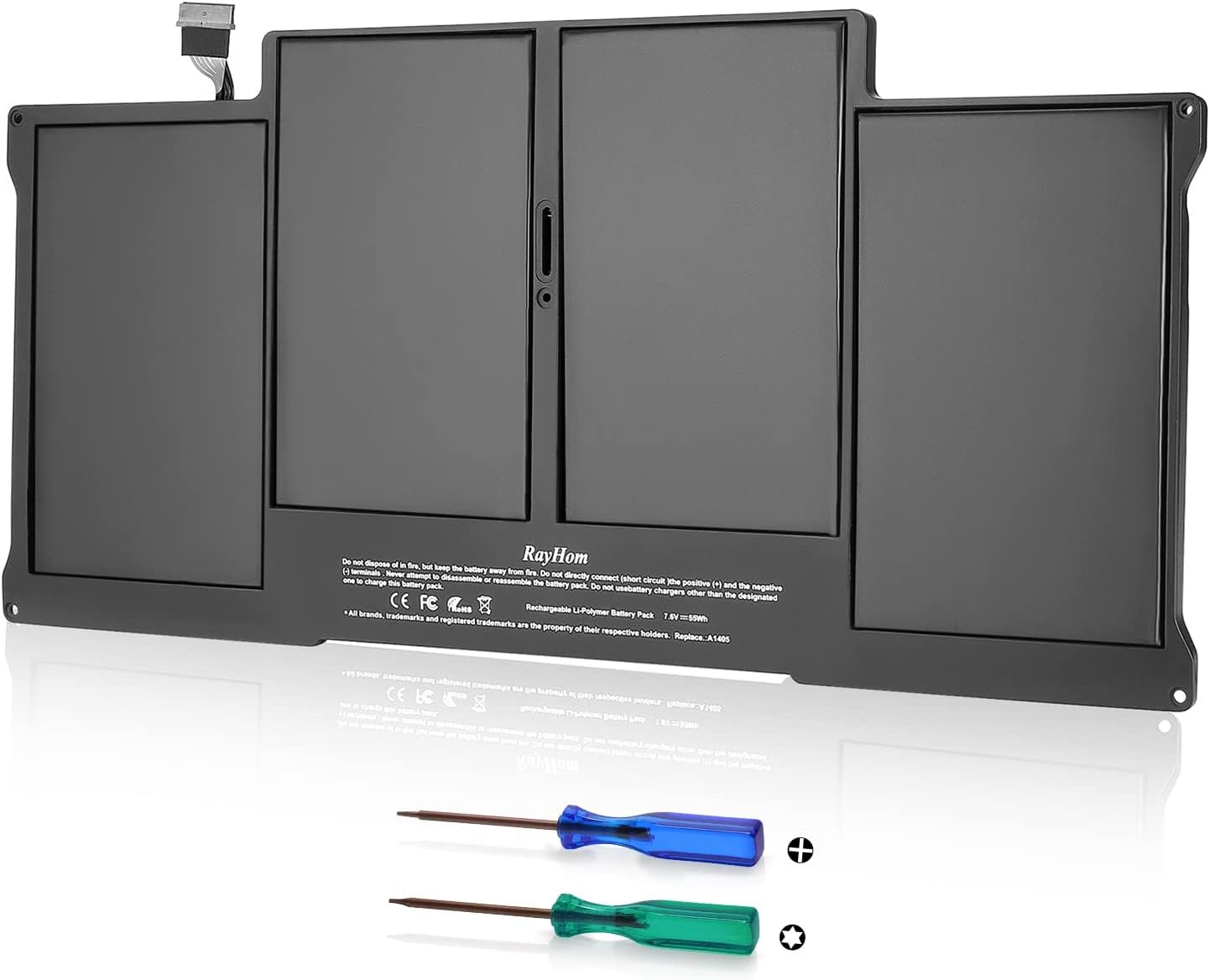
BATTERY DELL J60J5 7.6V 55Wh Battery Compatible with Dell Latitude E7470 E7270 7470 7270 451-BBSY 451-BBSX 451-BBSU WYWJ2 R1V85 MC34Y 242WD PDNM2 1W2Y2 GG4FM F1KTM NJJ2H 5F08V P61G001 P26S001 J6OJ5 Laptop Battery About this item SPECIFICATION : Model Name: Standard Rechargeable Li-ion battery Type J60J5 ; Device Type: Notebook battery; Battery Type: Lithium ion; Voltage : 7.6V; Capacity : 55Wh; Cells: 4-cell; Dimensions about 9.37×4.17×0.24in; Weight: About 11OZ / 0.69lb; Condition : 100 % New; Packages includes: 1PC J6OJ5 laptop battery(with free screwdrivers for easy installation) COMPATIBILITY : 7.6V 55 WHr 4-Cell Lithium-Ion battery replace manufacturer part J60J5 J6OJ5 451-BBSX 451-BBSY 451-BBSU R1V85 WYWJ2 MC34Y 0MC34Y 242WD PDNM2 1W2Y2 0F1KTM F1KTM NJJ2H GG4FM 5F08V P61G P61G001 P26S P26S001 battery designed for Dell Latitude E7270 Latitude E7470 7270 7470 Series laptop. SECURITY: ECHEER 55Wh 4-cell J60J5 batteries have passed strict intelligent detection, such as short circuit protection, over-voltage protection, discharge protection, and over-current protection, which is very important for the battery’s use cycle and safety. Also, CE, FCC, and RoHS are certificated. Every one of our replacement notebook batteries is tested to meet OEM specifications.

A well-equipped pre-owned Dell Latitude 5410 with 14" display, 10th Gen Core i5, 16GB RAM, and 512GB SSD—delivering strong performance, security, and portability for business and professional use.

Verbatim Vi3000 512 GB NVMe SSD — high-speed PCIe 4.0 storage for desktops & laptops.• Read up to 5,000 MB/s • Write up to 3,200 MB/s • Compact M.2 2280 form factorInterface: PCIe Gen 4 × 4 NVMe 1.4 | Warranty: 3 Years | SKU: Vi3000-512G 🟣 Full Details : The Verbatim Vi3000 512 GB PCIe NVMe M.2 SSD delivers blazing-fast performance for everyday computing, gaming, and creative work. Using the latest PCIe Gen 4 × 4 NVMe 1.4 interface, it achieves read speeds up to 5,000 MB/s and write speeds up to 3,200 MB/s, making it a great upgrade for faster boot times and quicker app loading. PCIe Gen 4 × 4 NVMe 1.4 interface for ultra-fast transfer speeds Up to 5,000 MB/s read and 3,200 MB/s write performance Compact M.2 2280 design for desktops & laptops Low power consumption and quiet operation 3-year limited warranty with Verbatim reliability Works with most modern desktops and laptops that support M.2 NVMe (PCIe) drives. Fully backward compatible with PCIe 3.0 systems (at lower speeds). Verbatim Vi3000 512 GB M.2 NVMe SSD Quick installation & warranty guide

OEM-quality trackpad replacement (without flex cable) for MacBook Air 13″ (Model A1932, 2018–2019) in Gold finish—engineered for precise Force Touch response, smooth multi-touch gestures, and perfect color-matched integration with the original chassis. Compatible With: MacBook Air 13-inch (2018 & 2019, Model A1932, Model Identifiers MacBookAir8,1) with Intel Core i5/i7 processors. Part Type: Trackpad only—does not include the flex cable, Taptic Engine, or mounting hardware. Designed for technicians who will reuse the original internal components. Finish: Gold—specifically matched to the Gold variant of the A1932 MacBook Air for seamless aesthetic continuity. Force Touch Support: Fully compatible with pressure-sensitive input and haptic feedback when paired with the original Taptic Engine and logic board—ensuring full macOS gesture functionality (e.g., Force Click, Look Up, pressure-sensitive navigation). Precision Build: Smooth glass surface with exact curvature, texture, and micro-click mechanism matching Apple’s original design for consistent tracking accuracy and tactile feel. Installation Requirements: Requires full bottom case disassembly and careful transfer of the original flex cable and Taptic Engine. Adhesive must be applied precisely to maintain structural integrity and sensor alignment. Recommended for professional or experienced repair technicians only.

Genuine-spec touchpad flex cable for MacBook Air 13.6″ (Model A2681, 2022, M2)—essential for restoring full Force Touch functionality, haptic feedback, and multi-touch gesture support when replacing or repairing the trackpad assembly. Compatible With: MacBook Air 13.6-inch (2022, Model A2681) with Apple M2 chip (all colors: Silver, Space Gray, Starlight, Midnight). Part Type: Touchpad flex cable only—does not include the trackpad, Taptic Engine, or mounting hardware. This is the ribbon cable assembly that connects the trackpad to the logic board. Function: Transmits touch input, Force Touch pressure data, and haptic feedback signals between the trackpad and logic board—critical for macOS gesture recognition and Taptic Engine operation. OEM-Quality Construction: Matches Apple’s original flex circuit in length, connector type, shielding, and bend radius—ensures reliable signal integrity and long-term durability. Common Use Cases: Replacing a torn, frayed, or damaged original flex cable Completing a trackpad replacement when the original cable was compromised Repairing unresponsive or erratic trackpad behavior caused by cable failure Replacing a torn, frayed, or damaged original flex cable Completing a trackpad replacement when the original cable was compromised Repairing unresponsive or erratic trackpad behavior caused by cable failure Installation Note: Requires full bottom case disassembly and careful routing under the battery and logic board. Connectors use ZIF (Zero Insertion Force) sockets—do not force. Recommended for experienced or certified technicians only.

Genuine-spec touchpad flex cable for Apple’s 12-inch MacBook (Model A1534, Early 2015 / Early 2016 / Mid 2017)—essential for restoring full Force Touch trackpad functionality, haptic feedback, and multi-touch gesture support. Compatible With: MacBook 12″ (Early 2015) – 1.1GHz Core M MacBook 12″ (Early 2016) – 1.1GHz/1.3GHz Core M MacBook 12″ (Mid 2017) – 1.2GHz/1.3GHz Core m3/i5/i7 All share Model Number A1534 and Model Identifier MacBook8,1 / MacBook9,1 / MacBook10,1 respectively. MacBook 12″ (Early 2015) – 1.1GHz Core M MacBook 12″ (Early 2016) – 1.1GHz/1.3GHz Core M MacBook 12″ (Mid 2017) – 1.2GHz/1.3GHz Core m3/i5/i7 All share Model Number A1534 and Model Identifier MacBook8,1 / MacBook9,1 / MacBook10,1 respectively. Part Type: Touchpad flex cable only—does not include the trackpad housing, Taptic Engine, or mounting brackets. This is the ribbon cable that connects the Force Touch trackpad to the logic board. Function: Critical for Force Touch functionality—transmits pressure-sensitive input, multi-touch gestures (e.g., pinch, swipe, Force Click), and haptic feedback signals to the Taptic Engine. OEM-Quality Construction: Precisely matches Apple’s original in length, connector pitch, shielding, and routing—ensures reliable signal integrity and compatibility with macOS. Common Use Cases: Replacing a torn, creased, or liquid-damaged flex cable Restoring unresponsive or erratic trackpad behavior Completing a trackpad replacement when the original cable is unusable Replacing a torn, creased, or liquid-damaged flex cable Restoring unresponsive or erratic trackpad behavior Completing a trackpad replacement when the original cable is unusable Installation Note: Requires full bottom case removal and delicate disconnection of the ZIF connector. The cable routes tightly under the battery—extreme care is required. Recommended for experienced or certified technicians only.

Used OEM Original Apple Logic Board Working, A1706 Late 2016 Mode 3.3 GHz i7 256gb 16gb RAM Tested using latest industry hardware diagnostic software, Fresh pull from full unit.

The Apple MacBook Pro 16-inch (2019) is powered by an Intel Core i9 processor, paired with 16GB RAM and a fast 512GB SSD for powerful and reliable performance. Designed for professionals and creatives, it features a premium aluminum build, immersive 16-inch Retina display, and dedicated Radeon Pro graphics for demanding workloads.

Genuine-spec touchpad flex cable for MacBook Pro 15″ (Model A1706 – 2017 and A1989 – 2018/2019)—restores full Force Touch functionality, haptic feedback, and precise multi-touch gesture control during trackpad repair or replacement. Compatible With: MacBook Pro 15″ (2017) – Model A1706 (Model Identifier: MacBookPro14,3) MacBook Pro 15″ (2018–2019) – Model A1989 (Model Identifier: MacBookPro15,2) ✅ Note: Apple used the same trackpad assembly and flex cable across both A1706 and A1989 15″ models—making this part interchangeable between them. MacBook Pro 15″ (2017) – Model A1706 (Model Identifier: MacBookPro14,3) MacBook Pro 15″ (2018–2019) – Model A1989 (Model Identifier: MacBookPro15,2) ✅ Note: Apple used the same trackpad assembly and flex cable across both A1706 and A1989 15″ models—making this part interchangeable between them. ✅ Note: Apple used the same trackpad assembly and flex cable across both A1706 and A1989 15″ models—making this part interchangeable between them. Part Type: Touchpad flex cable only — does not include the trackpad housing, Taptic Engine, or mounting hardware. This is the OEM-style ribbon cable connecting the trackpad to the logic board. Function: Transmits: Touch input coordinates Force Touch pressure data Haptic feedback signals to the Taptic Engine Enables full macOS gesture support: Force Click, three-finger lookup, swipe navigation, pinch-to-zoom, and smooth cursor tracking. Touch input coordinates Force Touch pressure data Haptic feedback signals to the Taptic Engine Enables full macOS gesture support: Force Click, three-finger lookup, swipe navigation, pinch-to-zoom, and smooth cursor tracking. OEM-Quality Build: Matches Apple’s original in: Cable length and routing Connector pitch and ZIF latch design EMI shielding and flex durability Cable length and routing Connector pitch and ZIF latch design EMI shielding and flex durability Common Use Cases: Replacing a torn, creased, or liquid-damaged original flex cable Completing a trackpad replacement when the original cable is compromised Fixing intermittent trackpad behavior, loss of Force Touch, or complete unresponsiveness Replacing a torn, creased, or liquid-damaged original flex cable Completing a trackpad replacement when the original cable is compromised Fixing intermittent trackpad behavior, loss of Force Touch, or complete unresponsiveness Installation Note: Requires full bottom case removal and battery disconnection. Cable routes under internal components near the right speaker and logic board. Connects via a ZIF (Zero Insertion Force) socket—must be aligned carefully and latched gently. Recommended for experienced or certified technicians only. Requires full bottom case removal and battery disconnection. Cable routes under internal components near the right speaker and logic board. Connects via a ZIF (Zero Insertion Force) socket—must be aligned carefully and latched gently. Recommended for experienced or certified technicians only.


