
Fast-charging feature available on select iPhone and iPad models.

Arabic MacBook Pro Keyboard Cover 2023 2022 14 inch A2779 A2442 - Pro 16 inch A2780 A2485 M1-2022 MacBook Air Keyboard Cover 13.6 inch M2 A2681 Silicone Skin Ultra Thin, Arabic Language Arabic MacBook Pro Keyboard Cover 2023 2022 14 inch A2779 A2442 – Pro 16 inch A2780 A2485 M1-2022 MacBook Air Keyboard Cover 13.6 inch M2 A2681 Silicone Skin Ultra Thin, Arabic Language About this item Arabic Keyboard Layout Fits Perfectly 2023 MacBook Pro 14 inch keyboard cover A2779 A2442 M1 Pro Max Chip and Pro 16 inch A2780 A2485 2022 MacBook Air M2 keyboard skin A2681. Kuzy Mac keyboard cover have been engineered to fit snugly onto the low profile keyboard We employed the best industry standards in this Mac Book keyboard cover. Kuzy laptop keyboard covers made out of High Elastic Silicon. Every key is individually molded for a long lasting professional look. Advanced Spill and Dust Protection Soft Flexible and Washable Silicone keyboard skin makes typing quiet and soft to the touch. Flexible, environmentally smart keyboard protector design lets you roll up the MacBook keyboard cover for storage and travel. Quickly apply and remove Keyboard Cover Compatible with 14 inch MacBook Pro model A2779 A2442 also 16 inch MacBook Pro A2780 A2485 and 13.6 inch MacBook Air A2681. Maintain the longevity of your Apple device by eliminating key wear and tear with Kuzy computer keyboard covers

Professional battery testing flex cable for MacBook Pro 15″ (Model A1990, 2018–2019)—used by technicians to bypass a faulty battery or diagnose power-on issues without permanent battery removal. Enables safe logic board testing and troubleshooting. This is not a replacement battery cable—it’s a diagnostic tool used in repair workflows. It mimics the battery’s presence by providing the necessary SMBus signal and power-enable lines to the logic board, allowing the MacBook to: Power on without a battery installed Test logic board functionality independently Diagnose whether a no-power issue is caused by the battery or logic board MacBook Pro 15″ (2018–2019) Model: A1990 Model Identifiers: MacBookPro15,2 Chip: Intel Core i7/i9 Model: A1990 Model Identifiers: MacBookPro15,2 Chip: Intel Core i7/i9 ⚠️ Not compatible with A1707 (2016–2017), A2159 (16″), or any M1/M2 models. Simulates battery presence via correct SMBus resistance and ID signals Includes power-enable circuitry matching Apple’s safety protocol Pre-terminated with OEM-style connector for A1990 logic board Allows safe bench testing of logic boards during repair Diagnosing “no power, no fan spin, no display” issues Verifying if a logic board powers on without risking a shorted battery Testing after liquid damage or DC-in board replacement Avoiding unnecessary battery replacements during diagnostics Not for permanent installation—intended for temporary diagnostic use only Does not charge or store power—requires connected USB-C power adapter to operate Must be used with a known-good power adapter (87W recommended) Not a consumer part—designed for professional repair shops and technicians

Genuine-spec touchpad flex cable for MacBook Pro 14″ (Model A2442, 2021, M1 Pro/Max)—essential for restoring full Force Touch functionality, haptic feedback, and precise multi-touch gesture control. Compatible With: MacBook Pro 14-inch (2021, Model A2442) with Apple M1 Pro or M1 Max chip (Model Identifiers: MacBookPro18,3 / MacBookPro18,4). Part Type: Touchpad flex cable only—does not include the trackpad, Taptic Engine, or mounting brackets. This is the OEM-style ribbon cable that connects the trackpad to the logic board. Function: Carries touch input, Force Touch pressure data, and haptic feedback signals—critical for macOS trackpad gestures, Force Click, and Taptic Engine responsiveness. OEM-Quality Build: Matches Apple’s original flex circuit in length, connector pitch, shielding, and bend geometry—ensures reliable signal transmission and durability under repeated use. Common Use Cases: Replacing a damaged, torn, or corroded original flex cable Completing a trackpad replacement when the original cable is unusable Fixing intermittent trackpad issues, unresponsiveness, or loss of Force Touch Replacing a damaged, torn, or corroded original flex cable Completing a trackpad replacement when the original cable is unusable Fixing intermittent trackpad issues, unresponsiveness, or loss of Force Touch Installation Note: Requires full bottom case removal and careful routing beneath internal components. Connectors use ZIF (Zero Insertion Force) sockets—must be seated properly without force. Recommended for certified or highly experienced technicians only.

Genuine-spec touchpad flex cable for MacBook Pro 15″ (Model A1707, 2016–2017)—restores full Force Touch functionality, haptic feedback, and precise multi-touch gesture control during trackpad repair or replacement. Compatible With: MacBook Pro 15″ (2016) – Model A1707 (Model Identifier: MacBookPro13,2) MacBook Pro 15″ (2017) – Model A1707 (Model Identifier: MacBookPro14,2) MacBook Pro 15″ (2016) – Model A1707 (Model Identifier: MacBookPro13,2) MacBook Pro 15″ (2017) – Model A1707 (Model Identifier: MacBookPro14,2) Part Type: Touchpad flex cable only — does not include the trackpad housing, Taptic Engine, or mounting hardware. This is the OEM-style ribbon cable that connects the trackpad to the logic board. Function: Transmits: Touch input coordinates Force Touch pressure data Haptic feedback signals to the Taptic Engine Enables full macOS gesture support: Force Click, three-finger lookup, swipe navigation, pinch-to-zoom, and smooth cursor tracking. Touch input coordinates Force Touch pressure data Haptic feedback signals to the Taptic Engine Enables full macOS gesture support: Force Click, three-finger lookup, swipe navigation, pinch-to-zoom, and smooth cursor tracking. OEM-Quality Build: Matches Apple’s original specifications in: Cable length and routing path Connector pitch and ZIF latch design EMI shielding and flex durability Cable length and routing path Connector pitch and ZIF latch design EMI shielding and flex durability Common Use Cases: Replacing a torn, creased, or liquid-damaged original flex cable Completing a trackpad replacement when the original cable is compromised Fixing intermittent trackpad behavior, loss of Force Touch, or complete unresponsiveness Replacing a torn, creased, or liquid-damaged original flex cable Completing a trackpad replacement when the original cable is compromised Fixing intermittent trackpad behavior, loss of Force Touch, or complete unresponsiveness Installation Note: Requires full bottom case removal and battery disconnection. Cable routes under internal components near the right speaker and logic board. Connects via a ZIF (Zero Insertion Force) socket—must be aligned carefully and latched gently. Recommended for experienced or certified technicians only. Requires full bottom case removal and battery disconnection. Cable routes under internal components near the right speaker and logic board. Connects via a ZIF (Zero Insertion Force) socket—must be aligned carefully and latched gently. Recommended for experienced or certified technicians only.

The 60W MagSafe 2 Power Adapter features a magnetic DC connector so if someone should trip over it, the cord disconnects harmlessly and your MacBook Pro stays put safely. It also helps prevent fraying or weakening of the cables over time. In addition, the magnetic DC helps guide the plug into the system for a quick and secure connection. The 60W MagSafe 2 Power Adapter features a magnetic DC connector so if someone should trip over it, the cord disconnects harmlessly and your MacBook Pro stays put safely. It also helps prevent fraying or weakening of the cables over time. In addition, the magnetic DC helps guide the plug into the system for a quick and secure connection. When the connection is secure, an LED located at the head of the DC connector lights up; an amber light lets you know that your notebook is charging, while a green light tells you that you have a full charge. An AC cord is provided with the adapter for maximum cord length, while the AC wall adapter (also provided) gives you an even easier and more compact way to travel. Designed to be the perfect traveling companion, the adapter has a clever design which allows the DC cable to be wound neatly around itself for easy cable storage. Compatible with MacBook Pro with 13-inch Retina display. See this article for more details about choosing the right one. Knowing which specific Mac model you have is important. If you are running OS X Lion (10.7) or later go to the “” menu at the top left of your screen, choose “About this Mac” then click the “More Info…” button. Your Mac model and generation will be displayed. If you are running an earlier version of OS X, you can enter your serial number here to find out which model you have. COMPATIBILITY Mac Models: MacBook Pro (Retina, 13-inch, Late 2012 – 2015)

SCREEN LG 24″ FHD Borderless IPS 100HZ 5MS with FreeSync™ LG-24MR400-B SCREEN LG 24″ FHD Borderless IPS 100HZ 5MS with FreeSync™ LG-24MR400-B Technical Details

Model: A4Tech Bloody G521S Type: Over-Ear Wired Gaming Headset Connection: USB (Digital Audio Interface) Drivers: 50mm Neodymium speakers Sound Technology: 7.1 Virtual Surround Sound Built-in Sound Card Frequency Response: Speaker: 20Hz – 20kHz Microphone: 100Hz – 10kHz Impedance: 16 Ohms Sensitivity: Speaker: 105 dB ± 3 dB Microphone: -45 dB ± 3 dB Microphone: Noise-canceling Flexible boom design Lighting: RGB backlight on earcups Design: Soft memory foam ear cushions Adjustable headband with durable metal frame Cable Length: 2.2 meters Weight: ~280g Compatibility: Windows PC (supports software features), basic plug-and-play on other platforms Extras: Bloody software for audio customization

OEM-quality trackpad replacement (without flex cable) for MacBook Pro 13″ (Models A2251 and A2289, 2020) in Silver finish—engineered for precise Force Touch response, smooth multi-touch gestures, and seamless integration with the original chassis. Compatible With: MacBook Pro 13″ (2020, Two Thunderbolt Ports) – Model A2251 (Intel Core i5/i7) MacBook Pro 13″ (2020, Four Thunderbolt Ports) – Model A2289 (Intel Core i5/i7) (Note: Both models share the same trackpad assembly despite port differences.) MacBook Pro 13″ (2020, Two Thunderbolt Ports) – Model A2251 (Intel Core i5/i7) MacBook Pro 13″ (2020, Four Thunderbolt Ports) – Model A2289 (Intel Core i5/i7) (Note: Both models share the same trackpad assembly despite port differences.) Part Type: Trackpad only—does not include the flex cable, Taptic Engine, or mounting hardware. Designed for technicians who will reuse the original internal components. Finish: Silver—matches the Silver MacBook Pro 13″ top and bottom case for perfect aesthetic continuity. Force Touch Support: Fully compatible with pressure-sensitive input and haptic feedback when paired with the original Taptic Engine and logic board—ensuring full macOS gesture functionality (e.g., Force Click, Lookup, Pressure-sensitive drawing). Precision Build: Features the same glass surface texture, curvature, and micro-click mechanism as Apple’s original—delivering consistent tracking accuracy and tactile feel. Installation Requirements: Requires full bottom case disassembly and careful transfer of the original flex cable and Taptic Engine. Adhesive must be applied precisely to maintain structural rigidity and sensor alignment. Recommended for certified or experienced repair technicians only.

OEM-quality touchpad replacement for MacBook Air 13.6″ (Model A2681, 2022)—available in Gray, Gold, Silver, and Blue to match your original chassis color. Precision-engineered for seamless Force Touch performance and smooth gesture control. Compatible With: MacBook Air 13.6-inch (2022, Model A2681) with M2 chip—includes all color variants: Space Gray, Gold, Silver, and Midnight Blue. Part Type: Touchpad only—does not include the flex cable, connector, or mounting brackets. Intended for technicians reusing the original cable or transferring it during repair. Color-Matched Finish: Available in all four official A2681 colors to maintain aesthetic consistency with your MacBook’s lower case. Force Touch Support: Full compatibility with Force Touch gestures, haptic feedback, and multi-touch functionality (requires original Taptic Engine and logic board). OEM Build Quality: Matches Apple’s original surface texture, curvature, and responsiveness—ensures consistent click feel and tracking accuracy. Installation Note: Requires careful transfer of the original flex cable and Taptic Engine (if not already attached). Full bottom case disassembly is necessary. Recommended for professional repair technicians.

Experience elite performance with the Lenovo ThinkPad E14 Gen 3, powered by the AMD Ryzen 7 5700U 8-core processor. Featuring 16GB RAM, a lightning-fast 512GB NVMe SSD, and a professional 14-inch FHD display, this laptop is engineered for high-level productivity and military-grade durability.

Genuine-spec touchpad flex cable for MacBook Pro 15″ (Model A1990, 2018–2019, Intel)—essential for restoring full Force Touch functionality, haptic feedback, and precise multi-touch gesture control during trackpad repair or replacement. Compatible With: MacBook Pro 15-inch (2018 & 2019, Model A1990, Model Identifiers MacBookPro15,2) with Intel Core i7/i9 processors. Part Type: Touchpad flex cable only — does not include the trackpad housing, Taptic Engine, or mounting hardware. This is the OEM-style ribbon cable that connects the trackpad to the logic board. Function: Transmits: Touch input coordinates Force Touch pressure data Haptic feedback signals to the Taptic Engine Enables full macOS gesture support: Force Click, three-finger lookup, swipe navigation, pinch-to-zoom, and smooth cursor tracking. Touch input coordinates Force Touch pressure data Haptic feedback signals to the Taptic Engine Enables full macOS gesture support: Force Click, three-finger lookup, swipe navigation, pinch-to-zoom, and smooth cursor tracking. OEM-Quality Build: Matches Apple’s original specifications in: Cable length and routing path Connector pitch and ZIF latch design EMI shielding and flex durability Cable length and routing path Connector pitch and ZIF latch design EMI shielding and flex durability Common Use Cases: Replacing a torn, creased, or liquid-damaged original flex cable Completing a trackpad replacement when the original cable is unusable Fixing intermittent trackpad behavior, loss of Force Touch, or complete unresponsiveness Replacing a torn, creased, or liquid-damaged original flex cable Completing a trackpad replacement when the original cable is unusable Fixing intermittent trackpad behavior, loss of Force Touch, or complete unresponsiveness Installation Note: Requires full bottom case removal and battery disconnection. Cable routes under internal components near the right speaker and logic board. Connects via a ZIF (Zero Insertion Force) socket—must be aligned carefully and latched gently. Recommended for experienced or certified technicians only. Requires full bottom case removal and battery disconnection. Cable routes under internal components near the right speaker and logic board. Connects via a ZIF (Zero Insertion Force) socket—must be aligned carefully and latched gently. Recommended for experienced or certified technicians only.

Experience premium mobility and intuitive control with the pre-owned ThinkPad T490s. Featuring a powerful Intel Core i5 8th Gen processor, 16GB RAM, and a 256GB NVMe SSD, this ultra-slim professional laptop stands out with its responsive FHD Touchscreen for a more interactive and efficient workflow.

The Arzopa A1 is an ultra-slim, lightweight 15.6-inch portable monitor engineered for seamless travel productivity and entertainment. Delivering crisp Full HD imagery on a premium IPS panel with integrated eye care features, it provides a hassle-free plug-and-play experience using dual full-function USB-C and Mini HDMI inputs. Complete with a built-in adjustable kickstand, it is the perfect dual-screen companion for laptops, smartphones, and gaming consoles. ✅ Full Specifications: Model: ARZOPA Type-C Portable Monitor (ARZOPA-A1) Interface / Connection: Multi-Port Input Panel: 2 x USB Type-C Full Function Ports (Supports concurrent video transmission, data, and power delivery) 1 x Mini HDMI Port (Video signal input only) 1 x 3.5mm Headphone / Audio Output Interface Interface / Connection: Multi-Port Input Panel: 2 x USB Type-C Full Function Ports (Supports concurrent video transmission, data, and power delivery) 1 x Mini HDMI Port (Video signal input only) 1 x 3.5mm Headphone / Audio Output Interface Performance / Screen Quality: Panel Type: IPS (In-Plane Switching) display with 178° wide viewing angles Resolution: Full HD 1920 x 1080p Refresh Rate: 60Hz Aspect Ratio: 16:9 Brightness: 300 cd/m² Contrast Ratio: 1200:1 Display Colors: 262K (8-bit) Color Gamut: 45% NTSC / 72% sRGB space coverage Performance / Screen Quality: Panel Type: IPS (In-Plane Switching) display with 178° wide viewing angles Resolution: Full HD 1920 x 1080p Refresh Rate: 60Hz Aspect Ratio: 16:9 Brightness: 300 cd/m² Contrast Ratio: 1200:1 Display Colors: 262K (8-bit) Color Gamut: 45% NTSC / 72% sRGB space coverage Display Technology: Features built-in HDR rendering technology to boost dynamic contrast alongside a Low Blue Light comfort filter to reduce eye fatigue. Audio: Dual built-in stereo speakers (1W x 2 configuration). Material & Build: Premium, durable metal housing constructed out of a sleek aluminum alloy framework. Design & Form Factor: Ultra-thin bezel layout boasting an integrated adjustable smart kickstand for multi-angle landscape deployment. Power Setup: Driverless plug-and-play architecture. Operates without an internal battery; runs on host device power distribution via USB-C or requires an external 5V/3A power input adapter. Compatibility: Fully compatible with MacBooks, Windows PCs/Laptops, Chromebooks, USB-C supported Android smartphones, and modern gaming consoles (Nintendo Switch, Xbox Series X/S, PS4, PS5). Dimensions: Approx. 355.6 x 220.9 x 9.14 mm (Ultra-slim 0.36-inch profile) Weight: Approx. 725 to 735 grams (1.6 lbs lightweight chassis)

Digital Device Laptop Keyboard Compatible for MacBook AIR 13″ A1369 A1466 (MID 2011- MID 2017) US Layout 【Unique】Pls see detail compatible models in description below. 【Safe】Easy for you replace your faulty, cracked or broken keyboard ,seller remind that you should replace the keyboard in the off state. All pictures are taken from the real item, please check carefully before bidding, Replacement and high quality, Replace your faulty, cracked or broken keyboard. Each keyboard is tested before shipping Compatibility: MacBook Air 13″ A1369 Mid 2011: MC965LL/A (1.7 GHz Core i5) Mid 2011: MC966LL/A (1.7 GHz Core i5) Mid 2011: MD226LL/A (1.8 GHz Core i7) Compatibility: MacBook Air 13″ A1466 Mid 2012: MD231LL/A (1.8 GHz Core i5) Mid 2012: MD232LL/A (1.8 GHz Core i5) Mid 2012: MD232LL/A (2.0 GHz Core i7) Mid 2013: MD760LL/A (1.3 GHz Core i5) Mid 2013: MD761LL/A (1.3 GHz Core i5) Mid 2013: MD761LL/A (1.7 GHz Core i7) Early 2014: MD760LL/B (1.4 GHz Core i5) Early 2014: MD761LL/B (1.4 GHz Core i5) Early 2014: MD761LL/B (1.7 GHz Core i7) Compatibility: Early 2015: MJVE2LL/A (1.6 GHz Core i5 or 2.2 GHz Core i7) Early 2015: MJVG2LL/A (1.6 GHz Core i5 or 2.2 GHz Core i7) Identifying Numbers APN #: 661-6059, 661-6635, 661-7480

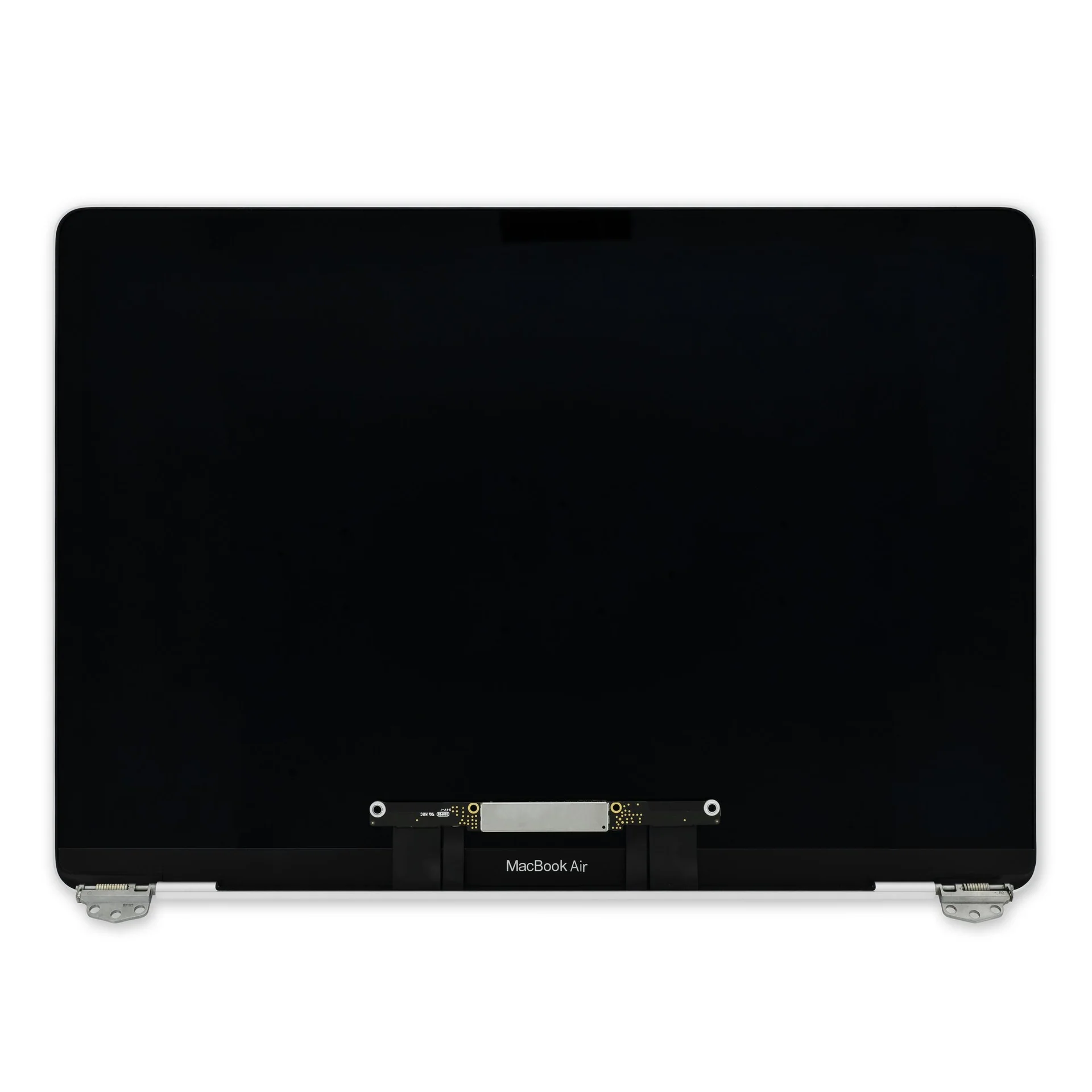
Original 13.3-inch Retina LCD display assembly for MacBook Pro A1502 (pulled from a working unit). OEM part, ready to replace cracked or malfunctioning screens with perfect visual quality. This is a genuine Retina display assembly removed from a fully functional MacBook Pro model A1502. It’s ideal as a replacement for a damaged or broken screen, offering original Apple quality without needing aftermarket components. Key Features & Functionality Factory Retina IPS panel with high color accuracy and brightness Integrated LCD, backlight, front glass, display cable and hinges Tested for proper display, backlight, no dead/stuck pixels (unless noted) Designed to match original tolerances, alignment, and thickness Compatible with MacBook Pro A1502 models (various years) Detailed Specifications Important Notes & Considerations Ensure model is A1502 — other MacBook Pro models have different connectors and frames. Even though tested, minor cosmetic marks or micro-scratches may exist. Handle with extreme care — glass is fragile, flex cables delicate. Professional reinstallation recommended for best alignment and function.

WiWU Ora Laptop Sleeve Size: 14" and 16" Color: Black/Grey/Ivory Extra Storage Space - Two pockets in front, enough space to keep mouse, cable, cellphone, memory cards, external hard drive, pens, etc. Ultra-slim & Lightweight - Slim, portable, and lightweight to take alone, or slide into your briefcase, backpack, or any other bag, perfect for business, school, or travel. Shockproof - Multiple Layers Protection, polyester foam padding layer, and nylon fabric lining for bump and shock absorption, protect your computer from accidental scratches. Excellent Detail: Use an Exquisite zipper and reinforced stitching on all stress points, ensuring the bag does not fall apart when carrying heavy goods. The first verticle-designed laptop bag, you will feel the beauty of simple and good texture. WiWU Ora Laptop Sleeve Size: 14″ and 16″ Color: Black/Grey/Ivory Extra Storage Space – Two pockets in front, enough space to keep mouse, cable, cellphone, memory cards, external hard drive, pens, etc. Ultra-slim & Lightweight – Slim, portable, and lightweight to take alone, or slide into your briefcase, backpack, or any other bag, perfect for business, school, or travel. Shockproof – Multiple Layers Protection, polyester foam padding layer, and nylon fabric lining for bump and shock absorption, protect your computer from accidental scratches. Excellent Detail: Use an Exquisite zipper and reinforced stitching on all stress points, ensuring the bag does not fall apart when carrying heavy goods. The first verticle-designed laptop bag, you will feel the beauty of simple and good texture.

A compact and durable pre-owned Dell Latitude 7480 with 14" display, 6th Gen Core i5, 8GB RAM, and 128GB SSD—ideal for light office tasks, students, or as a secure secondary business device.

Compact and stylish with a zinc alloy shell, the SatcOp 8‑in‑1 USB‑C Multiport Dock delivers essential ports—Ethernet, HDMI, USB, card readers, and charging—in one portable adapter. Ideal for powering your laptop while expanding connectivity on the go. 🖥️ HDMI Port – Connect to external displays in Full HD or 4K (depending on your host device). 🌐 RJ45 Ethernet Port – Provides stable wired internet access with gigabit-speed support. ⚡ USB-C PD Charging – Power your laptop while using other ports (up to 87W pass-through). 🔌 USB 3.0 & USB 2.0 Ports – Connect flash drives, external storage, keyboards, and mice. 💾 SD & TF Card Readers – Quick access to camera and device storage cards. 🧊 Material – Premium zinc alloy casing for durability and efficient heat dissipation. 💼 Design – Slim, lightweight, and perfect for travel, home, or office setups. 💻 Compatibility – Works with most USB-C laptops, including Windows, macOS, Chrome OS, and select Android tablets.

TT03XL Laptop Battery Compatible with Hp EliteBook 850 G5 850 G6 ZBook 15U G5 15U G6 Series Notebook 932824-2C1 933322-855 932824-421 HSTNN-LB8H HSTNN-DB8K 11.55V 56Wh 4610mAh About this item 【Battery type】Li-ion. Voltage: 11.55V. Capacity: 56Wh 4610mAh. 【Replacement For Laptop】Hp EliteBook 850 G5 G6, ZBook 15U G5 G6 Series . 【Compatible Part Number】TT03XL 932824-2C1 933322-855 932824-421 HSTNN-LB8H HSTNN-DB8K TTO3XL. 【Connector】Before placing your order, Please refer to the picture and check it. Because the products produced by different factories will have differences in size, cable length, interface, etc. 【Use Skills】If the new battery is not recognized during the initial installation, please reinstall and check if the interface is fully connected. Discharge the new battery to 5% (not 0%), then charge and cycle 3-4 times to wake up the new battery.
