
The Lenovo ThinkPad T460 features an Intel Core i5 6th Gen processor, 8GB RAM, and a fast 256GB SSD for smooth everyday performance. With a responsive 14-inch touchscreen display and the legendary ThinkPad keyboard, it’s ideal for work, study, and productivity on the go.

Genuine-spec touchpad flex cable for MacBook Pro 13″ (Model A2289, 2020, Intel)—restores full Force Touch functionality, haptic feedback, and preci multi-touch gesture control. OEM-quality replacement for damaged or faulty original cables. Compatible With: MacBook Pro 13-inch (2020, Four Thunderbolt Ports, Model A2289, Model Identifier MacBookPro16,2) with Intel Core i5/i7 processors. Part Type: Touchpad flex cable only — does not include the trackpad housing, Taptic Engine, or mounting hardware. This is the OEM-style ribbon cable that connects the trackpad to the logic board. Function: Transmits: Touch input coordinates Force Touch pressure data Haptic feedback signals to the Taptic Engine Enables full macOS gesture support: Force Click, three-finger lookup, swipe navigation, pinch-to-zoom, and smooth cursor tracking. Touch input coordinates Force Touch pressure data Haptic feedback signals to the Taptic Engine Enables full macOS gesture support: Force Click, three-finger lookup, swipe navigation, pinch-to-zoom, and smooth cursor tracking. OEM-Quality Build: Matches Apple’s original specifications in: Cable length and routing path Connector pitch and ZIF latch design EMI shielding and flex durability Cable length and routing path Connector pitch and ZIF latch design EMI shielding and flex durability Common Use Cases: Replacing a torn, creased, or liquid-damaged original flex cable Completing a trackpad replacement when the original cable is unusable Fixing: Intermittent or erratic trackpad behavior Loss of Force Touch or haptic feedback Complete trackpad unresponsiveness Replacing a torn, creased, or liquid-damaged original flex cable Completing a trackpad replacement when the original cable is unusable Fixing: Intermittent or erratic trackpad behavior Loss of Force Touch or haptic feedback Complete trackpad unresponsiveness Intermittent or erratic trackpad behavior Loss of Force Touch or haptic feedback Complete trackpad unresponsiveness Installation Note: Requires full bottom case removal and battery disconnection. Cable routes under internal components (speaker, logic board)—must follow original path. Connects via ZIF (Zero Insertion Force) socket—align carefully, never force. Recommended for experienced or certified technicians only. Requires full bottom case removal and battery disconnection. Cable routes under internal components (speaker, logic board)—must follow original path. Connects via ZIF (Zero Insertion Force) socket—align carefully, never force. Recommended for experienced or certified technicians only. Important Compatibility Notes: ✅ Only for A2289 (13″, 4 Thunderbolt ports, 2020, Intel) ❌ Not compatible with: A2251 (2 Thunderbolt ports, 2020) A2338 (M1 MacBook Pro, 2020) Any MacBook Air or 14″/16″ MacBook Pro ✅ Only for A2289 (13″, 4 Thunderbolt ports, 2020, Intel) ❌ Not compatible with: A2251 (2 Thunderbolt ports, 2020) A2338 (M1 MacBook Pro, 2020) Any MacBook Air or 14″/16″ MacBook Pro A2251 (2 Thunderbolt ports, 2020) A2338 (M1 MacBook Pro, 2020) Any MacBook Air or 14″/16″ MacBook Pro

Razer DeathAdder Essential – Ergonomic wired gaming mouse with 6,400 DPI sensor and 5 programmable buttons.Trusted for its comfort, precision, and durable build—perfect for casual and competitive gaming. Model: Razer DeathAdder Essential (Black) Sensor Type: Optical DPI: Up to 6,400 DPI (adjustable) Buttons: 5 independently programmable Hyperesponse buttons Switches: Razer Mechanical Switches rated for up to 10 million clicks Tracking Speed: Up to 220 inches per second (IPS) Acceleration: 30G Design: Ergonomic right-handed design Grip Style: Palm grip (with textured side grips) Lighting: Single-color green backlight (Razer logo) Polling Rate: 1000 Hz Cable: Standard USB wired, 1.8 meters (rubber cable) Compatibility: Windows 7, 8, 10, 11 (Razer Synapse support) Weight: Approx. 96g (excluding cable) Software Support: Razer Synapse (for customization & macros)

Boost your daily productivity with the Lenovo ThinkPad E14 Gen 2, featuring a powerful 11th Gen Intel Core i5 processor. With flexible configurations of up to 16GB RAM and a fast 512GB NVMe SSD, this 14-inch business laptop offers the perfect blend of performance, security, and legendary ThinkPad durability

Genuine-spec touchpad flex cable for MacBook Pro 15″ (Model A1707, 2016–2017)—restores full Force Touch functionality, haptic feedback, and precise multi-touch gesture control during trackpad repair or replacement. Compatible With: MacBook Pro 15″ (2016) – Model A1707 (Model Identifier: MacBookPro13,2) MacBook Pro 15″ (2017) – Model A1707 (Model Identifier: MacBookPro14,2) MacBook Pro 15″ (2016) – Model A1707 (Model Identifier: MacBookPro13,2) MacBook Pro 15″ (2017) – Model A1707 (Model Identifier: MacBookPro14,2) Part Type: Touchpad flex cable only — does not include the trackpad housing, Taptic Engine, or mounting hardware. This is the OEM-style ribbon cable that connects the trackpad to the logic board. Function: Transmits: Touch input coordinates Force Touch pressure data Haptic feedback signals to the Taptic Engine Enables full macOS gesture support: Force Click, three-finger lookup, swipe navigation, pinch-to-zoom, and smooth cursor tracking. Touch input coordinates Force Touch pressure data Haptic feedback signals to the Taptic Engine Enables full macOS gesture support: Force Click, three-finger lookup, swipe navigation, pinch-to-zoom, and smooth cursor tracking. OEM-Quality Build: Matches Apple’s original specifications in: Cable length and routing path Connector pitch and ZIF latch design EMI shielding and flex durability Cable length and routing path Connector pitch and ZIF latch design EMI shielding and flex durability Common Use Cases: Replacing a torn, creased, or liquid-damaged original flex cable Completing a trackpad replacement when the original cable is compromised Fixing intermittent trackpad behavior, loss of Force Touch, or complete unresponsiveness Replacing a torn, creased, or liquid-damaged original flex cable Completing a trackpad replacement when the original cable is compromised Fixing intermittent trackpad behavior, loss of Force Touch, or complete unresponsiveness Installation Note: Requires full bottom case removal and battery disconnection. Cable routes under internal components near the right speaker and logic board. Connects via a ZIF (Zero Insertion Force) socket—must be aligned carefully and latched gently. Recommended for experienced or certified technicians only. Requires full bottom case removal and battery disconnection. Cable routes under internal components near the right speaker and logic board. Connects via a ZIF (Zero Insertion Force) socket—must be aligned carefully and latched gently. Recommended for experienced or certified technicians only.

A premium ultralight pre-owned Lenovo ThinkPad T14s Gen 2 with 14" display, 11th Gen Core i5, 16GB RAM, and 512GB SSD—delivering powerful performance, all-day battery life, and exceptional portability for professionals on the move.

WiWU S500 Foldable Lightweight Plastic Laptop Stand Description WiWU S500 Foldable Lightweight Plastic Laptop Stand Brand: wiwu Material: ABS+Aluminum alloy Foldable Height Adjustment. Laptop stand with foldable technology, light weight, easy to carry Adjustable from 20 to 40 degrees and height adjustable from 3.15 to 5.12 inches. There are 6 corners Compatible with laptops (11 inch-15 inch) Macbook, iMac, ipad, Microsoft Surface PR, Thinkpad, Lenovo, Dell, HP and more. With anti-slip rubber pad

PCE 1500 M8 1500VA 600W PCE UPS SYSTEM M8-1500 1500VA 600W Input Voltage: 220/230/240 VAC, 1Ø2Wires Input Frequency: 50 or 60 Hz +/-10% (auto sensing) Power: 600W Output voltage: 220/230/240VAC+/-1% Output Frequency: 50 or 60 Hz +/-1% Full Protection: Overload, discharge, and overcharge protection PCE UPS SYSTEM M8-1500 1500VA 600W Input Voltage: 220/230/240 VAC, 1Ø2Wires Input Frequency: 50 or 60 Hz +/-10% (auto sensing) Power: 600W Output voltage: 220/230/240VAC+/-1% Output Frequency: 50 or 60 Hz +/-1% Full Protection: Overload, discharge, and overcharge protection

13" Mid-2017 Apple MacBook Pro A1708 Logic Board 16Gb 2.3Ghz i5 13″ Mid-2017 Apple MacBook Pro A1708 Logic Board 16Gb 2.3Ghz i5

TPLINK 300Mbps Wireless N ADSL2+ Modem Router TD-W8961N

The Dell OptiPlex 7050 Micro combines compact design and solid performance with an Intel Core i5 6th Gen processor, DDR4 RAM options, and SSD storage options. Ideal for business and home use, it delivers reliable speed, energy efficiency, and space-saving desktop performance.

Apple USB-C to Lightning Cable (1m) - With Apple Warranty Apple USB-C to Lightning Cable (1m) – With Apple Warranty Connect your iPhone, iPad or iPod with Lightning connector to your USB-C– or Thunderbolt 3 (USB-C)–enabled Mac for syncing and charging, or to your USB-C–enabled iPad for charging. You can also use this cable with your Apple 18W, 20W, 29W, 30W, 61W, 87W or 96W USB‑C Power Adapter to charge your iOS device and even take advantage of the fast-charging feature on selected iPhone and iPad models.

WiWU Waterproof Large Capacity Minimalist Backpack Business Laptop Backpack Bags with Multi-Pockets For digital gadgets Minimalist Style Water-resistant material,Polyester Large Capacity Have Stock Size:15.6 inch

This is a logic board (motherboard) for the MacBook Pro 15" model A1398 (year 2015) with an Intel Core i7 processor and 16 GB of RAM. It’s the central brain of the laptop—everything else plugs into it. If your MacBook won’t turn on, has hardware faults, or logic-board damage, replacing this can restore full functionality (just make sure you choose the right version). This is a logic board (motherboard) for the MacBook Pro 15″ model A1398 (year 2015) with an Intel Core i7 processor and 16 GB of RAM. It’s the central brain of the laptop—everything else plugs into it. If your MacBook won’t turn on, has hardware faults, or logic-board damage, replacing this can restore full functionality (just make sure you choose the right version). This logic board is a high-quality replacement for the 2015 MacBook Pro 15″ Retina (model A1398). It features: Processor: Intel Core i7 (various speed variants) Memory: 16 GB soldered RAM (non-upgradeable) Graphics: Depending on version, either integrated Intel Iris Pro or dual graphics (Intel + AMD Radeon R9 M370X) Chipset & Board Info: Part numbers like 820-00138-A, 820-00163-A are common for these boards Compatibility / Model IDs: Works with MacBookPro11,4 / MacBookPro11,5 (EMC numbers 2909 / 2910) for 2015 A1398 models Ports & I/O Integrated: USB 3.0, HDMI, Thunderbolt 2, SD card slot, audio jack, etc. (same as original MacBook Pro 2015) Storage Interface: PCIe SSD slot (Apple’s proprietary SSD interface) Power & Connectors: Logic board includes connections for battery, fans, display, keyboard, trackpad, I/O board flex cables, etc. Condition / Variants: These boards are often “used / tested” when sold as replacements. Always check that all ports and soldered chips are intact. Risks & Notes: You must match the correct board variant (integrated vs dual GPU) or you can face compatibility issues or missing graphics functions.

Compact and stylish with a zinc alloy shell, the SatcOp 8‑in‑1 USB‑C Multiport Dock delivers essential ports—Ethernet, HDMI, USB, card readers, and charging—in one portable adapter. Ideal for powering your laptop while expanding connectivity on the go. 🖥️ HDMI Port – Connect to external displays in Full HD or 4K (depending on your host device). 🌐 RJ45 Ethernet Port – Provides stable wired internet access with gigabit-speed support. ⚡ USB-C PD Charging – Power your laptop while using other ports (up to 87W pass-through). 🔌 USB 3.0 & USB 2.0 Ports – Connect flash drives, external storage, keyboards, and mice. 💾 SD & TF Card Readers – Quick access to camera and device storage cards. 🧊 Material – Premium zinc alloy casing for durability and efficient heat dissipation. 💼 Design – Slim, lightweight, and perfect for travel, home, or office setups. 💻 Compatibility – Works with most USB-C laptops, including Windows, macOS, Chrome OS, and select Android tablets.

HP LaserJet M111w Black & White Multifunction Printer, Wireless & Mobile Printing, 600 x 600 dpi Resolution, Print speed up to 20 ppm, 8000-page Monthly Duty Cycle, USB / Wireless Connectivity | 7MD68A White

WiWU WI‑C052 Converter – Compact aluminum adapter enables OTG and fast PD-style charging (≈27 W) with USB‑C/Lightning on USB‑A ports.Supports high-speed 10 Gbps data transfer, is plug‑and‑play, and works across phones, tablets, and laptops. Functionality: OTG-capable USB-A to USB-C (A→C) Data Transfer: Supports USB 3.2 (up to 10 Gbps) and backward compatible with USB 3.0/2.0 Fast Charging: Supports PD profile fast charging (up to ~27W Apple PD equivalent) without triggering charge pop-ups Build: Durable aluminum-alloy shell with silicone lanyard design for portability and heat dissipation Compatibility: Works with smartphones, tablets, laptops—enabling USB-A peripherals, USB-C or Lightning cables Plug & Play: No drivers required; reversible connector design Portability: Lightweight, compact—easy to carry

WiWU Linker 721HD Hub – Compact USB-C hub with 7 ports including 100W PD, dual USB-A, USB-C data, HDMI 4K60, and dual SD/TF slots.Aluminum body, plug‑and‑play compatibility with MacBooks and modern USB‑C devices—ideal for laptop expansion. Model: Linker 721HD (WiWU) Material: Aluminum-alloy shell Ports: 2 × USB‑A 3.1 1 × USB‑C 3.1 (data) 1 × USB‑C PD power delivery (up to 100 W) 1 × HDMI (4K @ 60 Hz) SD card slot + micro‑SD (TF) slot (USB 3.0 speed) Ports: 2 × USB‑A 3.1 1 × USB‑C 3.1 (data) 1 × USB‑C PD power delivery (up to 100 W) 1 × HDMI (4K @ 60 Hz) SD card slot + micro‑SD (TF) slot (USB 3.0 speed) Cable: Fixed USB‑C male cable (approx. 15 cm) Compatibility: Plug-and-play with USB-C/Thunderbolt 3/4 devices (MacBook, XPS, Chromebooks, mobile devices with DP-Alt Mode) Design: Compact, space gray finish optimized for travel/work setups Weight: ~150 g

Logitech G403 HERO – Ergonomic wired gaming mouse with HERO 25K sensor and ultra-precise 25,600 DPI tracking.Delivers pro-grade performance with customizable RGB, 6 buttons, and optional weight tuning. ✅ Full Specifications: Model: Logitech G403 HERO Sensor: HERO 25K Optical Sensor DPI: 100 – 25,600 DPI (adjustable with no smoothing, acceleration, or filtering) Polling Rate: 1000 Hz (1ms response time) Tracking Speed: >400 IPS Acceleration: >40G Buttons: 6 programmable buttons (including 2 side buttons) Switches: Mechanical with metal spring button tensioning (rated for 20M+ clicks) Lighting: RGB Lighting (logo and scroll wheel, customizable via G HUB) Weight: Approx. 87g (mouse only) + 10g optional weight Grip Style: Palm and claw grip support Cable: 2.1 meters (standard rubber cable) Build: Ergonomic right-handed design with rubber side grips Software: Logitech G HUB (for DPI, lighting, macros, and profiles) Compatibility: Windows 7 or later, macOS 10.11 or later, Chrome OS Onboard Memory: Yes (save DPI and button settings directly to the mouse)

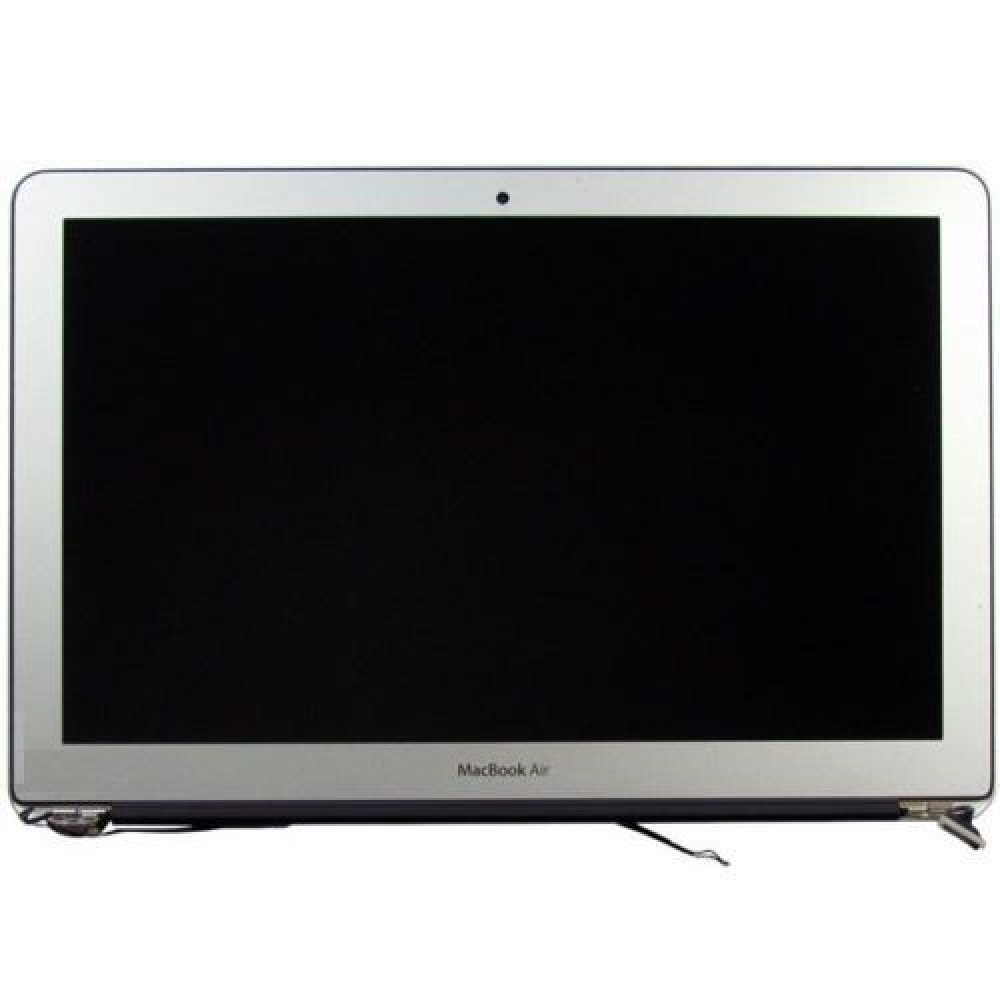
Original 12-inch Retina LCD display (Space Gray) for MacBook model A1534, pulled from a working unit. Drop-in replacement for cracked or faulty screens—genuine Apple part, ready to restore visuals. Overview:This is an original Apple Retina display assembly for the 12-inch MacBook (model A1534). It was removed (“pulled”) from a working unit, inspected, and is in usable condition. It’s ideal to replace damaged or failing screens without resorting to aftermarket copies. Key Features & Functionality: Retina resolution with sharp visuals and accurate colors Space Gray color matching original casing Integrated front glass, LCD panel, and display cable assembly Factory-quality optical layers and backlighting Compatible with MacBook A1534 (2015, 2016, 2017) variants Tested for functionality: display, backlight, no dead pixels (unless noted) Requires proper installation (cable alignment, hinge alignment) Detailed Specifications Important Notes & Considerations: Must match A1534 model exactly — other MacBook models won’t be compatible. Compare hinge mounting, cable routing, and connector orientation. Because it’s from a used unit, minor blemishes or microscopic dust may exist; always test before final assembly. Handle with care: the display glass is delicate. Professional installation is recommended unless you’re experienced with MacBook repairs.
