
TPLINK 300Mbps Wireless N ADSL2+ Modem Router TD-W8961N

HyperX Pulsefire Core (4P4F8AA) – RGB gaming mouse with PixArt sensor, 6,200 DPI, and 7 programmable buttons.Lightweight, ergonomic design perfect for gamers seeking precision and durability. Model: HyperX Pulsefire Core (4P4F8AA) Sensor Type: PixArt PAW3327 Optical Sensor DPI Range: 800 – 6,200 DPI (adjustable in software) Polling Rate: 1000 Hz Tracking Speed: Up to 220 IPS Acceleration: 30G Buttons: 7 programmable buttons Switch Type: Durable switches rated for up to 20 million clicks Lighting: Customizable RGB lighting (logo zone) Grip Style: Palm or claw grip Design: Ergonomic, right-handed shape with textured side grips Weight: Approx. 87g (without cable) Cable Length: 1.8 meters (braided USB cable) Software Support: HyperX NGENUITY for DPI, RGB, and button customization Compatibility: Windows 10, 8.1, 8, 7

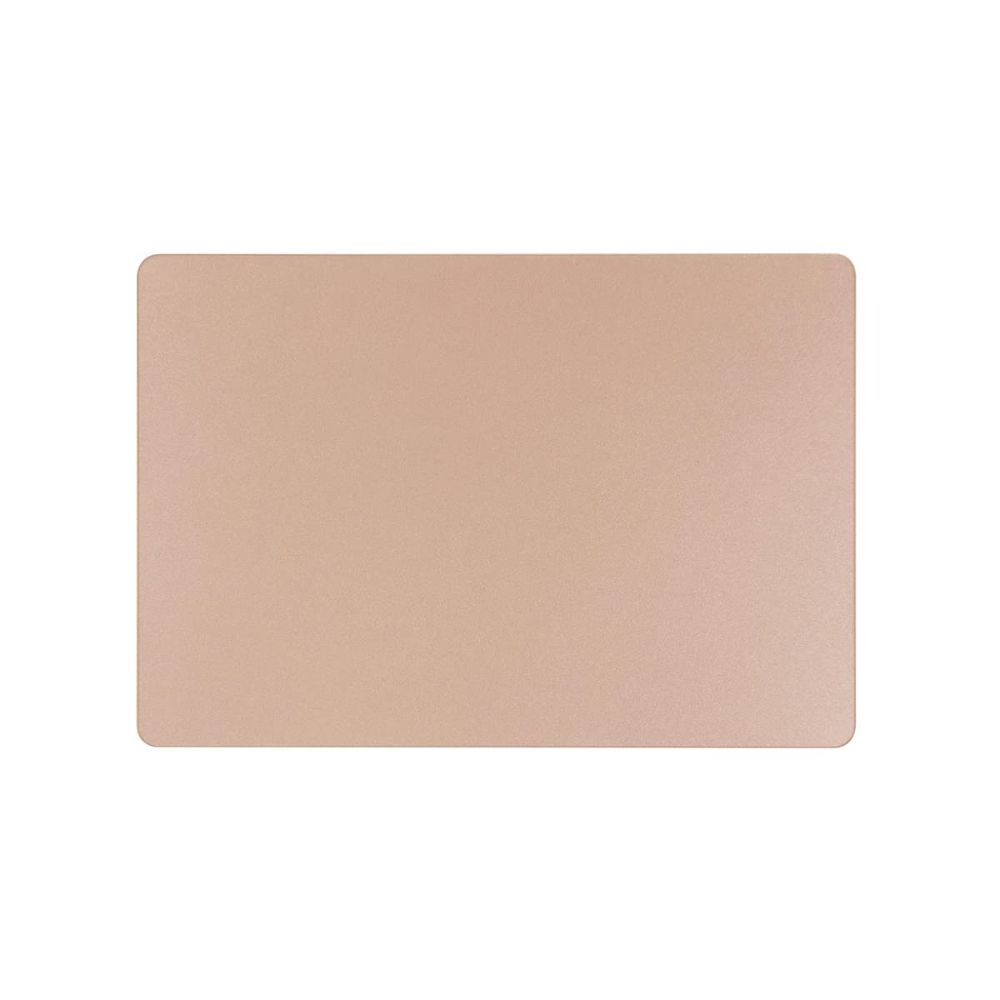
Genuine-spec touchpad flex cable for MacBook Air 13″ (Model A1932, 2018–2019)—essential for restoring full Force Touch functionality, haptic feedback, and precise multi-touch gesture control during trackpad repair or replacement. Compatible With: MacBook Air 13-inch (2018 & 2019, Model A1932, Model Identifier MacBookAir8,1) with Intel Core i5/i7 processors. Part Type: Touchpad flex cable only—does not include the trackpad housing, Taptic Engine, or mounting hardware. This is the OEM-style ribbon cable that connects the trackpad to the logic board. Function: Transmits touch input, Force Touch pressure data, and haptic feedback signals—critical for macOS gestures like Force Click, three-finger lookup, pinch-to-zoom, and smooth cursor tracking. OEM-Quality Build: Matches Apple’s original in length, connector pitch, EMI shielding, and flexibility—ensures reliable signal integrity and long-term durability. Common Use Cases: Replacing a torn, creased, or liquid-damaged original flex cable Completing a trackpad replacement when the original cable is unusable Fixing intermittent trackpad behavior, loss of Force Touch, or complete unresponsiveness Replacing a torn, creased, or liquid-damaged original flex cable Completing a trackpad replacement when the original cable is unusable Fixing intermittent trackpad behavior, loss of Force Touch, or complete unresponsiveness Installation Note: Requires full bottom case removal and careful routing beneath the battery. The cable connects via a ZIF (Zero Insertion Force) socket on the logic board—must be properly aligned and latched without force. Recommended for experienced or certified technicians. Important: This is flex cable only—not a complete trackpad assembly. Must be used with the original or compatible A1932 trackpad and Taptic Engine. Not compatible with MacBook Air M1 (A2337/A2338), M2 (A2681/A2941), or any MacBook Pro model. This is flex cable only—not a complete trackpad assembly. Must be used with the original or compatible A1932 trackpad and Taptic Engine. Not compatible with MacBook Air M1 (A2337/A2338), M2 (A2681/A2941), or any MacBook Pro model.

TP-Link TL-WR841N Router – 300Mbps Wi-Fi speed with 2 fixed antennas and 4 LAN ports.Ideal for home and small office use with support for multiple modes and secure encryption. Model: TP-Link TL-WR841N Wi-Fi Standard: IEEE 802.11b/g/n Frequency: 2.4GHz only Speed: Up to 300Mbps (Wireless N) Antennas: 2 Fixed 5dBi Omni-directional Antennas Ports: 1x WAN Port (10/100Mbps) 4x LAN Ports (10/100Mbps) Ports: 1x WAN Port (10/100Mbps) 4x LAN Ports (10/100Mbps) Security: WPA/WPA2, SPI Firewall, MAC address filtering Modes: Router, Range Extender, Access Point, WISP Wireless Features: SSID broadcast control, WDS bridging, bandwidth control Management: Web UI, TP-Link Tether App Dimensions: 192 × 134 × 33 mm

BATTERY DELL M5Y1K Laptop Battery for Dell Inspiron 15 5000 5555 5558 5559 3552 3558 3567 14 3451 3452 3458 5458 17 5755 5758 Series Rechargeable 40WH li-ion Battery Replacement Fit GXVJ3 VN3N0 YU12005-13001D About this item 【Specification】Dell laptop Replacement Battery Type: Li-ion; Voltage: 14.8 V; Capacity 2600MAH/40WH; Cells:4-Cell 【Stability】M5Y1K Laptop Battery Replacement battery for Dell offers 500+ recharge cycles over life of battery 【COMPATIBLE MODEL】(Check description below for more models) Dell 40WH Standard Rechargeable Li-ion Battery Type M5Y1K 14.8V YU12005-13001D 453-BR GXVJ3 HD4J0 M5YIK MSY1K Dell Inspiron 14 15 3000 Laptop Replacement Battery 3558 3458 3567 3452 3565 3459 P60G Dell Inspiron 14 15 17 5000 Laptop Battery 5555 5558 5559 5755 5758 5458 Dell Vostro Laptop Battery 3558 3458 Dell Latitude Laptop Battery 3460 3560 【GUARANTEE】Our Dell M5Y1K replacement laptop battery is 100% Compatible with the originals. Complying with the CE/FCC/ROHS/UL Certified Standard

WIWU Osun PU Leather Backpack – Stylish and compact bag crafted from water-resistant PU leather; fits 15.6″ laptops yet weighs only ~387 g.Offers organized storage, durable build, and comfy straps—perfect for daily commutes, work, or travel. Model: WIWU Osun PU Leather Notebook Backpack Material: Water-resistant 1680D polyester exterior with upscale PU leather finish Laptop Compartment: Padded sleeve fits up to 15.6″ laptops, shock-resistant protection Design: Compact “mini” size (26.5 × 21 × 6 cm), yet offers large internal capacity Pockets: Front zip pocket for phone and accessories; interior organization for tech and essentials Comfort: Adjustable padded shoulder straps, soft and skin-friendly inner lining Weight: Approximately 387 g (including packing) Extras: Sleek metal WIWU logo; suitable for travel, business, daily commuting

Genuine-spec touchpad flex cable compatible with both MacBook Air A2179 (Intel, 2020) and A2337 (M1, 2020)—restores full Force Touch functionality, haptic feedback, and precise multi-touch gesture control during trackpad repair or replacement. Compatible With: MacBook Air 13″ (2020, Intel) – Model A2179 (Model Identifier: MacBookAir9,1) MacBook Air 13″ (2020, Apple M1) – Model A2337 (Model Identifier: MacBookAir10,1) MacBook Air 13″ (2020, Intel) – Model A2179 (Model Identifier: MacBookAir9,1) MacBook Air 13″ (2020, Apple M1) – Model A2337 (Model Identifier: MacBookAir10,1) ✅ Important Note: Despite different processors (Intel vs. M1), Apple used the same trackpad assembly and flex cable in both A2179 and A2337. This makes the flex cable fully interchangeable between the two models. Part Type: Touchpad flex cable only — does not include the trackpad housing, Taptic Engine, or mounting hardware. This is the OEM-style ribbon cable that connects the trackpad to the logic board. Function: Transmits: Touch input coordinates Force Touch pressure data Haptic feedback signals to the Taptic Engine Enables full macOS gesture support: Force Click, three-finger lookup, swipe navigation, pinch-to-zoom, and smooth cursor tracking. Touch input coordinates Force Touch pressure data Haptic feedback signals to the Taptic Engine Enables full macOS gesture support: Force Click, three-finger lookup, swipe navigation, pinch-to-zoom, and smooth cursor tracking. OEM-Quality Build: Matches Apple’s original specifications in: Cable length and routing path Connector pitch and ZIF latch design EMI shielding and flex durability Cable length and routing path Connector pitch and ZIF latch design EMI shielding and flex durability Common Use Cases: Replacing a torn, creased, or liquid-damaged original flex cable Completing a trackpad replacement when the original cable is compromised Fixing intermittent trackpad behavior, loss of Force Touch, or complete unresponsiveness Replacing a torn, creased, or liquid-damaged original flex cable Completing a trackpad replacement when the original cable is compromised Fixing intermittent trackpad behavior, loss of Force Touch, or complete unresponsiveness Installation Note: Requires full bottom case removal and battery disconnection. Cable routes under the right side of the battery and logic board. Connects via a ZIF (Zero Insertion Force) socket—align carefully and latch gently. Recommended for experienced or certified technicians only. Requires full bottom case removal and battery disconnection. Cable routes under the right side of the battery and logic board. Connects via a ZIF (Zero Insertion Force) socket—align carefully and latch gently. Recommended for experienced or certified technicians only.

This 1.8-meter DisplayPort to HDMI cable lets you connect a DisplayPort-enabled PC or laptop to an HDMI monitor, TV, or projector. It delivers clear high-definition video and reliable signal transmission, making it perfect for office work, presentations, and home entertainment. The DisplayPort to HDMI cable (1.8M) is a simple and reliable solution for connecting modern computers and laptops with a DisplayPort output to HDMI displays. Ideal for upgrading your setup, it supports high-quality video output for monitors, HDTVs, and projectors. With plug-and-play functionality and a durable build, it ensures stable performance for both professional and home use. DisplayPort to HDMI Connection for easy compatibility with HDMI screens 1.8M Cable Length ideal for desk and office setups High-Definition Video Output for clear and sharp visuals Plug & Play no drivers required Durable Connectors & Cable Build for long-term reliability Perfect for Work & Entertainment supports monitors, TVs, and projectors Works with devices that have a DisplayPort output and displays with an HDMI input, including monitors, TVs, projectors, and display systems. Ideal for workstations, presentations, and dual-screen setups.

Lexar NM620 SSD 512GB PCIe Gen3 NVMe M.2 2280 Internal Solid State Drive, Up to 3300MB/s Read, for Gamers and PC Enthusiasts (LNM620X512G-RNNNU) About this item High-speed PCIe Gen3x4 interface: 3300MB/s read and 3000MB/s write – NVMe 1.4 supported M.2 2280 form factor with 3D NAND Get 6x the speed of a SATA-based SSD Ideal for PC enthusiasts and gamers Shock and vibration resistant with no moving parts

The 512GB Apple MacBook SSD is a high-speed solid-state drive designed for select MacBook Pro and MacBook Air models from 2013 to 2015. It delivers fast boot times, quick file access, and reliable performance, making it an ideal replacement or upgrade for aging Apple laptops. Key Features 512GB Storage Capacity – Plenty of space for macOS, applications, and files High-Speed SSD Performance – Faster boot times and smoother system operation Apple Proprietary Interface – Designed specifically for compatible MacBooks Reliable & Durable – No moving parts for improved stability and longevity Perfect Upgrade or Replacement – Restore performance or increase storage Compatible Models MacBook Pro Retina 13-inch (2013–2015) MacBook Pro Retina 15-inch (2013–2015) MacBook Air 11-inch (2013–2015) MacBook Air 13-inch (2013–2015) Compatible Model Numbers MacBook Pro: A1398, A1502 MacBook Air: A1465, A1466

Kingston DataTraveler Exodia (DTX) – Reliable, high-speed flash drive featuring a practical, protective cap design. Delivers USB 3.2 Gen 1 performance for quick and effortless file transfers, ideal for everyday use at work, home, or school. ✅ Full Specifications: Model: Kingston DataTraveler Exodia (DTX/64GB) Interface: USB 3.2 Gen 1 (Backward compatible with USB 3.0 and USB 2.0) Read Speed: Standard USB 3.2 Gen 1 transfer speeds Capacity Options: 64GB / 128GB / 256GB. Material: Durable matte plastic casing Design: Lightweight with a protective cap and a large, color-coded keyring loop (Teal for 64GB) Security/Software: Plug-and-play functionality (No software installation required) Compatibility: Windows 11, 10, macOS (v.10.15.x+), Linux (v. 4.4+), Chrome OS Dimensions: Approx. 67.3 x 21.04 x 10.14 mm Weight: Approx. 11 grams

TP-Link AC1200 Archer C50 Wireless Dual Band Router Support smooth 4K streaming with AC1200 Wi-Fi 4 external antennas provide stable wireless connections and optimal coverage Easy network management at your fingertips with TP-Link Tether Supports IGMP Proxy/Snooping, Bridge, and Tag VLAN to optimize IPTV streaming Supports Access Point mode to create a new Wi-Fi access point TP-Link AC1200 Archer C50 Wireless Dual Band Router Support smooth 4K streaming with AC1200 Wi-Fi 4 external antennas provide stable wireless connections and optimal coverage Easy network management at your fingertips with TP-Link Tether Supports IGMP Proxy/Snooping, Bridge, and Tag VLAN to optimize IPTV streaming Supports Access Point mode to create a new Wi-Fi access point TP-Link Archer C50 – AC1200 Wireless Dual Band Router Wireless Speed: Up to 1200 Mbps (300 Mbps on 2.4GHz + 867 Mbps on 5GHz) Wi-Fi Standard: 802.11ac – 3x faster than wireless N speeds Bands: Dual Band (2.4GHz & 5GHz) for reduced interference and better performance Antenna: 4 External Antennas for strong and stable wireless coverage Ports: 4× LAN, 1× WAN (10/100 Mbps) Advanced Features: Parental Controls, Guest Network, IPv6 Support, Access Control Security: WPA/WPA2 encryption for secure wireless connections Ease of Use: Easy setup with TP-Link Tether App Ideal For: HD streaming, online gaming, and high-speed downloads in homes and small offices

CI03 CI03XL Battery for HP ProBook 640 G2 645 G2 650 G2 655 G2, ProBook 640 G3 645 G3 650 G3 655 G3 Laptop, P/N: HSTNN-UB6Q HSTNN-LB6T HSTNN-PB6K 801554-001 About this item 【BATTERY SPECIFICATIONS】 Type: Li-ion ‖ Capacity: 48Wh ‖ Voltage: 11.4V ‖ Model: CI03XL 【COMPATIBLE LAPTOP MODEL】For ProBook 640 G2, ProBook 640 G3, ProBook 645 G2, ProBook 645 G3, ProBook 650 G2, ProBook 650 G3, ProBook 655 G2, ProBook 655 G3 Notebook. 【PART NUMBER】CI03, CI03XL, C103XL, CIO3XL, CI03048XL, CIO3, HSTNN-UB6Q, HSTNN-LB6T, HSTNN-PB6K, HSTNN-UB6Q, HSTNN-DB7N, HSTNN-I66C-4, HSTNN-I66C-5U, HSTNN-I66C-5H, HSTNN-I67C-4, HSTNN-I67C-5, 801517-221, 801517-222, 801517-231, 801517-232, 801517-241, 801517-242, 801517-421, 801517-422,801517-541, 801517-831, 801554-001. 【MULTIPLE PRETCTION】 Don’t fall into buying cheap and unsafe batteries. All our batteries are certified by CE, and FCC for safety. Bulit-in circuit protection ensures both safety and stability.

Features Stylish and compact Bluetooth speaker, easy to carry. Supports wireless connectivity via Bluetooth. True Wireless Stereo (TWS): Connect two speakers simultaneously. Durable ABS plastic material with a fabric-covered front panel. Built-in microphone for hands-free calls. LED indicator to display working status. Water-resistant with an IPX7 rating. Continuous playback for 8-12 hours (depending on volume). 5-watt speaker delivering Hi-Fi audio quality. On-speaker controls for music playback and volume adjustment. Built-in battery with Type-C charging port for easy recharging. Technical Specifications Bluetooth Version: V5.4 Transmission Distance: 10 meters Rated Power: 5W Driver Unit: 40mm Input: DC5V Battery Capacity: 1200mAh Charging Time: 2 hours Playback Time: 8-12 hours (depending on volume)

A versatile wireless 2D barcode scanner with desk stand—Beurotika BS104WS supports auto-scan, continuous, and manual modes, with up to 200 scans per second and a 2000mAh rechargeable battery for all-day use. The Beurotika BS104WS is a high-performance wireless 2.4GHz 2D barcode scanner designed for retail, warehouse, logistics, and office environments. It comes with a convenient desktop stand for hands-free operation and features a 32-bit high-speed processor for fast, accurate decoding of 1D and 2D barcodes—including QR Code, Data Matrix, PDF417, and more Three scanning modes: Auto-scan, continuous scan, and manual trigger—ideal for different workflow needs Scanning speed: Up to 200 scans per second for rapid data capture Wireless range: Reliable 2.4GHz connection (via USB dongle) for cord-free mobility Built-in battery: 3.7V 2000mAh lithium-ion battery offering up to 16 hours of continuous use Ergonomic handheld design with desk stand for flexible countertop or portable use Plug-and-play setup via USB receiver—no drivers required for most systems

Brand-new UK-layout keyboard replacement (Z1 Black) for MacBook Air models with M2, M3, and M4 chips (13.6″ and 15″, 2023–2025). Compatible with A2681 and A2941—precision-engineered for seamless fit and reliable typing performance. This is a brand-new, high-quality keyboard replacement designed specifically for the latest MacBook Air models featuring Apple’s M2, M3, and M4 chips (released 2023–2025). It fits both the 13.6-inch (Model A2681) and 15-inch (Model A2941) MacBook Air variants and comes in the sleek Z1 Black (Space Black) finish with a UK English layout (including the £ symbol and correct key positioning). Engineered to match Apple’s original specifications, this keyboard ensures a responsive, quiet, and comfortable typing experience with consistent key travel and tactile feedback. It includes the full top case assembly with integrated backlighting, function keys, and Touch ID sensor cutout (sensor not included), making it ideal for professional repairs or replacements after liquid damage, wear, or key failure. Installation requires technical expertise and proper tools due to the integrated nature of the MacBook Air’s top case design. Recommended for certified technicians or experienced repair professionals. Important Notes: This is a keyboard + top case assembly, not just keycaps. Touch ID sensor is not included—you must transfer your original sensor to maintain functionality. Compatible only with MacBook Air M2 (2022–2023), M3 (2023–2024), and M4 (2024–2025) models in 13.6″ (A2681) and 15″ (A2941) sizes. Color: Z1 Black (Space Black) – matches official Apple Space Black finish. Layout: UK English (ISO) – features the correct “£” key and shifted Enter key.

The Apple 240W USB-C Charge Cable (2 m) is a durable, braided USB-C to USB-C cable that supports fast charging up to 240W and USB 2.0 data transfer—ideal for powering high-performance MacBooks and other USB-C devices. Length: 2 meters Connector: USB-C to USB-C Power Support: Up to 240W (48V/5A), compatible with the new USB-C PD 3.1 Extended Power Range standard Data Transfer: USB 2.0 speeds (up to 480 Mbps) — this cable prioritizes power delivery over high-speed data Ideal for charging MacBook Pro (2021 and later), MacBook Air (M2 and later), and other high-power laptops Backward-compatible with lower-wattage devices (iPad, iPhone 15 lineup, etc.) Works with any USB-C power adapter, but you’ll only get full 240W output when paired with a compatible high-wattage charger The standard USB-C Charge Cable (2 m, 60W/100W) only supports up to 100W. The Thunderbolt 4 Pro Cable (3 m) supports high-speed data (40 Gb/s) and video output, but maxes at 100W charging. This 240W version is the one to get if your priority is maximum charging power rather than data/video.

PCE M8-700 UPS (line-interactive) — 700 VA / 360 W backup unit for 220–240 V input. Protects PCs, routers, small electronics from outages and voltage swings. The PCE M8-700 is a line-interactive UPS designed for home or small office use. It provides backup power, voltage regulation (AVR), surge protection, and supports automatic switching during outages. Ideal for desktop PCs, network gear, monitors, or point-of-sale systems. Features & Capabilities Line-interactive topology: regulates input voltage without switching to battery when voltage fluctuates mildly. Automatic Voltage Regulation (AVR) to correct undervolt/overvolt conditions. Simulated (stepped) sine wave output in battery mode. Surge, overload, short circuit, discharge protections built in. Cold start capability (ability to power on from battery with no mains) LED + audible alarms for status (battery mode, overload, fault) USB / RS232 interface in some variants for power management (shutdown, monitoring) Technical Specifications What “Input 220–240 VAC, 50/60 Hz, 3.7 A” Means (and Caveats) If the specification you’re giving is “3.7 A” at input, that corresponds to a maximum input current draw when the UPS is handling a heavy load or during charging cycles. At 230 V × 3.7 A ≈ 850 W of input capacity. The unit’s 360 W output means there’s overhead for losses, inverter inefficiency, battery charging, etc. The UPS must operate within the stated voltage and frequency ranges — if input is too low or too high, it may switch to battery or go into protection mode.

Genuine-spec battery flex cable for MacBook Pro models A2159 (16", 2019), A1708 (13", 2016–2017), and A2338 (13", 2020 M1)—restores critical communication between the battery and logic board for proper power-on, charging, and macOS battery status. Genuine-spec battery flex cable for MacBook Pro models A2159 (16″, 2019), A1708 (13″, 2016–2017), and A2338 (13″, 2020 M1)—restores critical communication between the battery and logic board for proper power-on, charging, and macOS battery status. Carries SMBus (System Management Bus) signals from the battery to the logic board Enables: Accurate battery percentage and health reporting in macOS Proper charging control (start/stop, thermal throttling) Power-on capability (MacBooks will not boot without this connection) Prevention of “Battery Not Charging” or “Service Battery” errors Accurate battery percentage and health reporting in macOS Proper charging control (start/stop, thermal throttling) Power-on capability (MacBooks will not boot without this connection) Prevention of “Battery Not Charging” or “Service Battery” errors MacBook won’t turn on (even with a good battery) Battery shows “–%”, 0%, or “Not Charging” Random shutdowns under load macOS displays “No Battery Available” Logic board powers fans or lights but no display output Battery flex cable only (with OEM-style connector and strain relief) ❌ Does not include: battery, logic board, or trackpad Requires full bottom case removal and battery disconnection Connects via a ZIF or press-fit socket on the logic board Must be routed precisely to avoid tension or micro-tears Highly recommended for experienced or certified technicians—improper installation can cause permanent power or battery communication failure

Genuine Apple sleep/wake sensor flex cable (Hall effect sensor) for MacBook Air 13.6″ (Model A2681, 2022, M2)—ensures automatic display sleep when the lid is closed and wake-on-open functionality. OEM part number 821-04129-02. Compatible With: MacBook Air 13.6-inch (2022, Model A2681) with Apple M2 chip (all colors: Silver, Space Gray, Starlight, Midnight). Apple Part Number: 821-04129-02 (exact OEM service part). Function: Contains the Hall effect sensor that detects the magnet in the MacBook Air’s display lid. This allows macOS to: Sleep the system when the lid is closed Wake instantly when opened Prevent false sleep/wake events during use Sleep the system when the lid is closed Wake instantly when opened Prevent false sleep/wake events during use Location: Mounted near the right side of the keyboard, adjacent to the battery and logic board. Common Failure Symptoms: MacBook doesn’t sleep when lid is closed MacBook wakes randomly in a bag “Lid closed” not recognized in macOS Requires manual sleep or power button use MacBook doesn’t sleep when lid is closed MacBook wakes randomly in a bag “Lid closed” not recognized in macOS Requires manual sleep or power button use Part Type: Flex cable with integrated Hall sensor—not just a cable, but a calibrated magnetic sensor module. Installation Note: Requires full bottom case removal and careful disconnection of the battery. The sensor is adhered near the I/O area—do not bend or puncture. Recommended for experienced technicians.
