
Specifications Feature Value Feature Value Input/Output Other Sound Mode Extra Bass Mode Category Speakers Use Other Input Power (W) 25-49W Voice Control No Waterproof Yes Support APP No Intelligent Personal Assistant None Audio Crossover Full-Range Number of Loudspeaker Enclosures 2 Power Source None Channels 2 (2.0) Battery Yes Communication USB Speaker Type Portable Cabinet Material Plastic Brand Name QUCAA Origin Mainland China Certification CE

BATTERY DELL 6MT4T CYDZ 62W 7.6V Laptop Battery Compatible with Dell Latitude 5470 E5470 155570 E5570 3510 M3510 7V69Y, TXF9M, 79VRK, 07V69Y, 0HK6DV, 079VRK, 0TXF9M About this item 6MT4T Voltage: 7.6V, Capacity: 62Wh Compatible Part Number: 7V69Y, TXF9M, 79VRK, 07V69Y, 0HK6DV, 079VRK, 0TXF9M Compatible for Dell Latitude 14 Series 5470 E5470 155570 E5570 Series Compatible for Dell Latitude 15 Series Precision 15 3510 M3510.

OEM-quality trackpad replacement (without flex cable) for MacBook Pro 13″ (Models A2251 and A2289, 2020) in Silver finish—engineered for precise Force Touch response, smooth multi-touch gestures, and seamless integration with the original chassis. Compatible With: MacBook Pro 13″ (2020, Two Thunderbolt Ports) – Model A2251 (Intel Core i5/i7) MacBook Pro 13″ (2020, Four Thunderbolt Ports) – Model A2289 (Intel Core i5/i7) (Note: Both models share the same trackpad assembly despite port differences.) MacBook Pro 13″ (2020, Two Thunderbolt Ports) – Model A2251 (Intel Core i5/i7) MacBook Pro 13″ (2020, Four Thunderbolt Ports) – Model A2289 (Intel Core i5/i7) (Note: Both models share the same trackpad assembly despite port differences.) Part Type: Trackpad only—does not include the flex cable, Taptic Engine, or mounting hardware. Designed for technicians who will reuse the original internal components. Finish: Silver—matches the Silver MacBook Pro 13″ top and bottom case for perfect aesthetic continuity. Force Touch Support: Fully compatible with pressure-sensitive input and haptic feedback when paired with the original Taptic Engine and logic board—ensuring full macOS gesture functionality (e.g., Force Click, Lookup, Pressure-sensitive drawing). Precision Build: Features the same glass surface texture, curvature, and micro-click mechanism as Apple’s original—delivering consistent tracking accuracy and tactile feel. Installation Requirements: Requires full bottom case disassembly and careful transfer of the original flex cable and Taptic Engine. Adhesive must be applied precisely to maintain structural rigidity and sensor alignment. Recommended for certified or experienced repair technicians only.

The 45W MagSafe 2 Power Adapter features a magnetic DC connector so if someone should trip over it, the cord disconnects harmlessly and your MacBook Air stays put safely. It also helps prevent fraying or weakening of the cables over time. In addition, the magnetic DC helps guide the plug into the system for a quick and secure connection. The 45W MagSafe 2 Power Adapter features a magnetic DC connector so if someone should trip over it, the cord disconnects harmlessly and your MacBook Air stays put safely. It also helps prevent fraying or weakening of the cables over time. In addition, the magnetic DC helps guide the plug into the system for a quick and secure connection. When the connection is secure, an LED located at the head of the DC connector lights up; an amber light lets you know that your notebook is charging, while a green light tells you that you have a full charge. An AC cord is provided with the adapter for maximum cord length, while the AC wall adapter (also provided) gives you an even easier and more compact way to travel. Designed to be the perfect traveling companion, the adapter has a clever design which allows the DC cable to be wound neatly around itself for easy cable storage. This power adapter recharges the lithium polymer battery while the system is off, on, or in sleep mode. It also powers the system if you choose to operate without a battery. Compatible only with MacBook Air featuring MagSafe 2 power port. Knowing which specific Mac model you have is important. If you are running OS X Lion (10.7) or later go to the “” menu at the top left of your screen, choose “About this Mac” then click the “More Info…” button. Your Mac model and generation will be displayed. If you are running an earlier version of OS X, you can enter your serial number here to find out which model you have. Mac Models MacBook Air (13-inch, Early 2015 – 2017) MacBook Air (11-inch, Early 2015)

WiWU Pilot Backpack 15.6 inch Travelling Polyester Laptop Business School Travelling Backpack WiWU Pilot Backpack 15.6 inch Travelling Polyester Laptop Business School Travelling Backpack

SCREEN LG 24″ FHD Borderless IPS 100HZ 5MS with FreeSync™ LG-24MR400-B SCREEN LG 24″ FHD Borderless IPS 100HZ 5MS with FreeSync™ LG-24MR400-B Technical Details

RK ROYAL KLUDGE RK61 Wireless 60% Mechanical Gaming Keyboard, Ultra-Compact 60 Keys Bluetooth Mechanical Keyboard with Programmable Software (Blue Switch, White) Model: RK ROYAL KLUDGE RK61 Layout: 60% compact layout (61 keys, no number pad or function row) Switch Type: Mechanical switches (Red – Linear, Blue – Clicky, Brown – Tactile) Connectivity: Bluetooth 5.0 (connects up to 3 devices) USB-C Wired Optional 2.4GHz Wireless (on some versions) Connectivity: Bluetooth 5.0 (connects up to 3 devices) USB-C Wired Optional 2.4GHz Wireless (on some versions) Backlight: RGB LED with 18+ lighting modes and effects Battery: 1450mAh rechargeable lithium battery Key Rollover: Full N-Key rollover, anti-ghosting Compatibility: Windows, macOS, Android, iOS Software Support: Key remapping and lighting customization (Windows only) Build Quality: ABS plastic frame, double-shot keycaps Dimensions: Approx. 290 x 100 x 40 mm Weight: ~500g Extras: Hot-swappable switch support (on select versions)

Genuine-spec US layout (QWERTY) black keyboard replacement for MacBook Air 13.6″ and 15″ models (2023–2025, M2/M3/M4 chips)—featuring Apple’s Magic Keyboard with scissor-switch mechanism, backlighting, and precise OEM fit. Compatible With: 13.6″ MacBook Air: A2681 (M2, 2022–2023), A3113 (M3, 2023–2024), A3240 (M4, 2024–2025) 15″ MacBook Air: A2941 (M2, 2023), A3114 (M3, 2023–2024), A3241 (M4, 2024–2025) 13.6″ MacBook Air: A2681 (M2, 2022–2023), A3113 (M3, 2023–2024), A3240 (M4, 2024–2025) 15″ MacBook Air: A2941 (M2, 2023), A3114 (M3, 2023–2024), A3241 (M4, 2024–2025) Keyboard Layout: Standard US English (QWERTY) with wide Enter key, dedicated left/right arrow keys in inverted-T layout, and full function row—matches Apple’s original US configuration. Design: Apple’s Magic Keyboard with scissor-switch mechanism—providing quiet, stable, and responsive typing with 1mm key travel and enhanced durability. Features: Integrated backlighting for low-light use, ambient light sensor compatibility, and OEM-style flex cable for direct logic board connection. Color: Sleek black keycaps—ideal for Space Gray and Midnight finishes, and visually consistent across all color variants. Precision Fit: Engineered to exact Apple specifications for alignment, key spacing, and mounting—ensures seamless integration into the original top case. Installation Note: The keyboard is factory-glued into the top case. Replacement requires full disassembly, careful removal, and professional-grade re-adhesion. Recommended for experienced technicians only.

Apple 96W USB Type-C Power Adapter | MX0J2

Genuine-spec touchpad flex cable for MacBook Pro 16″ (Model A2485, 2021, M1 Pro/Max)—critical for restoring full Force Touch functionality, haptic feedback, and precise multi-touch gesture control during trackpad repairs. Compatible With: MacBook Pro 16-inch (2021, Model A2485) with Apple M1 Pro or M1 Max chip (Model Identifiers: MacBookPro18,1 / MacBookPro18,2). Part Type: Touchpad flex cable only—does not include the trackpad, Taptic Engine, or mounting hardware. This is the OEM-style ribbon cable that connects the trackpad to the logic board. Function: Transmits touch coordinates, Force Touch pressure data, and haptic feedback signals—essential for macOS gestures (e.g., pinch-to-zoom, Force Click, three-finger lookup) and Taptic Engine operation. OEM-Quality Construction: Precisely replicated to Apple’s original specifications—including cable length, connector type, EMI shielding, and flex routing—ensuring signal integrity and long-term reliability. Common Use Cases: Replacing a torn, frayed, or liquid-damaged original flex cable Completing a trackpad replacement when the original cable is compromised Fixing intermittent trackpad behavior, lost Force Touch, or complete unresponsiveness Replacing a torn, frayed, or liquid-damaged original flex cable Completing a trackpad replacement when the original cable is compromised Fixing intermittent trackpad behavior, lost Force Touch, or complete unresponsiveness Installation Note: Requires full disassembly of the bottom case and careful routing around the battery and logic board. Connectors use ZIF (Zero Insertion Force) sockets—must be aligned and latched gently. Recommended for certified or professional repair technicians only.

POUT E3 Angle - Adjustable Angled Ergonomic Laptop Stand Riser - Notebook Computer Holder Compatible w/MacBook Air Pro Dell HP & More 11"-17" Laptops - Foldable & Portable w/ 5 Angles (Silver) POUT E3 Angle – Adjustable Angled Ergonomic Laptop Stand Riser – Notebook Computer Holder Compatible w/MacBook Air Pro Dell HP & More 11″-17″ Laptops – Foldable & Portable w/ 5 Angles (Silver)

Features: Advanced bluetooth Chip (V5.4): Enjoy seamless and robust connectivity with the latest bluetooth 5.4 technology, providing stable and efficient wireless performance. Superior Sound Quality: Experience immersive HiFi audio with powerful bass and clarity, courtesy of dual 52mm drivers paired with a bass diaphragm designed to deliver exceptional sound. Vibrant RGB Light Display: Half of the speaker surface displays dynamic and colorful RGB lights, creating a visually captivating experience that enhances your music enjoyment. Extended Battery Life: Benefits from extensive playtime powered by a 3000mAh battery, with up to 4 hours of continuous playback and an impressive 180 days of standby time. TWS Pairing: Effortlessly pair two speakers to achieve a rich, enveloping stereo sound that transforms any space into a lively audio environment. Multiple Playback Modes: Versatility at its best with multiple playback options, including FM radio, AUX input, TF card, and USB playback, ensuring you have endless ways to enjoy your favorite tunes.

BATTERY DELL 93FTF Laptop Battery Compatible with Dell Precision15 3520 3530 Dell Latitude12 5280 E5280 Latitude E5280 E5480 E5580 E5490 E5590 E5480 E5290 E5591E5491 Series D4CMT 4YFVG 83XPC 083XPC 11.4V 51Wh About this item Battery Type:3cell Li Polymer Best Quality Voltage &Capacity :11.4V 51Wh 4254MAH Safeguard features against incorrect voltage, short circuit, internal overheating 100% Brand new ,Grade A cells battery; Quality assurance;every battery has passed factory testing; 500+ recharge cycles over

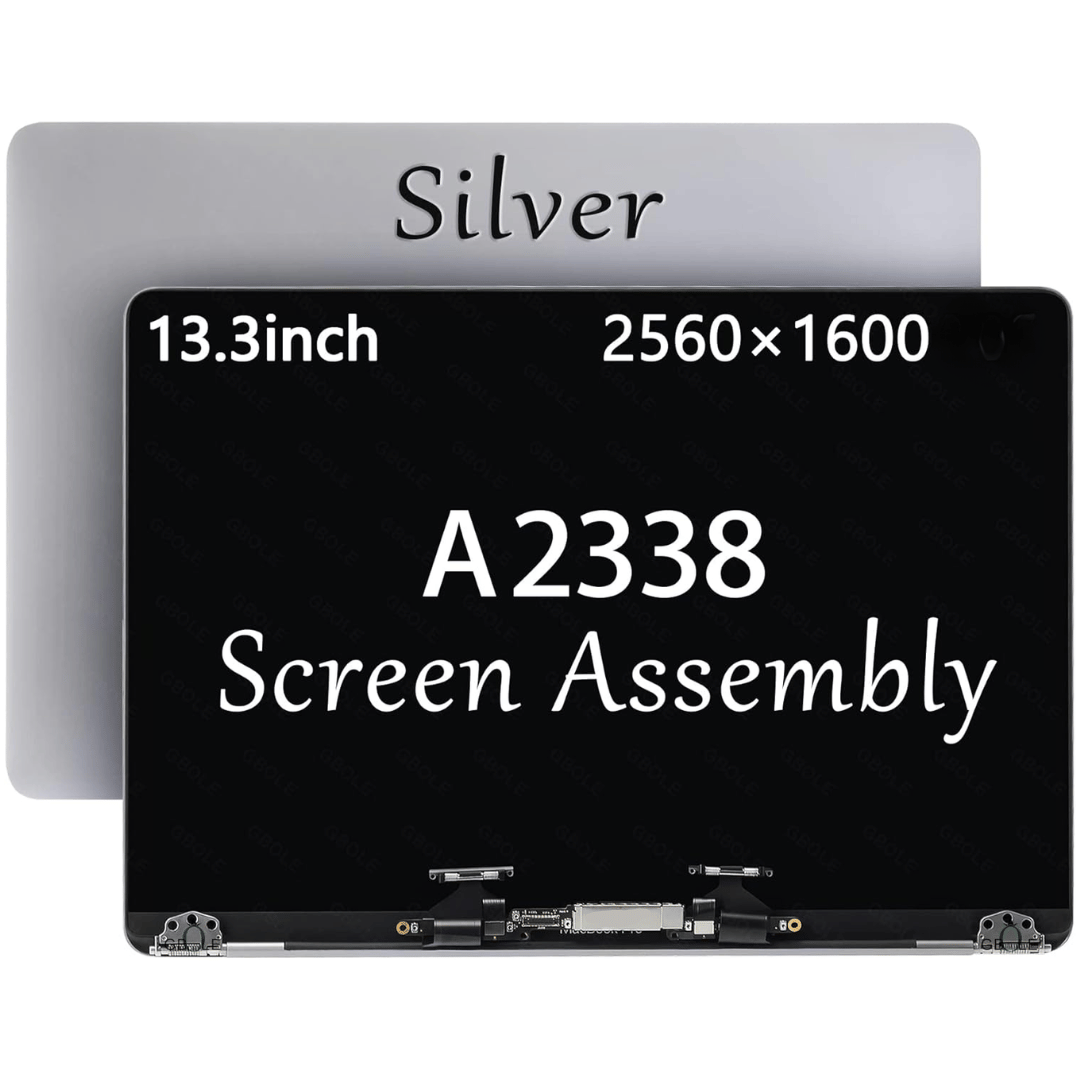
Genuine-spec US layout keyboard replacement for MacBook Air 13″ (Model A2338, 2020)—featuring Apple’s reliable Magic Keyboard with scissor-switch mechanism, backlighting, and full OEM fit for seamless repair. Compatible With: MacBook Air 13-inch (2020, Model A2338) – includes both Intel Core i3/i5/i7 and M1 chip variants. Keyboard Type: Apple’s Magic Keyboard with scissor-switch mechanism—offering improved durability, quieter typing, and 1mm key travel compared to older Butterfly keyboards. Layout: Standard US English (QWERTY), with full-size keys, inverted-T arrow keys, and dedicated function row. Integrated Features: Backlit keys for low-light use, ambient light sensor compatibility, and original-style ribbon cable connector for direct logic board connection. Precision Fit: Engineered to match Apple’s exact dimensions and mounting points—ensures flush alignment within the original top case. Installation Note: The keyboard is adhered to the top case and requires careful removal and re-gluing. Full disassembly is needed. Recommended for skilled technicians or professional repair centers.

Genuine-spec touchpad flex cable for MacBook Pro 13″ (Model A2251, 2020, Intel)—essential for restoring full Force Touch functionality, haptic feedback, and precise multi-touch gesture control during trackpad repair or replacement. Compatible With: MacBook Pro 13-inch (2020, Two Thunderbolt Ports, Model A2251, Model Identifier MacBookPro16,1) with Intel Core i5/i7 processors. Part Type: Touchpad flex cable only—does not include the trackpad housing, Taptic Engine, or mounting hardware. This is the OEM-style ribbon cable that connects the trackpad to the logic board. Function: Transmits: Precise touch coordinates Force Touch pressure data Haptic feedback signals to the Taptic Engine Enables full macOS gesture support including Force Click, three-finger lookup, swipe navigation, and inertial scrolling. Precise touch coordinates Force Touch pressure data Haptic feedback signals to the Taptic Engine Enables full macOS gesture support including Force Click, three-finger lookup, swipe navigation, and inertial scrolling. OEM-Quality Build: Matches Apple’s original specifications in: Cable length and routing Connector pitch and ZIF latch design EMI shielding and flex durability Cable length and routing Connector pitch and ZIF latch design EMI shielding and flex durability Common Use Cases: Replacing a torn, creased, or liquid-damaged original flex Completing a trackpad replacement when the original cable is compromised Fixing intermittent trackpad behavior, loss of Force Touch, or complete unresponsiveness Replacing a torn, creased, or liquid-damaged original flex Completing a trackpad replacement when the original cable is compromised Fixing intermittent trackpad behavior, loss of Force Touch, or complete unresponsiveness Installation Note: Requires full bottom case removal and partial disassembly (including battery disconnect). Cable routes under the right speaker and logic board—must be seated in original retention channels. Connects via ZIF (Zero Insertion Force) socket—align carefully and latch gently. Recommended for experienced or certified technicians only. Requires full bottom case removal and partial disassembly (including battery disconnect). Cable routes under the right speaker and logic board—must be seated in original retention channels. Connects via ZIF (Zero Insertion Force) socket—align carefully and latch gently. Recommended for experienced or certified technicians only.

Model: Cozy Classic Case Material: Waterproof 900D polyester+ Micro Fiber+ Faux fur lining Waterproof material Anti-scratch fur lining Durabl& Smooth YKK zipper Patent anti-drop strip inside Net weight: 14inch/560g, 16inch/650g 14 inch: 35.5*25*4.5cm 16 inch: 39.5*27*4.5 WiWU Cozy Classic Laptop Sleeve Protect your investment with the WiWU Cozy Classic, a premium laptop sleeve that balances elegant aesthetics with rugged, everyday protection. Shockproof Security: Engineered with a specialized 360° anti-drop border and reinforced corners to safeguard your device against accidental falls and impacts. Weatherproof Shield: Made from high-density waterproof polyester, ensuring your laptop remains completely dry and safe from spills or rain. Scratch-Free Interior: Features a luxurious, soft faux-fur lining that cushions your device and prevents surface scratches during transport. Travel-Ready Design: Ultra-slim and lightweight with a sturdy, retractable handle, making it easy to carry alone or slip into a larger bag. Extra Storage: Includes a spacious front zippered pocket to neatly organize your charger, mouse, and cables alongside your laptop. Available for: 14″ | 16″ Models

Genuine Apple MacBook Pro 15″ (A1990) display assembly—carefully removed from original units and tested for quality. Perfect for repairs or replacements with full OEM clarity and color accuracy. Model Compatibility: Designed exclusively for MacBook Pro 15-inch (2018–2019 models, A1990). Original Apple Display: Not a third-party or replica—this is a genuine Apple Retina display assembly pulled from verified MacBook Pro units. Retina Quality: Features a 15.4-inch LED-backlit Retina display with 2880 x 1800 resolution, True Tone technology, and P3 wide color gamut for vibrant, accurate visuals. Includes Full Assembly: Complete with front glass, LCD panel, camera module, ambient light sensor, and bezel—ready for direct installation. Professionally Tested: Each unit undergoes visual and functional inspection to ensure no dead pixels, discoloration, or backlight bleeding. Condition: “Pulled” means it was removed from a working or used MacBook Pro—cosmetically clean with full functionality, but not brand new. Ideal for Repair Technicians: Perfect for screen replacements, device refurbishment, or parts resellers requiring OEM-level quality.

Genuine-spec touchpad flex cable for MacBook Pro 15″ (Model A1990, 2018–2019, Intel)—essential for restoring full Force Touch functionality, haptic feedback, and precise multi-touch gesture control during trackpad repair or replacement. Compatible With: MacBook Pro 15-inch (2018 & 2019, Model A1990, Model Identifiers MacBookPro15,2) with Intel Core i7/i9 processors. Part Type: Touchpad flex cable only — does not include the trackpad housing, Taptic Engine, or mounting hardware. This is the OEM-style ribbon cable that connects the trackpad to the logic board. Function: Transmits: Touch input coordinates Force Touch pressure data Haptic feedback signals to the Taptic Engine Enables full macOS gesture support: Force Click, three-finger lookup, swipe navigation, pinch-to-zoom, and smooth cursor tracking. Touch input coordinates Force Touch pressure data Haptic feedback signals to the Taptic Engine Enables full macOS gesture support: Force Click, three-finger lookup, swipe navigation, pinch-to-zoom, and smooth cursor tracking. OEM-Quality Build: Matches Apple’s original specifications in: Cable length and routing path Connector pitch and ZIF latch design EMI shielding and flex durability Cable length and routing path Connector pitch and ZIF latch design EMI shielding and flex durability Common Use Cases: Replacing a torn, creased, or liquid-damaged original flex cable Completing a trackpad replacement when the original cable is unusable Fixing intermittent trackpad behavior, loss of Force Touch, or complete unresponsiveness Replacing a torn, creased, or liquid-damaged original flex cable Completing a trackpad replacement when the original cable is unusable Fixing intermittent trackpad behavior, loss of Force Touch, or complete unresponsiveness Installation Note: Requires full bottom case removal and battery disconnection. Cable routes under internal components near the right speaker and logic board. Connects via a ZIF (Zero Insertion Force) socket—must be aligned carefully and latched gently. Recommended for experienced or certified technicians only. Requires full bottom case removal and battery disconnection. Cable routes under internal components near the right speaker and logic board. Connects via a ZIF (Zero Insertion Force) socket—must be aligned carefully and latched gently. Recommended for experienced or certified technicians only.

Reliable, secure, and built for productivity—the Lenovo ThinkPad T14 features a 10th Gen Intel Core i5 processor, 16GB RAM, and a fast 256GB SSD in a durable,14-inch business laptop.

Original 13.3-inch LCD display assembly for MacBook Air A1466, pulled from a working unit. OEM, drop-in replacement for cracked or nonfunctional screens—ideal for restoring perfect visuals. This is a genuine Apple LCD display assembly for the MacBook Air model A1466 (mid-2013 to ~2017). It was removed from a working machine (“pulled”) and tested. It’s intended to replace failed, cracked, or damaged screens with an OEM original part. Key Features & Functionality Factory original LCD panel with LED backlight Includes glass, mounting frame, hinges, display cable Calibrated by Apple for color accuracy, brightness, contrast Tested for display quality, backlight uniformity, dead or stuck pixels Fits directly in A1466 models with correct alignment and cable interface Specifications Important Notes & Caveats Must ensure your MacBook is A1466 — wrong model = mismatch in frame, mounting, cable. As a used component, there may be light cosmetic wear or micro-scratches. Always test before full installation (connect the cable, boot, check display and backlight). Be careful handling: glass is fragile and the flex cable is delicate. Alignment and screw placement are critical — incorrect installation can damage the new screen.
