
Battery Model: A1493 A1502 Replacement Laptop Battery for MacBook Pro Retina 13 Inch Late 2013 Mid 2014 ; MacBook Pro A1493 A1582 Battery EMC 2678 2875 2835 ME864 ME865 100% Brand New, Battery Type: Li-Polymer; Capacity: 71.8Wh; Voltage:11.34V; Package include two free screwdriver Compatible:A1502 A1493 (Only for Late 2013, Mid 2014 Version) Apple MacBook Pro 13″ Retina ME864LL/A ME866LL/A ,MacBook Pro “Core i5″ 2.4/2.5 13” Late 2013 Retina Overcharger and Discharger Circuit Protection, CE-/FCC-/RoHS-Certified for safety.

LENOVO BATTERY L19M4PC0 Compatible for Lenovo Legion 5P-15IMH05 Legion 5-15IMH05 5-15ARH05 Series 5B10W86196 L19M4PC0 5B10W86195 L19M4PC1 5B10W86192 L19C4PC1 5B10W86194 Laptop Battery About this item 【Battery type】Li-ion. Voltage: 15.44V. Capacity: 60Wh 4000mAh . Compatible Models (use “Ctrl+F to find your model quickly”) Fit for Legion 5P-15IMH05 Series Fit for Legion 5P-15IMH05H Series Fit for Legion 5P-15ARH05H Series Fit for Legion 5-15IMH05 Series Fit for Legion 5-15IMH05H Series Fit for Legion 5-15ARH05 Series Fit for Legion 5-15ARH05H Series. .Replacement for Part Number: L19C4PC0 5B10W86196 L19M4PC0 5B10W86195 L19M4PC1 5B10W86192 L19C4PC1 5B10W86194.

HP Gk400F Mechanical USB Gaming Keyboard, Dust & Spill Resistant, RGB Backlit Keys, Metal Panel, Full-Sized Keyboard Design About this item [Quick. Comfy. Accurate] Comfortable and Durable full-sized keyboard designed. [Plug-in and type] Get to typing quicker with the USB plug-and-play setup that’ll have you connecting to your PC faster and easier than ever [Dust-proof & splash-proof] Mechanical metal panel, dust and spill. Resistant. [All-day comfort] This keyboard is designed for optimal comfort to fit your natural position, keeping your wrist feeling good all day. [Let there be LED] Lightsync RGB Backlit Keys and auto sleep mode support.Brilliant RGB Color Spectrum illumination.

Arabic Keyboard Cover Skin for MacBook Air 13'' (A1369/A1466, NO Touch ID) 2012 -2017 /MacBook Pro 13" 15'' 2013-2015 with or w/out Retina Display Ultra Thin Silicone Keyboard Protector (Black) Arabic Keyboard Cover Skin for MacBook Air 13” (A1369/A1466, NO Touch ID) 2012 -2017 /MacBook Pro 13″ 15” 2013-2015 with or w/out Retina Display Ultra Thin Silicone Keyboard Protector (Black) About this item COMPATIBLE WITH: 2015 and before 2015 version Macbook: 1) MacBook Air 13″ (Models: A1369 and A1466); 2) MacBook Pro 13.3″ (Model: A1278); 3) MacBook Pro 13.3″ with Retina Display (Models: A1502 and A1425, 2013-2012 released); 4) MacBook Pro 15″ with Retina Display (Model: A1398, 2013-2012 released); 5) MacBook Pro 15.4″ Model: A1286 [√] MORE PROTECTION for KEYBOARD: waterproof, dust-proof and dirt-proof design can prevent liquid, dust, cigarette ash, biscuit crumbs falling onto your keyboard to affect your keyboard’s life. [√] ACCURATE KEYS: every key is specially molded, manufactured to the quality available. Flexible, this cover is easy to apply and remove for cleaning [√] SOFT & ULTRA SKIN: ultra thin silicone keyboard cover skin, made it easier for typing. Soft keyboard protector can weaken the sound in typing [XX] ATTENTION!!: NOT FIT FOR: 2020-2016 Released Macbook Pro 13 inch 15 inch with Touch Bar/2020-2018 Released: Macbook Air 13-Inch. You can find the model number on the bottom of the laptop

HP Color Laser 178nw All-in-One Wireless Color Laser Print, Scan & Copy with Built-in Ethernet and Wi-fi Direct, Smallest Color Laser in its Class

The Apple MacBook Pro 16-inch (2019) is powered by an Intel Core i7 processor, paired with 16GB RAM and a fast 512GB SSD for powerful and reliable performance. Designed for professionals and creatives, it features a premium aluminum build, immersive 16-inch Retina display, and dedicated Radeon Pro graphics for demanding workloads.

SanDisk 1TB Portable SSD - Up to 800MB/s, USB-C, USB 3.2 Gen 2, Updated Firmware - External Solid State Drive - SDSSDE30-1T00-326 SanDisk 1TB Portable SSD – Up to 800MB/s, USB-C, USB 3.2 Gen 2, Updated Firmware – External Solid State Drive – SDSSDE30-1T00-326 About this item Solid state performance with up to 800MB/s read speeds in a portable drive. (Based on internal testing; performance may be lower depending on host device, interface, usage conditions, and other factors. 1 MB = 1,000,000 bytes.) Back up your content and memories on a storage solution that fits seamlessly into your mobile lifestyle. Take it with you on your adventures—up to a two-meter drop, protection means this durable drive can take a beating. (Based on internal testing.) Secure it to your belt loop or backpack for extra peace of mind thanks to the tough rubber hook. From SanDisk, a brand professional photographers trust to take on assignments.

MacBook Pro Keyboard Replacement /Compatible for Apple MacBook - A1990 15" , A1989 13" MacBook Pro Keyboard Replacement /Compatible for Apple MacBook – A1990 15″ , A1989 13″ New A1989 A1990 Keyboard US Standard Replacement for MacBook Pro 13” 15”A1990 A1989 Keyboard 2018 Year

Premium bilingual keyboard replacement for MacBook Pro 13″ (A1278, 2009–2012) — choose US/Arabic or UK/Arabic layout. Features durable scissor-switch keys, OEM fit, and clear dual-language legends for seamless typing in English and Arabic. Compatible With: MacBook Pro 13-inch (Model A1278) from Late 2009, Mid 2010, Early 2011, and Mid 2012 (Model Identifiers: MacBookPro5,5, 6,2, 8,1) Layout Options (select at purchase): US/Arabic: Primary legends in Arabic, secondary (top-left) in US QWERTY — includes @, #, and standard US symbols. UK/Arabic: Primary legends in Arabic, secondary in UK QWERTY — includes £ symbol, taller Enter key, and UK-specific punctuation. Both versions feature full Arabic character set US/Arabic: Primary legends in Arabic, secondary (top-left) in US QWERTY — includes @, #, and standard US symbols. UK/Arabic: Primary legends in Arabic, secondary in UK QWERTY — includes £ symbol, taller Enter key, and UK-specific punctuation. Both versions feature full Arabic character set Keyboard Type: Traditional scissor-switch mechanism—reliable, tactile, and serviceable (pre-Butterfly design). Backlighting: Included on Early 2011 and Mid 2012 models only. Keycaps are translucent for even lighting. (Note: Late 2009 & Mid 2010 A1278 models did not support backlighting—keyboard will still function, but lighting requires compatible hardware.) Build & Fit: Precision-molded frame with correct screw mounts and alignment pegs—ensures flush, secure installation in the original top case with no rattling. Installation: Keyboard is screw-mounted (no adhesive)—one of the most DIY-friendly MacBook keyboards. Requires top case access and battery disconnect. Suitable for intermediate users or professionals.

Model: A4Tech Bloody G521S Type: Over-Ear Wired Gaming Headset Connection: USB (Digital Audio Interface) Drivers: 50mm Neodymium speakers Sound Technology: 7.1 Virtual Surround Sound Built-in Sound Card Frequency Response: Speaker: 20Hz – 20kHz Microphone: 100Hz – 10kHz Impedance: 16 Ohms Sensitivity: Speaker: 105 dB ± 3 dB Microphone: -45 dB ± 3 dB Microphone: Noise-canceling Flexible boom design Lighting: RGB backlight on earcups Design: Soft memory foam ear cushions Adjustable headband with durable metal frame Cable Length: 2.2 meters Weight: ~280g Compatibility: Windows PC (supports software features), basic plug-and-play on other platforms Extras: Bloody software for audio customization

Apple USB-C to Lightning Cable (1m) - With Apple Warranty Apple USB-C to Lightning Cable (1m) – With Apple Warranty Connect your iPhone, iPad or iPod with Lightning connector to your USB-C– or Thunderbolt 3 (USB-C)–enabled Mac for syncing and charging, or to your USB-C–enabled iPad for charging. You can also use this cable with your Apple 18W, 20W, 29W, 30W, 61W, 87W or 96W USB‑C Power Adapter to charge your iOS device and even take advantage of the fast-charging feature on selected iPhone and iPad models.

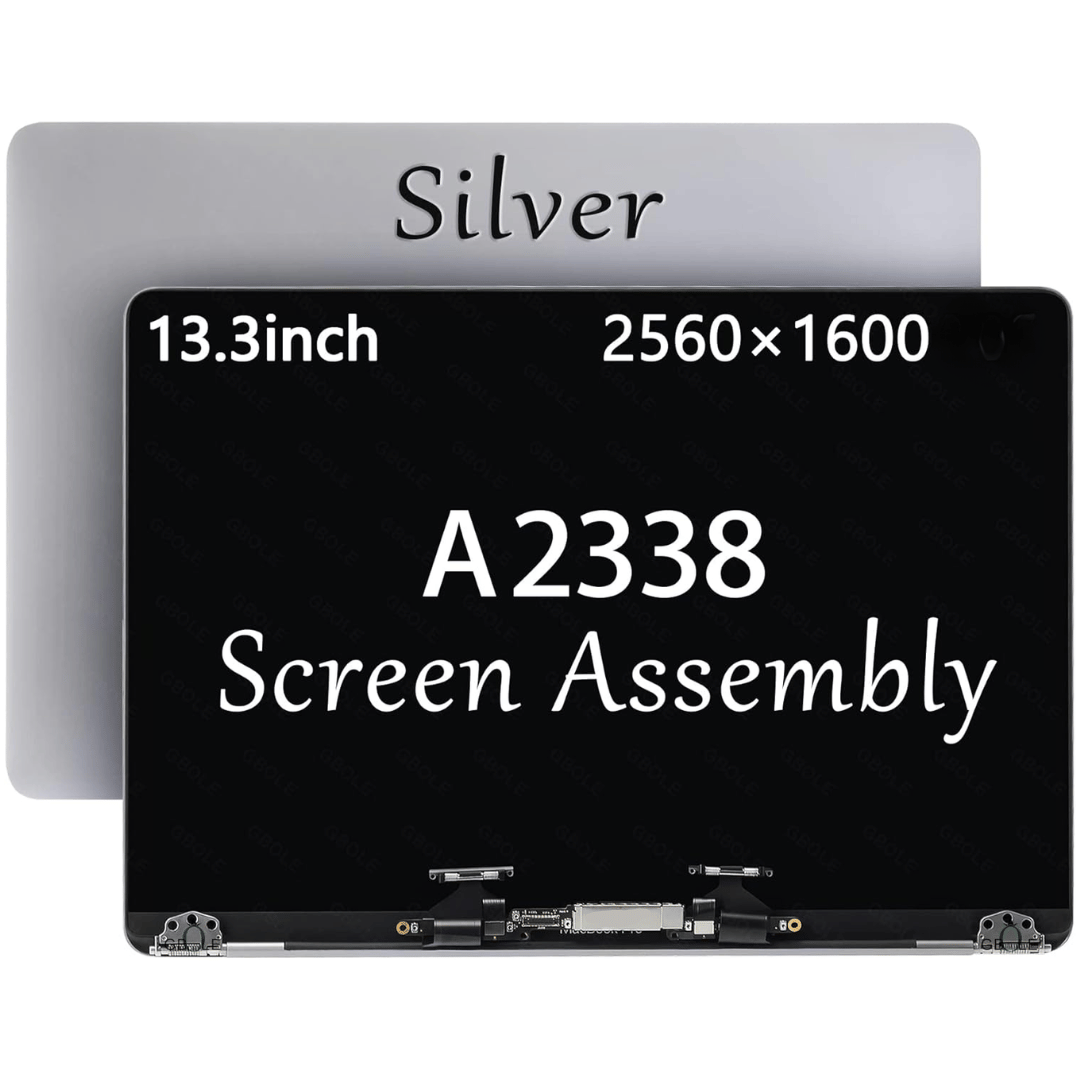
Genuine-spec battery flex cable for MacBook Pro models A2159 (16", 2019), A1708 (13", 2016–2017), and A2338 (13", 2020 M1)—restores critical communication between the battery and logic board for proper power-on, charging, and macOS battery status. Genuine-spec battery flex cable for MacBook Pro models A2159 (16″, 2019), A1708 (13″, 2016–2017), and A2338 (13″, 2020 M1)—restores critical communication between the battery and logic board for proper power-on, charging, and macOS battery status. Carries SMBus (System Management Bus) signals from the battery to the logic board Enables: Accurate battery percentage and health reporting in macOS Proper charging control (start/stop, thermal throttling) Power-on capability (MacBooks will not boot without this connection) Prevention of “Battery Not Charging” or “Service Battery” errors Accurate battery percentage and health reporting in macOS Proper charging control (start/stop, thermal throttling) Power-on capability (MacBooks will not boot without this connection) Prevention of “Battery Not Charging” or “Service Battery” errors MacBook won’t turn on (even with a good battery) Battery shows “–%”, 0%, or “Not Charging” Random shutdowns under load macOS displays “No Battery Available” Logic board powers fans or lights but no display output Battery flex cable only (with OEM-style connector and strain relief) ❌ Does not include: battery, logic board, or trackpad Requires full bottom case removal and battery disconnection Connects via a ZIF or press-fit socket on the logic board Must be routed precisely to avoid tension or micro-tears Highly recommended for experienced or certified technicians—improper installation can cause permanent power or battery communication failure

Upgrade your workspace with a massive 27-inch Full HD canvas. Combining a high-speed 100Hz refresh rate with a stunning frameless IPS display, the B27M1 delivers an expansive, fluid viewing experience for professionals and creators alike. Model: Buerotika B27M1 Primary Specs: 27-inch Wide-Screen Display Display/Performance: IPS (In-Plane Switching) for 178° ultra-wide viewing angles Visual/Build Quality: 1920 x 1080 (Full HD) with vibrant color reproduction Aesthetic: 3-sided frameless “infinity” design for a sleek, modern desk setup Build: Lightweight, ultra-slim chassis with a space-saving minimalist stand Adjustability: Ergonomic tilt adjustment to match your eye level Input/Output: HDMI (High-Speed) and VGA ports Compatibility: Fully compatible with desktop PCs, laptops, and gaming consoles Smooth Motion: 100Hz Refresh Rate – 66% faster than standard monitors for reduced motion blur and lag. Eye Care: Integrated Flicker-Free technology and Low Blue Light filters for comfortable all-day use. Panel Quality: IPS technology ensures colors stay accurate even when viewed from the side. Enhanced Productivity: Large 27-inch screen allows for comfortable side-by-side window multitasking. Home Entertainment: Great for streaming and movies where a larger screen provides more impact. Education & Research: Easy-to-read text and large display area for students and writers. Casual Gaming: The 100Hz boost provides a competitive edge in smoothness over 60Hz displays.

Genuine-spec touchpad flex cable for MacBook Air 13.6″ (Model A2681, 2022, M2)—essential for restoring full Force Touch functionality, haptic feedback, and multi-touch gesture support when replacing or repairing the trackpad assembly. Compatible With: MacBook Air 13.6-inch (2022, Model A2681) with Apple M2 chip (all colors: Silver, Space Gray, Starlight, Midnight). Part Type: Touchpad flex cable only—does not include the trackpad, Taptic Engine, or mounting hardware. This is the ribbon cable assembly that connects the trackpad to the logic board. Function: Transmits touch input, Force Touch pressure data, and haptic feedback signals between the trackpad and logic board—critical for macOS gesture recognition and Taptic Engine operation. OEM-Quality Construction: Matches Apple’s original flex circuit in length, connector type, shielding, and bend radius—ensures reliable signal integrity and long-term durability. Common Use Cases: Replacing a torn, frayed, or damaged original flex cable Completing a trackpad replacement when the original cable was compromised Repairing unresponsive or erratic trackpad behavior caused by cable failure Replacing a torn, frayed, or damaged original flex cable Completing a trackpad replacement when the original cable was compromised Repairing unresponsive or erratic trackpad behavior caused by cable failure Installation Note: Requires full bottom case disassembly and careful routing under the battery and logic board. Connectors use ZIF (Zero Insertion Force) sockets—do not force. Recommended for experienced or certified technicians only.

WiWU S500 Foldable Lightweight Plastic Laptop Stand Description WiWU S500 Foldable Lightweight Plastic Laptop Stand Brand: wiwu Material: ABS+Aluminum alloy Foldable Height Adjustment. Laptop stand with foldable technology, light weight, easy to carry Adjustable from 20 to 40 degrees and height adjustable from 3.15 to 5.12 inches. There are 6 corners Compatible with laptops (11 inch-15 inch) Macbook, iMac, ipad, Microsoft Surface PR, Thinkpad, Lenovo, Dell, HP and more. With anti-slip rubber pad

Genuine Apple sleep/wake sensor flex cable (Hall effect sensor) for MacBook Air 13.6″ (Model A2681, 2022, M2)—ensures automatic display sleep when the lid is closed and wake-on-open functionality. OEM part number 821-04129-02. Compatible With: MacBook Air 13.6-inch (2022, Model A2681) with Apple M2 chip (all colors: Silver, Space Gray, Starlight, Midnight). Apple Part Number: 821-04129-02 (exact OEM service part). Function: Contains the Hall effect sensor that detects the magnet in the MacBook Air’s display lid. This allows macOS to: Sleep the system when the lid is closed Wake instantly when opened Prevent false sleep/wake events during use Sleep the system when the lid is closed Wake instantly when opened Prevent false sleep/wake events during use Location: Mounted near the right side of the keyboard, adjacent to the battery and logic board. Common Failure Symptoms: MacBook doesn’t sleep when lid is closed MacBook wakes randomly in a bag “Lid closed” not recognized in macOS Requires manual sleep or power button use MacBook doesn’t sleep when lid is closed MacBook wakes randomly in a bag “Lid closed” not recognized in macOS Requires manual sleep or power button use Part Type: Flex cable with integrated Hall sensor—not just a cable, but a calibrated magnetic sensor module. Installation Note: Requires full bottom case removal and careful disconnection of the battery. The sensor is adhered near the I/O area—do not bend or puncture. Recommended for experienced technicians.

WiWU A821CH 8‑in‑1 Stand & Dock – A foldable aluminum laptop stand with a built-in 8‑port USB‑C dock (two USB‑A, two USB‑C, HDMI 4K30, SD/TF, Gigabit Ethernet, PD 100 W).Enhances comfort, cooling, and functionality—perfect for decluttered, professional work setups. Model: WiWU A821CH Design: Sturdy aluminum alloy stand with foldable, portable design, hollow surface for cooling, and silicone pads to prevent slips Dimensions & Weight: Compact when folded (~400 g in aluminum) Docking Hub Ports: 2 × USB-C ports 2 × USB‑A 3.0 ports 1 × HDMI (up to 4K@30 Hz) SD + micro‑SD card slots 1 × RJ‑45 Gigabit Ethernet (1000 Mbps) Docking Hub Ports: 2 × USB-C ports 2 × USB‑A 3.0 ports 1 × HDMI (up to 4K@30 Hz) SD + micro‑SD card slots 1 × RJ‑45 Gigabit Ethernet (1000 Mbps) Power Delivery: USB-C PD 3.0 supports up to 100 W—can charge a laptop while using other ports Connectivity: HDMI supports up to 4K@30 Hz; Ethernet up to Gigabit speed Stand Features: Detachable base—can use stand and hub together or separately, with adjustable ergonomic angles and vents for airflow Durability: Aluminum alloy with frosted texture, scratch-resistant finish, tested to executive standards

HP LaserJet 179fnw is a compact color laser multifunction printer that offers printing, scanning, copying, and faxing in one device. With Wi-Fi wireless printing, fast performance, and high-quality color output, it is suitable for small offices, home offices, and business use.

BATTERY DELL F3YGT 7.6V 60Wh Type F3YGT Battery for Dell Latitude 7480 7490 7280 7290 7380 7390 P73G001 P73G002 P28S001 P28S002 P29S002 DM3WC 2X39G DM6WC 451-BBYE 453-BBCF P28S P73G KG7VF 4-Cell About this item REPLACE BATTERY PART : 7.6V 60 WHr 4-Cell F3YGT battery replace part F3YGT DM3WC 2X39G 0DM3WC 0F3YGT 451-BBYE 453-BBCF KG7VF. (Only replace with type 60Wh battery, NOT fit DJ1J0 42WHr 3-Cell! Please check your original battery to make sure you get the correct replacement battery!) FIT LAPTOP MODELS: For Dell Latitude 12 7000 7280 7290 Latitude 13 7000 7380 7390 Latitude 14 7000 7480 7490 Latitude 7280 7290 7380 7390 7480 7490 E7280 E7290 E7380 E7390 E7480 E7490 P28S P73G P28S001 P28S002 P73G001 P73G002 Series laptop. (NOT fit for Dell Latitude 7390 2-in-1 Series) SPECIFICATION: Model Name: 60Wh Standard Rechargeable Li-ion Battery Type F3YGT; Battery Type: Li-Ion Polymer; Voltage: 7.6V; Capacity: 60Wh; Cells: 4-cell; Size: About 9.37×3.78×0.22inch; Weight: About 10OZ / 0.63lb; Condition: 100% New; Life span: About 300-500 discharge per charge cycles; Packages includes: 1PC F3YGT laptop battery(with two free screwdrivers and user manual for easy installation, battery cable NOT included)

Genuine-spec touchpad flex cable for MacBook Air 13″ (Model A1534, Early 2015)—essential for restoring full trackpad functionality, including precise cursor control and physical click response, during repair or replacement. Compatible With: MacBook Air 13-inch (Early 2015, Model A1534, Model Identifier MacBookAir7,2). Part Type: Touchpad flex cable only—does not include the trackpad housing, button mechanism, or mounting brackets. This is the ribbon cable that connects the trackpad to the logic board. Function: Carries input signals from the trackpad to the logic board—critical for cursor movement, tap-to-click, and primary/secondary physical click functionality. (Note: This model uses a physical click mechanism, not Force Touch—so no haptic feedback or pressure-sensing.) OEM-Quality Construction: Matches Apple’s original cable in length, connector type, and shielding—ensures reliable signal transmission and long-term durability. Common Use Cases: Replacing a torn, frayed, or damaged original flex cable Completing a trackpad replacement when the original cable is compromised Fixing erratic cursor movement, unresponsive trackpad, or loss of click function Replacing a torn, frayed, or damaged original flex cable Completing a trackpad replacement when the original cable is compromised Fixing erratic cursor movement, unresponsive trackpad, or loss of click function Installation Note: Requires bottom case removal and careful disconnect/reconnect of the ZIF (Zero Insertion Force) connector on the logic board. The cable routes under the battery—handle with care. Suitable for intermediate to advanced DIYers or technicians.
