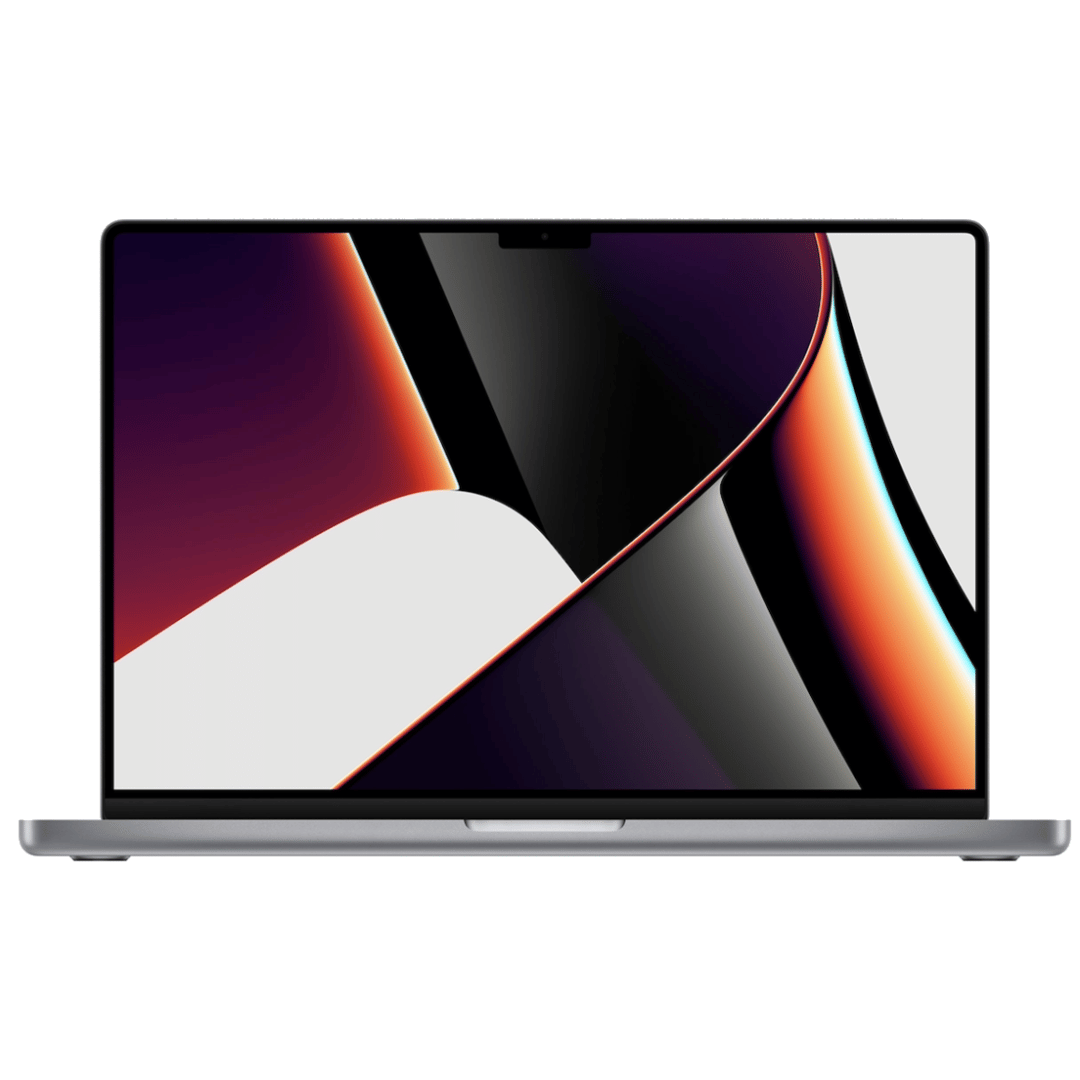

Genuine Apple MagSafe 3 charging cable (2-meter length), originally shipped with MacBook Pro 14"/16" (2021, M1 Pro/Max) and MacBook Pro 16" (2023, M2/M3 Max). Used but fully functional, tested for safe power delivery and data handshake with Apple laptops. Compatibility: MacBook Pro 14″ (2021–2023, M1 Pro/Max, M2 Pro/Max, M3 Pro/Max) MacBook Pro 16″ (2021–2023, M1 Max, M2 Max, M3 Max) Works with Apple 67W, 96W, and 140W USB-C Power Adapters (sold separately) MacBook Pro 14″ (2021–2023, M1 Pro/Max, M2 Pro/Max, M3 Pro/Max) MacBook Pro 16″ (2021–2023, M1 Max, M2 Max, M3 Max) Works with Apple 67W, 96W, and 140W USB-C Power Adapters (sold separately) Connector Type: MagSafe 3 (magnetic, tri-oval tip) on laptop end USB-C on power adapter end MagSafe 3 (magnetic, tri-oval tip) on laptop end USB-C on power adapter end Cable Length: 2 meters (≈6.6 feet) – longer than the standard 1.8m cable, ideal for flexible desk or bedside setups. Condition: Original Apple cable, previously used but fully tested: No fraying, kinks, or exposed wires MagSafe 3 connector intact with strong magnetic hold Charges MacBook at full rated speed (supports up to 140W with compatible adapter) Passes Apple’s authentication handshake (no “Not Supported” warnings) No fraying, kinks, or exposed wires MagSafe 3 connector intact with strong magnetic hold Charges MacBook at full rated speed (supports up to 140W with compatible adapter) Passes Apple’s authentication handshake (no “Not Supported” warnings) What’s Included: MagSafe 3 to USB-C cable only Power adapter NOT included MagSafe 3 to USB-C cable only Power adapter NOT included Why Choose This: Cost-effective alternative to buying new 100% genuine Apple—no third-party risks (overheating, slow charging, compatibility errors) Ideal for backup, travel, or replacing a damaged original cable Cost-effective alternative to buying new 100% genuine Apple—no third-party risks (overheating, slow charging, compatibility errors) Ideal for backup, travel, or replacing a damaged original cable

Looking to add a touch of efficiency to your workspace? Meet the ViewSonic 24″ 60Hz Touch Monitor TD2455. With its intuitive touch functionality, this monitor redefines productivity. First and foremost, let’s talk about versatility. The TD2455’s 24-inch display size strikes the perfect balance between screen real estate and desk space. Enjoy ample room for multitasking without overwhelming your workspace. Transitioning to touch capabilities, the TD2455 offers a responsive and intuitive touch experience. Navigate through applications, annotate documents, and interact with content effortlessly with just the touch of your fingertips. Moreover, its ergonomic design ensures comfortable viewing angles, reducing strain during extended work sessions. Tilt, swivel, and adjust the height to find the perfect position that suits your needs. Additionally, with a refresh rate of 60Hz, the TD2455 delivers smooth and fluid visuals, enhancing the overall user experience. Whether you’re browsing the web, editing documents, or watching videos, every task feels seamless. Furthermore, the monitor’s Full HD resolution ensures crisp and clear imagery, making text and graphics sharp and legible. Say goodbye to pixelation and hello to clarity, enhancing your productivity and workflow. In conclusion, the ViewSonic 24″ 60Hz Touch Monitor TD2455 is a game-changer for professionals seeking a versatile and efficient display solution. From its intuitive touch functionality to its ergonomic design and crisp visuals, it’s the perfect addition to any workspace. Upgrade today and take your productivity to new heights. Specifications: Type-C Input Display : 24″ IPS Resolution : FHD(1920×1080) Refresh Rate : 60Hz Response Rate : 6ms

In the world of monitors, the ViewSonic VA2223-H stands out as a reliable and clear solution, offering a perfect blend of visual excellence and simplicity for an enhanced viewing experience. Transitioning to its key features, the VA2223-H excels in providing clear and crisp visuals. This monitor is designed to deliver sharp and vibrant images, ensuring a visually engaging experience for work or entertainment. Moreover, this display impresses with its sleek and minimalistic design. The ViewSonic VA2223-H not only enhances the aesthetics of your workspace but also ensures straightforward setup, making it an ideal choice for users seeking simplicity. In addition to its functionality, the VA2223-H offers user-friendly controls and versatile connectivity options, ensuring a hassle-free experience. This monitor seamlessly adapts to various settings, providing flexibility for different viewing preferences. Furthermore, ViewSonic’s commitment to user satisfaction is evident in the VA2223-H’s energy-efficient design and eye-care technology. It’s a reliable companion for extended viewing periods without compromising on visual quality. In conclusion, the ViewSonic VA2223-H redefines clarity and simplicity, combining clear visuals, sleek design, and user-friendly features. Elevate your viewing experience effortlessly with the VA2223-H – your clear and straightforward solution for visual excellence! Specifications HDMI and VGA input 60Hz Refresh Rate Superior color rendering options Comfortable viewing Low energy consumption VESA mountable 1 Year Warranty

This replacement touchpad for MacBook Air A2179 comes in Rose Gold and is sold without the flex cable. Perfect for restoring smooth trackpad performance, it’s ideal for repair technicians and users replacing a damaged or non-working touchpad. The MacBook Air A2179 Touchpad (Rose Gold) is a high-quality replacement part designed to restore full trackpad functionality to your laptop. Whether your original touchpad is unresponsive, physically damaged, or experiencing tracking issues, this replacement provides a reliable solution. Please note that this unit is without the flex cable, meaning it requires the original flex or a separate replacement flex for installation. Ideal for repair shops and technicians, it ensures smooth navigation and precise control. Compatible with MacBook Air A2179 Rose Gold Color Match for original look and finish Replacement Touchpad Only (without flex cable) Restores Smooth Trackpad Functionality Precision Tracking & Gesture Support (when installed correctly) Ideal for Repairs & Replacements High-Quality Build designed for durability and long use Designed specifically for Apple MacBook Air A2179 models. Recommended for technicians and repair shops or users replacing a faulty touchpad. Ensure compatibility before purchase and note that a flex cable is required for installation.

A premium pre-owned Lenovo ThinkPad T590 with a 15.6" display, powerful 8th Gen Core i5 processor, 8GB RAM, and fast 256GB SSD—engineered for professionals who need reliability, security, and all-day productivity.

ZOWIE XL2411K ZOWIE XL2411K With the introduction of the PS5 and Xbox Series X. console gamers are finally able to take advantage of a 120Hz refresh rate . This is a significant upgrade for competitive FPS players, as the increased smoothness and clarity . can result in quicker reaction times and easier tracking of enemies. DyAc™ Technology – A Different Spray Feeling DyAc™ makes vigorous in-game actions such as spraying less blurry. This allows gamers to see the position of crosshair and impact points more clearly which can help with recoil control. Different In-Game Color Modes – Play To Your Liking We are releasing tailored game modes to meet different preferences and scenarios. Each color setting takes careful consideration, game by game, scene by scene. to make sure the colors work throughout the gameplay, and not compromised across different maps. Make Visual Adjustments Based on Your In-Game Needs Black eQualizer to increase visibility in dark scenes without the bright areas. Color Vibrance to adjust color setting and tone to differentiate enemy targets in-game. and Game modes to switch between presets for different game titles. these are all adjustments that allow players to play with their preferred visual settings. XL Setting to Share Share your own settings with a teammate, friend, or your fans. Save video profiles quickly and share conveniently through a simple user interface. Fluid & Flexible Adjustment – More Comfort In-Game We understand that each player has his/her own unique combination of monitor height and angle adjustment. With height adjustment & free tilt, players are able to setup quickly and conveniently resulting in a more comfortable playing environment. Smaller Base – More Playing Space New base is designed to take up less space while maintaining the same stability. This allows gamers more space in their setup for in-game movements and allows. them the flexibility to make adjustments and play comfortably. Specifications: Specifications LCD size (inch) 24″ Aspect ratio 16:9 Max. resolution (PC/Laptop) 1920 x 1080 at 144Hz (HDMI 2.0, DP) Max. resolution (Console) 1920 x 1080 at 120Hz for PS5 / Xbox series X (HDMI2.0) Refresh rate 144Hz Display area (mm) 531.36 x 298.89 Pixel pitch (mm) 0.276 1 year warranty Manufacturer Link

HP 5 Pro 524pf Monitor Overview The HP 5 Pro 524pf is a 24-inch Full HD monitor designed for daily productivity. It delivers clear visuals and a clean modern design. As a result, it fits offices, students, and home workspaces. 24-Inch Full HD Display This monitor features a 24-inch Full HD resolution. Therefore, text appears sharp and easy to read. Moreover, images look clear and balanced. Because of this, it supports long working sessions without fatigue. In addition, wide viewing angles improve visibility. As a result, content stays clear from different positions. Smooth Performance for Daily Tasks The HP 5 Pro 524pf provides smooth visuals for everyday use. As a result, scrolling and browsing feel natural. Furthermore, the display maintains consistent brightness. This improves overall viewing comfort. Eye Comfort and Anti-Glare Screen This monitor includes eye comfort features. Therefore, it helps reduce eye strain during extended use. In addition, the anti-glare coating limits reflections. As a result, the screen stays clear in bright environments. Connectivity and Easy Setup The HP 5 Pro 524pf includes HDMI connectivity. As a result, it connects easily to laptops and desktops. Moreover, setup is quick and simple. Therefore, users can start working immediately. Sleek Design and Mounting Options The monitor features a slim and modern design. In addition, it supports VESA mounting. As a result, users can customize their workspace layout. Ideal for Work and Home Use This monitor focuses on clarity and reliability. Moreover, it suits office work, studying, and media viewing. In conclusion, the HP 5 Pro 524pf is a practical Full HD monitor for everyday use. Specifications: Display: 23.8-inch diagonal, IPS panel, 16:9 aspect ratio, 93 PPI, anti-glare. Performance: 100Hz refresh rate (50-100Hz range), 5ms GtG response time, 350 nits brightness. Connectivity: HDMI 1.4, DisplayPort 1.2, and a USB hub.

WiWU Infinite USB‑C to HDMI Adapter (HB004) – Sleek aluminum dongle offering 4K@60Hz output over USB‑C (DP Alt‑Mode), plug-and-play with no drivers needed.Compact, portable, and reliable—a must-have for mobile productivity, gaming, and media streaming. Model: WiWU Infinite USB‑C to HDMI Adapter (HB004) Video Output: HDMI 2.0, supports up to 4K @ 60 Hz resolution Material & Weight: Robust aluminum alloy body, compact, weighs ~69 g Compatibility: Plug-and-play connector works with USB‑C devices supporting DP Alt‑Mode—compatible with laptops, smartphones, tablets, consoles Design & Build: Slim, portable, durable—no driver/software required Use Cases: Ideal for mirroring/extending screens for presentations, streaming, gaming

Genuine-spec US layout keyboard replacement for MacBook Pro 15″ (2018–2019, Models A1989/A1990)—designed for reliable typing, full compatibility, and seamless integration with original top case assemblies. Compatible With: MacBook Pro 15-inch (2018 A1989 and 2019 A1990 models) with Touch Bar. Layout: Standard US English (QWERTY) with full-size keys, including inverted-T arrow keys and dedicated function row. Integrated Features: Includes built-in backlighting, scissor-switch mechanism (3rd-gen Butterfly or revised Butterfly mechanism, depending on original model year), and ribbon cable connector matching Apple’s OEM design. Functionality: Supports all native keyboard features, including brightness, volume, media controls, and Touch ID power button (note: Touch ID sensor is not included—this is the keyboard only). Build Quality: Precision-engineered to match Apple’s original fit, feel, and durability—ideal for professional repairs or top case refurbishment. Installation Note: Requires full top case disassembly. Keyboard is adhered to the top case and must be carefully removed and replaced using proper tools and techniques. Recommended for experienced technicians. Model Verification: Ensure your MacBook is A1989 (2018) or A1990 (2019) before purchase—keycaps and connectors differ from other MacBook generations.

The Samsung 32″ Essential S3 Curved Monitor LS32D392GAMXUE features a 32-inch VA panel with Full HD resolution (1920 × 1080). It uses a 1500R curved screen design that follows the natural field of view for a more immersive viewing experience. The monitor supports a refresh rate of up to 100Hz. As a result, motion appears smoother during everyday work, video playback, and casual gaming. In addition, the 4ms GTG response time helps reduce motion blur during fast-moving content. Samsung uses a VA panel with a typical 3000:1 contrast ratio and 250 cd/m² brightness. Therefore, the display delivers deeper blacks and improved contrast compared to many standard IPS and TN panels. The monitor also covers up to 95% of the sRGB color space. Eye Saver Mode and Flicker Free technology help reduce eye strain during extended use. Also, Game Mode adjusts image settings to improve visibility in darker scenes. Connectivity includes one HDMI 1.4 port, one D-Sub (VGA) port, and a headphone output. The monitor supports VESA 75 × 75 mm wall mounting and tilt adjustment from -2° to 22°. This model focuses on everyday productivity, media consumption, and general home use while providing a large curved display and higher-than-standard refresh rate. Specifications: 32-inch VA panel with Full HD (1920 × 1080) resolution 1500R curved screen design Up to 100Hz refresh rate 4ms GTG response time HDMI 1.4, D-Sub (VGA), and headphone connectivity

Sleek, ultra-thin 24-inch Full HD display with micro-edge design, flicker-free technology, and versatile connectivity—ideal for productivity, home office, or multi-display setups. Model: HP V24v G5 Screen Size: 23.8 inches (viewable), 24-inch class Display Type: IPS (In-Plane Switching) panel Resolution: 1920 x 1080 (Full HD) at 60Hz Brightness: 250 cd/m² Contrast Ratio: 1,000:1 (static), 10,000,000:1 (dynamic) Response Time: 7 ms (gray-to-gray) Viewing Angles: 178° horizontal / 178° vertical (excellent color consistency from wide angles) Design Features: 3-sided micro-edge bezel – ideal for seamless multi-monitor setups Ultra-slim profile – modern, minimalist aesthetic Tilt-only stand: -5° to +25° VESA Mount Compatible: 100 x 100 mm (stand removable) 3-sided micro-edge bezel – ideal for seamless multi-monitor setups Ultra-slim profile – modern, minimalist aesthetic Tilt-only stand: -5° to +25° VESA Mount Compatible: 100 x 100 mm (stand removable) Connectivity: 1 x HDMI 1.4 1 x VGA (D-Sub) Audio Line-out (3.5mm) – for use with external speakers/headphones No built-in speakers 1 x HDMI 1.4 1 x VGA (D-Sub) Audio Line-out (3.5mm) – for use with external speakers/headphones No built-in speakers Eye Comfort & Sustainability: Flicker-free backlight HP Eye Ease (TÜV-certified low blue light mode—reduces eye strain without color distortion) ENERGY STAR® certified Made with post-consumer recycled plastics (up to 85% in enclosure) Flicker-free backlight HP Eye Ease (TÜV-certified low blue light mode—reduces eye strain without color distortion) ENERGY STAR® certified Made with post-consumer recycled plastics (up to 85% in enclosure) Ideal For: Home office & remote work Students and professionals Dual/triple monitor productivity setups Everyday computing, web browsing, and document editing Home office & remote work Students and professionals Dual/triple monitor productivity setups Everyday computing, web browsing, and document editing Dimensions (with stand): 21.26 x 7.76 x 15.83 in (540 x 197 x 402 mm) 21.26 x 7.76 x 15.83 in (540 x 197 x 402 mm) Weight: ~7.5 lbs (3.4 kg)

The ViewSonic VA24D1-H 24″ FHD 100Hz Monitor delivers smooth and clear visuals for work, gaming, and daily use. It offers Full HD resolution with bright colors. The screen shows sharp details that improve movies, documents, and web browsing. This makes your viewing experience more comfortable. Moreover, the ViewSonic VA24D1-H 24″ FHD 100Hz Monitor includes a fast 100Hz refresh rate. This feature reduces motion blur and screen tearing. It makes gaming and fast scenes much smoother. It also improves general tasks like scrolling and tracking movement. In addition, the monitor features HDMI and VGA connections. These ports make setup quick and simple. You can connect laptops, desktops, and media players easily. This gives you strong flexibility for work and entertainment. Furthermore, the ViewSonic VA24D1-H 24″ FHD 100Hz Monitor includes important eye-care technology. The flicker-free screen helps reduce eye strain. The blue light filter adds more comfort during long hours. This makes the monitor ideal for study, office work, and long sessions. Also, the slim bezel design gives the monitor a modern and clean look. It fits well in home and office spaces. The thin edges help create smooth multi-monitor setups. This improves both productivity and style. The stand on the ViewSonic VA24D1-H 24″ FHD 100Hz Monitor offers stable support. You can tilt the screen to find a comfortable angle. This helps you maintain a healthy posture. It also improves your overall viewing comfort. Overall, the ViewSonic VA24D1-H 24″ FHD 100Hz Monitor offers clarity, smooth motion, and strong comfort. It works well for gaming, streaming, office tasks, and daily use. It is a reliable monitor for users who want simple performance and modern design. Specifications: Display : 24″ IPS Resolution : 1920×1080 Refresh Rate : 100Hz Response Time : 5ms

WiWU Waterproof Lycra Cosmo Laptop Slim Bag Laptop Handbag with Strap for Men and Women

The MSI G2412F Gaming Monitor delivers smooth gameplay with a 180Hz refresh rate and Full HD resolution. It ensures fast and responsive performance for competitive gaming. Moreover, the Rapid IPS panel provides accurate colors and wide viewing angles. It maintains consistent image quality from different positions. The monitor features a 1ms response time to reduce motion blur in fast scenes. This improves clarity during intense gameplay. It also supports Adaptive Sync technology to eliminate screen tearing and stuttering. This ensures smooth and stable visuals. Additional features include Night Vision for better visibility in dark areas. Anti-flicker and low blue light help reduce eye strain during long sessions. The MSI G2412F Gaming Monitor is a strong choice for users who want speed, clarity, and reliable performance. Specifications: 24″ Full HD Rapid IPS panel with wide viewing angles 180Hz refresh rate for smooth and responsive gaming 1ms (GtG) response time for reduced motion blur Adaptive Sync to eliminate screen tearing Night Vision with anti-flicker and low blue light technology

BATTERY DELL F3YGT 7.6V 60Wh Type F3YGT Battery for Dell Latitude 7480 7490 7280 7290 7380 7390 P73G001 P73G002 P28S001 P28S002 P29S002 DM3WC 2X39G DM6WC 451-BBYE 453-BBCF P28S P73G KG7VF 4-Cell About this item REPLACE BATTERY PART : 7.6V 60 WHr 4-Cell F3YGT battery replace part F3YGT DM3WC 2X39G 0DM3WC 0F3YGT 451-BBYE 453-BBCF KG7VF. (Only replace with type 60Wh battery, NOT fit DJ1J0 42WHr 3-Cell! Please check your original battery to make sure you get the correct replacement battery!) FIT LAPTOP MODELS: For Dell Latitude 12 7000 7280 7290 Latitude 13 7000 7380 7390 Latitude 14 7000 7480 7490 Latitude 7280 7290 7380 7390 7480 7490 E7280 E7290 E7380 E7390 E7480 E7490 P28S P73G P28S001 P28S002 P73G001 P73G002 Series laptop. (NOT fit for Dell Latitude 7390 2-in-1 Series) SPECIFICATION: Model Name: 60Wh Standard Rechargeable Li-ion Battery Type F3YGT; Battery Type: Li-Ion Polymer; Voltage: 7.6V; Capacity: 60Wh; Cells: 4-cell; Size: About 9.37×3.78×0.22inch; Weight: About 10OZ / 0.63lb; Condition: 100% New; Life span: About 300-500 discharge per charge cycles; Packages includes: 1PC F3YGT laptop battery(with two free screwdrivers and user manual for easy installation, battery cable NOT included)

The HUAWEI IdeaHub Board 2 IHB2-65SU is a 65-inch intelligent collaboration display designed for meetings, classrooms, and hybrid work environments. It combines a 4K UHD interactive touchscreen with built-in collaboration tools for writing, presenting, and video communication. Additionally, it supports smooth interaction for real-time teamwork. Moreover, it features a 65-inch 4K (3840 × 2160) infrared multi-touch screen with up to 20 touch points. Therefore, users can write and interact accurately during meetings and lessons. Furthermore, Huawei designs it with ultra-low writing latency of around 16–25 ms. So, writing feels natural and responsive like a real whiteboard. It also includes anti-glare and zero-gap bonding for clearer visuals. In addition, it integrates a 4K display system with built-in speakers and microphone support. Therefore, it improves audio-visual communication for hybrid meetings and presentations. It also supports dual Wi-Fi and wireless projection from multiple devices. Also, it runs on Android-based system support with optional Windows OPS integration. So, it fits different enterprise IT environments and meeting setups. Overall, the Huawei IdeaHub Board 2 IHB2-65SU delivers interactive 4K collaboration, smooth writing performance, and flexible connectivity for modern workplaces and education spaces. Specifications: 65-inch 4K UHD infrared touch display Up to 20-point multi-touch support Ultra-low writing latency (~16–25 ms) Built-in speakers and conferencing support Wireless projection with dual Wi-Fi connectivity

Genuine Apple sleep/wake sensor flex cable (Hall effect sensor) for MacBook Air 13.6″ (Model A2681, 2022, M2)—ensures automatic display sleep when the lid is closed and wake-on-open functionality. OEM part number 821-04129-02. Compatible With: MacBook Air 13.6-inch (2022, Model A2681) with Apple M2 chip (all colors: Silver, Space Gray, Starlight, Midnight). Apple Part Number: 821-04129-02 (exact OEM service part). Function: Contains the Hall effect sensor that detects the magnet in the MacBook Air’s display lid. This allows macOS to: Sleep the system when the lid is closed Wake instantly when opened Prevent false sleep/wake events during use Sleep the system when the lid is closed Wake instantly when opened Prevent false sleep/wake events during use Location: Mounted near the right side of the keyboard, adjacent to the battery and logic board. Common Failure Symptoms: MacBook doesn’t sleep when lid is closed MacBook wakes randomly in a bag “Lid closed” not recognized in macOS Requires manual sleep or power button use MacBook doesn’t sleep when lid is closed MacBook wakes randomly in a bag “Lid closed” not recognized in macOS Requires manual sleep or power button use Part Type: Flex cable with integrated Hall sensor—not just a cable, but a calibrated magnetic sensor module. Installation Note: Requires full bottom case removal and careful disconnection of the battery. The sensor is adhered near the I/O area—do not bend or puncture. Recommended for experienced technicians.

Genuine-spec Touch Bar assembly with integrated flex cable for MacBook Pro 15″ (Models A1706 – 2017 and A1989 – 2018)—fully restores dynamic Touch ID, system controls, and app-specific functions with OEM-level fit and reliability. Compatible With: MacBook Pro 15″ (2017) – Model A1706 (Intel Core i7/i9, 4 Thunderbolt 3 ports) MacBook Pro 15″ (2018) – Model A1989 (Intel Core i7/i9, 4 Thunderbolt 3 ports) MacBook Pro 15″ (2017) – Model A1706 (Intel Core i7/i9, 4 Thunderbolt 3 ports) MacBook Pro 15″ (2018) – Model A1989 (Intel Core i7/i9, 4 Thunderbolt 3 ports) Includes: Complete Touch Bar module with pre-attached flex cable, integrated Touch ID sensor (doubles as power button), and ambient light sensor—ready for direct connection to the logic board. Full Functionality: Restores all Touch Bar features including dynamic app controls, system brightness/volume sliders, Siri, and fingerprint authentication via Touch ID. Color Match: Available in Space Gray and Silver—select the finish that matches your MacBook’s top case. OEM-Quality Build: Matches Apple’s original dimensions, sensor alignment, and surface texture—ensures seamless integration with macOS and consistent responsiveness. Installation Note: Requires full top case disassembly. The flex cable routes under the left speaker and connects near the logic board—precision is critical to avoid damage. Recommended for experienced technicians.

OEM-quality trackpad replacement (without flex cable) for MacBook Pro 13″ (Models A2251 and A2289, 2020) in Silver finish—engineered for precise Force Touch response, smooth multi-touch gestures, and seamless integration with the original chassis. Compatible With: MacBook Pro 13″ (2020, Two Thunderbolt Ports) – Model A2251 (Intel Core i5/i7) MacBook Pro 13″ (2020, Four Thunderbolt Ports) – Model A2289 (Intel Core i5/i7) (Note: Both models share the same trackpad assembly despite port differences.) MacBook Pro 13″ (2020, Two Thunderbolt Ports) – Model A2251 (Intel Core i5/i7) MacBook Pro 13″ (2020, Four Thunderbolt Ports) – Model A2289 (Intel Core i5/i7) (Note: Both models share the same trackpad assembly despite port differences.) Part Type: Trackpad only—does not include the flex cable, Taptic Engine, or mounting hardware. Designed for technicians who will reuse the original internal components. Finish: Silver—matches the Silver MacBook Pro 13″ top and bottom case for perfect aesthetic continuity. Force Touch Support: Fully compatible with pressure-sensitive input and haptic feedback when paired with the original Taptic Engine and logic board—ensuring full macOS gesture functionality (e.g., Force Click, Lookup, Pressure-sensitive drawing). Precision Build: Features the same glass surface texture, curvature, and micro-click mechanism as Apple’s original—delivering consistent tracking accuracy and tactile feel. Installation Requirements: Requires full bottom case disassembly and careful transfer of the original flex cable and Taptic Engine. Adhesive must be applied precisely to maintain structural rigidity and sensor alignment. Recommended for certified or experienced repair technicians only.

Genuine-spec touchpad flex cable for MacBook Pro 13″ (Model A1502, Mid 2014)—restores full trackpad functionality, including precise cursor control and physical click response. Essential for repairing unresponsive or erratic trackpad behavior. Compatible With: MacBook Pro 13-inch (Mid 2014, Model A1502, Model Identifier MacBookPro11,1) with Intel Core i5/i7 processors and Retina display. Part Type: Touchpad flex cable only — does not include the trackpad housing, button mechanism, or mounting hardware. This is the ribbon cable that connects the trackpad to the logic board. Function: Transmits cursor movement and click signals (left/right physical clicks) Supports standard multi-touch gestures (two-finger scroll, tap-to-click, pinch-to-zoom) ⚠️ Note: This model uses a physical click mechanism—not Force Touch (no haptic feedback or pressure sensitivity). Transmits cursor movement and click signals (left/right physical clicks) Supports standard multi-touch gestures (two-finger scroll, tap-to-click, pinch-to-zoom) ⚠️ Note: This model uses a physical click mechanism—not Force Touch (no haptic feedback or pressure sensitivity). OEM-Quality Build: Matches Apple’s original in: Cable length and routing path Connector type and pin alignment Insulation and flexibility for long-term reliability Cable length and routing path Connector type and pin alignment Insulation and flexibility for long-term reliability Common Use Cases: Replacing a torn, frayed, or corroded original flex cable Fixing: Unresponsive or intermittent trackpad Cursor jumping or drifting Click function failure (left or right) Complete trackpad disconnect Replacing a torn, frayed, or corroded original flex cable Fixing: Unresponsive or intermittent trackpad Cursor jumping or drifting Click function failure (left or right) Complete trackpad disconnect Unresponsive or intermittent trackpad Cursor jumping or drifting Click function failure (left or right) Complete trackpad disconnect Installation Note: Requires bottom case removal and battery disconnect. Connects via a ZIF (Zero Insertion Force) socket on the logic board—do not force. Cable routes under the battery; handle with care to avoid strain. Suitable for intermediate to advanced DIYers or technicians. Requires bottom case removal and battery disconnect. Connects via a ZIF (Zero Insertion Force) socket on the logic board—do not force. Cable routes under the battery; handle with care to avoid strain. Suitable for intermediate to advanced DIYers or technicians.
