
The Samsung 75″ Neo QLED QN85F 4K Smart TV QA75QN85FAUXTW delivers a premium viewing experience with advanced Neo QLED display technology. It produces bright, detailed images with strong contrast and rich colors, so movies, sports, and games look sharp and immersive on the large 75-inch screen. Neo QLED technology uses Quantum Mini LEDs to improve brightness control and contrast precision. As a result, dark scenes appear deeper while bright areas stay vivid and accurate. This creates a more balanced and realistic picture across all types of content. Samsung integrates an AI-powered processor that enhances picture quality in real time. It analyzes each scene and automatically adjusts brightness, sharpness, and color. Therefore, the Samsung 75 Neo QLED QN85F 4K Smart TV QA75QN85FAUXTW consistently delivers optimized visuals without manual tuning. In addition, AI upscaling improves lower-resolution content closer to 4K quality for better clarity. HDR support increases brightness range and color depth, making visuals more dynamic and lifelike. Fast motion handling also improves clarity, which enhances sports and action scenes. The Smart TV platform provides easy access to streaming apps, gaming features, and smart home controls. It runs smoothly and responds quickly when switching between apps. In addition, the slim design with thin bezels gives the Samsung 75 Neo QLED QN85F 4K Smart TV QA75QN85FAUXTW a modern and premium appearance. Overall, this Samsung Neo QLED TV combines bright performance, AI optimization, and smart connectivity for a powerful home entertainment experience. Specifications: Neo QLED technology delivers bright, detailed, and accurate visuals 75-inch 4K display provides immersive large-screen viewing experience AI processor optimizes picture quality automatically in real time HDR improves contrast, brightness, and color depth Smart TV platform supports apps, streaming, and smart features

The MSI MAG 255XFV 25″ FHD 250Hz Gaming Monitor is built for fast-paced competitive gaming. It features a 24.5-inch Full HD (1920×1080) Rapid VA panel with a 250Hz overclocked refresh rate for ultra-smooth motion. Additionally, it delivers a 0.5ms (GtG) response time, reducing motion blur in fast scenes. The monitor also uses Adaptive-Sync technology to reduce screen tearing and stuttering during gameplay. Therefore, the MSI MAG 255XFV 25″ FHD 250Hz Gaming Monitor is designed for responsiveness, speed, and smooth visual performance in competitive titles. Moreover, it includes MSI gaming features such as AI Vision, Less Blue Light, and Anti-Flicker technology for improved viewing comfort. Specifications: 24.5-inch Full HD (1920×1080) Rapid VA panel 250Hz (OC) refresh rate for ultra-smooth gameplay 0.5ms (GtG) fast response time for reduced blur Adaptive-Sync technology for tear-free visuals MSI AI Vision, Anti-Flicker, and Less Blue Light support

The Samsung 27″ Odyssey G3 G30D FHD 180Hz Gaming Monitor LS27DG302 delivers smooth and responsive visuals with a Full HD (1920 × 1080) resolution and a 180 Hz refresh rate, which enhances motion clarity in fast‑paced games and videos. Additionally, it features a 1 ms (MPRT) response time for minimal motion blur, helping reduce ghosting during competitive play. The ergonomic stand allows tilt, swivel, pivot, and height adjustments for flexible viewing positions. Moreover, the monitor supports AMD FreeSync technology that helps reduce screen tearing and stuttering by synchronizing the display refresh rate with compatible GPUs. Therefore, gaming scenes and action appear more fluid. It also includes features such as Black Equalizer for improved visibility in dark areas and Virtual Aim Point for on‑screen crosshair alignment. Furthermore, the Odyssey G3 has a 3‑sided borderless design that maximizes the viewing area and supports easy multi‑monitor setups. Eye Saver Mode and Flicker Free technology help reduce eye fatigue during long sessions. The monitor connects via HDMI 2.0 and DisplayPort 1.4 for flexible device compatibility. Specifications: 27″ Full HD (1920 × 1080) resolution for clear, detailed visuals 180 Hz refresh rate with 1 ms (MPRT) response for smoother motion and minimal blur AMD FreeSync technology reduces tearing and stuttering for fluid gameplay Ergonomic stand with tilt, swivel, pivot, and height adjustments for flexible viewing 3‑sided borderless design with Eye Saver Mode and Flicker Free technology

BenQ PD3205U 32” 4K UHD IPS Monitor | 3840×2160 | 3 Years Warranty is a professional 32-inch display designed for productivity, creative work, and Mac/PC users who need accurate colors and a large workspace. It uses a 31.5-inch IPS panel with 4K UHD resolution (3840×2160). Therefore, it delivers sharp text, clear images, and high pixel density for multitasking and design work. In addition, it supports 99% sRGB and 99% Rec.709 color coverage for consistent and accurate color output. Moreover, it includes HDR10 support with up to 350 nits peak brightness. As a result, it improves contrast in supported HDR content while maintaining stable SDR performance. In addition, the monitor uses a 1000:1 contrast ratio for balanced image depth. The PD3205U features a 60Hz refresh rate and 5ms response time. Therefore, it focuses on productivity rather than competitive gaming. In addition, the IPS panel provides wide 178° viewing angles for consistent visuals from different positions. Connectivity includes USB-C with up to 90W power delivery. As a result, it can charge a laptop while sending video, data, and audio through a single cable. In addition, it supports HDMI 2.0, DisplayPort 1.4, USB-A, USB-B, and a built-in KVM switch for multi-device control. Furthermore, it includes Eye-Care technologies such as Flicker-Free and Low Blue Light modes. Therefore, it helps reduce eye strain during long work sessions. In addition, the ergonomic stand supports height, tilt, swivel, and pivot adjustments for better comfort. Finally, the BenQ PD3205U delivers a large 4K workspace, accurate color performance, and full USB-C docking functionality for professional and Mac-based workflows. Specifications: Display: 32-inch IPS panel with 3840×2160 4K UHD resolution Color: 99% sRGB and 99% Rec.709 coverage Brightness: 250 nits typical, up to 350 nits HDR peak Connectivity: USB-C 90W, HDMI 2.0, DP 1.4, USB hub, KVM switch Ergonomics: Height, tilt, swivel, pivot adjustable stand with Eye-Care features

MacBook Pro Retina 13' Early 2015 A1502 i5 8GB Logic Board MacBook Pro Retina 13′ Early 2015 A1502 i5 8GB Logic Board

• Table Stand Desk fits most 13” to 27” displays • Articulating stand with Swivel 180° and Tilt angle ±15° • Supports load from 9 to 20 kg • Mounting VESA compliance 50 x 50 mm, 75 x 75 mm & VESA 100 x 100mm • Carton Size: 445 x 130 x 100 mm • Gross Weight: 2.85 kg • Net Weight: 2.55 kg • Color: Black 1 Year Warranty manufacturer link

Samsung Lebanon 32″ Flat The Samsung Lebanon 32″ Flat Everything you need is right in your screen. Watch, work and chat – all without connecting a separate PC – with Smart Monitor. Your favorite content, productivity and video call apps are built-in. for a simpler and more stylish desk setup that’s a joy to use every time. Smart TV Experience Effortless entertainment. Enjoy Netflix, YouTube and other streaming services by simply connecting the monitor to WiFi. Samsung TV Plus also offers free live and on-demand content with no downloads or sign-up needed. while Universal Guide provides personalized content recommendations. Workspace Experience PC-less. Browse the web, edit documents and work on projects, all without the need for a separate PC. With new Workmode, you can also remotely access another PC, use Microsoft 365 programs . and even connect to Samsung mobile devices with Samsung DeX for seamless working. SlimFit camera Jump into any conversation. The SlimFit camera with tilt functionality allows you to create the perfect angle while using. your favorite video call apps like Google Duo, which can be accessed directly through the monitor. Plus, the camera cover and option to fully detach always protect your privacy. IoT Hub Turn your Smart Monitor into a control center for the home by connecting it to your IoT home products with SmartThings. Relax by turning off the lights, pulling down the blinds and setting the thermostat. to the perfect temperature all with the Smart Monitor for a perfectly relaxed evening. Mobile connectivity Convenient connectivity. With AirPlay integration, you can wirelessly connect Apple devices to the Smart Monitor and view on a bigger screen. Enjoy your favorite content from an iPhone, iPad, and Mac on the Smart Monitor and even mirror apps, documents, and websites. Adaptive Picture Sensational picture, day or night. Surrounding light is detected by a sensor to adjust brightness automatically with Adaptive Picture. Even in broad daylight, watch dark, gritty dramas without squinting and straining your eyes to see the picture. Specifications: Specifications Aspect Ratio16:9 Brightness (Typical)250 cd/㎡ Contrast Ratio Static3,000:1 (Typ.) Resolution1,920 x 1,080 Response Time4ms (GTG) Viewing Angle (H/V)178°/178° 3 year warranty Manufacturer Link

The MSI MAG 321UPX QD‑OLED 32″ 240Hz Gaming Monitor delivers stunning visuals and ultra‑fast performance for gamers and creators. It features a 32‑inch QD‑OLED panel for vibrant colors and deep blacks. Moreover, the 240Hz refresh rate makes gameplay ultra‑smooth and responsive. Also, its 0.03ms response time cuts motion blur to near zero. Because of HDMI 2.1 and DisplayPort 1.4, it supports high refresh on both PC and console. Furthermore, it offers 1440p resolution for sharp visuals without taxing your GPU. Additionally, the monitor covers 99% DCI‑P3 for rich and accurate color reproduction. Besides that, the HDR True Black 400 enhances contrast in bright and dark scenes. Also, the MSI MAG 321UPX QD‑OLED 32″ 240Hz Gaming Monitor includes HDMI VRR support for tear‑free gameplay. In addition, it features Adaptive‑Sync for smooth performance under varying frame rates. Moreover, the embeddable game mode presets help you optimize visuals with one button. Because it offers crosshair overlays and timers, it helps improve your competitive play. Also, the low‑blue light and flicker‑free technology protect your eyes during long sessions. Furthermore, the stand allows height, tilt, swivel, and pivot adjustments for ergonomic comfort. Also, the sleek design with ultra‑thin bezels gives a modern look to your setup. Moreover, built‑in 2 W speakers provide basic audio without extra clutter. Besides, the monitor includes a KVM feature for easy switching between two systems. Furthermore, connectivity covers USB‑C with 90 W power delivery for laptops. As a result, you can charge devices while transmitting video and data. Because of its USB hub, peripherals remain connected without cable swapping. Also, the 240Hz overclock mode boosts responsiveness in fast‑paced games. In addition, factory calibration ensures color accuracy out of the box. Therefore, creators benefit from both gaming performance and content work quality. Also, this monitor supports console gamers with up to 240Hz via HDMI 2.1. Furthermore, thanks to OLED’s fast refresh, motion clarity is unmatched. Moreover, HDR content truly pops with deep blacks and vibrant highlights. As a result, the MSI MAG 321UPX QD‑OLED 32″ 240Hz Gaming Monitor excels in both competitive gaming and creative work. Finally, upgrade your experience with this powerful, immersive, and feature‑rich gaming monitor. Specifications: Display : 31.5″ QD-OLED Resolution : 3840×2160 (UHD) Refresh Rate : 240Hz Response Rate : 0.03ms (GTG)

Genuine-spec keyboard replacement for MacBook Pro 13″ (Model A2251, 2020) — choose US QWERTY or UK QWERTY (with £ symbol). Features Apple’s reliable Magic Keyboard with scissor-switch mechanism, backlighting, and precise OEM fit. Compatible With: MacBook Pro 13-inch (2020, Two Thunderbolt Ports, Model A2251, Model Identifier MacBookPro16,1) with Intel Core i5/i7 processors. Layout Options (select at purchase): US Layout: Standard QWERTY with wide Enter key, @ above 2, # above 3, and full function row. UK Layout: QWERTY with £ symbol, tall vertical Enter key, @ accessed via right Alt, and UK-specific punctuation. US Layout: Standard QWERTY with wide Enter key, @ above 2, # above 3, and full function row. UK Layout: QWERTY with £ symbol, tall vertical Enter key, @ accessed via right Alt, and UK-specific punctuation. Keyboard Type: Apple’s Magic Keyboard with scissor-switch mechanism—offering improved durability, quieter typing, and 1mm key travel compared to Butterfly keyboards. Integrated Features: Full backlit keys for low-light environments Ambient light sensor support OEM-style flex cable pre-attached for direct connection to the logic board Full backlit keys for low-light environments Ambient light sensor support OEM-style flex cable pre-attached for direct connection to the logic board Precision Build: Engineered to match Apple’s exact dimensions, key spacing, and top-case curvature—ensures seamless visual and functional integration. Installation Note: The keyboard is factory-glued into the top case. Replacement requires full disassembly, careful adhesive removal, and professional re-adhesion. Recommended for experienced or certified repair technicians only.

MLT-D111S MLT-D111L Toner Cartridge Replacement for Samsung 111S MLTD111L for Xpress SL-M2020W SL-M2070FW SL-M2070W M2020 M2024W M2026W M2070 Laser Printer (Black, 1-Pack)

The Apple Magic Mouse (USB-C version) is a sleek, minimalist multi-touch wireless mouse built for Mac users. It offers smooth gesture support, Bluetooth connectivity and a built-in rechargeable battery — a great choice if you prefer a clean desk setup and full compatibility with macOS and iPadOS. General Name: Magic Mouse (USB-C) — part of Apple’s pointing-device lineup. Wireless connectivity: Bluetooth. Rechargeable battery: built-in, no disposable AA cells. Charging / port: USB-C port (bottom of mouse) for pairing and charging. Compatibility: Requires a Mac with macOS 15.1 or later, or an iPad with iPadOS 18.1 or later. Size & Weight Height: ~0.85 inch (2.16 cm) Width: ~2.25 inch (5.71 cm) Depth: ~4.47 inch (11.35 cm) Weight: ~0.22 pound (0.099 kg) (varies slightly by manufacturing) Features Multi-Touch surface: supports gestures such as swiping between pages, scrolling through documents, zooming. Glide / foot design: optimized for smooth movement across desktop surfaces. Rechargeable battery life: about a month or more between charges (typical use) per Apple spec. Used Condition ConsiderationsSince you’re specifying a used unit: Check for wear on the bottom feet / skates — these degrade and affect glide. Verify battery capacity / health (rechargeable batteries age). Confirm the port is functioning (USB-C) and Bluetooth connectivity is stable. Look for signs of excessive surface scratches on the multi-touch top — may impair gestures. Ensure the firmware / Mac recognizes it fully (gestures working). Upgradability / Limitations Not user-upgradable: You cannot replace the internal battery or change internals easily. Design limitation: The USB-C port remains on the bottom of the mouse, meaning you cannot use it while charging unless you flip it. This design is still criticized. Ergonomics: The flat, low-profile design is stylish but may not suit extended-use comfort for some users.

The BYL-2207 2-in-1 LAN adapter provides fast and stable wired internet through a Gigabit Ethernet port using either USB-C or USB 3.0. Perfect for laptops, MacBooks, and PCs without an Ethernet port, it ensures smooth streaming, online meetings, and reliable network performance. The BYL-2207 2-in-1 Type-C / USB 3.0 to Gigabit LAN Adapter is designed for users who need a reliable wired connection on modern laptops and devices. It supports both USB-C and USB 3.0, making it compatible with a wide range of systems including MacBooks, ultrabooks, and desktops. With Gigabit Ethernet speed, it provides faster and more stable internet compared to Wi-Fi, making it ideal for work, gaming, and streaming. 2-in-1 Connector (USB-C + USB 3.0) for wide compatibility Gigabit Ethernet Port (RJ45) for fast and stable wired internet High-Speed Performance supports up to 1000Mbps network speed Plug & Play installation on most systems Compact & Portable Design easy to carry anywhere Ideal for Work & Streaming improves stability for meetings and downloads Reliable Connection reduces lag compared to Wi-Fi Ideal for MacBooks, laptops, ultrabooks, desktops, and tablets that need a stable wired internet connection. Perfect for online meetings, remote work, gaming, IPTV, streaming, and downloading.

27-inch UHD 4K IPS display DCI-P3 95% (Typ.) VESA DisplayHDR™ 400 AMD FreeSync™ Dynamic Action Sync, Black Stabilizer Tilt, Height and Pivot Adjustable Stand DISPLAY Size (Inch) 27 Size (cm) 68.4 Resolution 3840 x 2160 Panel Type IPS Aspect Ratio 16:9 Pixel Pitch 0.1554 x 0.1554 Brightness (Min.) 320 cd/m² Brightness (Typ.) 400 cd/m² Color Gamut (Typ.) DCI-P3 95% (CIE1976) Color Depth (Number of Colors) 1.07B Contrast Ratio (Min.) 1000:1 Contrast Ratio (Typ.) 1200:1 Response Time 5ms (GtG at Faster) Viewing Angle (CR≥10) 178º(R/L), 178º(U/D) Surface Treatment Anti-Glare HDR HDR 10 Yes VESA DisplayHDR™ DisplayHDR™ 400 HDR Effect Yes COLOR & CALIBRATION Wide Color Gamut Yes Color Calibrated Yes FEATURES Flicker safe Yes Reader Mode Yes Color Weakness Yes Super Resolution+ Yes RADEON FreeSync™ Yes Black Stabilizer Yes Dynamic Action Sync Yes Smart Energy Saving Yes SOFTWARE APPLICATION Dual Controller Yes OnScreen Control (LG Screen Manager) Yes CONNECTIVITY HDMI Yes (2ea) HDMI (Max. Resolution at Hz) 3840×2160@60Hz DisplayPort Yes(1ea) DP Version 1.4 DP (Max. Resolution at Hz) 3840×2160@60Hz Headphone Out Yes POWER Type External Power(Adapter) AC Input 100~240V (50/60Hz) Power Consumption (Typ.) 40W Power Consumption (Max.) 44W Power Consumption (Energy Star) 24W Power Consumption (Sleep Mode) 0.5W Power Consumption (DC Off) Less than 0.3W MECHANICAL Display Position Adjustments Tilt/Height/Pivot Wall Mountable 100 x 100 mm DIMENSIONS/WEIGHT Dimension with Stand (W x H x D) 613.5 x 569.3 x 239.3 mm (Up) 613.5 x 459.3 x 239.3 mm (Down) Dimension without Stand (W x H x D) 613.5 x 363.5 x 45.4 mm Dimension in Shiping (W x H x D) 694 x 496 x 212 mm Weight with Stand 5.6kg Weight without Stand 3.8kg Weight in Shipping 9kg 3 Years Warranty manufacturer link

Samsung 24″ Essential Monitor Aspect Ratio16:9 Brightness (Typical)250 Contrast Ratio Static1000:1(Typical) Resolution1,920 x 1,080 Response Time5 (GTG) Viewing Angle (H/V)178°/178° Specifications Detail Display Screen Size (Class)24 Flat / CurvedFlat Active Display Size (HxV) (mm)527.04 x 296.46 Aspect Ratio16:9 Panel TypeIPS Brightness (Typical)250 Brightness (Min)200 Contrast Ratio Static1000:1(Typical) Resolution1,920 x 1,080 Response Time5 (GTG) Viewing Angle (H/V)178°/178° Color SupportedMax 16.7M Color Gamut (NTSC 1976)72% (CIE 1931) Refresh RateMax 75Hz General Feature Eco Saving PlusYes Eye Saver ModeYes Flicker FreeYes Game ModeYes Image SizeYes Windows CertificationWindows 10 FreeSyncYes Interface D-Sub1 Display Port Out Version HDMI1 HDMI Version1.4 HDCP Version (HDMI)1.2 USB Hub VersionNo USB-C Charging PowerNo Operation Conditions Temperature10~40 ℃ Humidity10~80, Non-condensing Design Front ColorBLACK Rear ColorBLACK Stand ColorBlack Stand TypeSIMPLE Tilt-2.0°(-1.0°/+2.0°)~20.0°(±2.0°) Wall Mount (mm)100.0 x 100.0 Eco Energy Efficiency ClassB Recycled Plastic20.6 % Power Power SupplyAC 100~240V Power Consumption (Max)25W Power Consumption (Typ)20.0 W Power Consumption (DPMS, W)0.50 Power Consumption (Off Mode, W)0.30 Power Consumption (Yearly)29 kWh/year TypeExternal Adaptor Dimension Set Dimension with Stand (WxHxD, mm)539.5 x 422.8 x 217.4 Set Dimension without Stand (WxHxD, mm)539.5 x 322.8 x 41.2 Package Dimension (WxHxD, mm)607.0 x 147.0 x 380.0 Specifications: Specifications : Aspect Ratio16:9 Brightness (Typical)250 Contrast Ratio Static1000:1(Typical) Resolution1,920 x 1,080 3 Year Warranty

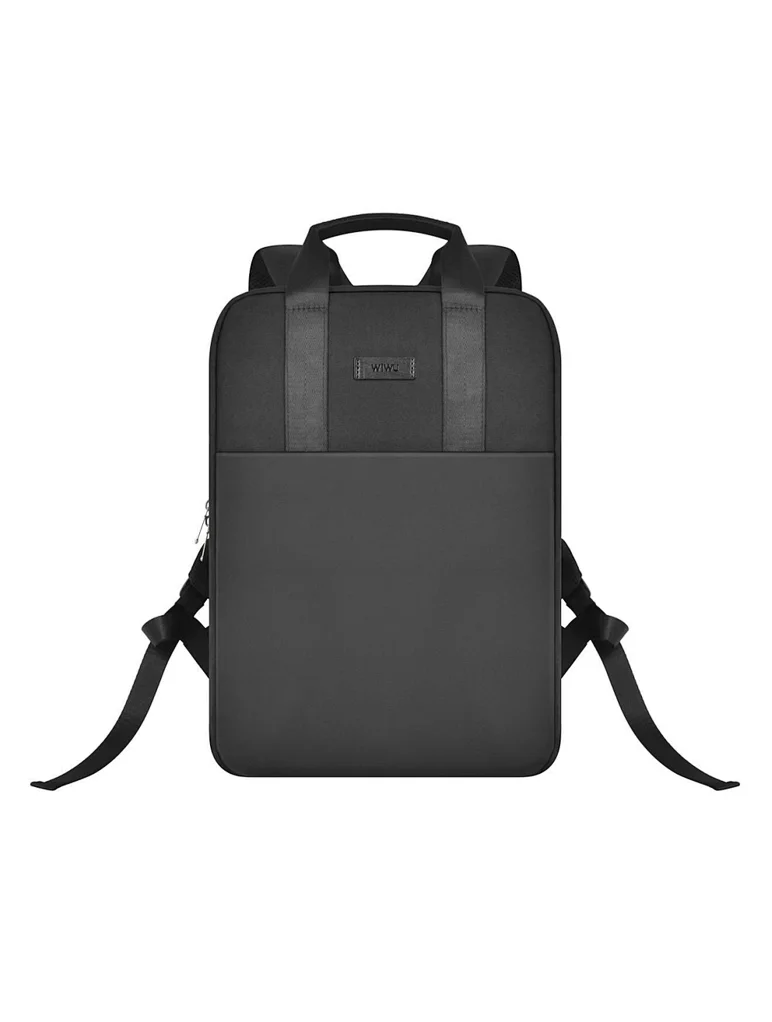
WiWU Ora Laptop Sleeve Size: 14" and 16" Color: Black/Grey/Ivory Extra Storage Space - Two pockets in front, enough space to keep mouse, cable, cellphone, memory cards, external hard drive, pens, etc. Ultra-slim & Lightweight - Slim, portable, and lightweight to take alone, or slide into your briefcase, backpack, or any other bag, perfect for business, school, or travel. Shockproof - Multiple Layers Protection, polyester foam padding layer, and nylon fabric lining for bump and shock absorption, protect your computer from accidental scratches. Excellent Detail: Use an Exquisite zipper and reinforced stitching on all stress points, ensuring the bag does not fall apart when carrying heavy goods. The first verticle-designed laptop bag, you will feel the beauty of simple and good texture. WiWU Ora Laptop Sleeve Size: 14″ and 16″ Color: Black/Grey/Ivory Extra Storage Space – Two pockets in front, enough space to keep mouse, cable, cellphone, memory cards, external hard drive, pens, etc. Ultra-slim & Lightweight – Slim, portable, and lightweight to take alone, or slide into your briefcase, backpack, or any other bag, perfect for business, school, or travel. Shockproof – Multiple Layers Protection, polyester foam padding layer, and nylon fabric lining for bump and shock absorption, protect your computer from accidental scratches. Excellent Detail: Use an Exquisite zipper and reinforced stitching on all stress points, ensuring the bag does not fall apart when carrying heavy goods. The first verticle-designed laptop bag, you will feel the beauty of simple and good texture.

Genuine-spec touchpad flex cable for MacBook Pro 16″ (Model A2159, 2019, Intel)—essential for restoring full Force Touch functionality, haptic feedback, and precise trackpad responsiveness during repair or replacement. Compatible With: MacBook Pro 16-inch (2019, Model A2159) with Intel Core i7/i9 processors (Model Identifier: MacBookPro16,1). Part Type: Touchpad flex cable only—does not include the trackpad, Taptic Engine, or mounting hardware. This is the OEM-style ribbon cable that connects the trackpad to the logic board. Function: Transmits touch input, Force Touch pressure data, and haptic feedback signals—critical for macOS gestures (e.g., Force Click, three-finger swipe, pinch-to-zoom) and Taptic Engine operation. OEM-Quality Build: Matches Apple’s original flex circuit in length, connector pitch, shielding, and bend radius—ensures reliable signal integrity and durability under repeated use. Common Use Cases: Replacing a torn, frayed, or corroded original flex cable Completing a trackpad replacement when the original cable is damaged Fixing intermittent or unresponsive trackpad behavior caused by cable failure Replacing a torn, frayed, or corroded original flex cable Completing a trackpad replacement when the original cable is damaged Fixing intermittent or unresponsive trackpad behavior caused by cable failure Installation Note: Requires full bottom case removal and careful routing beneath the battery and logic board. Connectors use ZIF (Zero Insertion Force) sockets—must be properly aligned and latched without force. Recommended for certified or experienced technicians only.

The 60W MagSafe 2 Power Adapter features a magnetic DC connector so if someone should trip over it, the cord disconnects harmlessly and your MacBook Pro stays put safely. It also helps prevent fraying or weakening of the cables over time. In addition, the magnetic DC helps guide the plug into the system for a quick and secure connection. The 60W MagSafe 2 Power Adapter features a magnetic DC connector so if someone should trip over it, the cord disconnects harmlessly and your MacBook Pro stays put safely. It also helps prevent fraying or weakening of the cables over time. In addition, the magnetic DC helps guide the plug into the system for a quick and secure connection. When the connection is secure, an LED located at the head of the DC connector lights up; an amber light lets you know that your notebook is charging, while a green light tells you that you have a full charge. An AC cord is provided with the adapter for maximum cord length, while the AC wall adapter (also provided) gives you an even easier and more compact way to travel. Designed to be the perfect traveling companion, the adapter has a clever design which allows the DC cable to be wound neatly around itself for easy cable storage. Compatible with MacBook Pro with 13-inch Retina display. See this article for more details about choosing the right one. Knowing which specific Mac model you have is important. If you are running OS X Lion (10.7) or later go to the “” menu at the top left of your screen, choose “About this Mac” then click the “More Info…” button. Your Mac model and generation will be displayed. If you are running an earlier version of OS X, you can enter your serial number here to find out which model you have. COMPATIBILITY Mac Models: MacBook Pro (Retina, 13-inch, Late 2012 – 2015)

A1989 Battery Replacement, A1964 Battery for MacBook Pro 13″ A1989 (Mid 2018 2019) A2251(2020 Release) EMC 3214 3358 3348 MR9Q2LL/A MR9R2LL/A MR9T2LL/A MR9U2LL/A MR9V2LL/A MV962LL/A MV9A2LL/A 【Specification】Voltage: 11.41V. Capacity: 58Wh/ 5086mAh. Battery Type: Li-ion. Condition: Brand new, from high quality materials, top circuit boards and smart chip. 【Compatible Part Number】A1964 A1989 A1989(EMC 3214) A1989(EMC 3358) A2251(EMC 3348) 020-02497 616-00419. 【Compatible Laptop Models】MacBook Pro 13-Inch model A1989 (Mid 2018, Mid 2019) , A2251(2020 Release), Order No MR9Q2LL/A MR9R2LL/A MR9T2LL/A MR9U2LL/A MR9V2LL/A MV962LL/A MV972LL/A MV982LL/A MV992LL/A MV9A2LL/A MWP72LL/A MWP82LL/A MWP42LL/A MWP52LL/A MWP62LL/A MR9Q2 MR9R2 MR9T2 MR9U2 MR9V2 MV962 MV972 MV982 MV992 MV9A2 MWP62. 【Note】The tools are included. Double-sided tape is attached to the back of the battery, but NO battery installation instruction. The MBP battery is difficult to disassemble, we suggest you search for related installation videos or find a technician for help.

TP-Link 8 Port Gigabit Ethernet Network Switch | Plug and Play | Desktop or Wall-Mount | Plastic Case Ethernet Splitter | Fanless | Traffic Optimization | Unmanaged (TL-SG1008D),Black About this item PLUG-AND-PLAY – Easy setup with no configuration or no software needed ETHERNET SPLITTER – Connectivity to your router or modem router for additional wired connections (laptop, gaming console, printer, etc) 8 Ports GIGABIT ETHERNET – 8 10/100/1000 Mbps Gigabit auto-negotiation RJ45 ports greatly expand network capacity COST EFFECTIVE – Fanless Quiet Design, Desktop design RELIABLE – IEEE 802.3x flow control provides reliable data transfer UP to 80% Power Saving – Automatically adjusts power consumption according to the link status and cable length AUTO-NEGOTIATION – Supports Auto-MDI/MDIX, eliminating the need for crossover cables

Genuine-spec touchpad flex cable for MacBook Air 13″ (Model A1932, 2018–2019)—essential for restoring full Force Touch functionality, haptic feedback, and precise multi-touch gesture control during trackpad repair or replacement. Compatible With: MacBook Air 13-inch (2018 & 2019, Model A1932, Model Identifier MacBookAir8,1) with Intel Core i5/i7 processors. Part Type: Touchpad flex cable only—does not include the trackpad housing, Taptic Engine, or mounting hardware. This is the OEM-style ribbon cable that connects the trackpad to the logic board. Function: Transmits touch input, Force Touch pressure data, and haptic feedback signals—critical for macOS gestures like Force Click, three-finger lookup, pinch-to-zoom, and smooth cursor tracking. OEM-Quality Build: Matches Apple’s original in length, connector pitch, EMI shielding, and flexibility—ensures reliable signal integrity and long-term durability. Common Use Cases: Replacing a torn, creased, or liquid-damaged original flex cable Completing a trackpad replacement when the original cable is unusable Fixing intermittent trackpad behavior, loss of Force Touch, or complete unresponsiveness Replacing a torn, creased, or liquid-damaged original flex cable Completing a trackpad replacement when the original cable is unusable Fixing intermittent trackpad behavior, loss of Force Touch, or complete unresponsiveness Installation Note: Requires full bottom case removal and careful routing beneath the battery. The cable connects via a ZIF (Zero Insertion Force) socket on the logic board—must be properly aligned and latched without force. Recommended for experienced or certified technicians. Important: This is flex cable only—not a complete trackpad assembly. Must be used with the original or compatible A1932 trackpad and Taptic Engine. Not compatible with MacBook Air M1 (A2337/A2338), M2 (A2681/A2941), or any MacBook Pro model. This is flex cable only—not a complete trackpad assembly. Must be used with the original or compatible A1932 trackpad and Taptic Engine. Not compatible with MacBook Air M1 (A2337/A2338), M2 (A2681/A2941), or any MacBook Pro model.
