
Specifications Weight (g) 750 Depth (mm) 500 Width (mm) 140 Height (mm) 190 Input/Output Other Battery Capacity (mAh) 8000 Sound Mode Other Category Speakers Use HOME Input Power (W) <25 W Voice Control No Waterproof No Support APP No Playback Function MP3 Remote Control No Intelligent Personal Assistant None Display Screen Yes Built-in Microphone No Audio Crossover Two-Way Number of Loudspeaker Enclosure 1 Power Source Battery Channels 2 (2.0) Feature Wireless Charger for Mobile Phone Battery Yes Communication Bluetooth Speaker Type Portable Cabinet Material Plastic Brand Name RNABAU Model DB Origin Mainland China Certification CE Type1 Caixa De Som Type2 HiFi Wireless Bluetooth Speaker Type3 Mobile Phone Charger Type4 Alarm Clock Speaker Type5 FM Radio Soundbox Type6 Vintage Bluetooth Speaker Type7 Home Stereo Audio Set

Genuine Apple MagSafe 3 charging cable (2-meter length), originally shipped with MacBook Pro 14"/16" (2021, M1 Pro/Max) and MacBook Pro 16" (2023, M2/M3 Max). Used but fully functional, tested for safe power delivery and data handshake with Apple laptops. Compatibility: MacBook Pro 14″ (2021–2023, M1 Pro/Max, M2 Pro/Max, M3 Pro/Max) MacBook Pro 16″ (2021–2023, M1 Max, M2 Max, M3 Max) Works with Apple 67W, 96W, and 140W USB-C Power Adapters (sold separately) MacBook Pro 14″ (2021–2023, M1 Pro/Max, M2 Pro/Max, M3 Pro/Max) MacBook Pro 16″ (2021–2023, M1 Max, M2 Max, M3 Max) Works with Apple 67W, 96W, and 140W USB-C Power Adapters (sold separately) Connector Type: MagSafe 3 (magnetic, tri-oval tip) on laptop end USB-C on power adapter end MagSafe 3 (magnetic, tri-oval tip) on laptop end USB-C on power adapter end Cable Length: 2 meters (≈6.6 feet) – longer than the standard 1.8m cable, ideal for flexible desk or bedside setups. Condition: Original Apple cable, previously used but fully tested: No fraying, kinks, or exposed wires MagSafe 3 connector intact with strong magnetic hold Charges MacBook at full rated speed (supports up to 140W with compatible adapter) Passes Apple’s authentication handshake (no “Not Supported” warnings) No fraying, kinks, or exposed wires MagSafe 3 connector intact with strong magnetic hold Charges MacBook at full rated speed (supports up to 140W with compatible adapter) Passes Apple’s authentication handshake (no “Not Supported” warnings) What’s Included: MagSafe 3 to USB-C cable only Power adapter NOT included MagSafe 3 to USB-C cable only Power adapter NOT included Why Choose This: Cost-effective alternative to buying new 100% genuine Apple—no third-party risks (overheating, slow charging, compatibility errors) Ideal for backup, travel, or replacing a damaged original cable Cost-effective alternative to buying new 100% genuine Apple—no third-party risks (overheating, slow charging, compatibility errors) Ideal for backup, travel, or replacing a damaged original cable

128GB SSD Apple Macbook Pro Air 2013 2014 2015 A1502 A1398 A1466 A1465 | Samsung MZ-JPU512T/A06 | 655-1805D ORIGINAL APPLE PART (Apple sources their SSD’s for MacBooks from Samsung) A1502 – A1398 – A1465 – A1466 100% TESTED WORKING Please check compatibility below before you make your purchase: COMPATIBILITY: MacBook Pro Retina Late 2013 – Mid-2015 MacBookPro11,1 (A1502) – ME864LL/A, ME866LL/A, ME867LL/A, MGX72LL/A, MGX92LL/A, & MGXD2LL/A MacBookPro11,2 (A1398) – ME293LL/A & MGXA2LL/A MacBookPro11,3 (A1398) – ME294LL/A, ME874LL/A, MGXC2LL/A, & MGXG2LL/A MacBookPro11,4 (A1398) – MJLQ2LL/A MacBookPro11,5 (A1398) – MJLT2LL/A & MJLU2LL/A MacBookPro12,1 (A1502) – MF839LL/A, MF841LL/A, & MF843LL/A MacBook Air Mid-2013 – Late 2015 MacBookAir6,1 (A1465) – MD711LL/A, MD760LL/A, MD711LL/B, & MF067LL/A MacBookAir6,2 (A1466) – MD760LL/A, MD760LL/B, & MF068LL/A MacBookAir7,1 (A1465) – MJMVM2LL/A MacBookAir7,2 (A1466) – MJVE2LL/A Model Identifier: Samsung Manufacturer Part# MZ-JPU512T/A06

Transparent 2.5" USB 3.0 HDD/SSD Enclosure – Supports SATA drives up to 6TB with UASP and tool-free design.Fast, plug-and-play storage case using JMS578 chipset with crystal-clear ABS shell. Transparent 2.5″ USB 3.0 HDD/SSD Enclosure – Supports SATA drives up to 6TB with UASP and tool-free design.Fast, plug-and-play storage case using JMS578 chipset with crystal-clear ABS shell. Model: 2.5″ HDD/SSD Enclosure with JMS578 Chipset Material: Transparent ABS Plastic (durable and lightweight) Interface: USB 3.0 (backward compatible with USB 2.0 & 1.1) Chipset: JMS578 (JMicron) – supports UASP for faster data transfer Drive Compatibility: 2.5″ SATA I/II/III HDD or SSD Supports up to 6TB capacity Fits 7mm or 9.5mm thick drives Drive Compatibility: 2.5″ SATA I/II/III HDD or SSD Supports up to 6TB capacity Fits 7mm or 9.5mm thick drives Data Transfer Rate: Up to 5Gbps via USB 3.0 UASP support enables up to 20% faster transfers (with UASP-enabled OS) Data Transfer Rate: Up to 5Gbps via USB 3.0 UASP support enables up to 20% faster transfers (with UASP-enabled OS) Tool-Free Design: No screws needed – easy slide-in installation Hot Swappable: Plug and play, no drivers needed for most systems LED Indicator: Blue light for power and activity status Operating Systems: Windows 7/8/10/11, macOS, Linux Dimensions: Approx. 125 x 80 x 14 mm Cable Included: USB 3.0 cable (typically 30–50 cm)

WiWU WM108 Wimice Dual‑Mode Mouse – Bluetooth 5.0 and 2.4 GHz wireless mouse with 800/1200/1600 DPI, silent clicks, and ergonomic ABS housing.Long battery life (~6 months standby), USB dongle & silent design—ideal for travel, office, and quiet environments. Model: WiWU Wimice WM108 Connection Modes: Bluetooth 5.0 2.4 GHz wireless via USB dongle Connection Modes: Bluetooth 5.0 2.4 GHz wireless via USB dongle DPI Settings: 800 / 1,200 / 1,600 DPI (adjustable) Buttons: 3 standard buttons + clickable scroll wheel (4 keys total) Range: Up to 10 m wireless connectivity Material/Design: Lightweight (67–130 g, depending on source), ergonomic ABS plastic body, magnetic base or “super magnetic absorption” design Operating Range: ≈10 m Silent Clicks: Quiet operation—silent key action Dimensions: Approx. 108 × 64 × 36 mm Weight: 67 g cited by Star Tech and 130 g by others—likely lighter in official spec Compatibility: Windows, macOS, Linux, Android, etc. Plug-and-play, no driver needed

Genuine-spec touchpad flex cable for MacBook Pro 13″ (Model A2251, 2020, Intel)—essential for restoring full Force Touch functionality, haptic feedback, and precise multi-touch gesture control during trackpad repair or replacement. Compatible With: MacBook Pro 13-inch (2020, Two Thunderbolt Ports, Model A2251, Model Identifier MacBookPro16,1) with Intel Core i5/i7 processors. Part Type: Touchpad flex cable only—does not include the trackpad housing, Taptic Engine, or mounting hardware. This is the OEM-style ribbon cable that connects the trackpad to the logic board. Function: Transmits: Precise touch coordinates Force Touch pressure data Haptic feedback signals to the Taptic Engine Enables full macOS gesture support including Force Click, three-finger lookup, swipe navigation, and inertial scrolling. Precise touch coordinates Force Touch pressure data Haptic feedback signals to the Taptic Engine Enables full macOS gesture support including Force Click, three-finger lookup, swipe navigation, and inertial scrolling. OEM-Quality Build: Matches Apple’s original specifications in: Cable length and routing Connector pitch and ZIF latch design EMI shielding and flex durability Cable length and routing Connector pitch and ZIF latch design EMI shielding and flex durability Common Use Cases: Replacing a torn, creased, or liquid-damaged original flex Completing a trackpad replacement when the original cable is compromised Fixing intermittent trackpad behavior, loss of Force Touch, or complete unresponsiveness Replacing a torn, creased, or liquid-damaged original flex Completing a trackpad replacement when the original cable is compromised Fixing intermittent trackpad behavior, loss of Force Touch, or complete unresponsiveness Installation Note: Requires full bottom case removal and partial disassembly (including battery disconnect). Cable routes under the right speaker and logic board—must be seated in original retention channels. Connects via ZIF (Zero Insertion Force) socket—align carefully and latch gently. Recommended for experienced or certified technicians only. Requires full bottom case removal and partial disassembly (including battery disconnect). Cable routes under the right speaker and logic board—must be seated in original retention channels. Connects via ZIF (Zero Insertion Force) socket—align carefully and latch gently. Recommended for experienced or certified technicians only.

A1989 Battery Replacement, A1964 Battery for MacBook Pro 13″ A1989 (Mid 2018 2019) A2251(2020 Release) EMC 3214 3358 3348 MR9Q2LL/A MR9R2LL/A MR9T2LL/A MR9U2LL/A MR9V2LL/A MV962LL/A MV9A2LL/A 【Specification】Voltage: 11.41V. Capacity: 58Wh/ 5086mAh. Battery Type: Li-ion. Condition: Brand new, from high quality materials, top circuit boards and smart chip. 【Compatible Part Number】A1964 A1989 A1989(EMC 3214) A1989(EMC 3358) A2251(EMC 3348) 020-02497 616-00419. 【Compatible Laptop Models】MacBook Pro 13-Inch model A1989 (Mid 2018, Mid 2019) , A2251(2020 Release), Order No MR9Q2LL/A MR9R2LL/A MR9T2LL/A MR9U2LL/A MR9V2LL/A MV962LL/A MV972LL/A MV982LL/A MV992LL/A MV9A2LL/A MWP72LL/A MWP82LL/A MWP42LL/A MWP52LL/A MWP62LL/A MR9Q2 MR9R2 MR9T2 MR9U2 MR9V2 MV962 MV972 MV982 MV992 MV9A2 MWP62. 【Note】The tools are included. Double-sided tape is attached to the back of the battery, but NO battery installation instruction. The MBP battery is difficult to disassemble, we suggest you search for related installation videos or find a technician for help.

Logic Board 2.2GHz i7 Integrated Graphics, 16GB Replacement for Apple MacBook Pro 15" Retina A1398 (Mid 2015) Logic Board 2.2GHz i7 Integrated Graphics, 16GB Replacement for Apple MacBook Pro 15″ Retina A1398 (Mid 2015)

MacBook Air 13″ Retina A1932(2018-2019-2020) Display Assembly (Silver) MacBook Air 13″ Retina Display 2019 A1932 (EMC 3184 MacBookAir8,2) 1.6 GHz MacBook Air 13″ Retina Display 2020 A2179 (EMC 3302 MacBookAir9,1) 1.1 GHz Core i3 A2179 (EMC 3302 MacBookAir9,1) 1.1 GHz Core i5 A2179 (EMC 3302 MacBookAir9,1) 1.2 GHz Core i7 MacBook Air 13” Retina Display Late 2018 A1932 (EMC 3184 MacBookAir8,1) 1.6 GHz
The 512GB Apple MacBook SSD is a high-speed solid-state drive designed for select MacBook Pro and MacBook Air models from 2013 to 2015. It delivers fast boot times, quick file access, and reliable performance, making it an ideal replacement or upgrade for aging Apple laptops. Key Features 512GB Storage Capacity – Plenty of space for macOS, applications, and files High-Speed SSD Performance – Faster boot times and smoother system operation Apple Proprietary Interface – Designed specifically for compatible MacBooks Reliable & Durable – No moving parts for improved stability and longevity Perfect Upgrade or Replacement – Restore performance or increase storage Compatible Models MacBook Pro Retina 13-inch (2013–2015) MacBook Pro Retina 15-inch (2013–2015) MacBook Air 11-inch (2013–2015) MacBook Air 13-inch (2013–2015) Compatible Model Numbers MacBook Pro: A1398, A1502 MacBook Air: A1465, A1466

WiWU Infinite USB‑C to HDMI Adapter (HB004) – Sleek aluminum dongle offering 4K@60Hz output over USB‑C (DP Alt‑Mode), plug-and-play with no drivers needed.Compact, portable, and reliable—a must-have for mobile productivity, gaming, and media streaming. Model: WiWU Infinite USB‑C to HDMI Adapter (HB004) Video Output: HDMI 2.0, supports up to 4K @ 60 Hz resolution Material & Weight: Robust aluminum alloy body, compact, weighs ~69 g Compatibility: Plug-and-play connector works with USB‑C devices supporting DP Alt‑Mode—compatible with laptops, smartphones, tablets, consoles Design & Build: Slim, portable, durable—no driver/software required Use Cases: Ideal for mirroring/extending screens for presentations, streaming, gaming

Elevate your game with the Logitech G102, featuring a high-precision 8,000 DPI sensor and vibrant Lightsync RGB lighting. Designed with a classic six-button layout and gaming-grade performance, it offers incredible accuracy and responsiveness for both competitive play and daily productivity. The Logitech G102 is engineered for speed, consistency, and comfort. At its core is a gaming-grade sensor that provides adjustable sensitivity, allowing you to tailor your control to your specific playstyle. Whether you are navigating complex spreadsheets or hitting precise headshots, the G102 delivers a seamless experience with a classic design trusted by gamers worldwide. Gaming-Grade 8,000 DPI Sensor: Experience ultra-precise tracking and consistent responsiveness. The sensitivity is fully adjustable from 200 to 8,000 DPI. Lightsync RGB Color Wave: Choose from vibrant animations or customize your own from approximately 16.8 million colors to match your setup’s aesthetic. Mechanical Spring Button Tensioning: The primary left and right buttons feature a metal spring tensioning system, providing crisp, reliable clicks and a premium feel. Classic 6-Button Design: A familiar, comfortable shape that allows you to play or work for hours without fatigue. Each button can be customized via software for specific in-game actions. On-the-Fly DPI Shifting: Cycle through up to five sensitivity settings with the press of a button, allowing you to switch from precision sniping to rapid movement instantly. Resolution: 200 – 8,000 DPI Connection Type: USB 2.0 (Wired) USB Data Format: 16 bits/axis USB Report Rate: 1000Hz (1ms) Microprocessor: 32-bit ARM Cable Length: 2.1 meters Compatibility: Windows 7 or later, macOS 10.13 or later, ChromeOS Logitech G102 Gaming Mouse User Documentation

Compatible With: MacBook Pro 15.4-inch (Mid 2012, Model A1398, Model Identifier MacBookPro10,1) — the first Retina MacBook Pro. Includes: Complete left and right speaker units with pre-attached connector cables and mounting brackets, ready for direct installation. Audio Performance: Engineered to match Apple’s original acoustic design—delivers clear mid-range, balanced stereo separation, and consistent volume levels across system audio, video calls, and media playback. OEM Build Quality: Precision-molded housing, original grille pattern, and correct wiring length ensure seamless integration into the MacBook’s chassis without rattling or interference. Common Use Cases: Replaces speakers damaged by liquid spills, physical impact, or aging (e.g., crackling, no sound, or distorted audio). Installation Note: Requires full bottom case and logic board access. Speakers are secured with screws and adhesive tape. Recommended for experienced technicians due to tight internal layout and delicate connectors.

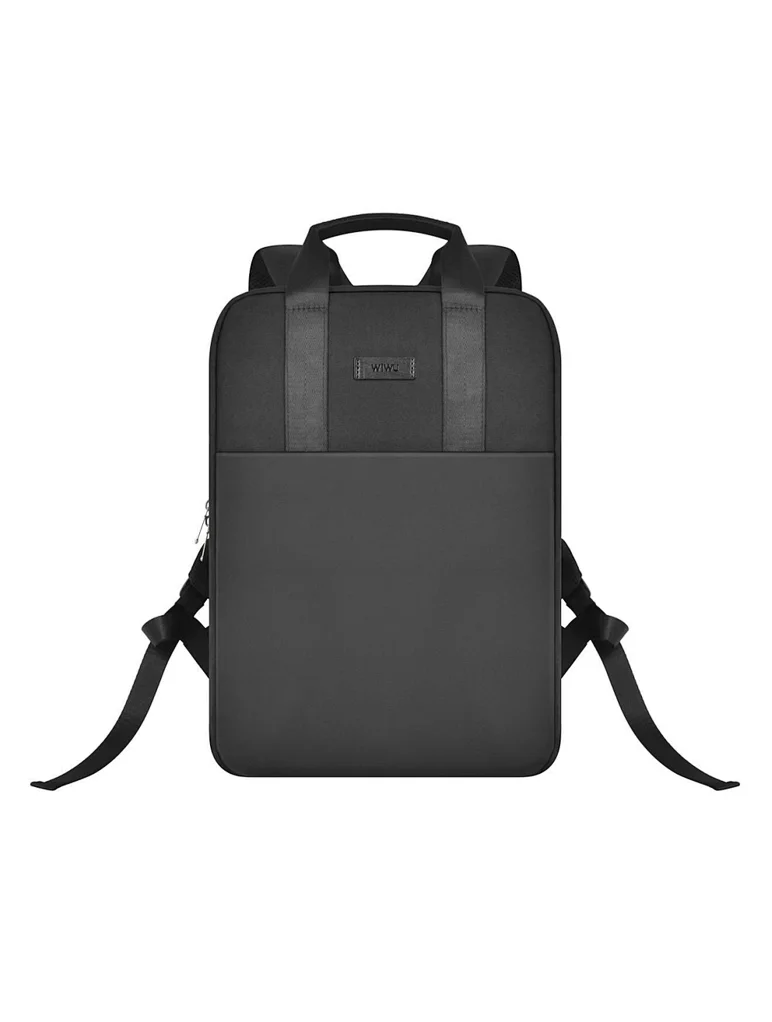
WiWU Alpha Slim Sleeve Laptop Case 14/15.4/16 inch Inch Waterproof Bag With Handle For Macbook

OEM-quality trackpad replacement (without flex cable) for MacBook Air 13.3″ M1 (Model A2337, EMC 3598)—available in Space Gray, Gold, and Silver finishes—engineered for precise Force Touch response, smooth multi-touch gestures, and perfect color-matched integration. Compatible With: MacBook Air 13.3-inch (2020, Model A2337, EMC 3598) with Apple M1 chip. Part Type: Trackpad only—does not include the flex cable, Taptic Engine, or mounting brackets. Intended for professional technicians who will reuse or transfer the original internal components. Color Options: Space Gray – matches Space Gray and Midnight finishes Gold – matches Gold MacBook Air Silver – matches Silver and Starlight finishes Each variant is finished to OEM specifications for seamless visual continuity with the lower case. Space Gray – matches Space Gray and Midnight finishes Gold – matches Gold MacBook Air Silver – matches Silver and Starlight finishes Each variant is finished to OEM specifications for seamless visual continuity with the lower case. Force Touch Support: Fully compatible with pressure-sensitive input and haptic feedback when used with the original Taptic Engine and logic board—ensuring full macOS gesture functionality (e.g., Force Click, Look Up, pressure-sensitive drawing). Precision Engineering: Features the same smooth glass surface, curvature, and micro-click mechanism as Apple’s original—delivering consistent tracking accuracy and tactile feel. Installation Requirements: Requires complete bottom case disassembly and careful transfer of the original flex cable and Taptic Engine. Adhesive must be applied precisely to maintain structural integrity and sensor alignment. Recommended for certified or experienced repair technicians only. Important: This is a bare trackpad assembly—not a plug-and-play module. Functionality depends on correct integration with original electronics.

WiWU Durable USB C to Type C PD 60W Fast Charging Cable for Mobile Phone Laptop Tablet

Original 13.3-inch LCD display assembly for MacBook Air A1466, pulled from a working unit. OEM, drop-in replacement for cracked or nonfunctional screens—ideal for restoring perfect visuals. This is a genuine Apple LCD display assembly for the MacBook Air model A1466 (mid-2013 to ~2017). It was removed from a working machine (“pulled”) and tested. It’s intended to replace failed, cracked, or damaged screens with an OEM original part. Key Features & Functionality Factory original LCD panel with LED backlight Includes glass, mounting frame, hinges, display cable Calibrated by Apple for color accuracy, brightness, contrast Tested for display quality, backlight uniformity, dead or stuck pixels Fits directly in A1466 models with correct alignment and cable interface Specifications Important Notes & Caveats Must ensure your MacBook is A1466 — wrong model = mismatch in frame, mounting, cable. As a used component, there may be light cosmetic wear or micro-scratches. Always test before full installation (connect the cable, boot, check display and backlight). Be careful handling: glass is fragile and the flex cable is delicate. Alignment and screw placement are critical — incorrect installation can damage the new screen.

Genuine-spec touchpad flex cable compatible with both MacBook Air A2179 (Intel, 2020) and A2337 (M1, 2020)—restores full Force Touch functionality, haptic feedback, and precise multi-touch gesture control during trackpad repair or replacement. Compatible With: MacBook Air 13″ (2020, Intel) – Model A2179 (Model Identifier: MacBookAir9,1) MacBook Air 13″ (2020, Apple M1) – Model A2337 (Model Identifier: MacBookAir10,1) MacBook Air 13″ (2020, Intel) – Model A2179 (Model Identifier: MacBookAir9,1) MacBook Air 13″ (2020, Apple M1) – Model A2337 (Model Identifier: MacBookAir10,1) ✅ Important Note: Despite different processors (Intel vs. M1), Apple used the same trackpad assembly and flex cable in both A2179 and A2337. This makes the flex cable fully interchangeable between the two models. Part Type: Touchpad flex cable only — does not include the trackpad housing, Taptic Engine, or mounting hardware. This is the OEM-style ribbon cable that connects the trackpad to the logic board. Function: Transmits: Touch input coordinates Force Touch pressure data Haptic feedback signals to the Taptic Engine Enables full macOS gesture support: Force Click, three-finger lookup, swipe navigation, pinch-to-zoom, and smooth cursor tracking. Touch input coordinates Force Touch pressure data Haptic feedback signals to the Taptic Engine Enables full macOS gesture support: Force Click, three-finger lookup, swipe navigation, pinch-to-zoom, and smooth cursor tracking. OEM-Quality Build: Matches Apple’s original specifications in: Cable length and routing path Connector pitch and ZIF latch design EMI shielding and flex durability Cable length and routing path Connector pitch and ZIF latch design EMI shielding and flex durability Common Use Cases: Replacing a torn, creased, or liquid-damaged original flex cable Completing a trackpad replacement when the original cable is compromised Fixing intermittent trackpad behavior, loss of Force Touch, or complete unresponsiveness Replacing a torn, creased, or liquid-damaged original flex cable Completing a trackpad replacement when the original cable is compromised Fixing intermittent trackpad behavior, loss of Force Touch, or complete unresponsiveness Installation Note: Requires full bottom case removal and battery disconnection. Cable routes under the right side of the battery and logic board. Connects via a ZIF (Zero Insertion Force) socket—align carefully and latch gently. Recommended for experienced or certified technicians only. Requires full bottom case removal and battery disconnection. Cable routes under the right side of the battery and logic board. Connects via a ZIF (Zero Insertion Force) socket—align carefully and latch gently. Recommended for experienced or certified technicians only.

GSAN GS-3021 POS All in One Touch 15.6" - Intel i5 - 8GB - 128GB SSD with Customer Display Main Board: POS motherboard CPU: I5-3RD GEN Memory: DDR3 8GB Hard Disk: 128GB Power: External power supply Input: 110V-240V 50/63Hz 2A Output: 12V DC 8A 96W MAX Interface: 6 USB port 1 LAN port

DELL Battery YRDD6 Laptop for replaceable Dell Inspiron 7586 5482 5485 5491 3310 2-in-1 3493 3582 3593 3793 5493 5593 5480 5590 5591 5594 5598 15 3583 3584 Vostro 3491 5481 5581 5490 5590 VM732 About this item Battery Type: 3cell Li-Polymer Voltage &Capacity : 11.4V 42WH Safeguard features against incorrect voltage, short circuit, internal overheating 100% Brand new ,Grade A cells battery; Quality assurance;every battery has passed factory testing; 500+ recharge cycles over
