
Genuine-spec US layout keyboard replacement for MacBook Pro 15″ (2018–2019, Models A1989/A1990)—designed for reliable typing, full compatibility, and seamless integration with original top case assemblies. Compatible With: MacBook Pro 15-inch (2018 A1989 and 2019 A1990 models) with Touch Bar. Layout: Standard US English (QWERTY) with full-size keys, including inverted-T arrow keys and dedicated function row. Integrated Features: Includes built-in backlighting, scissor-switch mechanism (3rd-gen Butterfly or revised Butterfly mechanism, depending on original model year), and ribbon cable connector matching Apple’s OEM design. Functionality: Supports all native keyboard features, including brightness, volume, media controls, and Touch ID power button (note: Touch ID sensor is not included—this is the keyboard only). Build Quality: Precision-engineered to match Apple’s original fit, feel, and durability—ideal for professional repairs or top case refurbishment. Installation Note: Requires full top case disassembly. Keyboard is adhered to the top case and must be carefully removed and replaced using proper tools and techniques. Recommended for experienced technicians. Model Verification: Ensure your MacBook is A1989 (2018) or A1990 (2019) before purchase—keycaps and connectors differ from other MacBook generations.

WiWU WM108 Wimice Dual‑Mode Mouse – Bluetooth 5.0 and 2.4 GHz wireless mouse with 800/1200/1600 DPI, silent clicks, and ergonomic ABS housing.Long battery life (~6 months standby), USB dongle & silent design—ideal for travel, office, and quiet environments. Model: WiWU Wimice WM108 Connection Modes: Bluetooth 5.0 2.4 GHz wireless via USB dongle Connection Modes: Bluetooth 5.0 2.4 GHz wireless via USB dongle DPI Settings: 800 / 1,200 / 1,600 DPI (adjustable) Buttons: 3 standard buttons + clickable scroll wheel (4 keys total) Range: Up to 10 m wireless connectivity Material/Design: Lightweight (67–130 g, depending on source), ergonomic ABS plastic body, magnetic base or “super magnetic absorption” design Operating Range: ≈10 m Silent Clicks: Quiet operation—silent key action Dimensions: Approx. 108 × 64 × 36 mm Weight: 67 g cited by Star Tech and 130 g by others—likely lighter in official spec Compatibility: Windows, macOS, Linux, Android, etc. Plug-and-play, no driver needed

Razer DeathAdder Essential – Ergonomic wired gaming mouse with 6,400 DPI sensor and 5 programmable buttons.Trusted for its comfort, precision, and durable build—perfect for casual and competitive gaming. Model: Razer DeathAdder Essential (Black) Sensor Type: Optical DPI: Up to 6,400 DPI (adjustable) Buttons: 5 independently programmable Hyperesponse buttons Switches: Razer Mechanical Switches rated for up to 10 million clicks Tracking Speed: Up to 220 inches per second (IPS) Acceleration: 30G Design: Ergonomic right-handed design Grip Style: Palm grip (with textured side grips) Lighting: Single-color green backlight (Razer logo) Polling Rate: 1000 Hz Cable: Standard USB wired, 1.8 meters (rubber cable) Compatibility: Windows 7, 8, 10, 11 (Razer Synapse support) Weight: Approx. 96g (excluding cable) Software Support: Razer Synapse (for customization & macros)

SanDisk 1TB Portable SSD - Up to 800MB/s, USB-C, USB 3.2 Gen 2, Updated Firmware - External Solid State Drive - SDSSDE30-1T00-326 SanDisk 1TB Portable SSD – Up to 800MB/s, USB-C, USB 3.2 Gen 2, Updated Firmware – External Solid State Drive – SDSSDE30-1T00-326 About this item Solid state performance with up to 800MB/s read speeds in a portable drive. (Based on internal testing; performance may be lower depending on host device, interface, usage conditions, and other factors. 1 MB = 1,000,000 bytes.) Back up your content and memories on a storage solution that fits seamlessly into your mobile lifestyle. Take it with you on your adventures—up to a two-meter drop, protection means this durable drive can take a beating. (Based on internal testing.) Secure it to your belt loop or backpack for extra peace of mind thanks to the tough rubber hook. From SanDisk, a brand professional photographers trust to take on assignments.

Genuine-spec US layout (QWERTY) black keyboard replacement for MacBook Air 13.6″ and 15″ models (2023–2025, M2/M3/M4 chips)—featuring Apple’s Magic Keyboard with scissor-switch mechanism, backlighting, and precise OEM fit. Compatible With: 13.6″ MacBook Air: A2681 (M2, 2022–2023), A3113 (M3, 2023–2024), A3240 (M4, 2024–2025) 15″ MacBook Air: A2941 (M2, 2023), A3114 (M3, 2023–2024), A3241 (M4, 2024–2025) 13.6″ MacBook Air: A2681 (M2, 2022–2023), A3113 (M3, 2023–2024), A3240 (M4, 2024–2025) 15″ MacBook Air: A2941 (M2, 2023), A3114 (M3, 2023–2024), A3241 (M4, 2024–2025) Keyboard Layout: Standard US English (QWERTY) with wide Enter key, dedicated left/right arrow keys in inverted-T layout, and full function row—matches Apple’s original US configuration. Design: Apple’s Magic Keyboard with scissor-switch mechanism—providing quiet, stable, and responsive typing with 1mm key travel and enhanced durability. Features: Integrated backlighting for low-light use, ambient light sensor compatibility, and OEM-style flex cable for direct logic board connection. Color: Sleek black keycaps—ideal for Space Gray and Midnight finishes, and visually consistent across all color variants. Precision Fit: Engineered to exact Apple specifications for alignment, key spacing, and mounting—ensures seamless integration into the original top case. Installation Note: The keyboard is factory-glued into the top case. Replacement requires full disassembly, careful removal, and professional-grade re-adhesion. Recommended for experienced technicians only.

The Apple 240W USB-C Charge Cable (2 m) is a durable, braided USB-C to USB-C cable that supports fast charging up to 240W and USB 2.0 data transfer—ideal for powering high-performance MacBooks and other USB-C devices. Length: 2 meters Connector: USB-C to USB-C Power Support: Up to 240W (48V/5A), compatible with the new USB-C PD 3.1 Extended Power Range standard Data Transfer: USB 2.0 speeds (up to 480 Mbps) — this cable prioritizes power delivery over high-speed data Ideal for charging MacBook Pro (2021 and later), MacBook Air (M2 and later), and other high-power laptops Backward-compatible with lower-wattage devices (iPad, iPhone 15 lineup, etc.) Works with any USB-C power adapter, but you’ll only get full 240W output when paired with a compatible high-wattage charger The standard USB-C Charge Cable (2 m, 60W/100W) only supports up to 100W. The Thunderbolt 4 Pro Cable (3 m) supports high-speed data (40 Gb/s) and video output, but maxes at 100W charging. This 240W version is the one to get if your priority is maximum charging power rather than data/video.

The MOXOM MX-PB168 is a true high-capacity 40000mAh external battery pack designed to provide reliable, multi-day charging for all your devices. Featuring an advanced multi-protocol fast setup with dual built-in cables, a clear LCD digital battery indicator, and a high-intensity integrated flashlight, it is the ultimate heavy-duty solution for outdoor adventures, travel, or emergency home backups. ✅ Full Specifications: Model: MOXOM Ultra-Large Capacity Power Bank (MX-PB168) Interface / Connection: Multi-Port Charging Setup: Input Ports: Type-C and Micro-USB ports (for recharging the power bank) Output Ports: 4 x USB-A Fast Charging ports Built-In Cables: 1 x Type-C Cable & 1 x Lightning (iPhone) Cable attached directly to the frame Interface / Connection: Multi-Port Charging Setup: Input Ports: Type-C and Micro-USB ports (for recharging the power bank) Output Ports: 4 x USB-A Fast Charging ports Built-In Cables: 1 x Type-C Cable & 1 x Lightning (iPhone) Cable attached directly to the frame Performance / Charging Speed: Max output up to 22.5W high-efficiency fast charging Supports Power Delivery (PD 20W) Supports Quick Charge 3.0 (QC3.0) Supports Huawei SuperCharge Protocol (SCP 22.5W) Performance / Charging Speed: Max output up to 22.5W high-efficiency fast charging Supports Power Delivery (PD 20W) Supports Quick Charge 3.0 (QC3.0) Supports Huawei SuperCharge Protocol (SCP 22.5W) Capacity / Battery Variant: 40000mAh (High-density Li-Polymer cells) Material & Build: Fire-retardant, heavy-duty ABS + Polycarbonate matte black casing built to resist everyday scuffs and impacts. Design & Form Factor: Ergonomic block form factor equipped with an integrated high-tensile hanging rope/strap for easier carrying. Security & Smart Features: * Smart MCU management chip protecting devices against over-current, overheating, short circuits, and overcharging Integrated bright LED spotlight/flashlight for nighttime or emergency blackouts Security & Smart Features: * Smart MCU management chip protecting devices against over-current, overheating, short circuits, and overcharging Integrated bright LED spotlight/flashlight for nighttime or emergency blackouts Display: Full front-facing premium LCD digital display showing real-time battery charge percentages and fast-charging status triggers. Compatibility: Universally compatible with Apple iPhones, iPads, Samsung Galaxy series, Huawei, Xiaomi, Oppo, tablets, smartwatches, and low-current wireless earphones. Color: Matte Black

Smooth, precise, and completely wireless. The Apple Magic Trackpad brings the best laptop navigation to your desktop. Available in both White and Black, it features a large glass surface, Force Touch technology for deeper control, and a modern USB-C port for easy charging. It connects instantly to your Mac or iPad and keeps running for a month or more on a single charge. Make navigating your computer effortless with the Apple Magic Trackpad (A3120). Designed with a wide, smooth glass surface, it lets you swipe, scroll, and zoom using the same natural hand gestures you use on a laptop. It is the perfect tool to keep your desk clean and your workflow productive. Key Features: Force Touch: Built-in sensors know how hard you press, letting you click deeper to open previews, look up definitions, and reveal hidden menus. Large Glass Surface: The spacious edge-to-edge design gives you plenty of room to scroll through large documents or edit photos comfortably. Updated with USB-C: Now features a universal USB-C port for charging and pairing, matching all your modern cables. Long Battery Life: The built-in rechargeable battery lasts about a month or more before needing a quick recharge. Easy Setup: Pairs automatically with your Mac via Bluetooth right out of the box, with no complicated configuration needed. Sleek Colors: Choose between classic White or premium Black to perfectly match your desktop setup. Specifications at a Glance: Model: A3120 Colors: White / Black Connection: Wireless / Bluetooth / USB-C Surface: Premium Edge-to-Edge Glass Compatibility: Mac and iPad

Genuine Apple sleep/wake sensor flex cable (Hall effect sensor) for MacBook Air 13.6″ (Model A2681, 2022, M2)—ensures automatic display sleep when the lid is closed and wake-on-open functionality. OEM part number 821-04129-02. Compatible With: MacBook Air 13.6-inch (2022, Model A2681) with Apple M2 chip (all colors: Silver, Space Gray, Starlight, Midnight). Apple Part Number: 821-04129-02 (exact OEM service part). Function: Contains the Hall effect sensor that detects the magnet in the MacBook Air’s display lid. This allows macOS to: Sleep the system when the lid is closed Wake instantly when opened Prevent false sleep/wake events during use Sleep the system when the lid is closed Wake instantly when opened Prevent false sleep/wake events during use Location: Mounted near the right side of the keyboard, adjacent to the battery and logic board. Common Failure Symptoms: MacBook doesn’t sleep when lid is closed MacBook wakes randomly in a bag “Lid closed” not recognized in macOS Requires manual sleep or power button use MacBook doesn’t sleep when lid is closed MacBook wakes randomly in a bag “Lid closed” not recognized in macOS Requires manual sleep or power button use Part Type: Flex cable with integrated Hall sensor—not just a cable, but a calibrated magnetic sensor module. Installation Note: Requires full bottom case removal and careful disconnection of the battery. The sensor is adhered near the I/O area—do not bend or puncture. Recommended for experienced technicians.

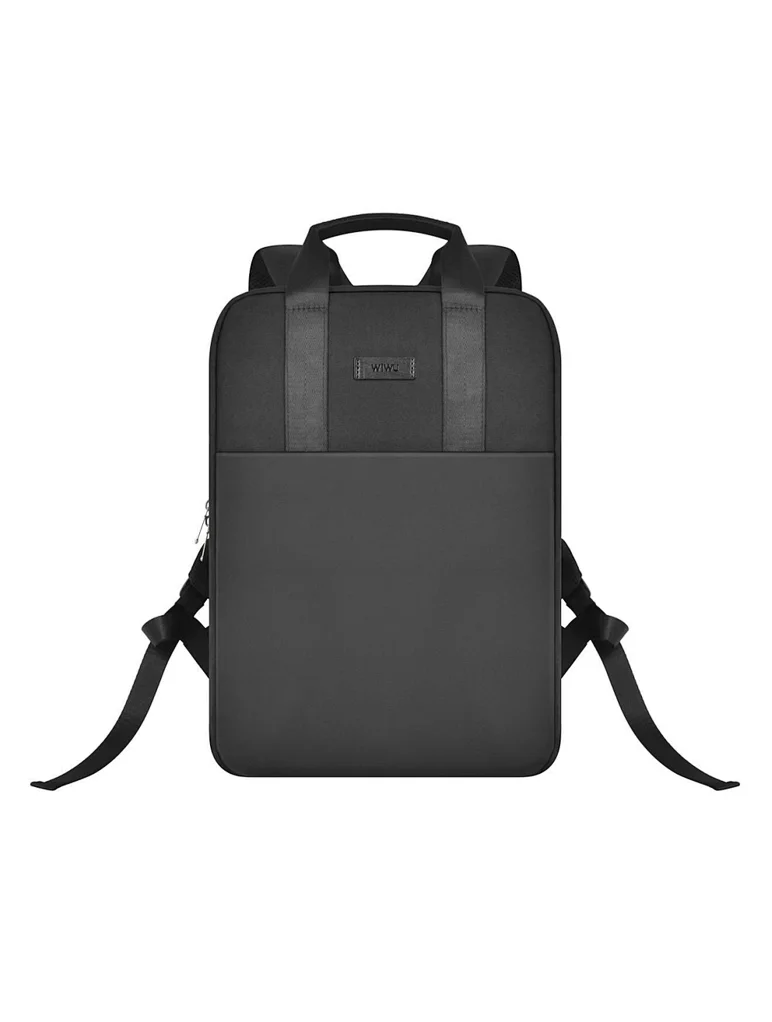
WiWU Pioneer Pro Handbag – Stylish, waterproof laptop bag with soft-lined padded interior and reinforced corners.Ideal for 14″ and 15.6″ laptops, offering excellent protection, comfort, and everyday utility. Model: WiWU Pioneer Pro Sizes: Designed for both 14″ and 15.6″ laptops Material: Durable, water-resistant polyester exterior Interior: Faux-fur lining with thick anti-shock padding Protection: 360° corner reinforcement for enhanced drop resistance Compartments: Main padded laptop section Zippered front organizer for cables, mouse, notebook, and accessories Compartments: Main padded laptop section Zippered front organizer for cables, mouse, notebook, and accessories Carry Options: Top retractable waterproof TPU handle Adjustable and removable shoulder strap Luggage trolley strap on the back Carry Options: Top retractable waterproof TPU handle Adjustable and removable shoulder strap Luggage trolley strap on the back Zippers: High-quality YKK zippers for smooth operation Design: Slim profile, minimalist look, available in Black and Gray Suitable for: Business, school, travel, and daily professional use

HP 135W Multifunction Laser Print Speed: Fast and efficient printing with 20ppm. Printing Technology: Utilizes laser printing technology for precise and professional-quality documents. Multifunction Capability: All-in-one functionality for printing, scanning, and copying needs. Connectivity Options: Offers both wired and wireless connectivity options for versatile use. Compact Design: Space-saving design ideal for home offices and small workspaces. User-Friendly Interface: Easy-to-use interface for seamless operation. Energy Efficiency: Designed with energy-saving features to promote sustainability. Ideal for Home and Small Offices: Tailored for users seeking a compact and capable solution for their printing needs. Click for more info

Logitech MK120 Wired USB Keyboard Mouse Desktop Combo Height: 6.10 in (155 mm) Width: 17.72 in (450 mm) Depth: 0.93 in (23.5 mm) Weight: 19.4 oz (550 g) Cable length: 4.9 ft (150 cm) Height: 4.45 in (113 mm) Width: 2.44 in (62 mm) Depth: 1.50 in (38 mm) Weight: 3.17 oz (90 g) Cable length: 70.87 in (180 cm) Spill-resistant design 1Tested under limited conditions (maximum of 60 ml liquid spillage). Do not immerse the keyboard in liquid. Adjustable keyboard height 10-Key Number pad Caps lock indicator light Num lock indicator light Up to 10 million keystrokes (excludes number lock key) Key type: Deep profile Sensor Technology: Optical tracking Number of Buttons: 3 (Left/Right-click, Middle click) Scrolling: line-by-line Scroll Wheel: Yes, optical Mouse plastics: 72% post-consumer recycled material 2Excludes plastic in cable assembly, printed wiring assembly (PWA) and packaging. Keyboard plastics: 54% post-consumer recycled material 3Excludes plastic in cable assembly, printed wiring assembly (PWA) and packaging. Windows® 10,11 or later Two available USB ports

EarPods with Lightning Connector (Apple Original Product , White) Designed by Apple Deeper, richer bass tones Greater protection from sweat and water Control music and video playback Answer and end calls Works with all devices that have a Lightning connector and support iOS 10 or later, including iPod touch, iPad, and iPhone

Genuine-spec touchpad flex cable for MacBook Pro 13″ (Model A2289, 2020, Intel)—restores full Force Touch functionality, haptic feedback, and preci multi-touch gesture control. OEM-quality replacement for damaged or faulty original cables. Compatible With: MacBook Pro 13-inch (2020, Four Thunderbolt Ports, Model A2289, Model Identifier MacBookPro16,2) with Intel Core i5/i7 processors. Part Type: Touchpad flex cable only — does not include the trackpad housing, Taptic Engine, or mounting hardware. This is the OEM-style ribbon cable that connects the trackpad to the logic board. Function: Transmits: Touch input coordinates Force Touch pressure data Haptic feedback signals to the Taptic Engine Enables full macOS gesture support: Force Click, three-finger lookup, swipe navigation, pinch-to-zoom, and smooth cursor tracking. Touch input coordinates Force Touch pressure data Haptic feedback signals to the Taptic Engine Enables full macOS gesture support: Force Click, three-finger lookup, swipe navigation, pinch-to-zoom, and smooth cursor tracking. OEM-Quality Build: Matches Apple’s original specifications in: Cable length and routing path Connector pitch and ZIF latch design EMI shielding and flex durability Cable length and routing path Connector pitch and ZIF latch design EMI shielding and flex durability Common Use Cases: Replacing a torn, creased, or liquid-damaged original flex cable Completing a trackpad replacement when the original cable is unusable Fixing: Intermittent or erratic trackpad behavior Loss of Force Touch or haptic feedback Complete trackpad unresponsiveness Replacing a torn, creased, or liquid-damaged original flex cable Completing a trackpad replacement when the original cable is unusable Fixing: Intermittent or erratic trackpad behavior Loss of Force Touch or haptic feedback Complete trackpad unresponsiveness Intermittent or erratic trackpad behavior Loss of Force Touch or haptic feedback Complete trackpad unresponsiveness Installation Note: Requires full bottom case removal and battery disconnection. Cable routes under internal components (speaker, logic board)—must follow original path. Connects via ZIF (Zero Insertion Force) socket—align carefully, never force. Recommended for experienced or certified technicians only. Requires full bottom case removal and battery disconnection. Cable routes under internal components (speaker, logic board)—must follow original path. Connects via ZIF (Zero Insertion Force) socket—align carefully, never force. Recommended for experienced or certified technicians only. Important Compatibility Notes: ✅ Only for A2289 (13″, 4 Thunderbolt ports, 2020, Intel) ❌ Not compatible with: A2251 (2 Thunderbolt ports, 2020) A2338 (M1 MacBook Pro, 2020) Any MacBook Air or 14″/16″ MacBook Pro ✅ Only for A2289 (13″, 4 Thunderbolt ports, 2020, Intel) ❌ Not compatible with: A2251 (2 Thunderbolt ports, 2020) A2338 (M1 MacBook Pro, 2020) Any MacBook Air or 14″/16″ MacBook Pro A2251 (2 Thunderbolt ports, 2020) A2338 (M1 MacBook Pro, 2020) Any MacBook Air or 14″/16″ MacBook Pro

BATTERY ACER AS16A5K AS16A8K Battery for Acer Aspire E5-523 E5-553 E5-576 E5-774G N16Q2 E5-576G E5-575G E5-475 F5-573 E5-575-52JF E5-575-33BM E5-575G-76YK E5-575-54SM E5-575G-57D4 E5-576-392H E5-575-54E8 4ICR19/66 About this item 【Battery type】 Voltage:14.8V; Capacity: 2200mAh /33Wh Color:black 【Note】It is not compatible with E5-575G-53VG, E5-575G-549D,E5-575G-5341,E5-575G-33BM, E5-575G-51VI. Before placing an order, please ensure your old battery’s model is AS16A5K, KAS16A7K, and AS16A8K (14.8V 4-cell). Please do not order this battery if your old battery’s model is s AS16B5J or AS16B8J (10.95V /11.1V 6-cell). They can not replace each other 【Compatible 】Laptop Models for Acer Aspire E15 E5-475 E5-475G E5-523 E5-523G E5-553 E5-553G E5-575 E5-575G E5-575T E5-575TG E5-576 E5-576G E5-774 E5-774G F5-573 F5-573G F5-573T F5-771 F5-771G Series E5-575-52IF E5-575-53EJ E5-575G-59EE E5-575G-53VG E5-575G-57KJ E5-575-74RC E5-575-72N3 E5-575G-52RJ E576G-5762 E5-575G-53VG E5-575G-549D E5-575G-5341 E5-575G-33BM E5-575G-51VI E5-575G-59EE E5-575G-59GV E5-575G-765N E5-575G-76YK 【Compatible Part Number】AS16A5K AS16A7K AS16A8K 4ICR19/66 N16Q1 N16Q2 KT.00605.002 KT.00405.001 KT.00407.004 KT.0040G.007 【Security】All our products are Certified by CE, and FCC for safety. Strict guidelines for compatibility, and standards compliance for environment safety.

Late 2019 Apple MacBook Pro with 2.4GHz Intel Core i9 (16 inch, 16GB, 1TB SSD) 4GB AMD Radeon Pro 5500M Space Gray

Genuine-spec touchpad flex cable for MacBook Pro 13″ (Model A1502, Mid 2014)—restores full trackpad functionality, including precise cursor control and physical click response. Essential for repairing unresponsive or erratic trackpad behavior. Compatible With: MacBook Pro 13-inch (Mid 2014, Model A1502, Model Identifier MacBookPro11,1) with Intel Core i5/i7 processors and Retina display. Part Type: Touchpad flex cable only — does not include the trackpad housing, button mechanism, or mounting hardware. This is the ribbon cable that connects the trackpad to the logic board. Function: Transmits cursor movement and click signals (left/right physical clicks) Supports standard multi-touch gestures (two-finger scroll, tap-to-click, pinch-to-zoom) ⚠️ Note: This model uses a physical click mechanism—not Force Touch (no haptic feedback or pressure sensitivity). Transmits cursor movement and click signals (left/right physical clicks) Supports standard multi-touch gestures (two-finger scroll, tap-to-click, pinch-to-zoom) ⚠️ Note: This model uses a physical click mechanism—not Force Touch (no haptic feedback or pressure sensitivity). OEM-Quality Build: Matches Apple’s original in: Cable length and routing path Connector type and pin alignment Insulation and flexibility for long-term reliability Cable length and routing path Connector type and pin alignment Insulation and flexibility for long-term reliability Common Use Cases: Replacing a torn, frayed, or corroded original flex cable Fixing: Unresponsive or intermittent trackpad Cursor jumping or drifting Click function failure (left or right) Complete trackpad disconnect Replacing a torn, frayed, or corroded original flex cable Fixing: Unresponsive or intermittent trackpad Cursor jumping or drifting Click function failure (left or right) Complete trackpad disconnect Unresponsive or intermittent trackpad Cursor jumping or drifting Click function failure (left or right) Complete trackpad disconnect Installation Note: Requires bottom case removal and battery disconnect. Connects via a ZIF (Zero Insertion Force) socket on the logic board—do not force. Cable routes under the battery; handle with care to avoid strain. Suitable for intermediate to advanced DIYers or technicians. Requires bottom case removal and battery disconnect. Connects via a ZIF (Zero Insertion Force) socket on the logic board—do not force. Cable routes under the battery; handle with care to avoid strain. Suitable for intermediate to advanced DIYers or technicians.

Haixun F20 Barcode Reader – USB 2D handheld scanner supports QR, PDF417, and 1D barcodes.Fast and reliable for retail, inventory, and logistics with plug-and-play setup. Model: Haixun F20 Type: 2D Handheld Barcode Scanner Supported Codes: 1D: EAN-13, UPC-A, Code 39, Code 128, Codabar, etc. 2D: QR Code, PDF417, DataMatrix, etc. Supported Codes: 1D: EAN-13, UPC-A, Code 39, Code 128, Codabar, etc. 2D: QR Code, PDF417, DataMatrix, etc. Sensor Type: CMOS imaging sensor Interface: USB (Plug and Play, no driver needed) Scan Mode: Manual trigger / Continuous / Auto-sensing Scan Speed: Up to 300 scans/sec Resolution: ≥ 4mil (0.1mm) Light Source: Red LED + White fill light Compatibility: Windows, Android, macOS, Linux Design: Ergonomic grip for long use Durable ABS plastic body Design: Ergonomic grip for long use Durable ABS plastic body Cable Length: Approx. 1.5 – 2 meters Power Supply: 5V (via USB) Applications: Retail, Warehouse, POS, Inventory, Logistics

The Apple Magic Mouse (USB-C version) is a sleek, minimalist multi-touch wireless mouse built for Mac users. It offers smooth gesture support, Bluetooth connectivity and a built-in rechargeable battery — a great choice if you prefer a clean desk setup and full compatibility with macOS and iPadOS. General Name: Magic Mouse (USB-C) — part of Apple’s pointing-device lineup. Wireless connectivity: Bluetooth. Rechargeable battery: built-in, no disposable AA cells. Charging / port: USB-C port (bottom of mouse) for pairing and charging. Compatibility: Requires a Mac with macOS 15.1 or later, or an iPad with iPadOS 18.1 or later. Size & Weight Height: ~0.85 inch (2.16 cm) Width: ~2.25 inch (5.71 cm) Depth: ~4.47 inch (11.35 cm) Weight: ~0.22 pound (0.099 kg) (varies slightly by manufacturing) Features Multi-Touch surface: supports gestures such as swiping between pages, scrolling through documents, zooming. Glide / foot design: optimized for smooth movement across desktop surfaces. Rechargeable battery life: about a month or more between charges (typical use) per Apple spec. Used Condition ConsiderationsSince you’re specifying a used unit: Check for wear on the bottom feet / skates — these degrade and affect glide. Verify battery capacity / health (rechargeable batteries age). Confirm the port is functioning (USB-C) and Bluetooth connectivity is stable. Look for signs of excessive surface scratches on the multi-touch top — may impair gestures. Ensure the firmware / Mac recognizes it fully (gestures working). Upgradability / Limitations Not user-upgradable: You cannot replace the internal battery or change internals easily. Design limitation: The USB-C port remains on the bottom of the mouse, meaning you cannot use it while charging unless you flip it. This design is still criticized. Ergonomics: The flat, low-profile design is stylish but may not suit extended-use comfort for some users.

