
Genuine-spec touchpad flex cable for MacBook Pro 16″ (Model A2141, 2019, Intel)—essential for restoring full Force Touch functionality, haptic feedback, and precise multi-touch gesture control during trackpad repair or replacement. Compatible With: MacBook Pro 16-inch (2019, Model A2141) with Intel Core i7/i9 processors (Model Identifier: MacBookPro16,1) (Note: A2141 is the non-base configuration of the 2019 16″ MacBook Pro—typically higher-end Intel models.) Part Type: Touchpad flex cable only—does not include the trackpad housing, Taptic Engine, or mounting hardware. This is the OEM-style ribbon cable that connects the trackpad to the logic board. Function: Transmits touch coordinates, Force Touch pressure data, and haptic feedback signals—critical for macOS gestures (e.g., Force Click, three-finger lookup, pinch-to-zoom) and Taptic Engine responsiveness. OEM-Quality Construction: Replicated to Apple’s exact specifications—including cable length, connector pitch, EMI shielding, and bend radius—ensuring reliable signal integrity and long-term durability. Common Use Cases: Replacing a torn, creased, or liquid-damaged original flex cable Completing a trackpad replacement when the original cable is compromised Fixing intermittent trackpad behavior, loss of Force Touch, or complete unresponsiveness Replacing a torn, creased, or liquid-damaged original flex cable Completing a trackpad replacement when the original cable is compromised Fixing intermittent trackpad behavior, loss of Force Touch, or complete unresponsiveness Installation Note: Requires full disassembly of the bottom case, speaker removal, and careful routing beneath the battery and logic board. Connectors use ZIF (Zero Insertion Force) sockets—must be aligned and latched gently. Recommended for certified or professional repair technicians only. Important: This is flex cable only—not a complete trackpad assembly. Must be used with the original or compatible A2141 trackpad and Taptic Engine. Not compatible with M1 MacBook Pro 16″ (A2485), 14″ models (A2442), or any MacBook Air. This is flex cable only—not a complete trackpad assembly. Must be used with the original or compatible A2141 trackpad and Taptic Engine. Not compatible with M1 MacBook Pro 16″ (A2485), 14″ models (A2442), or any MacBook Air. Model Verification: Confirm your device is MacBook Pro A2141 (16″, 2019, Intel) via > About This Mac > Model Identifier (should read MacBookPro16,1).

The Lenovo L29w-30 is a 29-inch QHD business monitor designed for productivity and multitasking. First, its 2560 × 1080 resolution delivers sharp and clear visuals for spreadsheets, documents, and presentations. The ultra-wide 21:9 aspect ratio allows seamless multitasking across multiple windows. In addition, the monitor features a slim bezel design for a clean, professional workspace. Moreover, anti-glare technology reduces eye strain during extended use. The adjustable stand provides tilt and height options for comfortable viewing. Furthermore, multiple connectivity options, including HDMI and DisplayPort, ensure easy integration with laptops and desktops. Finally, the Lenovo L29w-30 combines wide-screen clarity, ergonomic adjustments, and flexible connectivity in one business monitor. Overall, it is ideal for office environments, remote work, and professional setups. Specifications: 29″ 2560 × 1080 QHD resolution Ultra-wide 21:9 aspect ratio Adjustable tilt and height stand Anti-glare display for reduced eye strain HDMI and DisplayPort connectivity

Lightning-fast: Experience the best available in IPS Technology with native refresh rates of up to 240Hz. 1ms response. No gimmicks: A true 1ms response time blasts away ghosting and blurs for clear images with no artificial tricks needed. The ultimate color coverage True colors, real speed: New, fast IPS technology helps maintain image clarity from every angle of the screen. Plus, with up to 99% sRGB color coverage, you have a wide array of colors in your arsenal. Best of both worlds: A 24.5” monitor combined with native FHD 1080p resolution provides the best pixel-per-inch ratio, so details are clearer and images are life-like, making the 24.5” form factor the ideal size for high speed gaming.

The Lenovo L22E-30 21.5″ LCD Monitor is designed to enhance your viewing experience with clear and vibrant visuals. Whether you’re working, gaming, or streaming your favorite shows, this monitor delivers exceptional quality. With a full HD resolution of 1920×1080, the Lenovo offers crisp and detailed images. Enjoy true-to-life colors and sharp details that make every task more enjoyable. The sleek and modern design of the Lenovo 21.5″ LCD Monitor complements any workspace. Its slim profile and narrow bezels provide a clean and stylish look that fits seamlessly into your setup. This monitor features a 75Hz refresh rate and a 4ms response time, ensuring smooth and lag-free performance. Whether you’re watching videos or playing games, enjoy a seamless experience without any motion blur. The Lenovo 21.5″ LCD Monitor includes multiple connectivity options, including HDMI and VGA ports. Easily connect your computer, gaming console, or other devices for versatile use. Designed with your comfort in mind, this monitor features TUV Rheinland Eye Comfort certification. Reduce eye strain during extended use with flicker-free technology and a low blue light filter. Adjust the Lenovo to your preferred viewing angle with its tilt-adjustable stand. Find the perfect position for maximum comfort, whether you’re working on a project or watching a movie. In conclusion, the Lenovo L22E-30 21.5″ LCD Monitor offers a perfect blend of style, performance, and comfort. Upgrade your workspace today and enjoy an enhanced viewing experience with this versatile and reliable monitor. Specifications: Display : 21.5″ Resolution : 1920 x 1080 Refresh Rate : 75Hz Response Rate : 4ms

WiWU Waterproof Lycra Cosmo Laptop Slim Bag Laptop Handbag with Strap for Men and Women

Firstly the Alienware 25″ 360Hz Gaming Monitor AW2523HF is built for gamers who demand fast and smooth performance. It features a 24.5-inch Fast IPS panel with Full HD resolution for sharp visuals and vivid colors. Furthermore this gaming monitor offers a blazing 360Hz refresh rate via DisplayPort and up to 255Hz via HDMI, making motion incredibly smooth. With a 0.5ms response time, fast-paced games feel crisp and responsive with minimal blur. The display supports 99% sRGB color gamut, ensuring rich and accurate colors. It also has an anti-glare coating and 178° wide viewing angles, so your game looks great from every position. It’s compatible with AMD FreeSync Premium and G-SYNC, giving you a tear-free and fluid gameplay experience on both major GPU brands. Gaming features like Dark Stabilizer, AlienVision modes, and a built-in FPS counter give players extra control and awareness in-game. The monitor’s stand is fully adjustable with options to tilt, swivel, pivot, and adjust height for comfort during long gaming sessions. It also supports VESA mounting for flexible desk setups. For connectivity, the AW2523HF includes two HDMI 2.0 ports, one DisplayPort 1.4, four USB 3.2 Gen 1 downstream ports, a USB upstream port, headphone jack, and audio line-out. These ports make it easy to connect accessories and manage your setup neatly. In short, the Alienware 25″ 360Hz Gaming Monitor AW2523HF is a top-tier gaming monitor with extreme refresh rate, color accuracy, and gamer-friendly features. Specifications: Display : 24.5″ Fast IPS Resolution : 1920×1080 FHD Refresh Rate : 360Hz Response Time : 0.5ms

The Samsung 27″ Odyssey G3 G30D FHD 180Hz Gaming Monitor LS27DG302 delivers smooth and responsive visuals with a Full HD (1920 × 1080) resolution and a 180 Hz refresh rate, which enhances motion clarity in fast‑paced games and videos. Additionally, it features a 1 ms (MPRT) response time for minimal motion blur, helping reduce ghosting during competitive play. The ergonomic stand allows tilt, swivel, pivot, and height adjustments for flexible viewing positions. Moreover, the monitor supports AMD FreeSync technology that helps reduce screen tearing and stuttering by synchronizing the display refresh rate with compatible GPUs. Therefore, gaming scenes and action appear more fluid. It also includes features such as Black Equalizer for improved visibility in dark areas and Virtual Aim Point for on‑screen crosshair alignment. Furthermore, the Odyssey G3 has a 3‑sided borderless design that maximizes the viewing area and supports easy multi‑monitor setups. Eye Saver Mode and Flicker Free technology help reduce eye fatigue during long sessions. The monitor connects via HDMI 2.0 and DisplayPort 1.4 for flexible device compatibility. Specifications: 27″ Full HD (1920 × 1080) resolution for clear, detailed visuals 180 Hz refresh rate with 1 ms (MPRT) response for smoother motion and minimal blur AMD FreeSync technology reduces tearing and stuttering for fluid gameplay Ergonomic stand with tilt, swivel, pivot, and height adjustments for flexible viewing 3‑sided borderless design with Eye Saver Mode and Flicker Free technology

Display Panel Size (inch) : 27 Aspect Ratio : 16:9 Display Viewing Area (H x V) : 597.888 x 336.312 mm Display Surface : Non-Glare Backlight Type : LED Panel Type : IPS Viewing Angle (CR≧10, H/V) : 178°/ 178° Pixel Pitch : 0.311mm Resolution : 1920×1080 Color Space (sRGB) : 100% Brightness (Typ.) : 250cd/㎡ Contrast Ratio (Typ.) : 1000:1 ASUS Smart Contrast Ratio (ASCR) : 100000000:1 Display Colors : 16.7M Response Time : 1ms MPRT Refresh Rate (Max) : 144Hz Flicker-free : Yes Video Feature Trace Free Technology : Yes GameVisual : Yes Color Temp. Selection : Yes(4 modes) GamePlus : Yes HDCP : Yes VRR Technology : FreeSync™ Premium GameFast Input technology : Yes Shadow Boost : Yes Low Blue Light : Yes Audio Feature Speaker : Yes(2Wx2) I/O Ports DisplayPort 1.2 x 1 HDMI(v1.4) x 2 Earphone Jack : Yes Signal Frequency Digital Signal Frequency : HDMI: 30~160 KHz (H) / 48~ 144 Hz (V) DisplayPort: 30~160 KHz (H) / 48~144 Hz (V) Power Consumption Power Consumption : <18W* Power Saving Mode : <0.5W Power Off Mode : <0.3W Voltage : 100-240V, 50/60Hz Mechanical Design Tilt : Yes (+22° ~ -5°) VESA Wall Mounting : 75x75mm Kensington Lock : Yes Dimensions (Esti.) Phys. Dimension with Stand (W x H x D) : 612.6x431x213 mm Phys. Dimension without Stand (W x H x D) : 612.6 x 362.5 x 37.7 mm Box Dimension (W x H x D) : 692 x 499 x 183 mm Weight (Esti.) Net Weight with Stand : 3.9 Kg Net Weight without Stand : 3.5 Kg Gross Weight : 6.1 Kg Accessories (vary by regions) DisplayPort cable HDMI cable Power adapter Power cord Quick start guide Warranty Card 90LM05S1-B01E70 manufacturer link

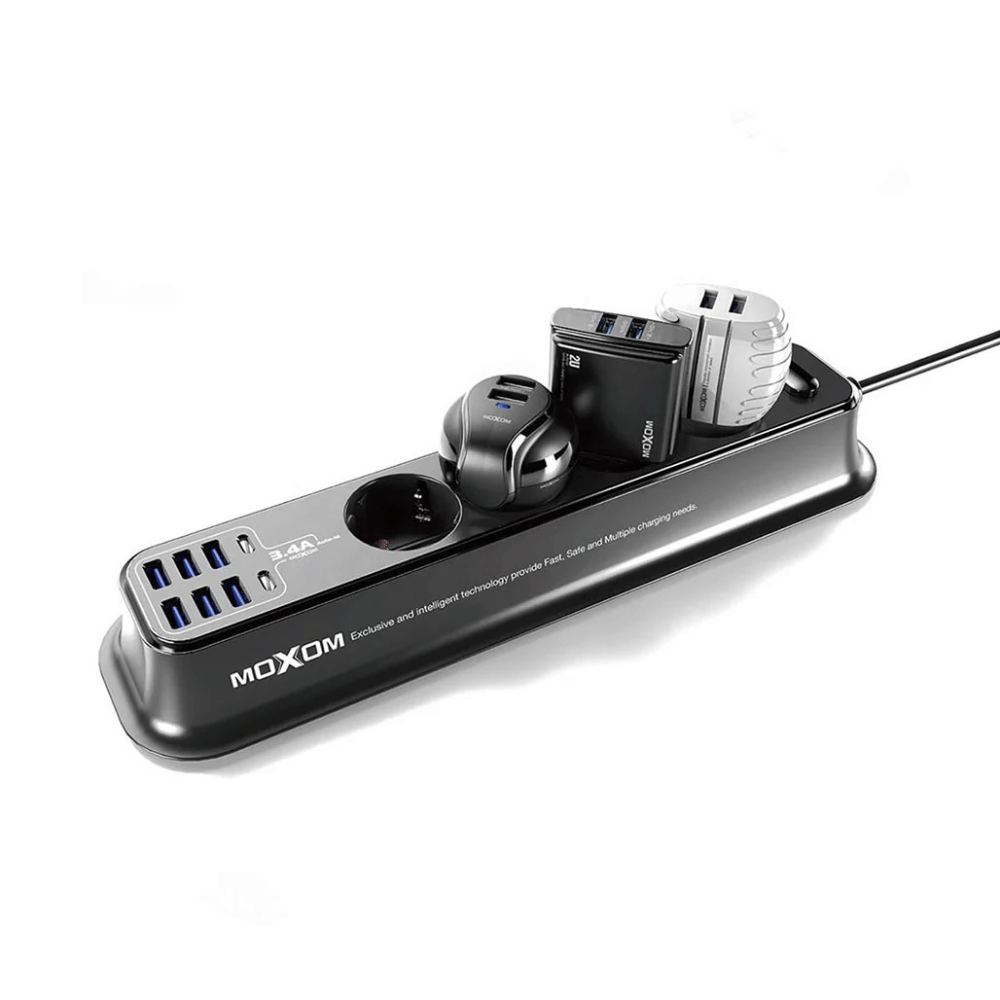
Fast-charging feature available on select iPhone and iPad models.

The LG 34WQ650-W UltraWide 34-inch 100Hz Full HD IPS Monitor delivers immersive visuals and smooth performance for work, entertainment, and gaming. Its large 34-inch ultra-wide screen gives you extra space to multitask, watch movies, and play games with a broader field of view. Moreover, the Full HD resolution ensures clear and detailed images so your content looks sharp and vibrant. This monitor features an IPS panel that provides wide viewing angles and consistent color accuracy from nearly every angle. Additionally, the 100Hz refresh rate offers smoother motion compared to standard monitors, making gameplay and video playback feel more fluid. The sleek white design fits modern setups, whether in home offices, workstations, or gaming desks. The LG 34WQ650-W includes multiple connectivity options, making it easy to connect laptops, PCs, and consoles. Furthermore, the ergonomic tilt adjustment helps maintain comfortable viewing positions during long sessions. Therefore, it is ideal for students, professionals, and casual gamers seeking a versatile and immersive display. Finally, it combines wide visuals, smooth performance, and practical design for everyday use. Specifications: 34″ UltraWide Full HD IPS monitor 100Hz refresh rate for smooth motion Wide viewing angles with accurate colors Sleek white design with versatile connectivity Ideal for work, entertainment, and gaming

TP-Link AC1200 Archer C50 Wireless Dual Band Router Support smooth 4K streaming with AC1200 Wi-Fi 4 external antennas provide stable wireless connections and optimal coverage Easy network management at your fingertips with TP-Link Tether Supports IGMP Proxy/Snooping, Bridge, and Tag VLAN to optimize IPTV streaming Supports Access Point mode to create a new Wi-Fi access point TP-Link AC1200 Archer C50 Wireless Dual Band Router Support smooth 4K streaming with AC1200 Wi-Fi 4 external antennas provide stable wireless connections and optimal coverage Easy network management at your fingertips with TP-Link Tether Supports IGMP Proxy/Snooping, Bridge, and Tag VLAN to optimize IPTV streaming Supports Access Point mode to create a new Wi-Fi access point TP-Link Archer C50 – AC1200 Wireless Dual Band Router Wireless Speed: Up to 1200 Mbps (300 Mbps on 2.4GHz + 867 Mbps on 5GHz) Wi-Fi Standard: 802.11ac – 3x faster than wireless N speeds Bands: Dual Band (2.4GHz & 5GHz) for reduced interference and better performance Antenna: 4 External Antennas for strong and stable wireless coverage Ports: 4× LAN, 1× WAN (10/100 Mbps) Advanced Features: Parental Controls, Guest Network, IPv6 Support, Access Control Security: WPA/WPA2 encryption for secure wireless connections Ease of Use: Easy setup with TP-Link Tether App Ideal For: HD streaming, online gaming, and high-speed downloads in homes and small offices

The Anyuse Portable Monitor 15.6″ FHD USB-C offers clear visuals in a slim and lightweight design. It provides sharp Full HD quality for work and entertainment. The screen shows bright colors and strong detail. This makes movies, games, and documents look smooth and clear. Moreover, the Anyuse Portable Monitor FHD USB-C connects easily through a single USB-C cable. This cable carries both power and video. It removes the need for extra chargers or adapters. This makes setup fast and simple for all users. In addition, the monitor works with laptops, tablets, phones, and gaming consoles. This wide compatibility helps you use the screen anywhere. You can work on the go, or play games during travel. It gives you more freedom and flexibility. Furthermore, the Anyuse Portable Monitor 15.6″ FHD USB-C features a slim frame with a modern look. It fits easily inside backpacks and travel bags. The lightweight build makes it comfortable to carry daily. This makes it ideal for students and professionals. Also, the monitor includes built-in speakers for better convenience. They provide clear sound for videos and calls. The screen also offers eye-care features that reduce strain. This helps you use the monitor for long hours with comfort. The stand cover of the Anyuse Portable Monitor FHD USB-C protects the screen during travel. It also works as a foldable stand. You can place the monitor at comfortable angles for work or play. This improves your overall experience. Overall, the Anyuse Portable Monitor 15.6″ FHD USB-C delivers portability, quality, and comfort in one device. It helps you stay productive anywhere. It also makes entertainment more enjoyable. This monitor is perfect for travel, work, study, and gaming. Specifications: Display : 15.6″ Resolution : FHD 1920×1080 Refresh Rate : 60Hz Response Time : 5ms

Philips 24M2N3200FQ is a 23.8-inch Full HD Fast IPS gaming monitor. It delivers a 1920 × 1080 resolution with a 200Hz refresh rate and 1ms (GtG) response time for very smooth motion handling. Additionally, it uses a Fast IPS panel that keeps colors accurate and viewing angles wide. Moreover, it supports Adaptive Sync to reduce screen tearing during fast gameplay. It also includes HDR10 support for improved contrast in compatible content. Low Input Lag and SmartImage Game modes further enhance responsiveness and visual tuning. Furthermore, it features Flicker-Free technology and LowBlue Mode to reduce eye strain during long sessions. It also provides HDMI 2.0 and DisplayPort 1.4 for modern connectivity. The Philips 24M2N3200FQ monitor delivers competitive 200Hz performance with Fast IPS clarity for gaming and everyday use. Specifications: 23.8-inch Fast IPS panel with Full HD 1920 × 1080 resolution 200Hz refresh rate for ultra-smooth gaming motion 1ms (GtG) response time for reduced blur Adaptive Sync and HDR10 support for smoother visuals HDMI 2.0 and DisplayPort 1.4 connectivity options

The LG UltraGear 24″ 180Hz Gaming Monitor delivers exceptional performance for gamers seeking speed and visual precision. Its 23.8-inch Full HD IPS display ensures sharp images and vibrant colors from wide viewing angles. With a rapid 180Hz refresh rate and 1ms (GtG) response time, this monitor minimizes motion blur, providing smooth gameplay even in fast-paced scenarios. These features give you a competitive edge by allowing quicker reactions during intense gaming sessions. The monitor supports HDR10 and covers 99% of the sRGB color spectrum, enhancing visual immersion with rich and accurate colors. This ensures that game environments appear more lifelike and engaging. Equipped with both NVIDIA G-SYNC and AMD FreeSync technologies, the UltraGear monitor reduces screen tearing and stuttering. This compatibility ensures a seamless gaming experience across various graphics cards. Its virtually borderless design on three sides offers an immersive viewing experience, making it ideal for multi-monitor setups. The sleek aesthetics complement any gaming or workstation setup. Additional gaming features like Black Stabilizer, Crosshair, and FPS Counter provide enhanced visibility and targeting precision. These tools assist in identifying enemies and maintaining focus during gameplay. The monitor includes both HDMI and DisplayPort inputs, offering flexibility in connectivity options for different devices. This ensures compatibility with various gaming consoles and PCs. In summary, the LG UltraGear 24″ 180Hz Gaming Monitor combines high-speed performance, vivid visuals, and gamer-centric features, making it a solid choice for both casual and competitive gamers. Specifications: Display : 24″ VA Resolution : FHD 1920 x 1080 Refresh Rate : 180Hz Response Rate : 5ms GTG

AOC Q27P3CW 27″ QHD monitor with webcam delivers a professional workspace solution with sharp visuals, built-in communication tools, and modern connectivity. It is designed for productivity, remote work, and multitasking environments. Additionally, it features a 27-inch QHD IPS display. This display provides 2560 × 1440 resolution, so it delivers clear detail and accurate colors for work and media. Moreover, it includes a 100Hz refresh rate and 4ms response time. As a result, it ensures smooth visuals and responsive performance during daily tasks. The monitor integrates a 5MP webcam with Windows Hello support. Therefore, it enables secure login and high-quality video calls without extra accessories. In addition, it offers USB-C connectivity with power delivery up to 90W. This allows a single cable to handle display, data, and charging for compatible laptops. Furthermore, it includes built-in dual 5W speakers, USB hub, RJ-45 Ethernet, and multiple display outputs. These features improve workspace efficiency and reduce cable clutter. AOC Q27P3CW 27″ QHD monitor with webcam provides a complete all-in-one display solution for professionals who need clarity, connectivity, and integrated communication tools. Specifications: 27-inch QHD IPS display with 2560 × 1440 resolution 5MP webcam with Windows Hello and built-in microphone USB-C with up to 90W power delivery and data transfer 100Hz refresh rate with 4ms response time Built-in dual 5W speakers, USB hub, and RJ-45 connectivity

Looking for a reliable monitor that combines performance and affordability? The BenQ GW2780 monitor might be your perfect choice, offering an array of features to enhance your visual experience. To begin with, the GW2780 boasts a sleek design that seamlessly blends with any workspace. Its slim bezels create a borderless display, providing an immersive viewing experience for work or entertainment. Equipped with a 27-inch Full HD display, the monitor delivers crisp and clear visuals. Whether you’re working on spreadsheets, watching videos, or gaming, the GW2780 ensures sharp images and vibrant colors. The In-Plane Switching (IPS) technology ensures wide viewing angles, allowing you to enjoy consistent colors and brightness from any angle. Say goodbye to distorted colors and limited viewing positions. Eye strain is a thing of the past with the BenQ GW2780. The Low Blue Light technology reduces harmful blue light emissions, and the flicker-free feature eliminates screen flickering, providing a comfortable viewing experience for extended periods. Connectivity is a breeze with the multiple ports, including HDMI and VGA. Easily link your monitor to various devices such as laptops, desktops, and gaming consoles. The user-friendly design ensures a hassle-free setup. The BenQ GW2780 monitor not only prioritizes performance but also energy efficiency. Energy Star certification reflects its commitment to reducing environmental impact, making it an eco-friendly choice. In summary, the BenQ GW2780 monitor offers a winning combination of affordability and top-notch features. Elevate your viewing experience with this reliable display solution that caters to your entertainment and productivity needs effortlessly. Specifications: Display : 27″ IPS Resolution : 1920×1080 IPS Response Time : 5ms Refresh Rate : 60hz

The Lenovo ThinkVision T32h-30 31.5″ 60Hz 2K Business Monitor is built for productivity and comfort. It offers a large and clear display that helps you work more efficiently. This monitor is perfect for offices, creators, and home workspaces. With its 31.5-inch 2K resolution, the Lenovo ThinkVision T32h-30 31.5″ 60Hz 2K Business Monitor delivers sharp details and bright colors. Text looks clean and images appear crisp. Therefore, you can enjoy better clarity during long work sessions. The 60Hz refresh rate ensures smooth motion for daily tasks. It is ideal for spreadsheets, browsing, and video meetings. As a result, your workflow feels more stable and comfortable. The Lenovo ThinkVision T32h-30 31.5″ 60Hz 2K Business Monitor features ultra-thin bezels for a modern design. This also makes multi-monitor setups more seamless and visually appealing. Its ergonomic stand allows tilt, swivel, and height adjustments. You can set the perfect viewing angle and reduce strain. Moreover, it uses low blue light technology to protect your eyes during long hours. The monitor includes USB-C, HDMI, and DisplayPort connections. With USB-C, you can charge your laptop and transfer data with one cable. This helps keep your workspace clean and organized. In summary, the Lenovo ThinkVision T32h-30 31.5″ 60Hz 2K Business Monitor offers clarity, comfort, and strong connectivity. It is an excellent choice for professionals who need space, precision, and modern features. Specifications: Display : 31.5″ IPS Resolution : 2K (2560×1440) Refresh Rate : 60Hz Response Time : 4ms GtG

Experience fluid motion and edge-to-edge clarity with this ultra-smooth 100Hz Full HD display. Featuring a frameless IPS panel and a modern minimalist design, it’s the perfect upgrade for smooth office workflows and casual gaming. Model: Buerotika B24M1 Primary Specs: 23.8-inch (24″ class) Display/Performance: IPS (In-Plane Switching) for superior color accuracy Visual/Build Quality: 1920 x 1080 (Full HD) Resolution Aesthetic: Frameless “Zero-Bezel” design for immersive viewing and seamless multi-monitor setups Build: Ultra-slim profile with a sturdy, modern base Adjustability: Tilt-adjustable stand for ergonomic positioning Input/Output: HDMI and VGA ports for universal compatibility with PCs and laptops Compatibility: Plug-and-play support for Windows and macOS Smooth Motion: 100Hz Refresh Rate (provides significantly smoother scrolling and video compared to standard 60Hz) Eye Care: Low Blue Light technology and Flicker-Free backlight to reduce eye fatigue during long sessions Response Time: 14ms (typical) – optimized for stable, everyday professional use Home & Office: Enhancing productivity with smooth window transitions. Content Consumption: Watching movies and streaming with vibrant IPS colors. Multi-Monitor Arrays: The frameless edges make it ideal for side-by-side configurations. Casual Gaming: A budget-friendly entry into high-refresh-rate smoothness.

Porodo Gaming Wide PDX523-BK The Porodo Gaming Wide Ultra Curved Monitor has been updated with the capability and clarity you need to game at your best. It is now quicker than ever with a refresh rate of up to 165Hz. The newest Porodo Gaming monitor still features an IPS panel with 2560 x 1440 resolution. and is based upon the former slim cable management stand, offering you a streamlined. visual experience both on screen and on your desk. It is the ideal blend of style and performance. Play games without lagging and entirely get rid of input lag. Play an FPS game. or go on an adventure in a mysterious land while enjoying a variable refresh rate display that works with your graphics card. Specifications Response Time: 6.5ms Contrast Ratio: 3500:1 Surface Treatment: Anti-Glare Active Area: 697.344mm x 392.256mm Pixel Pitch: 0.2724mm x 0.2724mm Maximum Resolution: 2560 x 1440 @165Hz Backlight Type: ELED Aspect Ratio: 16:9 Panel Type: Super Speed VA Panel Size: 31.5” Diagonal The Porodo Gaming Ultra Wide Curved Monitor has been updated with the capability and clarity you need to game at your best. It is now quicker than ever with a refresh rate of up to 165Hz. The newest Porodo Gaming monitor. still features an IPS panel with 2560 x 1440 resolution and is based upon the former slim cable management stand. offering you a streamlined visual experience both on screen and on your desk. It is the ideal blend of style and performance. Play games without lagging and entirely get rid of input lag. Play an FPS game or go on an adventure in a mysterious land while enjoying . a variable refresh rate display that works with your graphics card. The Porodo Gaming Ultra Wide Curved Monitor has been updated with the capability and clarity. you need to game at your best. It is now quicker than ever with a refresh rate of up to 165Hz. The newest Porodo Gaming monitor still features an IPS panel with 2560 x 1440 resolution. and is based upon the former slim cable management stand, offering you a streamlined . visual experience both on screen and on your desk. It is the ideal blend of style and performance. Play games without lagging and entirely get rid of input lag. Play an FPS game. or go on an adventure in a mysterious land while enjoying a variable refresh rate display that works with your graphics card. Specifications: Specifications VA Curved R1500 Panel Type High Dynamic Range Anti-Glare Surface Treatment 31.5” Diagonal Panel Size 16.7M Display Color 16:9 Aspect Ratio 2560 x 1440 @165Hz Maximum Resolution 2-3 Weeks For delivery on order 1 year warranty Manufacturer Link

Genuine-spec touchpad flex cable for MacBook Pro 13″ (Model A2338, 2020, Apple M1)—essential for restoring full Force Touch functionality, haptic feedback, and precise multi-touch gesture control during trackpad repair or replacement. Compatible With: MacBook Pro 13-inch (2020, Model A2338, Model Identifier MacBookPro17,1) with Apple M1 chip (2 Thunderbolt ports). Part Type: Touchpad flex cable only — does not include the trackpad housing, Taptic Engine, or mounting hardware. This is the OEM-style ribbon cable that connects the trackpad to the logic board. Function: Transmits: Touch input coordinates Force Touch pressure data Haptic feedback signals to the Taptic Engine Enables full macOS gesture support: Force Click, three-finger lookup, swipe navigation, pinch-to-zoom, and smooth cursor tracking. Touch input coordinates Force Touch pressure data Haptic feedback signals to the Taptic Engine Enables full macOS gesture support: Force Click, three-finger lookup, swipe navigation, pinch-to-zoom, and smooth cursor tracking. OEM-Quality Build: Matches Apple’s original specifications in: Cable length and routing Connector pitch and ZIF latch design EMI shielding and flex durability Cable length and routing Connector pitch and ZIF latch design EMI shielding and flex durability Common Use Cases: Replacing a torn, creased, or liquid-damaged original flex cable Completing a trackpad replacement when the original cable is compromised Fixing intermittent trackpad behavior, loss of Force Touch, or complete unresponsiveness Replacing a torn, creased, or liquid-damaged original flex cable Completing a trackpad replacement when the original cable is compromised Fixing intermittent trackpad behavior, loss of Force Touch, or complete unresponsiveness Installation Note: Requires full bottom case removal and battery disconnection. Cable routes under internal components near the right speaker and logic board. Connects via a ZIF (Zero Insertion Force) socket—must be aligned carefully and latched gently. Recommended for experienced or certified technicians only. Requires full bottom case removal and battery disconnection. Cable routes under internal components near the right speaker and logic board. Connects via a ZIF (Zero Insertion Force) socket—must be aligned carefully and latched gently. Recommended for experienced or certified technicians only. Important Compatibility Notes: ✅ Only for A2338 (13″, M1, 2020) ❌ Not compatible with: Intel-based A2251 / A2289 (2020) MacBook Air M1 (A2337) Any MacBook Air or 14″/16″ MacBook Pro ✅ Only for A2338 (13″, M1, 2020) ❌ Not compatible with: Intel-based A2251 / A2289 (2020) MacBook Air M1 (A2337) Any MacBook Air or 14″/16″ MacBook Pro Intel-based A2251 / A2289 (2020) MacBook Air M1 (A2337) Any MacBook Air or 14″/16″ MacBook Pro
