
Ready to elevate your digital workspace to new heights? Meet the ViewSonic 27″ 60Hz Touch Monitor TD2760, designed to revolutionize your computing experience. With its intuitive touch functionality, this monitor offers unparalleled convenience and versatility. Transitioning smoothly between tasks is effortless with the TD2760’s responsive touch screen. Whether you’re browsing the web, editing documents, or creating digital art, interaction feels natural and intuitive. Furthermore, its expansive 27-inch display provides ample screen real estate for multitasking and immersive viewing experiences. Dive into your work or entertainment content with crisp, clear visuals and vibrant colors. Moreover, the TD2760’s ergonomic design ensures comfortable viewing for extended periods. Easily adjust the monitor’s tilt angle to suit your preferred working position, reducing strain on your neck and eyes. In addition, connectivity options such as HDMI and USB-C offer seamless compatibility with a variety of devices, including laptops, desktops, and smartphones. Effortlessly mirror or extend your screen to enhance productivity or share content with ease. Transitioning to the touch aspect, the TD2760’s precise touch response allows for accurate input, whether you’re tapping, swiping, or drawing. Navigate menus, annotate documents, or play touchscreen-enabled games with unparalleled precision and responsiveness. In conclusion, the ViewSonic 27″ 60Hz Touch Monitor TD2760 is a game-changer for digital professionals and enthusiasts alike. With its seamless touch functionality, expansive display, and ergonomic design, it redefines the way you interact with your digital world. Upgrade your workspace today and experience the difference firsthand. Specifications: Display : 27″ VA Resolution : FHD(1920×1080) Refresh Rate : 60Hz Response Rate : 6ms

The Lenovo L24E-30 24″ 60Hz Monitor offers a perfect blend of style and performance for your computing needs. Whether you’re working, gaming, or streaming, this monitor delivers an exceptional visual experience. With its 24-inch Full HD display, the Lenovo L24E-30 provides crisp and clear visuals. Enjoy stunning detail and vibrant colors that bring your content to life, whether you’re editing photos or watching videos. The 60Hz refresh rate of the Lenovo L24E-30 ensures smooth and fluid motion, reducing screen tearing and ghosting. This makes it ideal for fast-paced games and dynamic videos, offering a more immersive experience. Designed with a slim and sleek profile, the Lenovo L24E-30 adds a modern touch to any workspace. Its narrow bezels create a seamless multi-monitor setup, allowing you to expand your view effortlessly. Featuring AMD FreeSync technology, the Lenovo L24E-30 synchronizes the monitor’s refresh rate with your graphics card. This reduces screen stuttering and provides a smoother gaming experience, even during intense action scenes. The Lenovo L24E-30 24″ 60Hz Monitor is equipped with multiple connectivity options, including HDMI and VGA ports. This ensures compatibility with a wide range of devices, making it a versatile addition to your setup. For comfortable viewing, the Lenovo L24E-30 includes eye-care features like low blue light and flicker-free technology. These features help reduce eye strain during long hours of use, enhancing your overall comfort. In conclusion, the Lenovo L24E-30 24″ 60Hz Monitor combines stylish design, smooth performance, and eye-care features for an outstanding viewing experience. Upgrade to the Lenovo L24E-30 today and enjoy enhanced productivity and entertainment. Specifications: Display : 24″ VA Resolution : FHD 1920 x 1080 Refresh Rate : 60Hz Response Rate : 4ms

The Riotouch 86″ Interactive Panel is designed to transform educational and professional environments with its cutting-edge features and user-friendly interface. This interactive flat panel offers a seamless blend of performance, connectivity, and intuitive design, making it an ideal choice for classrooms and conference rooms. Featuring a 86-inch 4K UHD display (3840 x 2160 resolution), the panel delivers crisp visuals and vibrant colors. Its 4mm anti-glare tempered glass ensures clear visibility from any angle, reducing eye strain during prolonged use. The panel supports up to 40-point multi-touch and 20-point multi-writing capabilities, allowing multiple users to interact simultaneously. This feature fosters collaborative learning and dynamic presentations, enhancing engagement and productivity. Powered by a quad-core Cortex-A55 processor and equipped with 4GB RAM and 32GB storage, the Riotouch panel ensures smooth performance. Its dual operating system support (Android and Windows) provides versatility, accommodating various software applications and user preferences. Connectivity is robust, with multiple ports including HDMI, USB 3.0, USB-C, VGA, and RJ45, facilitating easy integration with other devices. Built-in Wi-Fi and Bluetooth capabilities enable wireless connections, promoting a clutter-free workspace. The panel comes with integrated 2x15W front-facing speakers, delivering clear audio for multimedia presentations. Additionally, it includes a built-in 13MP 4K camera and microphone, supporting high-quality video conferencing and remote collaboration. Designed with user convenience in mind, the Riotouch panel features intuitive front controls for power, volume, and input selection. Its slim aluminum frame and wall-mountable design ensure it fits seamlessly into any environment. In summary, the Riotouch 86″ Interactive Panel combines high-resolution display, multi-touch interactivity, and versatile connectivity, making it a comprehensive solution for modern collaborative spaces. Specifications: Display : 86″ 4K UHD Touch Memory : 4GB Storage : 32GB OS : Android 11

The Samsung QLED 55″ 4K UHD Smart TV Q7 Series QA55Q7FAAU delivers a premium viewing experience with advanced QLED display technology. It produces bright, sharp, and colorful images, so movies, sports, and games look clear and immersive on the 55-inch screen. QLED technology uses Quantum Dot enhancement to improve brightness and color accuracy. As a result, visuals appear more vibrant and balanced across both dark and bright scenes. This helps maintain consistent picture quality in different lighting conditions and content types. Vision AI enhances picture and sound in real time. It analyzes each scene and automatically adjusts brightness, sharpness, and color for optimal results. Therefore, the TV consistently delivers improved visuals without manual tuning. In addition, AI upscaling improves lower-resolution content closer to 4K quality for better clarity and detail. HDR support expands contrast and color depth, making visuals more dynamic and lifelike. Fast motion handling also improves clarity, which enhances sports and action content by reducing blur and improving smoothness. The Smart TV platform provides easy access to streaming apps, gaming features, and smart home controls. It runs smoothly and allows quick switching between applications. In addition, the slim design with thin bezels gives the Samsung QLED 55 4K UHD Smart TV Q7 Series QA55Q7FAAU a modern and premium appearance suitable for any living space. Overall, this Samsung QLED TV combines strong brightness performance, AI optimization, and smart connectivity for a powerful home entertainment experience. Specifications: QLED technology delivers bright and vivid picture quality 55-inch 4K UHD display provides immersive viewing experience Vision AI enhances picture and sound automatically in real time HDR improves contrast, brightness, and color depth Smart TV platform supports apps, streaming, and smart features

EarPods with Lightning Connector (Apple Original Product , White) Designed by Apple Deeper, richer bass tones Greater protection from sweat and water Control music and video playback Answer and end calls Works with all devices that have a Lightning connector and support iOS 10 or later, including iPod touch, iPad, and iPhone

The HP P24H G5 24” 75Hz FHD Monitor is a modern display designed for everyday work, entertainment, and productivity. It combines clear visuals, smooth motion, and simple usability in a sleek design. First, this monitor features a 23.8-inch Full HD (1920 × 1080) IPS panel for bright colors and wide viewing angles. As a result, text and images stay sharp for work, videos, and browsing. In addition, the HP P24H G5 24” 75Hz FHD Monitor supports a 75 Hz refresh rate, giving smoother motion for videos and casual gaming. Therefore, motion looks more fluid than on basic 60 Hz screens. This display uses wide 178°/178° viewing angles and anti-glare treatment to help reduce reflections and maintain clarity from many positions. This makes it easier to share content with others. The panel also delivers a typical brightness of 250 nits and a contrast ratio of 1000:1, so whites and blacks stay balanced for clear content. Thus, your work and entertainment stay easy to see. The HP P24H G5 includes built-in dual 2 W speakers for basic audio without extra accessories. This helps when you watch videos or join online meetings. Connectivity options include HDMI 1.4, DisplayPort 1.2, and VGA, so you can connect laptops and desktops easily. This makes setup quick with many devices. The stand supports height adjustment and tilt to help you find a comfortable viewing position for long sessions. Also, it has a 3-sided micro-edge bezel for a modern look and cleaner multi-monitor setups. This monitor is also flicker-free with low blue light mode, helping reduce eye strain during extended use. This makes it suitable for office work and daily use. In conclusion, the HP P24H G5 24” 75Hz FHD Monitor offers clear display, smooth visuals, and flexible connectivity for work and play. Overall, it is a strong choice for home, office, and small business setups. Specifications: Display : 23.8″ IPS Resolution : FHD (1920 x 1080) Refresh Rate : 75 Hz Response Rate : 5ms GtG

Reliability meets value in this pre-owned ThinkPad E14 Gen 2. Equipped with the AMD Ryzen 5 4500U 6-core processor, 8GB RAM, and a 512GB NVMe SSD, this laptop is built for students and professionals who need a durable, high-performance machine for everyday multitasking.

The MSI MAG 275QPF X30 0.5ms 2K 300Hz Gaming Monitor delivers fast, smooth performance and sharp visuals for serious gamers. Its 27-inch screen with 2K resolution brings games, movies, and work to life with crisp detail and vibrant colors. Moreover, the ultra-fast 300Hz refresh rate helps reduce motion blur and deliver fluid action during intense gaming sessions. This monitor features a 0.5ms response time that allows you to react quickly in fast-paced games, keeping visuals clear even during rapid movement. Additionally, the display supports wide viewing angles and rich color performance, making your experience more engaging whether you play competitive games or watch movies. The sleek design blends well into gaming setups and home offices. The MSI MAG 275QPF X30 also includes multiple connectivity options, making it easy to connect PCs, laptops, and consoles. Furthermore, ergonomic tilt adjustment helps you find a comfortable viewing angle for long sessions. Therefore, it is ideal for competitive and casual gamers alike who value speed and clarity. Finally, it combines fast response, smooth motion, and sharp visuals for great everyday use. Specifications: 27″ 2K gaming monitor 300Hz refresh rate for smooth motion 0.5ms response time for fast action Vibrant visuals and wide viewing angles Multiple connectivity options

WIWU S400 Aluminum Laptop Stand Portable, Adjustable and Foldable - Silver WIWU S400 Aluminum Laptop Stand Portable, Adjustable and Foldable – Silver

Genuine-spec touchpad flex cable for MacBook Pro 16″ (Model A2141, 2019, Intel)—essential for restoring full Force Touch functionality, haptic feedback, and precise multi-touch gesture control during trackpad repair or replacement. Compatible With: MacBook Pro 16-inch (2019, Model A2141) with Intel Core i7/i9 processors (Model Identifier: MacBookPro16,1) (Note: A2141 is the non-base configuration of the 2019 16″ MacBook Pro—typically higher-end Intel models.) Part Type: Touchpad flex cable only—does not include the trackpad housing, Taptic Engine, or mounting hardware. This is the OEM-style ribbon cable that connects the trackpad to the logic board. Function: Transmits touch coordinates, Force Touch pressure data, and haptic feedback signals—critical for macOS gestures (e.g., Force Click, three-finger lookup, pinch-to-zoom) and Taptic Engine responsiveness. OEM-Quality Construction: Replicated to Apple’s exact specifications—including cable length, connector pitch, EMI shielding, and bend radius—ensuring reliable signal integrity and long-term durability. Common Use Cases: Replacing a torn, creased, or liquid-damaged original flex cable Completing a trackpad replacement when the original cable is compromised Fixing intermittent trackpad behavior, loss of Force Touch, or complete unresponsiveness Replacing a torn, creased, or liquid-damaged original flex cable Completing a trackpad replacement when the original cable is compromised Fixing intermittent trackpad behavior, loss of Force Touch, or complete unresponsiveness Installation Note: Requires full disassembly of the bottom case, speaker removal, and careful routing beneath the battery and logic board. Connectors use ZIF (Zero Insertion Force) sockets—must be aligned and latched gently. Recommended for certified or professional repair technicians only. Important: This is flex cable only—not a complete trackpad assembly. Must be used with the original or compatible A2141 trackpad and Taptic Engine. Not compatible with M1 MacBook Pro 16″ (A2485), 14″ models (A2442), or any MacBook Air. This is flex cable only—not a complete trackpad assembly. Must be used with the original or compatible A2141 trackpad and Taptic Engine. Not compatible with M1 MacBook Pro 16″ (A2485), 14″ models (A2442), or any MacBook Air. Model Verification: Confirm your device is MacBook Pro A2141 (16″, 2019, Intel) via > About This Mac > Model Identifier (should read MacBookPro16,1).

The Stylus Pen is an active capacitive stylus pen designed for smooth and precise writing on all capacitive touchscreens. Featuring a superfine copper nib, palm rejection, and rechargeable battery, it’s perfect for note-taking, drawing, and everyday touchscreen use with iPads, iPhones, tablets, and smartphones. The Superfine Nib Active Capacitive Stylus Pen (Silver) is built for users who want accurate and smooth writing on touchscreens without needing Bluetooth or an app. Its superfine elastic copper tip provides delicate strokes while helping protect your screen from scratches. With palm rejection support, rechargeable battery, and one-click operation, it’s ideal for students, professionals, and creators using iPads, iPhones, and other capacitive touchscreen devices. Superfine Copper Nib for smooth writing and accurate strokes Palm Rejection Technology for comfortable writing experience No Bluetooth / No App Required – one-click operation Rechargeable Battery with up to 10 hours working time Magnetic Cap Design prevents loss and keeps the pen protected Compatible with iOS & All Capacitive Touchscreens Lightweight & Portable ideal for travel, school, and office use Compatible with all capacitive touchscreen devices, including iPad Pro, iPad Mini, iPad Air, and iPhones (11 series and earlier generations), plus most Android tablets and touchscreen phones.

90W AC Charger Fit for Acer Aspire Z 24 Z24-890 Z24-880-UR13 Z22-780 Z24-890-UR11 Z24-890-UA91 Z24-890-UR13 Z24-890-UR16 Aspire 7 A715-76-765N A715-76-73L8 Laptop Adapter Power Supply Cord

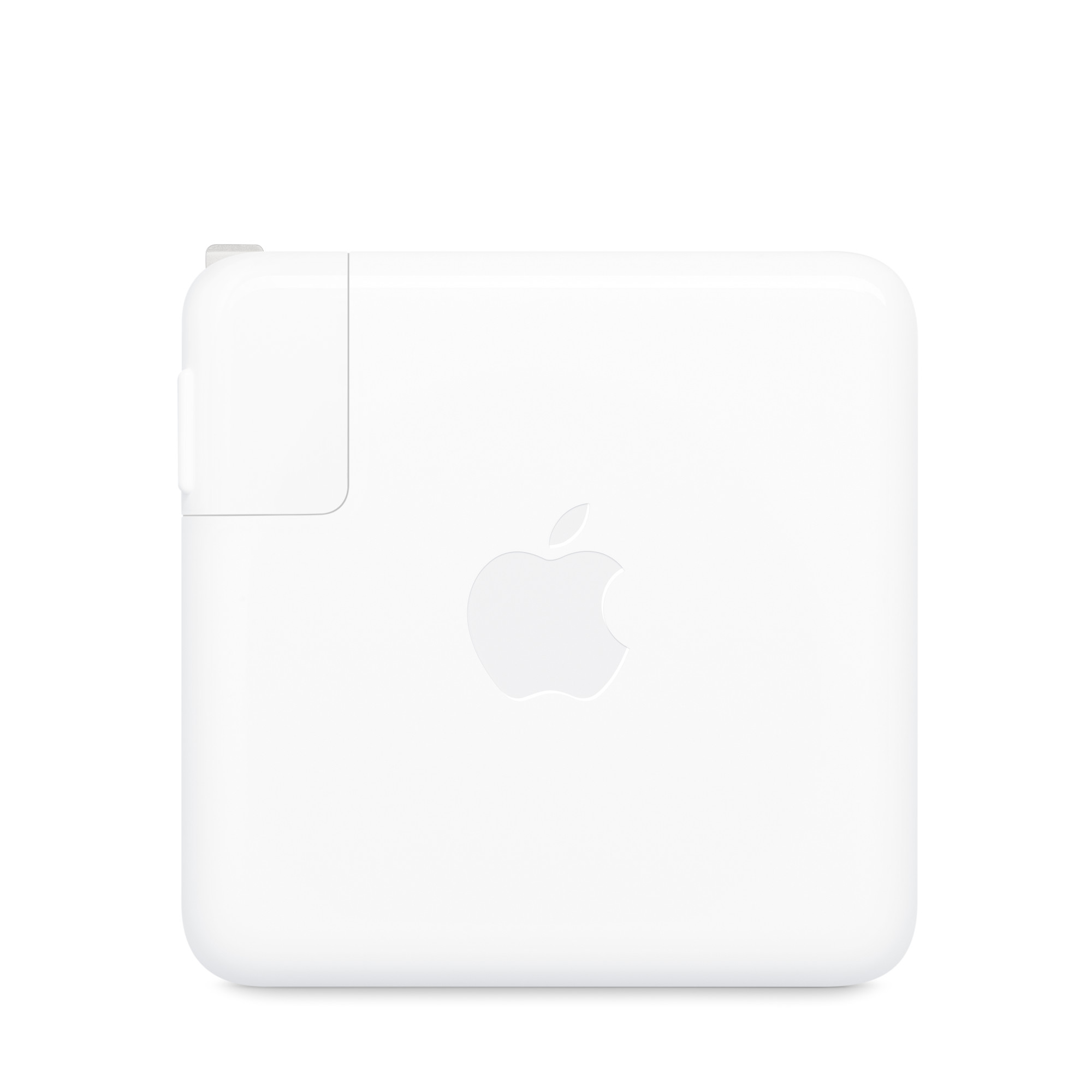
Used, original 35 W USB-C charger for Mac — reliable Apple power adapter (dual USB-C) for charging your Mac and other devices. This is an authentic Apple 35 W USB-C power adapter (dual-port) — used but tested. It’s built to charge MacBooks, iPhones, iPads, and other USB-C devices. Though lower wattage than larger Mac adapters, it works well for light use or supplemental charging. Features & Behavior Dual USB-C ports: can charge two devices simultaneously Intelligent power distribution: if both ports are used, the output splits evenly (~17.5 W each) USB Power Delivery support across standard profiles (5V, 9V, 15V, 20V) Accepts input 100-240V AC, so usable worldwide (with correct plug) Compact form factor in one variant, or standard “duckhead” plug style in another Specifications Strengths & Limitations Pros Authentic Apple unit — safer and more reliable than generic chargers Dual ports give flexibility — charge phone + Mac concurrently Portable and suitable for travel (universal voltage) Cons 35 W is low for MacBook Pro under load — might not maintain charging during heavy use When both ports used, power is halved (~17.5 W each) Used condition may include wear, scuffs, or reduced efficiency

Apple 60W MagSafe Power Adapter (for MacBook and 13-inch MacBook Pro) The 60 Watt MagSafe Power Adapter features a magnetic DC connector that ensures your power cable will disconnect if it experiences undue strain and helps prevent fraying or weakening of the cables over time. In addition, the magnetic DC helps guide the plug into the system for a quick and secure connection. When the connection is secure, an LED located at the head of the DC connector will light up; an amber light lets you know that your portable is charging, while a green light tells you that you have a full charge. An AC lead is provided with the adapter for maximum lead length, while the AC wall adapter (also provided) gives users an even easier and more compact way to travel. Designed to be the perfect travelling companion, the adapter has a clever design that allows the DC cable to be wound neatly around itself for easy cable storage. This power adapter recharges the lithium polymer battery while the system is off, on, or in sleep mode. It also powers the system if you choose to operate without a battery. Compatible with MacBook and 13-inch MacBook Pro. See this article for more details about choosing the right one. Knowing which specific Mac model you have is important. If you are running OS X Lion (10.7) or later, go to the “” menu at the top left of your screen, choose “About this Mac” then click the “More Info…” button. Your Mac model and generation will be displayed. If you are running an earlier version of OS X, you can enter your serial number here to find out which model you have.

LG 50 inch UHD AI UA85 4K Smart TV 50UA85006LA is designed for home entertainment, streaming, and everyday viewing. It features a 50-inch 4K UHD display with AI-powered image processing. Additionally, it supports HDR10 and webOS smart platform. Therefore, it delivers sharp visuals and smart functionality for modern TV use. The LG 50UA85006LA uses a 4K UHD resolution of 3840 × 2160 with Direct LED backlighting. Moreover, it is powered by the α7 AI Processor 4K Gen8 for improved upscaling and clarity. It also includes HDR10 support for better contrast and color depth. In addition, it runs webOS 25 with AI features such as voice control and content recommendations. Furthermore, the TV supports gaming features like ALLM and VRR up to 60Hz. As a result, it provides smoother gameplay for casual console users. It also includes AI sound processing for clearer dialogue and virtual surround effects. Therefore, it suits both movies and gaming in one device. Manufacturer Link Specifications: 50-inch 4K UHD (3840 × 2160) LED display α7 AI Processor 4K Gen8 for image upscaling HDR10 support for improved contrast and color webOS 25 smart TV platform with AI features AI Sound with virtual surround enhancement

This is a logic board (motherboard) for the MacBook Pro 15" model A1398 (year 2015) with an Intel Core i7 processor and 16 GB of RAM. It’s the central brain of the laptop—everything else plugs into it. If your MacBook won’t turn on, has hardware faults, or logic-board damage, replacing this can restore full functionality (just make sure you choose the right version). This is a logic board (motherboard) for the MacBook Pro 15″ model A1398 (year 2015) with an Intel Core i7 processor and 16 GB of RAM. It’s the central brain of the laptop—everything else plugs into it. If your MacBook won’t turn on, has hardware faults, or logic-board damage, replacing this can restore full functionality (just make sure you choose the right version). This logic board is a high-quality replacement for the 2015 MacBook Pro 15″ Retina (model A1398). It features: Processor: Intel Core i7 (various speed variants) Memory: 16 GB soldered RAM (non-upgradeable) Graphics: Depending on version, either integrated Intel Iris Pro or dual graphics (Intel + AMD Radeon R9 M370X) Chipset & Board Info: Part numbers like 820-00138-A, 820-00163-A are common for these boards Compatibility / Model IDs: Works with MacBookPro11,4 / MacBookPro11,5 (EMC numbers 2909 / 2910) for 2015 A1398 models Ports & I/O Integrated: USB 3.0, HDMI, Thunderbolt 2, SD card slot, audio jack, etc. (same as original MacBook Pro 2015) Storage Interface: PCIe SSD slot (Apple’s proprietary SSD interface) Power & Connectors: Logic board includes connections for battery, fans, display, keyboard, trackpad, I/O board flex cables, etc. Condition / Variants: These boards are often “used / tested” when sold as replacements. Always check that all ports and soldered chips are intact. Risks & Notes: You must match the correct board variant (integrated vs dual GPU) or you can face compatibility issues or missing graphics functions.

Specifications : Display Diagonal Viewing Size 86.27 cm 34.14 inches Preset Display Area (H x V) 799.80 mm x 344.80 mm 31.49″ x 13.18″ 267773.04 sq-mm (415.01 sq-inches) Panel Type In-Plane switching Technology Display Screen Coating Antiglare with hard-coating 3H Maximum Preset Resolution 3440 x 1440 at 60Hz Viewing Angles 178° vertical / 178° horizontal Pixel Pitch 0.233 mm x 0.233 mm Pixel Per Inch (PPI) 109 Contrast Ratio 1,000 to 1 (typical) Aspect Ratio 21:9 Backlight Technology LED edgelight system Brightness 300 cd/m² (typical) Response time 8 ms for NORMAL mode 5 ms for FAST mode Adjustability Height adjustable (115 mm), Tilt (-5° to 21°) Swivel (-30° to 30°) Pivot (N/A) PbP / PiP PbP (Yes) PiP (Yes) Daisy Chain Availability No Dell Display Manager Compatibility Yes, Easy Arrange and other key features Remote Asset Management Yes, via Dell Command Monitor Specifications – Service / Support Details 3-Year Advanced Exchange Service and Limited Hardware Warranty Color Support Color Gamut (typical): 99.9% sRGB, CIE1976 (90%), CIE1931 (75%) Color Depth: 1.074 Billion colors Color Calibration Accurancy Delta E < 3 (average) Color Calibration with X-rite colorimeter No Built-in Devices USB 3.0 super-speed hub (with 2 x USB 3.0 upstream port) 4 x USB 3.0 downstream ports Security Security lock slot (cable lock sold separately) Anti-theft stand lock slot (to panel) Compliant Standards BFR/PVC-free (Halogen-free) excluding external cables Meets NFPA 99 leakage current requirements Arsenic-Free glass and Mercury-Free for the panel only Product Safety, EMC and Environmental Datasheets Dell Regulatory Compliance Home Page Dell and the Environment Flat Panel Mount Interface VESA (100 mm) Audio Output 1 x Audio line-out Connectivity 2 x HDMI 2.0 (HDCP 2.2) 1 x DP 1.2 (HDCP 2.2) 2 x USB 3.0 Upstream port 2 x USB 3.0 Downstream port (side) 2 x USB 3.0 Downstream port (bottom) 1 x USB Type-C (DisplayPort DP1.2 Alternate Mode, Power Delivery up to 90W (Typical), and USB 2.0) Dimensions & Weight Height with stand (Compressed ~ Extended) 417.0 mm ~ 532.0 mm 16.42″ ~ 20.94″ Width 813.6 mm 32.03″ Depth 226.4 mm 8.91″ Height without stand 363.7 mm 14.32″ Width without stand 813.6 mm 32.03″ Depth without stand 58.4 mm 2.30″ Weight (panel only – for VESA mount) 8.2 kg 18.07 lb Weight (with packaging) 16.0 kg 35.27 lb Power Voltage Required 100 VAC to 240 VAC / 50 Hz or 60 Hz + 3 Hz / 3 A (typical) Power Consumption (Operational) 54 W (typical) 250 W (maximum)** Power Consumption Stand by / Sleep Less than 0.5W **Maximum power consumption with max luminance, and USB active. Environmental Operating Conditions Temperature Range Operating: 0°C to 40°C (32°F to 104°F) Non-operating: –20°C to 60°C (–4°F to 140°F) Humidity Range Operating: 10% to 80% (non-condensing) Non-Operating: 5% to 90% (non-condensing) Altitude Operating: 5,000 m (16,404 ft) max Non-Operating: 12,192 m (40,000 ft) max In The Box Monitor, Stand Riser, Stand Base 1 x Power cable 1 X DP Cable (DP to DP) 1 X USB Type-C Cable (C to C) 1 x HDMI Cable 1 x USB 3.0 upstream cable Quick setup guide Safety, Environmental, and Regulatory Information Factory Calibration Report 1 Year Warranty manufacturer link

Genuine-spec keyboard replacement for MacBook Air 13″ (Model A2179, 2020, Intel) — choose US QWERTY or UK QWERTY (with £ symbol). Features Apple’s reliable scissor-switch mechanism, backlighting, and OEM-fit design for seamless performance and aesthetics. Compatible With: MacBook Air 13-inch (2020, Model A2179, EMC 3597) with Intel Core i3/i5/i7 processors (non-M1). Layout Options (select at purchase): US Layout: Standard QWERTY with wide Enter key, @ above 2, # above 3, and full inverted-T arrow keys. UK Layout: QWERTY with £ symbol, tall vertical Enter key, @ accessed via right Alt, and UK-specific punctuation—matches Apple’s official UK regional configuration. US Layout: Standard QWERTY with wide Enter key, @ above 2, # above 3, and full inverted-T arrow keys. UK Layout: QWERTY with £ symbol, tall vertical Enter key, @ accessed via right Alt, and UK-specific punctuation—matches Apple’s official UK regional configuration. Keyboard Type: Traditional scissor-switch mechanism (not Butterfly, not Magic Keyboard)—robust, tactile, and serviceable, with good key travel and proven durability. Integrated Features: Full backlit keys for low-light use Ambient light sensor compatibility OEM-style ribbon cable pre-attached for direct logic board connection Full backlit keys for low-light use Ambient light sensor compatibility OEM-style ribbon cable pre-attached for direct logic board connection Precision Build: Molded to exact Apple specifications—ensures flush mounting, consistent key alignment, and seamless integration into the original top case. Installation Note: Keyboard is screw-mounted with light adhesive—more accessible than glued Butterfly/Magic keyboards. Requires top case access and battery disconnect. Suitable for intermediate DIYers or professional technicians. Important: This is keyboard only—does not include the top case, battery, trackpad, or logic board. Not compatible with M1 MacBook Air (A2337/A2338) or M2 models (A2681/A2941). This is keyboard only—does not include the top case, battery, trackpad, or logic board. Not compatible with M1 MacBook Air (A2337/A2338) or M2 models (A2681/A2941). Model Verification: Confirm your device is MacBook Air A2179 (13″, Intel, 2020) via > About This Mac > Model Identifier (e.g., MacBookAir9,1).

HP Smart Tank 581 All-in-One – A wireless ink tank printer with copy, scan, and high-volume print capabilities.Ideal for home or small offices with ultra-low-cost ink and seamless mobile connectivity.

Genuine-spec touchpad flex cable for MacBook Pro 15″ (Model A1990, 2018–2019, Intel)—essential for restoring full Force Touch functionality, haptic feedback, and precise multi-touch gesture control during trackpad repair or replacement. Compatible With: MacBook Pro 15-inch (2018 & 2019, Model A1990, Model Identifiers MacBookPro15,2) with Intel Core i7/i9 processors. Part Type: Touchpad flex cable only — does not include the trackpad housing, Taptic Engine, or mounting hardware. This is the OEM-style ribbon cable that connects the trackpad to the logic board. Function: Transmits: Touch input coordinates Force Touch pressure data Haptic feedback signals to the Taptic Engine Enables full macOS gesture support: Force Click, three-finger lookup, swipe navigation, pinch-to-zoom, and smooth cursor tracking. Touch input coordinates Force Touch pressure data Haptic feedback signals to the Taptic Engine Enables full macOS gesture support: Force Click, three-finger lookup, swipe navigation, pinch-to-zoom, and smooth cursor tracking. OEM-Quality Build: Matches Apple’s original specifications in: Cable length and routing path Connector pitch and ZIF latch design EMI shielding and flex durability Cable length and routing path Connector pitch and ZIF latch design EMI shielding and flex durability Common Use Cases: Replacing a torn, creased, or liquid-damaged original flex cable Completing a trackpad replacement when the original cable is unusable Fixing intermittent trackpad behavior, loss of Force Touch, or complete unresponsiveness Replacing a torn, creased, or liquid-damaged original flex cable Completing a trackpad replacement when the original cable is unusable Fixing intermittent trackpad behavior, loss of Force Touch, or complete unresponsiveness Installation Note: Requires full bottom case removal and battery disconnection. Cable routes under internal components near the right speaker and logic board. Connects via a ZIF (Zero Insertion Force) socket—must be aligned carefully and latched gently. Recommended for experienced or certified technicians only. Requires full bottom case removal and battery disconnection. Cable routes under internal components near the right speaker and logic board. Connects via a ZIF (Zero Insertion Force) socket—must be aligned carefully and latched gently. Recommended for experienced or certified technicians only.
