
The Lenovo Legion 27Q-10 is a 27-inch 2K gaming monitor designed for competitive and fast-paced gaming. First, its 2560 × 1440 resolution delivers sharp and detailed visuals. The 280Hz refresh rate ensures ultra-smooth motion and responsive gameplay for esports players. In addition, the 1ms response time minimizes ghosting and motion blur. Moreover, adaptive sync technology reduces screen tearing for seamless performance. The slim-bezel design fits neatly into any gaming setup. Furthermore, the adjustable tilt and height options provide ergonomic comfort during long sessions. Finally, the Lenovo Legion 27Q-10 combines 2K clarity, extreme refresh performance, and adaptive sync in one high-end gaming display. Overall, it is ideal for serious gamers and esports enthusiasts seeking competitive advantages. Specifications: 27″ 2560 × 1440 2K resolution 280Hz ultra-fast refresh rate 1ms rapid response time Adaptive sync for tear-free gaming Slim bezel with adjustable ergonomic stand

Used, original 35 W USB-C charger for Mac — reliable Apple power adapter (dual USB-C) for charging your Mac and other devices. This is an authentic Apple 35 W USB-C power adapter (dual-port) — used but tested. It’s built to charge MacBooks, iPhones, iPads, and other USB-C devices. Though lower wattage than larger Mac adapters, it works well for light use or supplemental charging. Features & Behavior Dual USB-C ports: can charge two devices simultaneously Intelligent power distribution: if both ports are used, the output splits evenly (~17.5 W each) USB Power Delivery support across standard profiles (5V, 9V, 15V, 20V) Accepts input 100-240V AC, so usable worldwide (with correct plug) Compact form factor in one variant, or standard “duckhead” plug style in another Specifications Strengths & Limitations Pros Authentic Apple unit — safer and more reliable than generic chargers Dual ports give flexibility — charge phone + Mac concurrently Portable and suitable for travel (universal voltage) Cons 35 W is low for MacBook Pro under load — might not maintain charging during heavy use When both ports used, power is halved (~17.5 W each) Used condition may include wear, scuffs, or reduced efficiency

HP LaserJet M111w Black & White Multifunction Printer, Wireless & Mobile Printing, 600 x 600 dpi Resolution, Print speed up to 20 ppm, 8000-page Monthly Duty Cycle, USB / Wireless Connectivity | 7MD68A White

Genuine-spec touchpad flex cable for MacBook Pro 13″ (Model A2289, 2020, Intel)—restores full Force Touch functionality, haptic feedback, and preci multi-touch gesture control. OEM-quality replacement for damaged or faulty original cables. Compatible With: MacBook Pro 13-inch (2020, Four Thunderbolt Ports, Model A2289, Model Identifier MacBookPro16,2) with Intel Core i5/i7 processors. Part Type: Touchpad flex cable only — does not include the trackpad housing, Taptic Engine, or mounting hardware. This is the OEM-style ribbon cable that connects the trackpad to the logic board. Function: Transmits: Touch input coordinates Force Touch pressure data Haptic feedback signals to the Taptic Engine Enables full macOS gesture support: Force Click, three-finger lookup, swipe navigation, pinch-to-zoom, and smooth cursor tracking. Touch input coordinates Force Touch pressure data Haptic feedback signals to the Taptic Engine Enables full macOS gesture support: Force Click, three-finger lookup, swipe navigation, pinch-to-zoom, and smooth cursor tracking. OEM-Quality Build: Matches Apple’s original specifications in: Cable length and routing path Connector pitch and ZIF latch design EMI shielding and flex durability Cable length and routing path Connector pitch and ZIF latch design EMI shielding and flex durability Common Use Cases: Replacing a torn, creased, or liquid-damaged original flex cable Completing a trackpad replacement when the original cable is unusable Fixing: Intermittent or erratic trackpad behavior Loss of Force Touch or haptic feedback Complete trackpad unresponsiveness Replacing a torn, creased, or liquid-damaged original flex cable Completing a trackpad replacement when the original cable is unusable Fixing: Intermittent or erratic trackpad behavior Loss of Force Touch or haptic feedback Complete trackpad unresponsiveness Intermittent or erratic trackpad behavior Loss of Force Touch or haptic feedback Complete trackpad unresponsiveness Installation Note: Requires full bottom case removal and battery disconnection. Cable routes under internal components (speaker, logic board)—must follow original path. Connects via ZIF (Zero Insertion Force) socket—align carefully, never force. Recommended for experienced or certified technicians only. Requires full bottom case removal and battery disconnection. Cable routes under internal components (speaker, logic board)—must follow original path. Connects via ZIF (Zero Insertion Force) socket—align carefully, never force. Recommended for experienced or certified technicians only. Important Compatibility Notes: ✅ Only for A2289 (13″, 4 Thunderbolt ports, 2020, Intel) ❌ Not compatible with: A2251 (2 Thunderbolt ports, 2020) A2338 (M1 MacBook Pro, 2020) Any MacBook Air or 14″/16″ MacBook Pro ✅ Only for A2289 (13″, 4 Thunderbolt ports, 2020, Intel) ❌ Not compatible with: A2251 (2 Thunderbolt ports, 2020) A2338 (M1 MacBook Pro, 2020) Any MacBook Air or 14″/16″ MacBook Pro A2251 (2 Thunderbolt ports, 2020) A2338 (M1 MacBook Pro, 2020) Any MacBook Air or 14″/16″ MacBook Pro

A4Tech KRS-8372 USB Keyboard QWERTY English Black

SCREEN LG 24″ FHD Borderless IPS 100HZ 5MS with FreeSync™ LG-24MR400-B SCREEN LG 24″ FHD Borderless IPS 100HZ 5MS with FreeSync™ LG-24MR400-B Technical Details

A rugged and versatile pre-owned Lenovo ThinkPad T460 with 14" touchscreen, 6th Gen Core i5, 8GB RAM, and 256GB SSD—ideal for professionals who need durability, touch functionality, and reliable business performance.

Genuine-spec touchpad flex cable compatible with both MacBook Air A2179 (Intel, 2020) and A2337 (M1, 2020)—restores full Force Touch functionality, haptic feedback, and precise multi-touch gesture control during trackpad repair or replacement. Compatible With: MacBook Air 13″ (2020, Intel) – Model A2179 (Model Identifier: MacBookAir9,1) MacBook Air 13″ (2020, Apple M1) – Model A2337 (Model Identifier: MacBookAir10,1) MacBook Air 13″ (2020, Intel) – Model A2179 (Model Identifier: MacBookAir9,1) MacBook Air 13″ (2020, Apple M1) – Model A2337 (Model Identifier: MacBookAir10,1) ✅ Important Note: Despite different processors (Intel vs. M1), Apple used the same trackpad assembly and flex cable in both A2179 and A2337. This makes the flex cable fully interchangeable between the two models. Part Type: Touchpad flex cable only — does not include the trackpad housing, Taptic Engine, or mounting hardware. This is the OEM-style ribbon cable that connects the trackpad to the logic board. Function: Transmits: Touch input coordinates Force Touch pressure data Haptic feedback signals to the Taptic Engine Enables full macOS gesture support: Force Click, three-finger lookup, swipe navigation, pinch-to-zoom, and smooth cursor tracking. Touch input coordinates Force Touch pressure data Haptic feedback signals to the Taptic Engine Enables full macOS gesture support: Force Click, three-finger lookup, swipe navigation, pinch-to-zoom, and smooth cursor tracking. OEM-Quality Build: Matches Apple’s original specifications in: Cable length and routing path Connector pitch and ZIF latch design EMI shielding and flex durability Cable length and routing path Connector pitch and ZIF latch design EMI shielding and flex durability Common Use Cases: Replacing a torn, creased, or liquid-damaged original flex cable Completing a trackpad replacement when the original cable is compromised Fixing intermittent trackpad behavior, loss of Force Touch, or complete unresponsiveness Replacing a torn, creased, or liquid-damaged original flex cable Completing a trackpad replacement when the original cable is compromised Fixing intermittent trackpad behavior, loss of Force Touch, or complete unresponsiveness Installation Note: Requires full bottom case removal and battery disconnection. Cable routes under the right side of the battery and logic board. Connects via a ZIF (Zero Insertion Force) socket—align carefully and latch gently. Recommended for experienced or certified technicians only. Requires full bottom case removal and battery disconnection. Cable routes under the right side of the battery and logic board. Connects via a ZIF (Zero Insertion Force) socket—align carefully and latch gently. Recommended for experienced or certified technicians only.


The ViewSonic VG2455 24″ FHD 100Hz Monitor delivers clear visuals for office work and daily use. Its Full HD resolution shows sharp text and smooth image detail. The 24-inch screen offers a balanced size for most desks. This makes it ideal for home and professional setups. Moreover, the ViewSonic VG2455 24″ FHD 100Hz Monitor features a smooth 100 Hz refresh rate. This makes scrolling smoother and video playback more fluid. Motion looks cleaner during fast content. In addition, the monitor uses an IPS panel for wide viewing angles. Colors stay accurate even when viewed from the sides. This helps during team work and shared screen tasks. The image remains stable and clear. Furthermore, the ViewSonic VG2455 24″ FHD 100Hz Monitor includes built-in eye care features. Low blue light mode helps reduce eye strain. The flicker-free design supports long viewing without discomfort. This helps protect your eyes every day. Also, the monitor offers flexible connection options. It supports HDMI, DisplayPort, and USB-C in one display. In addition, the stand supports height, tilt, swivel, and pivot adjustment. You can set the screen for full comfort. Vertical mode helps with coding and reading. This improves posture and daily comfort. Moreover, the slim bezel design gives a clean and modern look. It fits well into any professional workspace. The simple design keeps your desk neat and organized. The monitor blends easily with other screens. Overall, the ViewSonic VG2455 24″ FHD 100Hz Monitor delivers comfort, clarity, and smooth daily performance. It improves workflow and reduces eye strain. This monitor is perfect for office users, students, and home professionals needing a reliable display. Specifications: Display : 24″ IPS Resolution : FHD 1920 x 1080 Refresh Rate : 100Hz Response Time : 5ms

The BenQ 32-inch 4K Monitor for MacBook overview for creative professionals is a 32-inch UHD display designed for MacBook users who need a larger workspace with excellent image quality and accurate color performance. It features a 3840 × 2160 resolution that delivers sharp details for photo editing, video production, graphic design, and professional multitasking. The MA320U features a matte display surface that helps reduce reflections and glare, while the MA320UP features a glossy display surface that enhances contrast and visual clarity. Therefore, both models provide a high-quality viewing experience for creative and productivity-focused workflows. The display performance and color accuracy deliver detailed visuals with consistent colors across different applications. Moreover, the IPS panel provides wide viewing angles and comfortable viewing during long working sessions. As a result, users can enjoy reliable image quality for both professional tasks and everyday use. The connectivity and ergonomic design support efficient workstation setups. In addition, USB-C connectivity enables easy connection with MacBook devices, while HDMI and USB ports provide additional compatibility with other equipment. Therefore, the monitor helps create a clean and organized workspace. The workflow compatibility supports macOS and Windows systems for creative work, office applications, and entertainment. Furthermore, the 32-inch 4K screen provides extra space for multitasking while maintaining excellent clarity. Specifications: Display size: 32-inch IPS panel Resolution: 3840 × 2160 (4K UHD) Models: MA320U Matte display and MA320UP Glossy display Connectivity: USB-C, HDMI, and USB ports Warranty: 3 Years

The Lenovo Legion 27‑10 27″ Gaming Monitor delivers smooth competitive gaming and crisp visuals in a versatile display. First, it features a 27″ Full HD (1920×1080) IPS panel that offers sharp detail and balanced color for all your content. In addition, the ultra‑fast 240 Hz refresh rate and 0.5 ms response deliver fluid gameplay and reduce motion blur in fast‑paced titles. Adaptive sync compatibility helps reduce tearing, so your experience stays uninterrupted. Moreover, the brightness and HDR10 support keep images vibrant and engaging in varied lighting conditions. Furthermore, the ergonomic stand adjusts for tilt, height, swivel, and pivot, so you can find a comfortable setup for long sessions. In addition, the slim bezels and sleek black design add a modern look to any desk. Finally, multiple HDMI 2.1 and DisplayPort 1.4 inputs ensure easy connection to PCs and consoles. With the Lenovo Legion 27‑10, you get a gamer‑ready monitor that blends high refresh performance, clarity, and ergonomic flexibility at an accessible level. Specifications: 27″ Full HD (1920×1080) IPS display for sharp, balanced visuals Ultra‑fast 240 Hz refresh rate and 0.5 ms response for fluid gaming Adaptive sync support reduces tearing and stutter Adjustable ergonomic stand with tilt, swivel, height, and pivot Multiple HDMI 2.1 and DisplayPort 1.4 inputs for versatile connectivity

The Samsung ViewFinity S7 32″ 4K Monitor is an outstanding choice for anyone seeking a clear, high-resolution display. This 4K monitor offers crisp visuals and vibrant colors, enhancing your viewing experience for work, gaming, and entertainment. With a 32-inch display, this monitor provides a large screen space to increase productivity. The 4K UHD resolution (3840 x 2160) offers four times the clarity of Full HD, so every detail is sharp and vivid. Whether you’re editing photos, creating designs, or just enjoying high-definition content, this monitor brings every image to life. The Samsung ViewFinity S7 4K Monitor is designed with a slim, minimalist look. It features ultra-thin bezels, allowing for a near borderless viewing experience. This makes it ideal for dual-monitor setups, as you can position screens side by side seamlessly. Setting up the monitor is simple, with multiple connectivity options like HDMI and DisplayPort. It also features USB-C compatibility, allowing for fast data transfer and device charging, reducing the need for multiple cables on your desk. This Samsung 4K monitor supports HDR10, providing higher contrast and accurate colors for a richer picture. Its wide viewing angles ensure that the image stays consistent, even when viewed from the side. This is perfect for shared workspaces or group settings. Additionally, the Samsung ViewFinity S7 has advanced eye-care technology. It includes features like Eye Saver Mode and Flicker-Free technology to reduce eye strain during long sessions. Upgrade your workspace or gaming setup with the Samsung ViewFinity S7 32″ 4K Monitor and enjoy stunning visuals. Specifications: Display : 32″ VA Resolution : 4K (3840×2160) HDR10 Refresh Rate : 60Hz Response Rate : 5ms

REMAX RT-E601 1200MAH TIME II SERIES EYE-CARING LED LAMP Function— Use the power key to turn on/ off the lamp. Tap the power key to adjust the brightness of the lamp (brightest-normal-dimmest-off) four steps are easy to use. When folding the design lamp holder and arm can rotate the angle within a range of 180 degrees up-down adjustment. Press and hold “Mode” Set” Up” Donkey enter normal time mode, alarm clock and snooze mode, birthday reminder mode timer mode, and temperature mode. Time changes 12 hours/24 hours mode and adjusting the hours, minutes, year, month,t,h, and day. Temperature can change to Celsius or Fahrenheit. The red light will be on when it starts charging, and the red light will go out when it is fully charged. Material—ABS+PC Rated voltage—DC5V /0.5A lighting Mode—Direct glow Key Type—Touch key Luminous flux—250m Color rendering index—>80 Rated power—4W Battery Capacity—1200mAh Weight—346g Charging port—Micro SIZE—87*87*263mmCharging time—4-4:30hour Working time—3:30hour

The Samsung 22″ 75Hz Essential Monitor is designed to enhance your daily computing tasks with smooth performance and vibrant colors. Whether you’re working, watching videos, or browsing, this monitor delivers clear and crisp visuals. Featuring a 22-inch screen, this monitor provides ample display space for multitasking. With a 75Hz refresh rate, the Samsung 22″ Essential Monitor ensures fluid motion, reducing screen tearing and providing a smooth viewing experience. The Full HD resolution brings sharp details and vivid colors, making your videos and images look more lifelike. Whether for work or entertainment, you’ll enjoy a more immersive visual experience with the Samsung 22″ Essential Monitor. With its slim and sleek design, this monitor complements any workspace. It’s easy to set up, and the compact design saves valuable desk space. The monitor’s slim bezels also give it a modern, streamlined look. The Samsung Essential Monitor comes equipped with Eye Saver Mode and Flicker-Free technology, designed to reduce eye strain during long hours of use. This makes it ideal for both work and extended screen time. In addition, the monitor offers easy connectivity options, including HDMI and VGA ports, allowing you to connect a wide range of devices effortlessly. In conclusion, the Samsung 22″ 75Hz Essential Monitor is the perfect blend of performance, style, and convenience. Upgrade your viewing experience with smooth visuals and vivid colors for everyday use. Specifications: Display : 22″ VA Resolution : FHD (1920×1080) Refresh Rate : 75Hz Response Time : 5ms GTG

The Alienware AW2724HF 27″ 360Hz Gaming Monitor is built for serious gamers who want speed and clarity. It features a 27-inch Full HD Fast IPS display with sharp visuals and wide viewing angles. With a 360Hz refresh rate via DisplayPort and up to 255Hz through HDMI, the monitor delivers smooth motion in fast-paced games. A 0.5ms response time reduces blur, making every action look sharp and clear. The monitor supports AMD FreeSync Premium and VESA Adaptive-Sync, helping eliminate screen tearing for smoother gameplay. It also covers 99% of the sRGB color range and supports HDR10, offering rich and vibrant visuals. It comes with plenty of ports, including two DisplayPort 1.4, one HDMI 1.4, four USB 3.2 Gen 1 ports, and one USB upstream. This gives you flexible options to connect accessories and gaming gear. The stand is fully adjustable with options to tilt, swivel, pivot, and adjust height for better comfort. It also supports VESA mounting, allowing you to set it up the way you want. The design features thin bezels, making it great for multi-monitor setups. It also includes game-enhancing tools like crosshair overlays and display modes to give players an edge. Overall, the Alienware AW2724HF combines high refresh rates, fast response, and rich visuals in a sleek and adjustable design, perfect for competitive and casual gamers alike. Specifications: Display : 27″ Fast IPS Resolution : 1920×1080 FHD Refresh Rate : 360Hz Response Time : 0.5ms

Led Desk Lamp REMAX RT-E815 ReSee Series Smart Eye-Caring 1500mAh RT-E815 With Container · Eye-caring lightning · Large-area lighting · 1500mAh · Delayed light-off · Soft lighting · Stepless dimming · Pen/phone holder · With rechargeable battery · Plug and use · A soft hose of 360-degree adjustment.

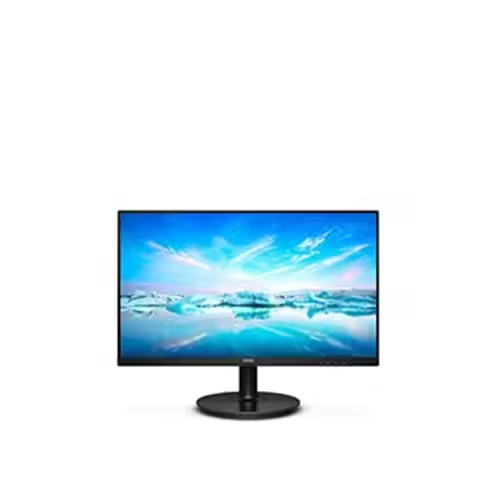
The Philips 242V8 24″ 75Hz Monitor is a great choice for home and office use. It delivers clear visuals and smooth performance. With its Full HD resolution, you can enjoy sharp and detailed images. This 24-inch monitor features a 75Hz refresh rate for fluid motion. It reduces screen tearing and stuttering, making it ideal for everyday tasks and casual gaming. The fast response time ensures smooth transitions between frames. The Philips 242V8 24″ 75Hz Monitor uses SmartContrast technology for deep blacks and bright whites. It enhances image quality, making videos and images look better. The IPS panel provides wide viewing angles with consistent colors. With Flicker-Free technology, this 75Hz monitor reduces eye strain. It also includes LowBlue Mode to minimize harmful blue light. This makes it comfortable for long hours of use. Connectivity is simple with HDMI and VGA ports. You can easily connect it to your PC, laptop, or gaming console. The setup is quick and hassle-free. The Philips 242V8 24″ 75Hz Monitor has a slim and modern design. It fits well in any workspace, whether at home or in the office. The adjustable tilt stand provides a comfortable viewing experience. This Full HD monitor is energy-efficient, helping you save on power consumption. It meets eco-friendly standards while delivering high performance. In conclusion, the Philips 242V8 24″ 75Hz Monitor is a reliable and affordable display. It offers smooth visuals, eye comfort, and a sleek design, making it a perfect choice for work and entertainment. Specifications: Display : 24″ IPS Resolution : 1920×1080 Refresh Rate : 75Hz Response Rate : 4ms Speaker : 2W x2

BATTERY DELL 93FTF Laptop Battery Compatible with Dell Precision15 3520 3530 Dell Latitude12 5280 E5280 Latitude E5280 E5480 E5580 E5490 E5590 E5480 E5290 E5591E5491 Series D4CMT 4YFVG 83XPC 083XPC 11.4V 51Wh About this item Battery Type:3cell Li Polymer Best Quality Voltage &Capacity :11.4V 51Wh 4254MAH Safeguard features against incorrect voltage, short circuit, internal overheating 100% Brand new ,Grade A cells battery; Quality assurance;every battery has passed factory testing; 500+ recharge cycles over

Genuine-spec touchpad flex cable for MacBook Air 13″ (Model A1932, 2018–2019)—essential for restoring full Force Touch functionality, haptic feedback, and precise multi-touch gesture control during trackpad repair or replacement. Compatible With: MacBook Air 13-inch (2018 & 2019, Model A1932, Model Identifier MacBookAir8,1) with Intel Core i5/i7 processors. Part Type: Touchpad flex cable only—does not include the trackpad housing, Taptic Engine, or mounting hardware. This is the OEM-style ribbon cable that connects the trackpad to the logic board. Function: Transmits touch input, Force Touch pressure data, and haptic feedback signals—critical for macOS gestures like Force Click, three-finger lookup, pinch-to-zoom, and smooth cursor tracking. OEM-Quality Build: Matches Apple’s original in length, connector pitch, EMI shielding, and flexibility—ensures reliable signal integrity and long-term durability. Common Use Cases: Replacing a torn, creased, or liquid-damaged original flex cable Completing a trackpad replacement when the original cable is unusable Fixing intermittent trackpad behavior, loss of Force Touch, or complete unresponsiveness Replacing a torn, creased, or liquid-damaged original flex cable Completing a trackpad replacement when the original cable is unusable Fixing intermittent trackpad behavior, loss of Force Touch, or complete unresponsiveness Installation Note: Requires full bottom case removal and careful routing beneath the battery. The cable connects via a ZIF (Zero Insertion Force) socket on the logic board—must be properly aligned and latched without force. Recommended for experienced or certified technicians. Important: This is flex cable only—not a complete trackpad assembly. Must be used with the original or compatible A1932 trackpad and Taptic Engine. Not compatible with MacBook Air M1 (A2337/A2338), M2 (A2681/A2941), or any MacBook Pro model. This is flex cable only—not a complete trackpad assembly. Must be used with the original or compatible A1932 trackpad and Taptic Engine. Not compatible with MacBook Air M1 (A2337/A2338), M2 (A2681/A2941), or any MacBook Pro model.
