
The Moxom MX-ST16 is a 12-in-1 safety power strip with 4 AC outlets, 7 USB-A ports, and 1 USB-C PD port. It supports up to 2500W / 10A total load and provides fast USB charging (PD 20W + QC 18W), making it a practical charging hub for home, office, and desk setups. ⚡ 12-in-1 Multi-Output Design: 4 AC sockets + 7 USB-A + 1 USB-C PD allow powering and charging many devices at once. 🔋 Fast USB Charging: USB-C PD up to 20W for modern phones and tablets. QC fast-charge up to 18W on supported USB-A ports. Smart IC balances output across ports for safe, efficient charging. 🔋 Fast USB Charging: USB-C PD up to 20W for modern phones and tablets. QC fast-charge up to 18W on supported USB-A ports. Smart IC balances output across ports for safe, efficient charging. 🛡️ Multi-Safety Protection: Overload protection, surge/over-voltage protection, over-current and overheating protection, plus foreign-object detection. 👶 Child-Safety Shutters: Safety doors on AC outlets reduce accidental contact. ⏻ One-Key Master Switch: Single button controls all outlets for easy power cut-off. 📏 Long Extension Cord: About 2 meters for flexible placement. 🧊 Heat-Resistant Build: ABS + PC construction designed for durability under continuous load.

Genuine-spec touchpad flex cable for MacBook Pro 15″ (Model A1706 – 2017 and A1989 – 2018/2019)—restores full Force Touch functionality, haptic feedback, and precise multi-touch gesture control during trackpad repair or replacement. Compatible With: MacBook Pro 15″ (2017) – Model A1706 (Model Identifier: MacBookPro14,3) MacBook Pro 15″ (2018–2019) – Model A1989 (Model Identifier: MacBookPro15,2) ✅ Note: Apple used the same trackpad assembly and flex cable across both A1706 and A1989 15″ models—making this part interchangeable between them. MacBook Pro 15″ (2017) – Model A1706 (Model Identifier: MacBookPro14,3) MacBook Pro 15″ (2018–2019) – Model A1989 (Model Identifier: MacBookPro15,2) ✅ Note: Apple used the same trackpad assembly and flex cable across both A1706 and A1989 15″ models—making this part interchangeable between them. ✅ Note: Apple used the same trackpad assembly and flex cable across both A1706 and A1989 15″ models—making this part interchangeable between them. Part Type: Touchpad flex cable only — does not include the trackpad housing, Taptic Engine, or mounting hardware. This is the OEM-style ribbon cable connecting the trackpad to the logic board. Function: Transmits: Touch input coordinates Force Touch pressure data Haptic feedback signals to the Taptic Engine Enables full macOS gesture support: Force Click, three-finger lookup, swipe navigation, pinch-to-zoom, and smooth cursor tracking. Touch input coordinates Force Touch pressure data Haptic feedback signals to the Taptic Engine Enables full macOS gesture support: Force Click, three-finger lookup, swipe navigation, pinch-to-zoom, and smooth cursor tracking. OEM-Quality Build: Matches Apple’s original in: Cable length and routing Connector pitch and ZIF latch design EMI shielding and flex durability Cable length and routing Connector pitch and ZIF latch design EMI shielding and flex durability Common Use Cases: Replacing a torn, creased, or liquid-damaged original flex cable Completing a trackpad replacement when the original cable is compromised Fixing intermittent trackpad behavior, loss of Force Touch, or complete unresponsiveness Replacing a torn, creased, or liquid-damaged original flex cable Completing a trackpad replacement when the original cable is compromised Fixing intermittent trackpad behavior, loss of Force Touch, or complete unresponsiveness Installation Note: Requires full bottom case removal and battery disconnection. Cable routes under internal components near the right speaker and logic board. Connects via a ZIF (Zero Insertion Force) socket—must be aligned carefully and latched gently. Recommended for experienced or certified technicians only. Requires full bottom case removal and battery disconnection. Cable routes under internal components near the right speaker and logic board. Connects via a ZIF (Zero Insertion Force) socket—must be aligned carefully and latched gently. Recommended for experienced or certified technicians only.

The ViewSonic 27″ 180Hz Gaming Monitor delivers an ultra-smooth gaming experience. With a 180Hz refresh rate, every motion looks fluid and lag-free. This makes it perfect for fast-paced games like shooters and racing titles. Featuring a 1ms response time, the monitor reduces motion blur and ghosting. You get sharper visuals and smoother gameplay, giving you a competitive edge. Say goodbye to input lag and enjoy instant reactions. The ViewSonic 27-inch Gaming Monitor offers Full HD resolution for crisp and detailed visuals. Whether you’re gaming, streaming, or working, you’ll enjoy clear images with vibrant colors. The IPS panel ensures wide viewing angles and accurate colors. With AMD FreeSync technology, screen tearing and stuttering are eliminated. The monitor syncs with your graphics card for seamless gameplay. This ensures a smoother and more immersive gaming experience, even in demanding scenes. This monitor is designed for comfort and versatility. The ergonomic stand allows you to adjust height, tilt, and swivel for the perfect viewing angle. You can also mount it on a wall for a clean setup. Multiple connectivity options make the ViewSonic 27″ 180Hz Gaming Monitor easy to use. It includes HDMI and DisplayPort, allowing you to connect to gaming consoles, PCs, and more. With a sleek, modern design, this monitor enhances any gaming setup. The narrow bezels create a seamless multi-monitor experience. Enjoy distraction-free gaming with an immersive display. Upgrade your gaming experience with the ViewSonic 27″ 180Hz Gaming Monitor. Enjoy smooth performance, fast response times, and stunning visuals. Specifications: Display : 27″ IPS Resolution : 1920 x 1080 FHD Refresh Rate : 180Hz Response Rate : 1ms MPRT

The Apple 240W USB-C Charge Cable (2 m) is a durable, braided USB-C to USB-C cable that supports fast charging up to 240W and USB 2.0 data transfer—ideal for powering high-performance MacBooks and other USB-C devices. Length: 2 meters Connector: USB-C to USB-C Power Support: Up to 240W (48V/5A), compatible with the new USB-C PD 3.1 Extended Power Range standard Data Transfer: USB 2.0 speeds (up to 480 Mbps) — this cable prioritizes power delivery over high-speed data Ideal for charging MacBook Pro (2021 and later), MacBook Air (M2 and later), and other high-power laptops Backward-compatible with lower-wattage devices (iPad, iPhone 15 lineup, etc.) Works with any USB-C power adapter, but you’ll only get full 240W output when paired with a compatible high-wattage charger The standard USB-C Charge Cable (2 m, 60W/100W) only supports up to 100W. The Thunderbolt 4 Pro Cable (3 m) supports high-speed data (40 Gb/s) and video output, but maxes at 100W charging. This 240W version is the one to get if your priority is maximum charging power rather than data/video.

Genuine-spec touchpad flex cable for MacBook Pro 13″ (Model A2289, 2020, Intel)—restores full Force Touch functionality, haptic feedback, and preci multi-touch gesture control. OEM-quality replacement for damaged or faulty original cables. Compatible With: MacBook Pro 13-inch (2020, Four Thunderbolt Ports, Model A2289, Model Identifier MacBookPro16,2) with Intel Core i5/i7 processors. Part Type: Touchpad flex cable only — does not include the trackpad housing, Taptic Engine, or mounting hardware. This is the OEM-style ribbon cable that connects the trackpad to the logic board. Function: Transmits: Touch input coordinates Force Touch pressure data Haptic feedback signals to the Taptic Engine Enables full macOS gesture support: Force Click, three-finger lookup, swipe navigation, pinch-to-zoom, and smooth cursor tracking. Touch input coordinates Force Touch pressure data Haptic feedback signals to the Taptic Engine Enables full macOS gesture support: Force Click, three-finger lookup, swipe navigation, pinch-to-zoom, and smooth cursor tracking. OEM-Quality Build: Matches Apple’s original specifications in: Cable length and routing path Connector pitch and ZIF latch design EMI shielding and flex durability Cable length and routing path Connector pitch and ZIF latch design EMI shielding and flex durability Common Use Cases: Replacing a torn, creased, or liquid-damaged original flex cable Completing a trackpad replacement when the original cable is unusable Fixing: Intermittent or erratic trackpad behavior Loss of Force Touch or haptic feedback Complete trackpad unresponsiveness Replacing a torn, creased, or liquid-damaged original flex cable Completing a trackpad replacement when the original cable is unusable Fixing: Intermittent or erratic trackpad behavior Loss of Force Touch or haptic feedback Complete trackpad unresponsiveness Intermittent or erratic trackpad behavior Loss of Force Touch or haptic feedback Complete trackpad unresponsiveness Installation Note: Requires full bottom case removal and battery disconnection. Cable routes under internal components (speaker, logic board)—must follow original path. Connects via ZIF (Zero Insertion Force) socket—align carefully, never force. Recommended for experienced or certified technicians only. Requires full bottom case removal and battery disconnection. Cable routes under internal components (speaker, logic board)—must follow original path. Connects via ZIF (Zero Insertion Force) socket—align carefully, never force. Recommended for experienced or certified technicians only. Important Compatibility Notes: ✅ Only for A2289 (13″, 4 Thunderbolt ports, 2020, Intel) ❌ Not compatible with: A2251 (2 Thunderbolt ports, 2020) A2338 (M1 MacBook Pro, 2020) Any MacBook Air or 14″/16″ MacBook Pro ✅ Only for A2289 (13″, 4 Thunderbolt ports, 2020, Intel) ❌ Not compatible with: A2251 (2 Thunderbolt ports, 2020) A2338 (M1 MacBook Pro, 2020) Any MacBook Air or 14″/16″ MacBook Pro A2251 (2 Thunderbolt ports, 2020) A2338 (M1 MacBook Pro, 2020) Any MacBook Air or 14″/16″ MacBook Pro

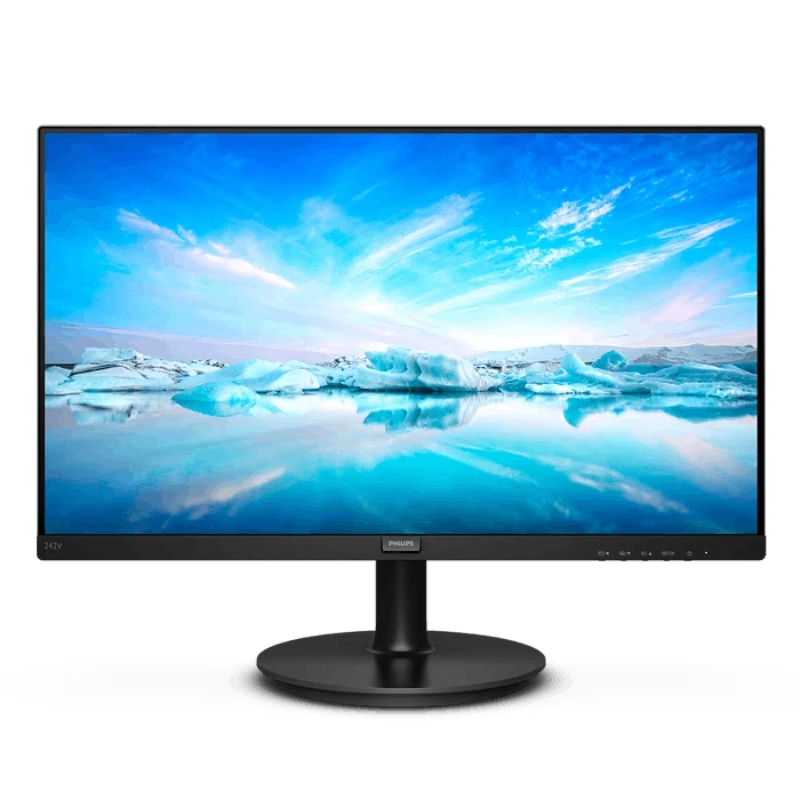
Panel Size (inch) : 23.8 Aspect Ratio : 16:9 Display Viewing Area (H x V) : 527.04 x 296.46 mm Display Surface : Non-Glare Backlight Type : LED Panel Type : IPS Viewing Angle (CR≧10, H/V) : 178°/ 178° Pixel Pitch : 0.2745mm Resolution : 1920×1080 Color Space (sRGB) : 99% Brightness (Typ.) : 250cd/㎡ Contrast Ratio (Typ.) : 1000:1 ASUS Smart Contrast Ratio (ASCR) : 100000000:1 Display Colors : 16.7M Response Time : 5ms(GTG) Refresh Rate (Max) : 75Hz Flicker-free : Yes Video Feature Trace Free Technology : Yes SPLENDID Technology : Yes Color Temp. Selection : Yes(4 modes) GamePlus : Yes QuickFit : Yes HDCP : Yes VRR Technology : FreeSync™ Low Blue Light : Yes I/O Ports HDMI(v1.4) x 1 DVI x 1 VGA x 1 Signal Frequency Digital Signal Frequency : 24~84 KHz (H) / 48~75 Hz (V) Analog Signal Frequency : 24~84 KHz (H) / 48~60 Hz (V) Power Consumption Power Consumption : 13.2W Power Saving Mode : <0.5W Power Off Mode : <0.5W Voltage : 100-240V, 50/60Hz Mechanical Design Tilt : Yes (+23° ~ -5°) VESA Wall Mounting : 100x100mm Kensington Lock : Yes Dimensions (Esti.) Phys. Dimension with Stand (W x H x D) : 540.45 x 403.67 x 203.94 mm Phys. Dimension without Stand (W x H x D) : 540.45 x 324.67 x 44.4 mm Box Dimension (W x H x D) : 559 x 415 x 127 mm Weight (Esti.) Net Weight with Stand : 3.57 Kg Net Weight without Stand : 3.18 Kg Gross Weight : 5.50 Kg 3 Years Warranty manufacturer link

The Lenovo L22E-30 21.5″ LCD Monitor is designed to enhance your viewing experience with clear and vibrant visuals. Whether you’re working, gaming, or streaming your favorite shows, this monitor delivers exceptional quality. With a full HD resolution of 1920×1080, the Lenovo offers crisp and detailed images. Enjoy true-to-life colors and sharp details that make every task more enjoyable. The sleek and modern design of the Lenovo 21.5″ LCD Monitor complements any workspace. Its slim profile and narrow bezels provide a clean and stylish look that fits seamlessly into your setup. This monitor features a 75Hz refresh rate and a 4ms response time, ensuring smooth and lag-free performance. Whether you’re watching videos or playing games, enjoy a seamless experience without any motion blur. The Lenovo 21.5″ LCD Monitor includes multiple connectivity options, including HDMI and VGA ports. Easily connect your computer, gaming console, or other devices for versatile use. Designed with your comfort in mind, this monitor features TUV Rheinland Eye Comfort certification. Reduce eye strain during extended use with flicker-free technology and a low blue light filter. Adjust the Lenovo to your preferred viewing angle with its tilt-adjustable stand. Find the perfect position for maximum comfort, whether you’re working on a project or watching a movie. In conclusion, the Lenovo L22E-30 21.5″ LCD Monitor offers a perfect blend of style, performance, and comfort. Upgrade your workspace today and enjoy an enhanced viewing experience with this versatile and reliable monitor. Specifications: Display : 21.5″ Resolution : 1920 x 1080 Refresh Rate : 75Hz Response Rate : 4ms

The Lenovo G34w-10 34″ Monitor delivers immersive and smooth visuals for gaming and multimedia.It features a 34-inch WQHD curved display that provides crisp details and vibrant colors. Moreover, its high refresh rate ensures fluid motion in fast-paced games and videos. This monitor uses a VA panel for strong contrast and wide viewing angles. Additionally, the fast response time helps reduce blur and ghosting during competitive gaming. The curved design and anti-glare screen enhance immersion and minimize reflections in bright environments. HDMI and DisplayPort inputs allow easy connection to PCs, laptops, and gaming consoles. Furthermore, tilt adjustment helps you find a comfortable viewing angle during long sessions. Low blue light and flicker-free technologies reduce eye strain over extended use. This display is ideal for gamers, streamers, and home users alike. Therefore, it supports competitive gaming, media streaming, and everyday computing. Finally, it combines immersive visuals, fast performance, and comfort features for daily use. Specifications: Screen Size: 34″ WQHD curved VA panel Resolution: 3440 × 1440 Refresh Rate: High for smooth motion Ports: HDMI + DisplayPort Features: Anti-glare, low blue light, flicker-free eye care

The Apildella 14″ Triple Laptop Screen Extender gives your laptop three screens for better productivity. It allows you to work faster and more comfortably. The extender adds two extra displays around your laptop screen. This creates a wider workspace for all your tasks. Moreover, the Apildella Triple Laptop Screen Extender offers clear and bright visuals. Each screen delivers sharp quality for work, gaming, and media. The colors stay consistent across all panels. This helps you focus on your tasks with ease. In addition, the screens connect through simple USB-C or HDMI. The setup process is quick, and you can start using it instantly. There is no need for heavy software. This makes the extender ideal for travel and office use. Furthermore, the Apildella 14″ Triple Laptop Screen Extender works with many laptops. It supports Windows, macOS, and some mobile devices. This wide compatibility makes it useful for students, creators, and professionals. It helps you multitask with less stress. Also, the extender features a foldable and lightweight design. You can pack it in your laptop bag easily. It fits well in small workspaces. This makes it great for remote work and travel. The Apildella Triple Laptop Screen Extender also allows adjustable viewing angles. You can tilt the screens to get a comfortable view. This helps reduce eye strain during long hours of use. It improves your overall productivity. Overall, the Apildella 14″ Triple Laptop Screen Extender gives you more space, better multitasking, and stronger efficiency. It upgrades your laptop into a full workstation instantly. It is perfect for work, study, design, and streaming anywhere you go. Specifications: Display : 14″ Resolution : FHD 1920×1080 Refresh Rate : 60Hz Compatible with 13″ to 17″ laptops, windows/mac

SB03XL Battery for HP Elitebook 720 725 G2 820 G1 G2 716726-421 717378-001 HSTNN-LB4T HSTNN-I13C About this item Compatible Computers: Hp EliteBook 820 G1, HP EliteBook 720 G1, HP EliteBook 720 G2, HP EliteBook 725 G1, HP EliteBook 725 G2 E7U25AA E7U25UT F6B38PA Replace Battery List: SB03XL SB03046XL HSTNN-LB4T HSTNN-I13C HSTNN-IB4T HSTNN-I13C 716726-421 716726-1C1 717378-001 Battery Life: Up to 500 recharge cycles over the life of the battery. 100% Brand New from Manufacturer. All products are Certified by CE, and FCC for safety. Strict guidelines for compatibility, and standards compliance for environmental safety.

Genuine-spec touchpad flex cable for MacBook Pro 13″ (Model A2338, 2020, Apple M1)—essential for restoring full Force Touch functionality, haptic feedback, and precise multi-touch gesture control during trackpad repair or replacement. Compatible With: MacBook Pro 13-inch (2020, Model A2338, Model Identifier MacBookPro17,1) with Apple M1 chip (2 Thunderbolt ports). Part Type: Touchpad flex cable only — does not include the trackpad housing, Taptic Engine, or mounting hardware. This is the OEM-style ribbon cable that connects the trackpad to the logic board. Function: Transmits: Touch input coordinates Force Touch pressure data Haptic feedback signals to the Taptic Engine Enables full macOS gesture support: Force Click, three-finger lookup, swipe navigation, pinch-to-zoom, and smooth cursor tracking. Touch input coordinates Force Touch pressure data Haptic feedback signals to the Taptic Engine Enables full macOS gesture support: Force Click, three-finger lookup, swipe navigation, pinch-to-zoom, and smooth cursor tracking. OEM-Quality Build: Matches Apple’s original specifications in: Cable length and routing Connector pitch and ZIF latch design EMI shielding and flex durability Cable length and routing Connector pitch and ZIF latch design EMI shielding and flex durability Common Use Cases: Replacing a torn, creased, or liquid-damaged original flex cable Completing a trackpad replacement when the original cable is compromised Fixing intermittent trackpad behavior, loss of Force Touch, or complete unresponsiveness Replacing a torn, creased, or liquid-damaged original flex cable Completing a trackpad replacement when the original cable is compromised Fixing intermittent trackpad behavior, loss of Force Touch, or complete unresponsiveness Installation Note: Requires full bottom case removal and battery disconnection. Cable routes under internal components near the right speaker and logic board. Connects via a ZIF (Zero Insertion Force) socket—must be aligned carefully and latched gently. Recommended for experienced or certified technicians only. Requires full bottom case removal and battery disconnection. Cable routes under internal components near the right speaker and logic board. Connects via a ZIF (Zero Insertion Force) socket—must be aligned carefully and latched gently. Recommended for experienced or certified technicians only. Important Compatibility Notes: ✅ Only for A2338 (13″, M1, 2020) ❌ Not compatible with: Intel-based A2251 / A2289 (2020) MacBook Air M1 (A2337) Any MacBook Air or 14″/16″ MacBook Pro ✅ Only for A2338 (13″, M1, 2020) ❌ Not compatible with: Intel-based A2251 / A2289 (2020) MacBook Air M1 (A2337) Any MacBook Air or 14″/16″ MacBook Pro Intel-based A2251 / A2289 (2020) MacBook Air M1 (A2337) Any MacBook Air or 14″/16″ MacBook Pro

0G74G Laptop Battery Replacement for Dell Latitude 5300 2-in-1 5310 7300 7400 Series Notebook OG74G 02PFPW 2PFPW 3KF82 8JYHH 11.4V 42Wh 3-Cell About this item Specification: Battery type: Li-ion. Color: Black. Voltage: 11.4V. Capacity: 42Wh/3Cell. New from Manufacturer Replace Part Number: For MXV9V 0G74G 00G74G 2PFPW 3KF82 8JYHH Compatible Models: Replacement for Dell Latitude 5300 E5300 / 5300 2-in-1 / 5310 E5310 / 5310 2-in-1 / 7300 E7300 / 7400 E7400 Series (Important Note: NOT fit for latitude 7400 2-in-1 Series) Note: The Dell laptop models on this product page are compatible with 2 battery models: 0G74G (42Wh 3-Cell 11.4V) , MXV9V(60Wh 4-Cell 7.6V). Please open the back cover of your laptop to check the original battery size and capacity before placing an order. Make sure that the battery model you need is 0G74G (42Wh 3-Cell 11.4V). Note: If the new battery is not recognized during the initial installation, please reinstall and check if the interface is fully connected. Discharge the new battery to 10-20% (not 0%), then charge and cycle 3-4 times to wake up the new battery

The MSI MAG 342CQR E2 34″ 180Hz Curved Gaming Monitor is designed to elevate your gaming experience. Its 34-inch ultrawide display with a 3440 x 1440 resolution provides immersive visuals, while the 1500R curvature ensures a comfortable viewing angle. MSI Firstly with a rapid 180Hz refresh rate and 1ms MPRT response time, this monitor delivers smooth and responsive gameplay, ideal for fast-paced genres like FPS and racing games. The VA panel offers a 3000:1 contrast ratio, producing deep blacks and vibrant colors. Furthermore the MSI MAG 342CQR E2 supports HDR Ready technology, enhancing image details and color accuracy. AI Vision technology further improves brightness and color saturation, revealing details in dark scenes. Moreover connectivity options include DisplayPort 1.4a and HDMI 2.0b ports, supporting up to 180Hz and 100Hz refresh rates, respectively. The monitor also features Adaptive Sync technology, reducing screen tearing and stuttering. Also ergonomic adjustments are made easy with tilt, swivel, and height options, ensuring comfort during extended gaming sessions. The monitor’s frameless design and anti-glare coating provide a sleek look and reduce eye strain. In summary, the MSI MAG 342CQR E2 34″ 180Hz Curved Gaming Monitor combines high performance, immersive visuals, and ergonomic design, making it a top choice for gamers seeking a competitive edge. Specifications: Display : 34″ VA Resolution : 3440 x 1440 (UWQHD) Refresh Rate : 180Hz Response Time : 1ms (MPRT) Curvature : Curve 1500R

The LG UltraGear 27GS50F-B 24″ Gaming Monitor brings fast performance and vivid visuals to your gaming setup. It is designed to deliver smooth and responsive gameplay, making every moment feel more intense and immersive. Moreover, its 24-inch screen size is ideal for competitive gaming while fitting comfortably on most desks. This monitor offers vibrant colors and sharp detail, which enhances your experience whether you are gaming, watching movies, or working. Additionally, the fast refresh rate and quick response time help reduce motion blur so you can enjoy fluid action without distractions. The sleek and modern design fits well into any gaming or home office environment. The LG UltraGear 27GS50F-B also includes multiple connectivity options, making it easy to connect your PC, console, or other devices. Furthermore, ergonomic adjustments allow you to tilt the screen for a comfortable viewing position during long sessions. Therefore, it is perfect for casual and competitive gamers alike. Finally, it combines responsive performance, clear visuals, and user-friendly design for everyday use. Specifications: 24-inch gaming monitor Fast refresh rate for smooth gameplay Crisp visuals with vibrant colors Multiple connectivity options Sleek and ergonomic design

The BenQ Zowie 24″ 144Hz Gaming Monitor is designed for competitive gamers seeking smooth and responsive gameplay. With a 144Hz refresh rate, it reduces motion blur and ensures fluid visuals, giving players a competitive edge. As a result, fast-paced games feel more precise and immersive. Equipped with an optimized response time, this monitor minimizes input lag, allowing accurate control for first-person shooters, MOBAs, and action games. In addition, its 24-inch panel delivers vivid colors and sharp details, enhancing both gaming and multimedia experiences. The ergonomic design includes height, tilt, and swivel adjustments, providing comfortable viewing during long sessions. Furthermore, the monitor features low blue light and flicker-free technology, reducing eye strain over extended playtime. Connectivity is versatile with DisplayPort and HDMI options, making it compatible with PCs and consoles alike. Moreover, the monitor’s minimalist design complements any gaming setup without distractions. Therefore, it suits both professional eSports players and casual gamers who demand performance and reliability. Overall, the BenQ Zowie 24″ 144Hz Gaming Monitor balances speed, visual clarity, and ergonomic comfort, making it a top choice for competitive and everyday gaming. Specifications: Display : 24″ Resolution : FHD Refresh Rate : 144Hz

Lenovo Battery L15L4A01 Battery for Lenovo V4400 Ideapad 100-14IBD 100-15IBD 110-15ISK 110-17ACL 110-17IKB 300-15ABM 300-15IBR 300-15IBY 300-15IBR 300-15IBY 300-15IBY 300-15ISK 300-17ISK 80Q70021US 80UD Lenovo Battery L15L4A01 Battery for Lenovo V4400 Ideapad 100-14IBD 100-15IBD 110-15ISK 110-17ACL 110-17IKB 300-15ABM 300-15IBR 300-15IBY 300-15IBR 300-15IBY 300-15IBY 300-15ISK 300-17ISK 80Q70021US 80UD[14.8V 33Wh] About this item Battery type: Li-ion, voltage: 14.4 V, capacity: 32 Wh, color: black Compatible Part Number:5B10H70338 5B10H70339 5B10H70340 5B10H70341 5B10H71978 5B10H71979 5B10K02215 5B10K02218 5B10 KK0221 9 5B10K80878 5B10L04213 5B10L12769 5B10L12770 5B10L12771 5B10L30040 5B10L30041 L15L4A01 L15L4E. 01 L1 L5M4A01 L15M4E01 L15S4A01 L15S4E01 Fits Model: Lenovo Ideapad 110-15ISK Series Tablet 80UD 80UD001TUS; 100-14IBD 100-15IBD 110-15ISK 110-17ACL 110-17IKB 300-15ABM 300-15IBR 300-15IBR 300-15IBR 300-15 IBY 300 -15IBR 300-15IBY 300-15IBY 300-15ISK 300 -17ISK 80RJ 80RK 80MJ 80QQ 80UD 80NL 80M3 80Q7 80QH New from manufacturer. CE/FCC/RoHS certified for safety.

The Horion Interactive Flat Panel 98″ EDLA delivers immersive collaboration and boardroom-grade display features. It features a 98″ 4K UHD (3840×2160) LED touchscreen with up to 50-point Ultra Precision IR touch. Moreover, Android 13 with Google EDLA support ensures seamless access to Google Meet, Drive, and Docs. Also, the 48 MP AI camera auto frames active speakers for effective video conferencing. In addition, a full 8-array omnidirectional microphone system captures voice clearly from up to 12 m. Besides that, built-in audio includes two 20 W speakers and a 20 W bass speaker for rich sound. Furthermore, the panel uses dual‑band Wi‑Fi 6, Bluetooth 5.3, and NFC for wireless versatility. Therefore, mirroring and file sharing is fast and simple vianative casting or Miracast. It also offers USB‑C (video, audio, charge, touch), HDMI in/out, DisplayPort, VGA, Ethernet, and USB ports. Also, an ultra-fast response time (8 ms) keeps touch and annotation smooth. Plus, brightness is around 380–450 cd/m² and viewing angles reach 178° horizontally and vertically. The CPU combines quad-core A73 + quad-core A53 with Mali GPU, backed by 8 GB RAM + 128 GB storage. Importantly, the panel includes wireless dongle and smart pen for multi-user collaboration. Also, EDLA certification enables Google ecosystem integration including calendar, voting, and whiteboard apps. Moreover, touch latency below 30 ms ensures writing feels natural on-screen. For content sharing, the system supports built‑in voting, timers, and dual-screen mirroring control. Then, remote support and firmware updates keep the board secure and up to date. As a result, classrooms, boardrooms, and hybrid teams benefit from dynamic collaboration. In conclusion, the Horion 98″ EDLA provides advanced interactivity, strong WLAN, high-quality AV, and enterprise-level smart features. Finally, it is ideal for large-scale meetings, teaching, or creative teamwork. Specifications: Display : 98″ Resolution : 4K UHD 2160p Refresh Rate : 60Hz Ram : 8GB Storage : 128GB OS : Android 13.0

The Asus VP228HE 22″ 60Hz Gaming Monitor is designed for gamers who want smooth visuals and fast response times. It offers a great balance of performance and affordability for casual and competitive players. This gaming monitor features a 22-inch Full HD display with a 1920 x 1080 resolution. The screen delivers sharp visuals with vibrant colors, enhancing your gaming experience. The 60Hz refresh rate ensures smooth motion in fast-paced games. With a 1ms response time, the Asus VP228HE reduces motion blur and ghosting. This makes gameplay more responsive, giving you an advantage in action-packed games. The monitor also includes ASUS GamePlus technology with crosshair and timer functions for better accuracy. The Asus VP228HE 22″ 60Hz Gaming Monitor features ASUS Eye Care technology. It includes a flicker-free display and a blue light filter to reduce eye strain. You can game for longer periods without discomfort. For connectivity, this monitor includes HDMI and VGA ports, making it compatible with gaming consoles, PCs, and laptops. It provides flexibility for different gaming setups. The built-in speakers deliver clear sound, eliminating the need for external speakers. The gaming monitor has a sleek and compact design that fits any setup. It is lightweight and easy to adjust, ensuring comfortable viewing angles. The durable build ensures long-lasting performance. If you need a reliable and affordable gaming monitor, the Asus VP228HE 22″ 60Hz Gaming Monitor is a great choice. It delivers smooth visuals, fast response times, and eye care features for comfortable gaming. Specifications: Display : 22″ TN Resolution : 1920×1080 Refresh Rate : 60Hz Response Rate : 1ms Speaker : 1.5W x2

Specifications : Display Diagonal Viewing Size 86.27 cm 34.14 inches Preset Display Area (H x V) 799.80 mm x 344.80 mm 31.49″ x 13.18″ 267773.04 sq-mm (415.01 sq-inches) Panel Type In-Plane switching Technology Display Screen Coating Antiglare with hard-coating 3H Maximum Preset Resolution 3440 x 1440 at 60Hz Viewing Angles 178° vertical / 178° horizontal Pixel Pitch 0.233 mm x 0.233 mm Pixel Per Inch (PPI) 109 Contrast Ratio 1,000 to 1 (typical) Aspect Ratio 21:9 Backlight Technology LED edgelight system Brightness 300 cd/m² (typical) Response time 8 ms for NORMAL mode 5 ms for FAST mode Adjustability Height adjustable (115 mm), Tilt (-5° to 21°) Swivel (-30° to 30°) Pivot (N/A) PbP / PiP PbP (Yes) PiP (Yes) Daisy Chain Availability No Dell Display Manager Compatibility Yes, Easy Arrange and other key features Remote Asset Management Yes, via Dell Command Monitor Specifications – Service / Support Details 3-Year Advanced Exchange Service and Limited Hardware Warranty Color Support Color Gamut (typical): 99.9% sRGB, CIE1976 (90%), CIE1931 (75%) Color Depth: 1.074 Billion colors Color Calibration Accurancy Delta E < 3 (average) Color Calibration with X-rite colorimeter No Built-in Devices USB 3.0 super-speed hub (with 2 x USB 3.0 upstream port) 4 x USB 3.0 downstream ports Security Security lock slot (cable lock sold separately) Anti-theft stand lock slot (to panel) Compliant Standards BFR/PVC-free (Halogen-free) excluding external cables Meets NFPA 99 leakage current requirements Arsenic-Free glass and Mercury-Free for the panel only Product Safety, EMC and Environmental Datasheets Dell Regulatory Compliance Home Page Dell and the Environment Flat Panel Mount Interface VESA (100 mm) Audio Output 1 x Audio line-out Connectivity 2 x HDMI 2.0 (HDCP 2.2) 1 x DP 1.2 (HDCP 2.2) 2 x USB 3.0 Upstream port 2 x USB 3.0 Downstream port (side) 2 x USB 3.0 Downstream port (bottom) 1 x USB Type-C (DisplayPort DP1.2 Alternate Mode, Power Delivery up to 90W (Typical), and USB 2.0) Dimensions & Weight Height with stand (Compressed ~ Extended) 417.0 mm ~ 532.0 mm 16.42″ ~ 20.94″ Width 813.6 mm 32.03″ Depth 226.4 mm 8.91″ Height without stand 363.7 mm 14.32″ Width without stand 813.6 mm 32.03″ Depth without stand 58.4 mm 2.30″ Weight (panel only – for VESA mount) 8.2 kg 18.07 lb Weight (with packaging) 16.0 kg 35.27 lb Power Voltage Required 100 VAC to 240 VAC / 50 Hz or 60 Hz + 3 Hz / 3 A (typical) Power Consumption (Operational) 54 W (typical) 250 W (maximum)** Power Consumption Stand by / Sleep Less than 0.5W **Maximum power consumption with max luminance, and USB active. Environmental Operating Conditions Temperature Range Operating: 0°C to 40°C (32°F to 104°F) Non-operating: –20°C to 60°C (–4°F to 140°F) Humidity Range Operating: 10% to 80% (non-condensing) Non-Operating: 5% to 90% (non-condensing) Altitude Operating: 5,000 m (16,404 ft) max Non-Operating: 12,192 m (40,000 ft) max In The Box Monitor, Stand Riser, Stand Base 1 x Power cable 1 X DP Cable (DP to DP) 1 X USB Type-C Cable (C to C) 1 x HDMI Cable 1 x USB 3.0 upstream cable Quick setup guide Safety, Environmental, and Regulatory Information Factory Calibration Report 1 Year Warranty manufacturer link

A sleek and responsive pre-owned MacBook Pro 15" (2015) with a brilliant Retina display, upgraded 16GB RAM, fast 128GB SSD, and efficient Intel Iris Pro graphics—ideal for students, developers, and everyday productivity.
